
AI-Native Omnichannel Customer Service Software
That Resolves on Every Channel
AI agents answer, act and hand off on WhatsApp, Instagram, Facebook, Telegram, live chat and email,
in one workspace with one customer record. SMS, voice and LINE connect through integrations.
- 15-day free trial
- No credit card required
- Unlimited human agents on every AI plan
Trusted by Companies of all Sizes

- Backed by Syncfusion The company behind BoldDesk
- 25+ Years in business
- 80% Of the Fortune 500 use Syncfusion software
- 41K+ Companies worldwide
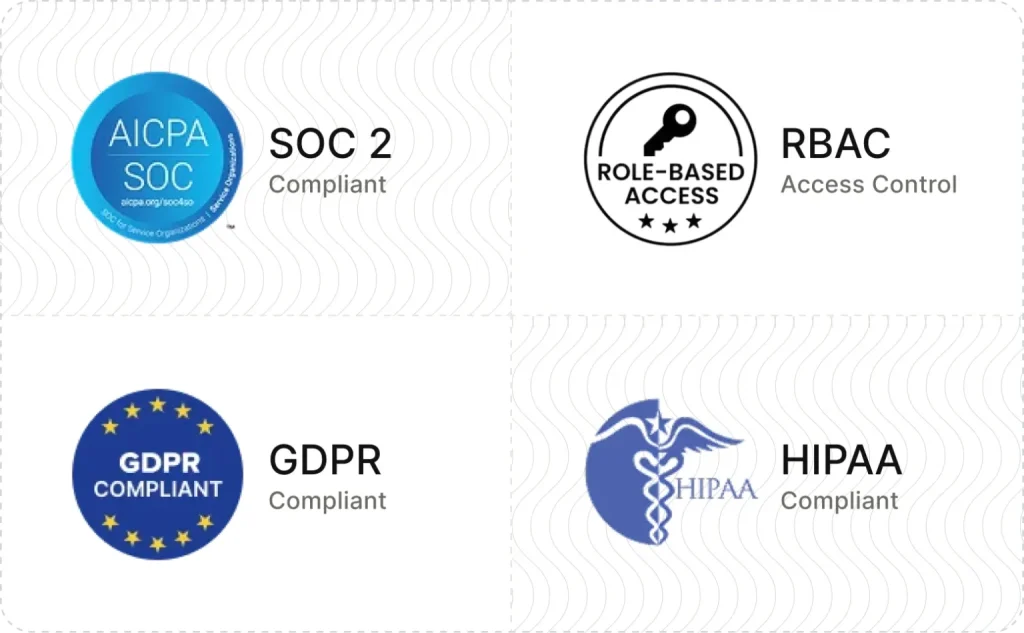
- SOC 2 Type 2 GDPR compliant
- HIPAA With a signed BAA
- 99.9% Uptime SLA
One Workspace
Every Channel Lands in One Workspace, With One AI Agent Behind It
Email, live chat and messaging conversations arrive together, link to the customer record, and are answered by the AI agent or by your team.
- WhatsApp Momentum AI and above
- Instagram Momentum AI and above
- Facebook Messenger Momentum AI and above
- Telegram Momentum AI and above
- Live chat Momentum AI and above
- Email and web forms Every plan
- SMS, voice and LINE Through integrations
All Conversations One workspace
- IC Isabel Carter Can I change the delivery date? WhatsApp
- JM Jack Morrison Is the new plan available yet? Instagram
- RH Rebecca Hale Invoice for September Email
- EW Ethan Walsh Where do I update my card? Live chat
Customer record
Isabel Carter WhatsAppEmail
The AI agent answers
Support Agent replies on the channel the customer used, with the knowledge sources you connect.
Your team takes over
A person steps in with the conversation history and the customer record.
Independent proof
G2 evaluated BoldDesk’s AI agent on 50 standardized customer-support tasks in a simulated environment, reporting 96% accuracy and 89% policy compliance. View the full leaderboard
96%
Accuracy in G2’s AI agent evaluation
89%
Policy compliance in G2’s AI agent evaluation
Core Capabilities
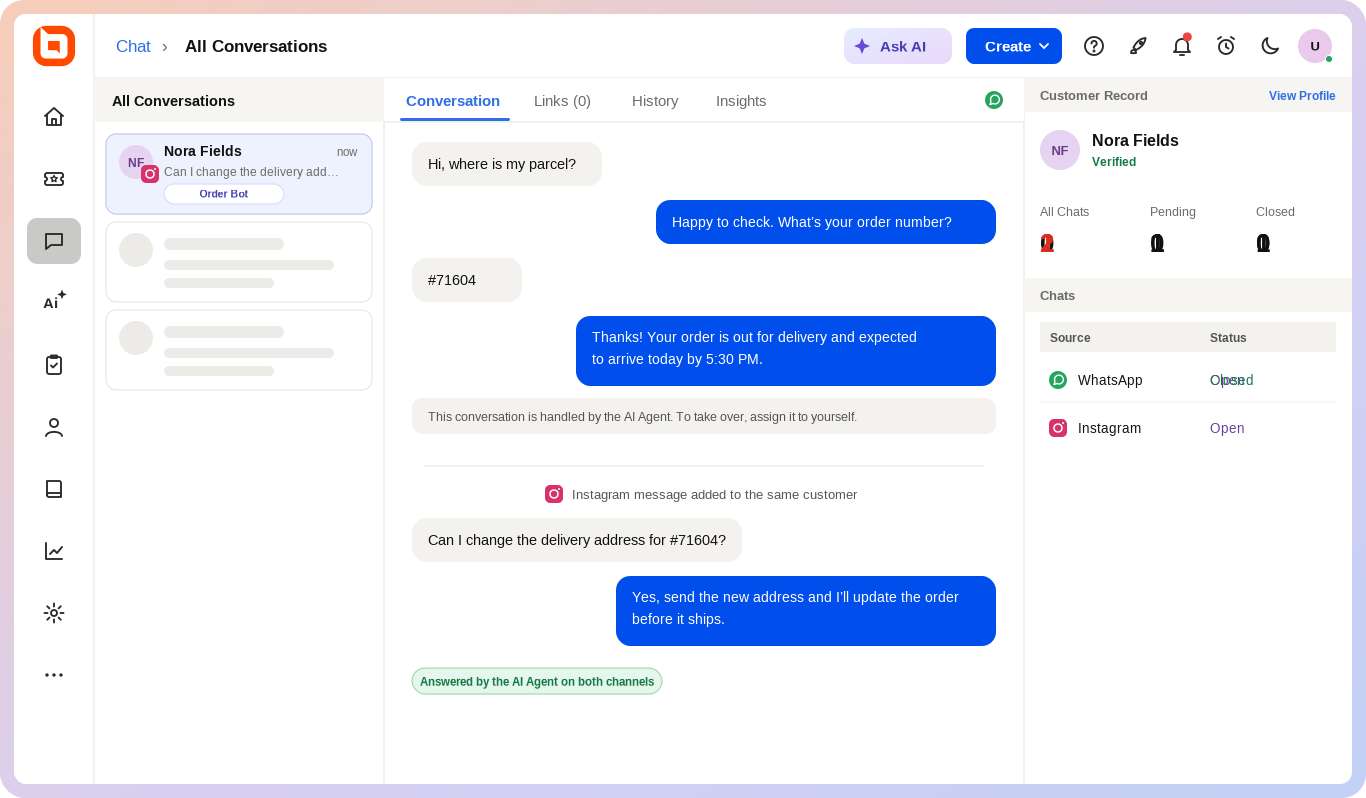
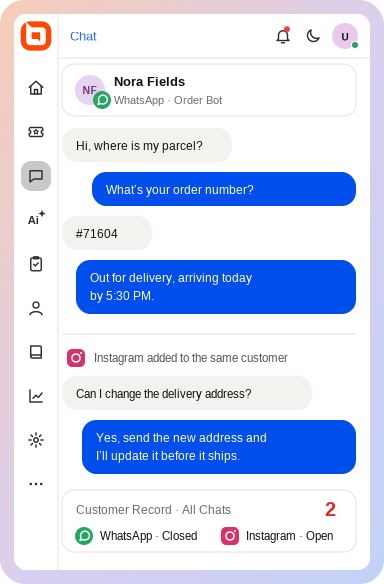
Follow One Customer Across Four Channels
The AI agent answers and acts on the routine requests, wherever the customer writes. When a person steps in, the record and the history are already there.
Do you have the linen shirt in medium?
- Checked the product guide Knowledge
Yes. Medium is in stock in navy and sand.
Answered by the AI agent
Please cancel order 2291. I picked the wrong size.
- Matched the number to Eleanor’s record Contact
- Order 2291 has not shipped WooCommerce
- Cancelled it and started the refund AI action
Order 2291 is cancelled and your refund is on its way.
Resolved by the AI agent, no person needed
Can I put the refund toward a medium shirt instead?
- Summarized the Instagram and WhatsApp chats Assist Agent
I can see both chats, Eleanor. I will apply the refund to a new order today.
Taken over by Claire Whitman
Has my new order shipped yet?
- Found the new order on the same record
- Checked the tracking WooCommerce
It shipped this morning and arrives on Friday.
Answered by the AI agent
Use Cases
AI Omnichannel Use Cases: Answers on the Channel Customers Chose
Five conversations on five channels, showing what the AI agent does and when your team steps in.
A routine question gets its answer on the same channel, from your knowledge, with no one in the queue.
Grace Dunn wrote on Messenger
How do I change the billing email on my account?
Support Agent replied on Messenger
Open Account settings, choose Billing and edit the billing email. The change applies to your next invoice.
Customer record
- Customer
- Grace Dunn
- Conversations
- 1
- Tickets
- 0
- Seen on
- Messenger
Shoppers who message you on social get a reply while they are still deciding.
Tyler Quinn wrote on Instagram
Do you ship to Canada, and how long does it take?
Support Agent replied on Instagram
Yes. Orders to Canada arrive in 5 to 7 business days, and duties are shown at checkout.
Customer record
- Customer
- Tyler Quinn
- Conversations
- 1
- Tickets
- 0
- Seen on
A customer who emailed yesterday writes on WhatsApp today, and the history is already on the record.
Assist Agent added a private note
Summary of yesterday’s email: return approved for order 3160, label sent, waiting for the parcel to arrive.
Megan Doyle wrote on WhatsApp
Hi, I sent the parcel back this morning. When will I get my refund?
Rachel Lowe replied on WhatsApp
Thanks, Megan. I can see your return from yesterday’s email. The refund starts when the parcel reaches our warehouse.
Customer record
- Customer
- Megan Doyle
- Conversations
- 2
- Tickets
- 1
- Seen on
- Email, WhatsApp
Customers write at any hour, so common requests are settled overnight and the rest wait for your team with the conversation attached.
Adam Pierce wrote on Live chat
My reset code has not arrived. Can you send it again?
Support Agent replied on Live chat
I have sent a new reset link to the email on your account. It stays valid for one hour.
Customer record
- Customer
- Adam Pierce
- Conversations
- 1
- Tickets
- 0
- Seen on
- Live chat
When a person is needed, the conversation moves with its history, or becomes a linked ticket.
Victor Hayes wrote on Live chat
My invoice total is higher than the quote. I would like to speak to a person.
Assist Agent added a private note
Summary: the invoice shows two extra line items. The customer asked for a person.
Nathan Cole replied on Live chat
Hi Victor, I have your invoice open and can see the two extra items. Let me check them with our billing team.
Customer record
- Customer
- Victor Hayes
- Conversations
- 3
- Tickets
- 1
- Seen on
- Live chat, Email
AI in the Workspace
What Your Team Sees in the Workspace
The details that keep every channel in one place and every AI agent within the limits you set.
-
Every Conversation, Labelled by Channel
Email, live chat and messaging conversations sit in one list, each marked with the channel it came from.
-
A Shared Customer Record
Tickets and chats stay linked to the customer’s contact record, so agents see related conversations across supported channels.
-
Routing by Rule
On Momentum AI and above, automated chat assignment routes a conversation to an available agent based on channel, topic or workload.
-
The Same Limits on Every Channel
Support Agent replies on the channel the customer used, or posts a note or saves a draft for review, and works only where you enable it.
Channels
Every Channel, and Where It Starts
Email is on every plan. Live chat and the messaging channels start on Momentum AI, and SMS, voice and LINE connect through integrations.
| Channel | Starts on | Connects through | What happens there |
|---|---|---|---|
| Email and web forms | Starts on Every plan | Connects through Built in | What happens there Support Agent replies by email, or saves a draft for your team to review, using the knowledge sources you connect. |
| Live chat | Starts on Momentum AI and above | Connects through Channel settings | What happens there Automated chat assignment routes a new conversation to an available agent by channel, topic or workload. |
| Starts on Momentum AI and above | Connects through Provider authorization | What happens there Support Agent looks up an order through a configured API tool or MCP server and replies on the same channel. | |
| Starts on Momentum AI and above | Connects through Provider authorization | What happens there Support Agent answers from your knowledge sources and brings in your team when a person is needed. | |
| Facebook Messenger | Starts on Momentum AI and above | Connects through Provider authorization | What happens there Messages arrive in the same list as every other channel, linked to the customer record. |
| Telegram | Starts on Momentum AI and above | Connects through Channel settings | What happens there Conversations follow the same routing rules and the same limits as the other messaging channels. |
| SMS | Starts on Momentum AI and above | Connects through Integration | What happens there Texts arrive in the workspace beside every other channel. |
| Voice calls | Starts on Momentum AI and above | Connects through Integrations such as Twilio and Aircall | What happens there Connected calling puts calls in the workspace. It is not an autonomous AI voice agent. |
| LINE | Starts on Momentum AI and above | Connects through Integration | What happens there Conversations arrive in the same workspace as the other channels. |
No separate omnichannel add-on and no per-channel fee. Third-party messaging, SMS and calling provider charges may apply separately; Meta’s charges for WhatsApp usage are not included in BoldDesk pricing.
Security & Compliance
Enterprise-Grade Security and Compliance
Keep conversations on every channel safe with encrypted infrastructure, access controls and audit logs.
- SOC 2 Type 2 report & GDPR compliant
- AES-256 encrypted infrastructure
- SSO and IP restrictions
- HIPAA compliance with a signed BAA
- Secure cloud architecture
Customers
Backed by Syncfusion, Trusted by 41K+ Companies
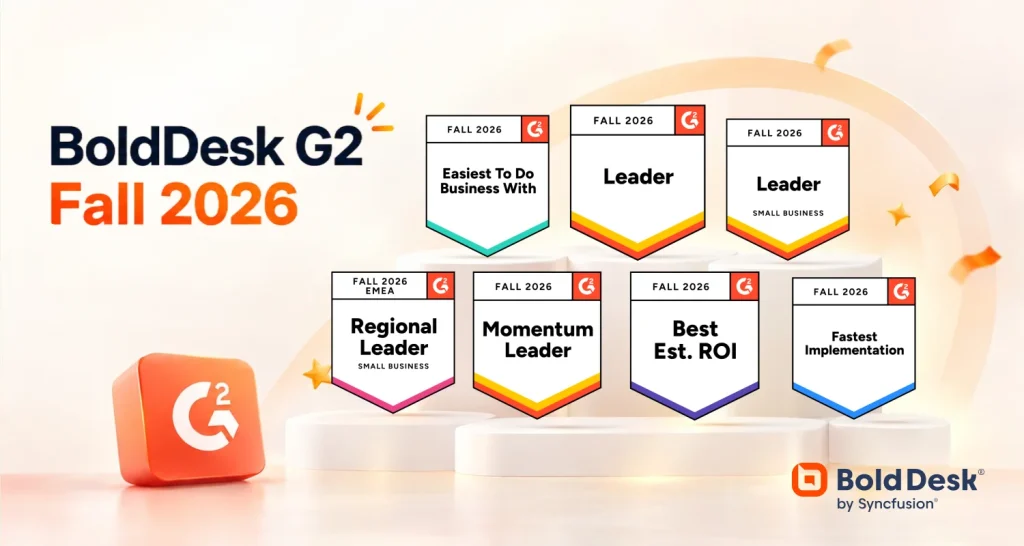
4.5/5 on G2 · Fall 2026 Leader, Momentum Leader, Best Est. ROI, Fastest Implementation
Recognized by Customers on G2
4.5/5 average rating on G2
-
Reelo Technologies Raj Khichi, Customer Support Executive, Reelo Technologies Pvt. Ltd.
Up to 24x
faster at solving customer queries, with 2.4x more tickets closed per day
Read the Reelo story -
GeoVerra One of Canada’s largest geomatics firms
25%+
improvement in service desk efficiency, with single sign-on via Entra ID
Read the GeoVerra story -
Eurotel Hospitality Hospitality software, Greece
~67%
more issues handled each week, from about 600 to about 1,000
Read the Eurotel story
-
"The overall application functionality is good, UI/UX and the configurations including automations all the other services are constantly working fine."
 Harsha R Support Team Lead
LTIMindtree -
"BoldDesk has everything you could imagine in a customer service platform, including many features like APIs that we are yet to explore fully."
Carlos R VP of Operations
Movisis Tecnologia Limited -
"BoldDesk provided an all-in-one solution that saves time and reduces redundancy, improving the user experience and shortening ticketing time by 50%."
 Amy Syncfusion
The Workspace
Everything Your Team Needs to Run Every Channel, With AI in the Same Conversation
Channels, customer records, routing and limits are set up once, in the same workspace the AI agents answer from.
-
A Shared Customer Record
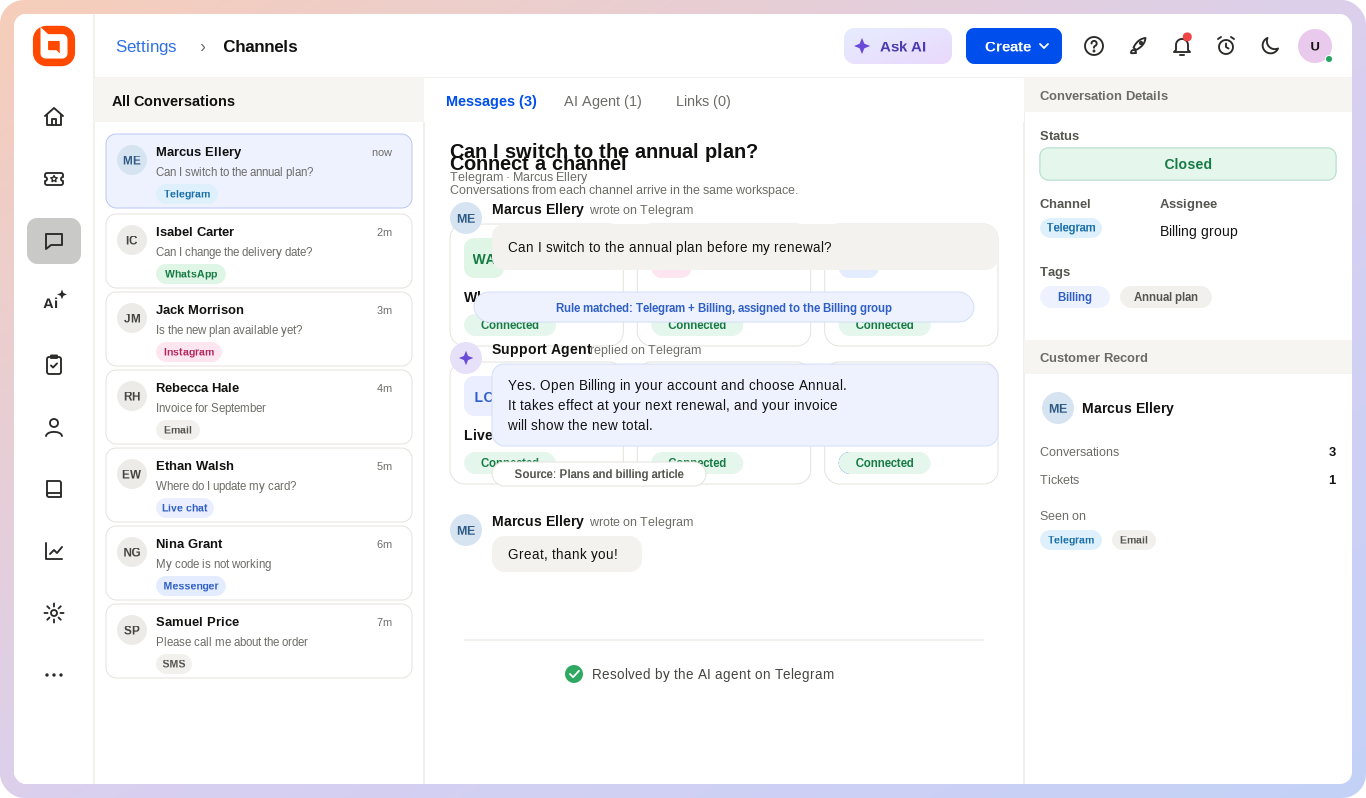
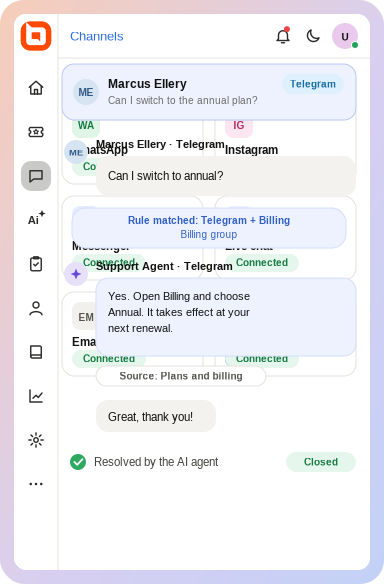
BoldDesk keeps tickets and chats linked to customer contact records, so agents can review related conversations across supported channels.
-
Add Channels in Settings
Connect supported messaging channels by completing the provider authorization and channel configuration, then manage conversations from your workspace.
-
Route Live Conversations by Rule
On Momentum AI and above, automated chat assignment routes a message to an available agent based on channel, topic or workload.
-
Chat Becomes a Ticket
Where AI-assisted ticket creation is enabled, BoldDesk suggests the subject and description, and the ticket stays linked to the chat.
-
Same Limits on Every Channel
Support Agent replies on the channel the customer used, or posts a note or saves a draft for review.
-
Test Before Customers See It
Try prompts and actions in the Playground, away from live customers, before an agent goes live on a channel.
-
Channels You Enable
Support Agent works only on the channels where you enable it, with the knowledge sources you connect.
-
A Record Across Channels
The AI Agent tab on a ticket shows what Background Agent added and when, and an audit trail logs agent actions.
AI Actions and Integrations
Connect the Systems Behind Every Channel
Orders, calls, CRM records and projects show up beside the conversation, so agents and AI agents answer without switching tabs.
-
 Shopify
-
 WooCommerce
-
 Twilio
-
 Aircall
-
 Slack
-
 Microsoft Teams
-
 Salesforce CRM
-
 Zapier
- Any REST API or MCP server
Native integrations and marketplace apps, plus API and MCP tools for the rest of your stack. View all integrations
Why BoldDesk
AI-Native Omnichannel vs Multichannel
A multichannel setup offers several ways to reach you, each in its own tool. BoldDesk brings the channels, the customer record and the AI agents into one workspace.
| Capability | BoldDesk AI agents | Multichannel setup |
|---|---|---|
| Understanding | Reads each message in the customer’s own words, on any enabled channel | Keywords and menus, per channel |
| Answers | From your knowledge sources, the same on every channel you enable | Separate answers kept up per channel |
| Actions | Looks up and updates records through API and MCP tools | Usually none, or manual lookups |
| When it can’t help | Hands over with the history, or turns the chat into a linked ticket | Customers start again with a new agent |
| Setup | Add channels in settings, try the agent in the Playground, then enable it per channel | One setup per tool and per channel |
| Switching channels | Conversations stay linked to the customer record when identities are matched or linked | Each channel keeps its own history |
| Reporting | Conversations and tickets from every channel in one workspace | Reports per tool |
| Compliance | SOC 2 Type 2 and GDPR, with HIPAA support on a signed BAA (AI services and some channels are restricted in HIPAA mode) | Varies by vendor |
Based on typical multichannel setups; capabilities vary by vendor.
Switching From Another Help Desk?
Eligible customers can receive free migration and onboarding. Our team helps you move your tickets, contacts and automations, and review the migrated data before you switch.
FAQ
Questions About AI Omnichannel Customer Service
Can’t find what you’re looking for? Talk to our team.
What is AI-native omnichannel customer service?
AI-native omnichannel customer service puts AI agents to work on every channel your customers use, not only on one. In BoldDesk, email, live chat and messaging conversations arrive in one workspace and link to the customer record. Support Agent answers and acts on the channels you enable, Assist Agent helps your team, and a person takes over whenever one is needed.
How is omnichannel different from multi-channel?
Multichannel customer service offers several ways for customers to contact a business. Omnichannel customer service connects supported channels, customer records, and support workflows in a more unified experience. BoldDesk helps agents access related interactions when customer identities are correctly matched or linked.
Can AI agents resolve conversations on their own across channels?
Yes, on the channels where you enable Support Agent and with the knowledge sources you connect. It replies on the channel the customer used, or posts a note or saves a draft for review, and your team can step in at any time. Handoff options depend on the channel and the AI agent configuration.
Which channels does BoldDesk support, and on which plans?
Email and web forms are on every plan. Live chat, WhatsApp, Facebook, Instagram, and Telegram start on Momentum AI. SMS, voice, and LINE connect through integrations on Momentum AI and above.
Which channels do the AI agents work on?
Support Agent can respond through configured email, ticketing, live chat, and supported messaging channels, depending on your plan. Assist Agent helps human agents draft and summarize replies within BoldDesk. Background Agent investigates assigned tickets.
What happens when a customer switches channels?
BoldDesk keeps channel conversations in a connected workspace. When customer identities are correctly matched or linked, agents can access related tickets and chats without asking customers to repeat information. BoldDesk does not match identities automatically in every case: it keeps tickets and chats linked to customer contact records.
How does AI hand a conversation to a person?
BoldDesk supports customer-requested handoff, workflow-based transfers, and manual takeover by human agents. Available options depend on the channel and AI agent configuration.
Can AI agents take actions in my other systems?
Yes. With configured API tools or MCP connections, AI agents can retrieve information and perform permitted actions in connected systems. With WooCommerce, for example, agents can view orders and handle eligible cancellations or refunds without opening a separate store dashboard.
How do I add a channel, and can I test the AI first?
Connect supported messaging channels by completing the required provider authorization and channel configuration, then manage incoming conversations from your BoldDesk workspace. Before an agent goes live, try prompts and actions in the Playground, away from live customers, and enable the agent only on the channels you choose.
Does AI work on every channel in HIPAA-enabled accounts?
No. HIPAA support is available on Enterprise AI with a signed Business Associate Agreement (BAA) and account-level enablement. HIPAA-enabled accounts have additional feature restrictions: AI services and certain communication channels are restricted for protected health information.
Is omnichannel an add-on, and are messaging provider charges included?
There is no separate omnichannel add-on and no per-channel fee. Email is on every plan, and live chat and the messaging channels start on Momentum AI. Third-party messaging, SMS, and calling provider charges may apply separately. For example, Meta’s charges for WhatsApp usage are not included in BoldDesk pricing.
Put AI Agents on Every Channel
Answer more customers on more channels without adding headcount: unlimited human agents and no per-channel fees. See pricing.
- Cancel Anytime

- No Forced Upgrades
- Unlimited Human Agents
- No Credit Card Required