




Email Ticketing System
An Email Ticketing System That Replaces Manual Support with Ownership
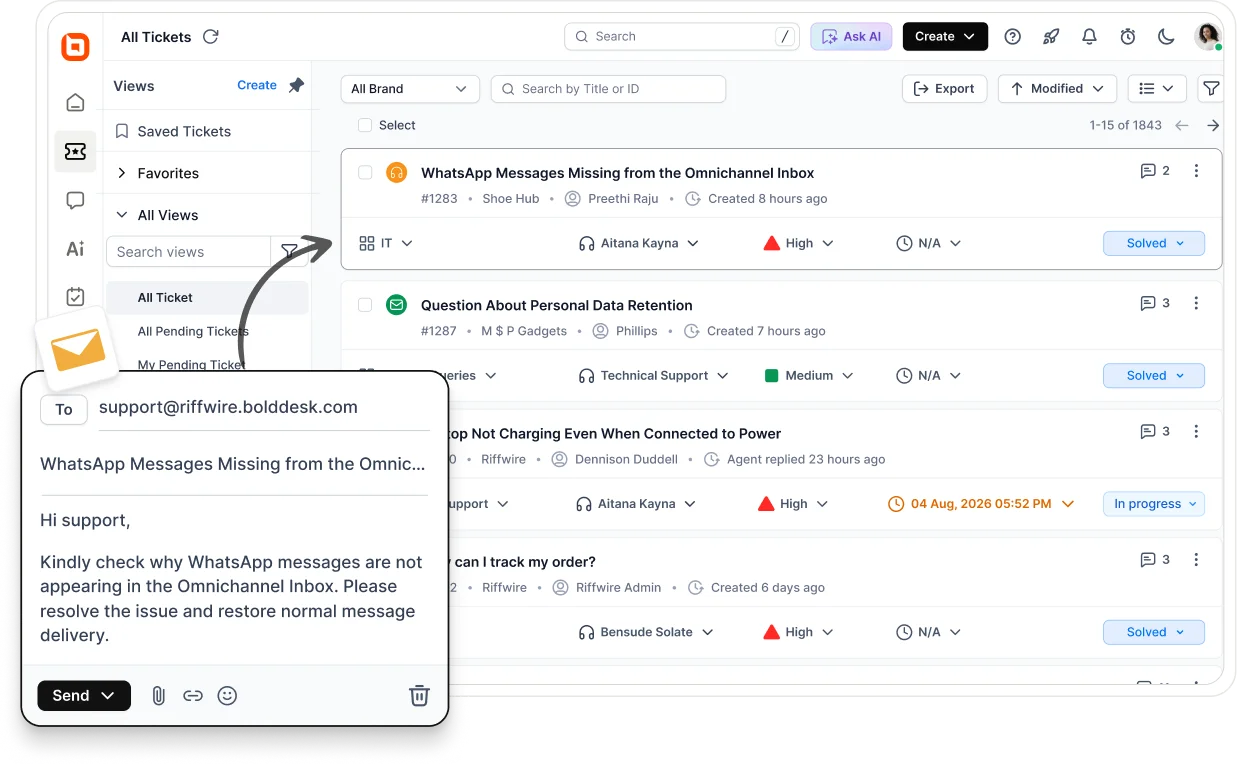
Nothing changes for your customers. Behind the scenes, BoldDesk turns their email into a ticket and puts an agent on it right away.
-
No credit card required
-
Teams switching typically save up to 70%
Trusted by Companies of all Sizes
Backed by Syncfusion
41K+
Companies worldwide
25+
Years in business
80%
of the Fortune 500 use Syncfusion software
3M+
Tickets Migrated
Free
Migration & Onboarding
SOC 2, GDPR & HIPAA
Compliant
99.9%
Uptime SLA
From Inbox to Resolved
Every Email Turns into a Ticket Someone Owns
An email ticketing system is built to convert emails to tickets automatically. Each one gets an owner, a status, and a full history, so nothing gets lost.
From “Customer Hits Send” to “Ticket Closed”
1. Email Arrives
A customer sends an email describing their issue, sent to the same address they already use.
2. Ticket Created
BoldDesk automatically turns that email into a ticket, with an ID, a status, and a history.
3. Routed to an Owner
The ticket goes straight to the right agent on your team, by workload, skill, or topic.
4. Replied in One Place
Your team sees the full request and replies from the ticket, with no searching across inboxes.
5. Reminder Fires
If a reply is taking too long, BoldDesk sends a reminder before the SLA is missed.
6. Time Measured
You can see how long each request took, from the first email to the last reply.
Built for Everyday Ticket Work
Routing, Replies, and Deadlines Sorted Before Your Team Sees Them
Every day, your team creates tickets, sorts them, replies, and tracks deadlines. It is the same repetitive email-to-ticket work, over and over. Here’s how BoldDesk handles it automatically.
No Change for Them
Your Customers Keep Emailing the Address They Already Know
They keep writing to the same support address they have always used. No portal to sign up for, no ticket form to learn, no new inbox to watch. On your side, each message arrives as a ticket with an owner, a status, and a full history.
Works With Your Mailbox
Connect the Support Address You Already Have
Forwarding or IMAP, whichever your provider supports. Here is what connecting looks like for the most common setups.
Teams that also handle chat, WhatsApp, or social can bring those into the same queue with omnichannel customer service.
Gmail and Google Workspace
Connect by forwarding. Your team keeps the address it already publishes, and BoldDesk runs the queue behind it.
Outlook and Microsoft 365
Connect by forwarding. Outlook is an email client, so on its own it has no ticket IDs, SLA timers, routing, or reporting.
Any Other Provider
Connect by forwarding or IMAP. Setup steps vary slightly by provider, and the documentation covers each one.
Several Support Addresses
Route support@, billing@, and sales@ into separate queues using category-based email support, each with its own rules.
Your Own Mail Server
Point BoldDesk at a custom email server so outbound replies leave your infrastructure rather than ours.
Deliverability Built In
Outbound mail is DKIM signed with DMARC. Inbound spam control runs before anything becomes a ticket.
What Happens to Threads, Attachments, and Follow-Ups
The everyday email questions, answered plainly.
When a customer replies to a BoldDesk email, it lands on the original ticket. No duplicate to clean up.
Combine up to 5 tickets into one. Merging is permanent, and attachments are not carried across.
Files and screenshots come through with the ticket and stay in its history.
Use a side thread to email a third party privately, without the customer seeing it.
Forward or share a ticket with someone outside your agent team.
Agent signatures and email templates keep outbound mail on brand. Agents can reply from Gmail too.
Smarter, Not Slower
AI Reads the Email Thread so Your Agents Don’t Have To
BoldDesk supports AI Agent, AI Copilot, and AI Actions, so routine requests get handled automatically while agents stay in control.
-
Want the numbers first? Estimate what AI automation could save your team with the free AI ROI calculator.
Why Teams Switch
Less Manual Work and More Consistent Support
Switching to an email ticketing system changes more than where requests live. Here is what your team actually notices once every ticket has an owner.
Better Organization and Visibility
Every request has a status, a priority, and an owner. Your team knows what is happening and who is handling it, without asking around or checking a second inbox.
Faster, More Consistent Replies
Templates and automation reduce repetitive work and help teams handle growing ticket volumes more efficiently.
Clear Visibility into Service Quality
Reports and Analytics show response time, resolution time, and customer satisfaction in one place, so managers can spot a slipping SLA before a customer ever has to point it out.
Shared Inbox or Ticketing
When a Shared Inbox Stops Being Enough
Below roughly 50 emails a day, a shared mailbox usually holds up. Past that, or the moment someone asks for SLA data, ownership and reporting have to be built into the tool instead of agreed between people.
Agreed verbally, easy to lose
Assigned to a named agent
Manual labels, stars, and folders
Built-in fields
No deadline tracking
SLA timers
Two agents can reply at once
Locking varies by tool
Unread and folder counts only
Response and resolution time
Mailbox history, editable
Ticket history
No customer portal
Usually a paid add-on

In Their Own Words
Don’t Take Our Word for It
All three quotes are verified reviews from BoldDesk customers on G2.
One Plan, No Tiers
One Plan for Core Support Features, with Flexible AI Add-Ons
One all-inclusive plan gives every team access to BoldDesk’s core support features. AI Copilot and additional AI credits are available as optional add-ons.
Limited-time offer: AI credits shown above are included for the first three months. After that, AI Agent runs on credits you top up and AI Copilot is a seat-based add-on billed per assigned agent. See current AI pricing.
$99
/ month. Billed yearly
| Number of Agents | Monthly (yearly billing) |
AI Credits
(Included for first 3 months)
|
|---|---|---|
| 5 |
$99
/ month
$1,188 billed yearly
≈ $20 / agent
|
500
credits / month
|
| 25 |
$349
/ month
$4,188 billed yearly
≈ $14 / agent
|
1,500
credits / month
|
| 50 |
$499
/ month
$5,988 billed yearly
≈ $10 / agent
|
2,000
credits / month
|
| 100 |
$999
/ month
$11,988 billed yearly
≈ $10 / agent
|
3,000
credits / month
|
EVERYTHING INCLUDED
- Omnichannel ticketing: Email, Chat, WhatsApp, Social, Voice: 10+ channels
- Workflow automation & SLA management
- Knowledge base & customer portal
- AI Copilot & AI Agents: Flat published rates, never per-resolution fees; starter credits in every plan
- Custom roles, SSO/SAML, audit logs: No "enterprise tier" required
- Advanced reports & custom dashboards
- Free expert migration & guided onboarding
Switching Without the Risk
Move Your Email Support Without the Risk
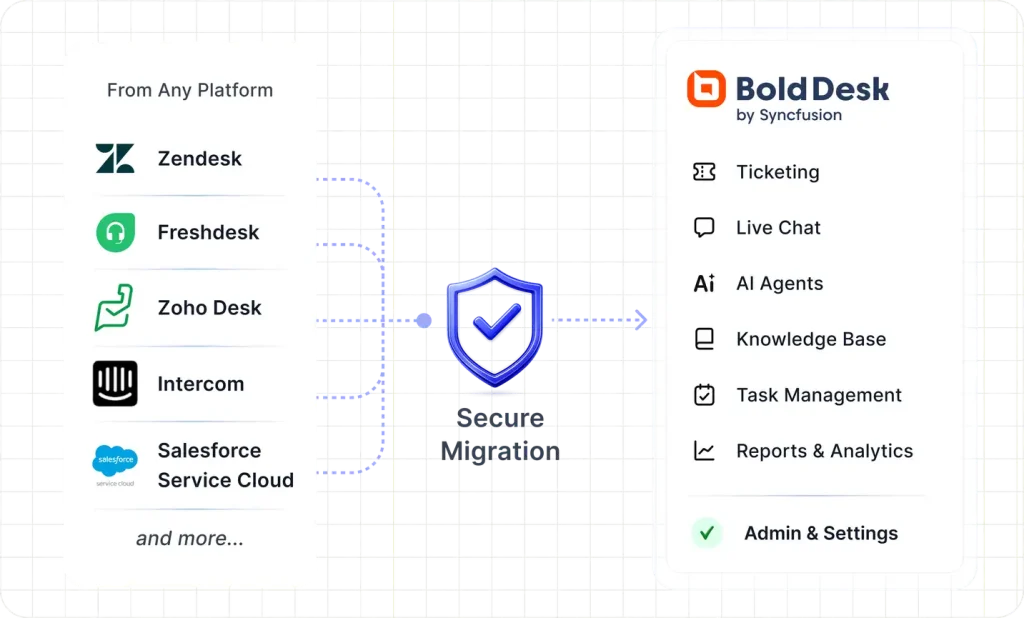
Move from Zendesk, Freshdesk, or your in-house system and keep the support email address your customers already use. Verify everything in a live sandbox before your team switches, and most teams are live in weeks. Free migration, free onboarding, and contract coverage until your current contract ends are offers for eligible paid subscriptions, subject to terms. Confirm with Sales.
Free expert-led migration
Tickets, contacts, knowledge base, and automations, rebuilt so your rules work from day one.
Review in a live sandbox
Verify everything before your team switches over. Nothing changes until you say so.
Free until your contract ends
Switch before renewal without paying for two help desks.
Guided onboarding on every plan
Most teams are productive within hours of go-live.
-
Up to 70% Savings vs Zendesk
-
G2 Leader Fastest Implementation
-
30 Day Money-Back Guarantee
-
Enterprise Grade Security
-
99.9% Uptime SLA
Protected the Way Enterprise Expects
Support Conversations Stay as Protected as the Rest of Your Stack
Every email that becomes a ticket carries customer data. Protect it with secure infrastructure, compliance-ready controls, and enterprise-grade access management.
-
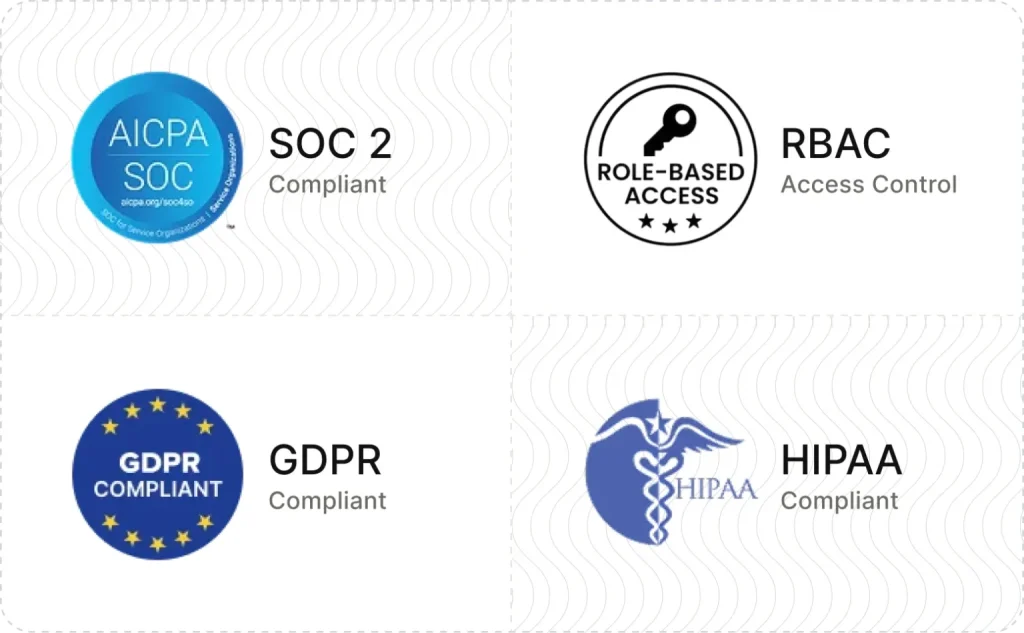
SOC 2 & GDPR compliant
-
AES-256 encrypted infrastructure
-
SSO and IP restrictions
-
Role-based access control and audit logs
-
HIPAA-ready workflows
-
Secure cloud architecture
Answered Before You Ask
Questions Teams Ask Before They Switch
An email ticketing system, also called email ticketing software, turns incoming support emails into tickets with an owner, status, priority, and SLA, so nothing sits unanswered.
Yes. Connect it through email forwarding or IMAP. Customers keep emailing the same address they already know.
Yes, through forwarding or IMAP. Setup steps vary slightly by provider.
A shared inbox is for collaborating on team email. An email ticketing system adds ownership, SLAs, automation, and reporting on top.
Start with a 15-day free trial, no credit card required. Plans scale with team size, so see current pricing for details.
BoldDesk is SOC 2 Type 2 certified and supports GDPR requirements, encryption, MFA, and role-based access. HIPAA compliance is available for HIPAA-enabled accounts with a signed BAA.
No. Outlook is an email client, so on its own it has no ticket IDs, SLA timers, routing, or reporting. Teams on Microsoft 365 connect their existing mailbox to a ticketing system to get those.
Yes. Route addresses such as support@, billing@, and sales@ into separate queues using category-based email support, each with its own rules and deadlines.
They arrive with the ticket and stay in ticket attachment storage, so agents see the same files the customer sent.
Yes. Replying to the BoldDesk notification email is the reliable path, because it carries a hidden ticket ID that links the reply back to the ticket. If someone starts a fresh email with a changed subject line instead, it can open a new ticket, which you can then merge.
Yes. Side threads let you run a separate email conversation off a ticket, kept out of the customer-facing thread.
Yes. Outbound mail uses your support address with agent signatures and custom email templates, and is DKIM signed with DMARC.
An Email Ticketing System for Teams Still Managing Support Emails Manually
If your team is still forwarding, flagging, and guessing who owns what, the fix is not a bigger inbox. It is an email ticketing system that gives every request an owner, an SLA, and a record, from the first email to the last reply.
-
No Feature Paywalls
-
No Forced Upgrades
-
Free Migration
-
No Credit Card Required
-
Cancel Anytime
-
No Feature Paywalls
-
No Forced Upgrades
-
Free Migration
-
No Credit Card Required
-
Cancel Anytime