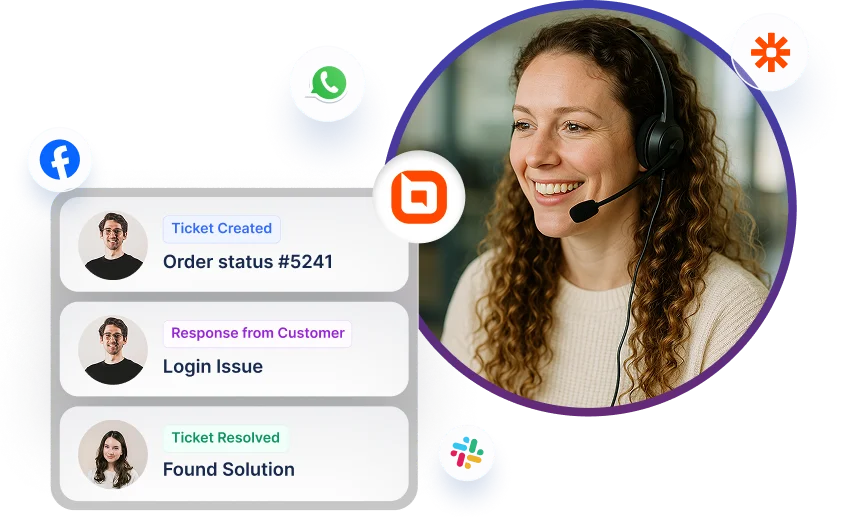

Switch from Help Scout to BoldDesk
- Modern & Easy to use
- Rich feature set
- Highly Customizable
- Free Migration
- No credit card required
- Cancel anytime
Trusted by companies of all sizes

Free and smooth migration
Our free expert migration service makes it simple to switch from Help Scout to BoldDesk. If you’re still under a Help Scout contract, we’ll cover up to 6 months of your remaining contract fees.

Compare Help Scout and BoldDesk Pricing
The complete AI-first support platform — ticketing, live chat, omnichannel messaging, knowledge base, automation, reporting, and integrations — in three simple plans with unlimited human agents.
Compare BoldDesk with Help Scout Plus and Pro (billed annually, 5 to 100 agents).


Prices are per month, billed annually. Help Scout Plus is $45 per user and allows up to 50 users; from 75 agents, Help Scout Pro ($75 per user) is shown instead. Need pricing for 100+ agents? View our Pricing page
Compare
Get more and spend less with BoldDesk
Check out how BoldDesk compares to Help Scout with features and functionalities.
| Features |
 Enterprise AI |
 Plus |
Unlimited Contacts |
 |
 |
Unlimited Tickets |
|
|
Email to Tickets |
|
|
Live Chat |
|
|
Omnichannel Inbox |
|
|
Auto Assignment |
|
|
Advanced Ticket Filters |
|
|
Satisfaction Surveys |
|
|
Private Tickets |
|
 |
Workflow Automations |
|
|
Contact Management |
|
|
Ticket Collaboration |
|
|
Ticket Access Scope |
|
|
User Access Management |
|
|
SLA Management |
|
|
Branding and Customization |
|
|
Multi Brand Support |
|
|
Multilingual Help Desk |
|
|
Multilingual Knowledge Base |
|
|
Reports and Dashboards |
|
|
Embeddable Widgets & Forms |
|
|
Features are compared with BoldDesk Enterprise AI & Help Scout Plus plans
Not Fully Satisfied With BoldDesk?
30-day money-back guarantee, no questions asked
We will refund 100% of your money within 30 days of your purchase. Email us at support@bolddesk.com and we will issue your refund immediately—no questions asked.

Enterprise grade level security & privacy
To protect your customer's data, security systems control access to your entire organization and secure your data at multiple levels. Encryption, audit logs, IP restrictions, and SSO are features that can help you in protecting your data and restricting access to only authorized users.
Single sign-on
Single sign-on with BoldDesk allows users to log in and access their help desk account with a single set of credentials by using SSO systems such as Office 365, OAuth 2.0 providers, and OpenID.
IP restrictions
IP restrictions allow you to limit the IP addresses from which your organization can access the help desk.
Password policies
Create your password policies to enforce secure, strong passwords, password rotation frequency, and password expiration to meet your security standards and policies.
Roles & permissions
Control agent's access to data by giving them certain permissions.
Ticket access scope
Specify an agent’s ticket access level when viewing tickets in the support center.
Brand-based access
Brand access allows you to limit the visibility of the tickets for agents so that they can only access tickets for specific brands.
Whitelist or blacklist senders
Accept or reject the emails received from specific senders and domains. Emails on the blacklist are blocked and are not routed to spam.
DKIM for email
DKIM signatures notify the recipient that an email is sent from an authorized domain.
Audit logs
Audit logs contain information about specific events or operations, such as access, change details, who performed an action, and so on.
12 Areas Compared
BoldDesk vs Help Scout: Side by Side
Pricing, total cost, AI, deployment, support, roadmap and customer proof, side by side. Prices in USD.
| Area | BoldDesk | Help Scout |
|---|---|---|
| Pricing and plans | Three plans, billed yearly: Scale AI $99/month (500 AI credits), Momentum AI $499 (1,000 credits) and Enterprise AI $999 (2,500 credits); $116, $587 and $1,175 billed monthly. Unlimited human agents and tickets on every plan. 15-day free trial. | Standard $25, Plus $45 and Pro $75 per user/month billed annually. Standard is capped at 25 users and Plus at 50; Pro has a 10-user minimum. Free plan for up to 5 users; 15-day trial. |
| Full cost of ownership | No per-agent fees: unlimited human agents on every plan, under a fair usage policy. Extra AI credits $40 per 1,000; no automatic overage charges, and handoffs to a human with no AI answer are free. Free migration and onboarding for eligible customers. | AI Answers cost $0.75 per resolution. Extra inboxes are $10 and extra Docs sites $20 a month, billed annually; HIPAA, SSO and IP restrictions are unpriced add-ons below Pro. Plans auto-renew unless cancelled 30 days before the term ends. |
| AI agents and copilot | Response, Background, Assist and Email AI agents, AI actions over API and MCP, and AI agents in Slack and Microsoft Teams on every plan; a task uses 1 to 12 credits depending on complexity. | AI Answers (chatbot) billed per resolution, with a monthly cap you set and 3 free months for new accounts. AI Assist on paid plans; AI Drafts and Summarize on Plus and Pro only. |
| Ticketing and channels | Unlimited tickets and email on every plan. Live chat, WhatsApp, Facebook, Instagram and Telegram from Momentum AI, with voice, SMS and LINE through integrations such as Aircall, Ringover and Twilio; a native voice channel is on the roadmap for November 2026. | Email on all plans; live chat, Messenger, Instagram and WhatsApp from Standard. Phone only through integrations such as Aircall. |
| Self-service and knowledge base | Unlimited articles, public and private knowledge bases and a customer portal on every plan; multilingual knowledge base and article versioning from Momentum AI; multi-brand knowledge base on Enterprise AI. | Docs knowledge base: 2, 3 or 5 sites on Standard, Plus or Pro; private Docs sites need Plus or Pro. |
| Reporting and analytics | Support, SLA and ticket metrics dashboards on every plan; CSAT and AI agent dashboards from Momentum AI; custom dashboards and scheduled reports on Enterprise AI. | Report history of 2 years on Standard and all-time on Plus and Pro; custom reports and exports from Standard. |
| Integrations and API | Zapier, Salesforce, HubSpot, Jira, GitHub, Shopify, Slack and Microsoft Teams on every plan, more from Momentum AI; webhooks and a REST API (100 to 500 requests a minute by plan); a BoldDesk MCP server for AI tools. | 100+ apps; Salesforce, HubSpot and Jira integrations need Plus or Pro. API from Standard at 200 to 800 calls per minute. |
| Security and compliance | SOC 2 Type 2 certified, GDPR and TX-RAMP Level 2. Audit logs on every plan; SSO and 2FA from Momentum AI; HIPAA with a signed BAA, IP restriction and data redaction on Enterprise AI, the plan the pricing page lists SOC 2 Type 2 certified under. | SOC 2 Type 2 (Security and Availability), GDPR, UK GDPR and CCPA; HIPAA with a BAA is an add-on on Plus and included on Pro. SAML SSO on Pro. |
| Deployment and data residency | Cloud only, hosted on Google Cloud and Microsoft Azure. Every plan chooses where data is stored (US, EU (Netherlands), India or Australia) at sign-up; AI and other processing happen mainly in the US, whichever storage region you pick. The pricing page lists no contractual data residency commitment. | Cloud only, on AWS in the United States; no EU or other data residency option on Help Scout's pages. |
| Customer support | 24x7 email support and chat support on every plan, plus a customer success manager on Enterprise AI. First response for critical issues within 1 business day on Standard and 3 hours on Premium support; 99.9% uptime SLA. | Priority email support on paid plans, reachable 24 hours a day, six days a week; onboarding specialist and account manager on Pro. No published response-time SLA found. |
| Roadmap and release cadence | Public roadmap of planned, in-progress and completed items by month; release notes on Product Updates, most recently October 6, 2026. | Frequent changelog posts (latest October 1, 2026) grouped into seasonal releases; no public roadmap found. |
| Customer proof | Rated 4.5/5 on G2. 3M+ tickets migrated to BoldDesk. Built by Syncfusion, whose software is used by 41K+ companies worldwide. | Rated 4.4/5 on G2. |
Facts last checked on against each vendor's public pricing, trust, help-center and review pages. Vendors change plans often; confirm current terms with the vendor before you buy.
Migration Path
How to Move from Help Scout to BoldDesk
Help Scout's in-app export covers report data only; conversations, customers and Docs articles come out through its APIs, and data can be restored on request for 14 days after cancelling, then it is deleted. Eligible BoldDesk customers get free migration.
-
Request a free migration
Tell the BoldDesk migration team you're moving from Help Scout. Free migration and onboarding are available to eligible customers; the team confirms eligibility for your plan.
-
Export from Help Scout
Before you cancel, pull conversations, customers and users through the Inbox API and articles through the Docs API, and share the files with the migration team.
-
Map your fields
Set up your ticket, contact and contact group fields in a BoldDesk migration account. Tickets, public replies, private notes, articles, tags, contacts and companies then move with their original dates.
-
Go live with onboarding
BoldDesk recreates your automations, SLA policies, ticket forms, groups and roles, sets up the help center, and walks agents through go-live.
Test out all the features of BoldDesk
Start your 15-day free trial with instant access
- No credit card required
- Easy setup
- 90% AI Agent Automation
- 100+ Rich Features