

Omnichannel Customer Service Software Where Every Channel Is Already Included
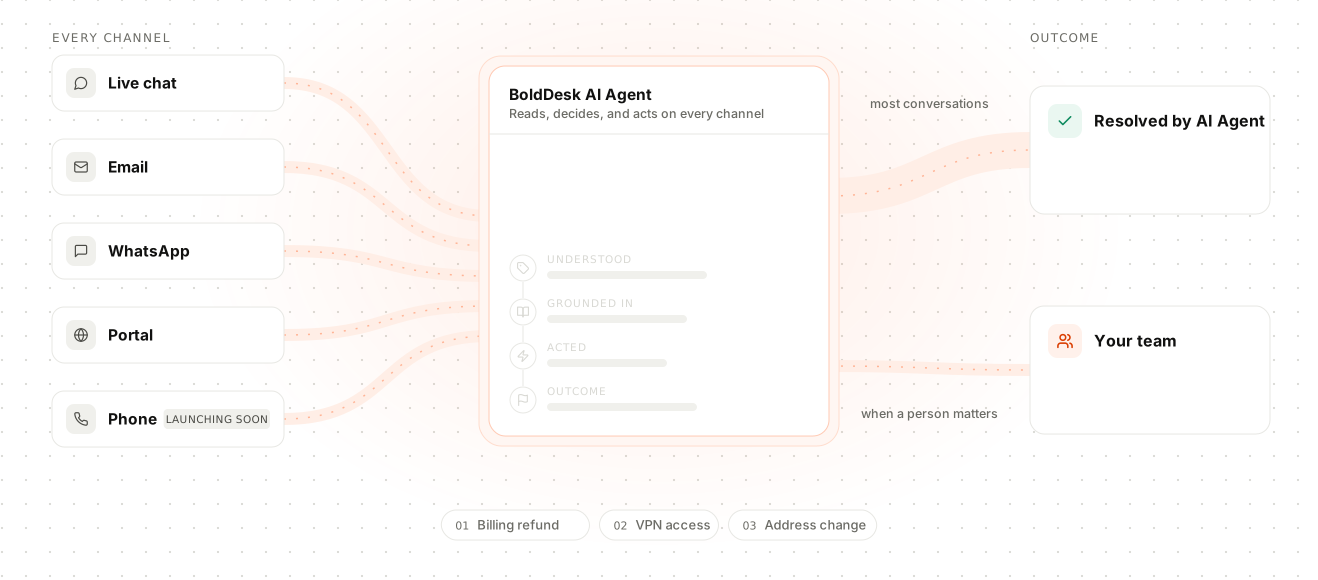
WhatsApp, live chat, email, social, SMS, and voice all run through one workspace from the Momentum AI plan, with SMS and voice via integration. BoldDesk customers automate up to 90% of interactions with AI that is included in the same plan.
- Under 10 agents? Start here
- Larger team or under contract?
Trusted by Companies of all Sizes

Backed by Syncfusion
41K+
Companies worldwide
25+
Years in business
80%
of the Fortune 500 use Syncfusion software
3M+
Tickets Migrated
Free
Migration & Onboarding
SOC 2, GDPR & HIPAA
Compliant · HIPAA with BAA
99.9%
Uptime SLA
The Fragmentation Problem
Why Do Customers Keep Explaining Themselves?
Most support tools didn't start out broken. They just added a channel at a time, until nothing talked to anything else.
A customer messages on WhatsApp, emails a follow-up, then calls. Three different views, three agents starting from zero.
Every new channel is a separate tool, a separate login, a separate thing your team has to remember to check.
A chat escalates or a call comes in, and everything the customer already explained gets left behind with it.
WhatsApp here, voice there, social somewhere else, each with its own add-on fee before your team even logs in.
The Workspace
Full Context, Before the Agent Even Replies
Chats and tickets stay their own record types, switched on by default, not reserved for a higher tier.
Never Repeat a Question
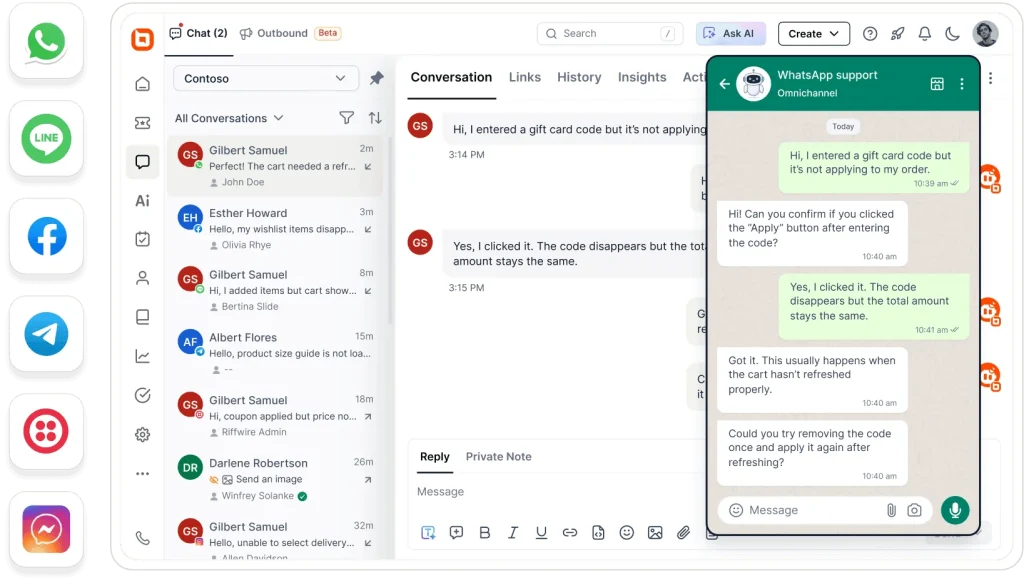
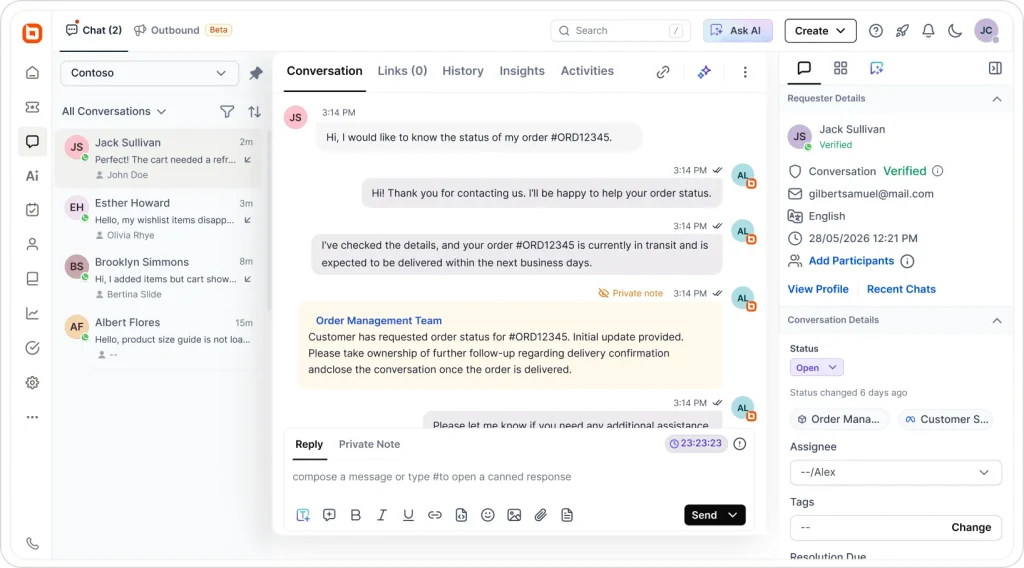
A customer emails about a delayed order, then follows up on WhatsApp two days later. The email stays a ticket and the WhatsApp message stays a chat, but both sit against the same customer record, so your agent doesn't ask them to re-explain, backed by built-in contact management that keeps every profile and conversation together.
No More Side-Channel Handoffs
A billing question comes in mid-chat and needs a teammate's input. Instead of a Slack message that leaves no trace on the ticket, the agent tags them right inside the same thread, private notes and all, so the handoff happens in the conversation, not in a side channel.
Route Live Conversations Instantly
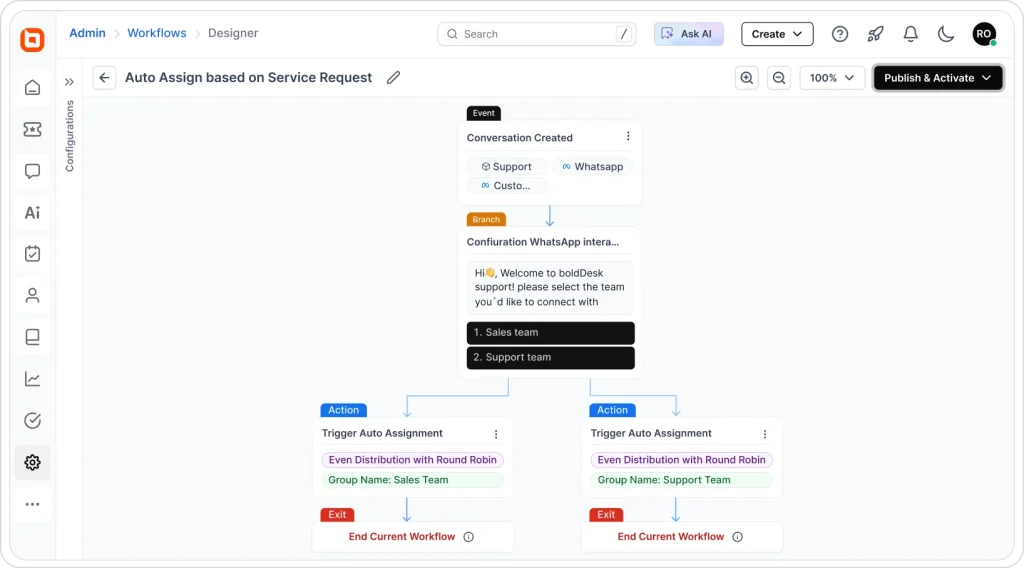
A WhatsApp message or live chat expects a reply within seconds, not a queue position. It routes straight to an available agent automatically, based on channel, topic, or workload, so time-sensitive conversations never sit waiting behind tickets that can wait.
Every Channel Your Customers Already Use
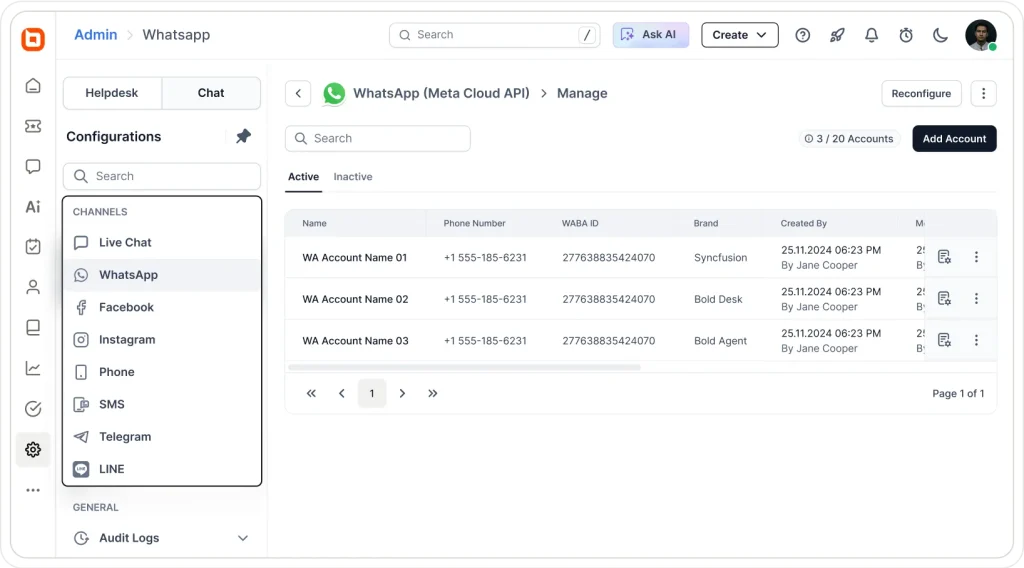
- 10+ Channels
One Workspace, Every Conversation
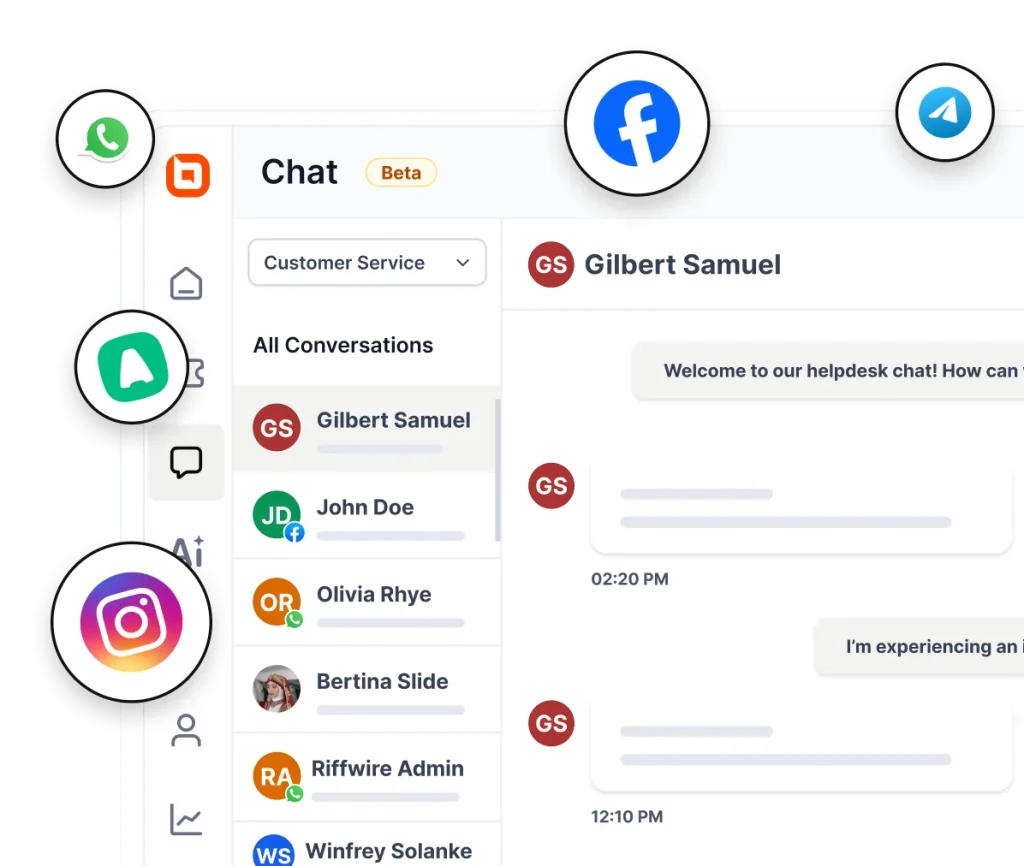
Email on every plan; live chat, WhatsApp and social channels from the Momentum AI plan, with no per-channel add-on.

One Logic, Every Channel
Nothing Waits, Nothing Gets Lost
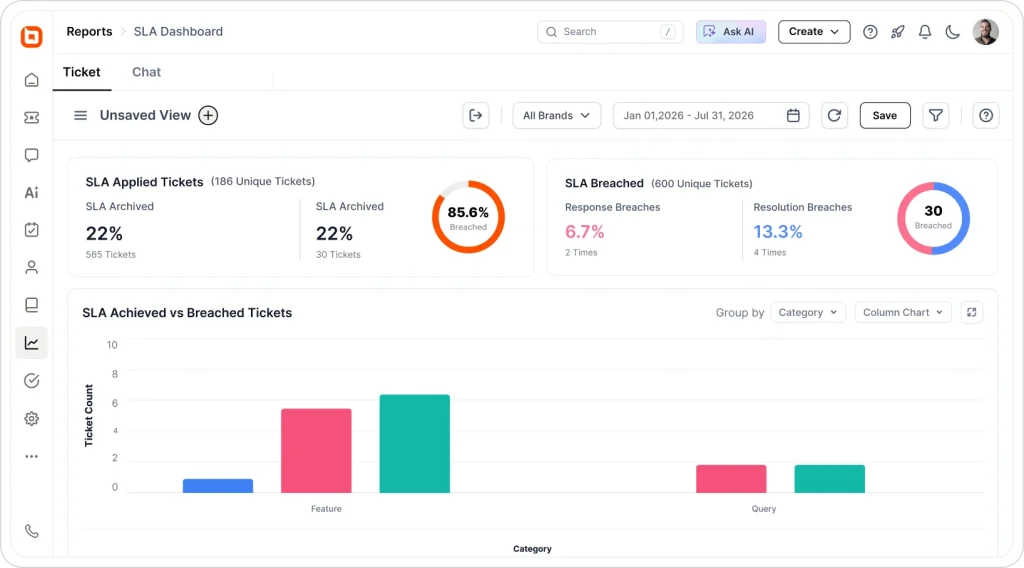
The same conversation logic runs underneath every channel, whether it resolves in seconds or needs a paper trail.
- Real-Time
Resolved Live, No Ticket Needed
Live chat and messaging conversations get answered in real time when the answer is quick, no ticket number, no queue, just a resolved conversation.
- Tracked
Convert to a Ticket in One Click, Keep the History
When something needs more time, the agent converts the chat into a ticket. AI drafts the subject and description from the conversation automatically, so the full history carries over without anyone retyping it.
AI, Not Bolted On
Automate Up to 90% of Interactions, Across Every Channel
AI Agent and Assist Agent work across email, live chat, WhatsApp, SMS, Facebook, Instagram, Telegram, and LINE.
AI Agent answers order status, account, and policy questions the moment they're asked, on any connected channel.
Cancels an order, applies a refund, or updates a record mid-conversation, not just a message about doing it.
For anything AI shouldn't resolve alone, Assist Agent writes the first draft so agents edit and send, not start blank.
When AI can't finish the job, it hands off with a summary attached, so the agent doesn't reread the whole thread.
Tone, scope, and what AI is allowed to say are set once at the account level, not policed reply by reply.
AI runs on published plans and credits, never a per-resolution fee. Every plan includes monthly AI credits, and top-ups are $40 per 1,000 credits.
Works With What You Already Run
Answer Faster Without Switching Tabs
Whether a customer reaches out by ticket or live chat, the tools you already run your business on show up right alongside it.
A customer asks to cancel an order mid-chat. The order and customer profile are already on screen, process the refund without switching tabs.
"Where's my order?" arrives on chat or a ticket. Recent orders, payment status, and shipping details are already there, so the agent answers in one reply without opening Shopify.
A live chat turns into "can we set up a call?" The customer books directly in the thread, and BoldDesk creates the ticket automatically.
Plus many more integrations across CRM, payments, scheduling, and productivity
The Payoff
What One Workspace Actually Changes
Customers Stop Starting Over
No more repeating an issue because it moved channels or agents mid-conversation.
Agents Handle More Without Rushing
Full context means less time spent piecing together what already happened.
You Meet Customers Where They Are
Every channel your customers already use, without asking them to switch to yours.
One Source of Truth for CX
Every channel rolls into the same reporting, not five dashboards stitched together by hand.
Don't Take Our Word For It
Here are a few kind words from some of our happy customers.
-
"BoldDesk is easily configurable, highly intuitive, and has many features one would only expect to have in higher priced products."
 John S Head of Customer Support Ethos Beauty Partners
 -
"The overall application functionality is good, UI/UX and the configurations including automations all the other services are constantly working fine."
Harsha R Support Team Lead LTIMindtree -
"BoldDesk has everything you could imagine in a customer service platform, including many features like APIs that we are yet to explore fully."
Carlos R VP of Operations Movisis Tecnologia Limited -
“BoldDesk provided an all-in-one solution that saves time and reduces redundancy, improving the user experience and shortening ticketing time by 50%.”
 Amy Syncfusion
 -
“Almost overnight, a problem that I've been fighting with every other day went away.”
 Mike Omiccioli Apexa iQ
 -
“I didn't know BoldDesk one year ago, and I have discovered a very good solution. Easy to integrate. The API is very well documented”
 Luc Fombonne ioteecs
Free Migration & Onboarding
The Zero-Risk Switch From Any Help Desk Vendor
Free expert migration of your tickets, contacts, and automations, reviewable in your actual BoldDesk account before your team switches.
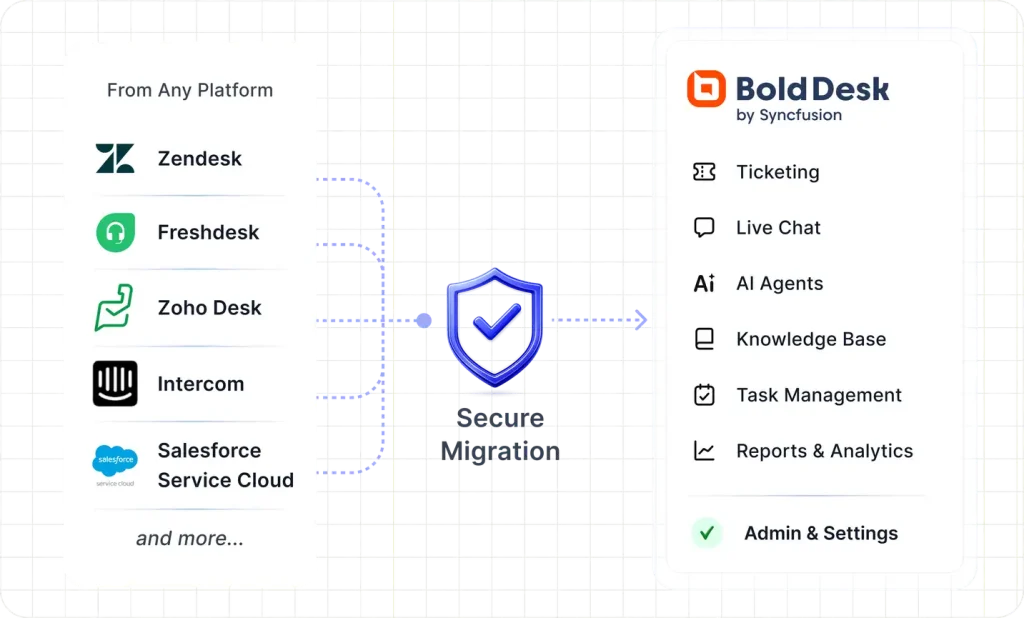
Free expert-led migration
Tickets, contacts, knowledge base, and automations, rebuilt so your rules work from day one.
Review in a live sandbox
Verify everything before your team switches over. Nothing changes until you say so.
Free until your contract ends
Switch before renewal without paying for two help desks.
Guided onboarding on every plan
Most teams are productive within hours of go-live.
 Secure, expert-led migration|3M+ tickets migrated
 - Up to 70% Savings vs Zendesk

- G2 Leader Fastest Implementation
- 30 Day Money-Back Guarantee
- Enterprise Grade Security
- 99.9% Uptime SLA
Security & Compliance
Enterprise-Grade Security and Compliance
Protect customer data with secure infrastructure, compliance-ready controls, and enterprise-grade access management.
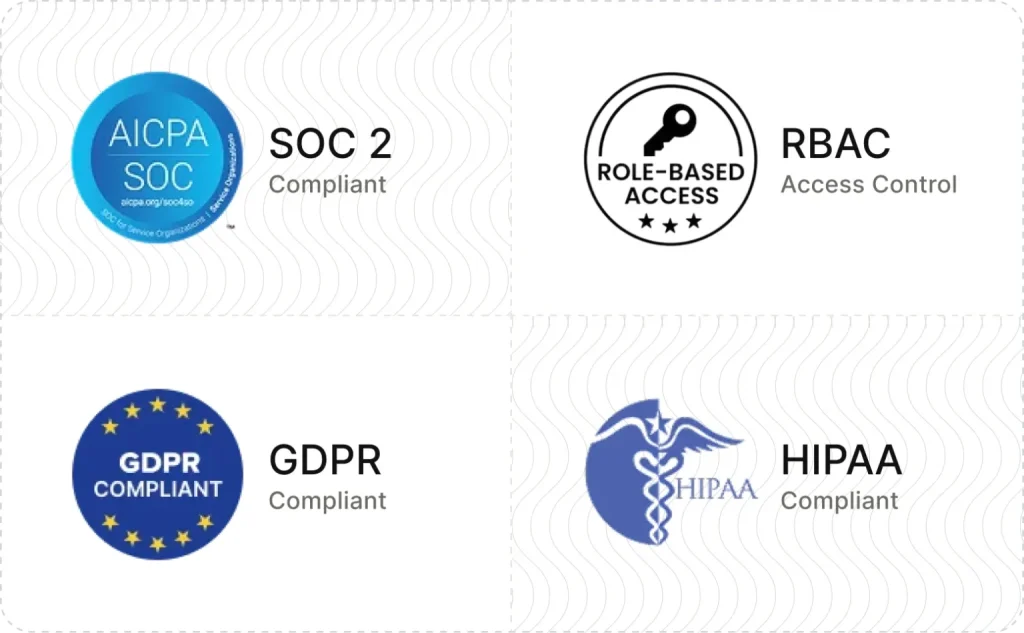
- SOC 2 Type 2 report & GDPR compliant
- AES-256 encrypted infrastructure
- SSO and IP restrictions
- Role-based access control and audit logs
- HIPAA compliance with a signed BAA
- Secure cloud architecture
Frequently Asked Questions
What actually makes this "omnichannel," not just multi-channel?
Which channels does BoldDesk support out of the box?
Does BoldDesk's AI work across every channel, or just email tickets?
If a live chat can't be resolved right away, do we lose the conversation?
Is omnichannel an add-on, or is it included in every pricing tier?
Can you migrate our existing WhatsApp number, Facebook page, and other channel setups from our current help desk?
Is BoldDesk's omnichannel platform secure enough for enterprise compliance requirements?
How is BoldDesk's omnichannel support different from Zendesk or Freshdesk?
Every Channel Included. No Upgrade Required.
Email, chat, WhatsApp, social, and calling and SMS through integrations, in one workspace from the Momentum AI plan, not gated behind an "enterprise" tier. We migrate you free, you don't pay until your current contract ends, and if it's not right, you get 100% back within 30 days.
- Every Channel Included
- No Forced Upgrades
- Free Migration
- No Credit Card Required
- Cancel Anytime