

Ringover Integration That Connects Calls and Tickets
For teams calling customers across countries with Ringover: call from BoldDesk, and turn calls into tickets automatically.
- 15-day free trial
- No credit card required


Missed Calls Are Missed Customers. Ringover Catches Every One.
When calls go unanswered and nobody logs them, customers who called never hear back. Connected, every missed call becomes work someone owns.
-
Before:
A dialer apart from the help deskOne Screen for Calls
Agents call customers without leaving the help desk.
-
Before:
Callbacks forgottenEvery Caller Called Back
Missed calls and voicemails are never forgotten.
-
Before:
Calls nobody wrote downEvery Call on Record
Each call is logged on a ticket with what was said.
Never Lose Track of a Customer Call
Call, ticket and log Ringover calls from the tickets your agents work on.
-
Calls
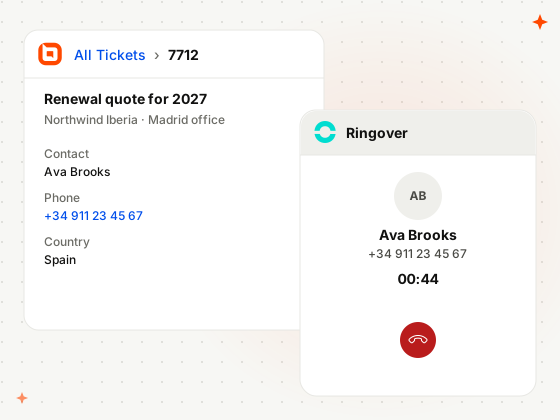
Call From the Ringover Widget
Click a number on the ticket and call from the Ringover widget, then transfer or conference the call.
-
Ticket Creation
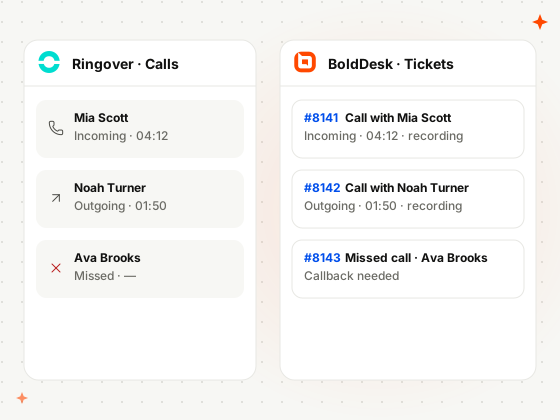
Turn Every Call Into a Ticket
Every finished Ringover call becomes a BoldDesk ticket or activity, with the caller, duration and recording.
-
Call Logging
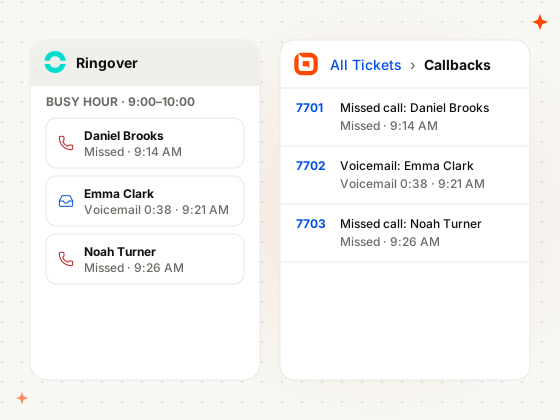
Log Missed Calls and Voicemails Automatically
Missed calls, voicemails and finished calls become BoldDesk tickets or activities automatically.
-
Transcripts
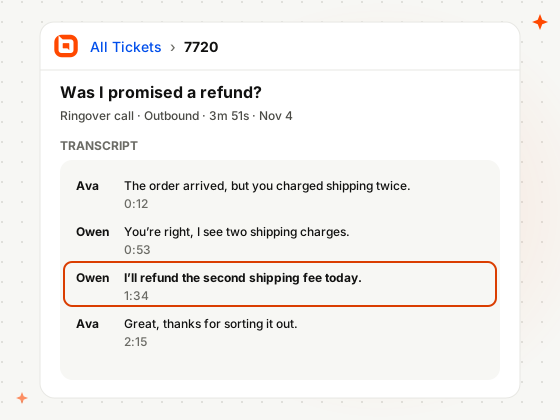
Find What Was Said in the Transcript
Call transcripts appear in the ticket, so anyone on the team can check exactly what was said on a call.
How Phone Support Teams Use BoldDesk and Ringover
Real situations from teams that call customers across countries with Ringover.
-
Exporters
Call International Buyers From the Ticket
Buyers in other countries get a call straight from their ticket.
- A buyer in Spain asks for a call
- The agent clicks their number on the ticket
- Ringover places the international call
-
Food delivery
Recover Missed Calls From the Dinner Rush
Calls missed at peak hours each become a callback ticket.
- Calls go unanswered during the dinner rush
- Ringover sends each missed call to BoldDesk
- The team works through the callback tickets
-
Subscription services
Resolve “But You Promised” Disputes
The call transcript shows exactly what the agent said.
- A customer says a refund was promised
- The agent opens the earlier call on the ticket
- The transcript settles what was agreed
Related Integrations
Connect BoldDesk to the other phone tools your team uses.


Security & Compliance
Enterprise-Grade Security and Compliance
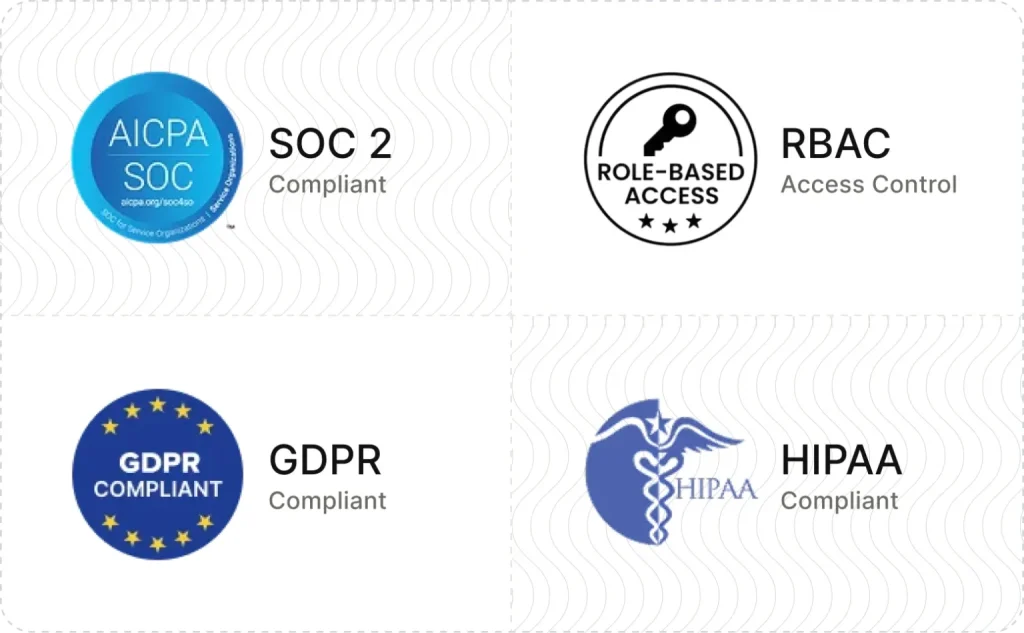
Protect customer data with secure infrastructure and enterprise-grade access controls.
- SOC 2 Type 2 report & GDPR compliant
- AES-256 encrypted infrastructure
- SSO and IP restrictions
- HIPAA compliance with a signed BAA
- Secure cloud architecture
Customers
Backed by Syncfusion, Trusted by 41K+ Companies
4.5/5 on G2 · Fall 2026 Leader, Momentum Leader, Best Est. ROI, Fastest Implementation
Recognized by Customers on G2
4.5/5 average rating on G2

-
Reelo Technologies Raj Khichi, Customer Support Executive, Reelo Technologies Pvt. Ltd.
Up to 24x
faster at solving customer queries, with 2.4x more tickets closed per day
Read the Reelo story -
GeoVerra One of Canada’s largest geomatics firms
25%+
improvement in service desk efficiency, with single sign-on via Entra ID
Read the GeoVerra story -
Eurotel Hospitality Hospitality software, Greece
~67%
more issues handled each week, from about 600 to about 1,000
Read the Eurotel story
-
"The overall application functionality is good, UI/UX and the configurations including automations all the other services are constantly working fine."
 Harsha R Support Team Lead
LTIMindtree -
"BoldDesk has everything you could imagine in a customer service platform, including many features like APIs that we are yet to explore fully."
Carlos R VP of Operations
Movisis Tecnologia Limited -
"BoldDesk provided an all-in-one solution that saves time and reduces redundancy, improving the user experience and shortening ticketing time by 50%."
 Amy Syncfusion
Frequently Asked Questions
What does the BoldDesk Ringover integration do?
It lets agents make, take, transfer and conference Ringover calls in BoldDesk, and turns calls, missed calls and voicemails into tickets or activities with recordings and transcripts.
How are tickets created for Ringover calls?
Ringover webhooks for missed calls, voicemail and ended calls send each call to BoldDesk, which creates a ticket or activity, as you choose at setup.
Can agents call international numbers?
Yes. Ringover supports international calls and is available in 82 countries.
Which BoldDesk plans include the Ringover integration?
The Momentum AI and Enterprise AI plans include the Ringover integration.
How do I set up the BoldDesk Ringover integration?
Install Ringover from Admin › Marketplace with your Ringover API URL and key and a BoldDesk API key, choose Ticket or Activity, then add the webhook URLs in Ringover’s Developer settings.
Turn Every Ringover Call
Into a Ticket
Install Ringover from Admin › Marketplace, add its webhooks, and log your first call as a ticket.