



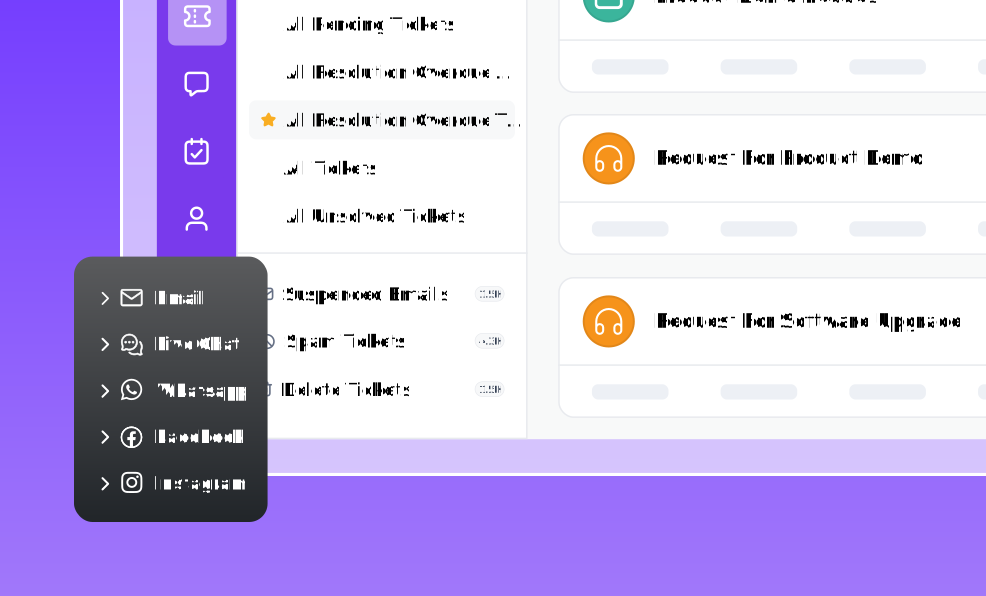

TL;DR: A modern SaaS support stack combines ticketing, AI, automation, self-service, analytics, and integrations into a connected ecosystem. It helps support teams manage customer interactions, streamline workflows, improve service quality, and scale operations efficiently while delivering more consistent customer experiences.
As SaaS companies grow, shared inboxes and disconnected tools often create bottlenecks that slow response times, fragment customer information, and make support harder to scale.
These challenges affect both operational efficiency and the customer experience.
Salesforce found that 79% of customers expect consistent interactions across departments, yet 56% often have to repeat or re-explain information to different representatives.
A modern SaaS support stack addresses these challenges by bringing together ticketing, AI, automation, self-service, analytics, and integrations into a unified platform that serves as a SaaS customer service stack.
In this guide, we’ll explore the essential components of a modern support stack, explain how SaaS teams evaluate different approaches, and share practical considerations for choosing a solution that supports long-term growth.
What is a modern SaaS support stack?
A modern SaaS support stack is a cloud‑native, AI‑driven, omnichannel system built to power seamless customer support for subscription-based businesses.
Unlike traditional customer service setups, a modern customer support stack is purpose‑built for:
- Recurring revenue models, where long‑term retention matters as much as acquisition.
- High ticket volumes, driven by rapid product updates and fast‑growing user bases.
- Global users, who expect consistent experiences across time zones and languages.
- Data-driven decision-making, powered by analytics, customer insights, and usage patterns.
Why a modern SaaS support stack matters
As SaaS companies grow, customer support becomes increasingly difficult to manage with disconnected tools and manual processes.
A modern customer support stack brings customer conversations, workflows, and data into a single ecosystem, helping teams resolve issues faster while maintaining consistent service quality.
The benefits extend beyond day-to-day support operations.
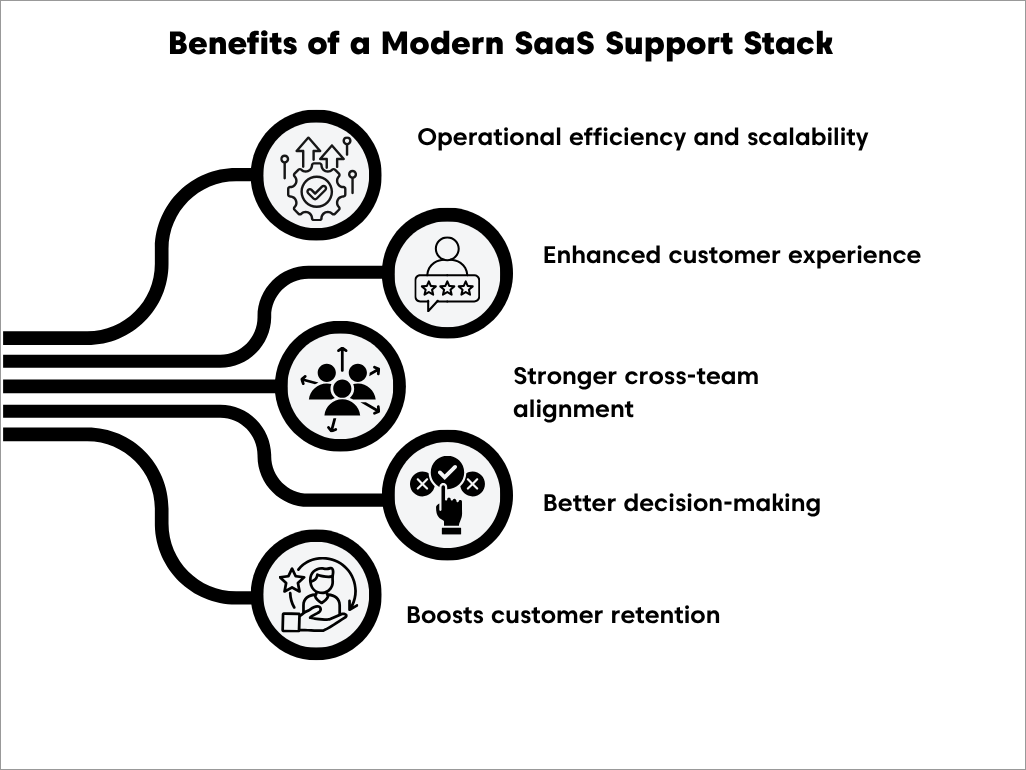
- Supports sustainable growth: Centralizing support workflows reduces manual effort and helps teams handle increasing ticket volumes without relying solely on additional headcount.
- Delivers consistent customer experiences: A unified view of customer interactions across channels enables agents to provide faster, more personalized support without asking customers to repeat information.
- Improves cross-functional collaboration: Shared customer context helps support, product, engineering, and customer success teams work together more effectively to resolve issues and prioritize improvements.
- Provides actionable insights: Centralized reporting and analytics help teams identify recurring issues, monitor performance, and make data-driven decisions that improve service quality.
- Strengthens customer retention: Faster resolutions, proactive support, and consistent experiences build customer trust and encourage long-term loyalty.
Key takeaway: A modern SaaS support stack is more than a collection of support tools. It creates a connected support ecosystem that helps teams scale efficiently, improve customer experiences, and make better operational decisions as the business grows.
When should a SaaS company reevaluate its support stack?
As SaaS companies grow, the tools and processes that once worked well can become increasingly difficult to manage.
As support operations grow, increasing ticket volumes, new communication channels, and larger teams often expose limitations in existing tools and workflows.
One of the clearest signs that it’s time to reevaluate your support stack is when support teams spend more time managing processes and switching between tools than resolving customer issues.
Common signs your current support stack is slowing you down include:
- Rapid ticket growth: Support volume increases faster than your team or tools can handle.
- Ticket collision: Multiple agents unknowingly respond to the same customer, creating duplicate work and inconsistent communication.
- Fragmented context: Agents spend more time hunting for data in CRMs than resolving customer issues.
- Prioritization failure: High-value or urgent technical bugs are getting buried by low-priority billing questions.
- Reporting gaps: You cannot accurately measure time-to-resolution or first-response time across channels.
If you’re reviewing your support operations, it’s also worth understanding how a help desk and CRM serve different roles in managing customer relationships and support workflows.
Should you build, buy, or consolidate a SaaS support stack?
Once organizations understand their support requirements, the next decision is how to structure the stack itself.
Some choose highly customized solutions, others assemble multiple specialized tools, while many prefer a unified platform that centralizes key support capabilities.
The right approach depends on factors such as budget, internal resources, operational complexity, and growth plans.
| Approach | Advantages | Challenges |
| Custom-built solution | Complete customization and control over workflows | Requires significant development resources, maintenance, and ongoing support |
| Point solutions | Access to specialized tools for ticketing, chat, automation, or knowledge management | Can create tool sprawl, fragmented data, and integration challenges |
| Unified platform | Centralized customer data, simpler administration, and more consistent reporting | Requires careful evaluation to ensure the platform meets all requirements |
No single approach works for every organization. Many organizations choose a cloud-based support stack because it simplifies deployment, maintenance, and scalability.
The core components of a modern SaaS support stack
Modern SaaS support relies on more than a help desk. It combines technologies that help teams manage customer conversations, automate routine work, enable self-service, and gain insights from support data.
While every organization prioritizes these capabilities differently, the components below form the foundation of an effective SaaS support stack.
| Component | Primary role |
| AI-powered assistance | Reduces repetitive work and helps agents resolve issues faster |
| Omnichannel support | Connects customer conversations across channels |
| Automation | Streamlines workflows and improves operational efficiency |
| Unified ticketing | Centralizes customer requests and collaboration |
| Integrations and APIs | Connects support with the rest of the business |
| Self-service | Enables customers to find answers independently |
| Reporting and analytics | Measures performance and identifies improvement opportunities |
| Scalability, security, and governance | Supports sustainable growth while protecting customer data |
AI-powered assistance for faster support
As ticket volumes grow, support teams need ways to work more efficiently without compromising service quality.
Artificial intelligence (AI) helps automate routine work, assist agents during conversations, and surface relevant knowledge, allowing teams to resolve issues faster while focusing on more complex customer needs.
By reducing manual effort across multiple workflows, from ticket triage to knowledge retrieval, it helps SaaS companies build a more efficient support stack while allowing agents to focus on complex customer issues.
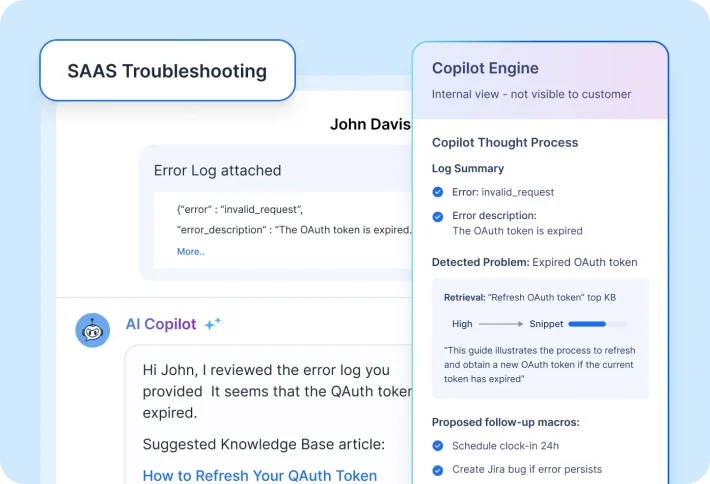
When evaluating AI capabilities within a support stack, organizations should look for:
- Automated responses for routine questions
- AI-assisted reply drafting and conversation summaries
- Workflow automation for repetitive tasks
- Intelligent knowledge recommendations
Real-world example
Signature Peace of Mind Advisors used BoldDesk’s AI-powered capabilities to reduce manual effort, streamline customer communication, and maintain compliance in a highly regulated environment.
Omnichannel support without fragmentation
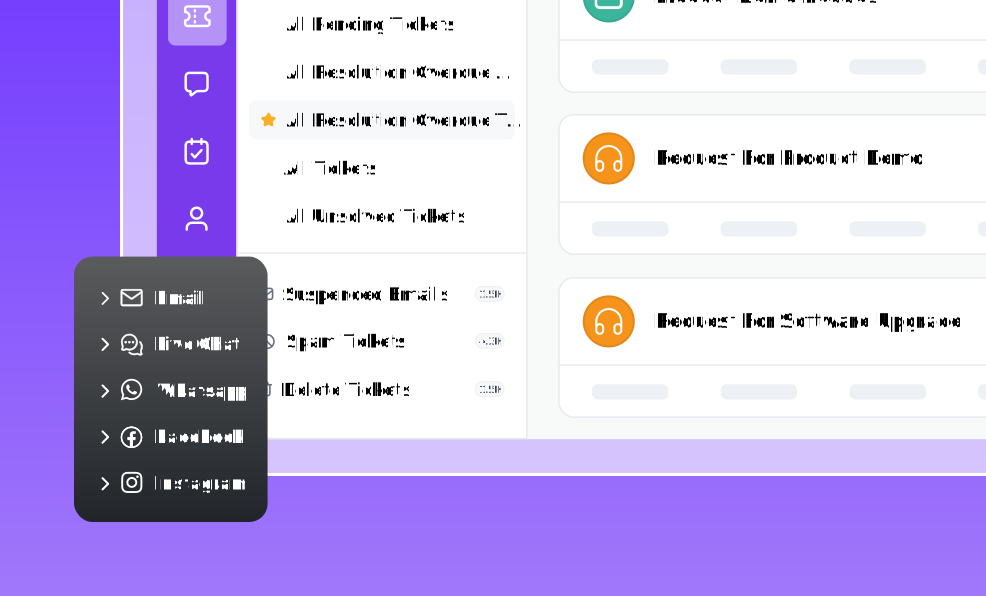
Customers rarely rely on a single communication channel. They may start a conversation through live chat, continue by email, and follow up later through messaging apps or a customer portal.
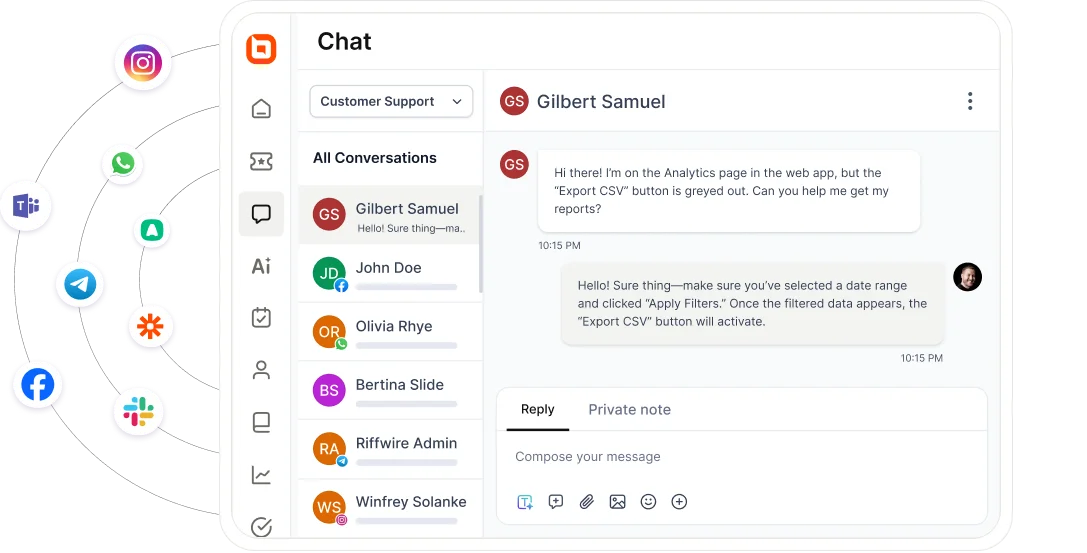
Bringing these interactions together creates a unified customer history, ensuring your SaaS support stack delivers consistent service regardless of where conversations begin or continue.
A customer begins a conversation through live chat before following up by email later that day. Because both interactions are connected, the next agent can immediately continue troubleshooting instead of asking the customer to explain the issue again.
Automation and workflows that improve efficiency
As customer support operations become more complex, repetitive manual work can quickly slow teams down.
Automation keeps work moving by routing tickets, enforcing service standards, sending notifications, and triggering routine actions automatically.
This helps people, processes, and systems work together more efficiently, helping support operations scale as customer demand grows.
Key capabilities include:
- Automatic ticket assignment
- SLA monitoring and escalations
- Trigger-based follow-up actions
- Standardized workflows for recurring tasks
When implemented effectively, automation improves consistency while allowing support teams to focus more time on resolution and customer engagement.
Unified ticketing as the operational backbone
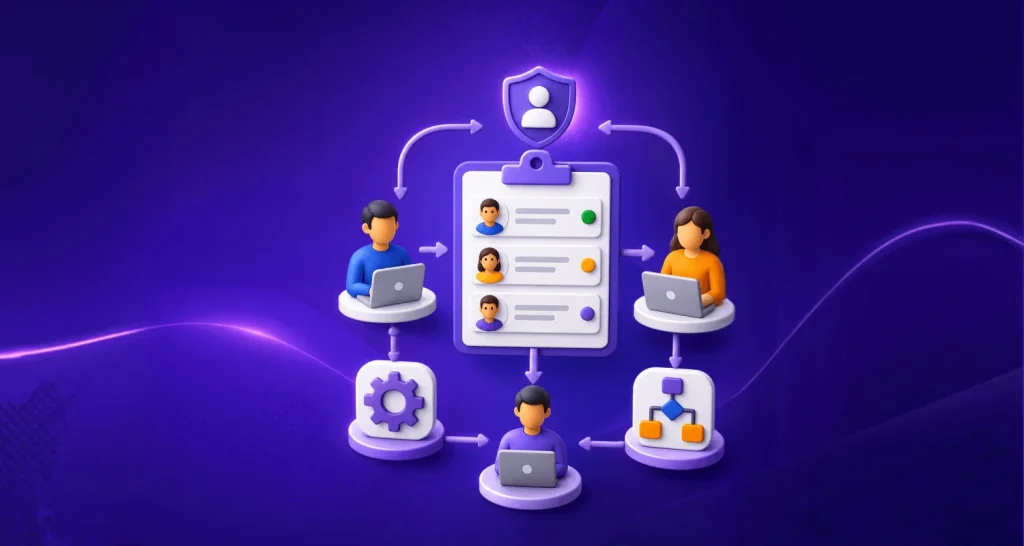
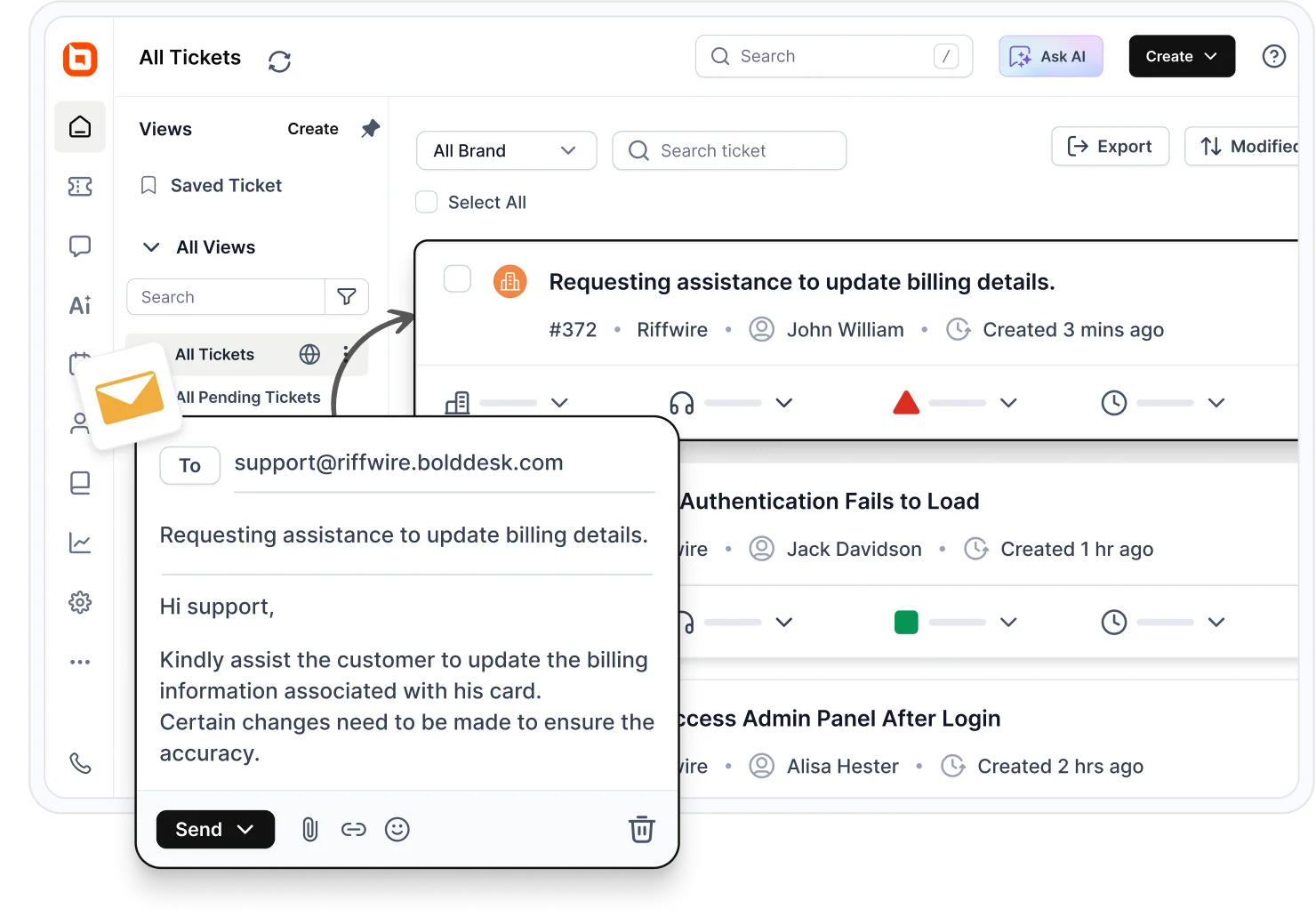
The help desk serves as the operational backbone of a SaaS help desk stack, centralizing customer requests and internal collaboration.
A unified ticketing system provides that shared workspace, giving teams complete visibility into each issue from creation to resolution while preventing information from becoming scattered across channels.
Example
A customer reports a billing issue by email before continuing the conversation through chat. Because both interactions are linked to the same ticket, agents can review the full history, collaborate internally, and resolve the issue without losing context.
Self-service for faster customer resolutions
Many customers prefer solving simple problems on their own before contacting support.
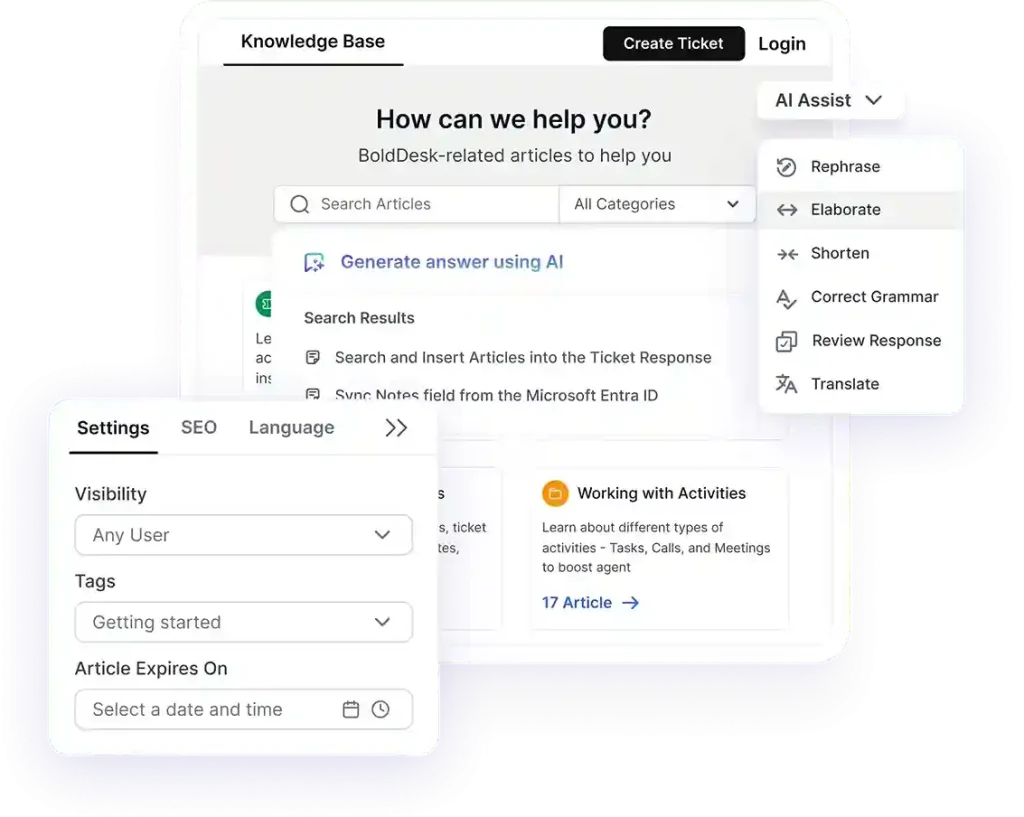
Knowledge bases, AI-powered search, embedded help, and customer communities make trusted information available whenever it’s needed, making self-service a core part of a modern SaaS support stack rather than a standalone knowledge repository.
When customers can quickly resolve routine questions independently, support teams spend less time handling repetitive inquiries and more time focusing on high-value customer interactions.
Real-world example
AdmissionPros implemented a centralized knowledge base to provide students and institutions with self-service access to FAQs, documentation, and support resources, helping reduce repetitive inquiries while improving information accessibility.
Integrations and APIs for a connected SaaS ecosystem
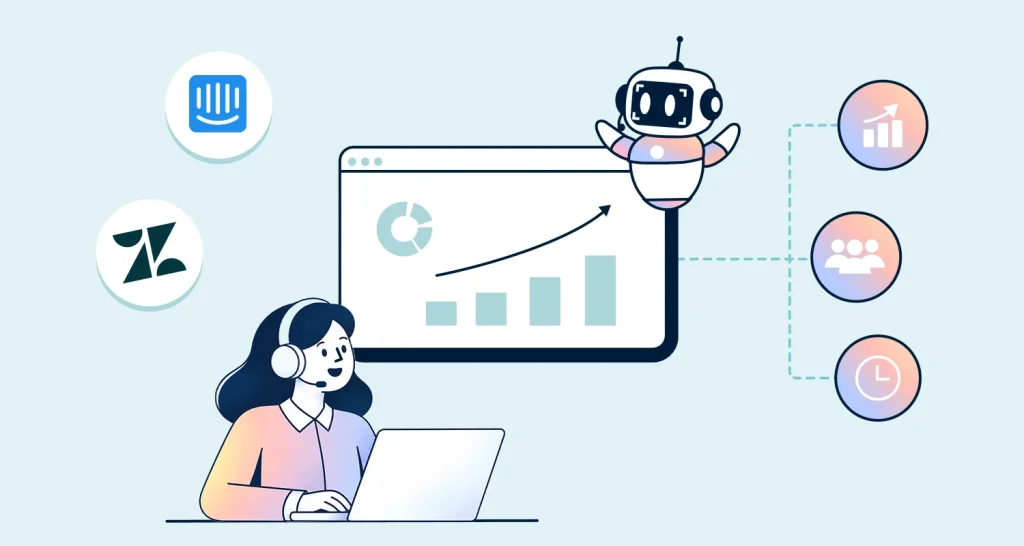
A modern SaaS support stack extends beyond the help desk. Support teams rely on information stored across CRM platforms, engineering tools, communication apps, and other business systems.
Integrations bring these systems together, allowing agents to work from shared customer context instead of switching between disconnected applications.
A well-connected ecosystem should provide:
- Native integrations with business applications
- Development and issue-tracking integrations
- Flexible APIs
- Workflow automation platforms
- Real-time data synchronization
Integrations eliminate information silos, improve collaboration, and keep customer data synchronized across business systems.
Reporting and analytics for continuous improvement
Every customer interaction generates valuable operational data across your support environment.
Centralized reporting helps teams identify recurring issues, measure performance, and make informed decisions that improve both customer experience and operational efficiency.
Key metrics to track include:
- First Response Time: Indicates how quickly customers receive help after contacting support.
- Ticket Resolution Time: Shows how efficiently support teams resolve customer issues.
- Customer Satisfaction Score (CSAT): Measures how satisfied customers are with the support they receive.
- Net Promoter Score: Helps assess customer loyalty and willingness to recommend your business.
- SLA Adherence: Tracks how consistently support teams meet agreed service commitments.
These insights help organizations continuously optimize support operations as customer expectations and business needs evolve.
Scalability, security, and governance
As organizations grow, their SaaS support infrastructure must remain reliable, secure, and compliant.
Strong governance protects customer data while ensuring teams, channels, and workflows can expand without introducing unnecessary complexity or risk.
When evaluating a solution, consider whether it provides:
- Compliance with standards such as GDPR, SOC 2, and HIPAA
- Role-based access controls
- Single sign-on (SSO) and multi-factor authentication (MFA)
- Encryption and audit capabilities
- Reliable infrastructure and predictable pricing
Key takeaway: A modern SaaS support stack delivers the greatest value when its components work together as an integrated ecosystem rather than as standalone tools, helping teams support customers more efficiently at scale.
How to choose the right SaaS support stack
As SaaS companies grow, support leaders face an important decision: not just which platform to use, but how to build a scalable SaaS support stack that can grow alongside your business.
The right solution depends on factors such as growth plans, operational complexity, customer expectations, and available resources.
Before evaluating specific features, it helps to assess broader business requirements.
| Evaluation area | Questions to ask |
| Total cost of ownership | What costs exist beyond licensing, such as onboarding, training, maintenance, and add-ons? |
| Time-to-value | How quickly can teams implement and start benefiting from the platform? |
| Integration depth | Will it connect easily with CRM, development, analytics, and communication tools? |
| Scalability | Can it handle increased ticket volume, users, and workflows as the company grows? |
| Security and compliance | Does it support requirements such as GDPR, SOC 2, MFA, SSO, and role-based permissions? |
As a final check, assess whether your current stack supports growing ticket volumes, integrates with critical business systems, provides meaningful reporting, and can scale without adding unnecessary operational complexity.
Best practices for implementing a SaaS support stack
A future-ready support stack isn’t about having more tools. It’s about creating a support environment that remains efficient, scalable, and easy to manage as customer expectations and support volumes grow.
- Standardize support processes early: Define ticket categories, priority levels, tags, and escalation paths to improve reporting and automation.
- Prioritize self-service: Invest in knowledge bases, FAQs, troubleshooting guides, and other resources that help customers find answers independently.
- Automate repetitive work: Use automation for routing, acknowledgements, SLA monitoring, and routine updates while keeping complex issues human-led.
- Provide customer context in one place: Give agents access to account details, conversation history, and relevant customer information without switching between systems.
- Create feedback loops: Ensure support insights, feature requests, and recurring issues are regularly shared with product and engineering teams.
- Monitor integrations proactively: Treat integrations as critical infrastructure by documenting dependencies and monitoring performance.
- Maintain support quality: Regularly review workflows, responses, and support metrics to ensure consistency as teams grow.
- Plan for scalability: Document processes, permissions, and automations so new team members can onboard quickly without disrupting operations.
Pro tip: If a workflow is too complex to explain clearly, it’s often too complex to automate reliably.
How BoldDesk supports fast-growing SaaS customer support teams
Once you’ve identified the capabilities of a modern SaaS support stack, the next step is choosing a platform that brings them together in a scalable, easy-to-manage solution.
BoldDesk is a cloud-based help desk platform that combines AI, automation, omnichannel support, self-service, reporting, and integrations in a single platform, helping growing SaaS businesses simplify support operations and reduce tool sprawl.
The table below highlights the key differences between traditional enterprise-grade help desk platforms and BoldDesk.
| Enterprise-grade tools | BoldDesk |
| Pricing escalations that increase unpredictability | Transparent, predictable pricing |
| Feature bloat that clutters workflows and slows response times | Streamlined, SaaS-ready feature set without unnecessary complexity |
| Overcomplicated processes that make simple tasks harder | Fast, low-friction onboarding and intuitive workflows |
| Core capabilities locked behind higher plans | No paywalls for core support capabilities |
| Require layered configuration and multiple add-ons | Rapid deployment with minimal setup |
| Add administrative burden as teams grow | Low administrative overhead designed for scaling SaaS teams |
As SaaS businesses scale, many find that replacing complex enterprise tools with a purpose-built platform improves operational efficiency while making support easier to manage.
If you’re exploring alternatives to enterprise help desk software, see how organizations can migrate from Zendesk to BoldDesk in 30 days.
Building a modern SaaS support stack for long-term success
A modern SaaS support stack isn’t defined by the number of tools you use, but by how well they work together to help your team deliver fast, consistent, and scalable customer support.
Choose a support stack that can scale with your business, integrates with your existing workflows, and simplifies support instead of adding complexity.
Start a free trial or book a live demo to see how a modern SaaS support stack can support your team’s growth.
Related articles
- 37 Best SaaS Examples and Use Cases in 2026
- Best SaaS Tools for Customer Support Teams (2026)
- Black Friday 2026: Best SaaS Deals Unlocked
FAQs on Modern SaaS Support Stack
A modern SaaS support stack brings together integrated tools for ticketing, automation, AI, self-service, reporting, and business integrations.
Unlike disconnected support tools, these components share customer context and data, helping teams deliver more efficient, scalable, and consistent support.
In many cases, yes. Modern support platforms combine capabilities such as ticketing, automation, self-service, reporting, and integrations into a single environment, reducing the need for multiple standalone tools.
Platforms such as BoldDesk are one example of this approach.
No. Most SaaS companies build their support stack gradually. Many begin with ticketing and self-service before adding automation, integrations, analytics, and AI as customer expectations and support operations become more complex.
The most valuable integrations are those that support your daily workflows. Common examples include CRM platforms, engineering and issue-tracking tools, communication platforms, billing systems, analytics solutions, and workflow automation tools.
Common mistakes include choosing tools based on features rather than business requirements, underestimating integration complexity, automating undocumented processes, and overlooking long-term costs.
No. A help desk is one component of a SaaS support stack. While a help desk focuses on ticket management and agent workflows, a SaaS support stack also includes capabilities such as AI, automation, self-service, reporting, and integrations.