









TL;DR: Customer service technology combines ticketing, AI and automation, omnichannel support, self-service, analytics, mobile tools, and specialized service technologies into a unified support ecosystem. It helps teams work more efficiently, improve response times, and deliver consistent customer experiences at scale.
Growing ticket volumes, disconnected tools, and rising customer expectations are pushing support teams to rethink their customer service technology.
Modern customer service technology brings AI, automation, data, and omnichannel customer service platforms together in a single, cohesive support stack. Many organizations implement customer service software to unify these capabilities and improve support efficiency.
As AI becomes a larger part of support operations, businesses are also exploring how AI agents in customer service can automate routine interactions, assist agents, and improve response times without sacrificing service quality.
With the right tools in place, teams can respond faster, work more efficiently, and deliver reliable, high‑quality experiences across every touchpoint, without losing the human element that builds customer trust.
In this article, we’ll explore what customer service technology is, the key components involved, and the benefits support teams gain from adopting the right solutions.
What is customer service technology?
Customer service technology refers to the collection of tools and software businesses use to manage, route, and support customer interactions across digital and voice channels.
It centralizes conversations, workflows, and customer data to improve communication, reduce resolution times, and enhance the overall customer experience.
Customer service technology is typically categorized into two primary areas based on who uses the tools: customer‑facing (external) and agent‑facing (internal) systems.
Customer-facing technology (external)
This includes:
- External knowledge base: A customer self-service portal that provides customers with user manuals, guides, FAQs, and help center articles.
- Live chat: A real‑time messaging tool that connects customers with support agents directly on a website or app.
- Chatbots: AI‑powered tools that automatically answer common questions and guide customers through simple workflows.
- Interactive voice response (IVR): An automated phone routing system that uses voice commands or keypad inputs.
Agent-facing technology (internal)
It consists of:
- Ticketing system: Software that organizes, prioritizes, routes, and tracks requests from multiple channels.
- AI-powered automation: Intelligent tools that automate repetitive tasks such as ticket categorization, summaries, translations, and reply suggestions.
- Internal knowledge base: A private repository of policies, processes, and solutions for consistent answers.
How customer service technology works
Customer service technology works by connecting communication channels, workflows, customer data, and support teams into a single service ecosystem.
A typical customer journey follows five steps:
- A customer submits a request through email, chat, phone, or social media.
- The request is automatically routed to the appropriate team.
- Customer history and context are retrieved.
- An agent or AI assistant provides support.
- The interaction is logged and measured for reporting and continuous improvement.
This connected workflow reduces delays, eliminates duplicate efforts, and ensures customers receive the same level of support quality no matter how they reach out.
What advanced customer service technology actually improves
Customer service technologies don’t just streamline workflows; they change how support teams operate and how customers experience service at scale. When implemented effectively, it changes what support teams can achieve.
Here are some benefits of customer support technology:
- Accelerates issue resolution: With modern technology, customer requests move from intake to resolution with fewer delays and handoffs, helping teams close issues faster and reduce repeat customer follow‑ups.
- Standardizes customer experiences: Reduced dependency on individual agents or channels ensures customers receive consistent, accurate support regardless of channel, time, agent, or region.
- Elevates agent effectiveness: Agents spend more time applying expertise and empathy to solve meaningful customer problems, instead of navigating tools, searching for context, or redoing work.
- Supports sustainable growth: As support volume, channels, or regions expand, technology allows teams to maintain quality service standards without constantly reworking processes or adding unnecessary overhead.
- Reduces operational waste: Clear workflows and better visibility help teams avoid duplicated effort, unnecessary escalations, and tool sprawl that quietly inflate support costs.
Core components of customer service technology
Customer service technology is not a single platform or application. It is a connected ecosystem of tools, systems, and processes that help businesses manage customer interactions, streamline support operations, and deliver consistent service across multiple channels.
Rather than focusing on individual vendors, it is more useful to understand customer service technology through the core components that work together to support the customer journey.
These key components include:
1. Automation and AI technologies
Automation and AI technologies reduce repetitive tasks, increase operational efficiency, and help support teams respond more quickly. These tools can categorize tickets, summarize conversations, recommend responses, and improve workflows throughout the support process.
Example: A SaaS company experiencing a surge in support requests after a product release can use AI-powered automation to tag, prioritize, and summarize incoming tickets. Agents spend less time managing requests and more time resolving customer issues.
When it’s valuable: Organizations dealing with growing ticket volumes, repetitive inquiries, or resource constraints often benefit most from automation.
Businesses exploring advanced AI-powered support can review these AI agent examples to understand how AI agents assist with customer service workflows and operational efficiency.
2. Ticket management systems
Ticket management systems act as the operational foundation of customer support. They organize requests from email, live chat, phone, and web forms into a centralized workflow, enabling teams to assign, prioritize, track, and resolve issues efficiently.
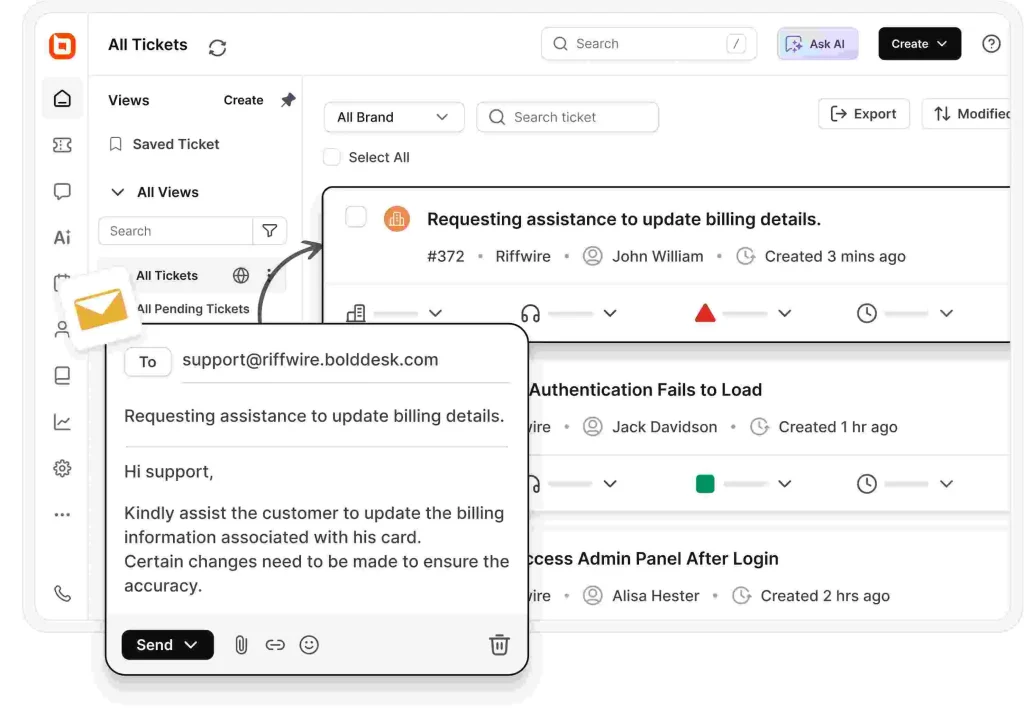
Example: A growing company relying on spreadsheets and shared inboxes may struggle with missed requests and duplicate responses. A ticket management system improves accountability, visibility, and service consistency.
When it’s valuable: Many organizations implement help desk software to centralize customer requests and streamline case management.
3. Omnichannel support platforms
Customer interactions no longer happen through a single touchpoint. Customers often move between email, live chat, messaging apps, phone support, and social media customer service when seeking assistance.
Omnichannel customer service platforms connect these interactions into a single view, giving agents access to customer history, conversation context, and support activity across every channel.
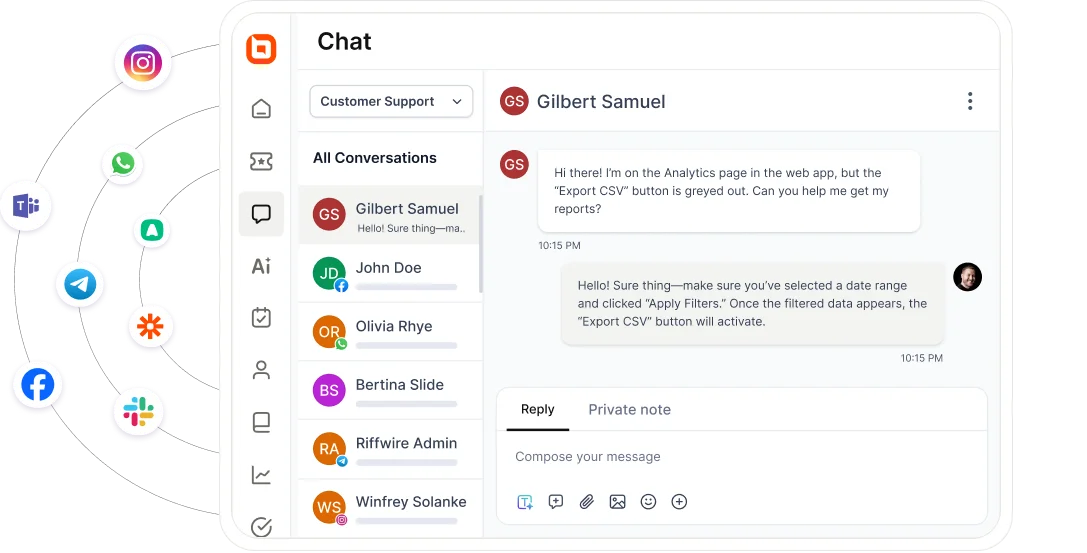
Example: A customer may start a conversation through Instagram, follow up by email, and later contact support through live chat. An omnichannel platform ensures agents can view the entire interaction history, eliminating the need for customers to repeat information and helping teams deliver a more seamless and informed customer journey.
When to implement: Omnichannel platforms are most valuable for organizations managing customer conversations across multiple channels and looking to provide seamless, personalized support at scale.
4. Self-service platforms
Self-service technology enables customers to find answers independently through knowledge bases, help centers, FAQs, and troubleshooting guides. These resources reduce support workload while giving customers faster access to information.
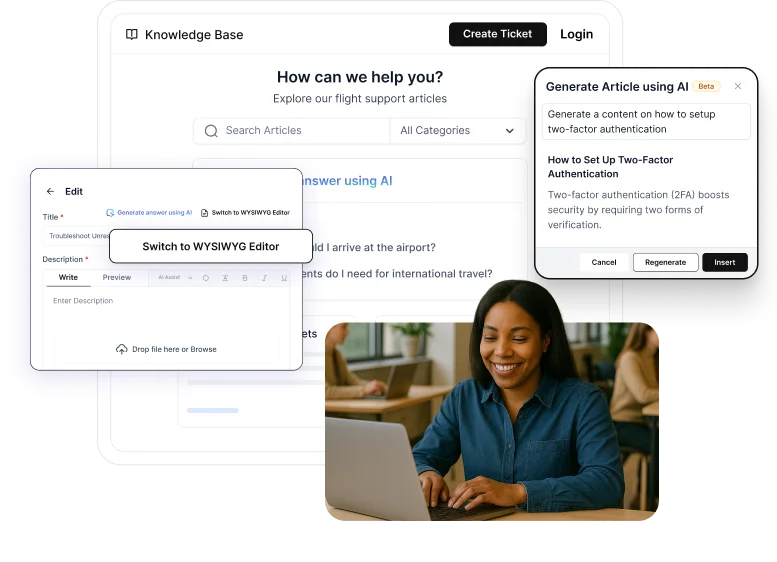
Example: A fintech company receives hundreds of tickets weekly about password resets and account setup. After launching a searchable knowledge base, customers resolve many issues on their own. Ticket volume drops, and agents focus on more complex financial inquiries.
When to implement: Use self‑service tools when customers frequently ask repeat questions or when support ticket volume grows faster than team capacity.
5. Analytics and customer insights
Support leaders rely on analytics technology to measure performance, identify operational bottlenecks, and understand customer behavior. These tools transform service data into actionable business insights.
Organizations often use customer insights to understand customer behavior patterns and analyze recurring customer complaints, helping teams improve service quality and reduce friction.
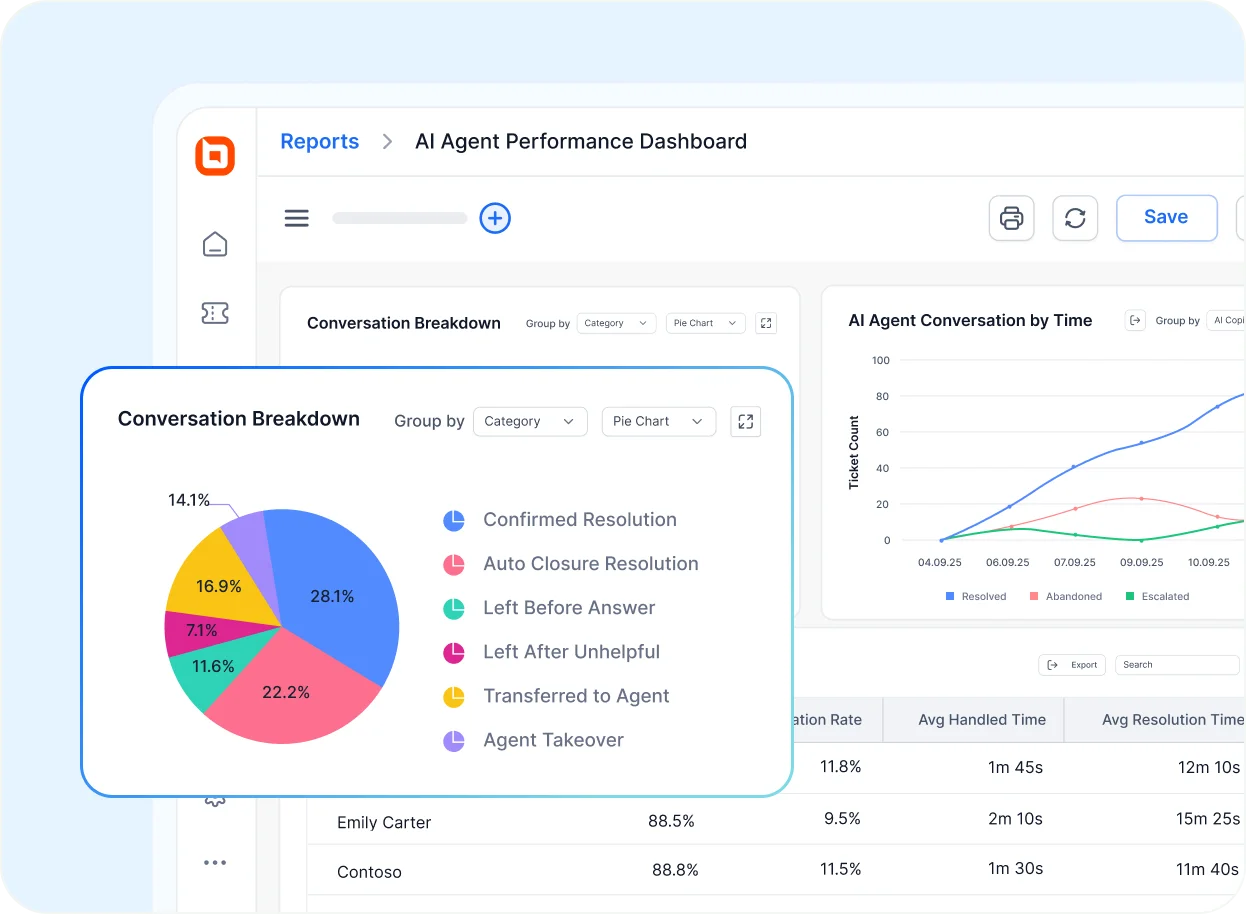
Example: A support team experiencing a decline in customer satisfaction can analyze response times, ticket resolution times, and complaint trends to identify areas requiring improvement.
When to implement: Use analytics to measure SLA compliance and also to understand the root causes of support volume.
6. Mobile service applications
Support coverage can suffer when agents are away from their desks or when issues arise outside regular business hours.
With mobile help desk applications, agents can view, respond to, and manage support tickets from smartphones or tablets.
According to Statista, the number of smartphone users worldwide is forecast to continuously increase between 2024 and 2029 by approximately 42.62%.
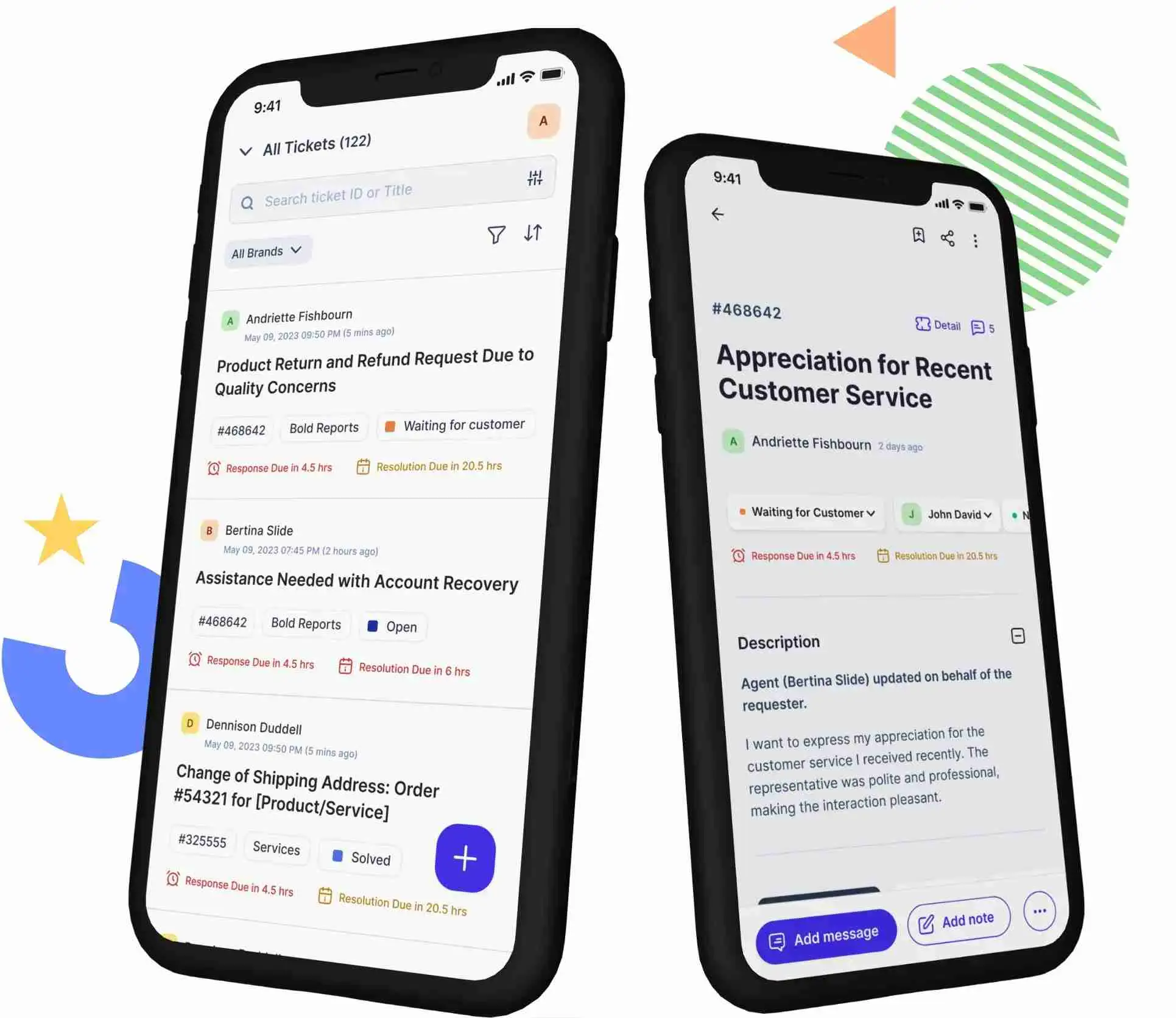
When to implement: Use mobile service applications when teams need flexible coverage, faster responses during off‑hours, or reliable on‑call rotations without requiring agents to be at their desks.
Organizations evaluating mobile support strategies can also explore our guide to customer service mobile apps to understand common features, use cases, and implementation considerations.
7. Specialized customer service technologies
As customer expectations continue to evolve, organizations increasingly adopt specialized technologies designed for specific service scenarios.
Examples include interactive voice response systems, Augmented Reality (AR), Virtual Reality (VR), and advanced field-service technologies.
Example: A manufacturing company can use AR technology to visually guide customers through equipment installation steps, reducing errors and improving ticket resolution time.
While customer service technology refers to the broader ecosystem of tools, processes, and capabilities that support customer engagement, some organizations may be evaluating specific solutions to implement these capabilities.
If you’re comparing platforms and vendors, explore our comprehensive guide to best customer service software to compare features, use cases, and implementation considerations for modern support teams.
Common customer service technology challenges and how to fix them
While client service technology delivers significant benefits, implementation comes with risks that businesses must manage proactively.
Understanding these challenges early helps minimize disruptions and protect customer trust.
Technical issues and downtime
Service outages, system bugs, and integration failures can interrupt support availability and negatively impact customer experience.
Poorly configured or unreliable AI tools may also cause delays or inaccurate responses, leading to customer frustration.
To reduce risk:
- Schedule frequent software updates and maintenance
- Test integrations before deploying changes widely
- Maintain clear backup and disaster‑recovery plans
Privacy and security risks
Customer service platforms often store sensitive customer information, including personal data, account details, and conversation histories. Without proper safeguards, organizations may face compliance issues, data breaches, and loss of customer trust.
Best practices include:
- Encrypt data both in transit and at rest
- Enforce role‑based access controls
- Conduct regular security and compliance reviews
Limited adaptability over time
Rigid workflows or poorly trained AI models can struggle to keep up as customer needs, products, or policies change.
To stay adaptable:
- Collect regular agent and customer feedback
- Monitor support interactions for emerging patterns
- Continuously refine workflows, automation rules, and AI models
Over-reliance on automation
When automation replaces human involvement instead of supporting it, customers may struggle to get the empathy or flexibility they need.
According to Five9, 66% of Gen Z prefer speaking with a real human in-person or over the phone for customer support. While this remains a majority, it is lower than the preference rate among Gen X (76%) and Baby Boomers/Silent Generation respondents (86%).
To maintain a balanced approach:
- Route complex or sensitive issues to human agents
- Use customer context to personalize automated responses
- Keep human review in place for high‑impact cases
Enhancing efficiency with modern customer service technology
Delivering reliable, high‑quality customer service today requires building a support system that can scale, adapt, and remain customer‑focused as expectations evolve.
With the right customer service technology in place, teams can resolve issues more proactively, maintain a unified support journey across communication channels, and operate efficiently without losing the human touch.
Platforms like BoldDesk support this approach with the latest customer service capabilities, helping teams manage support workflows, reduce operational friction, and respond with confidence as demand grows.
Ready to experience how modern customer service technology can support your team’s goals? Start a 15‑day free trial to see BoldDesk in action.
Interested in a customer service technology tool we didn’t cover? Share your thoughts in the comments.
Related articles
- 12 Best AI Customer Service Software for Support Teams in 2026
- AI Agent vs Chatbot: Key Differences and How to Choose the Right One
- 12 Help Desk Automation Ideas to Improve Team Productivity
FAQs
Key customer service technology trends include AI-assisted support, omnichannel platforms, self-service resources, conversational chatbots, analytics-driven operations, and mobile support tools. These trends focus on scalability, responsiveness, and consistency across customer touchpoints.
Businesses should invest in customer service technology when support requests increase, channels expand, or manual processes start causing delays and inconsistency. Early adoption helps prevent operational strain as customer expectations rise.
AI supports customer service technology by assisting with request handling, ticket preparation, and agent guidance during interactions.
When applied thoughtfully, it helps teams manage volume while keeping human judgment central to complex cases.
The right customer service technology aligns with current support workflows while remaining flexible enough to support future growth.
Businesses should evaluate scalability, usability, security, and how well the platform supports both agents and customers.
No. Customer service technology is designed to support agents, not replace them, by reducing manual effort and improving visibility. Human agents remain essential for handling complex, emotional, or high-impact customer situations.





