

- Blogs Explore Blogs Blogs
Effective Ways to Improve Agent Productivity with AI Copilot
-
by Shem Ojwang
- Updated on: November 19, 2026
TL;DR: An AI copilot helps agents draft replies, summarize tickets, translate messages, and identify next steps. It brings relevant information into the ticket, reducing time spent searching and writing. Agents review its suggestions before responding.
Agents are expected to handle growing ticket volumes while still delivering timely and personalized support. Yet tasks such as reviewing ticket histories, finding information, and drafting replies take time away from solving customer problems.
An AI copilot helps agents spend less time searching and writing by bringing relevant information directly into the ticket. Meanwhile, AI agents in customer service handle routine requests so teams can focus on more complex issues.
The impact is already visible.
According to Deloitte Digital’s 2026 survey, 64% of service leaders reported higher agent productivity. Another 39% reported lower cost per contact as a result of AI.
This guide explains how to improve agent productivity with AI and address common support challenges. It also shows how BoldDesk helps teams provide faster support.
Key challenges that reduce agent productivity in customer support
Organizations looking to improve agent productivity should first identify where agents lose time.
Common causes include repetitive administration, misrouted tickets, language barriers, missed urgent requests, and limited performance visibility.
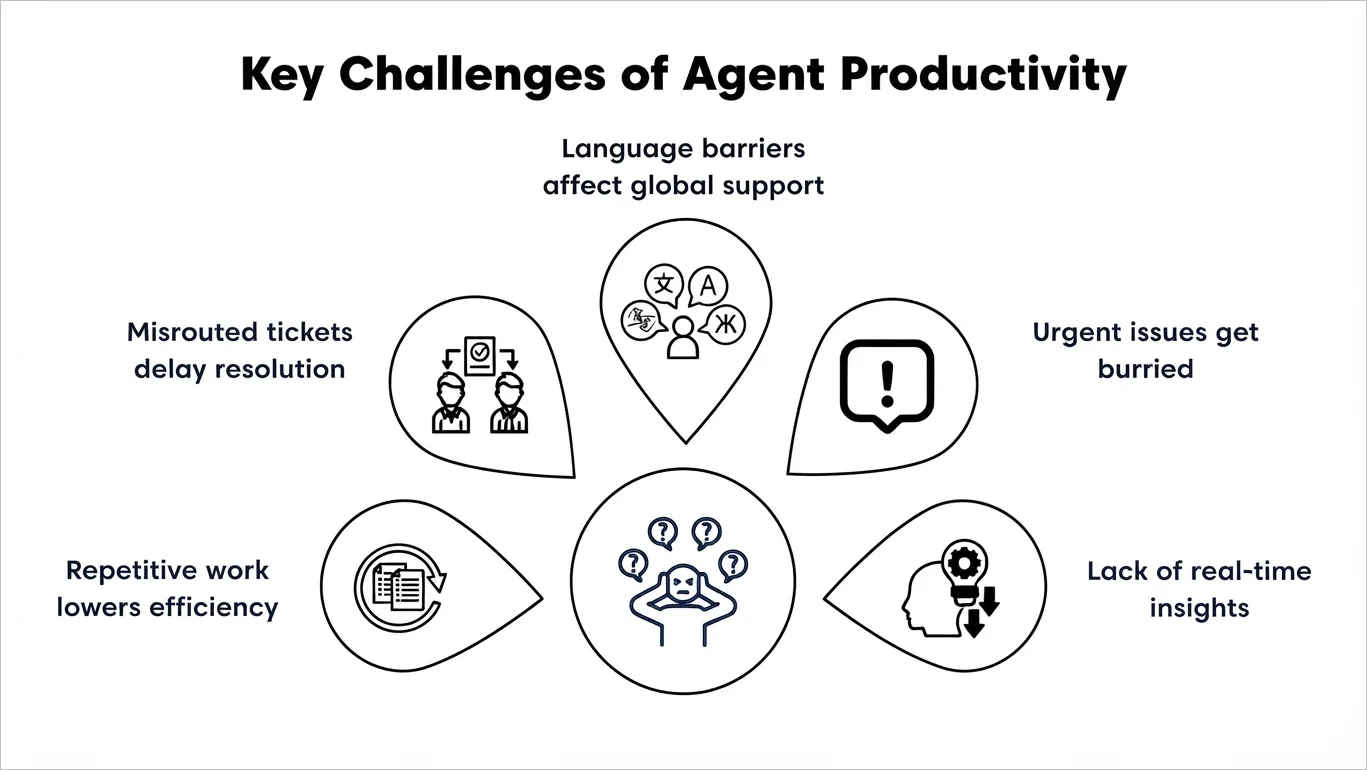
- Repetitive administration: Updating fields, tagging tickets, and writing similar replies leave agents less time for complex requests.
- Misrouted tickets: Requests sent to the wrong team require extra handoffs and make customers wait longer.
- Language barriers: Misunderstandings and repeated conversations can slow support across different regions.
- Missed urgent requests: Critical issues can be overlooked, increasing the risk of delayed responses and SLA breaches.
- Limited performance visibility: Without workload and SLA data, managers may overlook overloaded agents or tickets nearing their deadlines.
Manual support workflow vs. AI-powered support workflow
AI removes unnecessary steps so support teams can handle more requests while maintaining service quality.
The table below highlights the difference between traditional support operations and AI-enhanced support workflows.
| Support process | Manual support workflow | AI-powered support workflow |
| Reply drafting | Agents write responses from scratch or search for templates manually. | AI copilot generates contextual replies instantly based on ticket history and knowledge base content. |
| Ticket summaries | Agents read long conversations to understand the issue. | AI copilot creates concise ticket summaries and conversation recaps automatically. |
| Multilingual support | Teams depend on bilingual agents or external translation tools. | AI translation supports multilingual customer service by translating conversations in real time. |
| Sentiment analysis | Frustrated customers may go unnoticed until escalation occurs. | AI copilot detects urgency, frustration, and negative sentiment early. |
Top ways to improve agent productivity with AI copilot
Microsoft found that service representatives using Copilot spent 12% to 16% less time resolving cases. They handled 9% to 12% more cases and chats and needed 13% less help from colleagues.
These strategies show how AI copilot helps agents reply faster and spend more time on requests that need their expertise.
Draft and improve replies
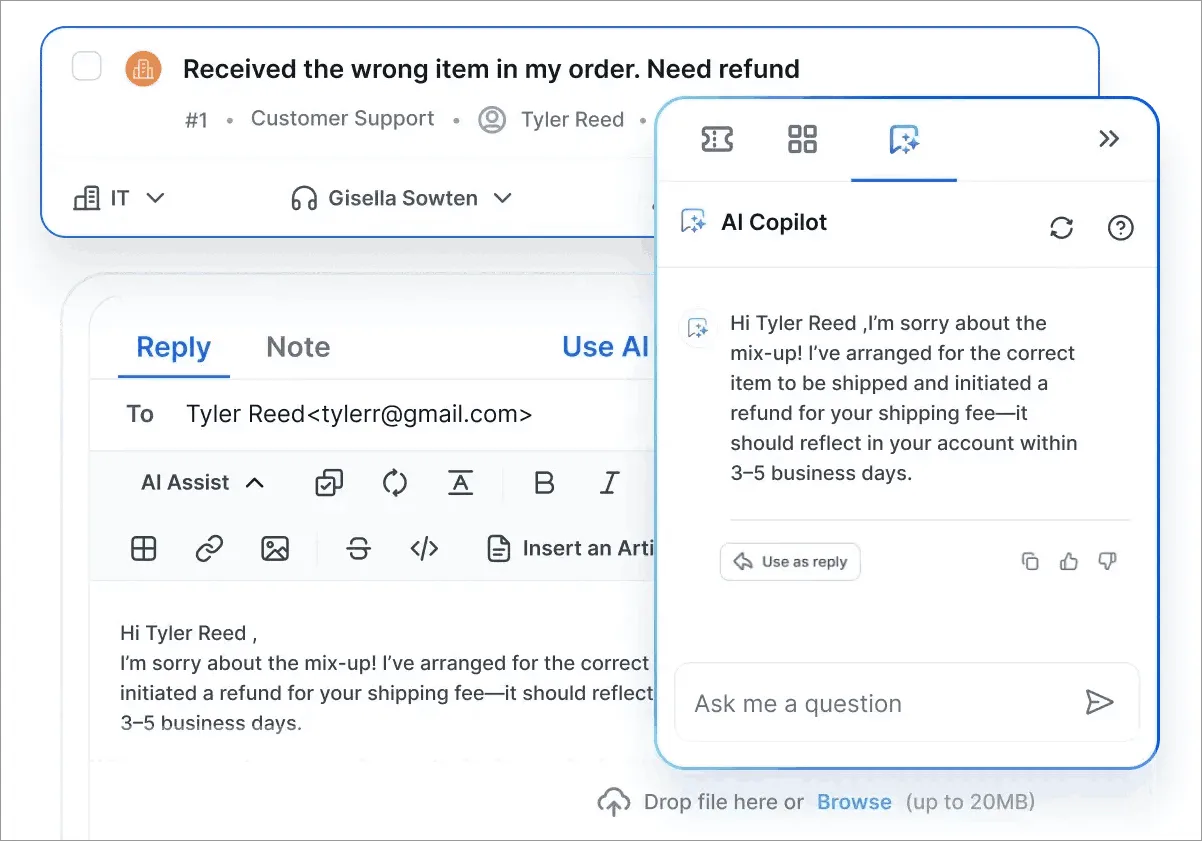
Assist Agent, BoldDesk’s AI copilot, suggests replies using the customer’s message and conversation history. It also draws on knowledge base articles, FAQs, and websites.
It can also summarize lengthy ticket threads, giving agents a quick overview of the issue, previous actions, and conversation context before suggesting a response.
Agents can refine suggestions with options such as rephrase, shorten, elaborate, and grammar correction.
This reduces the time spent reviewing conversations, drafting replies, and editing responses. It also helps maintain consistency across customer interactions.
Real-world scenario: Use AI summaries to shorten ticket resolution timelines
Challenge:
Signature Peace of Mind Advisors provides managed security services. It needed a practical ticketing system to simplify support without adding unnecessary cost or complexity.
The team wanted to consolidate its tech stack, reduce technical debt, and manage client requests more efficiently.
BoldDesk solution:
BoldDesk provided a customizable help desk solution with features such as role-based access, AI summaries, and automated ticket responses. AI-powered summaries helped the internal team quickly understand ticket context and shorten ticket resolution timelines.
Impact:
This helped agents follow up and resolve issues faster. With less manual review, they could focus on requests that needed their expertise and judgment.
Suggest the next step
Not every customer issue has a clear path to resolution. AI copilot reviews the conversation, the customer's tone, and what they need. It then suggests next steps to help agents decide how to respond.
AI copilot identifies signals such as frustration, dissatisfaction, and urgency. This gives agents additional context before they respond.
This helps teams prioritize high-risk conversations, adjust communication tone appropriately, and determine whether a ticket requires escalation or immediate attention.
Suggested next steps appear alongside the conversation. Agents can review the recommendation and decide whether to reply, request more information, or escalate.
Translate customer messages and replies
Language barriers can slow support operations when customers and agents communicate in different languages.
AI translation helps agents read messages and draft replies in the customer's preferred language without switching tools.
Example: An English-speaking agent receives a message in Spanish. An AI copilot can translate the message and draft a Spanish reply using knowledge base content. Important details should still be reviewed before the response is sent.
How AI copilot works with other AI tools
AI copilot delivers the biggest productivity gains when combined with other AI-powered tools that automate routine work, measure outcomes, and streamline workflows.
- AI actions: Beyond drafting replies, AI actions help complete tasks directly from the conversation. They can update ticket fields, trigger workflows, retrieve information, or complete routine support tasks. This reduces manual work and time spent switching tools.
- AI agents: Handle high-volume, common requests such as password resets, order status inquiries, and common policy questions. Resolving routine issues automatically reduces ticket volume. Support agents can then focus on complex requests with help from AI copilot.
- CSAT surveys: Faster responses are only valuable if they improve the customer experience. Automated customer satisfaction surveys help teams measure whether copilot-assisted interactions are maintaining or improving customer satisfaction alongside productivity gains.
- AI analytics: AI-powered reports and analytics provide visibility into how AI copilot is being used across the support team. Track how often agents accept suggestions, how quickly they respond, how efficiently they handle tickets, and how much time they save. Use these measures to assess copilot’s impact and identify areas to improve.
Real-world result: GeoVerra reduces manual support work
After improving its support workflows with BoldDesk, GeoVerra reported at least a 25% improvement in operational efficiency. The company attributed the improvement to reduced manual work and greater use of support automation.
How BoldDesk helps improve agent productivity with AI
The strategies covered in this article are most effective when AI is built into everyday support workflows. The examples below show how these capabilities can be applied in a help desk environment using BoldDesk to boost agent productivity.
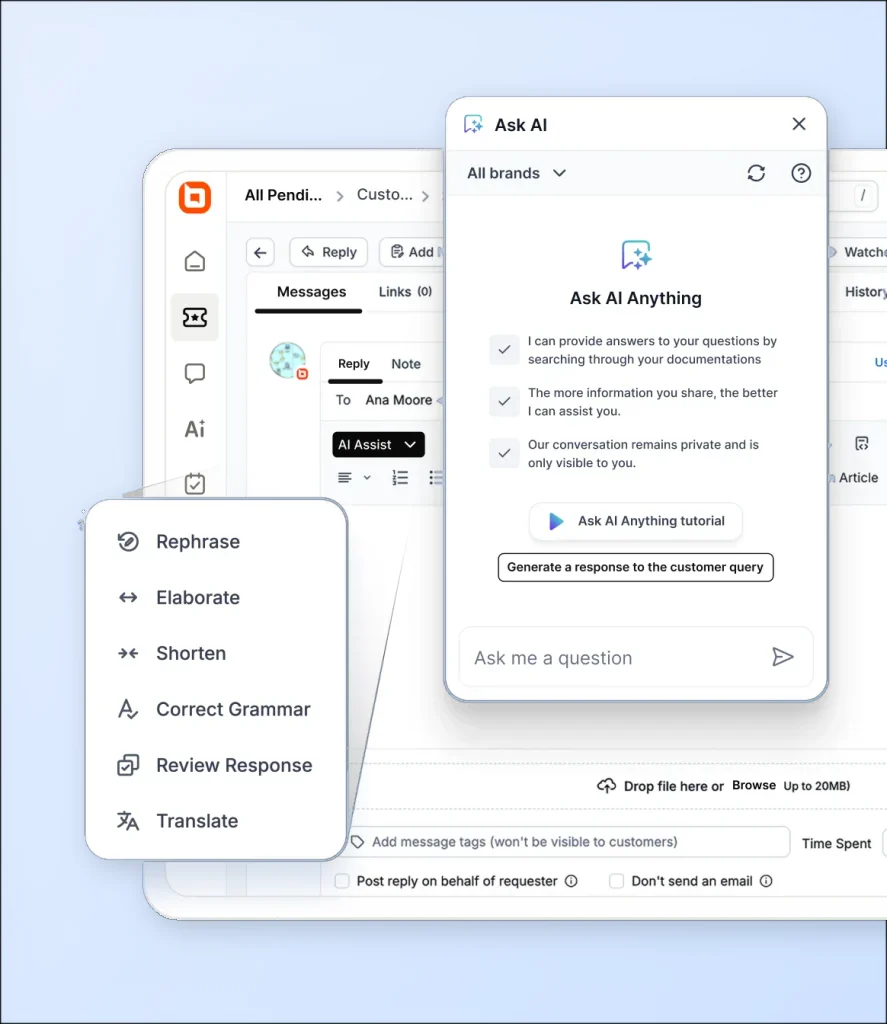
- Reply faster with consistent responses: AI-assisted replies use ticket context and conversation history. They help agents draft and refine responses while maintaining consistency.
- Help new agents get started: Ticket summaries, approved help articles, and reply suggestions help new agents learn support processes and handle requests.
- Reduce ticket handling time with AI summaries: AI-generated summaries highlight key details, completed actions, and next steps. Agents can understand the ticket quickly and move forward.
- Help customers find answers themselves: AI surfaces relevant knowledge base articles and FAQs for common requests. It helps customers find answers faster while giving agents useful context.
- Prioritize urgent issues more effectively: AI sentiment analysis helps identify conversations that may need immediate attention, making it easier to focus on high-priority tickets.
Start improving agent productivity with AI copilot today
AI assistance is most useful when it reduces the work surrounding a customer issue. Start with a task such as reviewing ticket histories or drafting replies, then measure time saved alongside response quality.
BoldDesk's Assist Agent brings AI assistance into the ticket so agents can review suggestions within their existing workflow.
Ready to improve agent productivity with AI? Start your free trial and see how AI copilot can help your support team work more efficiently at scale.
Related articles
- Autonomous AI Agents: A Smart Way to Deliver Excellent Support
- 10 Effective Ways to Improve Team Productivity
- 5 Best Ways to Build and Organize a Customer Support Team
FAQs on ways to improve agent productivity with AI
What is agent productivity in customer support?
Agent productivity measures how efficiently support agents handle customer requests while maintaining service quality. Common indicators include response times, resolution rates, workload management, and overall efficiency.
Can AI copilot help new support agents become productive faster?
Yes. AI copilot summarizes case history, surfaces relevant knowledge, and provides guidance that helps new agents become productive faster.
How does AI copilot reduce the time agents spend searching for information?
AI copilot surfaces relevant articles, case details, and resources directly inside the ticket. This reduces manual searching and speeds up resolution.
What should businesses look for in a help desk with AI copilot?
Look for reply suggestions, ticket summaries, relevant help articles, translation, and guidance on next steps. These features should be easy to use within the ticket.
How does multilingual translation support AI in customer support?
It helps agents understand and respond to customers in different languages without relying on external tools. This reduces context switching and helps global support teams respond faster.
Can AI copilot work with existing customer support platforms?
Yes. Many modern help desks include AI copilot within their ticketing tools. Agents can find information, draft replies, and resolve issues from the same workspace.
ABOUT THE AUTHOR

Shem Ojwang 
Shem Ojwang is a SaaS content writer at Syncfusion, specializing in breaking down complex technical concepts into engaging, easy-to-understand content. He focuses on delivering documentation that empowers customers to make confident decisions and get more value from the products they use.
Read more articles by this author Be the first to get updates