

AI Agents for HR and Employee Support: Benefits and Use Cases
-
by Sarah Adhiambo Ogada
- Updated on: September 22, 2026
TL;DR: AI agents for HR help employees find answers, submit routine requests, and complete approved HR workflows through self-service. Successful implementations start with high-volume, low-risk requests and rely on trusted knowledge, secure permissions, audit logs, human oversight, and clear escalation paths.
A routine HR request often involves more work behind the scenes than employees realize. A simple question about leave, benefits, or a policy may require information gathering, eligibility checks, approvals, routing, and follow-up communication.
While HR help desk software helps organize these interactions, AI agents for HR can help move approved requests through workflows and escalate exceptions when human judgment is required.
According to Gartner, 38% of HR leaders reported piloting, planning implementation of, or already implementing generative AI in January 2024, up from 19% in June 2023. The practical question is where AI agents for HR can deliver value without introducing unnecessary risk.
This guide explains how AI agents for HR and employee support fit into service delivery, which workflows to automate first, and how to implement them responsibly. It focuses on employee support use cases rather than recruiting, performance management, or other consequential talent decisions.
What are AI agents for HR and employee support?
AI agents for HR are software systems that understand employee requests, retrieve information from approved sources, and take authorized actions across connected HR and support systems.
Depending on their permissions, they can answer policy questions, collect missing information, create and route HR cases, initiate workflows, provide status updates, and escalate sensitive requests.
Basic HR chatbots typically follow predefined scripts and handle predictable questions, while traditional HR automation executes fixed steps when specific conditions are met.
AI agents for HR combine conversational understanding with workflow automation, enabling them to interpret context, determine the next approved step, and support multi-step employee requests.
How AI agents work across the employee support lifecycle
An employee self-service AI agent is most useful when it can move an employee from finding information to completing an approved next step.
AI agents for HR can connect these stages, reducing the time employees spend searching for help and the manual coordination required from HR teams.
Used this way, AI agents for employee service connect each stage of a request while preserving clear escalation paths.
| Lifecycle stage | AI agent’s role | Operational outcome |
| Request intake | Identifies the employee’s intent and collects the permitted information needed to proceed | Less back-and-forth |
| Triage and routing | Categorizes the request and routes it using configured rules | Faster assignment to the right team |
| Self-service resolution | Retrieves relevant information from approved policies and support content | Faster answers to routine questions |
| Workflow execution | Creates cases, initiates authorized actions, and collects required details | Fewer manual handoffs |
| Escalation | Transfers unresolved or sensitive requests with their history and collected context | Faster, more informed HR intervention |
| Follow-up | Requests missing information, provides status updates, and sends configured reminders | Fewer stalled requests and better visibility |
An AI agent’s ability to participate across the lifecycle does not mean every HR task should be automated.
The sensitivity, complexity, and potential impact of each task should determine where automation ends and HR professionals take over.
8 practical use cases for AI agents in HR
The most valuable HR AI initiatives typically start with high-volume, repeatable employee support requests.
These use cases allow organizations to improve employee experiences while reducing administrative workloads for HR teams.
The following examples are based on publicly available customer stories and case studies. Results are organization-specific and may not reflect outcomes achieved by other organizations.
Answering HR policy questions
Policy-related questions are among the most common reasons employees contact HR. Questions about paid time off (PTO), benefits eligibility, holidays, remote work, and reimbursements can consume significant HR time, particularly when employees need quick answers.
AI agents help employees access approved information through self-service by retrieving answers from policy documents, employee handbooks, and HR knowledge bases.
This enables employees to find information quickly without waiting for HR assistance.
Real-world example
IBM’s AskHR platform began by helping employees find answers to questions about HR programs and benefits before expanding into broader HR support services. IBM reports that AskHR handled more than 16 million individual user messages in 2025.
Creating and routing HR cases
Many employee requests require formal HR involvement, such as payroll issues, employment verification, policy exceptions, and benefits questions.
One of the greatest challenges is ensuring those requests reach the correct team quickly and with enough information to act.
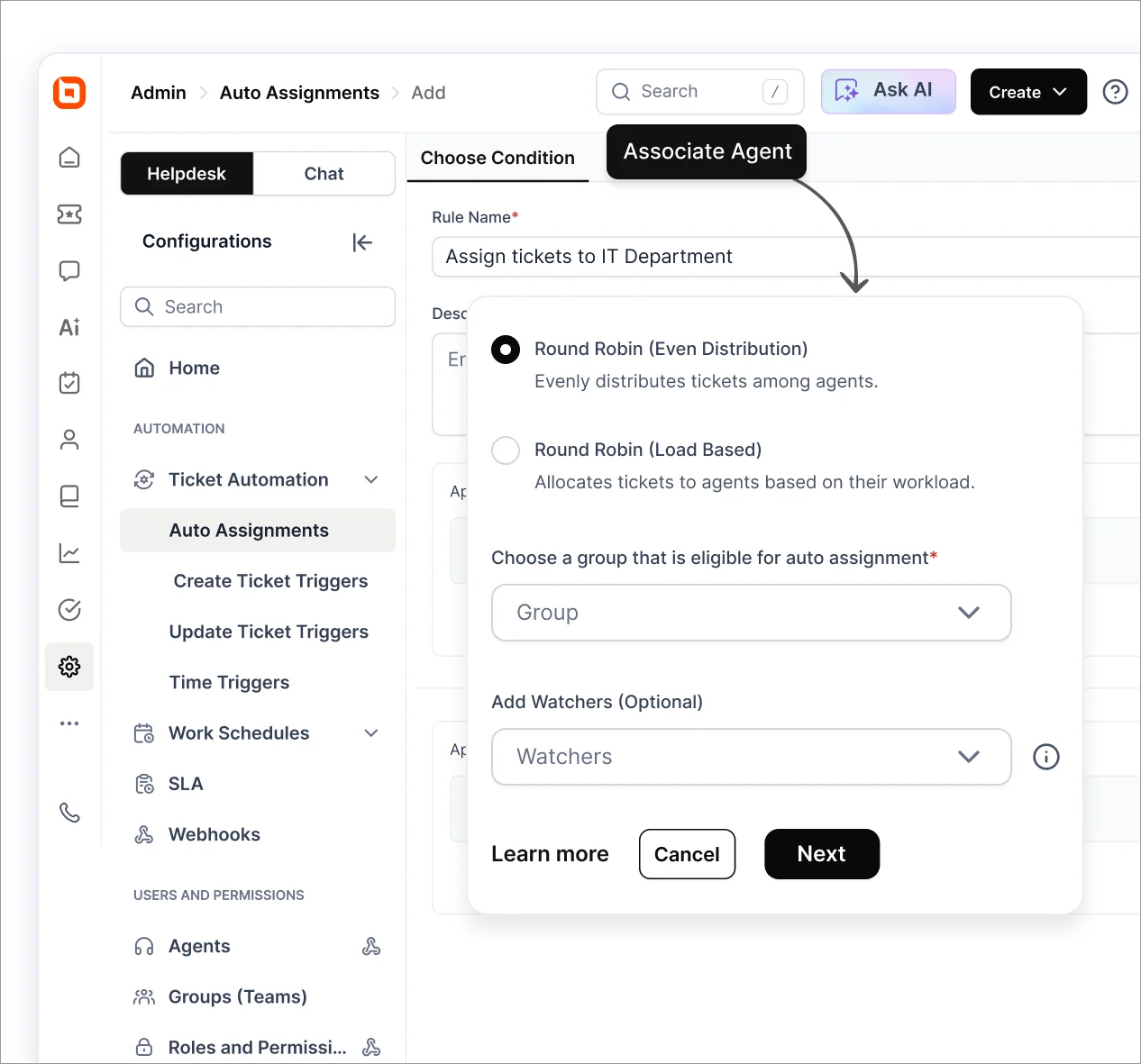
AI agents can collect request details, ask clarifying questions, create HR cases, and route them using predefined rules.
This form of HR ticket automation reduces manual triage and helps the receiving team begin work with better context.
Real-world example
AMD deployed a generative AI-powered HR agent with Kore.ai, integrating it with systems including SAP SuccessFactors and Microsoft Teams.
According to Kore.ai, the implementation reduced HR inquiry resolution time by 80%, achieved a 50% self-service deflection rate, and increased employee satisfaction by 70%.
Supporting paid time off and leave requests
Leave requests can involve eligibility requirements, available balances, supporting documents, approvals, and policy differences between locations.
An AI agent can explain the applicable process, retrieve permitted leave information, collect required details, and initiate an approved request.
Exceptions, accommodations, and final approval should remain with the appropriate manager or HR professional.
Real-world example
Johnson Controls uses its Omni assistant to help employees request time off, check balances, and obtain approvals directly through Microsoft Teams.
Assisting with benefits and enrollment
Benefits enrollment often creates a surge of questions about deadlines, eligibility, dependents, coverage options, and required forms.
The information may be available, but employees do not always know where to find it or how it applies to them.
AI agents for HR can explain enrollment steps, retrieve approved plan information, and direct employees to the appropriate forms or resources.
Questions involving personal medical circumstances or complex coverage decisions should be referred to a benefits specialist.
Real-world example
Real Chemistry deployed an AI benefits agent that answered more than 8,500 benefits questions between February 2025 and April 2026. Avante reports that this reclaimed approximately 6,000 total hours for the company’s benefits team.
Coordinating employee onboarding and offboarding
Onboarding and offboarding require coordination across HR, IT, facilities, payroll, and managers.
Missed tasks can delay a new employee’s productivity or leave access and equipment issues unresolved after someone departs.
AI agents can share relevant resources, create and assign tasks, send reminders, and track checklist progress across connected systems.
Restricted actions, such as changing payroll details or revoking system access, should follow established approval requirements.
Real-world example
LoanDepot introduced its Elle-Dee assistant to support new hires and coordinate workplace requests. Moveworks reports that 90% of employees found the assistant helpful during their first week, while common approvals were reduced to under five minutes.
Processing employee record updates
Employees may need to change contact details, emergency contacts, banking information, tax records, or other personal data.
These requests can involve identity checks, supporting documents, and different approval requirements.
An AI agent can guide the employee through the correct process, check whether required fields and documents are present, and route the request for review.
Access to sensitive records and authority to make changes should remain limited by role and request type.
Real-world example
Beacon Mobility’s Beacon Buddy supports employee self-service updates involving areas such as tax and veteran status. Leena AI reports that the agent automated 60% of queries and saved more than 2,000 employee hours in its first 12 months.
HR status updates and missing-info follow-ups
Employees often submit follow-up tickets simply because they cannot see whether a request was received, who owns it, or what is holding it up.
When connected to the case-management system, an AI agent can provide the current status, identify missing information, request additional details, and notify the employee when progress is made.
It should only communicate information available in the underlying system rather than inventing an estimated resolution time.
Real-world example
Workday describes AI-enhanced search capabilities that help employees find information more efficiently through self-service experiences. According to Workday, AI-enhanced search saves time and effort by simplifying search results and making information easier to find.
Improving the internal HR knowledge base
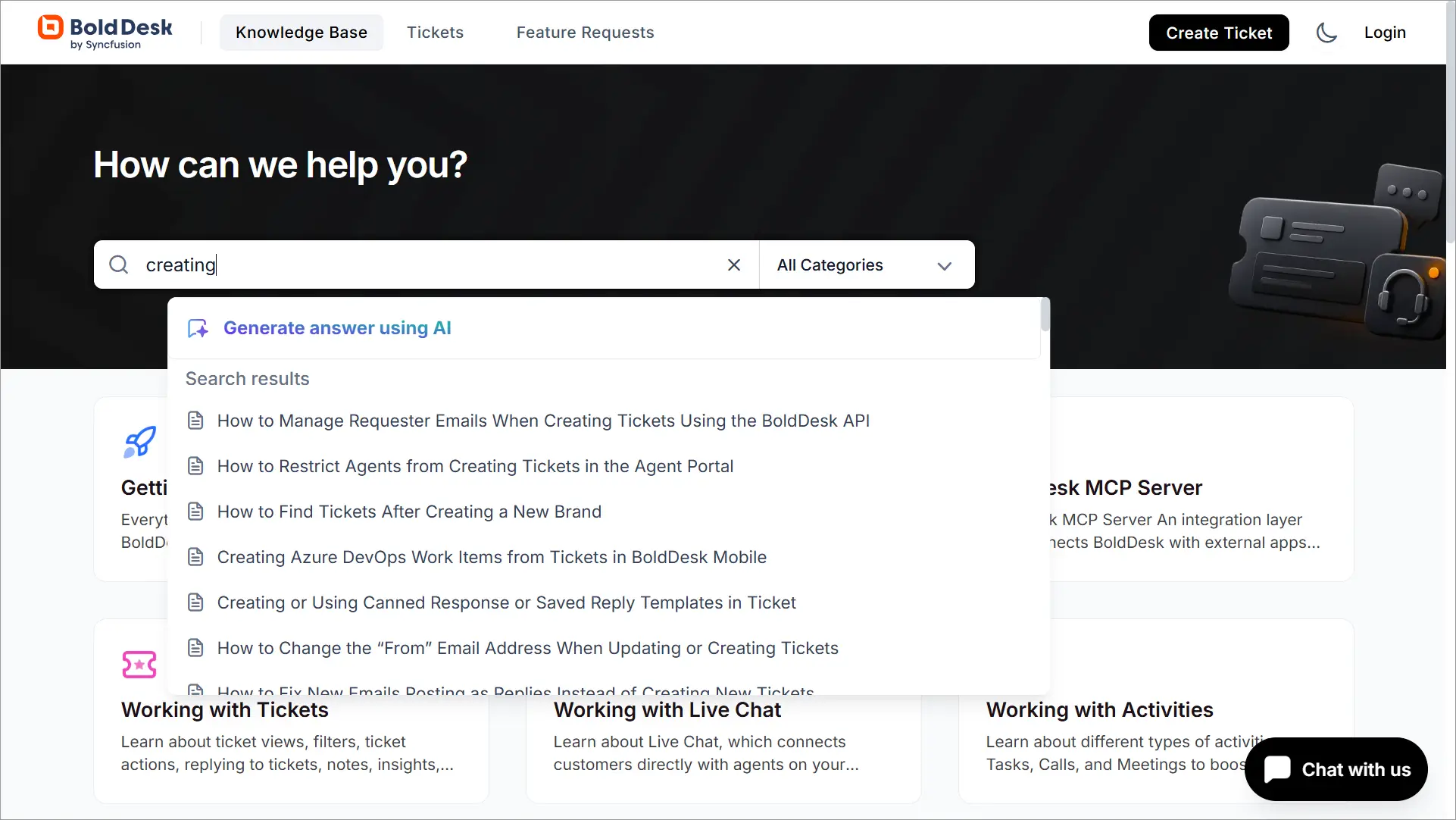
AI agents can do more than retrieve existing HR content. Search and conversation data can reveal frequently asked questions, failed searches, conflicting policies, and topics that lack adequate documentation.
HR teams can use these insights to update outdated articles and create content for recurring employee needs.
Maintaining accurate source material remains essential because an agent cannot provide reliable self-service answers from incomplete or outdated information.
Real-world example
Microsoft HR uses Copilot for case summaries, automated email drafting, and knowledge assistance. Microsoft reports that these capabilities contributed to a 20% increase in HR case throughput.
A reliable knowledge base software provides the approved content that grounds these answers while giving HR teams a structured way to maintain and improve employee-facing information.
How AI agents improve HR service delivery
The value of AI for employee experience goes beyond providing a faster first response.
They can reduce the handoffs between asking a question, finding information, submitting a request, and checking its progress.
When supported by reliable knowledge and controlled workflows, AI agents for HR can improve HR service delivery in several ways:
- Faster resolution: Employees can receive answers, initiate requests, and obtain updates without waiting for HR to complete every step manually.
- More useful self-service: Employees can move from finding information to taking an approved action within the same interaction.
- Less administrative work: Automating intake, categorization, routing, reminders, and follow-ups gives HR teams more time for complex employee needs.
- More consistent guidance: Responses based on approved policies and standardized workflows reduce variation across teams, locations, and support channels.
- Clearer request visibility: Employees can see the status, next step, and missing requirements associated with their requests, reducing unnecessary follow-ups.
- Scalable support during peak periods: AI agents can absorb routine demand during onboarding cycles, benefits enrollment, policy changes, and other predictable spikes in HR requests.
These improvements depend on the quality of the underlying policies, workflows, integrations, and controls. Automating an unclear or outdated process can reproduce its problems at a larger scale.
What should AI agents automate and what should HR handle?
The boundary between AI and human involvement should be based on the nature and potential impact of the task, not simply its HR category.
For example, an AI agent may explain a standard leave policy and collect the required form, while HR should handle an eligibility dispute, accommodation request, or policy exception.
| Decision factor | AI agents can take the lead when | HR should take the lead when |
| Process structure | The task is frequent, repeatable, and follows defined steps | The situation is unusual, ambiguous, or lacks a standard process |
| Available information | The answer can be retrieved from current, approved sources | Policies conflict, information is incomplete, or interpretation is required |
| Potential impact | The action is low risk, reversible, and within configured permissions | The decision affects pay, benefits, legal rights, or employment status |
| Nature of the interaction | The employee needs routine information, an update, or process guidance | The issue involves conflict, distress, well-being, or a workplace accommodation |
| Decision authority | The action can be logged and completed under established rules | The outcome requires discretion, accountability, or formal approval |
| Exceptions | The agent can recognize the exception and route it appropriately | HR must investigate the circumstances and determine the outcome |
Human oversight should be designed into the workflow before deployment.
Organizations should define which actions an AI agent may complete, which require approval, and which conditions must trigger escalation.
The same division of responsibilities applies to AI versus human customer service: AI provides speed, availability, and consistency, while people contribute empathy, judgment, and accountability.
In HR, the threshold for human involvement should be higher because requests may affect employee privacy, compensation, benefits, accommodations, or employment status.
Risks and guardrails for HR AI agents
HR AI agents may access sensitive employee data and take actions across connected systems. Their safeguards should reflect what each agent can access, decide, and do.
Employee data privacy
Limit agents to the minimum data required for each workflow and define clear retention policies. Collect banking, tax, medical, and identity information through authenticated forms or approved systems.
Access controls and identity verification
Apply role-based permissions and least-privilege access. Verify identity before displaying or changing personal information, and log all data access and completed actions.
Inaccurate answers
Ground responses in current, approved HR sources. When information is missing or conflicting, the agent should acknowledge the limitation and escalate the request rather than generate an unsupported answer.
Approval and escalation boundaries
Define which actions agents can complete, which require approval, and when HR must take over. Decisions involving compensation, accommodations, disciplinary action, termination, or other consequential matters should remain under human control.
Employee trust
Tell employees when they are interacting with AI, what it can access, and how to reach HR. This transparency matters because employee trust is essential for successful AI adoption.
McKinsey notes that trust is earned through deliberate leadership actions that demonstrate clarity, commitment, and consistency over time. In practice, that means being explicit about where AI is used, what data it can and can’t access, and when a human will review or take over.
As you define these guardrails, match them to the authority each agent receives. Learn how risk and human oversight change across the five levels of AI agent autonomy.
What to look for in an AI-powered employee support platform
When comparing AI agents for HR and HR service delivery AI platforms, do not evaluate a platform only by how well it performs in a controlled demonstration.
Determine whether it can use your approved knowledge, operate within defined permissions, connect to existing systems, and provide visibility into every answer and action.
- Grounded, verifiable answers: The platform should retrieve information from approved policies and knowledge sources, provide source references, and avoid answering when reliable information is unavailable.
- Identity and access controls: Look for role-based permissions, identity verification, least-privilege access, and controls that prevent employees from viewing or changing unauthorized information.
- Controlled actions and handoffs: Administrators should be able to configure approval thresholds, escalation triggers, and permitted actions. Human handoffs should include the conversation history and information already collected.
- Workflow connectivity: Confirm that the platform can connect to the required HR, identity, collaboration, and case-management systems. Review its available workflow integrations, APIs, and webhooks before selecting workflows to automate.
- Testing and quality monitoring: The platform should support pre-deployment testing and ongoing evaluation of answer accuracy, workflow failures, unsupported responses, and knowledge gaps.
- Auditability and reporting: Look for logs that record accessed information, completed actions, approvals, and changes. Reporting should also track adoption, resolution, escalation, satisfaction, and other service metrics.
- Data governance and compliance: Evaluate encryption, retention controls, data-location options, and relevant security and compliance standards, such as SOC 2 Type 2, GDPR, and HIPAA-compliant use where required.
- Regional and language support: Global organizations should confirm that the platform supports required languages, localized content, regional policies, and location-specific workflows.
How to implement AI agents for HR and employee support
Effective HR help desk automation starts with a narrow problem, reliable information, and clear limits on what the agent can do.
Use the following steps to test value and control risk before expanding automation.
- Analyze HR request data: Review recent employee requests to identify frequent questions, recurring delays, and repetitive work that consumes HR time.
- Choose one low-risk workflow: Start with a standardized process such as policy questions, status updates, case intake, or request routing.
- Establish a performance baseline: Record current ticket volume, response and resolution times, escalation rates, and employee satisfaction so you can measure the impact.
- Prepare approved knowledge: Review the policies and procedures the agent will use, remove outdated content, and assign an owner responsible for future updates.
- Define operational boundaries: Specify what the agent can access and complete, which actions require approval, and which decisions are prohibited.
- Connect only the required systems: Integrate the knowledge sources, support tools, and business systems needed for the selected workflow. Avoid granting unnecessary access.
- Test routine and exception scenarios: Evaluate incomplete requests, conflicting policies, unauthorized actions, escalation triggers, and system failures before launch.
- Run a limited pilot: Introduce the agent to a small employee group, gather feedback, and correct workflow or knowledge issues.
- Measure, refine, and expand: Compare pilot results with the baseline, resolve recurring failures, and add new workflows only when the existing one performs reliably.
Scale employee support without losing the human touch
AI agents for HR create the most value when they remove friction from repeatable HR work while leaving sensitive decisions with qualified professionals.
Starting with a focused workflow, reliable knowledge, and clear governance allows organizations to improve service without sacrificing accountability or employee trust.
BoldDesk brings ticketing, knowledge management, workflow automation, reporting, and AI into one platform, with unlimited human agents on every plan.
HR service teams can centralize employee requests, automate routing and follow-ups, provide self-service resources, and monitor support performance from one place.
Ready to modernize employee support? Start your 15-day free trial and explore how BoldDesk can help your HR team deliver faster, more consistent support.
Related articles
- Customer Service Analytics: Types, Uses, and Benefits
- What Is Good Customer Service? 9 Best Practices and Examples
- The Importance of Involving Your Entire Company in Customer Service
FAQs on AI agents for HR and employee support
How is an AI agent different from an HR chatbot?
A basic HR chatbot follows scripted flows or retrieves answers to common questions. An AI agent can also interpret context, collect information, create cases, initiate approved workflows, and escalate requests with relevant context.
What HR tasks should be automated first?
Start with frequent, standardized, and low-risk tasks such as policy questions, case intake, request routing, status updates, and onboarding coordination.
Can AI agents access employee data?
Yes, but only through authorized integrations and configured permissions. Access should follow role-based controls, identity-verification requirements, and the principle of least privilege.
Do AI agents replace HR professionals?
No. AI agents handle repetitive support work, while HR professionals remain responsible for sensitive situations, policy exceptions, employee relations, and consequential decisions.
How do AI agents improve employee experience?
They make it easier to find approved information, submit requests, complete routine steps, and check progress. This reduces delays and gives employees clearer visibility into their support requests.
What metrics should HR teams track?
Organizations using AI agents for HR should track metrics such as time to first response, resolution time, automated resolution rate, first-contact resolution, human handoff rate, escalation rate, answer accuracy, employee satisfaction, HR ticket volume, knowledge base effectiveness, adoption rate, and cost per resolution.
A high automation rate is not automatically a positive outcome if accuracy declines, repeat contacts increase, or employee satisfaction falls.
How can organizations implement HR AI agents safely?
Organizations implementing AI agents for HR should begin with a low-risk workflow, use approved knowledge, restrict permissions, test exception scenarios, define escalation rules, and require human review for sensitive actions.
What is the best AI agent for HR teams?
There is no single best option for every organization. Evaluate platforms based on knowledge grounding, security, integrations, approval controls, auditability, testing tools, human handoffs, and fit with your HR service workflows.
ABOUT THE AUTHOR

Sarah Adhiambo Ogada 
Sarah Adhiambo Ogada is a content strategist at Syncfusion with a strong interest in writing blogs that explain customer support topics in a simple, practical way, so teams can improve response times, stay organized, and deliver a better customer experience. She focuses on clear writing, real examples, and step-by-step tips readers can use right away.
Read more articles by this author Be the first to get updates