
 In this page

TL;DR: Live chat scripts are pre-written customer service messages that help support agents respond quickly and consistently to common customer inquiries. They improve response times, maintain a professional tone, and can be saved as canned responses for faster conversations.
Modern-day customers anticipate instant replies whenever they contact a company, placing pressure on businesses to provide immediate solutions and cultivate positive customer interactions.
Live chat is an excellent avenue for providing customer support. It’s fast, convenient, and helps customer support teams meet customers’ growing expectations for fast, responsive service.
However, delivering high-quality, consistent customer experiences via live chat requires more than just real-time availability; it necessitates having the right tools and training as well.
Well-prepared live chat scripts help agents handle a wide range of customer interactions with confidence and consistency, especially when supported by modern live chat software that streamlines responses, routing, automation, and team collaboration.
In this blog, we will discuss the crucial role live chat scripts play in promoting positive customer interactions and provide you with live chat templates to assist you in getting started.
What are live chat scripts?
Live chat scripts are pre-written messages that customer service agents use to start conversations or respond quickly to customer requests using the best live chat software.
They can be thought of as ready-to-use templates that help agents maintain a consistent professional tone when interacting with customers.
Live chat templates can be customized to fit a variety of common situations, such as:
- Greeting customers
- Handling frequently asked questions
- Troubleshooting common issues
- Guiding customers through processes like placing an order
- Closing conversations
Live chat scripts vs. chatbot templates: What’s the difference?
Although live chat scripts and chatbot templates both help streamline customer conversations, they serve different purposes.
The table below highlights the key differences between live chat scripts and chatbot templates, helping you determine when to use each as part of your customer support strategy.
| Feature | Live chat scripts | Chatbot templates |
| Used by | Human support agents | Automated chatbots |
| Purpose | Help agents respond quickly and consistently | Automate conversations and routine tasks |
| Interaction type | Human-to-customer | Bot-to-customer |
| Personalization | High, based on agent judgment and context | Limited to predefined workflows and logic |
| Best for | Complex issues, complaints, negotiations, and personalized support | FAQs, lead qualification, appointment booking, and order tracking |
| Requires human intervention? | Yes | No (unless escalated) |
| Common use cases | Greetings, billing inquiries, refunds, upselling, complaint resolution | FAQ automation, account verification, routing inquiries, collecting customer information |
| Key benefit | Delivers empathetic, personalized support | Improves efficiency by handling repetitive inquiries automatically |
| When to use | When customers need problem-solving, empathy, or tailored assistance | When customers need quick answers or task-based support |
| Works best with | Live chat software and support teams | Automated support workflows and AI chatbots |
The most effective customer support teams use both. Chatbot templates can automate routine interactions and collect customer information, while live chat scripts enable agents to step in when empathy, critical thinking, or personalized assistance is required.
For teams building automated support workflows, explore our customer service chatbot templates for ready-to-use bot conversation flows.
Practical live chat script examples and templates
Live chat scripts are a highly effective way of equipping your customer support team to provide quick resolutions for customer complaints.
We’ve listed the most common live chat templates that can be modified to suit different customer service settings.
Live chat script examples and ready-to-use templates
- Greeting a customer (10 examples)
- Requesting additional information (9 examples)
- Sending proactive messages (5 examples)
- Transferring customer service requests (5 examples)
- Apologizing and showing empathy to customers (5 examples)
- Thanking the customer for waiting (5 examples)
- Requesting time to check (4 examples)
- Dealing with unhappy customers (5 examples)
- Replying beyond chat hours (5 examples)
- Upselling and cross-selling (5 examples)
- Handling complaints (3 examples)
- Order status and tracking (4 examples)
- Closing the chat conversation (4 examples)
- Refund requests (3 examples)
- Subscription cancellations (3 examples)
- AI chatbot-to-agent handoffs (3 examples)
- SaaS support (3 examples)
Greeting a customer
Welcome messages are a great way to create a good brand perception. It is important for any opening message to be friendly and welcoming to set the tone for the rest of the conversation.
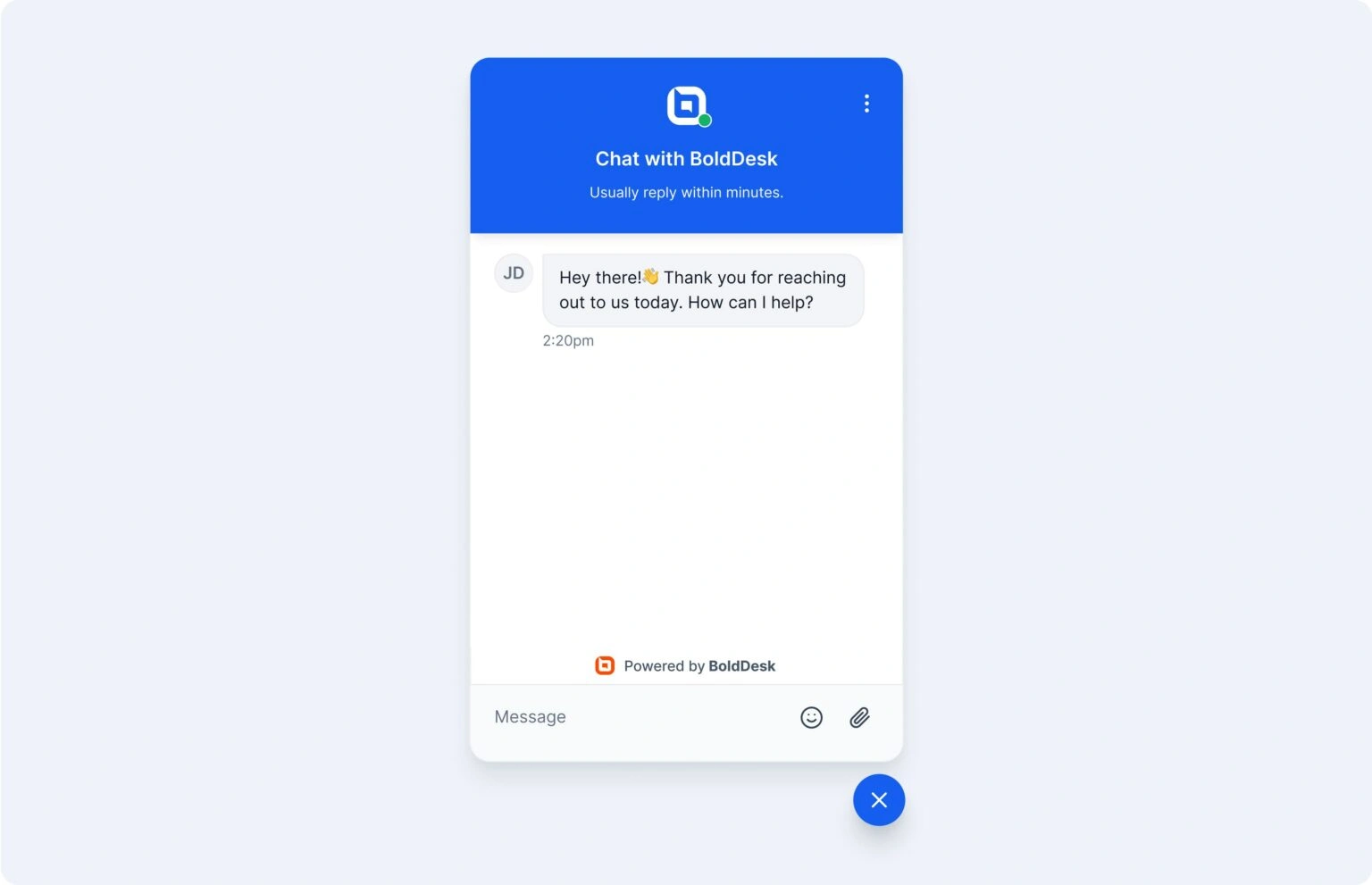
Here are a few ways to do that:
Greeting a new customer
1. “Hi, [customer name]! I’m here to help if you need anything.”
2. “Hello. [Agent name] here! How can I help you today?”
3. “Hello, [customer name]! Thank you for contacting [company name]. How can I help?”
4. “Thank you, [customer name], for choosing to chat with us. How can I help you today?”
5. “Hi! Thank you for reaching out to [company name] today! If you have any questions about our [products/services], I’m happy to answer them.”
Greeting a returning customer
6. “Hi [customer name]! It’s nice to see you again. How can I assist you today?”
7. “Welcome back, [customer name]! Please let me know if you need anything else.”
8. “Thank you, [customer name], for visiting us again. What brings you in today?”
Resuming a conversation
9. “Welcome back, [customer name]! Did you want to pick up from where you left off?”
10. “Hi, [customer name]. Thank you for returning to our chat. It appears it was interrupted earlier. Do you wish to pick up where we left off?”
Requesting additional information
On occasion, you might need a customer to provide more information to help you resolve their issue.
This may include details about the product or service they acquired, delivery and billing information, or even credit card details.
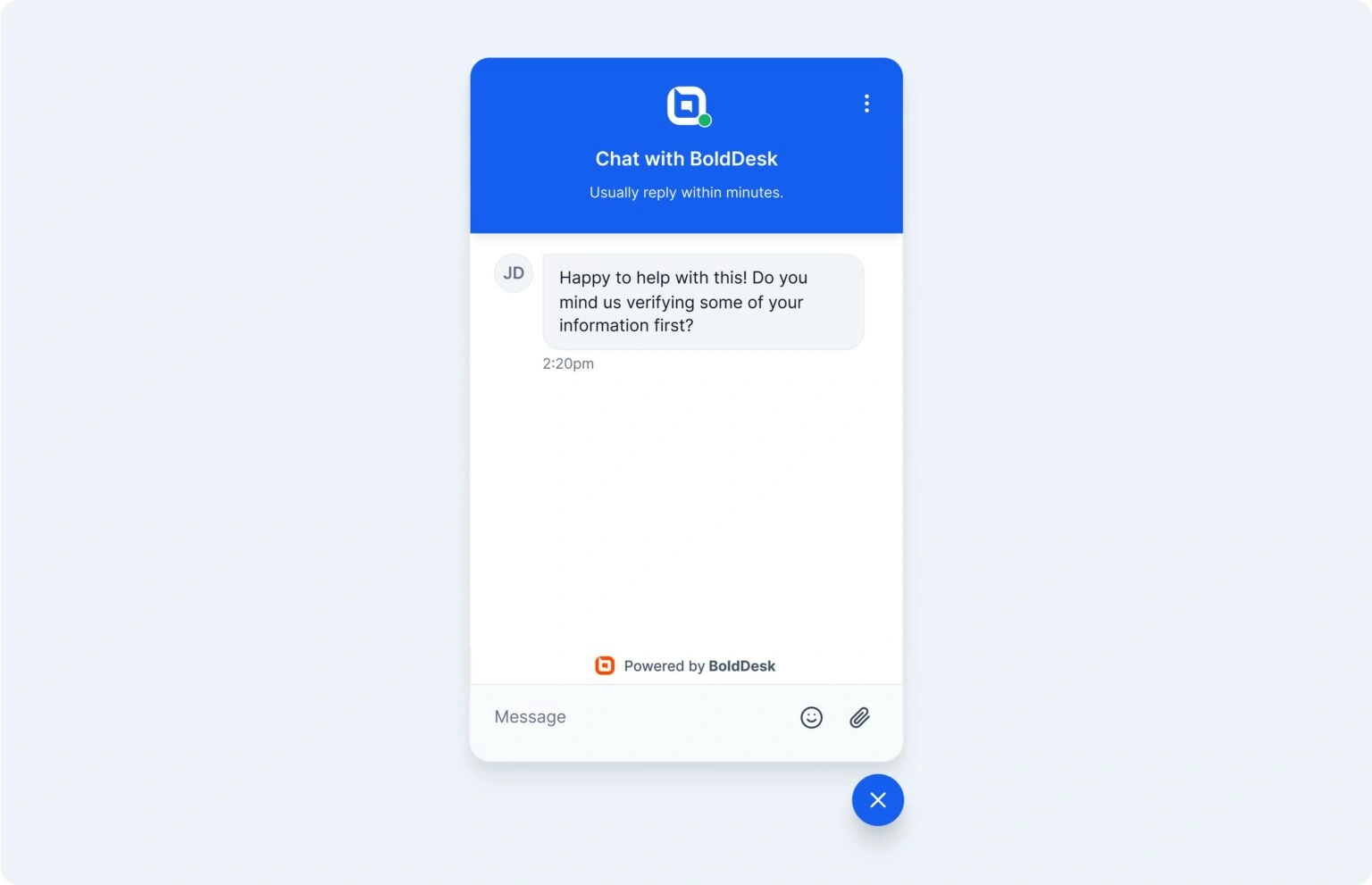
Here are some live chat examples you can use:
Asking for general information
11. “For us to help you better, we’ll need to collect some additional info. Kindly provide us with the [required details]”
12. “Happy to help with this! Do you mind us verifying some of your information first?”
13. “I’ll need some more information to verify your request.”
Asking for credit card and billing information
14. “To process your order, please provide us with your credit card number, expiration date, and security code.”
15. “Thank you for your interest in our [product/service]. I require your credit card number and billing address to process your order. Could you please share them with me?”
16. “Sure thing! Just to confirm, could you please share the last four digits of your credit card and the expiration date?”
Requesting address or location information
17. “Could you please verify your current residential address?”
18. “To assist me in tracking your order, please verify your location.”
19. “Would you mind sharing your billing address?”
Sending proactive messages
Proactive customer service demonstrates your dedication to delivering excellent service by anticipating and addressing potential customer concerns before they occur.
Proactively use live chat scripts to invite customers to chat, particularly on pages where they are likely to encounter difficulties or require additional information.
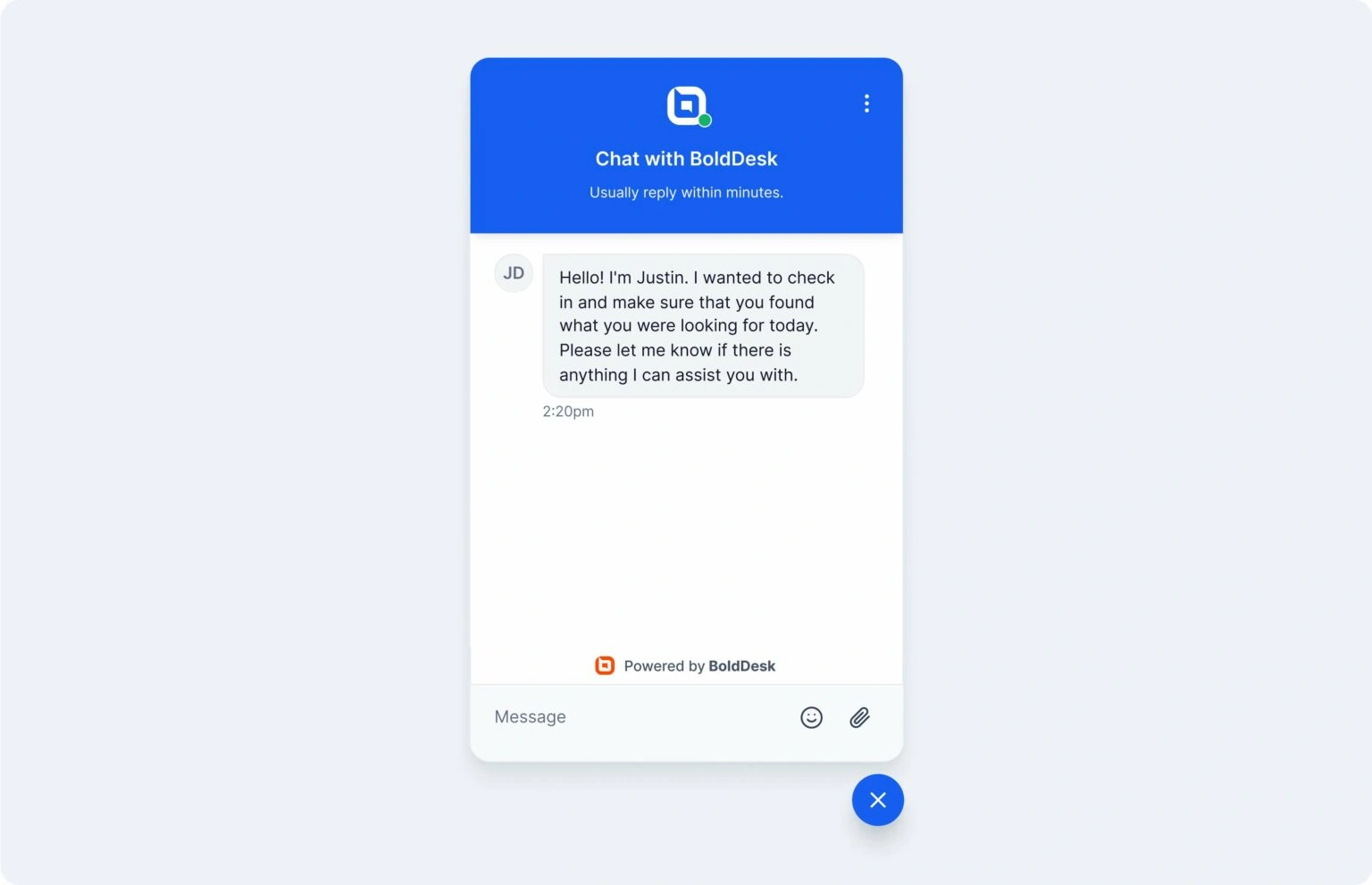
Here are a few live chat examples you can use:
20. “Hi! I’m [agent name]. I’m checking in just to make sure you found what you were looking for today. Is there anything I can do to assist?”
21. “Hey [customer name]! We appreciate you using [service name]. We’re happy to help you with any questions you might have.”
22. “Hello. I noticed you’ve been here for a while. Would you like me to take you through our pricing plans?”
23. “Hey there! Just to let you know, if you have trouble finding anything you need, I’m here to help.”
24. “Hello [customer name]! If you are buying our [product or service], you can use the coupon code to get a discount of 20%. This offer is going to expire in two days. Would you mind chatting for more details?”
Transferring customer service requests
According to research by The Futurum Group, 54% of consumers say they give up on getting support because they have to explain their issue multiple times.
When transferring customers to a better-suited agent or department, or when guiding customers to the correct department, communicate clearly.
Assure the customer that their issue will be addressed efficiently, without repetition.
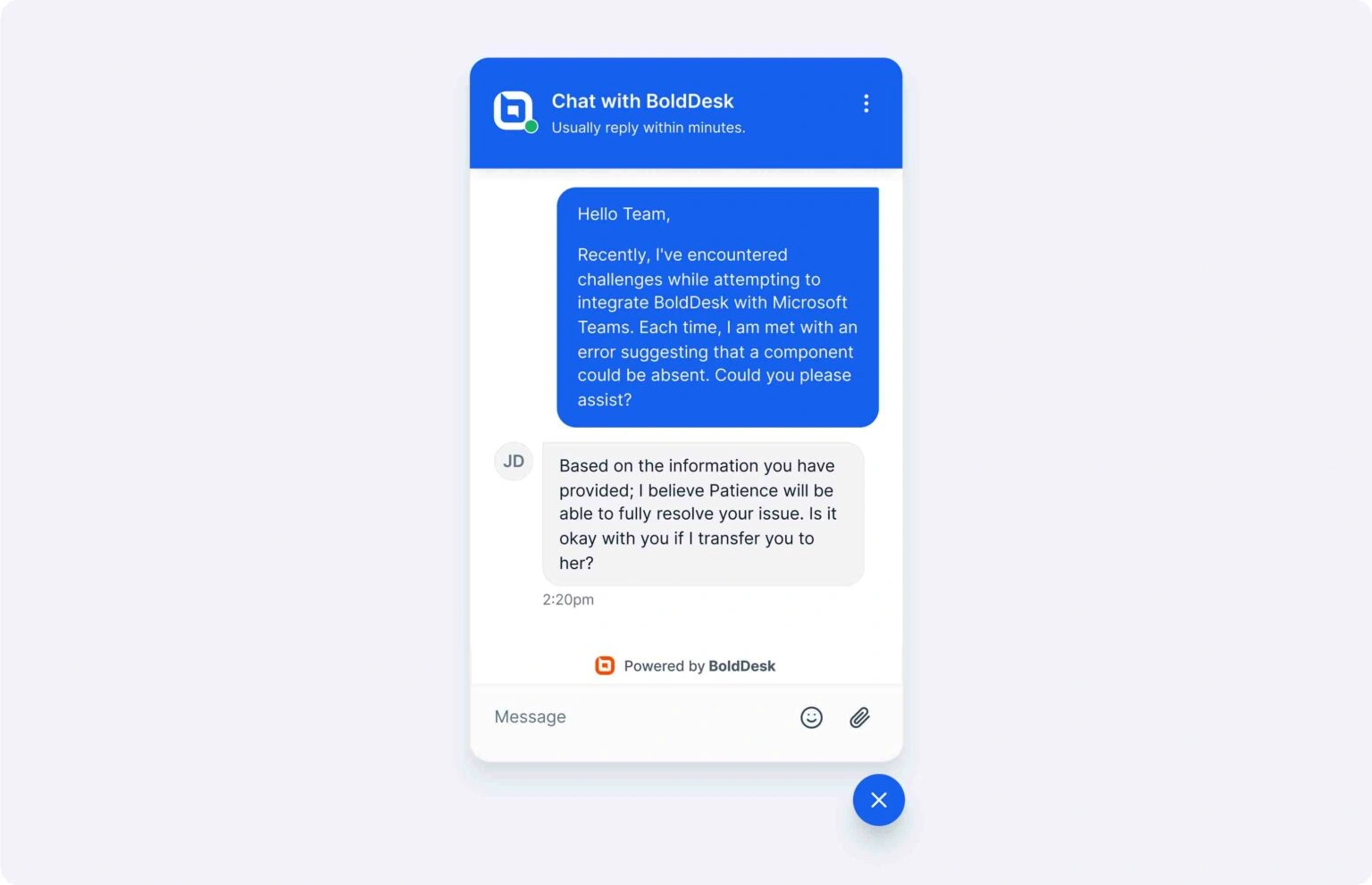
You can use the following live chat templates to assure customers that their concerns will be resolved soon.
25. “Your question is better suited for [department name]. I’ll forward your request so you are instantly assisted. Do you mind waiting a moment?”
26. “I can check the general details for you, but for a detailed explanation, our [mention suitable department] will be able to assist you further. Would you like me to transfer you to them?”
27. “Thank you for waiting, [customer name]. It seems you need further assistance. Let me quickly transfer you to the right team.”
28. “Based on the information you’ve provided, I believe [agent name] will be able to resolve your issue fully. Is it okay with you if I transfer you to [agent name]?”
29. “I’m sorry I can’t process your request. However, [agent’s name] specializes in this type of situation and would be glad to assist you. Would you mind if I transfer you to [agent’s name]?”
Apologizing and showing empathy to customers
There are times when your product or service may not meet customer expectations.
You’ll need to use the right message and tone to calm down angry customers, express regret for any inconvenience caused, and affirm your commitment to fixing the situation.
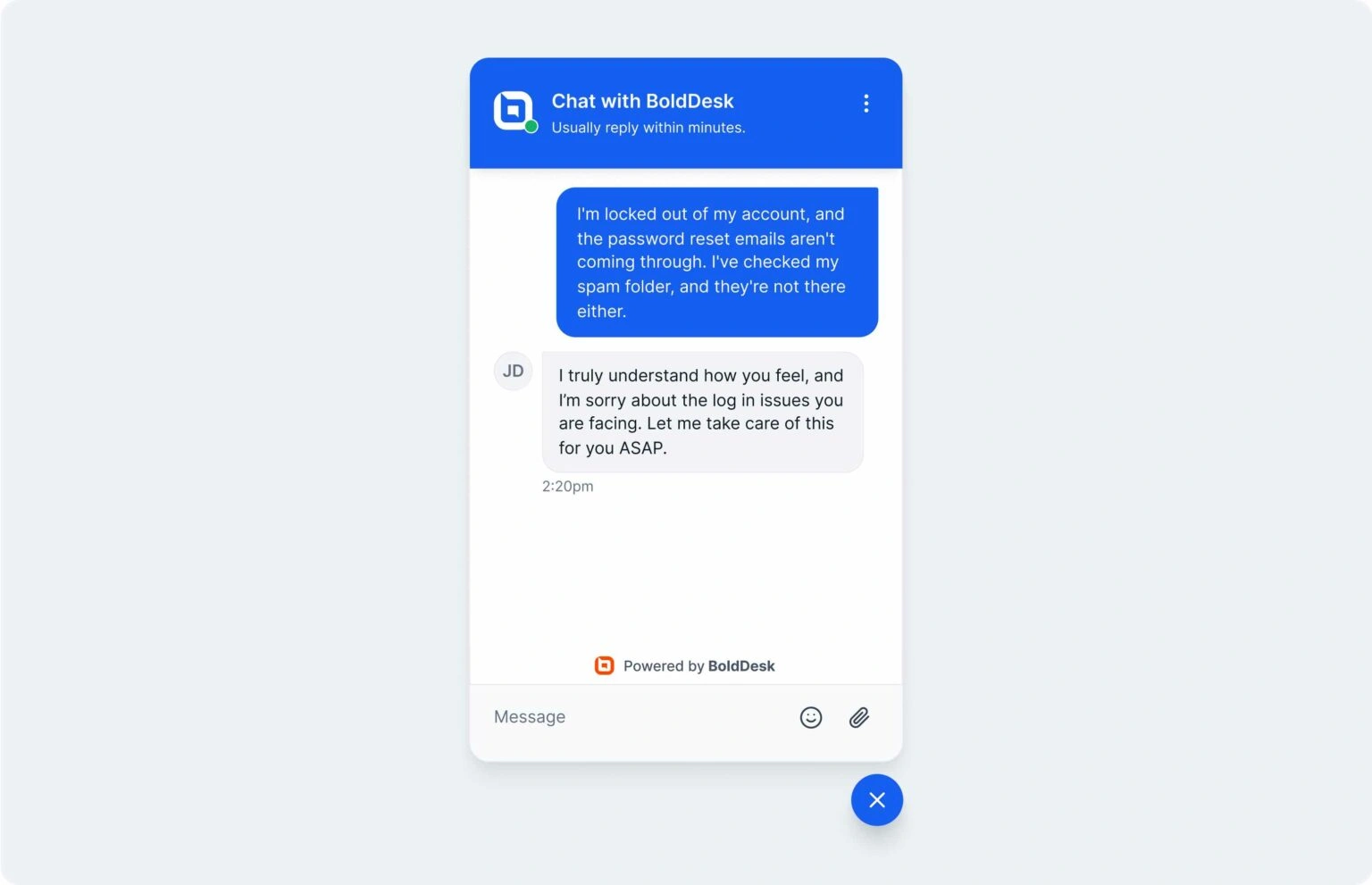
Here are some live chat scripts you can use:
30. “We’ve run into some technical issues. We’re extremely sorry this affects you. Our technical team is working to resolve the issues. The service will be back within [time frame].”
31. “Thank you for sharing the idea. Unfortunately, the request happens to go beyond the scope of what we can do. May I suggest an alternative solution?”
32. “I truly understand how you feel, and I’m sorry about [customer’s issue]. Let me take care of this for you ASAP.”
33. “We’re sorry. We can’t help you out with that as your request is beyond the scope of our support possibilities.”
34. “I’m so sorry for the [issue], but I have good news. Here’s how we can fix this problem: [solution].”
Thanking the customer for waiting
Customers dislike being put on hold when they are seeking support. It is important to help them feel at ease and express gratitude for their patience as you work toward resolving their issue.
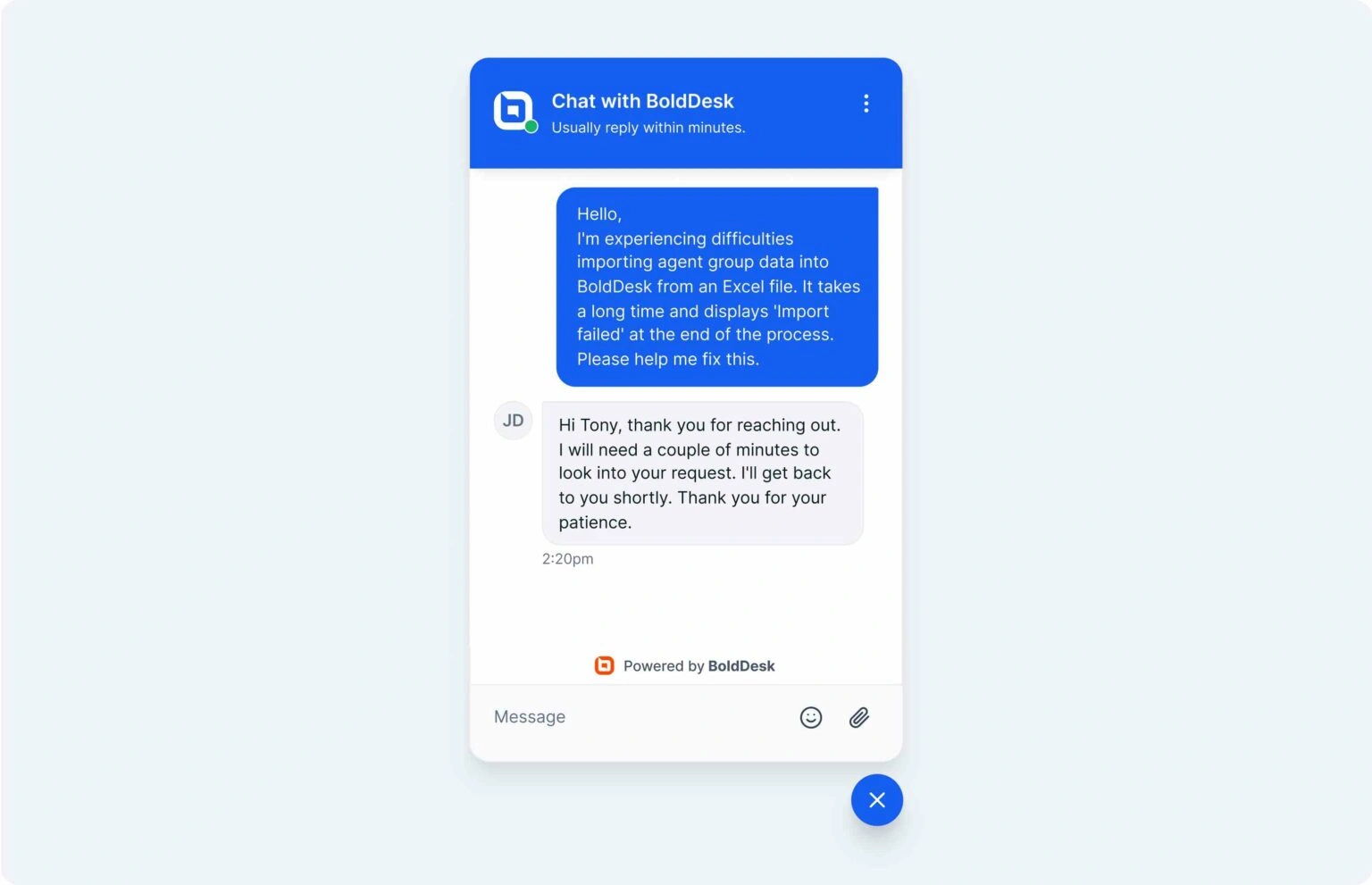
Utilizing the following live chat templates can assist you in accomplishing this.
35. “Sorry for the delay. I am currently looking into your issue, and I will update you as soon as possible. Thank you for your patience.”
36. “Hi [customer name], thank you for reaching out. I will need a couple of minutes to examine your request and gather the necessary information. Thank you for your patience; I’ll be with you shortly.”
37. “Hello, [customer name]. Thanks for being patient while I was looking into your request. Your understanding means a lot to us, and I’m now here to assist you further. How may I continue to help you today?”
38. “Good day, [customer name]. I need to check your account details to address this matter accurately. I will need to place you on hold briefly while I review your account information. Thank you very much for your patience; I will be back with you as quickly as I can.”
39. “Hi, [customer name]. I realize this [issue] is frustrating. I’m going to put you on hold briefly while I explore the best options to assist you. Thank you for your patience and for allowing us the opportunity to make things right.”
Requesting time to check
Sometimes agents in live chat customer service require more time to check information, speak with a colleague, or gather resources in order to give a precise response.
Handling such situations professionally is crucial to maintaining customer trust and satisfaction.
Below are some live chat scripts you can use:
40. “Thank you for providing the details, [Customer Name]. Let me check that information for you. This will only take a moment—thank you for your patience!”
41. “I appreciate your patience, [Customer Name]. I’m still looking into this to ensure I provide you with the most accurate information. I’ll be back shortly!”
42. “I’ll need a few minutes to review this for you, [Customer Name]. I should have an update for you within [specific time frame]. Thank you for your understanding!”
43. “Thank you for waiting, [Customer Name]. I’m consulting with [specific team/department] to get this resolved for you. This might take a few more minutes—thank you for bearing with us.”
Dealing with unhappy customers
Empathy, tolerance, and a composed demeanor are necessary while dealing with unhappy clients in order to defuse tension.
Express genuine concern and reassure them that you are paying attention to their problem.
You may even rebuild trust and convert a negative experience into a positive one just by actively listening and offering quick resolutions, demonstrating your dedication to providing exceptional customer service.
44. “I’m really sorry to hear that you’re facing this issue. I completely understand your frustration, and I’m here to help resolve it as quickly as possible.”
45. “I understand how inconvenient this must be for you, and I really appreciate your patience. Let’s work together to fix this right away.”
46. “Thank you for letting me know about the problem. I’m confident we can get this sorted out for you quickly. Let me look into it for you now.”
47. “I can see how this has caused frustration. I apologize for the inconvenience and appreciate your patience while we get this sorted for you.”
48. “I know how important this is, and I assure you I will do everything I can to resolve it quickly. Thank you for your patience as we work through this.”
Replying beyond chat hours
Sometimes, customers reach out outside your live chat hours. Providing a polite and informative response ensures they feel acknowledged, even if their issues cannot be resolved immediately.
Specifying clearly when they will be able to acquire assistance contributes to the preservation of professionalism and trust.
49. “Thank you for contacting us. Our live chat support is currently offline, but we’ll get back to you as soon as we’re available. Our chat hours are [insert hours].”
50. “We’re sorry we missed you! Our live chat hours are [insert hours]. Meanwhile, feel free to email us at [insert email], and we’ll respond promptly to your query.”
51. “Hi there! We’re currently offline, but your message is important to us. One of our support agents will respond within [insert timeframe].”
52. “We apologize for not being available right now. Our team will be back online during [insert hours]. Thank you for your understanding!”
53. “Thank you for contacting us! Although we’re offline, you can visit our [knowledge base/FAQ page] at [link] for immediate assistance.”
Upselling and cross-selling
Businesses can increase client value by suggesting suitable upgrades, add-ons, or complementary products using live chat upselling and cross-selling.
The secret is to naturally include these recommendations into the discussion while keeping the needs and preferences of the client in mind.
54. “I see you’re interested in [product/service]. Did you know we also offer an upgraded version with [specific feature]? It might be a perfect fit for your needs.”
55. “Thanks for purchasing [product]. Many of our customers also find [related product] helpful. Would you like to explore it?”
56. “Our [product] has been fantastic for [customer’s stated need]. For an even better experience, you might consider [premium feature or plan]. I’d be happy to share more details.”
57. “We currently have a special offer: If you add [related product/service], you can save 20% on your total purchase. Would you like me to add it to your cart?”
58. “Have you thought about trying [higher-tier product/service]? We offer a free trial so you can see the added benefits firsthand.”
Handling complaints
It takes empathy, careful listening, and open communication to effectively deal with the rising complaints in live chat.
When clients complain, they expect their concerns to be taken seriously and promptly addressed. The secret is to gently address their worries, acknowledge their emotions, and reassure them that a solution will be found.
Consumers might feel acknowledged and appreciated when tension is reduced with the aid of well-written scripts:
59. “Thank you for bringing this to our attention. I’ve already escalated this to our team, and we’re prioritizing a solution. You’ll hear back from us shortly.”
60. “We fully take responsibility for this error, and rest assured we’re doing everything we can to make it right without delay. Thank you for your patience as we resolve this.”
61. “I wanted to update you regarding the progress of your issue. Our team is actively working on it, and I’ll keep you informed every step of the way.”
Order status and tracking (ecommerce support)
Consumers frequently ask for real-time order updates or clarification on the status of their shipments.
A well-written answer should comfort clients over the progress of their purchase and offer precise, understandable information.
Order tracking live chat scripts should also give proactive support, such as providing tracking links or recommending next actions in the event of delays.
Below are some live chat scripts:
62. “Hello, [Customer Name]! I’d be pleased to help you with the status of your order. Would you kindly let us know the email address you used to make the transaction or your order number?
63. “Thank you for the details! Your order [Order Number] was shipped on [Date]. You can track it using this link: [Tracking Link]. Let me know if you need further assistance.”
64. “I’m sorry to inform you that your order has been delayed due to [Reason]. It is now expected to arrive by [New Delivery Date]. Thank you for your patience!”
65. “Your order is currently in transit and is expected to reach you by [Date]. You can monitor its progress here: [Tracking Link]. Please let me know if you have any concerns!”
Closing the chat conversation
It is important to end the conversation on a positive note to guarantee a lasting positive customer perception.
Thank customers for reaching out. Encourage them to contact you again if they encounter any further issues.
You can use this opportunity to offer a customer feedback survey or provide links to your knowledge base.

Here are a few examples you can adopt:
66. “Thank you [customer name] for chatting with us today. I hope your issue has been fully resolved. In case you have further questions, please don’t hesitate to reach out to us again. Have a great day!”
67. “There’ll be a brief feedback survey after I close the chat. I’d really appreciate you taking the time to fill it out.”
68. “We’re always happy to help! Kindly take a second to fill out our feedback survey. Enjoy the rest of your day!”
69. “Thank you for chatting with us today. If you encounter any other issues, don’t hesitate to contact us again. You can also try our self-help resources at [insert link]. Have a good day!”
Refund requests
Involves sensitive conversations, especially when customers are already disappointed with a product or service.
The right response can show empathy, set clear expectations, and help maintain customer trust throughout the process.
Here are a few live chat scripts you can use:
70. “I’m sorry the product didn’t meet your expectations. I’ll review your request and guide you through the refund process.”
71. “I’ve successfully submitted your refund request. You’ll receive a confirmation email shortly.”
72. “Thank you for your patience. Your refund has been approved and should be reflected within [timeframe].”
Subscription cancellations
While no business wants to see customers leave, cancellation requests can provide valuable opportunities to understand customer concerns and leave a positive final impression.
Here are some subscription cancellation scripts you can use:
73. “I’m sorry to hear you’re leaving. Before I process your cancellation, is there anything we can help with?”
74. “I’ve successfully canceled your subscription. You’ll continue to have access until the end of your current billing cycle.”
75. “Thank you for being a customer. If you’d like to return in the future, we’ll be happy to help.”
AI chatbot-to-agent handoffs
When a chatbot can’t fully resolve a customer’s issue, a smooth handoff to a human agent is essential.
The goal is to maintain context and ensure customers don’t have to repeat information they’ve already shared.
Use these live chat scripts to make chatbot-to-agent transfers seamless:
76. “I’ll connect you with a support specialist who can assist further. I’ve shared the details you’ve already provided, so you won’t need to repeat yourself.”
77. “Thank you for chatting with our virtual assistant. An agent will join shortly to continue helping you.”
78. “I’ve gathered the information needed and am transferring you to the best person to resolve this issue.”
SaaS support
SaaS customers often need help with account access, onboarding, feature usage, or technical issues.
Clear and proactive communication can help resolve issues quickly while improving the overall customer experience.
Here are a few SaaS support scripts to get you started:
79. “Thanks for reaching out. Can you share the error message or screenshot so I can investigate further?”
80. “I’ve reviewed your account and identified the issue. Here’s how you can resolve it: [solution].”
81. “Your request has been escalated to our technical team. We’ll keep you updated on the progress.”
Benefits of using live chat scripts
Incorporating scripted responses into live chat support can yield numerous benefits for both service representatives and customers.
- Immediate responses: Pre-written responses allow agents to respond quickly to common questions, even during busy periods. This reduces customer wait times and improves customer satisfaction.
- Consistent customer experiences: Live chat scripts ensure that customer support agents are delivering the same message and using the right tone. This creates a more professional and consistent customer experience for your brand.
- Improved customer conversion rates: Live chat scripts can be used to continually provide customers seeking goods or services with timely support and information that can guide them through the purchasing process.
- Increased customer support efficiency: Pre-written answers can help complete routine tasks, such as collecting customer information or sending standard responses. This frees up agents to handle more complex issues.
- Reduced stress on customer support agents: By providing accurate, ready answers, live chat scripts help agents feel more confident and prepared when interacting with customers. This reduces the likelihood of mistakes.
Real-world example: How Syncfusion improved support efficiency
According to Amy, Customer Engagement Team at Syncfusion, managing customer communications previously involved multiple manual steps that affected efficiency and consistency.
By switching to BoldDesk, the team streamlined its workflow and cut ticket handling time by 50%.
Best practices for using live chat scripts effectively
Having great scripts is only part of the equation. To maximize customer satisfaction, support teams should:
- Personalize every response: Use customer names, previous interaction history, and context whenever possible. Scripts should serve as starting points, not robotic responses.
- Keep responses concise: Customers choose live chat because they want quick answers. Eliminate unnecessary wording and focus on resolving the issue efficiently.
- Combine automation with human support: Use AI chatbots to collect information, answer FAQs, and route requests. When conversations require judgment or empathy, seamlessly transfer them to trained agents.
- Regularly review script performance: Monitor customer satisfaction scores, first-response times, and resolution metrics to identify which scripts are delivering the best outcomes.
- Maintain a consistent brand voice: Whether customers contact your business through live chat, email, social media, or other support channels, every interaction should reflect the same tone, professionalism, and commitment to customer service.
Boost customer engagement with top live chat scripts
Typing the same statements over and over can become tedious, especially for customer service agents who engage with many customers daily.
By putting these tips and templates into practice, you’ll be well on your way to providing exceptional live chat experiences that build trust, resolve issues efficiently, and leave your customers feeling valued and understood.
Give your team a faster way to deliver great support with BoldDesk live chat software. Save these scripts as canned responses and use AI-powered suggestions to reply faster, stay consistent, and improve every customer conversation.
Ready to streamline your customer support? Sign up for a free trial and get instant access today.
Is there a live chat script example we missed? Share your favorite live chat example in the comments section.
Related articles
- Customer Service Email Templates: 50 Examples for Support
- Proactive Live Chat: 5 Tips, Examples, and Setup Guide
- How to Effectively Utilize Microsoft Teams for Customer Service
FAQs
A good live chat script is clear, conversational, and customer-focused.
The most effective scripts provide enough structure to maintain consistency but leave room for personalization based on the customer’s situation.
Review your live chat scripts regularly, especially when introducing new products, services, policies, or support workflows.
It’s also a good idea to update scripts based on customer feedback, recurring support issues, and changes in customer expectations to ensure responses remain accurate and relevant.
AI can help support teams respond faster by suggesting replies, summarizing conversations, identifying customer intent, and providing relevant knowledge base recommendations.
When combined with human expertise, AI can improve response times, maintain consistency, and allow agents to focus on resolving more complex customer issues.
Live chat scripts are pre-written message templates that guide customer conversations. Canned responses are saved versions of those scripts that agents can quickly insert into a chat.
Using canned responses helps teams handle repetitive inquiries more efficiently while maintaining a consistent brand voice.
Yes. Well-crafted live chat scripts help agents respond faster, communicate more clearly, and provide consistent support experiences.
When paired with personalization and empathy, they can reduce customer effort and contribute to higher customer satisfaction.