



TL;DR: Proactive live chat helps businesses engage website visitors before they ask for assistance. By using behavior-based triggers, personalized messages, and real-time support, businesses can increase engagement, reduce cart abandonment, improve customer satisfaction, and guide customers through their journey more effectively.
The first point of contact is your chance to grab attention, introduce your business, show off your products or services, and offer help leaving a good first impression.
As a potential user visits your website for the first time, a friendly message pops up: “Hello! Welcome to our website, if you need any assistance feel free to ask.” This is the power of proactive live chat, which enhances customer engagement by offering real-time assistance from the moment they arrive on the site.
Rather than waiting for your customers to struggle or reach out for help, your live chat agents instantly step in at just the right moment to answer customer questions and concerns.
This article will explain the key benefits, best practices, tools, real-time use cases, and how to set up proactive live chat messages.
What is proactive live chat?
Proactive live chat refers to a strategy where businesses take the initiative to start interaction with website visitors before they reach out for assistance.
Proactive live chat works best when teams use dedicated live chat software that can automatically trigger conversations based on visitor behavior, page activity, time spent on site, and customer journey stages.
Using these insights, businesses can identify the right moments to offer real-time assistance, answer questions, or provide relevant recommendations before visitors actively seek help.
At one point, we all landed on a website and were greeted by one of these friendly, proactive messages.
- Need help?
- Welcome back!
- Are you facing an issue?
- Hi there!
These messages encourage engagement between your customer and your support agent.
The key differences between proactive chat and reactive chat
As a business, how you approach live chat support can really shape the way you connect with customers.
So, which approach fits your style: proactive or reactive chat? Let’s take a look at how each works and what makes them stand out:
| Reactive live chat | Proactive live chat |
| Customers initiate the chat. | The company initiates the chat. |
| Few number of conversations. | High number of conversations. |
| Customers may leave the website without finding what they are looking for. | Customers are approached at the right time and immediate action is taken. |
| Focuses on resolving issues and answering questions. | Focuses on starting a conversation and guiding users. |
Proactive live chat stands out when your business wants to offer immediate solutions before problems arise or escalate; hence, it is the way to go.
Benefits of proactive live chat software
Proactive live chat enables businesses to reach out to website visitors at the right moment, offering assistance before questions turn into obstacles.
Let’s look at the key reasons why proactive chat support is important.
- Increases website engagement: Proactive chat invites businesses to start conversations with visitors, encouraging interaction and keeping them engaged throughout their journey.
- Provides better customer insights: By tracking visitor behavior, such as pages viewed, time spent on site, and browsing activity, businesses can deliver more relevant and personalized support.
- Improves sales performance: Proactive engagement helps sales teams answer questions, recommend products, and assist high-intent visitors at critical decision-making moments. Research by Popupsmart shows that 51% of users make repeat purchases from companies that offer live chat.
- Reduces cart abandonment: Businesses can proactively address checkout issues, payment concerns, or product questions before they lead to abandoned purchases.
- Boosts customer satisfaction: Timely assistance helps customers feel supported and improves overall customer service. According to Helplama, 89% of consumers reported a positive experience after receiving proactive outreach from a company.
- Reduces support workload: Proactive chat helps resolve questions before they become support tickets, reducing agent workload and improving first-response times.
Best practices for proactive live chat
Proactive live chat allows businesses to start conversations before visitors ask for assistance. The following best practices can help you engage users at the right moment and improve customer outcomes.
- Use behavior-based triggers: Trigger proactive messages when visitors spend more than 30 seconds on pricing pages, revisit the site multiple times, or show exit intent.
- Personalize your messages: Tailor greetings to the page or action that triggered the chat. Relevant messages are more likely to receive a response than generic invitations.
- Engage at the right time: Avoid triggering chat immediately after a visitor lands on a page. As a best practice, wait 20-60 seconds or until the user scrolls 50% of the page before displaying a chat invitation.
- Focus on high-intent pages: Start proactive conversations on pages where visitors are most likely to need assistance, such as pricing, product, checkout, or demo pages.
- Measure and optimize performance: Track engagement, chat acceptance, and conversion rates regularly to identify which triggers and messages perform best.
These practices focus specifically on proactive engagement. For broader guidance on live chat strategy, agent workflows, customer service best practices, and support optimization, read our complete guide to live chat support.
Real-time use cases and examples of proactive live chat messages
Ready to see how proactive live chat can make a real difference for your business? Here are some key situations and examples where it can truly have an impact.
Recovering abandoned cart
A study by Baymard shows that the average documented online shopping cart abandonment rate is 70.19%.
In order to reduce cart abandonment, use proactive chat to offer real-time support, address concerns, and guide visitors smoothly through the checkout process, helping them complete their purchase.
For instance, if a user is having trouble checking out, you can make the checkout easier by shortening the steps, offering guest checkout support, and enabling autofill for form fields. An example of a proactive chat could say:
Greeting new and returning customers
For users browsing your site for the first time, it’s an opportunity to shine, introduce your business, be supportive, and make visitors feel comfortable, hence creating a positive impression.
While returning visitors acknowledge their familiarity with your site, help them with any new or updated information and provide personalized support based on their previous interactions. Here is an example of a welcoming message for visitors:
An example of a welcome back message:
Tracking pages where users frequently exit or bounce
Many visitors tend to open multiple pages comparing your services to competitors, thus having a high chance of losing interest and leaving your website. Here is an example of a proactive live chat to help you begin:
By finding these pages, you can reach out to visitors and send a targeted message offering help, such as answering their questions and guiding them to finish their journey on your site.
Engaging struggling visitors with proactive live chat
Visitors who spend an unusually long time on a product page may have questions or concerns that prevent them from moving forward.
This is a great opportunity for you to send a proactive message by asking them if they need assistance. An example of a proactive chat you should consider:
Offering discounts on first orders
Nowadays, businesses tend to send proactive messages with discounts to new customers who visit the page for the first time, creating a positive first impression. For instance, a message pops up:
Sending product recommendations
Product recommendations are a key strategy for proactive customer service, helping clients find what they need quickly.
With a sales chat tool, you can personalize suggestions, upsell, and control the timing and products, creating a tailored experience. For example:
Providing a quick FAQ
Proactive live chat is essential on the FAQs page since visitors can find specific answers to their questions.
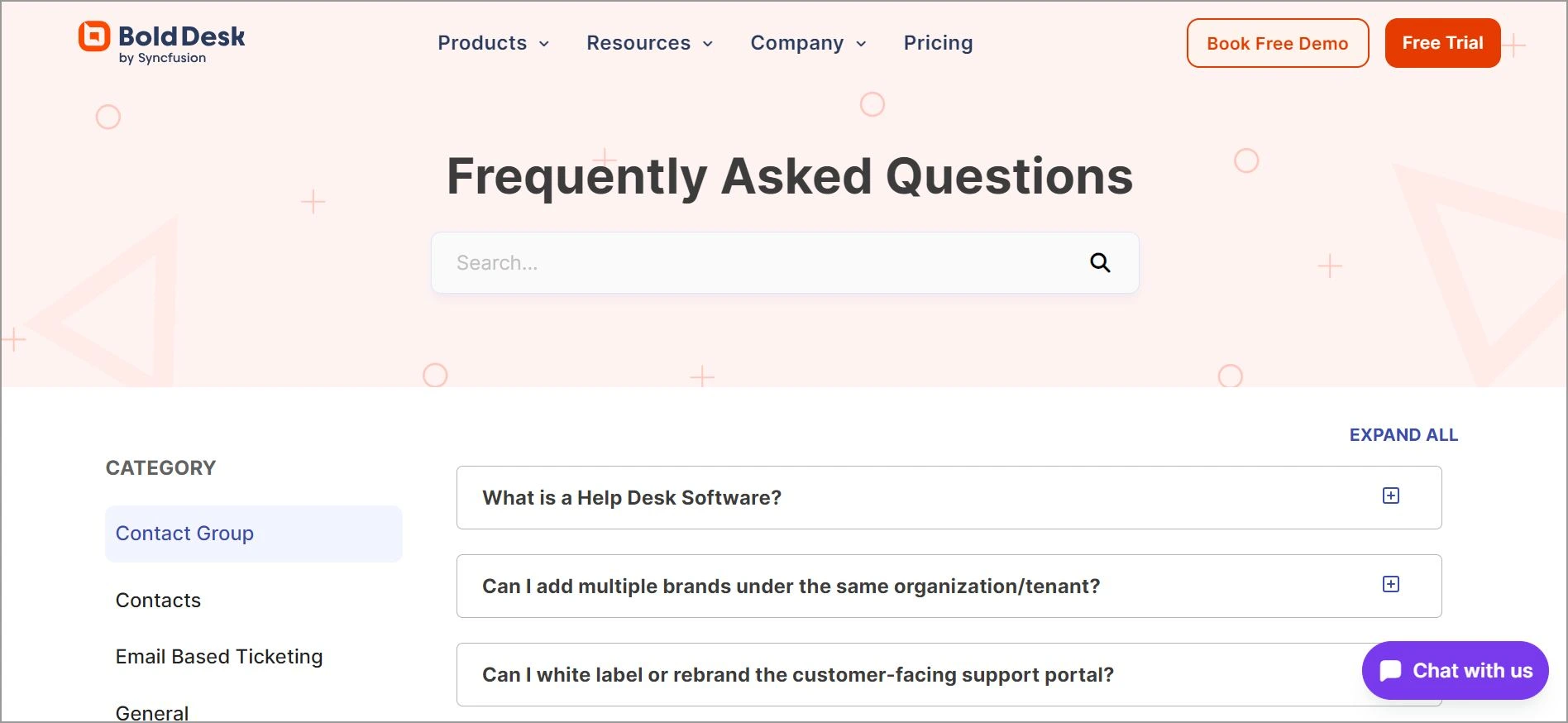
Here is an example of a proactive chat:
Messaging users from referral
Getting in touch with referral customers is an excellent method to greet new visitors.
When you offer customers personalized assistance or exclusive offers based on their source, your business can enhance their overall customer experience and make it more engaging. For instance, a message can pop up:
“I see you’re visiting us through one of our partners. Is there anything I can help you find today?”
How to set up proactive live chat software
The following guides will help you set up proactive live chat messages for the best customer experience.
- Choose the best live chat software that supports proactive messaging and offers features like automation, triggers, and customization.
- Set up an SLA trigger based on the user’s behavior, such as time spent on the current page, time spent on the website, or returning visitors.
- Create the right proactive chat message that is friendly, helpful, and non-intrusive. Keep the message short and to the point.
- Regularly test and optimize your proactive messages to monitor their performance and adjust based on their behavior. Try different messages, triggers, and timings to see which ones get more engagement and conversions.
Implement real-time customer interactions with proactive live chat
Proactive live chat is most effective when businesses focus on the moments that matter most. Start by identifying your highest-intent pages, such as pricing, product, and checkout pages, then create targeted messages that help visitors overcome common questions or concerns.
By combining behavioral triggers, timely engagement, and continuous optimization, businesses can improve customer experiences, increase conversions, and reduce support friction before visitors need to ask for help.
Contact us today to learn how BoldDesk can help you deliver real-time live chat support. Start a 15-day free trial to experience these features. We hope this article is helpful. Feel free to share your thoughts in the comments section below.
Related articles
- 11+ Best Ecommerce Live Chat Tools for Customer Engagement
- How to Add Live Chat to Website: A Quick Guide
- 81 Best Live Chat Script Examples and Templates
FAQs
Proactive live chat uses predefined triggers and visitor behavior data to automatically initiate conversations. For example, a chat invitation may appear when a visitor spends time on a pricing page, abandons a cart, revisits the website, or browses multiple product pages.
Trigger proactive chat when visitors show signs of intent or need assistance, such as spending time on a page, viewing pricing or checkout pages, returning to your site, or displaying exit intent. The goal is to engage at the right moment without disrupting their experience.
Proactive live chat is particularly effective for ecommerce stores, SaaS companies, financial services, healthcare providers, and customer support teams. Any business that relies on online interactions can use proactive messaging to guide visitors and improve conversion opportunities.
Key metrics include chat acceptance rate, engagement rate, conversion rate, customer satisfaction (CSAT), lead generation, cart recovery rate, and response time. Monitoring these metrics helps businesses identify which triggers and messages deliver the best results.
Yes. Most modern live chat platforms allow businesses to automate proactive messages using rules and triggers based on visitor behavior, page activity, customer segments, or specific actions.