
 In this page

TL;DR: Phishing attacks use deceptive emails, messages, and calls to steal sensitive information, making businesses and individuals vulnerable to cyber threats. This blog explains the most common phishing scams and shares practical prevention tips to help you identify, avoid, and protect against them.
Online scams are becoming smarter and more common, putting both individuals and businesses at serious risk. Today’s attackers go beyond just sending suspicious emails.
They use advanced tricks like social engineering, impersonation, and even AI-generated messages to fool users. These scams can cause data breaches, give hackers access to your systems, and lead to financial losses.
According to a StationX article, 57% of organizations face phishing attempts daily or weekly.
At BoldDesk, we know how important security is to your daily operations, and we’re here to help you stay protected.
In this blog, we’ll explain how phishing works, the different types to watch out for, and share simple strategies to keep your BoldDesk account and your business safe.
What is phishing?
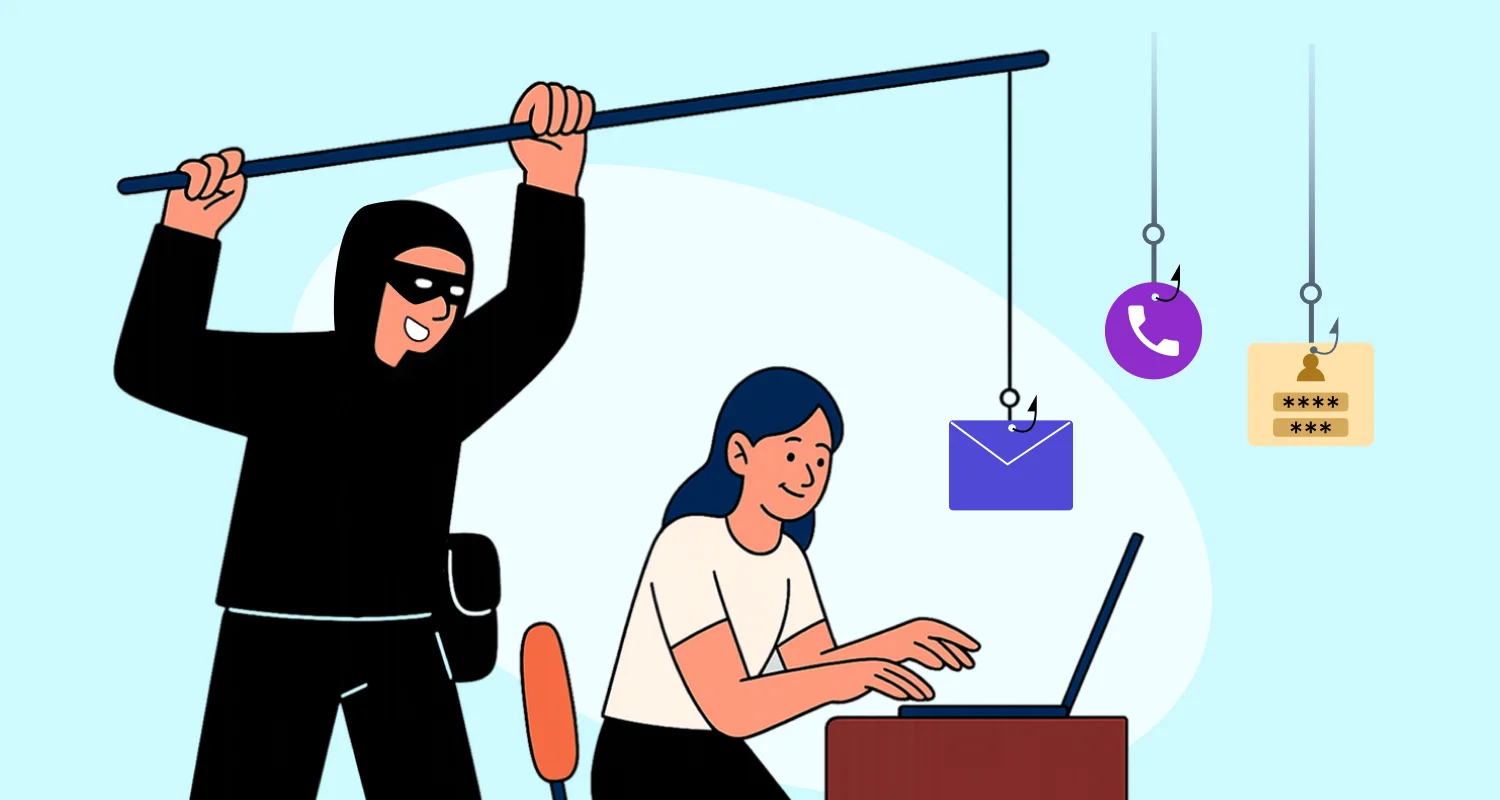
Phishing is a type of cyber-attack where attackers use deceptive emails, messages, or websites that appear to be from legitimate sources to trick individuals into revealing sensitive information like passwords or financial details.
These attacks rely heavily on social engineering tactics that often create urgency, fear, or curiosity to prompt victims to click on malicious links or provide sensitive data without verifying the source.
4 Types of phishing attacks
Phishing attacks takes many forms, each using different tactics to deceive.
Understanding these scam techniques helps you to spot threats early and protect yourself from falling victim.
- Traditional phishing: These attacks target many people with generic messages, hoping to catch a few victims.
- Vishing and smishing: Voice phishing (vishing) involves phone calls from attackers pretending to be legitimate figures, while SMS phishing scams (smishing) uses quick text messages to trick users into divulging personal information.
- Spear phishing: This is a more targeted approach, where attackers focus on specific individuals or organizations. The messages are tailored to the victim’s role or interests, making them harder to detect.
- Whale phishing: Also known as whaling, these cyber threats target high-profile individuals like CEOs or CFOs. The stakes are higher, and the messages are crafted to exploit the victim’s authority and access.
How do phishing attacks work?
Phishing attacks are designed to trick people into sharing sensitive information such as passwords, bank details, or personal data. They rely on deception and human error rather than technical weaknesses.
Creating a fake identity
Attackers pretend to be a trusted source, such as a bank, popular website, company, or even a colleague. They imitate official logos, email styles, and branding so their message appears real and believable.
Sending a deceptive message
The attacker sends a deceptive message through email, text message, social media, or chat platforms. These messages usually create panic, curiosity, or urgency with statements like:
- “Your account has been suspended — verify now.”
- “Claim your reward before it expires.”
- “Suspicious login activity detected.”
Luring the target into taking action
The message encourages the recipient to interact with a harmful link, attachment, or form. In many cases, attackers manipulate victims into opening a fake website or downloading an infected attachment.
They may also trick users into entering login credentials and other confidential information on fraudulent platforms.
Collecting sensitive information
Once the victim responds to the phishing message, the attacker collects sensitive information. This may happen through a fake website that records usernames and passwords.
It can also occur through malicious software that steals data from the device. In some cases, attackers directly request confidential details such as banking information, security codes, or personal records.
Exploiting the data
After obtaining the victim’s information, attackers use it for malicious purposes. They may gain unauthorized access to bank accounts, email accounts, or business systems.
Attackers may also steal the victim’s identity for financial fraud. In some cases, they use the compromised account to launch additional phishing attempts against other individuals or organizations.
Real-life example:
An employee receives an email that appears to be from the company’s IT team urging them to reset their password immediately. The email includes a link to a fake login page that looks like the official company portal.
After entering their credentials, the employee unknowingly gives the attacker access to their account, allowing them to steal data and send phishing emails to other coworkers.
How to identify phishing emails and scam messages
Recognizing phishing attempts starts with awareness. By identifying the common red flags, you can better protect yourself and your organization from potential threats.

Here are some key indicators to watch out for:
Suspicious email addresses
Phishing emails often come from addresses that look like legitimate ones but have slight variations.
Legitimate BoldDesk emails always come from a “@bolddesk.com” or “@syncfusion.com” domain. Our official communications will never come from free email providers or suspicious domains.
Phishing attempts often use domains that look similar but contain slight variations:
- [email protected] (Notice the hyphen)
- [email protected] (Using a free email provider)
- [email protected] (Using a zero instead of the letter “o”)
- [email protected] (Notice the omitted ‘d’)
Vague greetings and poor language
Phishing emails often use generic greetings like “Dear Customer” or “Dear User” instead of addressing you by name.
They may also contain spelling and grammar mistakes, inconsistent formatting or branding, and awkward phrasing that doesn’t match the tone or style of legitimate companies.
Example:
“Dear User, your acount has been compromised. Kindly click here to fix it urgently. Failure to do so may result in disable.”
This example includes:
- A vague greeting (“Dear User”)
- Spelling error (“acount”)
- Unnatural phrasing (“result in disable”)
- An urgent tone—all common red flags in phishing emails
Legitimate BoldDesk’s communications usually address you by name, are professionally written with proper grammar and spelling and maintain consistent branding elements like our logo.
Urgency and threats
Messages or emails that create a false sense of urgency, suggesting immediate action is required, are often phishing attempts.
For instance, you could receive an email claiming your account will be locked unless you verify your information immediately.
This tactic pressures you into acting quickly without verifying the authenticity of the request.
Legitimate BoldDesk communications usually:
- Give you reasonable time to take action
- Don’t use threatening language
- Provide clear context for any requests
Suspicious links and attachments
Phishing emails often contain links that lead to fake websites designed to steal your information.
These phishing links:
- Lead to misspelled domains (bolddeesk.com, bolddesk-support.com)
- Use URL shorteners to hide the actual destination
- Contain random strings of characters
- Request you to download unexpected attachments
Legitimate BoldDesk links usually direct to https://www.bolddesk.com or related subdomains and are relevant to the context of the communication.
Example:
You’re reading a BoldDesk product update email that mentions a new knowledge base feature. The email includes a link labeled “Learn more about the update.” When you hover over it, the URL preview shows: https://www.bolddesk.com/product-updates
This matches the context of the email and leads to a relevant, secure subdomain, confirming that it’s a legitimate BoldDesk link.
The table below summarizes tips on how to distinguish between legitimate and fraudulent sources in emails and on login pages.
Email communications
| Feature | Legitimate BoldDesk Email | Phishing Attempt |
| Sender Address | [email protected], [email protected] | [email protected], [email protected] |
| Greeting | “Hello [Your Name]” | “Dear Valued Customer” |
| Content Quality | Professional writing, proper formatting | Grammatical errors, unusual formatting |
| Links | Direct to bolddesk.com domains | Suspicious or misspelled domains |
| Request | Clear purpose, no requests for sensitive information | Urgent requests for passwords or account details |
| Footer | Complete contact information, unsubscribe options | Missing or incomplete information |
Login pages
| Feature | Legitimate BoldDesk Login | Fraudulent Login Page |
| URL | https://www.bolddesk.com/login | http://bolddesk-login.com/account |
| Security | HTTPS with secure padlock icon | HTTP or missing security indicators |
| Design | Consistent, professional branding | Slightly off-brand, inconsistent elements |
| Layout | Clean, properly functioning | Misaligned elements, low-quality images |
| Error Messages | Specific, helpful feedback | Generic or unusual error messages |
| Contact Information | Clear support options | Missing or suspicious contact details |
Best practices to prevent phishing attacks
Preventing phishing scamss requires a proactive approach and a combination of strategies. By adopting some pro tips, you can significantly reduce the risk of falling victim to these deceptive schemes.
Let’s explore the most effective ways to safeguard your personal and organizational information.
- Verify email sources: Unsure about an email claiming to be from BoldDesk? Contact our support team directly to confirm its authenticity.
- Check links before clicking: Hover over links to see where they actually lead before clicking.
- Access BoldDesk directly: Instead of clicking email links, open your browser and navigate to BoldDesk directly.
- Be wary of urgent requests: BoldDesk doesn’t use high-pressure tactics—take your time to verify communications.
- Keep your software updated: Ensure your browsers, operating systems, and security software are regularly updated.
- Use strong, unique passwords: Create complex passwords for your BoldDesk account and change them periodically.
- Be skeptical of attachments: Avoid opening unexpected attachments, even if they appear to come from BoldDesk.
- Check for HTTPS: When entering information online, ensure the URL begins with “https://” and shows a padlock icon.
How to report suspicious activity
If you encounter a suspicious email, text, or fake BoldDesk website, please forward it to [email protected].
Include details of the vulnerability, like:
- The sender’s email address
- The full email content
- Screenshots of any suspicious elements
- Any links or attachments included
Our security team will investigate promptly and take action to protect all BoldDesk users.
Don’t take the bait- spot and avoid phishing attacks
Phishing threat are becoming more sophisticated, but your best defense remains awareness and caution.
Always pause before clicking on links, downloading attachments, or sharing sensitive information—one moment of verification can prevent major security risks.
Stay vigilant by learning how to spot suspicious messages and understanding the difference between legitimate BoldDesk® communications and phishing attempts. Enable Two-Factor Authentication (2FA) on your BoldDesk account to add an essential layer of protection against unauthorized access.
At BoldDesk®, we are committed to your security. Our SOC 2® Type 2 compliance demonstrates our dedication to safeguarding your data, privacy, and operations at every level.
Remember, cybersecurity starts with awareness—and that awareness starts with you. Kindly share your thoughts in the comment section below.
Related articles
- Syncfusion BoldDesk is Now SOC 2® Type 2 Compliance Certified!
- 10 Effective Ways to Boost Your Customer Service Security
Frequently asked questions
Email phishing is the most common type of fraudulent email attacks. Cybercriminals send fraudulent emails that appear to come from trusted organizations, brands, or service providers to trick users into clicking malicious links, downloading malware, or sharing sensitive information.
If you clicked a phishing link, disconnect from the network if malware may have been downloaded, change affected passwords immediately, enable MFA, scan your device for malware, and report the incident to your IT or security team. Quick action can help minimize potential damage.
Yes, advanced social engineering scams can bypass multi-factor authentication (MFA) using techniques like fake login pages, session hijacking, or real-time credential interception. However, MFA still provides much stronger protection than passwords alone.
Common warning signs of scam emails include unexpected requests for sensitive information, urgent or threatening language, suspicious links, spelling mistakes, unfamiliar sender addresses, and unexpected attachments. Always verify the sender and avoid clicking links unless you are certain the message is legitimate.
Phishing targets a large group of people using generic scam messages, while spear phishing is highly targeted and personalized. Spear phishing attacks often use employee names, roles, or company details to appear more believable.