








TL;DR: Use a macro when the response is repeatable and low-risk. Use a knowledge base (KB) link when the customer needs durable, multi‑step guidance that remains consistent across tickets. Use a custom reply in high-variance (account-specific) or high-risk (billing/security) situations, and you need to confirm and set expectations clearly.
Customer support teams often face the choice of macro vs KB link vs custom reply when responding to tickets. But how can an agent know which one to use at the right moment?
Each option serves a distinct role: macros handle repeatable tasks, KB links provide durable self-service guidance, and custom replies address complex or sensitive issues. Choosing the right response ensures faster resolutions, consistent communication, and stronger customer trust.
Response mode selection is often overlooked during ticket triage, even though it directly affects reopen rates, escalations, and SLA performance.
This guide equips support teams and help desk professionals with a practical decision framework for using macros, KB links, or custom replies, especially during ticket triage.
Comparing macros, KB links and custom replies
Most decisions between a macro vs KB link vs custom reply come down to risk and variance.
Most macro vs KB vs custom reply debates come down to risk and variance.
- If the wrong answer is costly (billing/security/incidents), or the steps vary by account/environment, you need a custom reply.
- On the other hand, if the guidance is stable and repeatable, centralize it in an article and share the KB link.
- If it’s repeatable and low-risk, use a macro—then personalize it with one context sentence.
What is a macro?
A macro is a predefined response (and sometimes predefined ticket actions) that agents can apply to a ticket in a single click while replying or updating.
In practice, macros function like message-based standard operating procedures (SOPs). They help you:
- Collect the same intake details every time (so no critical information is missed).
- Use consistent, policy-aligned language (for accuracy and compliance).
- Run a reliable first-response checklist (without retyping it).
Rule: Use the macro, then add one sentence referencing the customer’s context (plan, environment, error, goal) before listing next steps.
Sample copy-and-paste macros
Here are simple templates you can adapt for common scenarios, ready to drop into your workflow.
Intake macro (bug/report)
“Thanks for reporting this—happy to help. To investigate, please share: (1) exact steps to reproduce, (2) expected vs actual result, (3) timestamp + time zone, (4) app/version, (5) screenshots/logs if available. Once I have these, I’ll confirm next steps and ETA.”
Acknowledgment macro (status update)
“Got it—thanks for the details. I’m reviewing this now and will update you by {time} {time zone}. If anything changes on your side before then, reply with what changed (new error text, screenshot, or steps).”
Close-the-loop macro (resolved)
“This should be resolved now. Please try {verification_step}. Success looks like: {success_criteria}. If you still see the issue, reply with {error_message} and the time it occurred. If everything looks good, I’ll close the ticket.”
What is a KB link?
A KB link is a reference to a knowledge base article that provides the requester with the necessary steps, troubleshooting guidance, policy details, or background information related to their issue.
Knowledge base articles are meant to be a self-service library of information (FAQs, guides, troubleshooting).
A well-built knowledge base can deflect a significant portion of tickets, with companies reporting up to 40% higher CSAT and 25% lower support costs, since self-service queries can cost as little as $2 vs $22 for live agent support.
Good KB linking isn’t ‘go read this.’ It includes:
- A short summary of what the article contains
- The exact section they need
- What to do if it doesn’t work
Many teams also embed KB links directly inside canned responses so agents can answer quickly and keep guidance centralized.
What is a custom reply?
A custom reply is a tailored response for a specific situation, written to address the customer’s unique context.
It reflects the customer’s environment, account, and incorporates what you’ve already checked, clarifies what you need next, and states what you are committing to (and what you are not).
Custom replies are how you address variance and ambiguity while avoiding the risk of sending an unsuitable standard response.
A strong custom reply should include the following:
- Restate the problem: Show the customer you understood their concern.
- What you checked (evidence): Keep it brief but relevant to reassure accuracy.
- What you did (next steps): Clearly outline actions taken and what comes next.
- Verification criteria: Add a “success looks like…” statement so customers know what outcome to expect.
This structure prevents the most common failure mode: a thoughtful message that still leaves the customer unsure what happens next.
Comparison table (Ticket macro vs KB link vs custom reply)
The table below compares macros, KB links and custom replies across their best‑fit use cases, strengths, risks, and ideal ticket stages, helping you quickly determine which response mode to use in any support scenario.
| Option | Best for | Strengths | Risks | Best triage stage |
| Macro | Repeatable, low-variance requests |
|
|
|
| KB link | Durable, multi-step guidance that should stay canonical across tickets |
|
|
|
| Custom reply | High-variance or high-risk situations (account-specific, sensitive, ambiguous) |
|
|
|
Decision framework: Choosing between a macro, KB link, or custom reply
Determining whether to use a macro, KB link or custom reply doesn’t have to be difficult.
These are the five decision factors to consider:
With this framework, you can quickly identify the best option for each situation and respond with confidence.
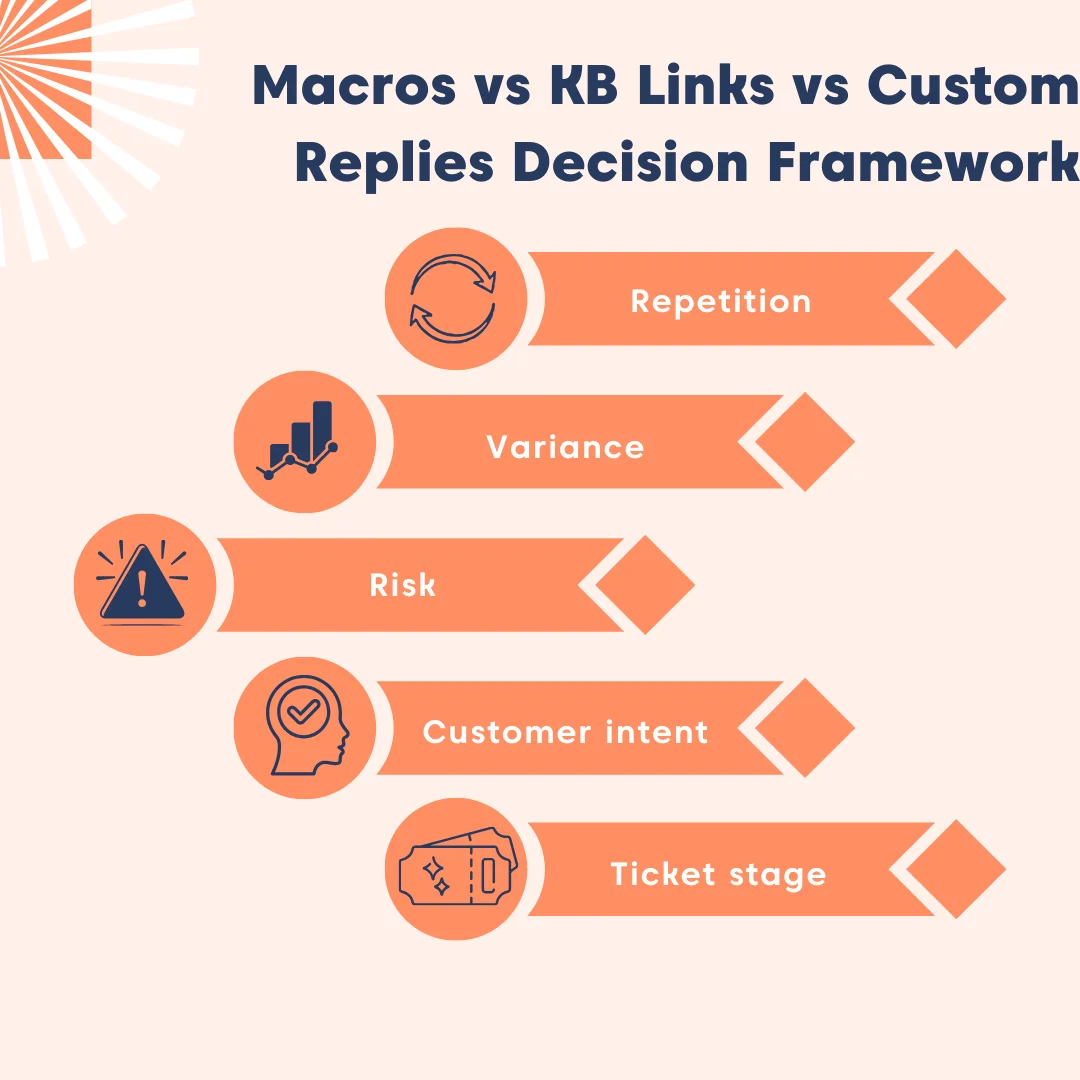
- Repetition: Is this the kind of request you see daily/weekly in the queue?
- Variance: If two customers ask the same thing, do you still need different steps depending on browser, permissions, region, plan, Single Sign‑On (SSO) setup, device, or integrations?
- Risk: If you get this wrong, is the outcome annoying, or is it dangerous/expensive?
- Customer intent: The purpose or desired outcome behind a customer’s interaction, whether they seek information, reassurance, or resolution.
- Ticket stage: Early-stage tickets benefit from structure. Late-stage tickets need clarity and verification.
Note: A KB link isn’t a replacement for empathy in customer service or clarity. It’s a distribution method for stable instructions.
When to use a macro
Ticket macros are for the “we should never be typing this from scratch again” moments. They ensure consistent handling of common situations and save agents from repetitive work.
A macro can be purely a response, or it can include standardized ticket actions in platforms that support that concept.
Use ticket macros for the following cases:
- Intake questions: Collect the same key details every time to avoid missing critical information.
- Acknowledgments: Provide quick confirmations, for example, “Got it; here’s what we need next.”
- Simple troubleshooting starters: Share safe first steps that rarely vary across tickets.
- Policy reminders: Reinforce refund windows, verification steps, or SLA expectations consistently.
Anti-pattern to avoid: Overusing ticket macros without personalization. Even in repeatable cases, add a tailored note so customers feel heard.
Case example: SSO login failure (Ticket macro)
“Thanks for reporting the SSO login issue. I’ll help you get this fixed. To investigate, please share:
- Your Identity Provider (Okta, Azure AD, Google Workspace)
- The timestamp of the failed login
- The SAML Request ID shown in the error (or browser dev tools)
- Any recent changes to your IdP configuration
- A screenshot of the error message
Once I have this, I’ll confirm what’s causing the authentication failure and outline the next steps.”
When to use a KB link
A KB link is perfect when customers need durable instructions designed for self-service.
It’s especially useful when the same guidance applies across many tickets and must remain consistent.
The following are best-fit scenarios for using KB links:
- Multi-step setup: Complex processes where step-by-step instructions are essential.
- Visual guidance: Issues that benefit from screenshots or videos to reduce confusion.
- Known errors/repeatable workarounds: Documented fixes that agents shouldn’t have to rewrite each time.
- Policy documents: Information that must remain consistent across all customers.
- Repetitive how-to questions: Tasks you want customers to self-serve next time instead of reopening tickets.
Best practice: Insert KB links directly into a ticket response when the issue can be resolved by existing resources. This balances speed with clarity and empowers customers to solve problems independently.
Case example: Password reset issue (Macro + KB link)
A requester can’t reset their password and reports, “The link isn’t working.”
Best response mode: Macro → KB link
This is because:
- Password reset workflows are highly repeatable
- The troubleshooting steps already exist in a KB article
- Agents benefit from consistent intake questions
When to write a custom reply
Custom replies are necessary when a standard answer could be wrong, incomplete, or risky. These situations demand tailored communication to build customer trust and prevent escalation.
Use a custom reply when handling:
- Billing disputes: Accuracy matters; include facts, timelines, and receipts.
- Security/privacy issues: Use careful language, verification steps, and a clear scope.
- Incidents/outages: Provide status, impact, and the time of the next update.
- Complex integrations: Multiple moving parts require personalized explanation.
- Escalations: Trust-building and expectation-setting are critical.
Case example: Billing dispute (Custom reply)
A customer says they were charged twice and requests an immediate refund.
Best response mode: Custom reply
This is because:
- Billing issues are high‑risk; accuracy, verification, timelines, and transaction details matter.
- The agent must reference account‑specific facts that macros cannot safely handle.
Common ticket categories mapped to the best response mode
It becomes far easier to manage common ticket categories when each is mapped to a predefined response mode.
This mapping simplifies triage and ensures consistency across your support team. When layered into a structured ticket triage framework, including SLA prioritization and workflow design, the impact is even greater.
Below is a foundational table you can adapt to your support environment.
Mapping table (Macro vs KB link vs custom reply)
| Ticket category | Recommended response mode | Why | Escalation (Y/N) | What to capture at intake |
| Access/password | Macro (often + KB link) | Repeatable, structured intake; KB can cover steps | Sometimes | User ID/email, last login, MFA status, error message, device/browser |
| “How do I…?” | KB link (with short summary) | Best answered by durable instructions | No | Goal, current step, screenshots (if UI-related) |
| Bug report | Macro → then custom | Standard intake, then case-specific investigation | Often | Repro steps, expected vs actual, timestamps, logs, environment/version |
| Outage/incident | Custom (with consistent structure) | High risk; expectations + updates matter | Yes | Impact scope, affected services, urgency, business impact |
| Billing | Custom (may use macro for intake) | High risk + account-specific facts | Often | Invoice IDs, dates, plan, authorization/verification |
| Feature request | Macro (triage) + custom (if strategic) | Standard capture; response may vary | Sometimes | Use case, impact, workaround, frequency, stakeholders |
| Data/privacy | Custom | High risk, compliance-sensitive | Yes | Identity verification, request type, deadlines, scope |
| Integration errors | Macro → then custom (often + KB link) | Repeatable intake + high variance troubleshooting | Often | Provider, auth method, logs, configuration, recent changes |
| Account changes | Macro or custom, depending on risk | Some are routine; some need verification | Sometimes | Verification, requested change, timeline, approver |
Mistakes to avoid when using a macro, KB link, and custom reply (and how to fix them)
Even experienced support teams slip into patterns that reduce clarity or create avoidable friction.
Below are the most common pitfalls when using macros, knowledge base (KB) links, and custom replies, plus practical fixes to maintain accuracy, empathy, and efficiency.
Mistake 1: Dropping KB links without context
Customers feel brushed off when given a raw link, especially in stressful or unfamiliar situations. A KB link without explanation can come across as dismissive and forces the customer to do extra work.
How to fix:
- Summarize what the article covers in plain language.
- Point the customer directly to the section they need (use anchors or headings).
- Add a fallback instruction, e.g., “If this doesn’t work, reply with X, and I’ll help you further.”
Mistake 2: Using macros without personalization
Macros can feel robotic if unedited. High edit rates often signal mismatched tone or outdated content.
How to fix:
- Add one sentence referencing the customer’s environment, version, or goal.
- Confirm the next step clearly to avoid ambiguity.
Mistake 3: Relying on macros when a custom reply is needed
High-risk or account‑specific scenarios (billing, security, privacy, incidents) require proper attention and expectation‑setting, not canned responses.
How to fix:
- Switch to a custom reply whenever the situation involves variance, ambiguity, verification steps, or sensitive information.
- Restate the problem, list what was checked, define next actions, and clarify what “success” looks like.
Mistake 4: Rewriting macros repeatedly (High edit rate)
Frequent rewrites signal your macro library is aging, inaccurate, or misaligned with workflows.
How to fix:
- Refresh macros quarterly.
- Refactor any macro that requires more than 20–30% rewriting.
- Adjust tone and context based on recent tickets.
Mistake 5: Linking to outdated or overly broad KB articles
Outdated articles increase ticket reopen rates and undermine trust. Article clarity and currency directly affect resolution speed.
How to fix:
- Link only to articles reviewed in the last 60–90 days.
- Use anchors or exact sections, not entire pages.
- Summarize steps manually if the article is outdated, and flag it for revision.
Measuring ticket macros, KB links and custom reply effectiveness
Improvement doesn’t require perfect analytics. What matters most is keeping an eye on the right KPIs and building a habit of regular review to see what’s working.
Track a small set of KPIs—especially time to resolution (TTR), reopen rate, and CSAT by category—to see which response modes are working
The following KPIs highlight the key health signals for macros, KB links, and custom replies:
Ticket macro health signals
Macros are powerful tools for scaling support efficiency, but their effectiveness depends on how well they align with agent workflows and customer expectations.
These signals help you measure whether your macro library is healthy and delivering value.
- Usage rate: Track how often agents apply macros. Low usage suggests the library isn’t relevant or intuitive.
- Edit rate: Measure how often macros are applied, but then heavily rewritten. Frequent edits point to tone mismatches, outdated phrasing, or poor fit.
- Reopen rate: Check if tickets in macro‑heavy categories are reopened. High reopen rates may mean macros oversimplify or fail to resolve issues.
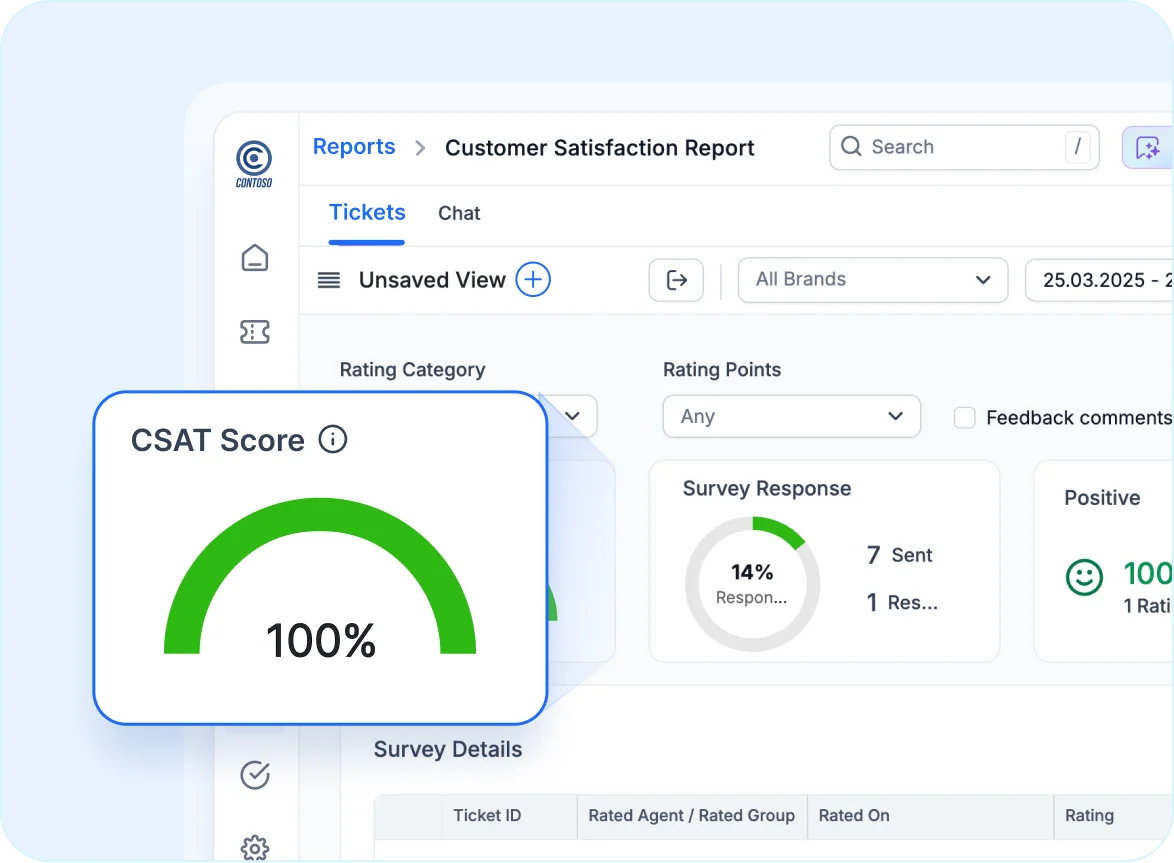
- Customer satisfaction (CSAT) by category: Break down CSAT by ticket types where macros dominate to see if automation is helping or hurting customer experience.
KB link effectiveness signals
Linking to KB articles should empower customers to self-serve and reduce repeat inquiries. These signals reveal whether your KB content is actually driving resolution.
- Repeat contact rate: If customers return with the same “how-to” question, KB links aren’t clear or actionable enough.
- Time-to-resolution for how-to categories: A healthy KB should shorten resolution times. If times aren’t dropping, linked content may be too complex or incomplete.
- Deflection indicators: Where measurable, track whether improved KB articles reduce ticket volume for the same topic. Effective ticket deflection means customers are solving issues without contacting support.
Custom reply signals
Custom replies matter most in high-severity or complex cases where empathy and clarity are critical. These signals help you evaluate whether personalized communication is working.
- Escalation rate (appropriateness): Monitor how often tickets escalate. A high rate may be fine if issues truly require advanced support, but unnecessary escalations signal weak initial replies.
- Time-to-resolution for high-severity tickets: Personalized replies should guide cases toward faster resolution. If times remain long, replies may lack clarity or actionable next steps.
- Customer sentiment in escalations: Look at language in escalated conversations. Healthy signals include fewer “what’s happening?” frustrations and more “thanks for the update” acknowledgments.
For context, SaaS companies average a 68% CSAT, and 90% of support leaders say customer expectations have grown year-over-year and 78% now use AI to meet those demands.
Balancing efficiency and personalization in macros, KB links and custom replies
Choosing between help desk macros, KB links, and custom replies isn’t about picking the best tool; it’s about applying the right resource to the right context.
By automating repetitive workflows with macros, empowering customer self-service through knowledge base links, and reserving custom replies for high-impact scenarios, you optimize your team’s output and reduce operational overhead.
BoldDesk provides the unified platform necessary to execute these strategies seamlessly, ensuring your IT or customer experience team remains agile and customer-focused.
Optimize your support workflows with BoldDesk by starting your free trial, taking the interactive product tour, and exploring our documentation for more information.
Related articles
- What Is Automated Ticket Routing? A Simple Guide
- Ticket Deflection with Effective Self-Service Solutions
- 6 Auto-Reply Email Examples for Support Teams
Frequently Asked Questions (FAQs)
Teams often use these terms interchangeably, but macros may include text plus ticket actions, while canned responses and saved replies are typically text-only snippets used for standard responses.
Usually, no. Link to the KB and summarize the relevant section. Paste or summarize only when the customer is blocked, the steps are very short, or context switching would slow them down.
Yes. When the issue can be resolved by existing KB resources, inserting those links inside canned responses is a common best practice. The key is to add a short explanation, so the link feels helpful, not dismissive.





