









TL;DR: Inbox zero for support teams isn’t about empty inboxes. It’s about ensuring every customer request is owned, prioritized, and resolved. Shared inboxes break at scale, making inbox zero unsustainable. Structured ticketing workflows enable accountability, visibility, and scalable support operations.
For customer support teams, email is both a lifeline and a source of stress. As teams grow and handle multiple conversations across email, chat, and social media, managing support through email alone quickly breaks down.
Inbox zero, popularized by productivity expert Merlin Mann, is often misunderstood as keeping an inbox empty. For support teams, it’s about ensuring every customer request is owned, prioritized, and resolved.
For small teams, this might mean replying to messages by the end of the day. But at higher volumes, the real challenge isn’t unanswered messages. It’s the lack of clarity around ownership, urgency, and progress that leaves teams relying on CCs, forwards, and manual follow-ups.
In this article, we’ll explain what inbox zero really means for customer support teams, why email and shared inboxes fail, and how structured workflows make inbox zero sustainable.
What is inbox zero?
Inbox zero is a workflow method that helps support teams keep their ticket queues structured, visible, and consistently moving toward resolution.
Instead of focusing on having literally zero messages, inbox zero for support teams means maintaining an inbox where every conversation has a clear status, a defined owner, and a next step.
In a support environment, inbox zero is about control, not emptiness. It ensures no customer issue is overlooked, high-priority requests are surfaced quickly, and agents aren’t overwhelmed by clutter or ambiguity.
Why email makes inbox zero unachievable for support teams
Email may be a common starting point for managing customer queries, but it was never designed to function as a full support system. Today’s expectations make this gap even clearer.
According to Fullview.io, more than half of customers (52%) expect a response within one hour, yet email provides no built-in way to prioritize, assign, or track requests at that speed.
As support teams handle more conversations, inbox zero becomes unachievable-not because teams aren’t working hard enough, but because email lacks the structure needed to manage support effectively.
Here’s why:
Email lacks structure for tracking and prioritization
Support teams need clear ownership, statuses, and priorities for every request. Email cannot enforce any of this.
Messages get buried in long threads, urgent issues don’t surface automatically, and agents spend time searching inboxes instead of resolving customer requests.
Email threads fragment context
Customer interactions often involve multiple replies, clarifications, and internal discussions. In email, this creates long disjointed threads where context is easily lost.
Parallel replies and forwarded messages increase the risk of missed details and inconsistent responses.
No built-in workflow or automation
At scale, support operations depend on automated ticket routing, assignment, categorization, and timely updates.
Email offers no native way to automate these workflows, forcing agents to rely on manual processes that slow resolution and introduce inconsistency.
Limited visibility and performance tracking
Email provides no reliable insight into response times, backlog size, or resolution performance. Without this visibility, managers can’t identify bottlenecks, forecast workload, or enforce accountability across the team.
Collaboration breaks across tools
Internal team collaboration in email relies on CCs, forwards, or separate messaging tools, which scatter context across multiple platforms. This fragmentation slows decision‑making and increases the risk of conflicting or inaccurate customer responses.
Why shared inboxes break at scale
Shared inboxes may work for small teams, but they start to break down the moment multiple agents begin using them at the same time.
When everyone is monitoring the same inbox:
- Ownership is unclear and unenforced, leading to hesitation, duplicate replies, or long response delays as agents assume someone else will respond.
- CCs, forwards, and reply-all chains create parallel conversations, cluttering the inbox and making it difficult to track the latest context or status of a request.
- Responsibility becomes implicit rather than assigned, increasing the risk of missed messages and inconsistent customer responses.
- Follow-ups easily disappear beneath new incoming messages, allowing unresolved conversations to sink without visibility or accountability.
- Customer conversations are scattered across threads, forwards, and internal replies, leaving no single source of truth and making it impossible to track what’s pending or what’s already resolved clearly.
Why inbox zero requires a help desk, not just a shared inbox
As support teams grow, moving from email to help desk software becomes the natural evolution toward a more structured, predictable, and scalable workflow.
A help desk introduces the essential building blocks that shared inboxes lack: ownership, prioritization, accountability, and visibility, making it far easier to stay organized and consistently achieve inbox zero.
Here’s what changes when a team moves from shared inbox workflows to a ticketing system:
| Email-based workflows | Ticket-based workflows |
| Responsibility is assumed | Requests are assigned to a specific owner |
| Priorities are manual and inconsistent | Work is organized by queues, priority, and status |
| Follow-ups get buried in new threads | Tickets stay visible until resolved |
| Context is scattered across replies/forwards | Conversation history is centralized per ticket |
| Limited reporting | Performance metrics are built in (response, backlog, SLAs) |
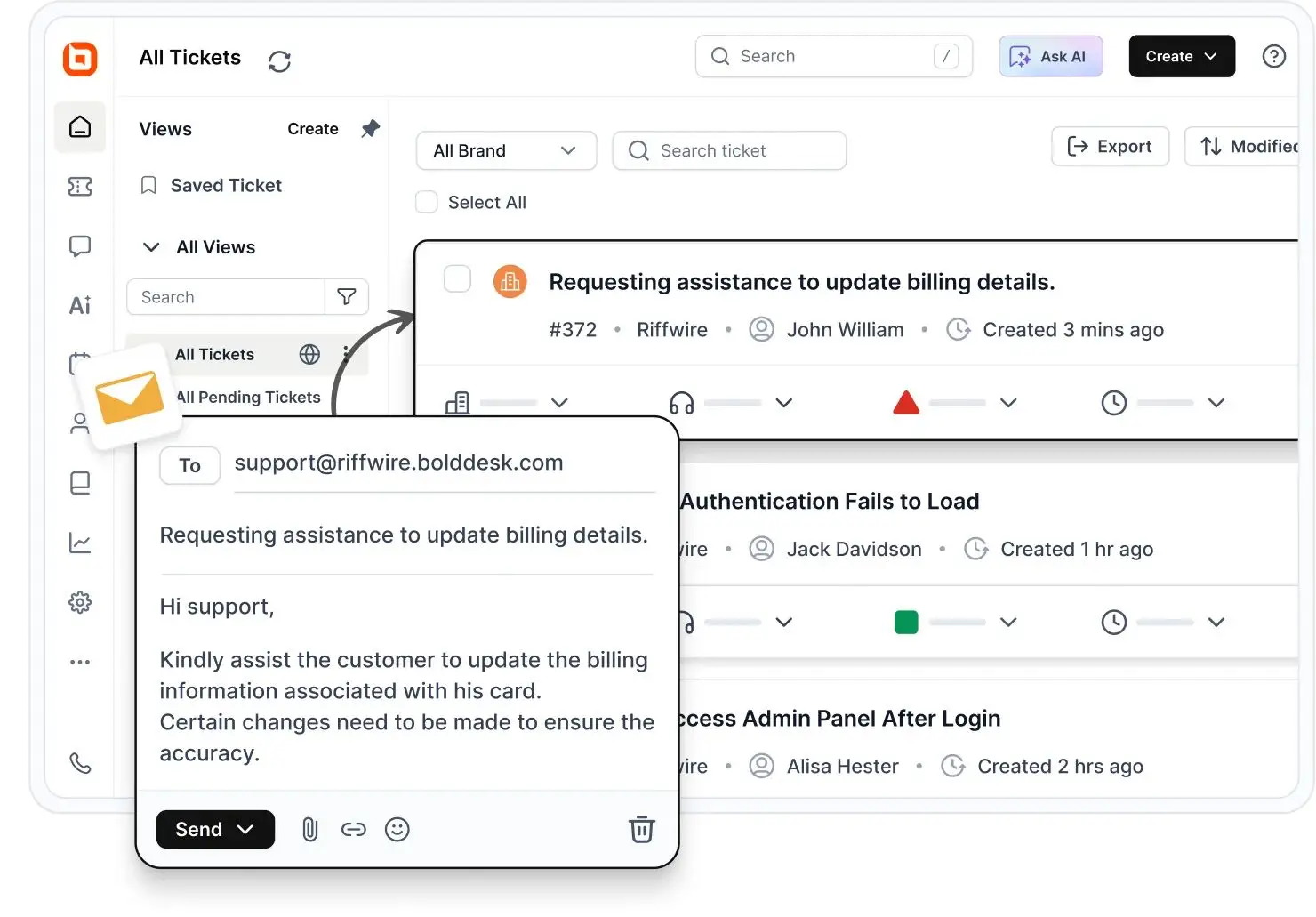
Tickets create ownership for every request
Instead of agents guessing who should handle a conversation, a help desk automatically routes each support ticket to the right person, closing the gaps that shared inboxes often create.
This clear accountability means customers get faster, more consistent responses, and agents always know what they’re responsible for.
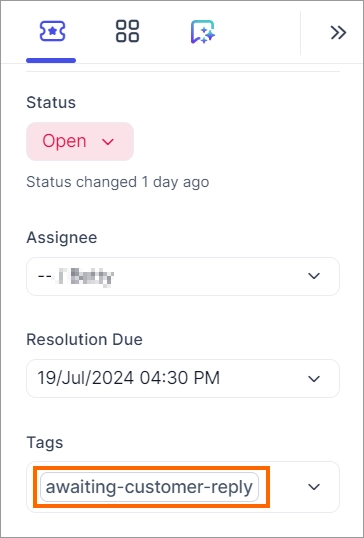
Queues help teams prioritize work effectively
With priority levels, tags, custom fields, and saved views, support teams can instantly surface urgent, SLA-sensitive, or high-impact tickets while allowing routine questions to wait in the appropriate queues.
This structured flow keeps teams focused and working at a steady, controlled pace, making inbox zero a realistic and repeatable outcome.
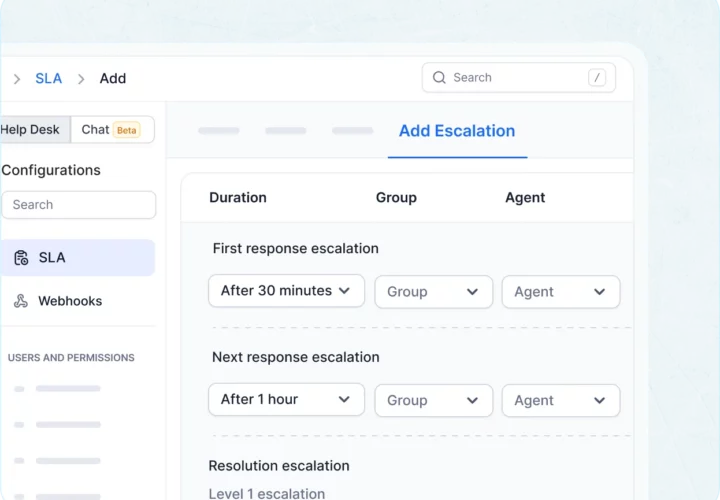
SLAs define expected response and resolution times
With automated SLA timers, reminders, and escalation rules, a help desk ensures every ticket gets attention, and none are forgotten.
This gives customers more reliable service, keeps agents aligned with service commitments, and helps managers track team productivity with clarity.
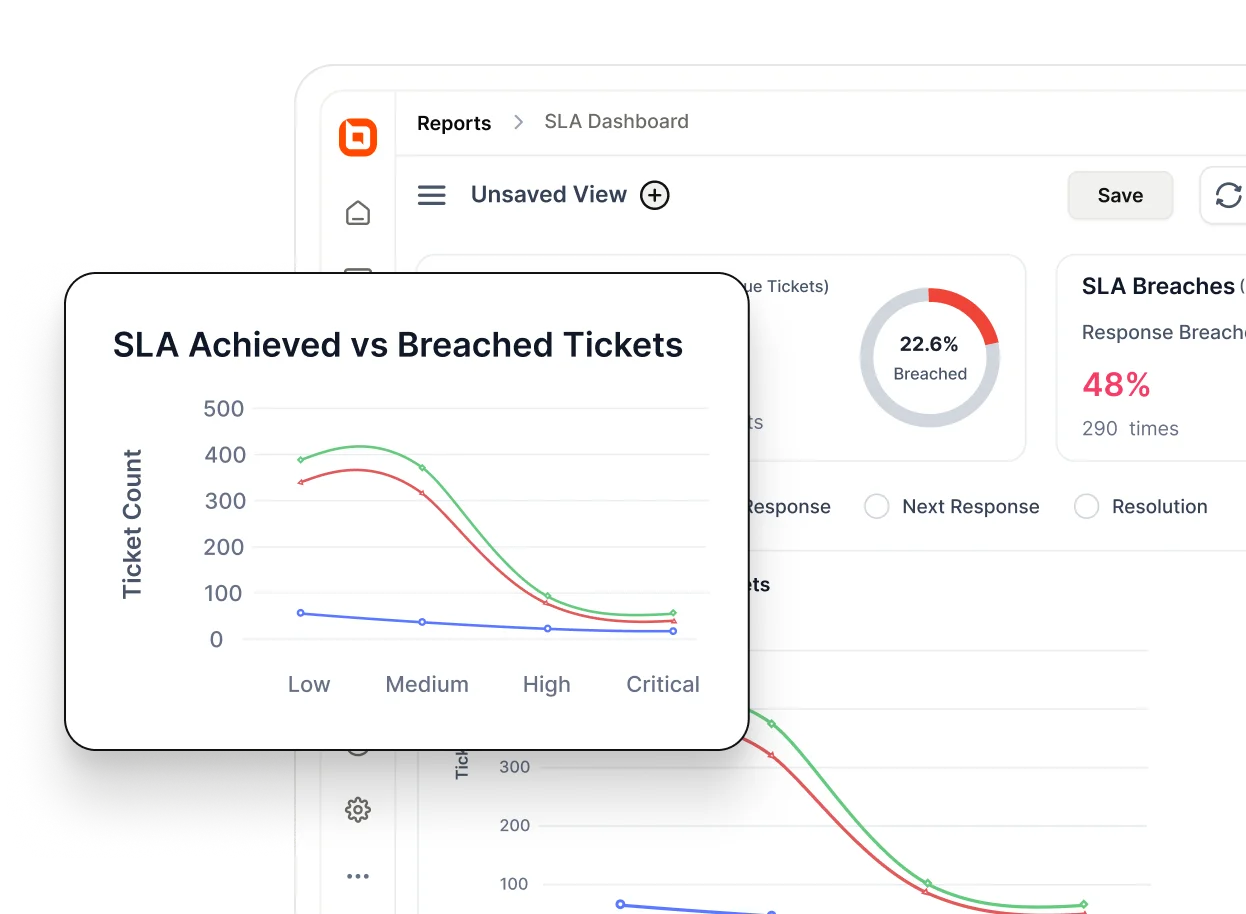
Dashboards give teams visibility into support performance
Instead of guessing backlog levels or manually scanning email threads, teams can immediately see:
- Ticket volumes
- Response times
- Workload distribution
- Emerging trends
This visibility enables better decision‑making, smarter staffing, and continuous improvement, something email simply cannot offer.
This is exactly the type of structure modern help desks like BoldDesk are designed to provide, turning inbox zero from a goal into a repeatable operational outcome.
What are the benefits of the inbox zero method?
The inbox zero approach establishes a structured operational framework that improves response quality, consistency, and control across the entire support workflow.
Here’s why reaching zero inbox is absolutely worth the effort.
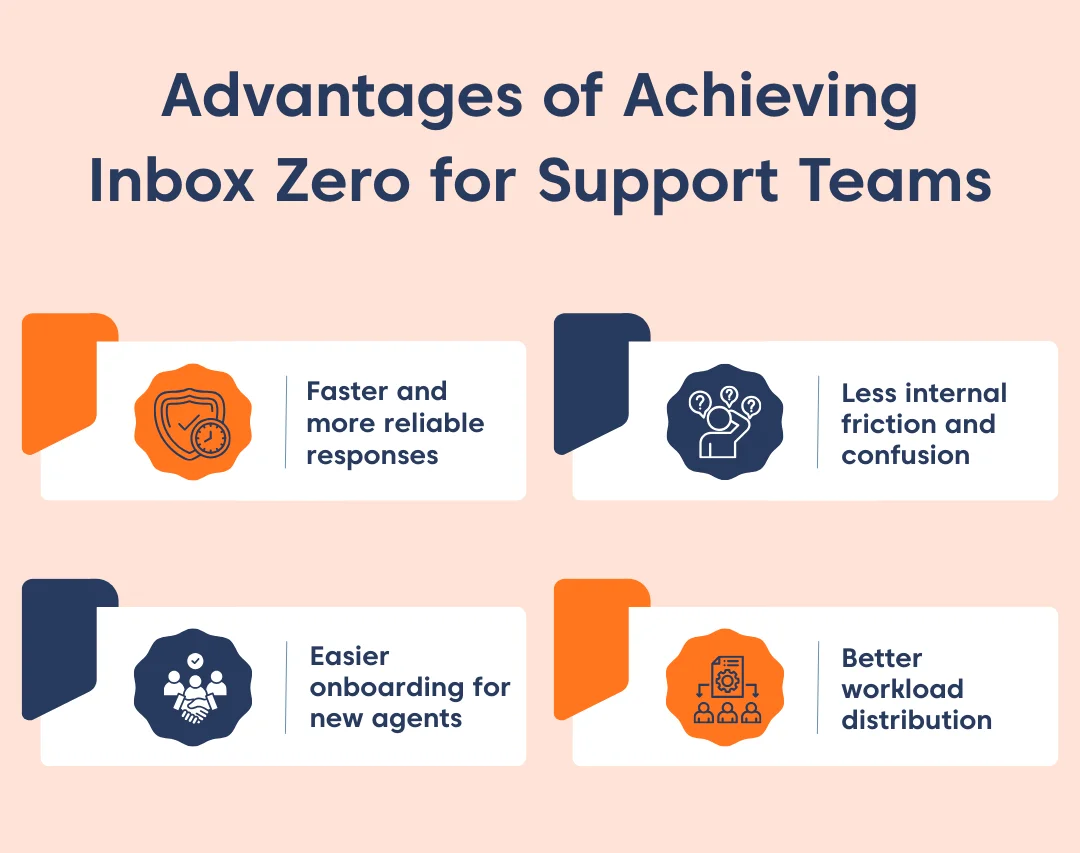
- Faster and more reliable responses: Inbox zero ensures every incoming request is acknowledged and assigned promptly, reducing response delays caused by missed messages or unclear ownership. This leads to more consistent customer experiences and fewer follow-ups.
- Less internal friction and confusion: Clear workflows reduce duplicate work, guesswork, and handoff issues. Agents always know which requests need action, which are in progress, and which are resolved, keeping customer support operations predictable and focused.
- Easier onboarding for new agents: A structured inbox makes it immediately clear what’s new, what’s pending, and what requires follow-up. New agents can contribute faster without relying on training or constant guidance.
- Better workload distribution across the team: With a clear view of open work, leaders can balance assignments more effectively, prevent burnout, and maintain sustainable team capacity as volume increases.
Inbox zero in action: Real‑world wins from smarter ticket management
Inbox zero becomes achievable when support teams move beyond shared inboxes. The following examples show how teams use BoldDesk’s ticketing workflows to manage rising volumes while maintaining visibility, ownership, and consistent resolution.
IIC Lakshya centralizes and speeds ticket resolution
When the Indian Institute of Commerce (IIC) Lakshya, a growing SaaS team, experienced increasing ticket volumes as their operations expanded, their legacy support tool struggled to keep up. By switching to BoldDesk, they centralized ticket tracking, introduced automation, and improved visibility into open requests.
According to Abhirami Asokan, IT Operations Lead, the platform’s organized dashboard and automation features streamlined their workflow, reduced the number of delayed or missed updates, and improved accountability, all crucial for maintaining a clear support inbox and preventing backlog build-up.
IT Tech Expert streamlines support workflow
At IT Tech Expert, rising ticket volume and client queries made it difficult to keep tabs on outstanding issues. By switching to BoldDesk, the team transitioned from a disjointed ticket process to a structured system where every customer email becomes a manageable ticket with reporting, filtering, and notes.
This helped them stay on top of incoming requests and ensured less critical issues didn’t languish, supporting the inbox zero philosophy of keeping your queue visible and under control.
Rethinking inbox zero for support teams
Email remains a core channel for customer communication, but familiarity alone doesn’t make it suitable for managing support work at scale. As teams grow, inbox-based workflows quickly become fragmented, reactive, and hard to control.
Inbox zero for support teams isn’t about better email management; it’s about having a structured system that ensures every request is owned, prioritized, and resolved. That level of operational discipline is only achievable with ticket-based workflows.
A help desk like BoldDesk provides the structure that email lacks, turning inbox zero from an aspiration into a repeatable, day-to-day reality for growing support teams.
If you’re exploring how to move beyond shared inboxes and achieve inbox zero at scale, contact us today to schedule a live demo and see how BoldDesk powers modern, email-driven support at scale.
We’d love to hear your thoughts. Share your experience or tips in the comments below!
Related articles
- How to Write Perfect Auto-Reply Emails: Tips and Templates
- Gmail Shared Inbox: A Complete Setup Guide
- Best Email Ticketing Systems: 15 Picks for Efficient Customer Support
Inbox zero FAQs
Yes, but only with structured workflows. High-volume support teams achieve inbox zero by using ticket-based systems that enforce ownership, prioritization, automation, and SLA tracking. Without this structure, shared inboxes quickly break down as volume increases.
Inbox zero is most achievable with help desk tools that convert incoming messages into trackable tickets. Platforms like BoldDesk automate assignment, prioritization, and follow-ups while providing visibility into every request, helping teams maintain inbox zero at scale.





