








TL;DR: Achieve seamless WhatsApp multi-agent support by integrating the WhatsApp Business API with BoldDesk. This centralized system enables teams to handle high message volumes through a shared inbox and automated routing. Overcome single-device limitations to scale support, improve response times, and maintain full visibility across agents.
WhatsApp is a top customer support channel because it’s fast, familiar, and already part of customers’ daily communication.
According to Salesforce, 65% of consumers use messaging apps like WhatsApp to communicate with businesses.
However, as support teams grow, the WhatsApp Business limitations start to show.
The standard WhatsApp Business app’s single‑agent device setup leads to missed messages, slower response times, and limited team visibility, making collaboration difficult.
That’s why growing support teams move to the WhatsApp Business API, which enables multi-agent workflows and scalable support operations.
In this blog, we’ll explore why the WhatsApp Business app struggles as teams scale and how to achieve seamless WhatsApp multi-agent support by integrating BoldDesk with an API provider.
What is WhatsApp multi-agent support?
WhatsApp multi-agent support refers to a setup where multiple team members can manage customer conversations from a single WhatsApp number at the same time.
Instead of one person handling all incoming messages, businesses can distribute chats across several agents, improving response times and overall support efficiency.
This multi-agent capability isn’t available in the standard WhatsApp Business app; it becomes possible through the WhatsApp Business API, which integrates with customer support tools and CRMs.
With it, customer support teams can collaborate on conversations, route messages intelligently, view shared chat histories, and maintain a structured workflow across support, sales, and operations.
How WhatsApp Business API supports multi-agent workflows
Managing WhatsApp support across multiple agents requires structure and coordination.
The WhatsApp Business API lets teams manage WhatsApp conversations through approved platforms such as a help desk, where teams can collaborate, route messages, and track performance at scale.
Below are ways this setup supports efficient, scalable multi-agent workflows:
- Built for multi‑agent teams: Instead of a single-device inbox, the WhatsApp Business API allows WhatsApp conversations to be managed through a shared team inbox in a help desk, so multiple agents can respond and collaborate.
- Smart message assignment: When the API is connected to a help desk ticketing system, incoming WhatsApp messages can be automatically routed to the right team or agent using predefined assignment rules.
- Internal collaboration tools: Within the help desk, agents can add internal notes, tag teammates, and escalate issues while keeping the full conversation context.
- Clear visibility and control: Managers can monitor agent activity, response times, and resolution rates using help desk reporting and analytics.
- Unified customer context: Agents can view the customer’s interaction history in the help desk alongside the WhatsApp conversation to provide faster, more personalized support.
By combining the WhatsApp Business API with a help desk platform, teams can turn WhatsApp into a scalable, multi-agent customer support channel with structured collaboration, smart routing, and shared visibility.
Benefits of WhatsApp Business API for multi-agent support
Handling WhatsApp messages across multiple agents can get chaotic without a structured system.
The WhatsApp Business API for customer support enables teams to manage conversations more efficiently with better control, faster response times, and improved visibility.
Below are key advantages teams experience when using WhatsApp API instead of the free app:
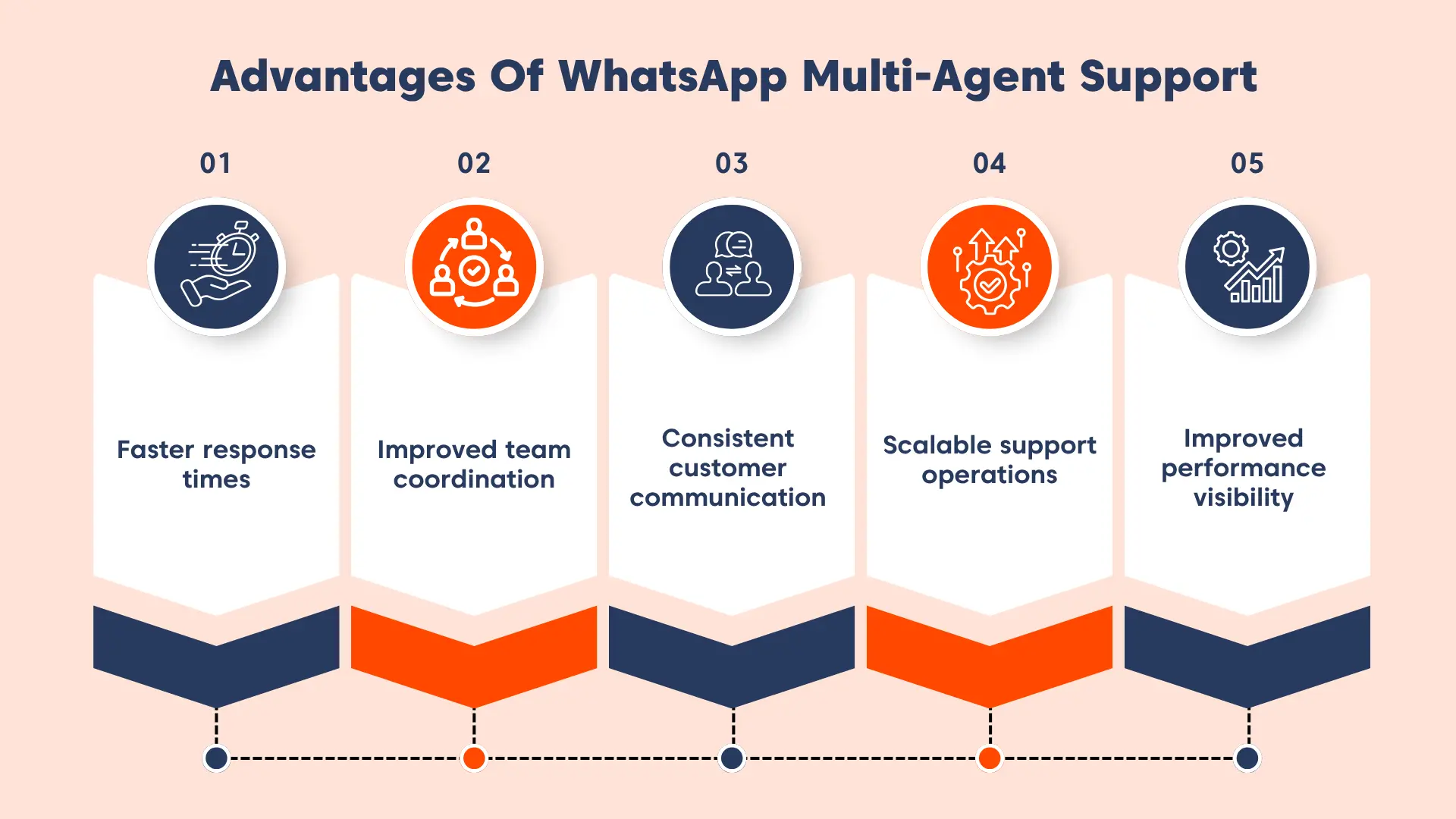
- Faster response times: Incoming WhatsApp messages are automatically captured, prioritized, and routed to the right agents, reducing delays and improving first response time.
- Improved team coordination: A centralized system and collaboration tools help teams stay aligned, avoid duplicate replies, and manage conversations efficiently.
- Consistent customer communication: Predefined templates and standardized workflows help maintain a uniform brand voice across all customer interactions.
- Scalable support operations: Teams can handle high volumes of WhatsApp messages across multiple agents without losing visibility or control.
- Improved performance visibility: Teams gain insights into response times, agent performance, and conversation trends, helping them optimize support operations.
While the API provides the foundation for multi-agent support, a help desk platform like BoldDesk is needed to manage conversations efficiently through automation, routing, and collaboration.
How BoldDesk powers multi-agent support on WhatsApp Business API at scale
When WhatsApp becomes a high-volume support channel, the real challenge isn’t just receiving messages; it’s enabling multiple agents to work together seamlessly without conflicts or loss of context.
BoldDesk is built to solve exactly that. It transforms WhatsApp into a collaborative, multi-agent workspace where conversations are structured, assigned, and managed across teams in real time.
Here’s how BoldDesk strengthens your WhatsApp multi-agent support strategy:
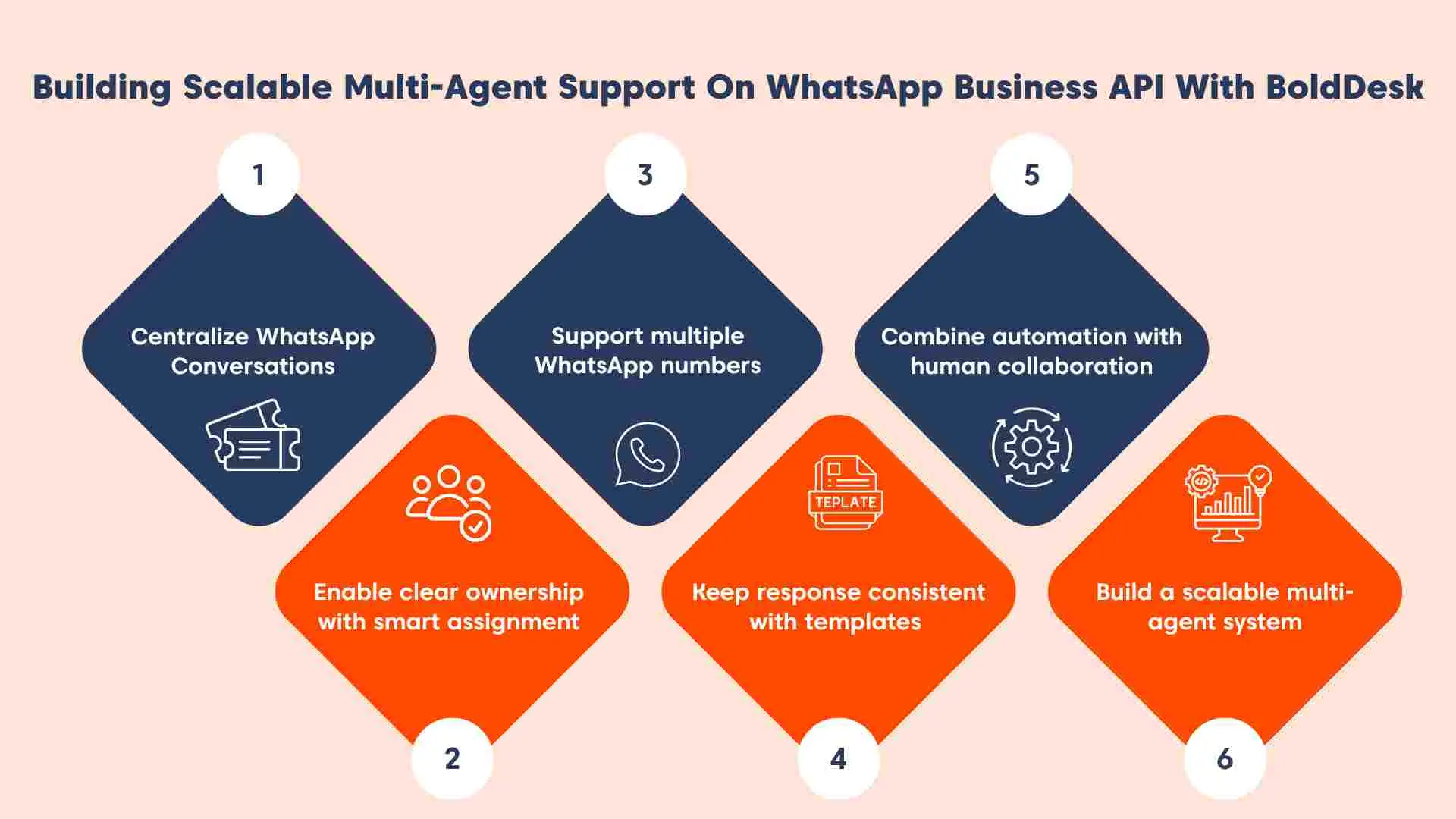
Centralize WhatsApp conversations with shared visibility
BoldDesk centralizes incoming WhatsApp messages into a shared workspace, where agents can use AI Agent Assistance to convert specific conversations into trackable support tickets.
This ensures:
- Multiple agents can access the same conversation without overlap.
- Internal notes and collaboration happen without exposing messages to customers.
- Full conversation history is always visible, regardless of who responds.
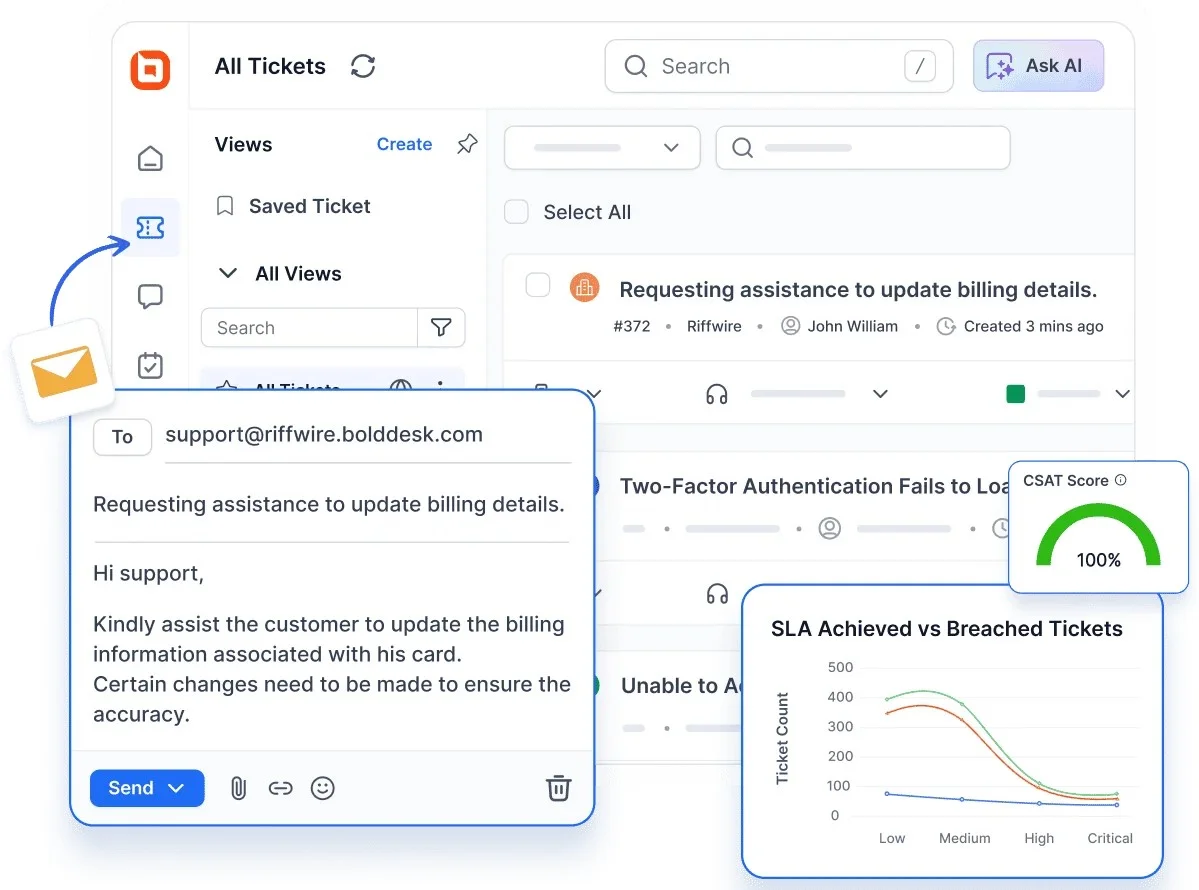
Instead of siloed chats across devices, your entire team operates from a single source of truth.
Enable structured ownership with intelligent assignment
Without clear ownership, multi‑agent support can quickly become chaotic. BoldDesk introduces structured control through intelligent, group‑based assignment.
Incoming WhatsApp support tickets are automatically routed to the appropriate team, and each request is assigned a clear owner to prevent duplicate responses.
By distributing workloads across agents efficiently, BoldDesk ensures every message is handled by the right person at the right time, even as volume grows.
Support multiple teams with multi-number management
As businesses expand across regions, brands, or departments, managing multiple WhatsApp numbers and agent groups becomes increasingly complex.
BoldDesk simplifies this by allowing multiple WhatsApp numbers to be mapped to specific teams with defined ownership for each.
This structure prevents cross‑team confusion and enables segmented reporting and analytics, giving leaders clear visibility into performance.
At the same time, different teams can operate independently while remaining part of a unified support ecosystem.
Maintain consistency across agents with shared responses
In a multi-agent environment, inconsistency can quickly impact the customer experience.
BoldDesk ensures uniformity with:
- Pre-approved WhatsApp templates for compliant communication.
- Shared response frameworks across agents.
- Rich media support for clearer, faster resolutions.
Every agent delivers consistent, on-brand support, regardless of who handles the conversation.
Combine automation with human collaboration
Scaling multi‑agent support isn’t simply about adding more agents; it’s about striking the right balance between automation and human expertise.
BoldDesk enables AI Agents to handle repetitive and common queries instantly, while complex or sensitive issues are smoothly handed off to human agents.
Throughout this process, conversation context is preserved, allowing agents to step in with full visibility.
This approach enables teams to manage higher volumes without losing personalization or control.
Build a scalable, conflict-free multi-agent system
At scale, WhatsApp support teams often struggle with duplicate replies, missed messages, and unclear accountability.
BoldDesk eliminates these challenges by creating a structured multi‑agent environment where conversations are clearly owned rather than chaotically shared.
Agents can collaborate without stepping on each other’s work, and every interaction is tracked, measurable, and auditable.
The result is a scalable, conflict‑free WhatsApp support system built to grow with your business.
How to integrate WhatsApp Business API with BoldDesk
You can enable WhatsApp for customer service in BoldDesk either directly through Meta’s Cloud API or via a Business Solution Provider (BSP) like Twilio or Gupshup.
This enables your team to manage WhatsApp conversations through a shared inbox with complete visibility and control across agents.
At a high level, the setup involves connecting an API provider, adding your business phone number, and configuring how conversations are routed within your support team.
Since the setup varies slightly depending on your chosen provider, explore the relevant guide below:
- Meta Cloud API integration in BoldDesk
- Twilio WhatsApp integration in BoldDesk
- Gupshup WhatsApp integration in BoldDesk
Once configured, incoming WhatsApp messages appear in BoldDesk as conversations in the Chat module, where teams can manage them with routing, templates, and automation.
Use cases of WhatsApp Business API for multi-agent support
Businesses across industries rely on the WhatsApp Business API to help teams manage large volumes of customer conversations without delays through multi-agent systems.
Here are the most common real-world use cases:
E-commerce order management
Online retail teams deal with thousands of simultaneous customer queries, order updates, delivery delays, cancellations, and returns.
A multi-agent WhatsApp system allows:
- Conversations to be distributed across multiple agents in real time.
- Agents to access shared order context without switching tools.
- Teams to avoid duplicate or conflicting responses.
This ensures fast, coordinated responses even during peak sales periods.
Example: Lakshya Commerce
Lakshya Commerce uses BoldDesk’s multi‑agent WhatsApp support to manage customer conversations across sales and support teams.
With shared visibility and seamless handoffs, their customer support team handles high volumes of e-commerce queries efficiently while maintaining fast, consistent customer communication.
Healthcare appointment scheduling
Healthcare operations require coordination between front-desk staff, support teams, and medical professionals.
With multi-agent support:
- Appointment requests are routed to available staff instantly.
- Patient conversations remain accessible across teams.
- Multiple agents can coordinate without losing patient context.
This reduces delays and ensures seamless patient communication across departments.
Example: Apollo 24/7
Apollo 24/7 manages thousands of patient interactions daily through the WhatsApp Business API. Its multi-agent setup allows teams to coordinate care more efficiently and keep consultations running smoothly.
SaaS technical support
Technical support in SaaS environments often requires collaboration between support agents, subject‑matter experts, and engineers.
A multi‑agent WhatsApp workflow enables issues to be routed intelligently to the right technical experts while allowing internal collaboration that remains invisible to customers.
WhatsApp conversations can be handed off smoothly between agents without customers needing to restart the discussion, ensuring complex issues are resolved faster with the right expertise involved.
Example: Lenovo
Lenovo uses the WhatsApp Business API to manage global support queries, where multiple agents and technical teams collaborate to resolve issues without manual routing delays.
Travel and hospitality
Travel and hospitality support is highly time‑sensitive, especially during disruptions or peak seasons.
Multi‑agent WhatsApp systems help distribute large volumes of traveler queries across available agents while enabling real‑time coordination for bookings, changes, and cancellations.
Shared visibility ensures no request is missed even during spikes in traffic, creating a responsive and always‑available support experience.
Example: MakeMyTrip
MakeMyTrip manages large volumes of booking and itinerary requests through a multi‑agent WhatsApp system, allowing teams to collaborate in real time and resolve traveler issues quickly.
Optimize support operations using WhatsApp multi-agent tools
Upgrading to the WhatsApp Business API helps you move from a single-agent setup to a multi-agent support model that scales without losing visibility.
BoldDesk helps your team manage WhatsApp conversations at scale by improving response times, reducing manual workload, and giving full visibility across agents.
Start a free trial or book a personalized live demo to see how BoldDesk streamlines your WhatsApp customer service at scale.
For additional support, reach out to the BoldDesk support team.
Related articles
- Creative Ways to Use WhatsApp Integration in Ticketing Systems
- Multichannel vs Omnichannel Customer Support: Understanding the Key Differences
- 12 Actionable Strategies for Scaling Customer Support in 2026
Frequently Asked Questions
The WhatsApp Business API enables multi‑agent support by allowing WhatsApp messages to be integrated with external platforms, such as help desks or CRMs, through an API connection.
When connected to a shared inbox or ticketing system, multiple agents can access and respond to conversations from the same WhatsApp number at the same time, instead of being limited to a single device.
No. Businesses can access the WhatsApp Business API directly through Meta’s Cloud API.
Alternatively, some teams choose to work with a Business Solution Provider (BSP) for onboarding, hosting, and additional integration support, depending on their technical and operational requirements.
Yes. Small businesses can use the WhatsApp Business API when they want a more scalable setup than the WhatsApp Business app.
This allows for multi‑agent handling through a shared inbox or help desk, improved tracking, and integrations or automation depending on the platform they connect it to.
The WhatsApp Business app is intended for small teams and individual users, with conversations tied to a limited number of devices.
The WhatsApp Business API, on the other hand, is designed for integration with external systems that provide shared inbox access and multi‑agent workflows.
Yes, WhatsApp multi-agent support is secure when managed through approved platforms with encryption, access controls, and user permissions.
The WhatsApp Business API itself does not generate automated replies.
Automation, such as auto‑responses, message routing, and workflow‑based messages, is provided by the connected customer support platform, which uses the API to send and manage messages according to predefined rules and templates.





