

 In this page

TL;DR: Surging support requests can lead to missed SLAs, revenue leakage, and agent burnout. Effective high-volume email management relies on AI-driven ticket routing, standardized triage, and centralized shared inbox workflows. These strategies improve response times, strengthen visibility, and maintain consistent service quality across all communication channels.
When support volume increases, inboxes can quickly become difficult to control. High email volume doesn’t just slow response times; it leads to missed service level agreements (SLAs), duplicated work, unresolved tickets, and frustrated customers.
Without a structured approach to high-volume email management, support teams lose visibility into urgent requests, slowing response times and frustrating customers
This guide outlines the workflows, automation strategies, and tools needed to manage high support volume efficiently across all communication channels, without compromising speed or quality.
What is high-volume email management in customer support?
High-volume email management is a structured workflow support teams use to efficiently organize, prioritize, and resolve large volumes of customer emails.
It combines shared ticketing workflows, automated routing, and clear ticket triage processes to assign and prioritize requests at scale.
The goal is to maintain clear ownership, meet SLA commitments, and deliver reliable customer service, even during peak demand.
Why unmanaged high ticket volume is a business risk
While a constant stream of support requests might seem like a sign of a thriving business, unmanaged high support volume quickly becomes a serious operational and financial risk.
Here are the major business impacts that occur when your support system is unable to handle a large volume of customer requests.

Slower response times
According to Forrester, 73% of customers say that valuing their time is the most important thing a company can do to provide them with good service.
High support volume makes it difficult to maintain fast response times, even though customers expect quick service.
When requests pile up, teams shift from thoughtful support to queue clearing. This bottleneck slows every interaction and leaves customers frustrated.
Missed critical customer requests
In an overloaded system, important messages can easily get buried among routine inquiries. Without clear ownership and SLA tracking, urgent requests may go unnoticed.
This creates risk for high-value customers and time-sensitive issues.
Agent burnout
As ticket volume increases, agents juggle more work than they can reasonably manage. Sustained pressure leads to mistakes, inconsistent responses, and mental fatigue.
Over time, customer support burnout lowers morale and weakens overall service quality.
Operational bottlenecks
High email volume strains manual workflows and slows internal processes. Teams spend more time organizing tickets than resolving them.
These inefficiencies compound, increasing resolution times and reducing performance visibility.
Revenue leakage
When critical tickets are delayed, revenue-related activities like subscription renewals and billing corrections stall.
Small processing gaps can lead to missed payments and preventable customer churn. Over time, unmanaged volume directly impacts financial performance.
What features should a high-volume email management system have?
Customer conversations become unmanageable when they stay in individual agent inboxes instead of a shared ticketing workflow.
To keep everything organized, modern support platforms automatically convert incoming emails into structured support tickets that can be tracked from start to finish.
Below are the key features that make high-volume email management effective.
Intelligent ticket routing
When a support email arrives, a modern email ticketing system converts it into a structured ticket and categorizes it based on content and intent.
The system then routes the ticket to the appropriate agent or customer support team with the right expertise, reducing manual sorting and accelerating resolution.
Omnichannel inbox
A strong help desk ticketing system unifies messages from email, chat, and social channels into one inbox.
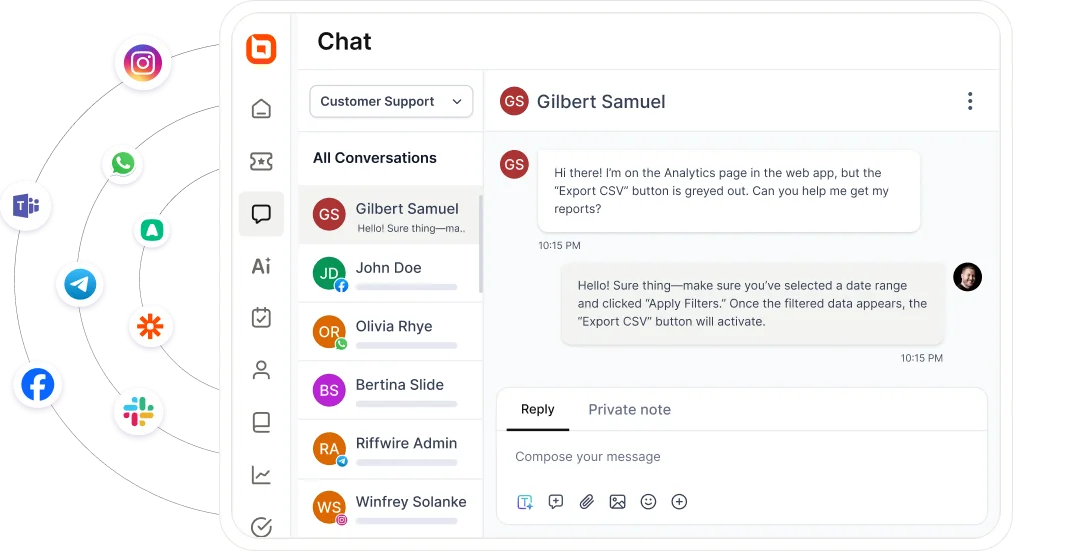
By centralizing conversations, agents can retain full context across channels, avoiding repeated questions and disconnected replies.
This ensures seamless omnichannel customer service and keeps high-volume requests organized, no matter where they originate.
Collaboration tools
Private notes, @mentions, and shared drafts allow agents to discuss solutions behind the scenes without exposing internal conversations to customers.
Keeping collaboration inside the ticket preserves context, simplifies escalations, and ensures every inquiry has clear ownership.
This improves accountability and prevents unread support requests from slipping through the cracks.
Built-in security and compliance
Handling high email volume means more agents accessing sensitive customer data, increasing exposure risk.
Secure email ticketing systems use encryption, role-based access controls, and audit logs to protect support tickets and support compliance with regulations such as GDPR and HIPAA.
Integrations
Connecting tools such as CRM systems, knowledge bases, and other business applications directly to the email ticketing system creates a unified workspace where information flows freely.
Customer data, order history, and account details appear within each ticket, reducing context switching and enabling faster, more informed resolutions.
Artificial intelligence
According to Forbes Advisor, 64% of businesses anticipate that artificial intelligence will increase their overall productivity by 2030.
Teams that use AI tools can manage a high volume of requests more smoothly than those relying on human effort alone.
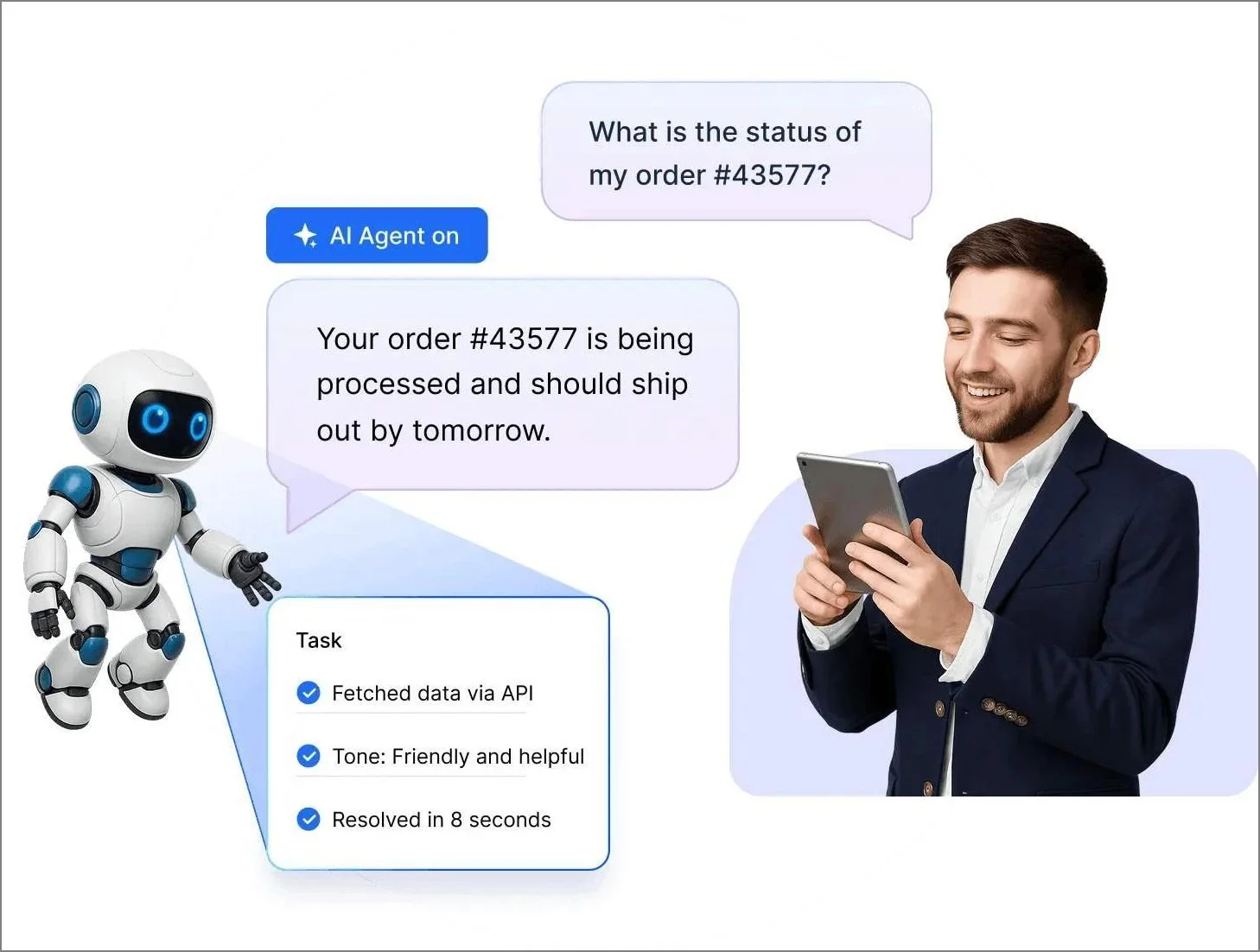
An AI agent provides instant answers to repetitive questions and flags complex issues for human review, while AI Copilot assists human agents by identifying intent and drafting suggested replies.
Real-time reporting and analytics
Real-time dashboards provide immediate visibility into ticket updates and workflow performance.
Customer support leaders can monitor ticket trends, track agent productivity, and measure customer satisfaction with accurate, up-to-date data.
Benefits of effective high-volume email management
Effective high-volume management ensures support teams stay organized and keeps their workflows running smoothly.
This section highlights the advantages of having a streamlined support system for high-volume email handling.
- Faster response and resolution times: Structured workflows and automated ticket routing help teams respond quickly and resolve issues without unnecessary delays.
- Increased agent productivity: Automation reduces repetitive tasks, enabling your team to handle higher volumes without increasing headcount.
- Better visibility and ownership: Clear assignment and ticket tracking ensure every request has a defined owner and no customer request is left unassigned.
- Enhanced team collaboration: Internal notes, @mentions, and shared ticket views reduce duplicate replies and keep everyone aligned on ticket ownership and status.
- Data-driven decision making: Comprehensive reports and analytics provide live data on email volume trends and agent performance, making it easier to refine your support strategies as your inbox grows.
- Stronger operational consistency: Standardized email templates and workflows ensure every customer receives high-quality service, even during peak demand periods.
Best practices for managing high-volume support inboxes
Successfully managing a heavy flow of emails requires a strategic shift toward automated workflows and structured triage.
High performance depends on empowering customers through self-service and establishing firm response targets to maintain team accountability.
The following are tips that support teams can apply to manage high email volume more effectively.

Prioritize support requests based on urgency
When the volume of support requests increases, not every request can be handled immediately.
Establish clear urgency criteria based on issue severity, customer tier, and time-sensitive keywords.
A structured ticket triage process ensures critical tickets are surfaced first, while lower-priority inquiries can be scheduled for later.
Clearly categorize and label customer service requests
A high-volume support queue becomes easier to manage when you establish a clear categorization structure across channels.
Start by grouping messages into categories that mirror the types of conversations your team handles, such as billing, technical issues, or general inquiries.
Then, maintain those categories consistently so every new message falls into a recognizable place.
Deflect customer requests through self-service portals
The most effective way to manage a busy inbox is to solve problems before they ever turn into a support request.
By providing an intuitive knowledge base software containing searchable help articles and FAQs, you can deflect customer tickets while giving users the immediate help they want.
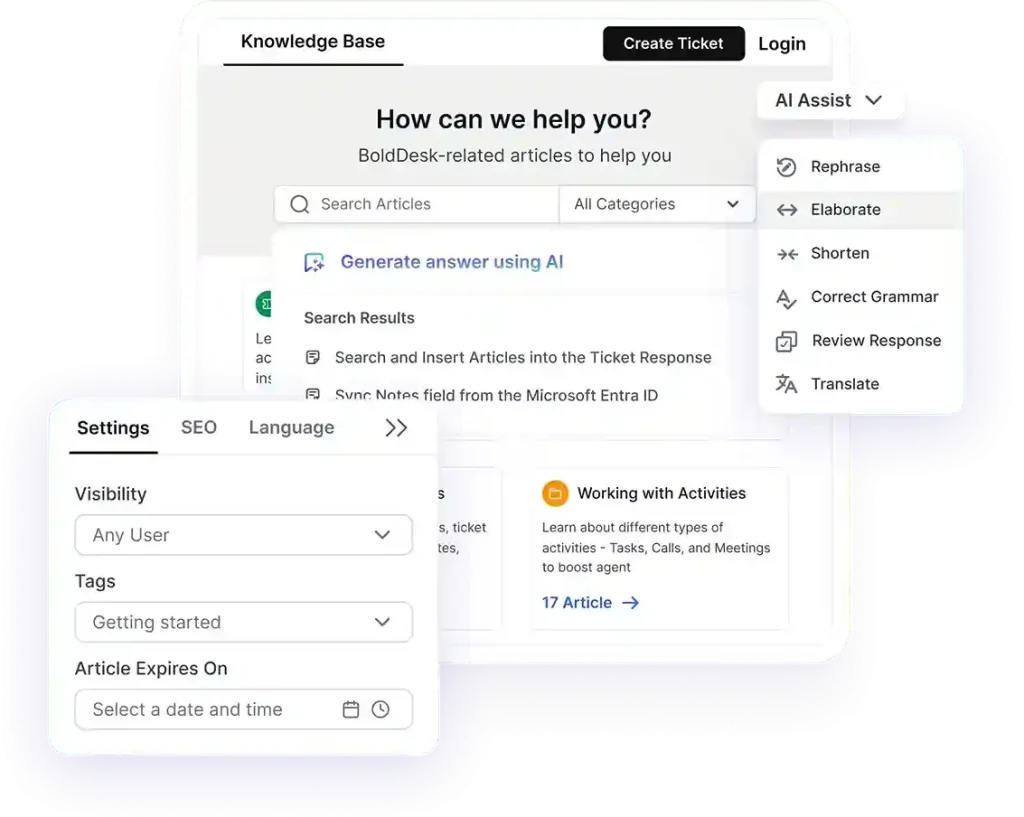
When you empower customers to resolve common issues on their own, you keep the inbox manageable, allowing your team to handle more complex requests rather than repetitive ones.
Use automation to reduce manual work
When your inbox fills up fast, help desk automation is the most powerful tool for email overload management. Set up rules that automatically tag, sort, or assign messages based on keywords or customer type.
Use simple triggers, like time-based actions or message patterns to streamline repetitive tasks, freeing up your team to handle more complex issues.
For example:
A support team handling high-volume requests could set up automated tagging for refund keywords and priority escalation for enterprise accounts.
This ensures that urgent billing issues are surfaced immediately, while general queries follow standard workflows.
Define service level agreements to set clear expectations
A well-run support team relies on specific time targets for every request that arrives. Establish SLA expectations for different ticket types such as urgent technical bugs or general billing questions.
Once you share these SLA goals with your agents and build them into your daily workflow, it creates a consistent plan for handling different support requests.
Knowing exactly when a reply is due helps your team stay organized and ensures you meet customer expectations.
Create comprehensive shared templates for consistent replies
When support agents face repetitive requests, they need pre-written responses to rely on.
Gather the most common inquiries and develop polished customer service email templates that reflect your brand tone.
Store these templates in a shared space where your support team can easily access and personalize them when responding.
This saves your agents significant time and contributes to faster customer service response times.
Use collaboration tools to avoid duplicated work
When an inbox is flooded, it’s easy for two agents to accidentally start working on the same ticket at once.
Clear ticket assignment and statuses define responsibility, while internal notes allow the team to coordinate or escalate complex issues privately.
Agent collision detection adds a final safeguard by alerting staff when others are active on a ticket, preventing confusing duplicate replies.
Track key performance indicators to monitor support efficiency
Staying on top of inbox performance becomes much easier when you monitor your numbers consistently.
Businesses should track key customer service metrics that reveal how your team is managing high email volume. These include:
- First response time
- Average handle time
- Resolution time
- Customer satisfaction score (CSAT)
- Unresolved ticket volume
Regularly compare these metrics to understand where shifts are happening and where adjustments may be needed.
Optimizing high-volume email management for faster support
Delivering a great customer experience means staying organized and responsive, even when ticket volume increases.
With structured workflows and the right automation tools, high-volume email management becomes predictable and manageable rather than reactive.
BoldDesk provides automated routing, SLA tracking, and collaboration tools to help support teams stay in control during peak support periods.
Request a live demo or start a free trial to see how automated routing, SLAs, and collaboration tools keep your inbox under control, even during peak volume.
Related articles
- AI Email Triage: How Support Teams Reduce Inbox Clutter Automatically
- How AI Email Automation Helps Reduce Customer Support Tickets
- Best Email Ticketing Systems: 15 Picks for Efficient Customer Support
Frequently Asked Questions
Teams struggle when ticket volume exceeds their processing capacity. Manual sorting, unclear ownership, and disconnected tools make it difficult to prioritize requests and maintain response speed.
Automation categorizes, assigns, and escalates tickets based on predefined rules or intent signals.
This reduces manual workload and allows agents to focus on complex or high-priority issues.
Help desk software platforms with email-to-ticket conversion, automated routing, tagging, templates, and SLA tracking are most effective.
They centralize communication and provide structure for handling large ticket volumes.
Yes. Delayed responses and unresolved tickets lead to frustration and lower customer trust. Effective high-volume email management helps maintain timely, consistent service.
Teams can reduce overload by combining automation, self-service portals, clear triage processes, and shared inbox workflows.
A structured system prevents requests from piling up and improves overall efficiency.