




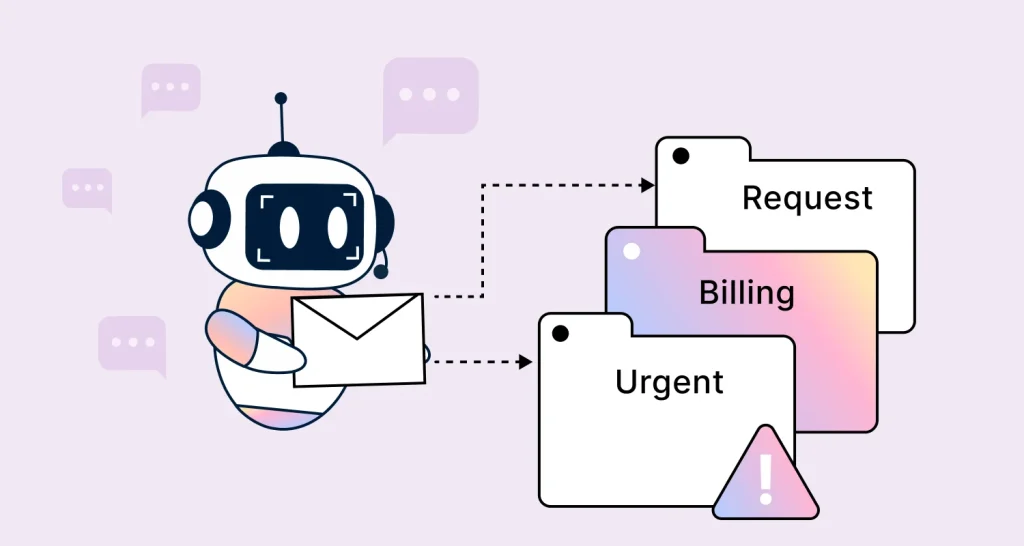




TL;DR: AI email triage classifies, prioritizes, and routes support emails before an agent opens them. It works best for high-volume, repeatable categories and needs human review for ambiguous or multi-issue emails. Start with your three highest-volume categories, track misroutes weekly, and expand only when accuracy is reliable.
For support teams managing hundreds or thousands of emails each day, manual triage can become a bottleneck. Every email must be reviewed, categorized, prioritized, and assigned before an agent can begin resolving the issue.
AI email triage eliminates this by automating classification, prioritization, and routing, allowing teams to focus on resolution instead of sorting.
This structured approach helps teams manage increasing email volume without slowing response times.
According to Salesforce’s 2025 State of Service survey of 6,500 service professionals, teams estimated that AI handled 30% of customer service cases and expected that figure to reach 50% by 2027.
As AI takes on more cases, accurate classification, prioritization, and routing become increasingly important.
In this blog, you’ll learn what AI email triage is, how it works, and how it helps customer support teams reduce inbox clutter and respond more efficiently at scale.
What is AI email triage?
AI email triage is the use of artificial intelligence to automatically sort, prioritize, and route incoming emails based on their content, urgency, and intent.
It plays a critical role in customer support by ensuring that every customer query is directed to the right support team at the right time, improving response speed and consistency.
As organizations adopt AI agents in customer service, automated triage has become one of the most effective ways to manage growing support volumes and improve routing accuracy.
By identifying the intent behind each message, such as sales inquiries, order-related requests, or urgent customer complaints, AI-driven triage reduces the need for support teams to manually review and sort every email.
Manual triage vs AI email triage: Key differences and performance impact
Manual triage slows down rapidly as volume rises because every message must be read, interpreted, prioritized, and assigned individually.
AI email triage reduces that bottleneck by classifying and routing messages at the point of intake, turning a slow-moving queue into a structured and efficiently managed workflow.
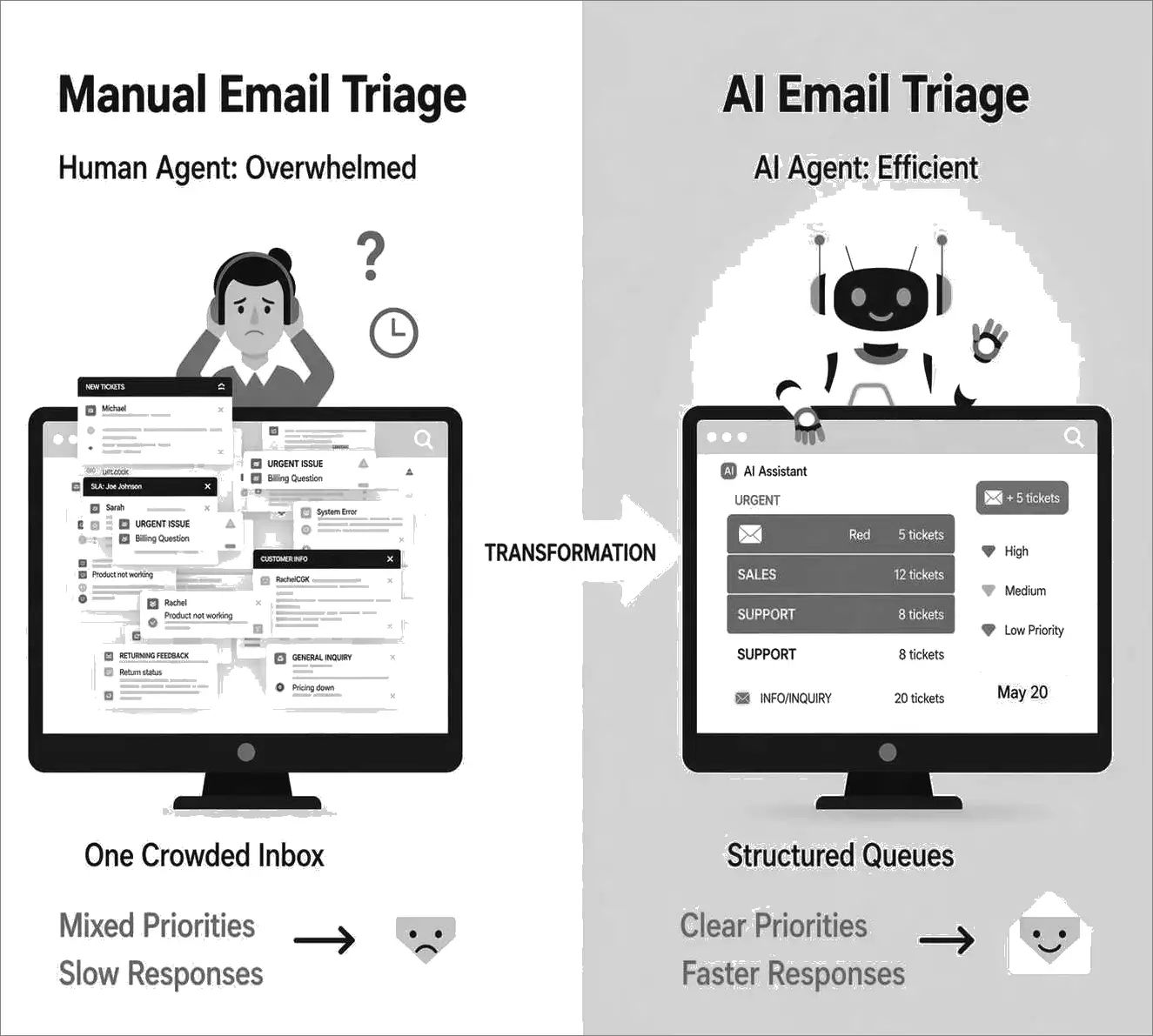
The table below highlights how AI email triage compares to manual triage across key operational factors:
| Aspect | Manual email triage | AI email triage |
| Speed | Slower because each email must be reviewed individually | Processes large volumes of emails quickly and simultaneously |
| Prioritization | Rely on human judgment and can vary by agent | Flags urgent emails based on intent, keywords, and business rules |
| Consistency | Results vary depending on the agent and workload | Applies the same categorization rules across all messages |
| Scalability | Becomes harder to manage as inbox volume increases | Manages large email volumes without slowing down workflows |
| Accuracy | Higher risk of mistakes when agents are tired or overwhelmed | Handles common email patterns consistently at scale, though ambiguous or high-risk cases may still require human review |
| Availability | Limited to working hours and team availability | Works 24/7 so the inbox stays organized even outside business hours |
Benefits of AI email triage for support teams
Automated email triage improves how teams handle incoming messages by adding speed, structure, and clarity to daily email workflows.
It helps teams meet SLAs, reduce response delays, and handle growing email volume without adding more manual effort.
Here are the benefits of AI-powered email triage:
- Faster response times: Emails are prioritized at intake so urgent requests are handled first, and service level agreement (SLA) deadlines are easier to meet.
- Better inbox visibility: Messages are automatically categorized and grouped into structured queues, making shared inboxes easier to manage.
- Improved productivity: Agents spend less time sorting emails and more time resolving customer issues that require attention.
- Reduced risk of missed requests: Every email is categorized and routed, reducing the chances of important messages being overlooked in busy inboxes.
- More consistent email handling: AI applies the same prioritization and categorization logic across all messages, reducing human errors and improving customer service.
How the AI email triage process works
AI-driven triage follows a structured process that helps teams move from an incoming message to the right action quickly.
Instead of leaving every email in one queue, an AI triage tool classifies, prioritizes, and routes messages based on configured rules and learned patterns.
Here is how the AI email triage process typically works:
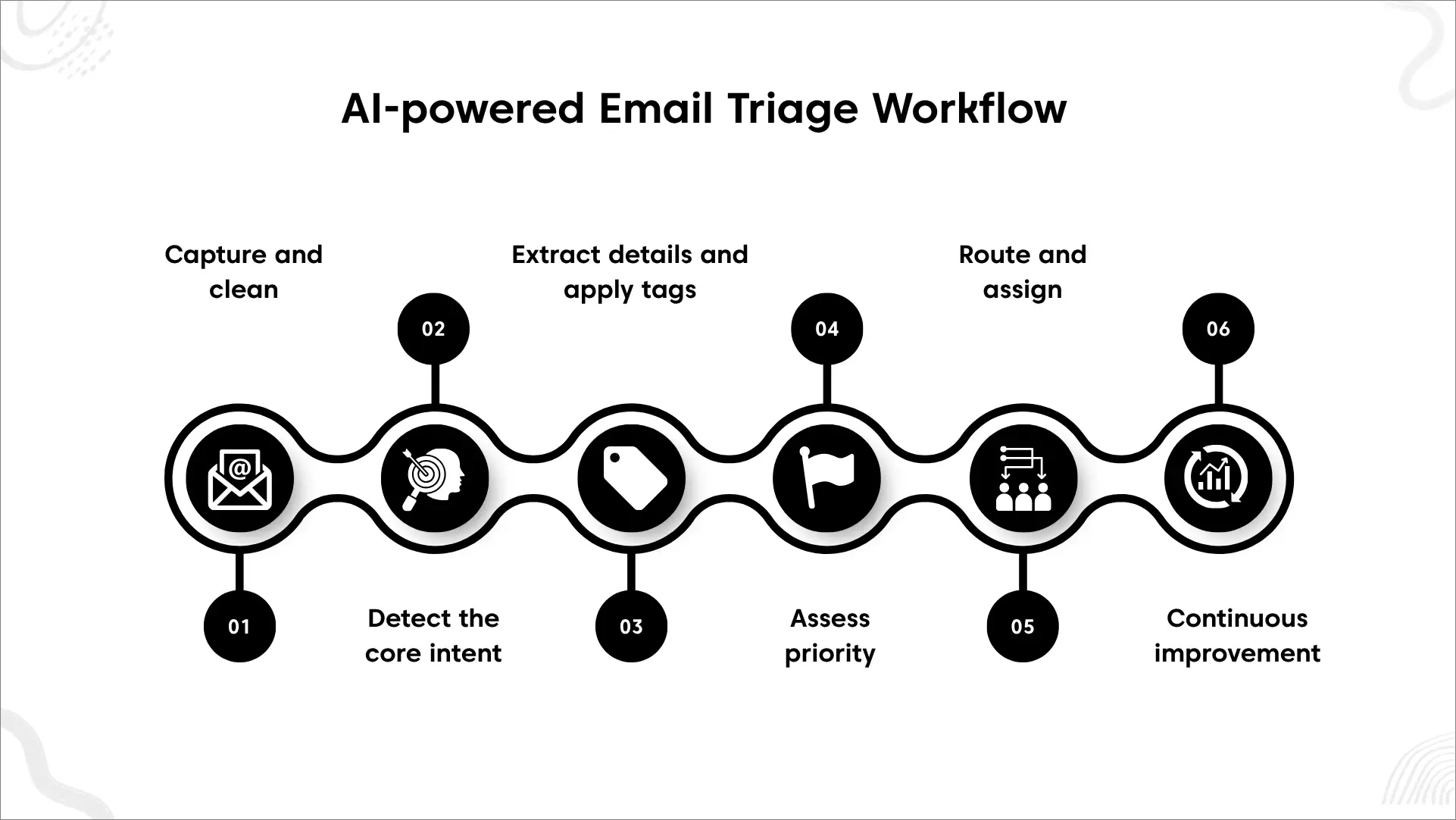
Step 1: Capture and clean the incoming email
When a new email arrives in the inbox, the AI triage tool captures the message and key metadata like sender, subject line, timestamps, attachments, and thread history.
It then removes unnecessary information such as signatures, disclaimers, and repeated quoted text, making the content easier for the AI to analyze.
Step 2: Detect the core intent of the message
Next, AI detects the customer’s primary intent, such as a billing question, account access issue, complaint, sales inquiry, or order request.
It then assigns the email to a category to ensure accurate routing and reporting.
Step 3: Extract key details and apply tags
AI pulls out important entities, when available, such as order numbers, invoice IDs, account identifiers, product names, and error codes.
It also applies tags like “refund,” “SSO,” or “outage” to support automation and faster handoffs between teams.
Step 4: Assess priority using rules and signals
After identifying intent and key details, AI evaluates urgency using message signals and business rules.
For example, SLA tier, VIP status, sentiment, or outage-related keywords can raise priority, while uncertain cases may be flagged for manual review.
Here’s an example of AI email triage rules:
| Detected signal | Decision condition | Automated action | Exception |
| Billing or refund intent | Single clear intent with high confidence | Route to Billing | Multi-issue or low-confidence email goes to review |
| Possible outage | Outage intent plus affected product or repeated reports | Mark “High Priority” and route to incident queue | Isolated or ambiguous mention stays in technical support |
| VIP customer | VIP status combined with SLA risk or high-impact issue | Raise priority | VIP status alone does not automatically make every request urgent |
| Login or SSO issue | Access intent and required account details detected | Route to identity or technical support | Security-sensitive cases require manual verification |
| Possible duplicate | Strong similarity to an open ticket | Flag and link as a possible duplicate | Do not automatically merge until the match is verified |
Step 5: Route and assign to the right team
The email is then routed to the right team or agent based on skills, ownership, and availability.
Many setups also auto-assign emails to balance workloads and reduce first response times.
Step 6: Continuous improvement from feedback loops
Ongoing review helps teams identify misclassified emails and fine‑tune AI triage performance.
These corrections improve future routing decisions and make the triage workflow more accurate over time.
What are AI email triage accuracy benchmarks?
There is no universal accuracy benchmark for AI email triage. Performance varies based on factors such as email complexity, category design, training data, confidence thresholds, and the number of routing destinations.
However, published research on email classification and customer-support routing provides useful reference points.
| AI email triage metric | Benchmark score |
| Accuracy (Correctly classified customer support emails) | 99% (Springer) |
| Precision (Correct email category assignments) | 91% (Springer) |
| Recall (Relevant emails successfully identified) | 91% (Springer) |
| F1 score (Overall email classification performance) | 0.91 (Springer) |
These benchmarks should be used as evaluation guidelines rather than fixed targets. A system with high overall accuracy may still struggle if it frequently misroutes urgent requests or fails to identify complex, multi-intent emails.
How to measure AI email triage accuracy in practice
Published benchmarks provide useful context, but support teams should evaluate AI triage against their own workflows. To measure performance and continuously improve results, teams should track:
- Routing accuracy: The percentage of emails assigned to the correct team or queue. [Correctly routed emails ÷ automatically routed emails × 100]
- Misroute rate: How often emails are sent to the wrong destination and require reassignment. [Emails manually reassigned ÷ automatically routed emails × 100]
- SLA compliance: Whether AI-assisted routing helps teams meet response and resolution targets.
- Category-level accuracy: Measure billing, access, outage, refund, and other categories separately.
- Escalation rate: Measures how often emails need to be reviewed or reassigned by support staff. [Automatically triaged emails escalated after routing ÷ Automatically routed emails × 100]
Review a labeled sample of automatically triaged emails regularly rather than relying on one overall accuracy score.
If a category produces frequent misroutes, increase its confidence threshold so uncertain emails are routed for human review or temporarily removed from automated routing until performance improves.
This approach helps maintain accuracy while preserving access to human support, which Gartner found is essential to 87% of customers when companies use generative AI for customer service.
What happens to misrouted tickets in AI email triage?
Even highly accurate AI email triage systems can occasionally misroute emails, particularly when requests contain multiple intents, ambiguous language, or limited context.
The following are some of the most common consequences of routing errors in AI email triage:
- Delayed ticket resolution: Tickets remain in the wrong queue until they are identified and redirected to the team best equipped to handle the request.
- Reduced SLA compliance: Routing errors increase response and resolution times, making it more difficult to consistently meet service-level targets.
- Additional operational workload: Support teams spend extra time reviewing, reclassifying, and transferring tickets instead of resolving customer issues.
- Inconsistent customer experiences: Customers wait longer for assistance and may receive delayed updates while their requests are redirected to the appropriate team.
When a misroute is identified, the ticket should be reassigned to the correct queue and the error recorded as feedback for the triage system.
Repeated errors within the same category can indicate that routing rules, training data, or confidence thresholds need adjustment.
How AI email triage reduces inbox clutter for support teams
Inbox clutter is often caused by unorganized workflows rather than email volume alone. AI email triage helps keep inboxes structured by automatically categorizing, prioritizing, and routing incoming messages.
- Makes unresolved work easier to spot: AI triage separates new, assigned, and unresolved emails into organized queues, making it easier for teams to identify requests that still need attention and follow-up.
- Reduces duplicate work through tagging and detail extraction: By applying consistent tags and extracting details such as order numbers, invoice IDs, and error codes, AI helps teams identify related requests, reduce duplicate effort, and maintain better workflow organization.
For a broader look at how support teams prioritize, assign, and manage incoming requests, explore our ticket triage framework guide, which covers the human triage process in more detail.
Best practices for implementing AI email triage effectively
An effective AI email triage setup depends on clear routing rules, high-quality training data, and continuous review.
The following strategies can help support teams implement AI-powered email triage successfully:
- Start with your most common email categories: Review past inbox data to identify the most common request types and use them to define your initial categories.
- Define routing rules and escalation paths: Clear routing rules ensure each email type is directed to the correct team, while escalation paths handle urgent or high-risk cases.
- Train the AI with real inbox data: Using real emails helps the system understand customer language, intent patterns, and business-specific terminology for more accurate classification.
- Keep human oversight in the workflow: Decide which emails require human review, especially when requests are sensitive, unclear, or outside standard rules.
- Establish priority rules before going live: Set rules before deployment so the AI email triage system can consistently determine urgency based on SLAs, VIP status, or keywords.
- Continuously monitor and refine the system: After deployment, regularly review triage results, correct misclassifications, and refine rules to improve accuracy over time.
How BoldDesk supports AI email triage workflows
BoldDesk’s email ticketing system converts incoming support emails into structured tickets, creating a consistent foundation for triage. With BoldDesk AI, teams can analyze ticket content to identify signals such as intent, urgency, and sentiment.
These insights can then be used alongside routing rules, priorities, SLAs, and help desk automation workflows to assign clear ownership and trigger appropriate actions.
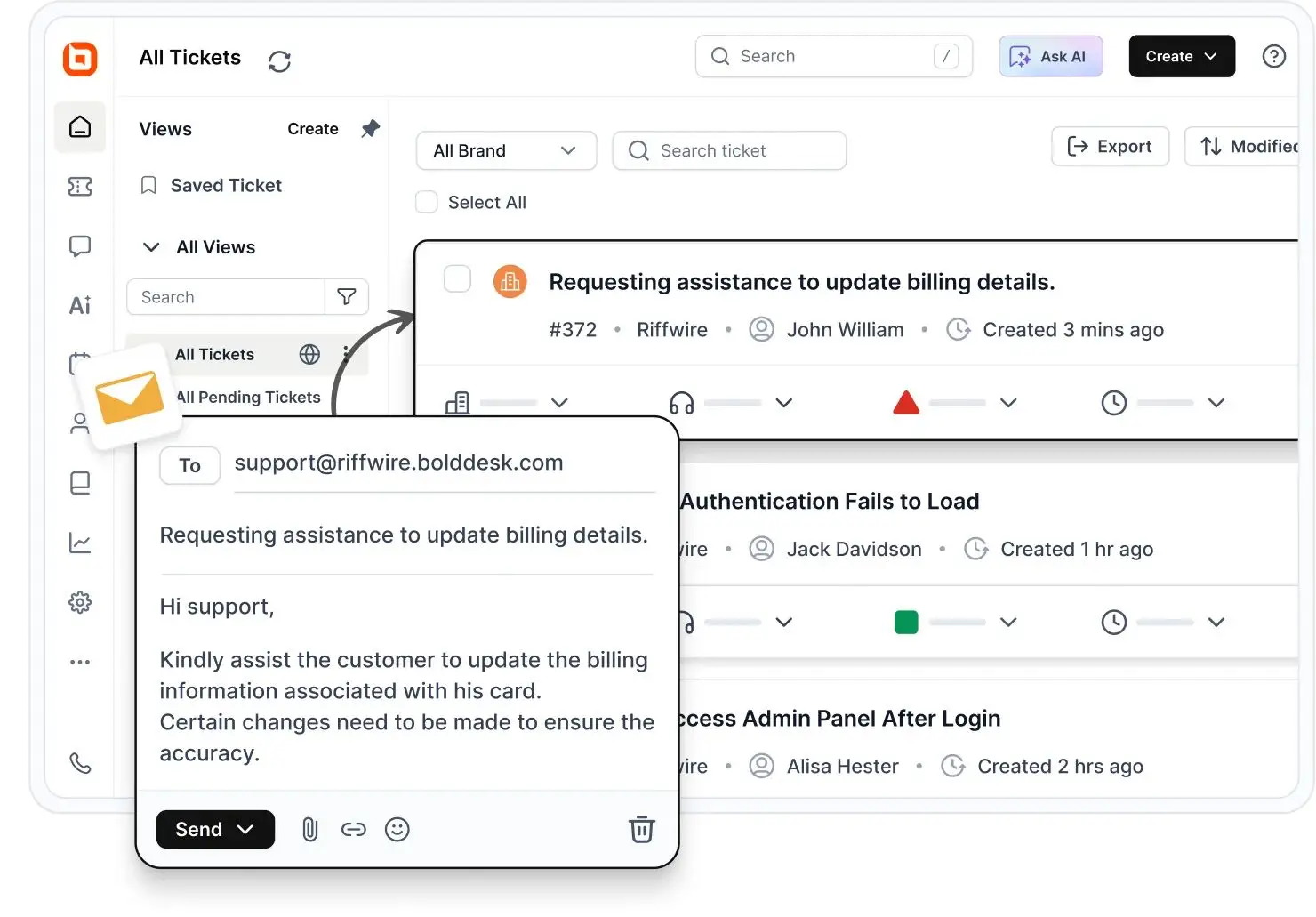
Triage starts with email‑to‑ticket conversion
BoldDesk converts each inbound support email into a trackable support ticket. This creates a consistent structure for triage, making it easier to classify requests, set priority, and route work reliably.
After an email becomes a ticket, AI extracts key ticket triage signals such as:
- Request intent or type: Route billing questions differently from bug reports.
- Urgency: Trigger faster handling and start the appropriate SLA timers.
- Sentiment or tone: Flag frustrated customers for faster review or escalation.
- Priority: Surface high-impact issues at the top of the queue.
These signals can be captured as ticket fields, tags, or priority levels and used to drive consistent routing, prioritization, and automation workflows.
Shared inbox visibility keeps triage consistent
The shared inbox software centralizes team email into a shared workspace where agents can see what’s new, what’s in progress, and what’s pending.
With a clearer view of customer conversations and fewer messages slipping through the cracks, teams can focus more on delivering the kind of personalized experiences that drive AI for customer engagement. This helps prevent duplicate replies and improves consistency across triage decisions.
Routing and assignment rules turn triage into action
Once triage determines the request type and urgency, BoldDesk routes and assigns tickets to the right queue or agent using rules (for example, by category, priority, or workload). This reduces bottlenecks and improves first-response speed.
Priority‑based handling keeps urgent work first
Teams can apply priority levels so urgent tickets are surfaced and handled first, while lower-priority requests follow standard workflows and SLAs.
This keeps attention focused on the issues with the greatest customer or business impact.
Workflow automation reduces manual triage work
BoldDesk automates repetitive follow-up steps, including:
- Automatic assignment
- Status updates
- Escalations
- Rule-based tagging or categorization
This reduces manual effort while keeping triage decisions consistent.
Performance tracking to refine triage over time
Built-in analytics and reporting help teams track volume, backlog, response times, SLA performance, and routing effectiveness.
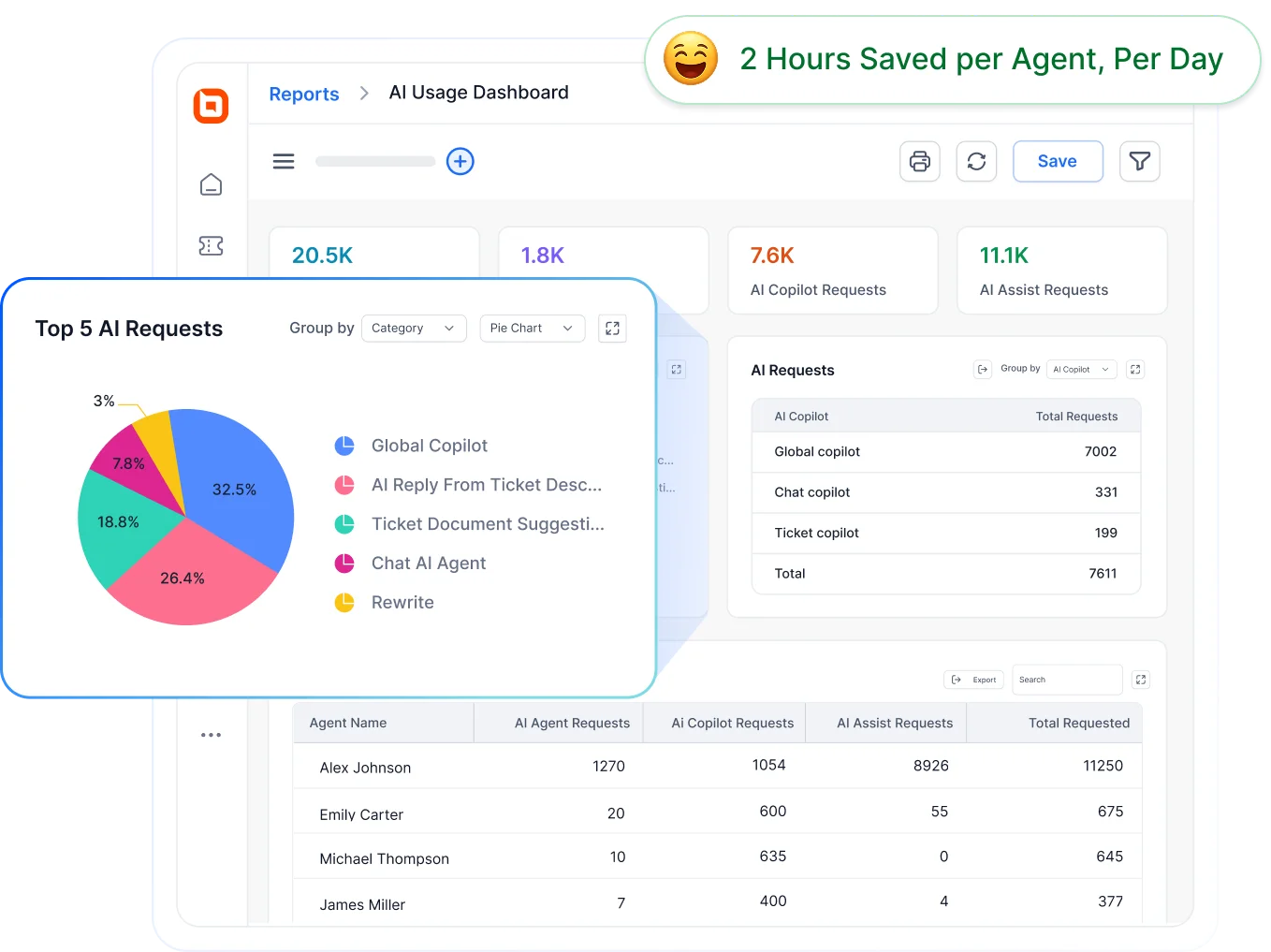
These insights make it easier to refine triage rules and improve how triage signals translate into real support outcomes.
AI email triage use cases across industries
AI-driven triage becomes especially valuable when teams handle large volumes of similar requests across shared inboxes.
While the core process remains the same, its application varies across industries. Here are common use cases for AI email triage in different sectors:
E-commerce: Routing order, refund, and delivery support requests
E‑commerce teams often face refund delays and delivery complaints when inboxes overflow during peak periods.
AI triage ensures refund, payment, and failed‑delivery requests are prioritized and routed instantly, reducing customer frustration.
Travel and hospitality: Prioritizing booking changes and time-sensitive requests
Travel and hospitality inboxes are filled with time‑sensitive booking changes, cancellations, and special requests.
AI email triage separates urgent booking modifications from general inquiries so critical guest requests are handled first.
SaaS and software: Separating technical issues from billing and account requests
SaaS support teams manage a mix of billing issues, onboarding questions, login problems, and bug reports.
AI triage separates technical issues from billing or access requests and flags outage‑related or high-priority emails for faster response.
Healthcare: Managing administrative and patient-related inquiries
Healthcare inboxes often combine routine administrative requests with sensitive patient communications.
AI email triage helps separate these requests while supporting controlled workflows aligned with privacy and compliance requirements.
Key takeaways
- AI email triage reduces inbox clutter by transforming unstructured emails into structured workflows.
- It improves response times and SLA adherence by prioritizing urgent requests automatically.
- It enables support teams to scale email volume efficiently without adding headcount.
Scale your support operations seamlessly with AI email triage
Managing high email volume becomes easier when teams can automatically sort, prioritize, and route messages before they turn into inbox overload.
AI email triage helps reduce delays, improve response times, and give teams a more structured way to manage customer communication.
With BoldDesk, support teams can streamline email triage workflows using ticketing, help desk automation, and smart routing designed for high-volume support environments.
Start your free trial to see how BoldDesk eliminates manual email triage by automatically prioritizing, routing, and resolving emails faster with AI.
Get started today and bring structure, visibility, and speed to your support inbox.
Have questions? Please leave feedback in the comment section below.
Related articles
- Best Email Ticketing Systems: 15 Picks for Efficient Customer Support
- Automated Ticket Routing: Benefits, Tips, and More
- Customer Service Email Templates for Consistent Responses in 2026
FAQs on AI email triage
AI email triage works best for high-volume, repetitive requests such as billing inquiries, order status updates, account access issues, password resets, and subscription changes. Complex, sensitive, or multi-topic emails may still require human review.
AI email triage can be secure when the system uses encryption, role‑based access controls, audit logging, and complies with standards such as GDPR and SOC 2 Type II.
Yes. Most AI email triage solutions integrate with help desk ticketing systems, shared inboxes, and other automation tools.
This allows emails to be automatically categorized, prioritized, routed, and converted into tickets without manual intervention.
Most teams can implement AI email triage within days to a few weeks, depending on inbox complexity and routing requirements.
Accuracy and performance improve over time as the system learns from real emails and human feedback.
A good AI email triage solution should provide accurate intent detection, flexible routing rules, priority assignment, human review options, reporting capabilities, and integrations with your existing email and support systems.
Teams typically measure AI email triage performance using metrics such as routing accuracy, misroute rate, first response time, SLA compliance, backlog volume, and resolution time.
Tracking these metrics helps identify opportunities to improve routing rules and workflow efficiency.





