



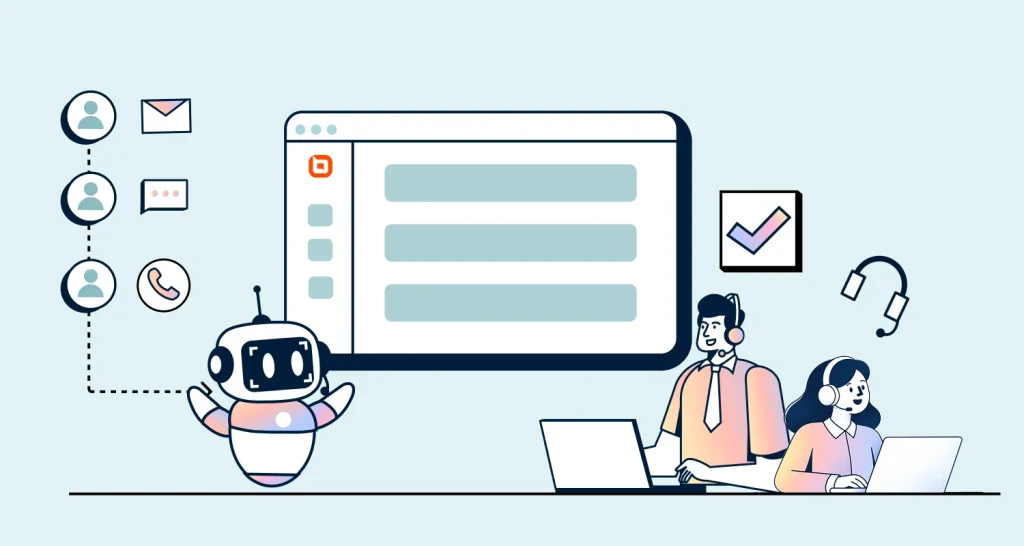


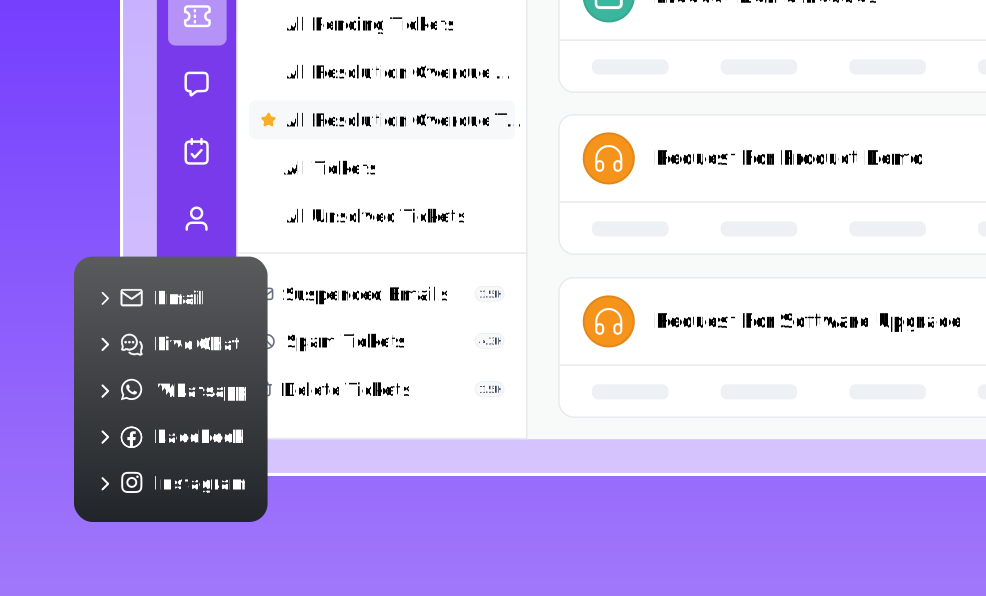

TL;DR: An AI help desk for small teams (5–40 agents) helps automate repetitive work, summarize long ticket threads, assist agents with suggested replies, and improve ticket triage. With the right rollout, growing support teams can handle higher ticket volume with fewer handoff delays while maintaining consistent service quality.
For support teams with 5 to 40 agents, even moderate ticket growth can create bottlenecks. Requests sit unassigned, agents waste time rereading long threads, and complex cases get buried under repeat questions.
An AI help desk for small teams can reduce this friction by sorting and routing tickets, summarizing ticket histories, suggesting replies, and carrying out approved actions.
AI implementation is becoming a priority, but readiness still determines results.
A Gartner survey published in 2026 found that 91% of customer service and support leaders faced executive pressure to implement AI. Meanwhile, 58% planned to train agents to maintain and improve knowledge content.
This shows that reliable AI depends on accurate knowledge, well-defined workflows, and clear review and escalation rules.
This guide covers which features matter most and how to choose the right solution. It also shows how to implement AI that improves efficiency and the customer experience while maintaining human oversight.
What is an AI help desk for small teams?
An AI help desk for small teams is a customer service platform that uses artificial intelligence to assist agents and automate parts of ticket handling. This means small customer support teams can manage more tickets with less busywork.
These tools have different roles: AI Copilot assists agents by summarizing conversations, drafting replies, and surfacing relevant knowledge.
Customer-facing AI Agents can resolve approved routine requests and escalate cases that require human judgment. Rule-based automation handles predictable tasks such as tagging, assignment, follow-ups, and service-level agreement (SLA) alerts.
Some platforms also support AI Actions that allow AI agents to retrieve approved information or perform tasks through connected systems.
How an AI help desk differs from a traditional help desk
Traditional and AI help desk solutions can both automate support workflows. The main difference is that traditional systems follow predefined rules configured by the team, while AI-powered systems can interpret ticket context, generate content, and handle approved tasks.
The table below highlights the key differences across common support workflows.
| Workflow area | Traditional help desk | AI help desk |
| Ticket routing | Uses configured rules, fields, and keywords to categorize and assign tickets. | Analyzes intent and context to categorize, prioritize, and route tickets. |
| Ticket review | Agents review the conversation history and customer details. | AI summarizes long conversations and highlights important details. |
| Response creation | Agents use manual replies, templates, or canned responses. | AI drafts context-aware replies and suggests relevant knowledge content for agent review. |
| Workflow management | Uses predefined rules to automate tagging, assignment, notifications, and follow-ups. | Combines rules with AI to interpret requests, recommend next steps, and trigger approved workflows. |
| Reporting and insights | Reports on historical ticket data and predefined metrics. | Identifies patterns and emerging issues so teams can respond faster and improve their support processes. |
| Self-service | Relies mainly on knowledge base search, forms, and scripted chatbots. | Uses conversational AI to understand questions, retrieve relevant information, and resolve approved requests. |
| Scalability | Requires additional rules, configuration, and staffing as support needs become more complex. | Helps teams manage higher volumes through AI-assisted work and automation, while retaining human oversight. |
Why teams with 5 to 40 agents need AI help desk software
Growing teams run into the same support challenges again and again. AI is built to help solve them.
The following are the most common reasons support teams start looking for an AI help desk solution.
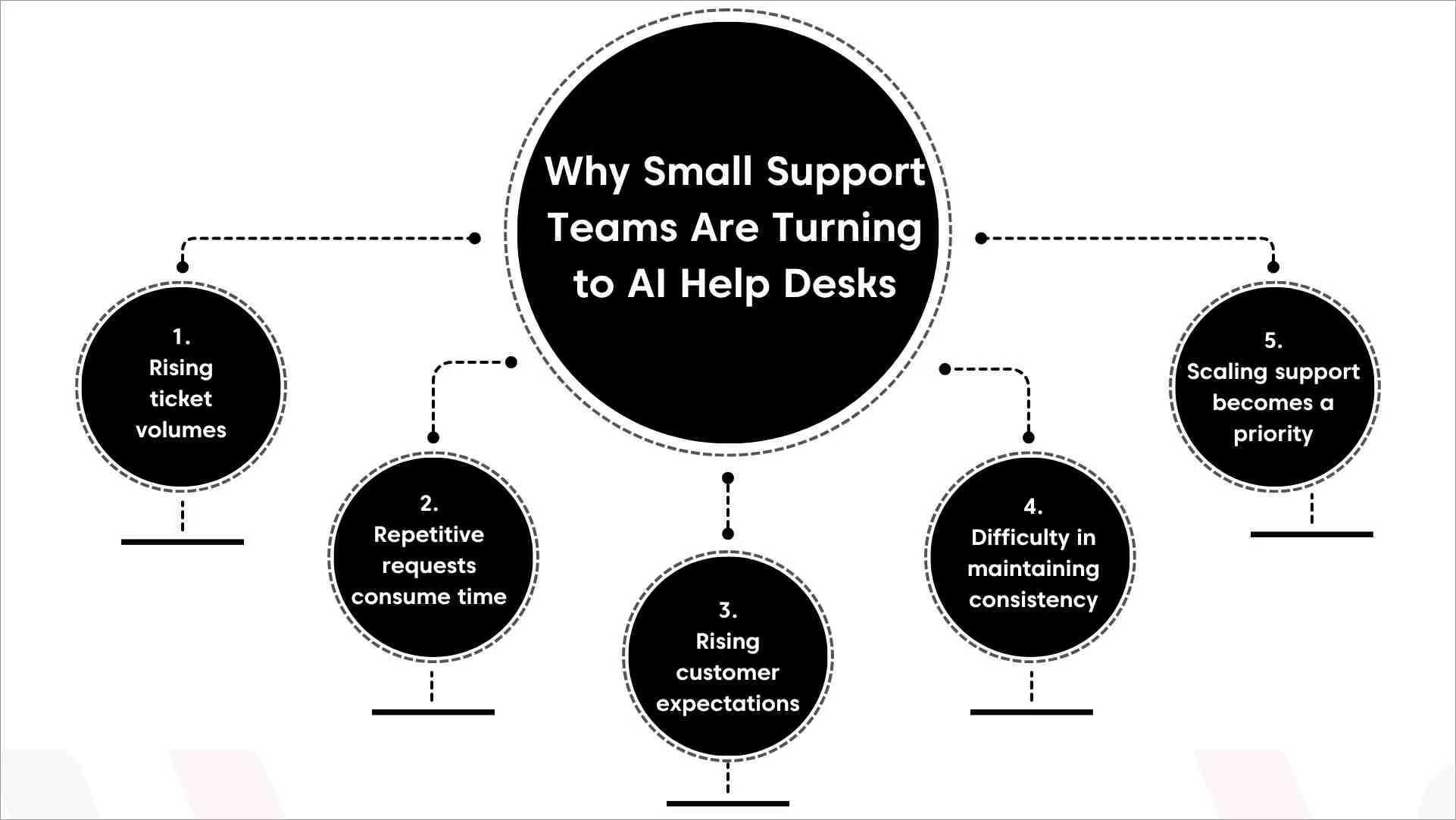
- Rising ticket volumes without additional headcount: As businesses grow, support requests often increase faster than team size. AI help desk software enables teams to manage more tickets by automatically categorizing, prioritizing, and routing requests.
- Common requests consume valuable agent time: Agents often spend hours answering the same questions. AI-powered self-service, chatbots, and knowledge base resources can resolve common requests before they become tickets.
- Customer expectations keep rising: As ticket volumes grow, long wait times and inconsistent handoffs can affect service quality. AI helps speed up triage, surface relevant context, and equip agents with the information they need to resolve issues faster.
- Consistency becomes more difficult as teams grow: More agents often mean more variation in tone, troubleshooting steps, and policy enforcement. AI help desk software suggests approved replies and the right help articles, so every agent answers the same way.
- Scaling support becomes a priority: You can’t hire a new agent every time tickets go up. AI for customer service teams can reduce administrative work and help teams support growth without hiring.
Customer story: How SPM Advisors uses AI-powered support tools
SPM Advisors, a managed security services provider, needed a functional and affordable ticketing system to track its managed solutions and simplify ticket handling.
After adopting BoldDesk, SPM Advisors began using AI-powered ticket summaries, automated ticket responses, and role-based access controls.
The AI summaries help shorten ticket resolution timelines, while role-based access controls allow the company to manage user permissions effectively.
Essential AI help desk features for small teams
Not all AI help desk solutions offer the same capabilities. For small teams, the goal is to find a solution that reduces manual work without making support harder or more expensive to manage.
The following features typically provide the greatest value for growing businesses implementing an AI help desk for small teams.
- AI-powered ticket routing and triage: Automatically categorizes, prioritizes, and assigns tickets to the appropriate agent or team. This reduces manual ticket triage and speeds up resolution.
- AI-generated ticket summaries: Condenses long ticket conversations into concise summaries. For example, a 40-message support ticket can be reduced to a short summary, helping an agent quickly understand the issue without reviewing the entire thread.
- Suggested replies: Generates context-aware response drafts that help agents answer common questions faster while maintaining consistency across customer interactions.
- AI-powered self-service: Surfaces relevant content from knowledge base software to help agents find answers quickly. It also enables customers to resolve common issues through AI search, chatbots, help centers, and self-service portals.
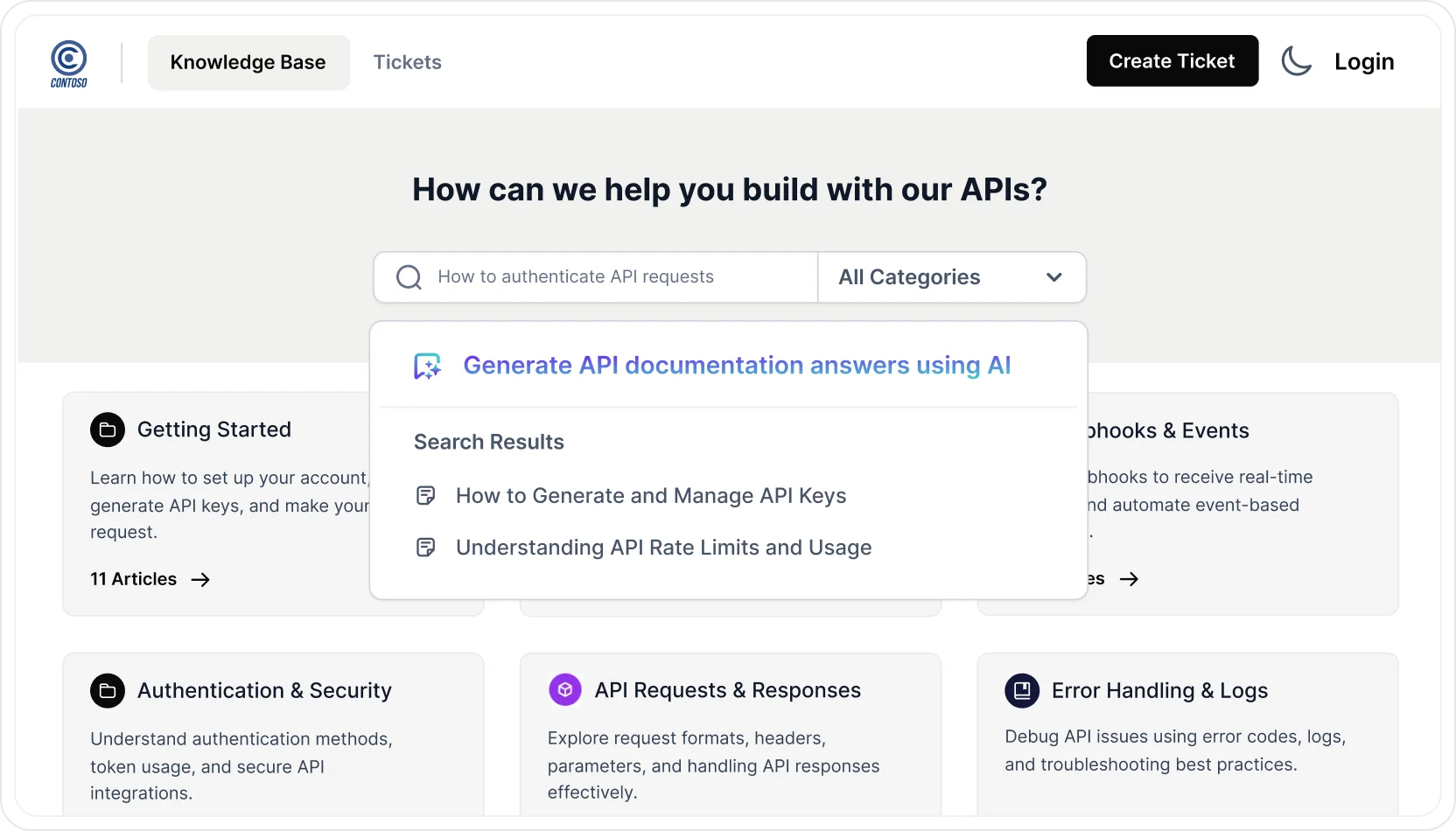
- AI-assisted workflow automation: Combines rule-based automation and AI to classify tickets, generate content, and support approved actions. This reduces manual work and streamlines support workflows.
- Integrations and system access: Enables AI to securely retrieve information from connected systems such as CRM, billing, ecommerce, and account management platforms. For example, it can pull customer details or order status without requiring agents to switch between tools.
- Reporting and analytics: Uses AI to spot recurring issues, rising ticket categories, and unusual changes in support volume. This helps teams identify problems earlier and prioritize improvements.
- Security, privacy, and compliance controls: Help control what AI can access, what actions it can take, and who can use it. Common safeguards include role-based access, audit logs, integration permissions, and controls over where data is stored.
How to choose the right AI help desk solution
The best help desk software for small businesses is not necessarily the one with the most AI features. It’s the one that addresses your team’s support challenges, fits your budget, and can grow alongside your business.
Use the following criteria to evaluate potential solutions.
Assess your support volume and complexity
Start by understanding the type of customer support operations you’re running today.
A team handling 500 tickets per month has very different requirements from one managing 10,000 tickets across multiple channels.
Consider:
- Average monthly ticket volume
- Number of support channels
- SLA requirements and escalation paths
- Average resolution time and backlog size
- Common ticket categories and request types
- Seasonal spikes in demand
Identify your biggest inefficiencies
An AI help desk for small teams works best when it solves a specific workflow problem. It cannot repair an unclear support process.
Ask questions such as:
- Are agents spending too much time routing tickets?
- Do they answer the same questions repeatedly?
- Do long ticket threads slow down investigations and handoffs?
- Is ticket prioritization inconsistent across agents or shifts?
- Are leads spending too much time maintaining workflows?
Once you’ve identified the primary friction points, prioritize solutions that address them directly instead of focusing on the longest feature list.
Review your knowledge base readiness
AI relies heavily on accurate, accessible information to perform well. Even advanced AI capabilities can deliver poor results when the content is outdated, incomplete, or difficult to find.
Before implementation:
- Review and remove outdated articles
- Fill content gaps for top ticket drivers
- Standardize article structures (problem → cause → steps → expected result)
- Make articles easier to find with clear titles, tags, search terms, and internal links
A well-maintained AI knowledge base improves AI-generated recommendations, strengthens self-service, and helps reduce manual ticket handling over time.
Evaluate AI quality and control
Not all AI features deliver the same results. Check how much control your team has over AI responses.
Make sure the platform provides review steps and limits that help keep responses accurate, consistent, and compliant.
When evaluating AI capabilities, look for:
- Drafting vs. auto-sending so agents can review AI-generated responses before they’re sent.
- Source citations that let agents verify which knowledge article or approved record supports an AI response.
- Tone controls and response guidelines to help maintain a uniform brand voice across agents and channels.
- Feedback mechanisms that allow teams to capture feedback, review failures, and update instructions, workflows, or knowledge sources when improvements are needed.
- Guardrails for sensitive requests involving billing, security, legal matters, compliance, or service outages.
Evaluate ease of implementation
Many small support teams don’t have dedicated administrators or technical specialists. A complex implementation can delay adoption and reduce the value of the investment.
Even after deployment, maintaining automation rules, workflows, and AI configurations shouldn’t become a significant administrative burden.
Look for solutions that offer:
- Simple customer onboarding and guided setup
- Intuitive workflow builders
- User-friendly interfaces
- Minimal customer service training requirements
- Preconfigured AI capabilities
A good help desk should be easy to deploy and manage. Your team should spend more time supporting customers than maintaining the platform.
Understand pricing beyond the entry plan
Some platforms charge per agent, while others charge based on AI usage. Usage fees may apply to each resolution, successful outcome, or bundle of credits.
It’s also important to understand whether AI usage is subject to request limits, monthly caps, or overage charges as usage grows.
To avoid unexpected costs as your team grows, review:
- Per-agent pricing and minimum seats
- AI usage limits, caps, and overage charges
- Automation limits
- Knowledge base restrictions
- Additional channel costs
- Premium feature add-ons
For a deeper breakdown of AI pricing considerations, see our AI chatbot pricing for customer service guide.
Plan for future growth
Support operations rarely stay the same. An AI help desk solution that works for 10 agents today should still support your team if it grows to 30 or 40 agents in the future.
Check whether the solution can accommodate more agents, channels, tickets, and reporting needs without requiring a costly migration later.
Define success before choosing a platform
Clear goals make it easier to evaluate AI help desk solutions and determine whether implementation is delivering meaningful results.
Record your current results before introducing AI. You can then compare them with the results after launch. Consider measuring:
- First response time
- Average resolution time
- Customer satisfaction (CSAT)
- Customer self-service rate
- Ticket backlog
- Agent productivity
AI help desk readiness checklist
Evaluating an AI help desk for small teams is only part of the decision-making process.
Before committing to a platform, it’s important to assess whether your team has the processes, documentation, and resources needed for a successful rollout.
This checklist helps you review your processes, knowledge, AI controls, security, rollout plan, and ability to grow.
It identifies potential gaps that should be addressed before deploying an AI help desk solution.
Common AI help desk adoption mistakes to avoid
Even a well-chosen solution can underperform if it’s implemented without the right processes, oversight, and expectations.
Here are the common mistakes that can prevent small teams from getting the full value of their AI investment.
Expecting AI to fix broken processes automatically
An AI help desk for small businesses can accelerate workflows, but it can’t fix inconsistent ticket categories, unclear escalation paths, or poorly defined support processes.
In many cases, it simply makes existing problems happen faster.
How to fix it:
- Standardize ticket categories and priorities before introducing automation.
- Document escalation rules and support workflows.
- Start with a small set of proven workflows before expanding AI usage.
Trying to automate everything on day one
Automating every workflow immediately can create unnecessary complexity and make it hard to tell what’s working.
How to fix it:
- Start with low-risk use cases such as ticket summaries, routing, or suggested replies.
- Keep humans involved in higher-risk decisions.
- Expand automation gradually as confidence and accuracy improve.
Letting AI communicate with customers without sufficient oversight
AI-generated responses can occasionally be inaccurate, incomplete, or inconsistent with company policies, especially when handling sensitive requests.
How to fix it:
- Require human approval for customer-facing responses during the initial rollout.
- Create “no-AI zones” for billing disputes, security concerns, legal requests, and service outages.
- Establish response guidelines for tone, style, and when to escalate issues.
Overlooking team adoption and trust
Even the best solutions can fail if agents don’t trust them or understand how to use them effectively.
Resistance to new workflows often slows adoption and reduces ROI.
How to fix it:
- Position the AI help desk software as a tool that supports agents rather than replaces them.
- Train teams on when and how to use AI effectively.
- Create feedback loops that help improve AI recommendations over time.
Underestimating ongoing maintenance and optimization
AI implementation isn’t a one-time project. Knowledge bases evolve, workflows change, and AI recommendations need regular review to remain effective.
How to fix it:
- Monitor the AI help desk solution’s performance regularly.
- Review inaccurate recommendations and routing errors.
- Update knowledge base content continuously.
- Schedule recurring reviews to identify improvement opportunities.
Choosing the right AI help desk for small teams
The best AI help desk solution aligns with your team’s goals, workflows, and readiness for adoption.
By evaluating features, knowledge management, governance, and implementation needs, support teams can choose the right solution and deploy AI with confidence.
BoldDesk combines ticketing, knowledge management, workflows, reporting, and AI-powered capabilities in a unified platform.
Teams get access to core platform features without feature paywalls, published AI pricing, migration support, and guided onboarding.
Ready to see how AI can fit into your support workflow? Start your 15-day free trial and explore BoldDesk with your real support scenarios.
What’s your biggest question about adopting an AI help desk for small support teams? Share in the comments below.
Related articles
- AI-to-Human Handoff: When Should an AI Agent Escalate?
- 14 Essential AI Support Vendor Questions To Ask About Billing
- AI vs Human Customer Service in 2026: When to Use AI, Humans, or Both
FAQs on AI help desk for small teams
AI agents in customer service can resolve approved routine inquiries, retrieve information from knowledge sources, execute predefined AI actions, and escalate requests that require human judgment.
This helps support teams improve efficiency while maintaining human oversight for complex requests.
An AI help desk solution helps growing businesses handle higher ticket volumes, reduce manual work, improve response times, and deliver a better customer experience.
It can also speed up ticket triage, reduce time spent reviewing long conversation threads, improve routing accuracy, and help agents focus on higher-value customer issues.
AI should not be allowed to auto-resolve requests or send customer-facing responses without review in high-risk or high-impact situations.
Keep live agents involved in billing disputes, refunds, security incidents, account access problems, legal requests, sensitive complaints, and any other decision that requires human judgment.
AI improves productivity by reducing time-consuming tasks such as ticket categorization, routing, tagging, summarization, and response drafting.
This enables agents to focus more of their time on resolving customer issues and delivering better support experiences.
Implementation timelines vary based on factors such as workflow complexity, integration requirements, knowledge base readiness, testing processes, and governance requirements.
Small teams can introduce an AI help desk solution with features such as ticket summaries and reply suggestions relatively quickly.
Customer-facing AI, automated actions, and integrations often need more preparation, testing, security review, and escalation planning.
Pricing often scales by agent seats, and AI may be included, limited, or billed separately depending on the vendor.
Costs can also increase based on channels, automation limits, reporting add-ons, and usage thresholds.
Common metrics include first response time, resolution time, customer satisfaction, self-service rate, ticket backlog, and agent productivity.
For automated conversations, also track containment rate, meaning issues resolved without an agent, along with escalations, reopened tickets, and how often agents accept AI suggestions.


