
TL;DR: An out‑of‑office (OOO) message in customer support is an automated reply that confirms a request, explains response delays, and guides customers to next steps. This blog covers what OOO messages are, why they matter, and shares practical templates to maintain clear communication and uninterrupted support.
Out-of-office (OOO) messages are often the first thing customers see when your team is temporarily unavailable.
Instead of leaving customers guessing, a clear OOO message sets expectations, explains availability, and reassures them that their request is acknowledged.
According to the thematic report, over 52% of customers expect a response within one hour.
In customer support, these messages matter during after‑hours, leave, holidays, or unexpected delays. When written well, they can also act as canned responses that save time while maintaining clarity and professionalism.
Using the right out‑of‑office message templates ensures customer support teams maintain trust, response clarity, and SLA performance during agent unavailability.
This guide focuses on practical out‑of‑office message templates designed specifically for customer support teams.
What is an out‑of‑office message in customer support?
An out‑of‑office message in customer support is an automated response sent when a support agent or team is temporarily unavailable. It confirms that the customer’s request has been received while clearly communicating the delay in response.
These out‑of‑office replies reassure customers that support requests are logged and handled appropriately.
They may also direct customers to alternative support options, helping manage the first response time in customer service even when agents are unavailable.
Experience reports reveal that the way customers feel they’re treated accounts for 70% of the buying experience.
By doing so, OOO messages ensure continuity, transparency, and a reliable customer support experience.
Why are out‑of‑office messages important for customer support teams?
When an agent is unavailable due to leave, holidays, sickness, or shift changes, customer communication can be disrupted.
Automated out‑of‑office messages help maintain trust and service quality.
They ensure customers are informed and guided without delay, especially when every support ticket matters.
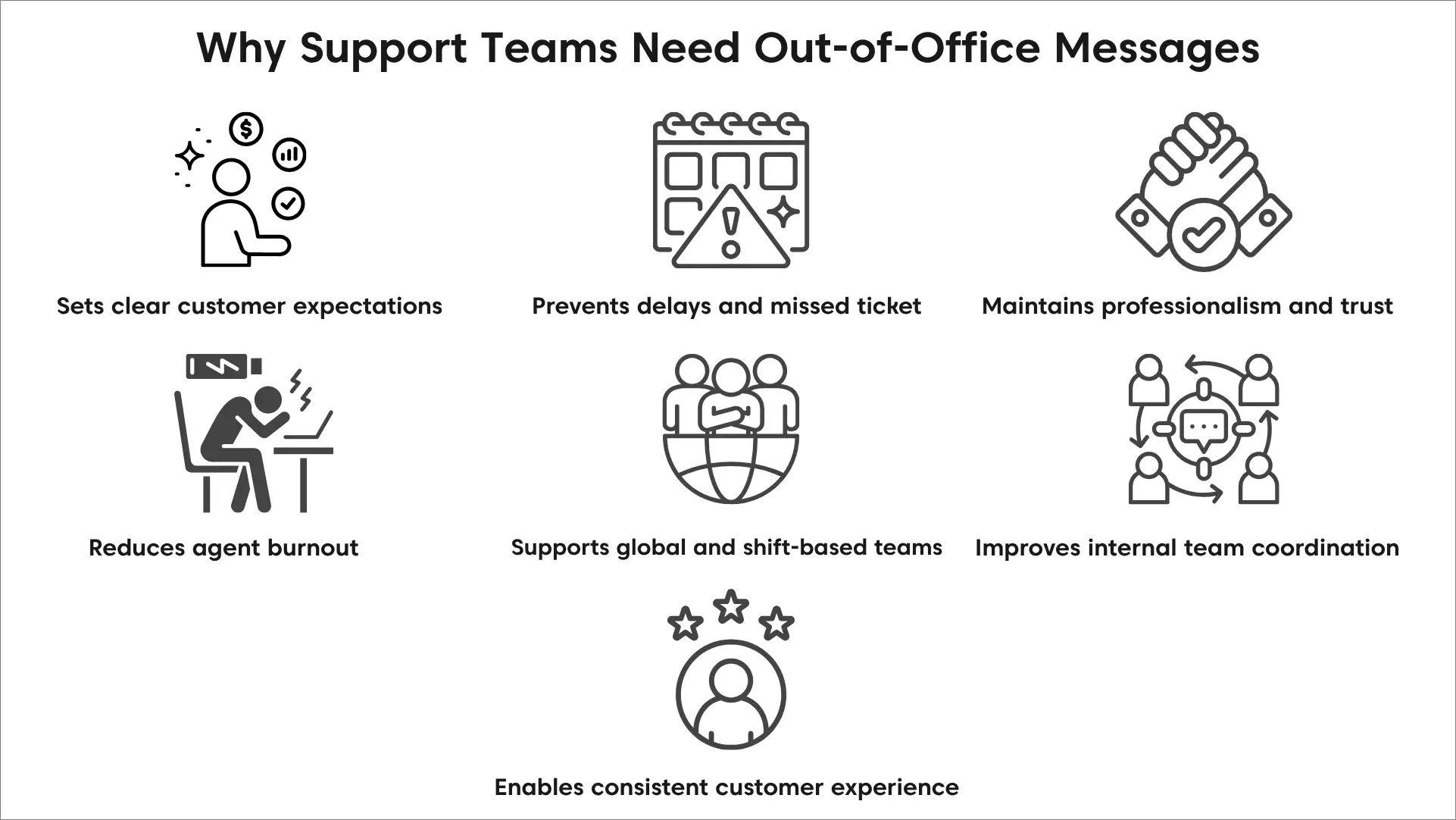
- Sets clear customer expectations: Customers contact support when they need timely help. Automated OOO messages explain temporary unavailability, outline next steps, and align with established customer service standards.
- Prevents delays and missed tickets: Without automation, requests may go unnoticed, and SLAs can be missed. Out‑of‑office workflows route or reassign tickets so issues stay on track.
- Maintains professionalism and trust: Automated responses reflect a prepared, respectful customer support team that values transparency.
- Supports global and shift-based teams: For teams operating across regions, OOO messages clarify availability and route customers to active channels within a tiered support model.
- Reduces agent burnout: Automation redistributes workload during absences, prevents backlogs, and reduces the pressure to respond instantly.
- Improves internal team coordination: Out‑of‑office messages clearly communicate availability and ticket ownership, reducing confusion and internal follow‑ups.
- Enables consistent customer experience: Standardized messaging ensures clear, consistent communication and dependable service.
Out‑of‑office message templates for customer support teams
Clear, polite out‑of‑office (OOO) messages are essential for customer support and customer service teams. They set the right expectations, reduce frustration, and reassure customers that their request will be handled.
Below are easy‑to‑use, customer‑centric out‑of‑office message templates and out‑of‑office message examples for common scenarios.
- Formal out-of-office message
- Leave of absence out-of-office message
- Vacation out-of-office message example
- Friendly or light‑tone out‑of‑office message
- General out-of-office message
- Business trip out-of-office message example
- Lead generation out-of-office message example
- After work hours, out-of-office message examples
Each out-of-office message template supports consistent customer support communication.
Formal out‑of‑office message templates for customer support
This is best suited for enterprise support and client‑facing roles. The message should remain professional, calm, and reassuring, while clearly directing customers to the right point of contact.
This out‑of‑office message template works best for structured out-of-office customer support environments.
Template:
Hello,
Thank you for contacting us. I’m currently out of office with limited access to email until [Return Date]. For urgent assistance, please reach out to [Colleague/Support Team Name] at [Contact Information]. We appreciate your understanding.
Best regards,
[Your Name]
Additional examples:
- Thank you for reaching out. I’m currently unavailable and will respond once I return on [date]. For immediate assistance, please contact [Support Contact].
- I’m out of the office attending to an urgent matter. If your request requires immediate attention, kindly reach out to [Colleague’s Name] at [Email/Phone].
- Thank you for your message. I’m currently away and will be back on [Return Date]. Your request will be addressed as soon as possible.
- This is an automated message to inform you that I’m currently out of office until [Return Date]. I’ll follow up promptly upon my return.
- I’m out of office at the moment. For urgent customer support, please contact [Team Name] at [Contact Information].
- Thank you for contacting us. I’m away from the office and will respond once I return. We appreciate your patience.
Leave of absence out‑of‑office message templates
This is best suited for medical leave, parental leave, sabbaticals, or extended time off.
The message should clearly set expectations for longer response times while reassuring customers that support is still available.
Template:
Hi,
Thank you for your message. I’m currently out of the office on [type of leave] and will not be monitoring emails until [Return Date]. For urgent support, please contact [Team/Colleague] at [Contact Information]. Thank you for your understanding,
[Your Name]
Examples:
- I’m currently on leave and will return on [date]. For immediate assistance, please contact our support team at [email/phone].
- Thank you for reaching out. I’m away on leave and will respond once I return on [date].
- Away on leave until [date]. For urgent concerns, please contact [Support Contact].
- I’m on extended leave with limited email access. Our support team is available at [contact details].
- I’m out of office until [date]. Thank you for your patience while our team assists you.
Vacation out‑of‑office message templates (support‑friendly)
These out‑of‑office message examples use a friendly tone while ensuring reliable out-of-office customer support.
This is best suited to planned holidays and uses a warm, friendly, and service‑oriented tone.
The message should briefly note the absence, set clear expectations around response times, and reassure customers that their inquiries are valued.
Whenever possible, it should also provide an alternate contact or timeline to maintain a smooth support experience.
Template:
Hello,
Thank you for contacting us. I’m currently on vacation and will return on [Return Date]. For immediate support, please contact [Support Team/Colleague] at [Contact Information].
Kind regards,
[Your Name]
Examples:
- I’m away on holiday and will respond once I return on [date]. Thank you for your understanding.
- I’m currently out of office with limited inbox access. Our support team is available at [contact].
- I’m on holiday until [date]. For urgent matters, please contact [Support Team].
- Thank you for your message. I’ll follow up as soon as I’m back in the office.
- I’m away from the office for the holidays. We appreciate your patience.
Friendly or light‑tone out‑of‑office message templates (support teams)
This is best suited for startups, internal teams, or brands with a friendly support voice.
The message should feel approachable and positive while still clearly communicating availability and response expectations.
Humor can be used lightly, but clarity and professionalism should always come first to ensure customers feel informed and supported.
Template:
Hello,
Thanks for reaching out! I’m currently out of the office and will be back on [Return Date]. In the meantime, our support team is happy to help at [Contact Information]. Thanks for your patience,
[Your Name]
Examples:
- I’m currently away recharging. I’ll respond once I’m back on [date]. Our support team is available in the meantime.
- Out of office, but our support team isn’t! Reach them at [contact info].
- I’m currently away from my inbox. I’ll get back to you soon—thanks for your patience.
- I’m out of office until [date]. Please reach out to our team for assistance.
- Thanks for your message! I’ll follow up once I’m back.
General out‑of‑office message templates
These out‑of‑office message templates are best for short absences and daily coverage.
This is best suited for short absences, one‑day leave, or brief unavailability. The message should be clear and concise, setting simple expectations for when a response can be expected.
Template:
Hello,
This is an automated message to let you know I’m currently out of office until [Return Date]. Thank you for your patience,
[Your Name]
Examples:
- Out-of-office until [date]. I’ll respond as soon as possible.
- Thank you for your message. I’ll be back on [return date].
- I’m currently away and will follow up shortly.
- Out-of-office—thank you for your understanding.
- Please contact [Support Email/Phone] for assistance.
Business trip out‑of‑office message templates
This is best suited for conferences, client visits, and offsite work. The message should note limited availability while reassuring customers that responses may be slightly delayed but still managed.
Template:
Hi,
Thank you for contacting us. I’m currently out of the office on a business trip and will return on [Return Date]. For urgent matters, please contact [Support Team/Colleague].
Best regards,
[Your Name]
Examples:
- I’m traveling for work and will respond once I return on [date].
- Out-of-office for a business event. Limited email access during this time.
- I’m attending a business workshop and will follow up upon return.
- I’m currently on a business trip. Our support team remains available.
- Thank you for your patience while I’m away.
Lead generation out‑of‑office message templates (support + sales friendly)
This is best suited for customer success, sales support, and growth teams. The message should acknowledge inquiries promptly, set clear expectations, and encourage continued engagement while guiding prospects or customers to the next step or contact.
Template:
Hello,
Thank you for your message. I’m currently out of office and will respond once I return. In the meantime, feel free to explore our latest updates here: [Link].
Best regards,
[Your Name]
Examples:
- I’m away from the office. Check out our latest product updates here: [link].
- Out-of-office until [date]. Feel free to schedule time with me here: [calendar link].
- Thank you for reaching out! Learn more about our offerings while I’m away: [link].
- I’ll follow up once I return. In the meantime, our resources are available here: [link].
- Our team is happy to assist while I’m away.
After‑hours out‑of‑office message templates for customer support
This is best suited for support desks with defined business hours. The message should clearly state operating hours, set expectations for when responses will resume, and reassure customers that their queries will be addressed as soon as support is available.
Clear out‑of‑office replies during off‑hours reduce confusion and improve customer trust.
Template:
Hi,
Thank you for contacting us. You’ve reached us outside of our business hours. Our support hours are [Days] from [Time] to [Time]. We’ll respond on the next business day. Thank you for your understanding,
[Support Team Name]
Examples:
- Our office is currently closed. We’ll get back to you during business hours.
- You’ve contacted us after hours. We’ll respond on the next business day.
- Support hours are [time]. Thank you for your patience.
- For urgent issues, please contact [Emergency Support Info].
- We look forward to assisting you soon.
Set smarter out-of-office replies with the right support system
Out‑of‑office messages should do more than state limited availability. They should provide clarity and reassurance that support is managed.
A generic out‑of‑office reply often weakens customer trust. They may not know if their message was received, who owns it, or when they will hear back.
A dedicated support system, such as help desk software, solves this by turning out-of-office replies into structured workflows.
Automatic request routing during out‑of‑office periods
When agents are unavailable, a help desk automatically routes incoming requests to the right team or queue. This ensures customer messages aren’t missed, delayed, or left unattended in support inboxes.
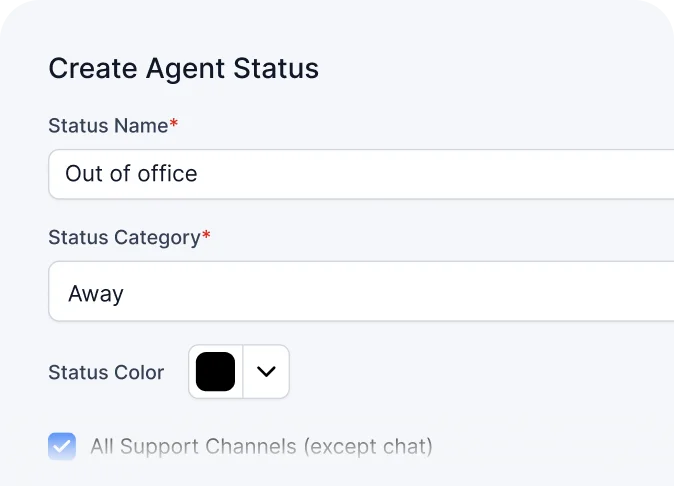
Support continues without interruption during holidays, planned leave, or unexpected absences.
Smart out‑of‑office responses based on availability and priority
A help desk sends automated responses based on business hours, holidays, and agent availability. Every customer message is acknowledged and logged as a ticket—even when the team is away.
Urgent requests are automatically identified and prioritized, ensuring customers receive timely and relevant updates.
SLA coverage during out‑of‑office and off‑hours
Service level agreements (SLAs) continue to be tracked outside regular working hours. Time‑sensitive and high‑priority tickets are escalated automatically to prevent delays.
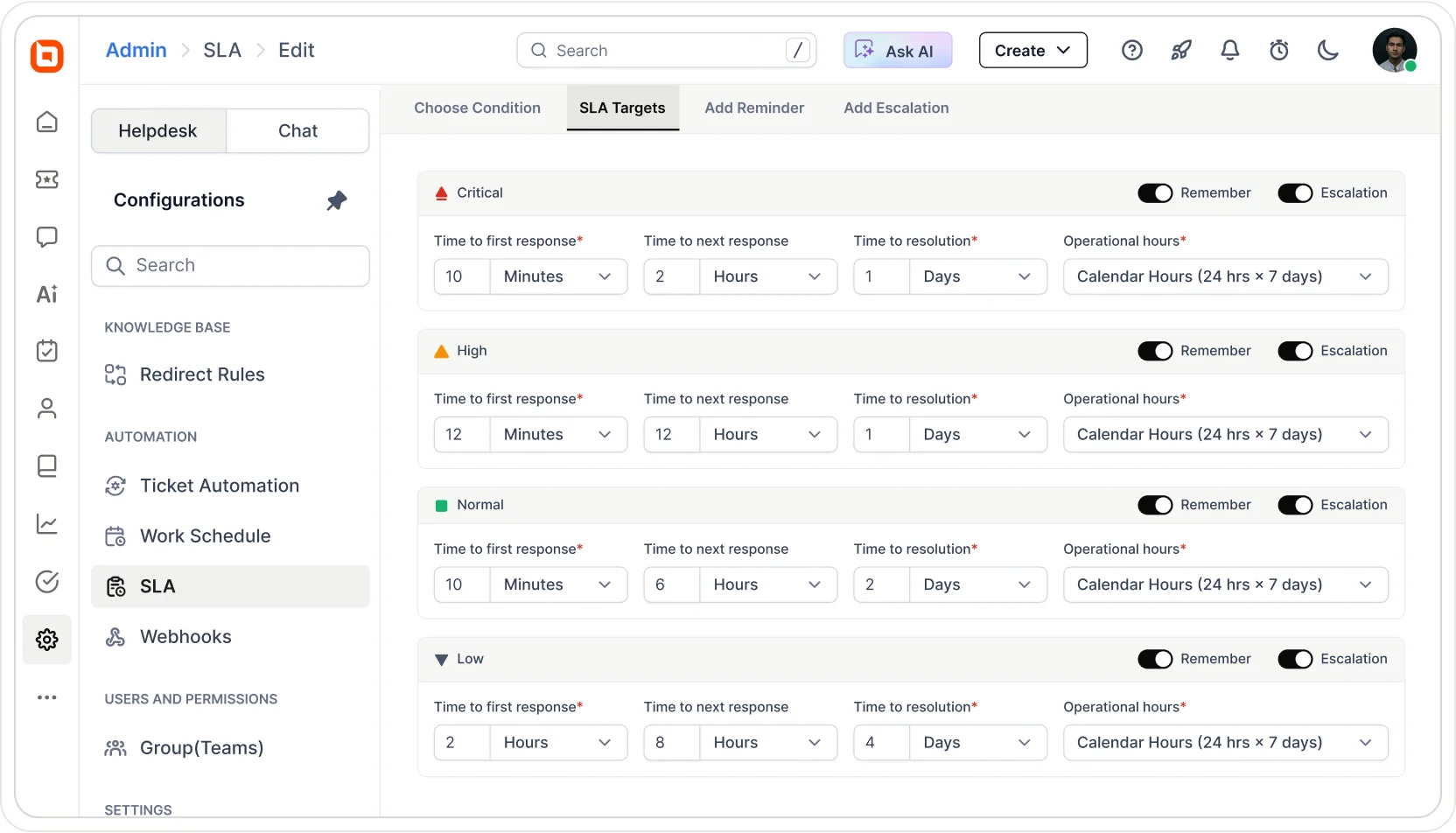
This helps teams meet response commitments and maintain customer trust at all times.
Self‑service knowledge base during out‑of‑office
A customer self‑service portal allows customers to find answers without agent involvement. Articles, FAQs, and guides help resolve common questions during off‑hours.
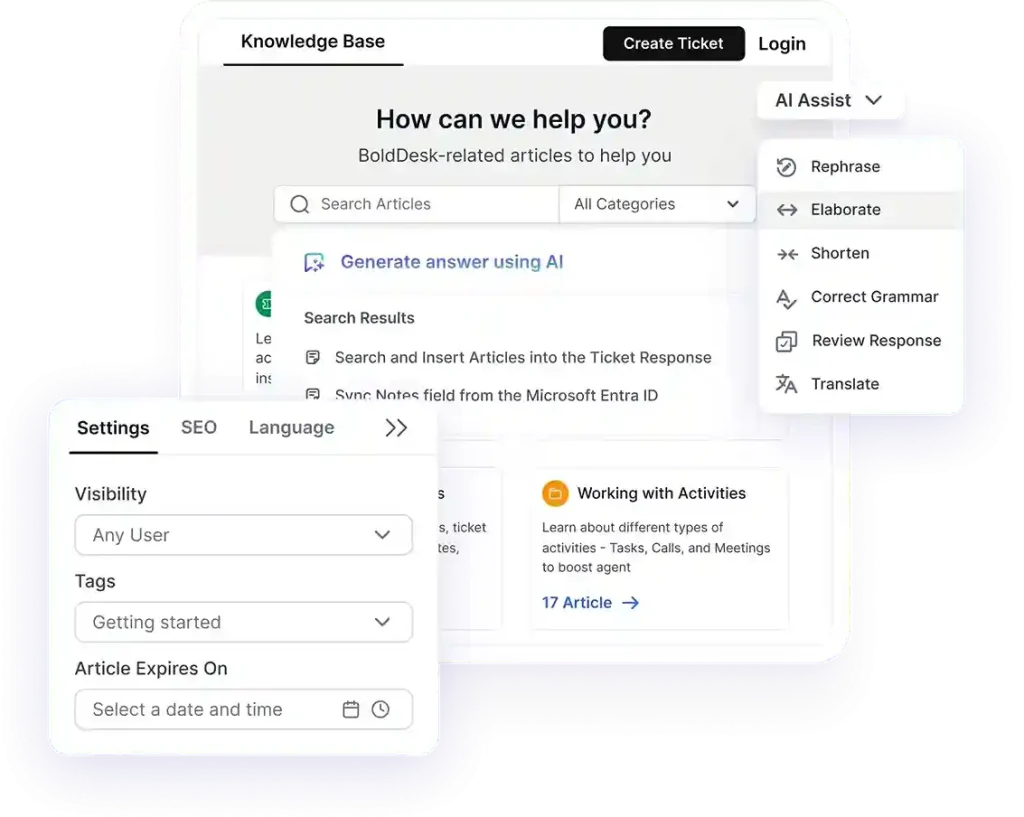
This reduces wait times and ensures continuous support availability, even during holidays.
Centralized multichannel conversations during out‑of‑office
Customer messages from email and social channels are consolidated into one shared inbox. Conversations remain visible with complete history and context for the entire team.
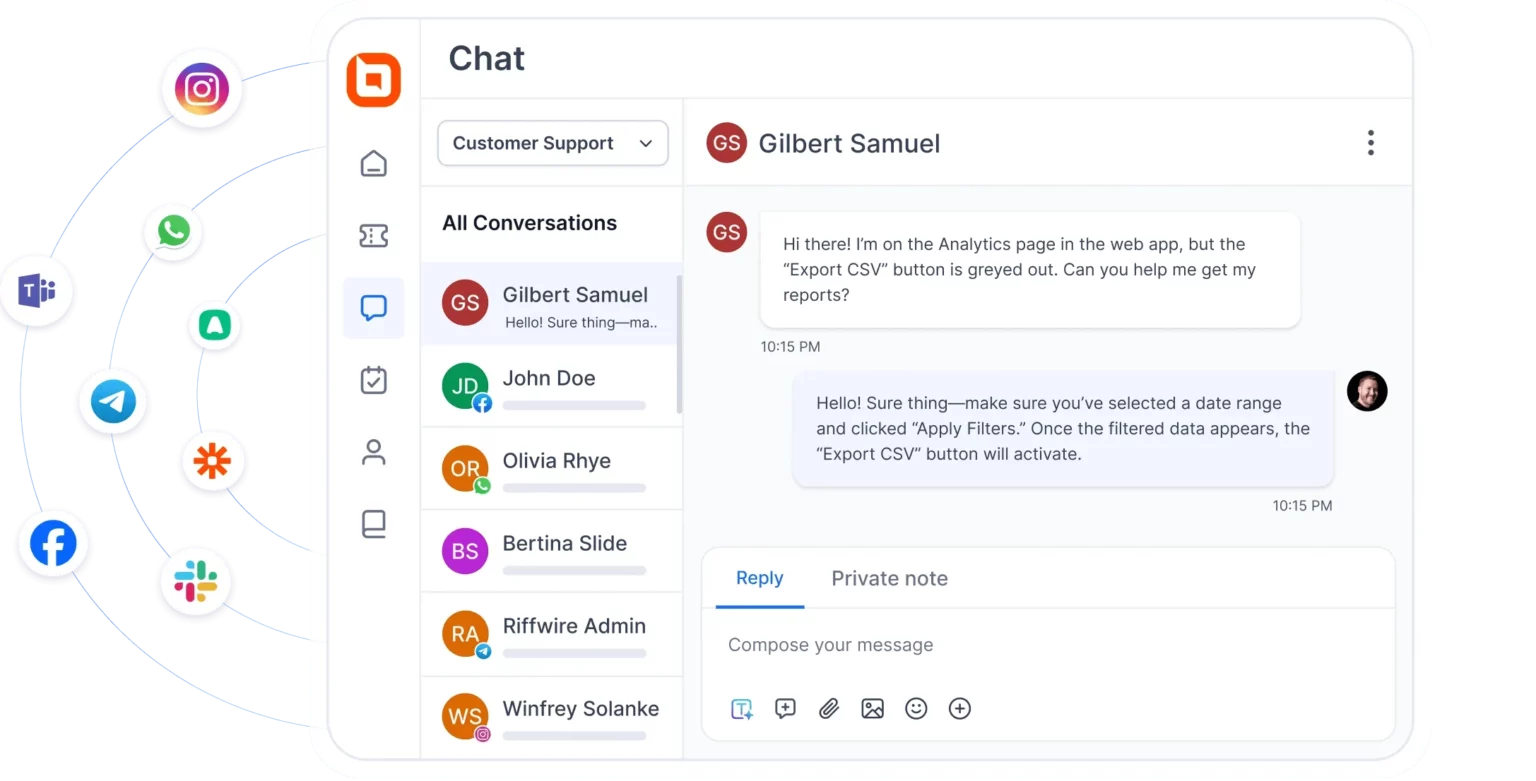
This prevents missed messages and enables smooth handovers when agents return.
Out-of-office message templates that keep support moving
Out-of-office (OOO) handling is more than an auto-reply. It’s a way to keep customer requests moving when an agent is unavailable.
The right OOO message confirms the ticket was received, sets a realistic response timeframe, and routes customers to the best next step for urgent help.
Streamline your out‑of‑office workflows with BoldDesk using automated ticket routing and workflows.
Start with our free trial to see how it fits your support process, or explore our pricing plans to scale your support team.
Which OOO situations do you handle most often: after-hours coverage, planned leave, or unexpected absences? Share your use case, and we’ll add more templates to match.
Related articles
- Customer Service Email Templates for Consistent Responses in 2026
- How to Write Replies That Reduce Ticket Reopens (With Templates)
- How to Write Auto-Reply Emails: Best Practices and Templates
FAQs on out-of-office message templates
Support teams can evaluate the success of an out‑of‑office message by checking whether customers avoid repeated follow‑ups and tickets remain within SLA timelines. Stable customer satisfaction scores during agent absence also indicate the message is working effectively.
Yes. Each channel has different customer expectations, so OOO messages should be shorter for chat, clearer for tickets, and more detailed for email to avoid confusion.
Yes. Standardized out‑of‑office templates ensure consistent communication across agents and teams while allowing minor customization based on availability, channel, and urgency.
Global teams should adjust OOO messages based on local time zones, business hours, and language, and route requests to the correct regional support queue.