









TL;DR: This guide shows how to reduce order‑related tickets using BoldDesk automation. By addressing the root causes that overwhelm support agents, it explains how AI assistance, structured workflows, and platform integrations, and more, streamline operations, cut ticket volume, and help teams resolve customer issues more efficiently.
Running a business means dealing with a constant stream of order‑related questions, even when everything looks fine in your system.
A few inquiries aren’t a problem, but when dozens of customers ask for updates, tracking details, or reassurance, your support team quickly becomes overwhelmed.
What should be simple, repeatable answers turn into hours of reactive work that help desk automation could eliminate.
With the right automation tools, support teams can easily reduce order-related tickets and remove that burden.
In this guide, we’ll show why order‑related tickets drain support teams and how BoldDesk automation reduces them through smart workflows, AI, and integrations.
Why order-related tickets overwhelm support teams
Order-related tickets are customer support requests related to order status, shipping, refunds, billing errors, or delivery issues.
Manual searching, tool-switching, and inconsistent processes reveal just how fragile support workflows become, especially when handling order-related tickets.
According to Gartner, by 2026, 30% of enterprises will automate more than half of their network activities, underscoring the industry-wide shift toward intelligent automation for efficiency and resilience.
As your business grows, even small communication gaps start turning routine inquiries into unnecessary agent workload.
Here’s why order‑related tickets create extra strain on the support teams:
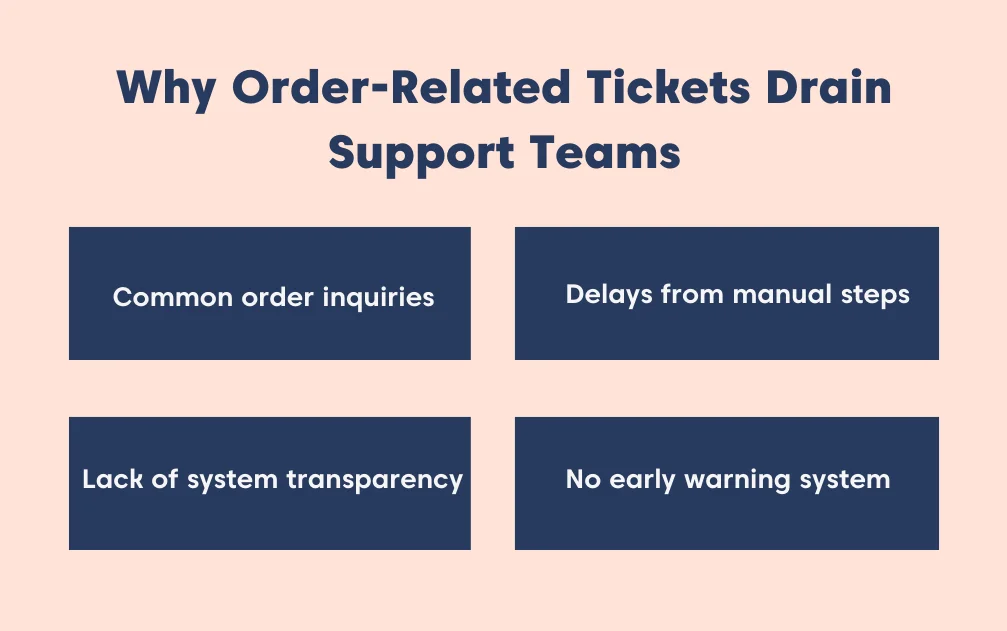
- Common order issues customers raise: When agents have to answer the same question 50 times a day, they experience customer service burnout. On the flip side, customers get frustrated when they have to wait hours just to get a one-sentence update on their delivery.
- Manual processes delay resolution: Without customer support automation, agents often jump between multiple systems just to find a tracking number or order status. This slows down response times, and with 52% of customers now expecting a reply within an hour when they contact a brand, even small delays can cause teams to fall behind.
- Lack of transparency between systems: When your help desk isn’t connected to your business platform, agents lack the context needed to respond efficiently. They waste time digging through backend tools rather than resolving the issue directly from the ticket view.
- No early warning system: Without automated checks or alerts, your team often finds out about order-related problems only after a customer complains. That leaves order management support teams reacting to issues when they should be preventing them.
How support teams reduce order-related tickets with BoldDesk automation
Once you understand why order-related tickets pile up, the next step is fixing the system behind them.
This is where platforms like BoldDesk come in, providing the automation, routing logic, integrations, and AI‑assisted features required to automate the order-related processes at scale.
Below is a look at how BoldDesk enables the automation strategies described above.
Automate workflows for common inquiries
Support teams often waste time on repetitive inquiries like refunds or shipping delays, frustrating customers and slowing response times.
To reduce order-related tickets, BoldDesk automation solves this by combining event triggers and time-based triggers with automation rules that detect events and filter them by relevance.
Also, it executes actions such as sending replies, updating tickets, or escalating issues.
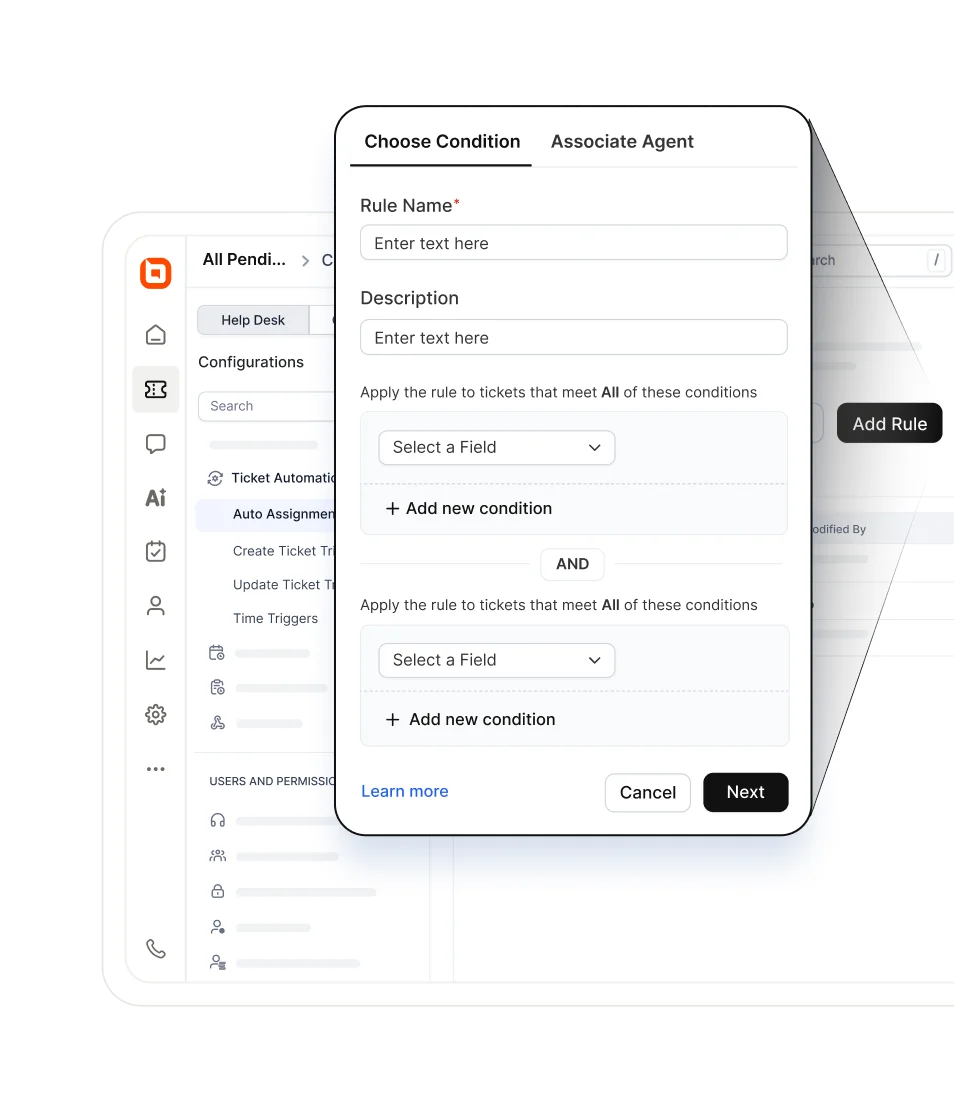
This powers workflow automations like:
- Refund requests: Detect keywords, auto‑send refund instructions, and tag for finance review.
- Shipping delays: Run scheduled checks and notify customers if packages remain pending.
- Escalations: Alert agents and supervisors when high‑priority tickets stay inactive.
By building these rules into everyday tasks, BoldDesk shifts support from reactive to proactive customer service, reducing ticket volume and boosting satisfaction.
Case example
If a customer submits a ticket asking, “Where is my order?”, a time-based trigger can check the shipping category every 24 hours.
When the condition shows the order is still pending, the action automatically sends an update explaining the issue and expected resolution.
This automation prevents duplicate follow-up tickets by proactively updating customers before they feel the need to ask again.
Accelerate resolutions with AI assist and canned responses
For the tickets that reach your team, order management automation makes replying faster and more efficient by equipping agents with:
- Canned responses: Ready‑made, professional replies for common order-related questions (like shipping or refunds) that can be sent with a single click.
- AI Copilot: Instantly refines an agent’s draft by fixing grammar, adjusting tone, and making the message friendlier or more professional, ensuring every customer receives a clear, polished reply about order status.
- AI Agent: Manages routine order-related tasks like shipping updates, refund instructions, and order status checks, while directing complex or sensitive issues to the right support experts.
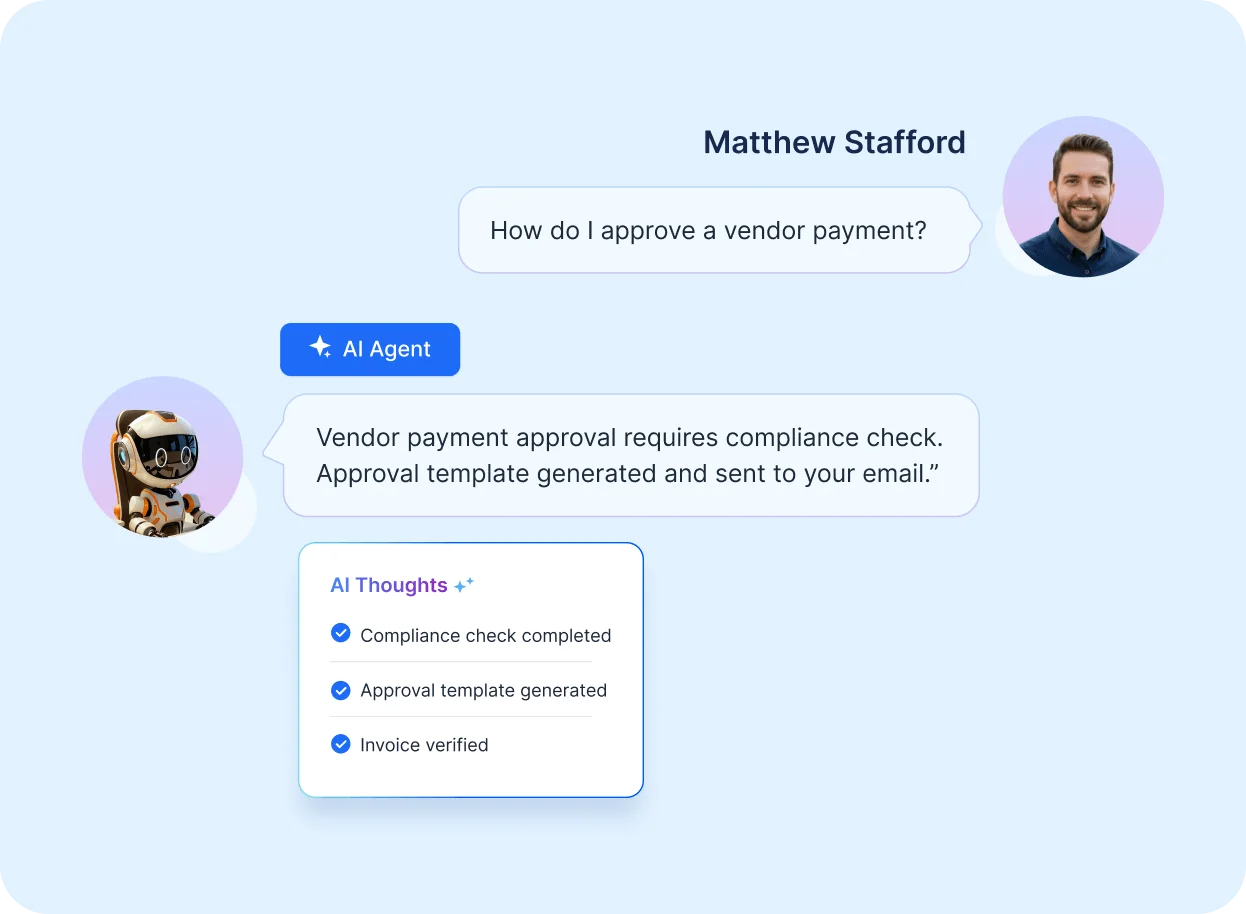
- AI Actions: Context-aware workflows that let agents trigger complex order-related tasks (like refunds, license checks, or account updates) directly within the ticket, without switching tools.
Together, these tools cut down response times, maintain consistency, reduce order-related tickets, and guarantee customers get accurate answers without delay.
Auto-assignment rules to route tickets to the right team
In a busy support environment, order-related complaints often bounce from desk to desk before reaching the right person, leaving customers waiting and agents frustrated.
BoldDesk’s ticket auto-assignment rules act like a smart traffic system, directing each order-related ticket to the right team the moment it arrives.
Instead of relying on manual hand-offs, the system reads ticket content and applies routing logic so the right expert gets involved straight away. For instance:
- Damaged items: Tickets mentioning “damaged” are routed directly to the returns team.
- Billing issues: Any message with “billing” goes straight to finance.
- Technical errors: Error-related tickets are sent to IT support without delay.
This streamlined routing means customers don’t wait while tickets are shuffled around, agents spend less time redirecting requests, and order-related tickets are resolved the first time.
Auto-create and categorize tickets for faster processing
One major reason order‑related inquiries pile up is that agents must manually sort each message, whether it’s a shipping delay or a missing package.
This manual triage slows queues, but BoldDesk customer support automation removes the bottleneck by instantly categorizing new tickets from any source.
When a new ticket is created, BoldDesk:
- Automatically applies rules that check key fields like the subject and description.
- Assigns the correct category, tags, or priority based on the conditions you define.
With this auto‑filing in place, agents can immediately see what needs urgent attention, navigate the queue more easily, and respond with confidence, without wasting time sorting through unorganized tickets.
Integration with order management systems
Jumping between a help desk and an online store like Shopify or WooCommerce wastes time and often leads to errors when agents copy data manually.
BoldDesk automation reduces order-related tickets by integrating directly with order management support systems, pulling all essential customer and order details into the ticket sidebar.
With this integration, agents can quickly access:
- Order history: Past purchases and patterns.
- Tracking numbers: Real‑time shipping updates.
- Shipping addresses: Confirm or correct delivery details.
- Payment status: Verify completed or pending transactions.
By removing manual lookups, agents respond faster and more accurately, improving customer satisfaction and preventing duplicate tickets with timely updates.
Case example
If a customer asks about a delayed package, support agents can immediately view the tracking number and shipping address inside BoldDesk. They can also confirm the order’s status and provide an accurate update, all without logging into their store.
This reduces duplicate “Where is my order?” tickets and keeps customers reassured with timely, precise information.
Deflect tickets with AI-powered self-service
The best ticket is the one that is never created. To reduce order‑related tickets, BoldDesk’s AI‑powered search analyzes what the customer is typing on your support page and begins suggesting solutions instantly.
For example, when a customer types phrases like “Wrong item delivered” or “I need a refund,” the system immediately displays the most relevant knowledge base articles that address those exact order‑specific issues.
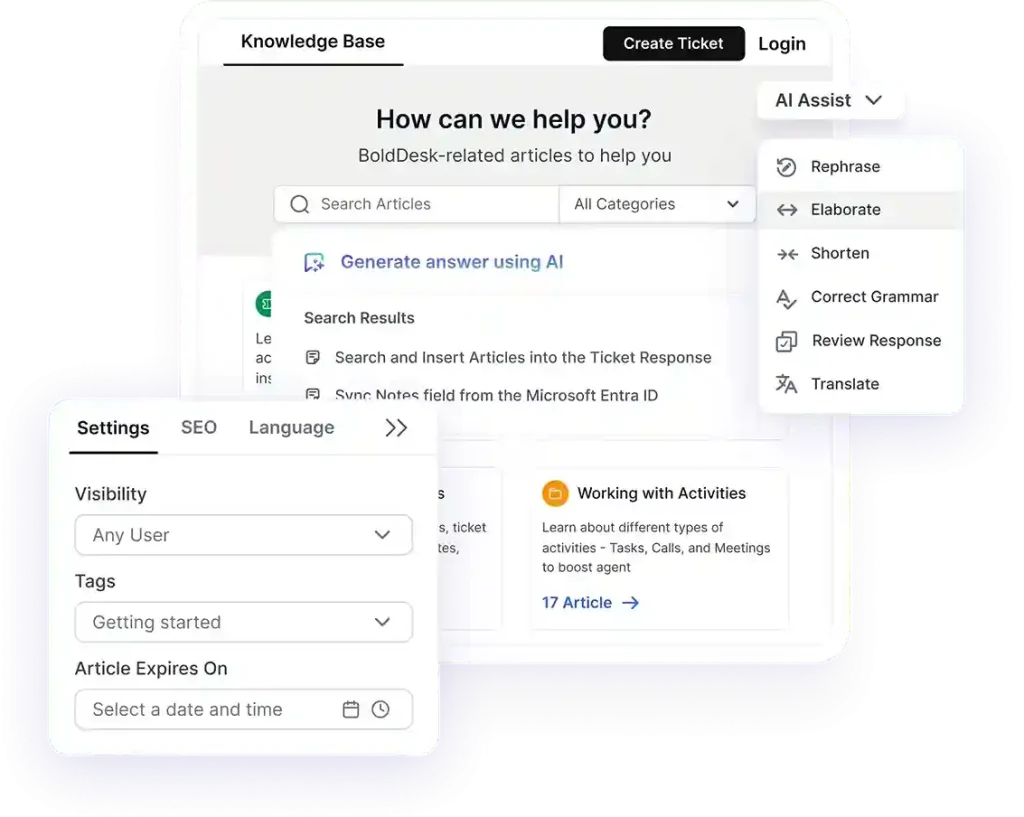
If the article answers the customer’s question, they won’t feel the need to submit a ticket at all.
This is one of the easiest ticket deflection strategies, allowing customers to instantly find their own solutions while keeping your inbox clear of simple, repetitive questions.
Teams that layer self‑service commonly see up to a 40% reduction in ticket volume within 90 days, driven by true deflection of repetitive order‑status and returns questions.
Startup Support Getting Messy? Automate It.
Struggling with repetitive order questions? BoldDesk automation streamlines customer support so your startup can scale without added stress—at zero cost.
Reduce order‑related tickets with BoldDesk automation
Managing a busy customer service team shouldn’t mean getting overwhelmed by repetitive shipping questions.
As we’ve explored, the secret to a calmer inbox isn’t hiring more people; it’s adopting structured help desk automation workflows that handle the heavy lifting.
By connecting your store’s data and letting customer support automation manage routine inquiries, your team gains the breathing room to focus on growth and customer relationships.
Take your next step toward smoother support by exploring our automated ticketing system page.
And the fastest way to feel the difference? Start a 15‑day free trial or contact the BoldDesk support team to see how BoldDesk automation fits your workflow.
Related articles
- Tips for Reducing Agent Effort in Customer Service| BoldDesk
- Customer Support Costs: 7 Effective Ways to Cut Expenses
- 7 Best Techniques for Reducing Customer Service Response Time | BoldDesk
Frequently Asked Questions
BoldDesk reduces order-related ticket volume by automating workflows for routine inquiries, integrating with order management support systems, routing tickets to the right teams, providing AI Agent task management and AI Copilot guidance, and deflecting repetitive queries with AI-powered self-service.
The combination ensures faster resolutions and fewer manual interventions.
Auto-assignment rules act like a digital mail sorter. By scanning for keywords like “refund,” “damaged,” or “change address,” BoldDesk automatically routes the ticket to the specific team or agent best equipped to handle it.
This eliminates manual sorting and ensures faster, more accurate resolutions.
Not at all. When you use BoldDesk automation to handle repetitive tasks like sharing tracking links, your human agents have more time to focus on complex issues that require empathy and personal attention.
Order-related automation handles the “boring” stuff so your team can provide a better, more “human” experience where it counts.
Yes, BoldDesk is a help desk for e-commerce that offers seamless integrations with platforms like Shopify and WooCommerce.
This connection allows order details, tracking numbers, and shipping addresses to appear automatically in the ticket sidebar, saving agents from switching between apps and speeding up response times.





