
 In this page

TL;DR: Customer self-service allows customers to find answers and resolve issues on their own using tools like knowledge bases, FAQs, AI agents, videos, and support portals. It reduces ticket volume, lowers support costs, delivers 24/7 assistance, and helps teams improve overall customer experience through actionable insights.
Customers increasingly expect to solve problems on their own, but many organizations struggle with a more fundamental challenge: deciding who self-service should serve, who should own it internally, and how it should be governed as it grows. Without a clear strategy, self-service initiatives can become fragmented, outdated, and difficult to scale.
A Harvard Business Review study found that 81% of customers try to resolve issues themselves before contacting support. As customer expectations continue to rise and AI reshapes how people seek help, organizations need a structured approach to planning and managing self-service experiences.
Building an effective self-service strategy involves more than publishing help content. Businesses must identify priority audiences, establish content ownership, define escalation policies, and create a rollout plan that supports long-term adoption.
This guide explores the strategic foundations of customer self-service, including audience segmentation, governance, adoption planning, escalation policies, rollout sequencing, and the key considerations for building a program that scales with your business.
What is customer self-service?
Customer self-service is a business strategy that enables customers to resolve appropriate issues independently while providing organizations with a scalable approach to managing support demand, knowledge delivery, and customer experience.
Success depends less on the tools or channels used and more on clearly defining target audiences, content ownership, escalation policies, and the governance processes that keep the experience relevant as customer needs evolve.
Benefits of customer self-service for modern support teams
Customer self-service delivers more than operational improvements. When planned and governed effectively, it helps organizations scale customer support, improve customer autonomy, and create a more sustainable service model.
Here are the key strategic benefits:
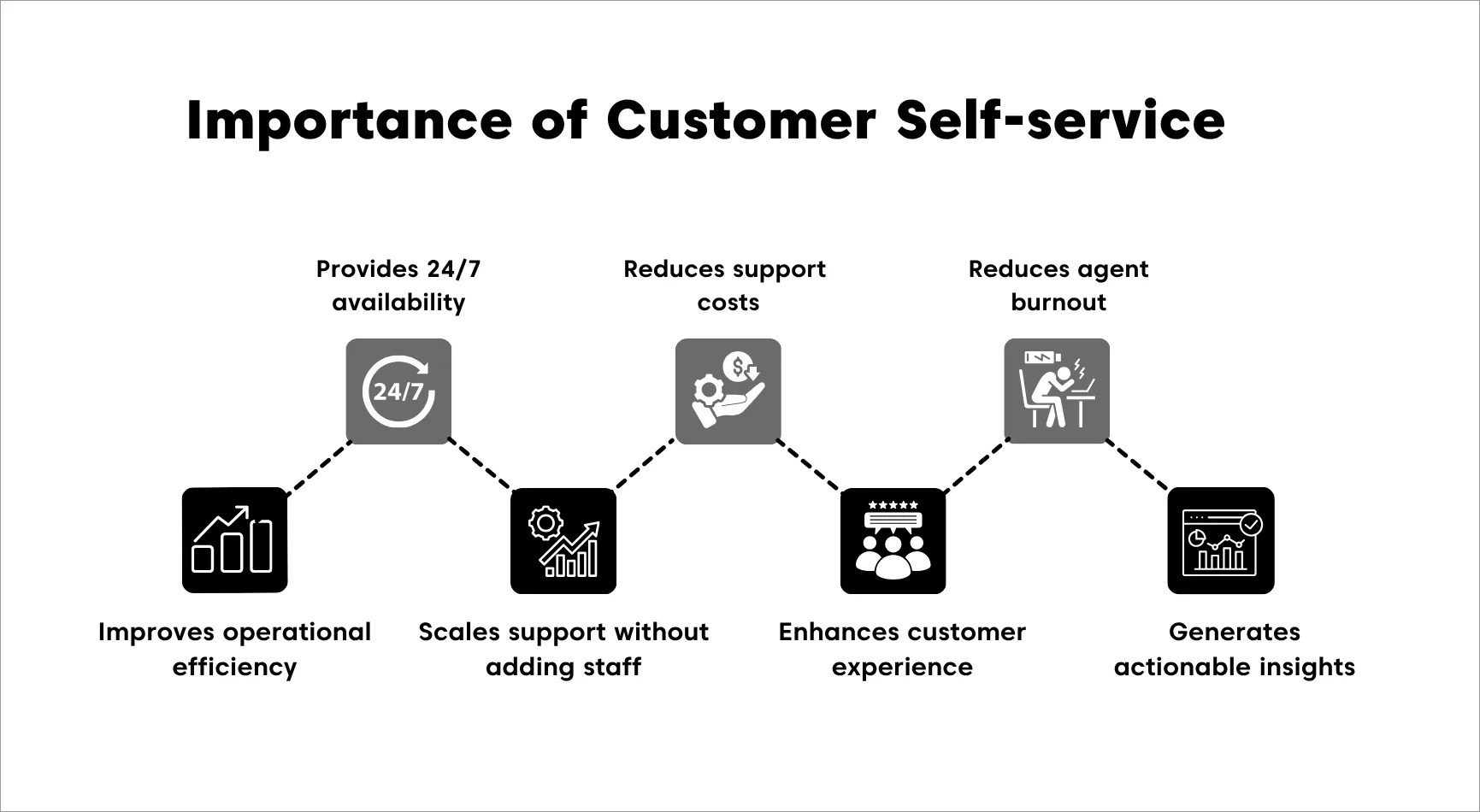
- Creates a scalable service model: Self-service enables organizations to support growing customer demand without relying solely on additional support resources, making it easier to scale as the business expands.
- Empowers customer independence: Many customers prefer finding answers on their own. A well-planned self-service strategy gives them greater control over how and when they access support.
- Improves resource allocation: By enabling customers to resolve appropriate issues independently, organizations can direct support resources toward higher-value activities, complex cases, and strategic initiatives.
- Supports consistent customer experiences: A governed self-service program helps ensure customers receive accurate, up-to-date information regardless of when they seek assistance.
- Strengthens organizational efficiency: Reducing reliance on repetitive support interactions allows teams to focus on continuous improvement, product feedback, and customer success initiatives.
- Enhances cross-functional alignment: Successful self-service strategies bring support, product, marketing, and subject-matter experts together around shared ownership of customer knowledge.
- Provides insights for strategic planning: Customer behavior, content usage patterns, and feedback trends can help organizations identify knowledge gaps, prioritize improvements, and guide future customer experience decisions.
Ultimately, a well-executed customer self-service strategy creates value for both customers and the business by improving scalability, strengthening customer independence, and supporting more efficient service delivery.
7 Pillars of a customer self-service strategy
Building a successful customer self-service program requires more than publishing content or introducing new technologies.
Organizations need a clear framework for identifying priority audiences, establishing ownership, governing content, managing adoption, and scaling self-service over time.
The following pillars provide a foundation for developing a sustainable and effective customer self-service strategy.
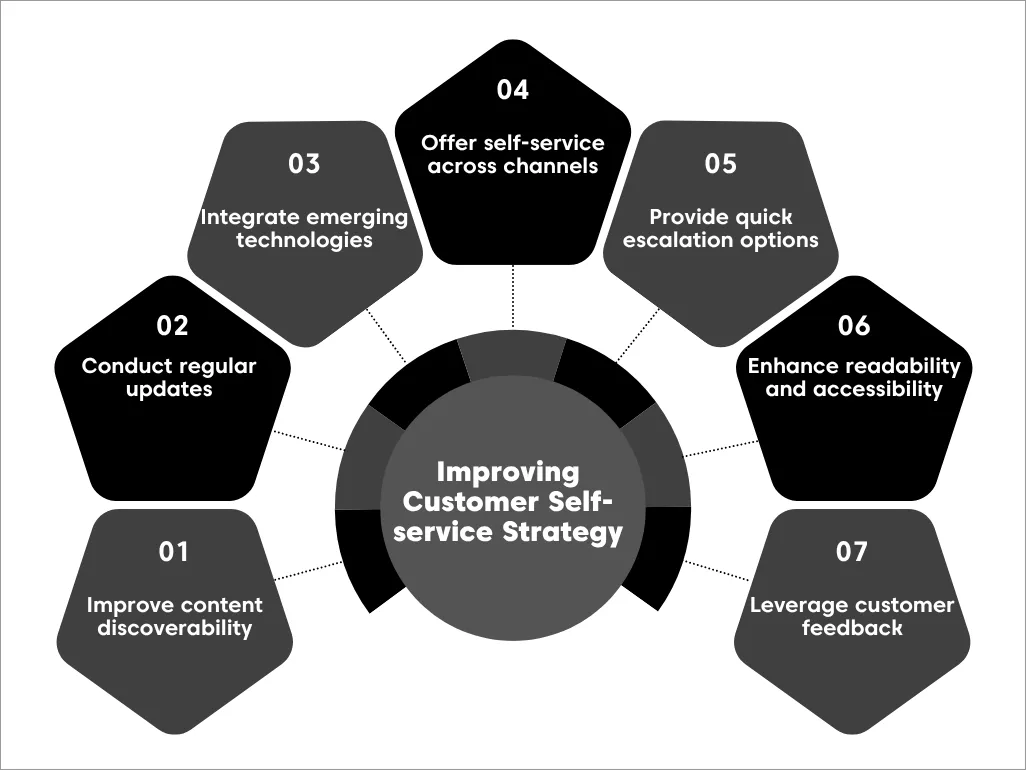
Segment your audience and map their needs
Not all customers have the same expectations or support requirements. Before expanding self-service, identify the audience groups most likely to benefit from it and map the types of issues they want to resolve independently.
Understanding customer goals, support preferences, and common challenges helps organizations prioritize the right experiences and avoid investing resources in areas that deliver limited value.
This planning should inform your broader web self-service approach and long-term support strategy.
Assign content governance and ownership
One of the most common reasons self-service programs fail is unclear ownership. Organizations should establish who is responsible for creating, reviewing, approving, and maintaining content across the customer journey.
A governance framework should define accountability, review schedules, escalation paths for updates, and quality standards. Clear ownership helps ensure content remains accurate, consistent, and aligned with business objectives over time.
Decide where AI fits in your strategy
AI can strengthen self-service initiatives, but it should support a broader strategy rather than operate as a standalone solution.
Before implementation, organizations should determine which customer interactions are suitable for automation and where human involvement remains essential.
The goal is to align AI investments with customer needs, business priorities, and support objectives. When introduced thoughtfully, AI can help extend self-service capabilities while maintaining a positive customer experience.
Plan a phased rollout across channels
Rather than launching self-service everywhere at once, organizations should take a phased approach. Start with high-impact use cases and audience groups before expanding to additional channels and self-service in help desk workflows.
A gradual rollout allows teams to validate assumptions, gather feedback, and refine processes before broader adoption. It also helps ensure governance standards remain consistent across every customer touchpoint.
Define your escalation policy
Even the most comprehensive self-service strategy cannot address every customer need. Organizations should establish clear policies that determine when customers should move from self-service to assisted support.

These policies should consider factors such as issue complexity, urgency, customer impact, and regulatory requirements. Defining escalation criteria in advance helps create a more consistent and predictable customer experience.
Set accessibility and inclusion standards
Accessibility and inclusion should be built into self-service governance from the beginning. Organizations should establish standards that ensure customers can access support resources regardless of language, ability, device, or location.
By treating accessibility as a strategic requirement rather than an afterthought, businesses can create more inclusive experiences and expand the reach of their self-service initiatives.
Build a feedback loop into governance
Customer needs, products, and support expectations evolve continuously. To keep self-service relevant, organizations should incorporate feedback into ongoing governance processes.
Feedback from customers, support teams, and business stakeholders can help identify content gaps, emerging issues, and opportunities for improvement.
A structured feedback loop ensures self-service remains aligned with customer expectations and business goals over time.
Which self-service channels fit your strategy?
Selecting the right self-service channels depends on your audience, the types of issues customers need to resolve, and the internal resources available to maintain the experience.
Rather than adopting every channel at once, organizations should prioritize the options that best align with customer needs and business goals.
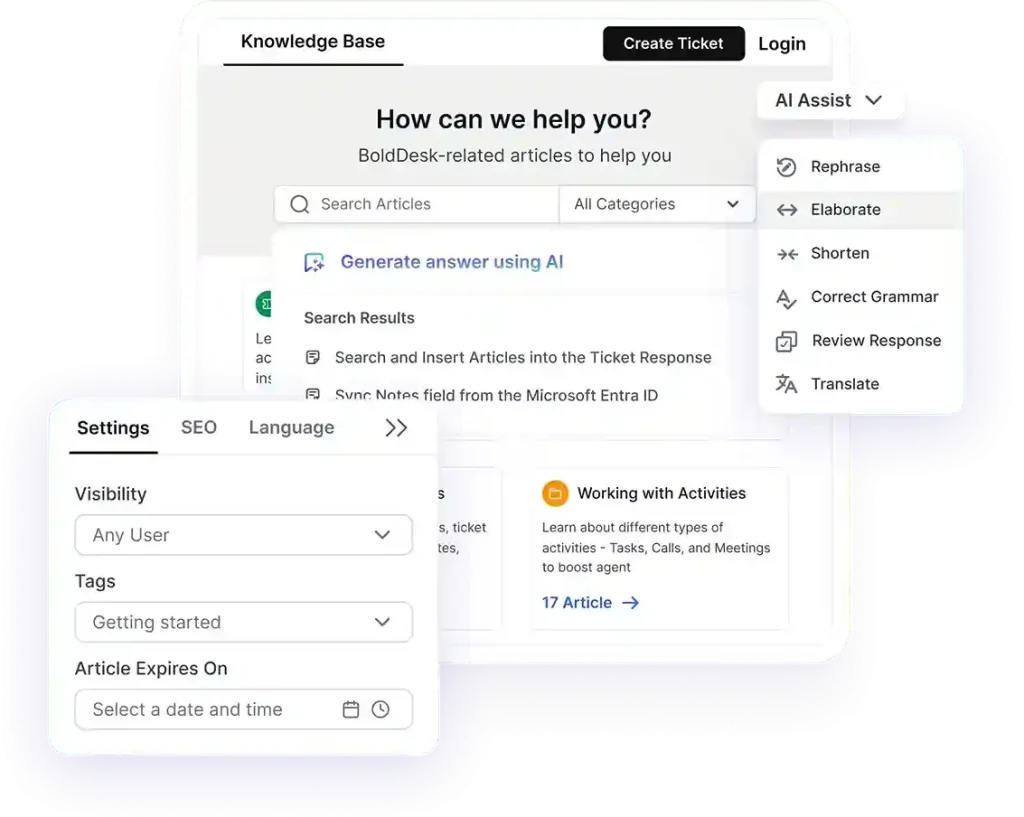
Knowledge base
Knowledge bases are typically best for customers who prefer independent research and need detailed answers to product, service, or troubleshooting questions. They are usually owned by support teams and subject-matter experts who are responsible for maintaining content accuracy and relevance.
According to Higher Logic, 92% of customers prefer using a knowledge base if one is available, making it a common starting point for organizations planning their self-service strategy.
FAQ page
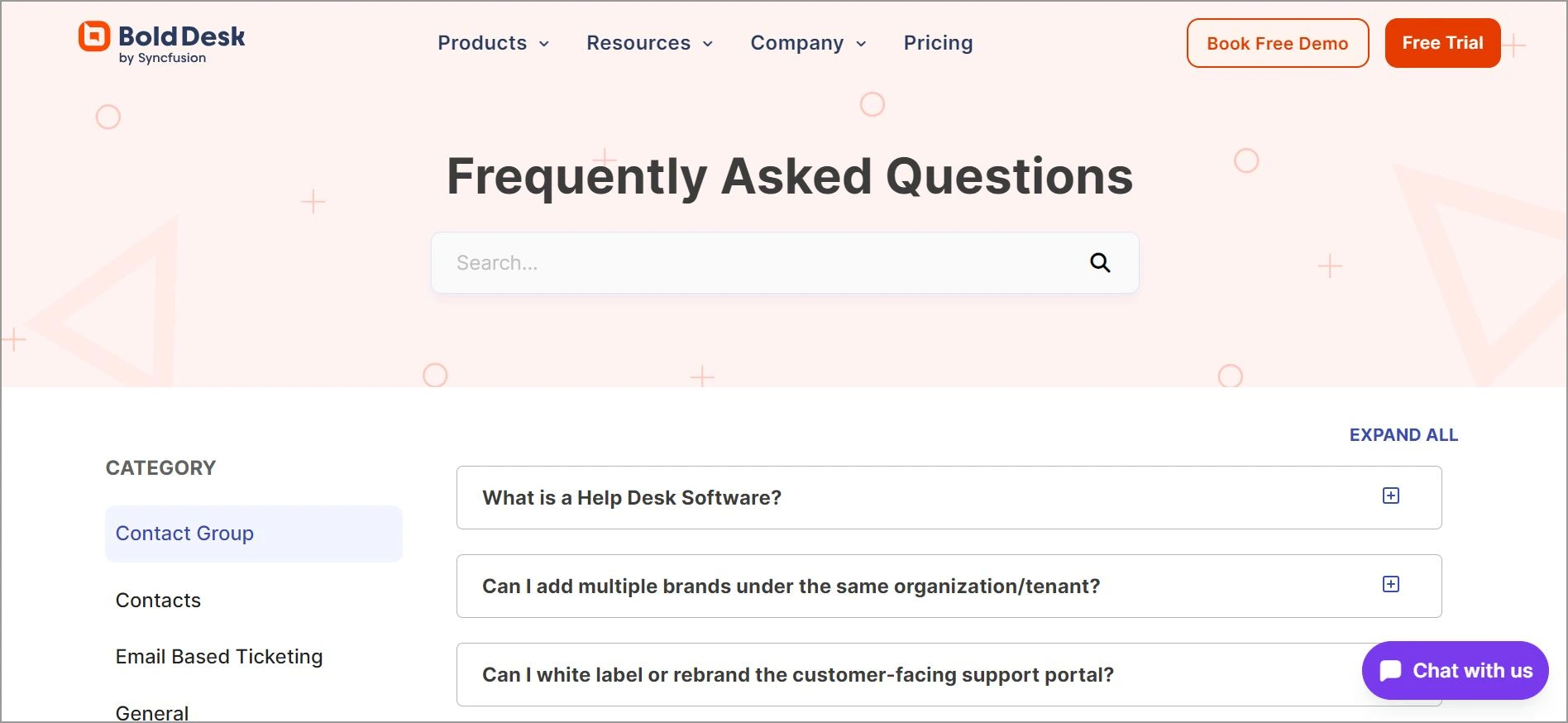
FAQ pages are well suited for customers looking for quick answers to common questions, such as policies, onboarding requirements, or account-related information.
They are often owned by support, customer success, or marketing teams, depending on the subject matter covered.
AI-powered self-service
AI-powered self-service can be valuable for organizations managing high support volume or seeking to automate routine customer interactions.
Ownership typically involves collaboration between support leadership, operations teams, and technology stakeholders to ensure responses remain accurate and aligned with business goals.
Community forums
Community forums are often most effective for customers who benefit from peer-to-peer knowledge sharing and collaborative problem-solving. Ownership generally combines community management responsibilities with oversight from support or product teams.
Mobile apps
Mobile self-service experiences are best suited for customers who primarily engage with a business through mobile devices and expect support within the same environment. Ownership often spans product, support, and digital experience teams.
Video tutorials
Video tutorials can be particularly useful for customers who learn best through visual guidance or need help with more complex processes. These resources are often jointly owned by support, training, customer success, or content teams.
There is no single best self-service channel for every organization. The right mix depends on customer preferences, issue complexity, content ownership, and business objectives.
Many organizations start with a small number of high-impact channels and expand over time as adoption grows.
Build a customer self-service strategy that scales
Customer self-service is most effective when it is treated as a long-term strategy rather than a collection of tools. By clearly defining target audiences, establishing ownership, and putting governance processes in place, organizations can create a more sustainable and scalable support experience.
As customer needs and business priorities evolve, self-service should evolve with them. Regular reviews, customer feedback, and a thoughtful rollout approach can help ensure the strategy remains relevant and continues to deliver value over time.
BoldDesk helps organizations plan, launch, and scale self-service initiatives with tools designed to support content governance, customer adoption, and long-term growth. Its customer self-service portal enables businesses to deliver consistent and accessible self-service experiences across the customer journey.
Ready to build and scale your customer self-service strategy? Start a free trial or request a personalized live demo to see how BoldDesk can support your self-service goals.
Related articles
- Reasons why a Knowledge Base is Important in an Organization
- 7 Techniques to Improve Your Knowledge Base Design
- Knowledge Base Article Templates for Great Content Creation
Frequently Asked Questions
The best self-service channels depend on your audience’s preferences, the types of issues customers need to resolve, your support volume, and the resources available to maintain the experience.
Rather than adopting every channel at once, organizations should prioritize the options that best align with customer needs and business goals.
Ticket deflection refers to situations where customers use self-service resources to find answers instead of creating a support ticket.
Because organizations cannot always verify whether every customer successfully resolved their issue, ticket deflection is often measured as an estimate unless resolution is explicitly confirmed.
Common mistakes include offering self-service content that’s hard to navigate or lacks clarity, overlooking the need for easy access to live support when issues get complicated, and failing to track how well self-service solutions perform.
Avoid treating self-service as a “set it and forget it” tool; regularly refine and expand your resources based on customer behavior and feedback to keep them effective and relevant.
Success criteria should be defined during the planning stage and aligned with business goals, customer experience objectives, adoption targets, and operational priorities.
Organizations should establish the outcomes they want self-service to achieve and track the appropriate knowledge base metrics and KPIs over time.