



TL;DR: AI support for B2B SaaS can resolve low-risk technical tickets and assist with complex cases. Accurate support requires current, versioned knowledge, relevant account context, validated actions, clear escalation rules, and human review for high-risk issues.
An AI agent recommends a deprecated API configuration. What should be a simple integration fix quickly becomes a support escalation.
These errors, often called AI hallucinations, are becoming a growing concern as AI support for B2B SaaS becomes more common.
B2B SaaS teams are increasingly using AI for troubleshooting, knowledge retrieval, ticket routing, and self-service.
The real challenge is ensuring AI delivers accurate guidance when technical issues depend on APIs, integrations, permissions, configurations, and customer-specific environments.
This guide explains how B2B SaaS companies use AI to handle technical support tickets, where AI works best, and how to minimize hallucination risk while maintaining customer trust.
What is AI support for B2B SaaS?
AI support for B2B SaaS uses artificial intelligence to help business-to-business software companies resolve technical issues, retrieve relevant knowledge, automate support workflows, and improve customer support efficiency.
In a B2B SaaS environment, AI can:
- Answer technical questions using documentation and API references
- Route tickets based on complexity or account needs
- Summarize troubleshooting conversations
- Draft responses using customer-specific context
- Retrieve relevant documentation for a customer’s setup
Unlike traditional chatbots, AI support for technical tickets can use account, product, and integration context to provide more relevant assistance.
For B2B SaaS companies, the goal is not simply to automate support. It is to deliver accurate technical guidance that aligns with each customer’s product version, permissions, configurations, and integrations.
Why AI support for technical tickets carries higher accuracy risk
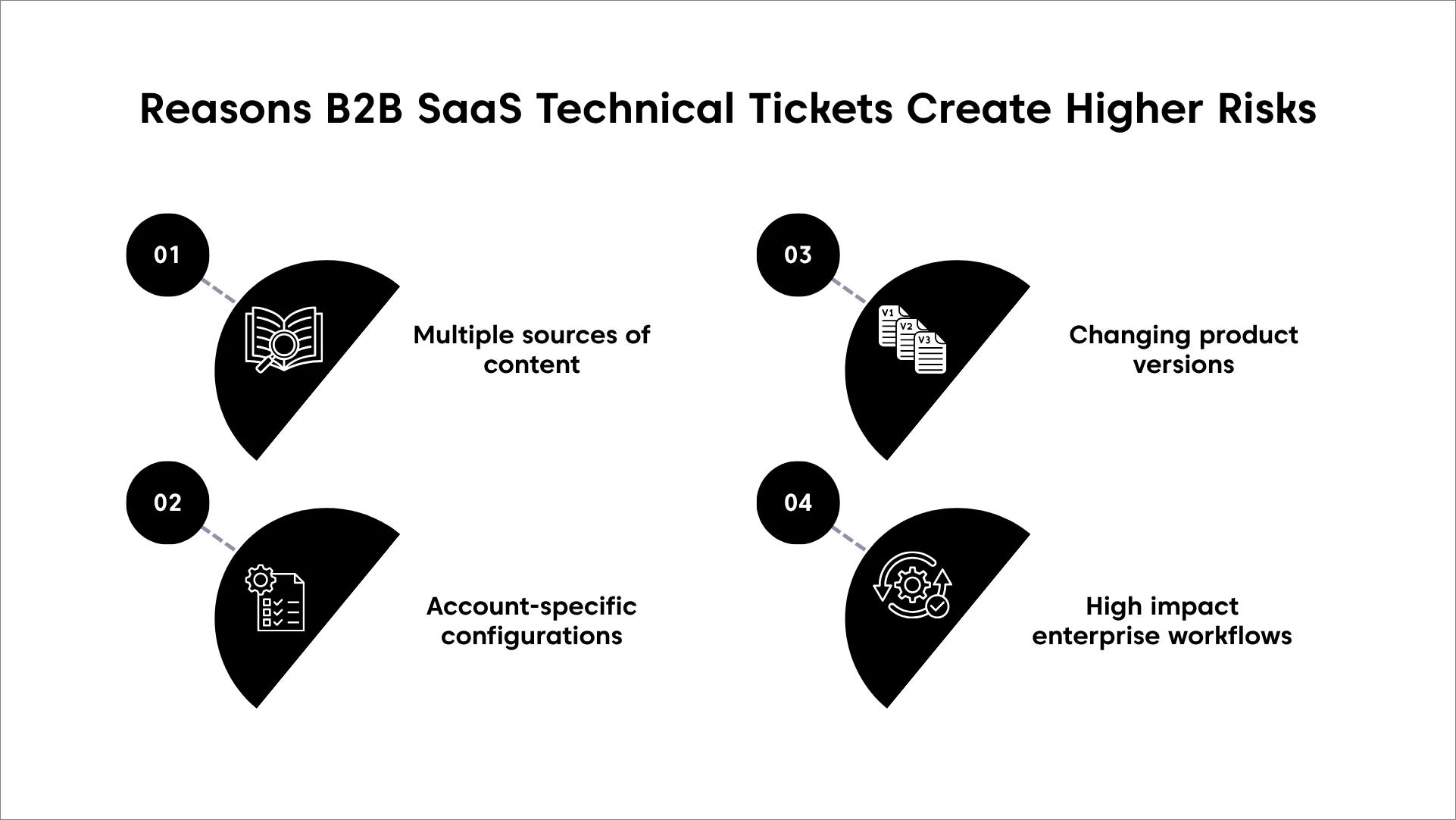
Technical support in B2B SaaS requires significantly more context than most customer service interactions.
The correct answer often depends on a customer’s subscription plan, product version, integrations, permissions, deployment environment, and recent account changes.
Without that context, AI may provide guidance that sounds correct but does not apply to the customer’s specific setup.
Multiple sources of context
Many B2B SaaS support issues require information from multiple sources. For example, resolving an API authentication error may depend on the API version, authentication method, permissions, active integrations, and recent account changes.
As a result, support teams often need to review documentation, account settings, release notes, and previous support interactions before identifying the correct solution.
Product versions and changing documentation
B2B SaaS products change frequently as features, APIs, integrations, and interfaces are updated.
Guidance that worked for one product version may not apply to another, increasing the risk of AI surfacing outdated instructions or unsupported workflows.
Account-specific configurations
Many technical issues depend on a customer’s unique setup. Feature availability, SSO configurations, permissions, custom workflows, and security policies can vary between accounts.
Without this context, AI may provide advice that is technically correct but irrelevant to the customer’s environment.
High-impact enterprise workflows
B2B SaaS platforms often support critical business processes such as customer-facing services, billing systems, enterprise integrations, and data synchronization.
A single piece of incorrect technical guidance can disrupt operations, making accuracy more important than automation.
Common hallucinations in AI B2B SaaS technical support
Not all AI mistakes are obvious. In B2B SaaS technical support, AI can sometimes generate responses that sound correct but are inaccurate or unsupported by verified information.
Understanding how hallucinations appear can help B2B SaaS customer support teams identify and reduce potential risks.
In technical support, hallucinations can appear in several ways.
- Recommending incorrect API instructions: AI may recommend deprecated endpoints, outdated authentication steps, or unsupported parameters. Because these responses often appear credible, teams can spend valuable time troubleshooting the wrong issue.
- Inventing features or plan availability: One common AI hallucination is incorrectly describing product capabilities or feature availability. AI may claim a feature exists, state that it is included in a customer’s subscription plan, or suggest settings that are only available in higher-tier editions.
- Providing outdated product guidance: When AI relies on outdated content, it may direct customers to deprecated endpoints, retired interfaces, or configuration processes that are no longer supported.
- Making unsupported assumptions: AI may generate responses based on incorrect assumptions about a customer’s environment. For example, it may assume SSO is configured, required permissions are enabled, or an integration is active. These assumptions can lead to incorrect troubleshooting steps and unnecessary escalations.
Where AI customer support for B2B SaaS adds the most value
Not every B2B SaaS technical support ticket should be handled the same way. Some issues have clear answers in verified documentation and can be resolved by AI with minimal risk. Others require account-specific context, human judgment, or deeper technical investigation.
Even the best AI agents for customer support should not be expected to resolve every technical issue on their own.
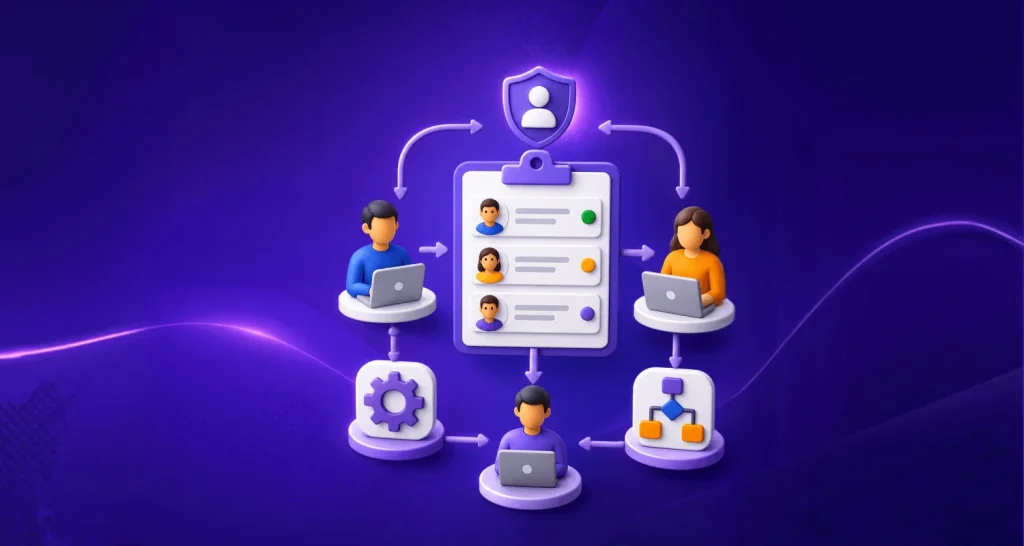
A practical way to manage this is by defining three levels of AI involvement: AI resolves, AI assists, and human owns. Each level reflects the amount of risk, complexity, and customer-specific context involved in resolving the issue.
- AI resolves: AI independently handles low-risk, well-documented requests using approved knowledge sources.
- AI assists: AI gathers information, retrieves documentation, summarizes context, and drafts responses for agent review.
- Human owns: Human customer service specialists take full responsibility for high-risk, ambiguous, security-sensitive, or environment-specific issues.
The table below shows the appropriate level of AI involvement for common B2B SaaS technical support scenarios.
| Scenario | AI role | Required safeguard |
| Product navigation question | AI resolves | Use current, version-matched documentation |
| Feature usage question | AI resolves | Confirm feature and plan availability |
| Password reset | AI resolves | Use an authenticated, permission-controlled workflow |
| Documented API question | AI resolves | Confirm API version and authentication method |
| Configuration issue | AI assists | Verify account and environment context |
| Environment-specific API failure | AI assists | Require agent validation |
| Custom integration issue | Human owns | Route to a technical specialist |
| Data loss concern | Human owns | Escalate immediately |
| Security incident | Human owns | Follow the security-response process |
| Service outage | Human owns | Follow the incident-response process |
How B2B SaaS teams reduce hallucination risks in AI support
Reducing AI hallucinations in technical support is not about eliminating AI. It is about creating processes that help AI deliver accurate and reliable support.
B2B SaaS support teams need the right processes, knowledge base management practices, and human oversight to ensure AI-generated responses remain accurate and trustworthy.
Maintain structured knowledge
Label your documentation by API version, integration, and feature so AI can identify which content applies to a specific setup. When a feature or endpoint is retired, archive the content or clearly mark it as outdated immediately.
Outdated documentation that appears current can be more harmful than having no answer at all because AI cannot reliably distinguish between valid and obsolete information.
Knowledge-Centered Service (KCS) provides a useful framework for this process. Update your knowledge base as tickets are resolved rather than waiting for periodic documentation reviews.
This helps keep your AI knowledge base aligned with current product behavior and support practices.
Define escalation rules
Do not base escalation on confidence alone. Combine ticket risk, source availability, account context, action sensitivity, and model confidence when deciding whether AI can continue independently or escalate.
Low-risk, reversible actions may be automated when the AI has verified the customer’s profile and operates within defined permissions. Financial, security-sensitive, destructive, or production-level changes should require human approval.
Common escalation triggers include:
- Questions related to security
- Low-confidence responses
- Enterprise account requests
- Technical incidents
- Repeated failed interactions
Document these rules clearly so they can be reviewed and audited when needed. If a support ticket bypasses escalation, the reason should be traceable to a documented rule rather than left open to interpretation.
Keep humans in the loop
For medium- and high-risk tickets, allow AI to retrieve information, summarize context, and draft a response while a qualified agent validates the guidance before it reaches the customer or affects the account.
This is especially important in B2B SaaS environments, where incorrect guidance on a webhook, integration, or configuration can create significant operational issues.
Human-in-the-loop AI is most valuable in high-risk situations, including integrations, permissions, configurations, and enterprise workflows where accuracy is critical.
Ground responses in verified sources
Retrieval-Augmented Generation (RAG) helps AI retrieve information from approved sources before generating a response. In B2B SaaS support, those sources should reflect the customer’s product version, plan, integrations, and permissions.
However, RAG does not guarantee accuracy, so teams should still verify that the information is current, relevant, and applicable to the customer’s environment.
Review performance regularly
Review AI-resolved tickets by category rather than selecting them at random. Prioritize high-risk areas such as API issues, integrations, and configuration changes, since errors in these categories often have the greatest impact before they are detected.
Track ticket-reopen rates, grounded-answer rates, citation accuracy, escalation precision, and correction rates across different categories.
Strong overall performance metrics can still conceal problem areas. Use these findings to refine your knowledge base and escalation policies.
In addition, review customer feedback for AI-handled tickets specifically, rather than relying solely on overall satisfaction scores.
Benefits of accurate AI-powered technical support
When supported by verified knowledge, clear guardrails, and human oversight, AI can help B2B customer service teams improve support efficiency without sacrificing accuracy.
According to Salesforce’s 2025 study report, service organizations estimate that AI currently handles around 30% of customer service cases and expect it to manage half of all cases by 2027.
Beyond faster responses, AI reduces repetitive work, improves consistency, and helps B2B SaaS support teams scale technical customer support operations more effectively.
- Faster responses: AI-powered support tools can surface relevant documentation and API references from a single search, helping B2B SaaS support teams answer routine technical questions without digging through multiple docs or tickets.
- Higher agent productivity: AI-powered support in B2B SaaS reduces the time agents spend searching documentation, reviewing ticket history, and gathering technical context, allowing them to focus on complex issues such as integrations, configuration errors, and enterprise escalations.
- More consistent support: Implementing AI support in B2B SaaS helps standardize responses using approved knowledge sources, ensuring customers receive consistent guidance across products, plans, and support channels.
- Better scalability: AI support tools can handle routine technical requests and assist with ticket triage, enabling SaaS support teams to manage growing ticket volumes without increasing headcount.
- Better knowledge retention: AI makes SaaS troubleshooting guides, product knowledge, and past resolutions easier to access, helping support teams share expertise consistently and reduce dependence on individual specialists.
Scale AI support for B2B SaaS without sacrificing accuracy
AI can help B2B SaaS companies respond faster, reduce repetitive work, and support growing customer bases. However, success depends on using AI responsibly, with accurate knowledge sources, clear escalation paths, and human oversight for complex technical issues.
The most effective B2B SaaS support teams do not focus on automating everything. Instead, they use AI support for B2B SaaS where it delivers reliable value while ensuring customers can quickly reach the right experts when needed.
Looking for an AI-powered help desk for SaaS that combines B2B SaaS support automation with human oversight?
Sign up for a free trial to explore how BoldDesk helps SaaS teams deliver accurate, scalable support with AI-assisted workflows, AI knowledge management, and intelligent ticket handling.
Related articles
- AI Agent for IT Support and Service Desks: What’s Different from CX?
- AI vs Human Customer Service in 2026: When to Use AI, Humans, or Both
- 7 AI Customer Support Challenges (and Proven Fixes for 2026)
FAQs
Yes. AI can help enterprise support teams retrieve documentation, route tickets, and help agents respond faster. However, sensitive or high-risk issues should still involve human oversight.
RAG allows AI to retrieve information from trusted sources before generating a response. It helps reduce AI hallucinations by grounding answers in verified documentation, but it cannot eliminate inaccuracies because results still depend on the quality and relevance of the source content.