









TL;DR: Scaling SaaS customer support goes beyond shared inboxes and manual workflows. This guide breaks down the signs your support operation has outgrown manual processes, how mature SaaS teams execute best practices like automation and SLAs, and why dedicated systems become essential as ticket volume and complexity increase.
Your customers hold the key to your success. However, as your SaaS company grows, keeping those customers happy becomes much harder.
In the early stages, managing SaaS customer support is relatively simple. Most teams rely on a shared inbox and a small, dedicated team to handle customer questions.
But as your customer base expands, that manual process begins to fail. Suddenly, you are facing overflowing inboxes, fragmented communication, and slow response times.
The simple workflows that worked for 100 users start to break down when you have 1,000. To keep up, you don’t just need to work harder; you need a smarter way to handle the load.
In this guide, we’ll explore SaaS customer support best practices designed for growth, moving beyond simple fixes to build a scalable support system that works for you.
Signs your SaaS support needs a dedicated system
As SaaS teams scale, best practices alone become difficult to sustain without systems to enforce them.
What used to rely on team coordination and discipline starts to break down as ticket volume, channels, and customer expectations increase.
If you’re seeing the following issues consistently, it’s a sign that manual processes are no longer enough to support your SaaS customer support operation.
- Agent collision: Multiple support agents unknowingly work on the same issue or send conflicting replies to a customer because they lack visibility into who is currently viewing or handling a specific ticket.
- Fragmented customer context: Customer interactions are scattered across different communication platforms, forcing customers to repeat themselves and be frustrated.
- Limited data visibility: Inability to track essential metrics like first response time, resolution rates, or CSAT scores, leading to spending countless hours manually tallying data in spreadsheets.
- Repetitive manual burnout: Support team waste significant time manually typing responses to the same repetitive common FAQs instead of focusing on complex technical issues.
- Unmanageable ticket backlogs: The volume of incoming requests is growing faster than your team’s ability to organize them, resulting in a constantly overflowing inbox where emails frequently slip through the cracks.
- Missed SLA deadlines: High-priority tickets get buried under a pile of spam or low-priority requests because there is no automated sorting.
- Onboarding confusion: New users struggle to get started due to unclear guidance, flooding the support team with basic questions and preventing agents from addressing serious technical issues.
Individually, these issues may seem manageable. Together, they signal a deeper execution gap, where knowing what to do is no longer the problem.
At this stage, support teams need structured systems that enforce ownership, prioritization, and visibility to keep best practices working at scale.
Best practices to improve SaaS customer service
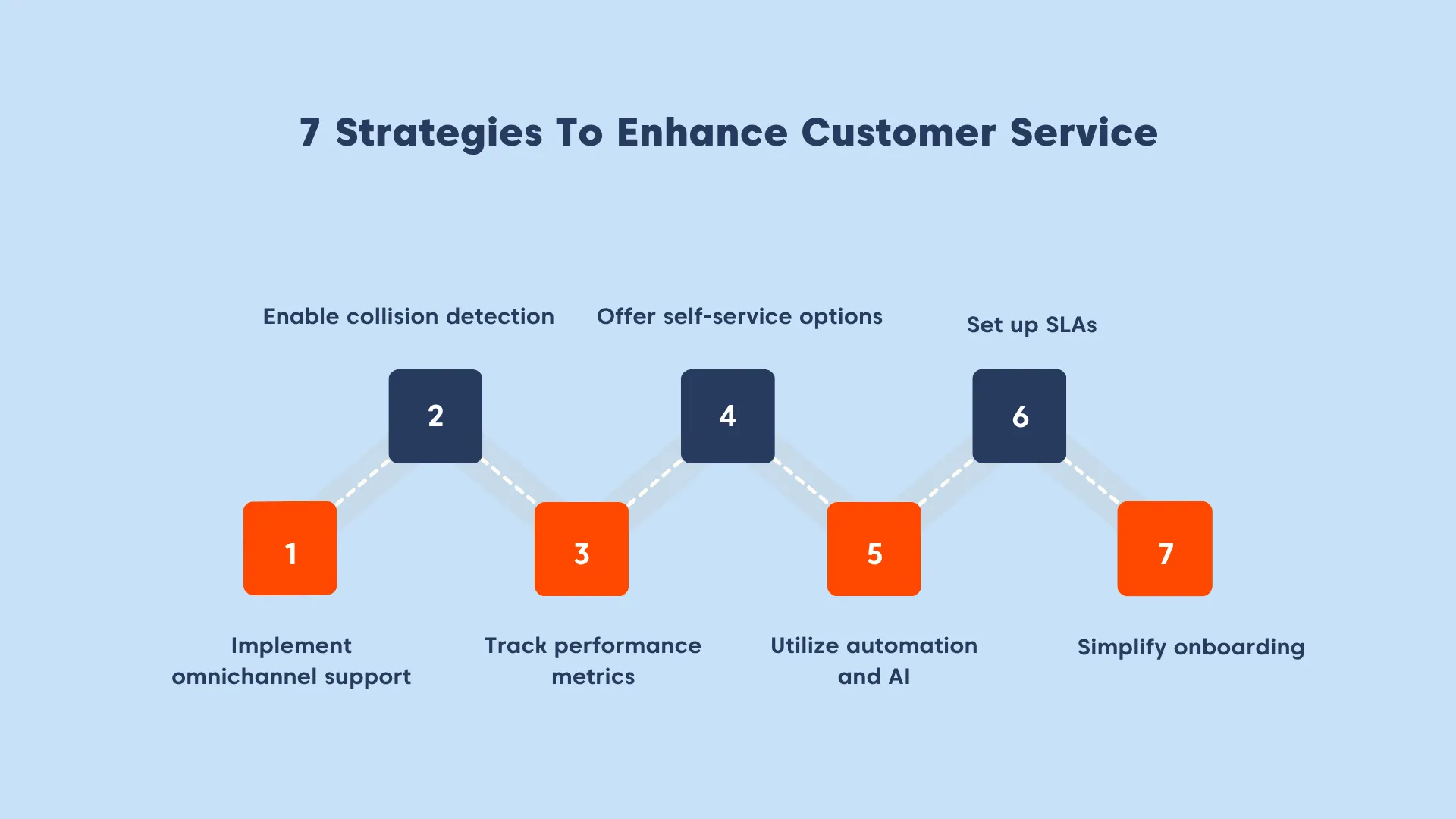
Scaling isn’t about hiring more people; it’s about removing friction from your process. Here are the practical strategies you need to implement to streamline your customer service for SaaS.
Unify customer conversations into a single view
Centralizing communication channels involves pulling every email, live chat, and social media interaction into one dashboard rather than managing them in different apps.
As SaaS companies grow, managing these channels in different tabs forces agents to constantly switch back and forth, which leads to information gaps and customer frustration.
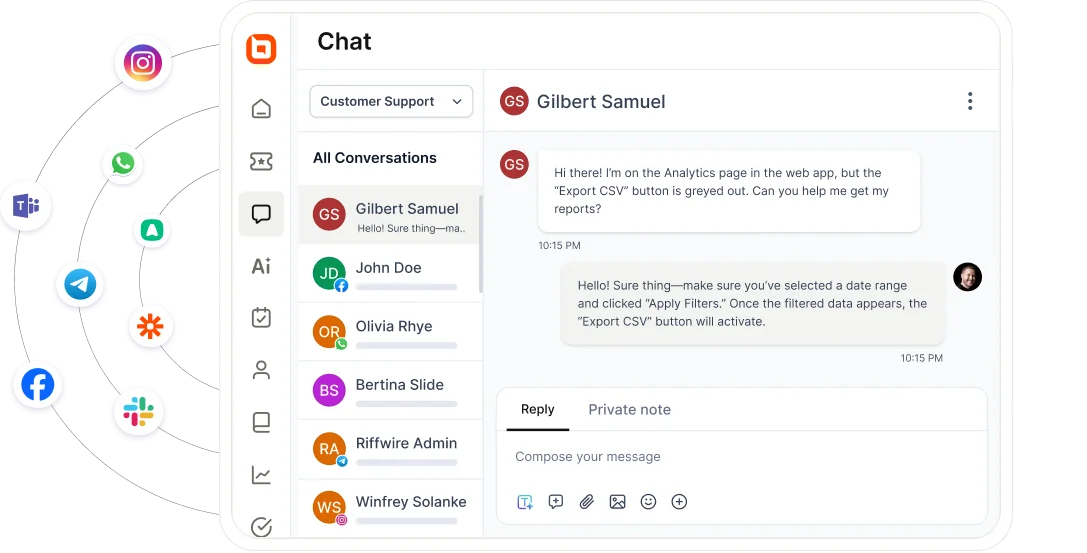
SaaS support teams solve this by using a timeline view that shows a customer’s full history, no matter which channel they used to contact you.
To achieve this seamless visibility and efficiency, support teams need to upgrade to an omnichannel inbox.
Implement collision detection and assignment rules
This practice involves assigning every incoming ticket to a specific agent and visually locking threads to prevent overlapping work.
In standard shared inboxes, there is no way to see if a colleague is already replying, leading to double replies or crucial emails being ignored because everyone assumes someone else handled it.
SaaS teams execute this by ensuring every ticket has a clear owner and utilizing real-time visual indicators that alert an agent if someone else is currently viewing or typing in the same ticket.
Using a robust automated ticketing system equips your team with collision detection features to ensure agents coordinate perfectly and there are no duplicated efforts.
Monitor performance with real-time analytics
Tracking support metrics manually in spreadsheets becomes impossible as your ticket volume grows.
When data is stuck in static files, you cannot spot which agents are overwhelmed or which urgent issues have not been solved yet.
Replacing manual counting with automated dashboards helps organize ticket data by status, priority, and agent workload immediately.
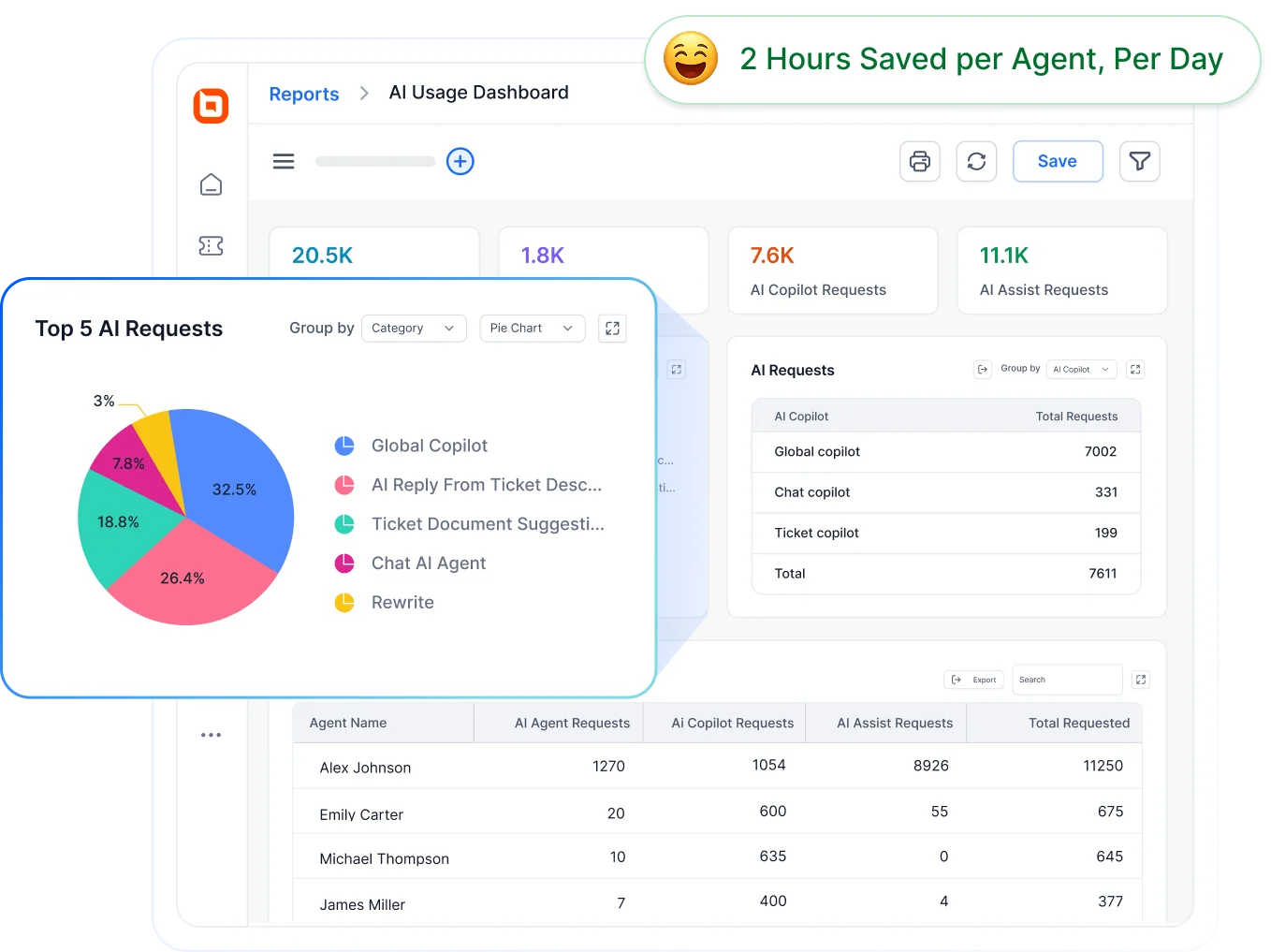
Using a reporting and analytics dashboard centralizes this tracking, ensuring that performance metrics are captured instantly as interactions occur.
Offer a centralized knowledge base to answer common SaaS customer queries
Answering the same routine questions repeatedly is a major issue that prevents your SaaS customer service team from addressing critical support issues.
Once repetitive questions exceed a certain volume, documentation stops being a nice to have and becomes a requirement.
If agents are manually typing answers to “how do I reset my password,” your cost per ticket will skyrocket.
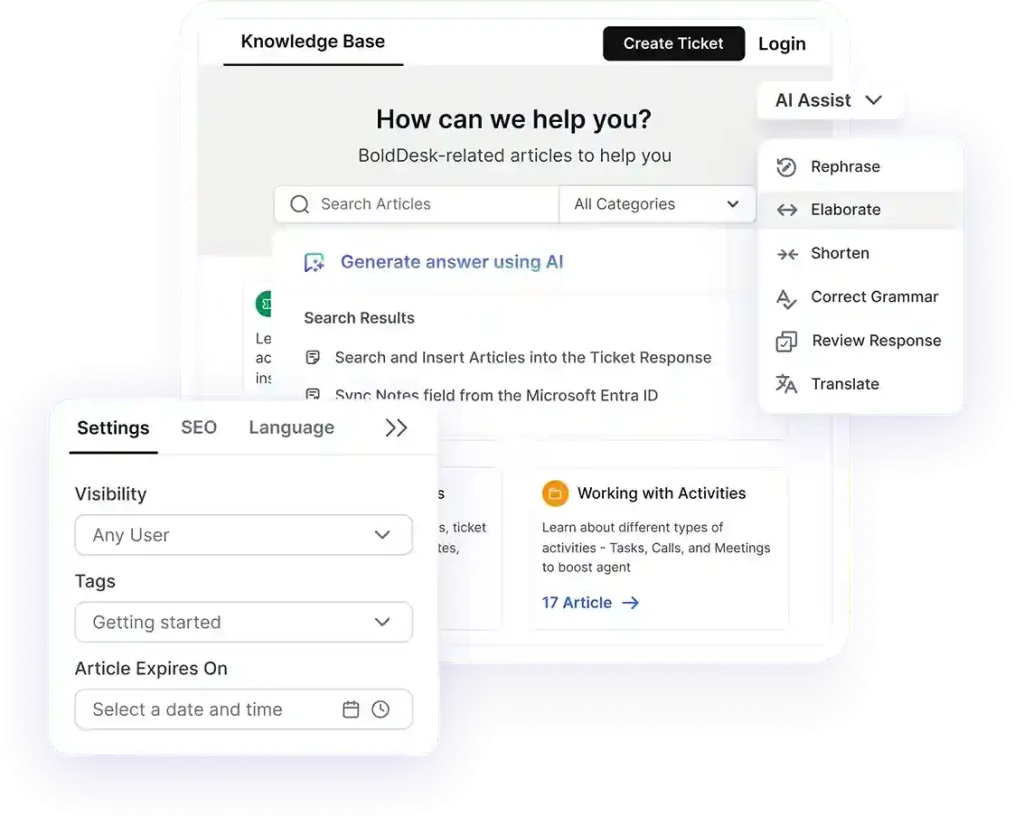
To solve this, SaaS companies need to identify their most common customer inquiries and write clear, step-by-step guides on how to fix them.
Organizing this content in dedicated knowledge base software helps create a centralized place where SaaS users can easily find answers. This saves your team time and ensures customers get solutions without waiting for an email reply.
Utilize automation and AI to simplify workflow processes
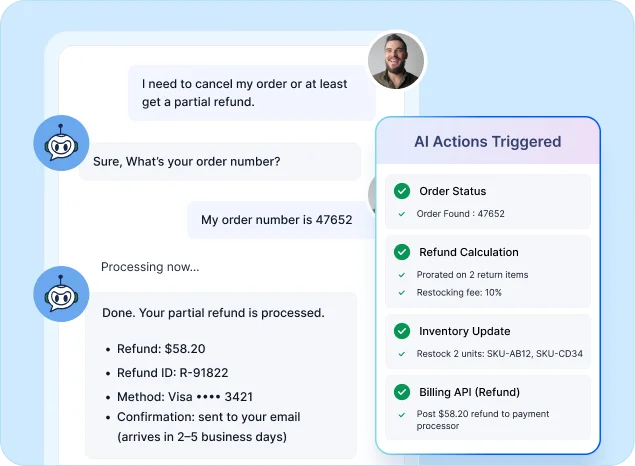
Automating ticket triage and routing prevents high‑priority technical issues from getting buried behind simple repetitive requests.
As more tickets come in, manually reading and tagging each one becomes too slow and causes delays.
SaaS teams should use workflow rules and AI to scan ticket content, detect urgency, and instantly direct complex queries to specialized agents while routing basic questions to general support.
AI-powered help desk automation tools handle the repetitive tasks while your team focuses on resolving the complex support issues.
Enforce service level agreements (SLAs)
Without visual deadlines, critical tickets often sit unnoticed in the queue until a customer follows up with a complaint.
In a standard shared inbox, a high-value enterprise client with a system failure waits just as long as a free user with a minor question.
SaaS brands should configure policies that trigger a countdown timer the moment a ticket arrives based on the customer’s subscription plan or issue severity.
If a response time is at risk, the system automatically flags the ticket or escalates it to a manager. Implementing SLA management features enforces these promises systematically, ensuring that urgent technical issues are never overlooked.
Simplify onboarding processes
If new users struggle to get started, support teams quickly become overwhelmed with basic setup and “how-to” questions.
As a SaaS product scales, unclear onboarding creates unnecessary ticket volume, preventing agents from focusing on complex technical issues and slowing overall response times.
To reduce support burden and make your SaaS customer onboarding process smoother, you need to:
- Guide users from the moment they sign up so they never feel lost.
- Proactively answer common questions before a ticket is created.
- Always send a welcome message that sets the right tone.
- Personalize onboarding to match the specific needs of the customer.
- Include an informative product tour to show features in action.
When onboarding is system-driven instead of manual, customers reach value faster and support teams spend less time resolving avoidable requests.
Ways to measure SaaS customer support
To improve SaaS customer support at scale, teams need visibility into performance, not just raw numbers.
As ticket volume grows, manually tracking customer service metrics becomes time-consuming and unreliable, making it difficult to spot issues early or take action.
The following metrics help SaaS teams evaluate the effectiveness of their support operations:
Customer satisfaction score (CSAT)
One of the best ways to see if users are happy with your service is by tracking customer satisfaction score after every chat or email. This helps you spot problems and fix them quickly.
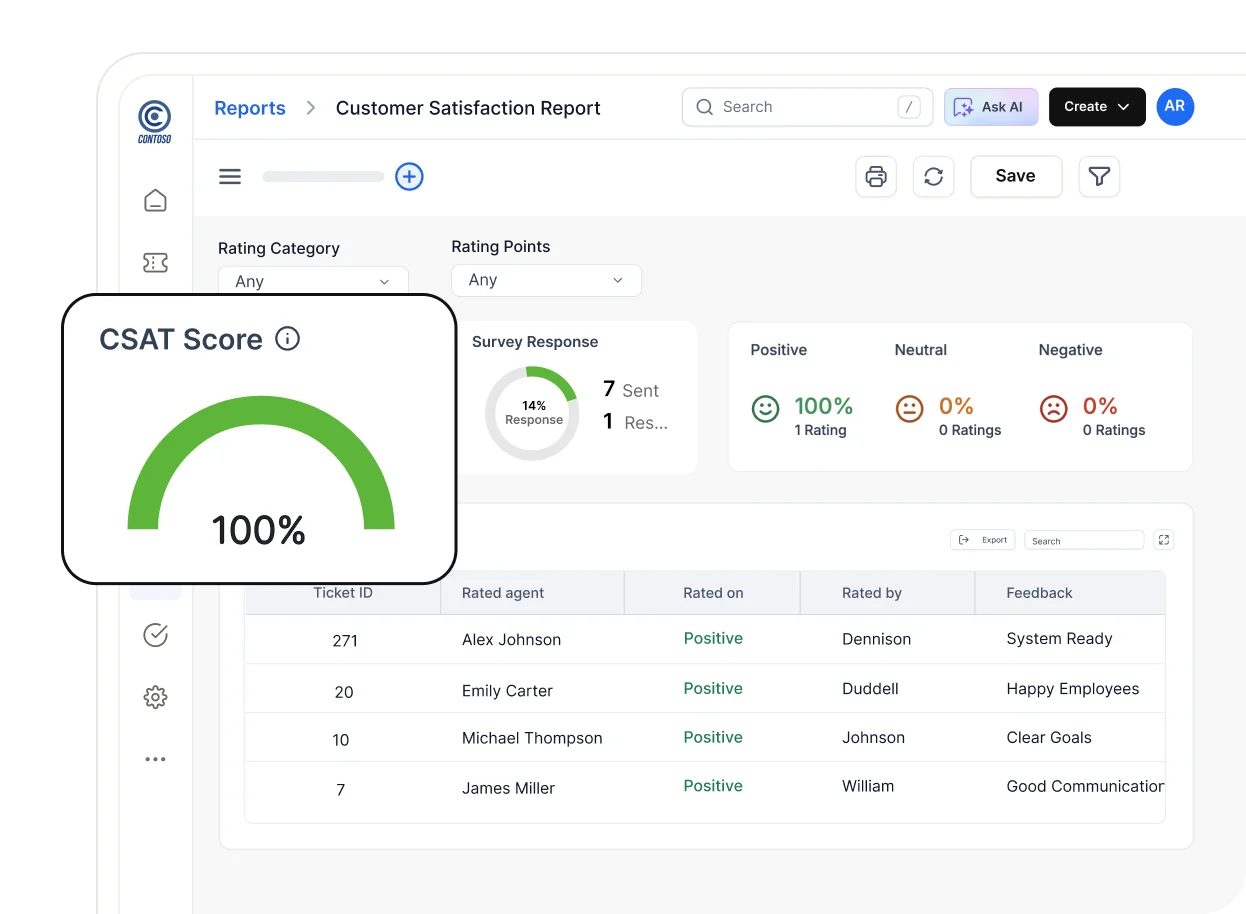
Instead of doing the math manually, BoldDesk provides a free CSAT score calculator to help brands measure their score effortlessly.
Customer effort score (CES)
If getting help is too hard, people get frustrated. Measuring CES indicates how easy it is for customers to resolve their issues.
High effort often points to process friction or unclear guidance that increases support load.
Average resolution time
As volume increases, monitoring your average resolution time helps identify workflow bottlenecks or uneven ticket distribution.
Longer durations often signal that agents lack the necessary tools or permissions to close tickets quickly.
A PwC survey indicated that nearly 80% of U.S. customers value speed as one of the most important factors in driving a positive customer experience.
First response time
Delays in first response time typically indicate prioritization issues rather than agent performance alone.
Tracking how quickly customers receive an initial reply is crucial for maintaining trust during urgent issues.
First contact resolution
The best support solves the problem immediately. Tracking first contact resolution tells you how often your agents are able to fix an issue with just one reply, avoiding long back-and-forth emails.
Benefits of SaaS customer service
- Provides scalability: By using automation tools to handle repetitive questions, your existing team can manage a much higher volume of tickets without needing to recruit new agents immediately.
- Reduces customer churn: Providing reliable, on-time answers prevents frustrations that cause users to cancel their subscriptions, keeping your recurring revenue stable.
- Stronger brand loyalty: Delivering the same high-quality help across every channel proves your company is reliable, which encourages customers to stick with your brand for the long term.
- Provides valuable insights: Tracking SaaS customer service metrics pinpoints exactly where users face challenges, providing the data needed to enhance product features and overall service quality
- Higher conversions: Fast responses during a free trial remove technical blockers for new users, making it much easier for them to decide to buy your product.
- Boosts agent productivity: Removing repetitive manual tasks allows your support agents to focus their energy on solving complex issues rather than wasting time on busywork.
Streamline SaaS customer support for small businesses
Exceptional support isn’t just about solving individual problems; it’s about maintaining consistency as your user base expands.
To keep response times fast and quality high, you need infrastructure that adapts to your growth rather than hindering it.
Implementing specialized help desk software for SaaS transforms your support operations from a reactive struggle into a proactive advantage.
BoldDesk provides the automation and visibility needed to execute these strategies effectively, ensuring every customer interaction builds trust.
For teams ready to move beyond manual support processes, seeing how these systems work in practice can help clarify next steps.
Book a live demo or start a 15-day free trial today to experience first-hand how BoldDesk’s features can serve your support team. Leave a comment below if you have any questions.
Related articles





