



TL;DR: AI agents for IT support use the same technology as customer service AI agents but operate in a more security-sensitive environment. They help automate employee support, access requests, and service-desk workflows while requiring stronger governance, system integrations, and approval controls.
AI agents are rapidly moving beyond chat-based assistance and into workflow execution. While most organizations first encountered them in customer experience (CX), IT leaders are increasingly asking: Can the same AI agent technology work effectively for internal IT support?
The answer is yes, but the requirements are very different. An AI agent for IT support may manage access requests, provision software, or resolve employee issues, creating higher security and operational stakes than typical customer-service interactions.
According to Forrester’s research on the AI-centric service desk, agentic AI is reshaping ITSM service desks by moving beyond answering questions and actively completing tasks and resolving issues.
If you’re new to the concept, our guide on AI Agents in customer service covers the fundamentals.
In this article, we’ll explore what makes an AI agent for IT support different from its CX counterpart, the workflows it can automate today, and the controls needed to deploy it safely.
AI agents in IT support vs. customer service: The same engine, a different job
At a technical level, AI agents for IT support and customer support share many of the same capabilities. Both can understand requests, retrieve information, follow workflows, and perform actions through connected systems.
Beyond answering questions, they can execute AI-driven IT support workflows through tools such as AI Actions, enabling automated task completion across business applications.
The difference isn’t the engine. It’s the job.
A customer-support AI agent may help with orders, refunds, subscriptions, or billing questions. An IT support agent is expected to troubleshoot employee issues, reset credentials, provision software, verify access permissions, and interact with internal systems.
Those differences affect four critical areas:
- Who the user is
- What actions the agent performs
- Which systems it connects to
- How success is measured
Understanding these distinctions is essential before evaluating any AI agent for IT support.
What actually changes for an AI agent for IT support
Applying AI agents to internal IT support isn’t simply a matter of repurposing customer-service AI.
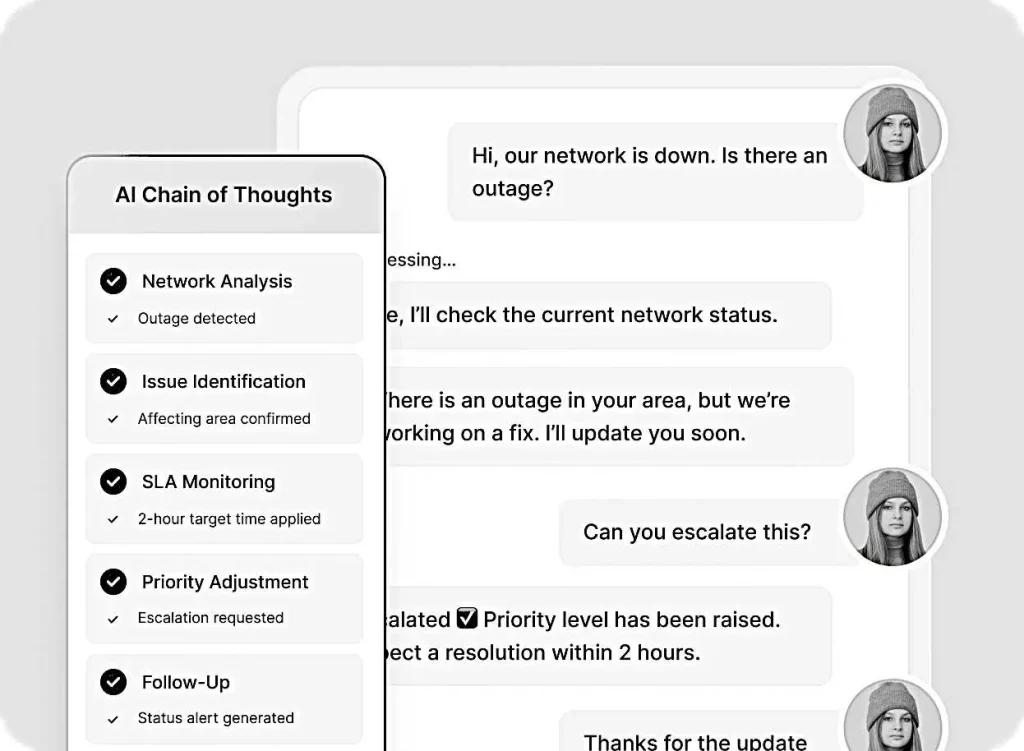
Here are the four things that separate an AI agent genuinely built for IT support from one that’s just been repurposed from customer service.
The end user is an employee, not a customer
An AI agent for employee support has to meet different expectations than one built for customers. Employees deal with IT regularly, so they value consistent, self-service resolution over hand-holding.
They also expect to help themselves; checking their own ticket, requesting software, or resetting a password without waiting on a human support agent.
Internal IT requests are highly predictable. Most involve access issues, login resets, network problems, hardware requests, or new-hire provisioning. AI agents should be built for these IT-specific workflows, not generic customer support scenarios.
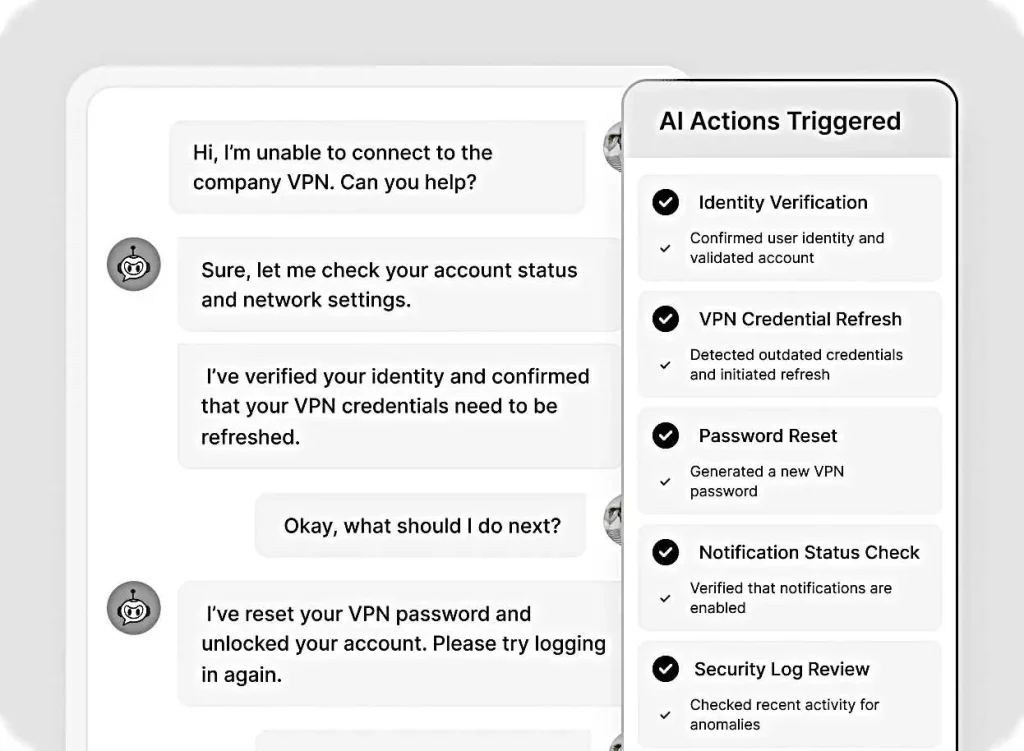
The actions it takes are riskier
A customer-service AI issuing a refund has clear limits: a dollar amount, a return policy, and a known worst-case scenario. An IT support AI that can reset a password, unlock an account, or grant permissions operates in a significantly higher-risk environment.
A wrong refund costs you some money. A wrong access grant can turn into a security breach. This is the biggest reason IT support needs its own rules, rather than borrowing the rules built for customer service.
Before deciding what an AI agent should be allowed to do, it’s worth understanding what are AI Actions and how they’re limited in scope.
The systems it plugs into are different
An AI agent for IT support needs direct integration with core IT systems, including your identity provider, mobile device management platform, configuration management or asset database, and access management tools.
If it handles logins, credentials, or access requests, it should align with recognized identity verification standards such as NIST’s Digital Identity Guidelines, a common benchmark for enterprise IT teams.
These integrations are specialized. Not every vendor supports critical IT systems such as Okta, Microsoft Entra ID, Intune, or CMDBs.
When evaluating an AI agent for IT support, ask a simple question: Does it integrate with the tools your IT team uses every day?
Success is measured differently
Customer support teams focus on metrics like customer satisfaction and retention. IT service desks prioritize operational outcomes such as faster resolutions, higher first-contact resolution rates, ticket deflection, and improved agent productivity while maintaining security and compliance.
If a vendor’s case studies are all CSAT screenshots, that’s a sign their product was built and proven for CX, not IT.
IT service-desk workflows an AI agent can handle today
While AI agents are not ready to autonomously manage every IT process, they can already handle a wide range of common service-desk tasks within modern IT help desk software environments.
The table below highlights some of the most practical applications, the systems involved, and the level of risk associated with each workflow.
| Workflow | What the AI Agent does | System involved | Risk level |
| Account access restoration | Verifies user and initiates reset workflow | Identity provider | Medium |
| MFA assistance | Guides setup or recovery process | Identity platform | Medium |
| Software provisioning | Processes approved software requests | Software management tools | Medium |
| Access requests | Collects information and routes approvals | Access management systems | High |
| Knowledge retrieval | Answers questions from internal documentation | Knowledge base | Low |
| Ticket categorization | Classifies and routes tickets | Help desk platform | Low |
| Outage status updates | Shares incident and service status | Monitoring systems | Low |
| Device assistance | Provides troubleshooting guidance | Device-management tools | Low |
The most successful deployments usually start with repetitive, high-volume requests rather than complex technical investigations.
For example, tasks such as login assistance, software-access requests, and routine ticket routing often deliver measurable efficiency gains quickly while posing manageable risk levels.
Governance and guardrails for AI Agents in IT support
Security concerns are often the biggest obstacle to adopting agentic AI in ITSM environments. Unlike customer-facing support, a mistake in IT can create operational disruptions or security incidents.
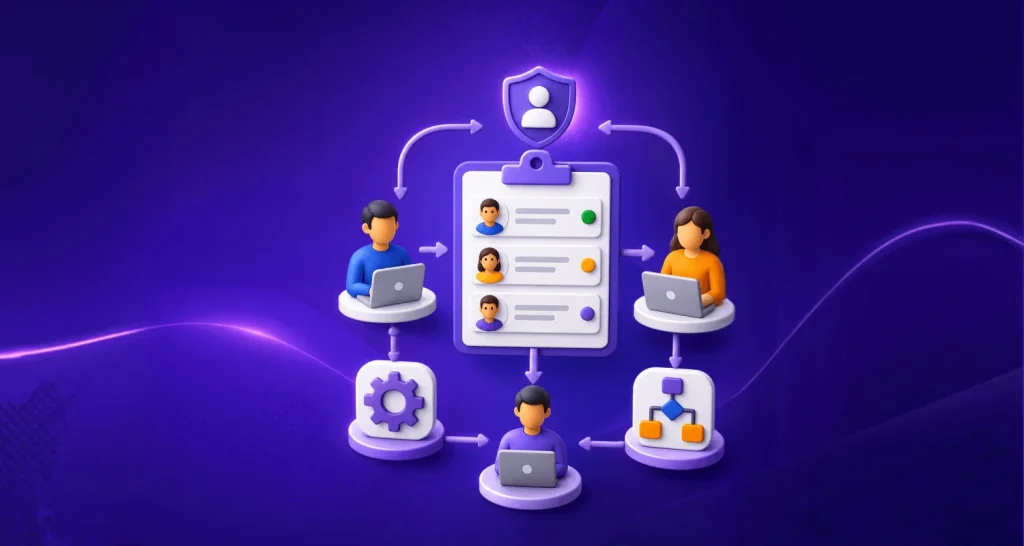
Before allowing an AI agent to perform actions, organizations should implement:
- Approval gates for privileged actions: High-risk actions, such as access provisioning and permission changes, should require approval before execution.
- Audit logging: Every AI-generated action should be fully recorded to provide visibility into what happened, who initiated the request, which workflow was executed, and the final outcome.
- Least-privilege access: AI agents should only have access to the systems and actions required to perform their assigned responsibilities.
- Human oversight: Sensitive workflows involving identity management, security, privileged access, or compliance should include human review before execution.
- Rollback mechanisms: Wherever possible, automated actions should be reversible to minimize operational risk and support rapid recovery from errors.
These controls protect both employees and the organization while enabling scalable AI-driven IT support workflows.
Where AI agents for IT support don’t fit the service desk yet
Despite the excitement around AI, not every IT process should be automated. Today’s AI agents are highly effective at handling repetitive and structured workflows. They are less effective when deep judgment or organizational coordination is required.
Examples include:
- Major incident management
- Enterprise-wide outage response
- Complex change management
- Root-cause analysis of unknown issues
- Physical hardware repairs
- Strategic problem management
In these situations, AI works best as an assistant rather than an autonomous operator.
Organizations evaluating AI should avoid expecting full ITSM replacement. Instead, they should focus on specific workflows where automation can reliably improve efficiency and consistency.
If you need a broader understanding of operational scope, see our guide on help desk vs service desk.
How to evaluate an AI agent for IT support
If you’re comparing vendors for AI-powered internal help desks, these five questions can help you evaluate capabilities beyond marketing claims:
- Does it integrate with your actual stack? Specifically, it should integrate with your identity provider, device management platform, and CMDB or asset system, rather than relying on a generic API that your team has to configure and maintain.
- Can it enforce approval gates? Not just log what it did afterward, but actually pause and require sign-off before executing anything privileged.
- Does it log every action, not just every conversation? You should be able to audit exactly what it did, to what system, on whose behalf.
- Can permissions be scoped per action type? “It can reset passwords but can’t grant admin access” should be a configuration, not a hope.
- How does the pricing work? Per-resolution, per-seat, and usage-based pricing models each have different cost implications as you scale. It’s worth understanding how AI chatbot pricing for customer service works before making a commitment.
Where BoldDesk fits in with AI agents for IT support
BoldDesk is an AI-powered help desk software that organizes IT, HR, and facilities requests, automates repetitive employee queries through its AI Agent, streamlines backend tasks with AI Actions, and integrates with existing tools through APIs and webhooks.
To be clear, BoldDesk is not a full ITSM platform with built-in change or asset management. If your goal is to route employee requests, reduce repetitive tickets, and enable self-service, BoldDesk’s internal help desk software is designed for exactly those needs.
However, if you require comprehensive change management and asset management alongside ticketing, you may need a different type of solution. It’s better to understand that upfront rather than discovering it after implementation.
Ready to explore AI-powered internal support? Start a 15-day free trial and see how automation can streamline service-desk operations, improve response times, and enhance employee support experiences.
Related articles
- 9 Proven Ways to Improve Agent Productivity with AI in Customer Support
- How AI Enhances Customer Success: 10 Practical Use Cases
- 12 Best AI Agents for Scalable Customer Support
FAQs
Yes, for a well-defined set of common requests: credential recovery, pre-approved access requests, software installs, status checks, answering how-to questions, and routing tickets.
They’re not ready for major outages, big system changes, or anything that needs a person physically there.
The core technology is similar, but AI agents for IT work with identity, device, and access-management systems while operating under stricter security and governance requirements.
Yes, as long as it’s set up with the right safeguards: a solid identity check before touching any credentials, a required human approval for anything beyond standard pre-approved access, a full log of every action, and a way to undo something if it goes wrong.
No. AI agents complement ITSM and help desk platforms by automating workflows and assisting users. They do not replace broader ITSM processes such as change management, asset management, or major incident management.
The usual numbers to watch are mean time to resolution (MTTR), how often issues are solved on the first try, and ticket deflection, which is the share of tickets the AI resolves without ever involving a person.
These operational metrics matter more here than customer satisfaction scores, which are the main metric for customer service AI agents.