







TL;DR: Shared inboxes work at the start but fail as support teams scale. They create confusion around ownership, prioritization, and follow‑ups. This leads to slower responses and inconsistent customer experiences. Growing teams need a help desk with structured workflows and automation to scale reliably.
Customer support teams often begin with shared inboxes because they are simple, familiar, and quick to deploy. When inquiries are few and team size is small, shared inboxes offer enough visibility for agents to collaborate informally and stay responsive.
However, as message volume increases and teams expand, shared inbox workflows start to show signs of strain. Conversations become harder to track, ownership becomes unclear, and response times slow down.
According to HubSpot, 90% of customers rate an immediate response as important or very important when they have a question.
This blog explains why shared inbox breaks working as support teams grow, the operational risks they introduce at scale, and what modern support teams use instead to maintain speed, accountability, and consistency.
What is a shared inbox and why does it work at the start
A shared inbox is a single email address that multiple team members can access to view and respond to customer messages. It works well in the early stages because message volume is low, collaboration is simple, and teams can coordinate informally.
This approach helps small teams stay connected to their customer focus while service processes are still evolving.
Shared Inbox vs Help desk system
Here’s a direct comparison of a shared inbox vs. a help desk to show how each approach impacts ownership, accountability, collaboration, and scalability.
| Category | Shared Inbox | Help Desk System |
|---|---|---|
| Ownership | No clear owner; anyone may reply, causing duplication or gaps. | Every request becomes a ticket with a defined owner from start to finish. |
| Prioritization | Manual scanning; urgent issues get buried. | Built‑in prioritization with rules, tags, SLAs, and automated sorting. |
| Accountability | No deadlines, tracking, or performance visibility. | SLA timers, response goals, agent performance tracking. |
| Collaboration | Collaboration happens across side chats, forwards, and email chains. | Centralized notes, @mentions, watcher alerts, and shared drafts. |
| Scalability | Breaks down quickly as message volume increases. | Designed for high-volume workflows across teams and channels. |
Why shared inboxes start failing as teams scale
Shared inboxes or shared inbox tools struggle as teams grow because they prioritize visibility over responsibility. As message volume increases, inbox-based workflows lack the structure needed to maintain consistency and accountability.
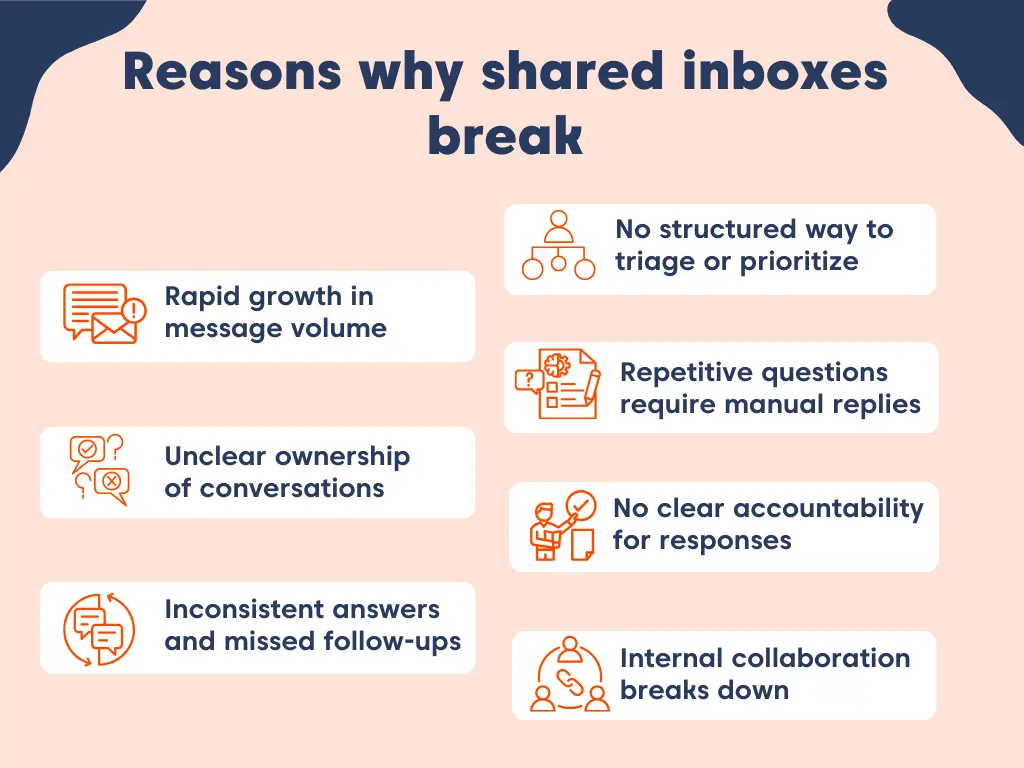
To understand shared inbox limitations more clearly, here’s a structured progression of what breaks first, what breaks next, and where the breaking point occurs.
Here’s what breaks first.
Struggling to keep up with piling inquiries
As companies grow, inbound customer messages increase faster than support teams can scale. Shared inboxes depend on manual scanning and sorting, which may work at low volume but quickly breaks down as demand rises.
When message volume spikes, inboxes fill faster than agents can realistically respond. Urgent or complex issues are buried among routine questions, making it difficult to spot what truly needs immediate attention.
Without clear prioritization, teams begin to:
- Miss critical issues buried among routine requests
- Spend more time scanning threads than resolving problems
- Build backlogs with no clear visibility into urgency
In the absence of structured queues or priority logic, agents default to responding to the newest or most noticeable messages.
This reactive pattern leads to slower response times, mounting customer frustration, and inconsistent service quality as the customer base expands.
Key takeaway:
Shared inbox fails to scale because they lack built-in prioritization and structured workflows for handling high message volume.
Here’s what breaks next.
Unclear ownership of conversations
Shared inboxes prioritize visibility over ownership. Multiple agents can see the same request, and any agent can reply. That visibility feels collaborative, but it creates a core workflow gap: no one is explicitly assigned to drive the conversation to resolution.
When a conversation isn’t owned by a single person, it becomes easy for:
- Two agents to reply with different answers, or
- Everyone to assume “someone else will handle it,” leading to no reply at all.
As volume increases, these moments happen more frequently. Customers experience mixed messaging, repeated questions, and delays, reducing customer trust.
Key takeaway:
Shared inboxes weaken ownership because conversations aren’t explicitly assigned to one agent from start to finish.
No clear accountability for responses
Shared inboxes don’t enforce assignment, deadlines, or performance tracking. Messages are visible to everyone, but no one is explicitly responsible for making sure a response actually happens.
When conversations aren’t owned or tracked, follow‑ups are easy to miss, especially as teams scale. As teams grow, lack of accountability becomes invisible internally but obvious to customers.
According to PwC, 32% of all customers would stop doing business with a brand they loved after one bad experience.
Over time, this leads to:
- Missed response commitments
- Limited coaching and quality control
- Customer service problems that quietly persist and worsen over time
Without clear accountability mechanisms, issues often go unnoticed until customers escalate or churn.
Key takeaway:
Reliable customer service isn’t possible without clear owners, deadlines, and accountability built into the workflow.
No structured way to triage or prioritize inquires
Shared inboxes rely on simple labels and flags for organization. While helpful at a basic level, they fail to clearly convey urgency, intent, or business impact.
As inboxes fill up, critical issues sit side‑by‑side with routine requests. Agents must rely on personal judgment rather than consistent prioritization rules, leading to uneven decisions across the team.
Without a structured way to triage, teams fall into:
- Reactive work patterns driven by the latest message
- Higher agent stress from constant context‑switching
- Unpredictable response times that frustrate customer experience
Without built‑in prioritization, inbox‑based workflows force teams into reactive support instead of controlled service delivery.
Key takeaway:
Inbox‑based workflows don’t support scalable prioritization because urgency and impact aren’t systematically defined.
Here’s the breaking point.
Repetitive questions require manual replies
As customer volume grows, repeated questions become inevitable. In a shared inbox, each of these questions still requires a manual response from an agent, again and again.
Manually replying to repetitive requests slows overall customer responsiveness, especially during peak periods. It also pulls agents away from more complex issues where they can deliver real customer value.
At scale, this leads to:
- Slower average response times
- Inconsistent answers across different agents
- Reduced team productivity and capacity
When agents are busy repeating the same replies, less time is available for meaningful problem‑solving.
Key takeaway:
At scale, teams need automation or knowledge‑driven responses to avoid wasting agent capacity on repeat questions.
Cross-team collaboration falls apart
As organizations expand across departments or time zones, fragmented communication turns into a serious operational risk, with coordination drifting into side channels, chat threads, forwarded emails, and private notes outside the inbox.
When conversations are scattered across tools, important details get lost. Agents have to piece together context from multiple places, which slows ticket resolution time and increases the risk of missed information or mistakes.
As this fragmentation grows, teams experience:
- Longer resolution times
- Increased handoff errors
- Reduced clarity across cross‑functional or distributed teams
When collaboration isn’t part of the workflow, coordination becomes harder instead of easier.
Key takeaway:
Inbox‑based collaboration breaks down as teams become larger, cross‑functional, or distributed.
Inconsistent answers and missed follow‑ups
When teams rely on shared inboxes, responses often vary from agent to agent. Without centralized knowledge or clear response standards, customers can receive different answers to the same question, depending on who replies.
Missed follow‑ups further weaken trust. Customers are left waiting or forced to repeat themselves, which directly affects the overall customer experience and shows up in customer reviews.
According to Belkin, next‑day follow‑ups see response rates drop by as much as 11%, underscoring how even small delays can significantly impact engagement as teams grow.
As organizations grow, these issues become more visible and more damaging. Shared inbox problems for support teams don’t stay small, they scale with volume.
True consistency requires controlled workflows and dependable tracking, neither of which shared inboxes provide.
Key takeaway:
Without governance, consistency is impossible to maintain at scale.
Shared inboxes break down for predictable reasons: ownership becomes unclear, prioritization disappears, follow-ups get missed, and collaboration fragments as teams grow.
These inefficiencies compound as message volume rises, leading to slower responses and inconsistent customer experiences. At this stage, teams need structure, automation, and clear accountability, capabilities that shared inboxes were never designed to provide.
What growing support teams need beyond a shared inbox
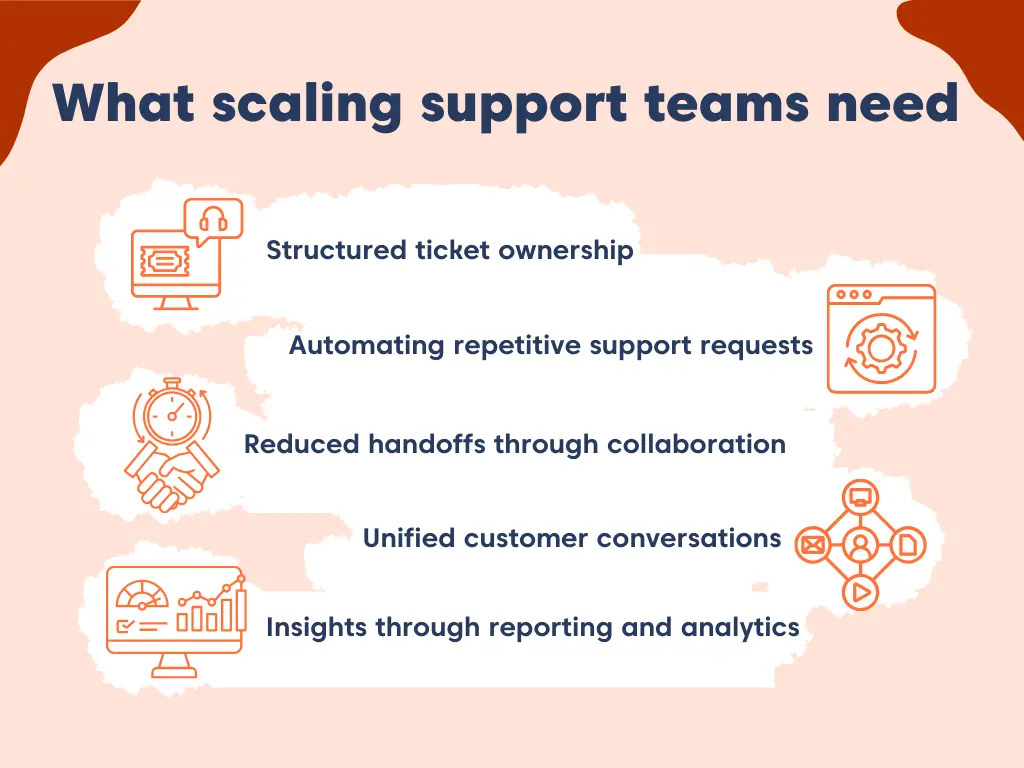
Growing teams eventually realize they need more than an email inbox. They need a help desk platform with structured ticketing workflows, automation, and SLA management. It should also enable omnichannel support, in‑ticket collaboration, full customer history, and reporting.
This shift turns support from reactive firefighting into a scalable operation. The following approaches help deliver scalable, consistent, and accountable customer support.
Structured ticket ownership
As support teams grow, every customer request must be clearly owned and tracked. A help desk converts each incoming message into a ticket with a defined:
- Owner
- Priority level
- Status and progress stage
This structure gives teams instant visibility into what’s in progress, what’s pending, and what’s resolved, without agents manually scanning inboxes or chasing updates.
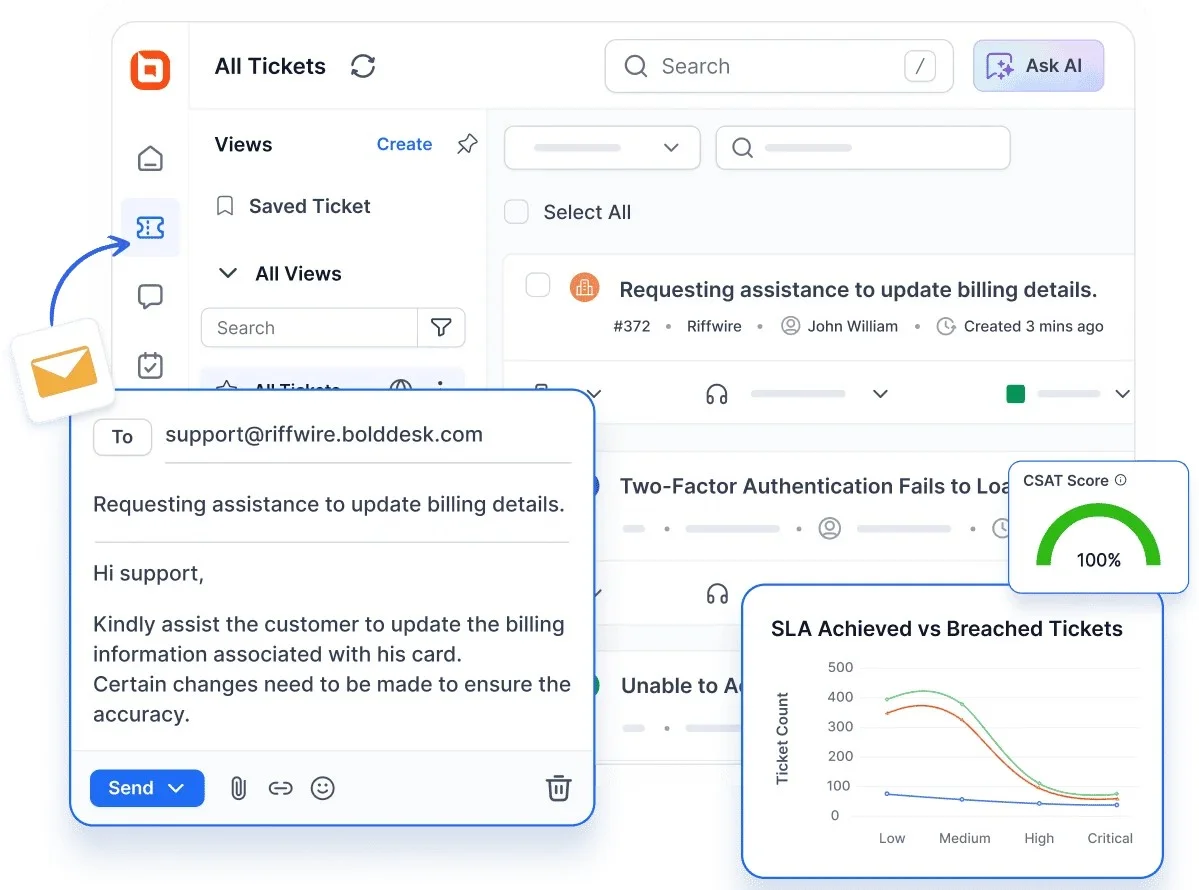
Requests move through a defined workflow from first contact to resolution, ensuring nothing falls through the cracks. With the automated ticketing system, teams maintain clarity and accountability even as ticket volume grows.
Automating repetitive support requests
Automation rules streamline routine processes like routing tickets to appropriate agents, issuing updates, alerts, and notifications, and escalating high‑priority issues.
Meanwhile, Service Level Agreements (SLAs) establish defined timelines for both responses and resolutions. Together, these features reduce manual coordination, prevent delays, and help teams consistently meet customer expectations at scale.
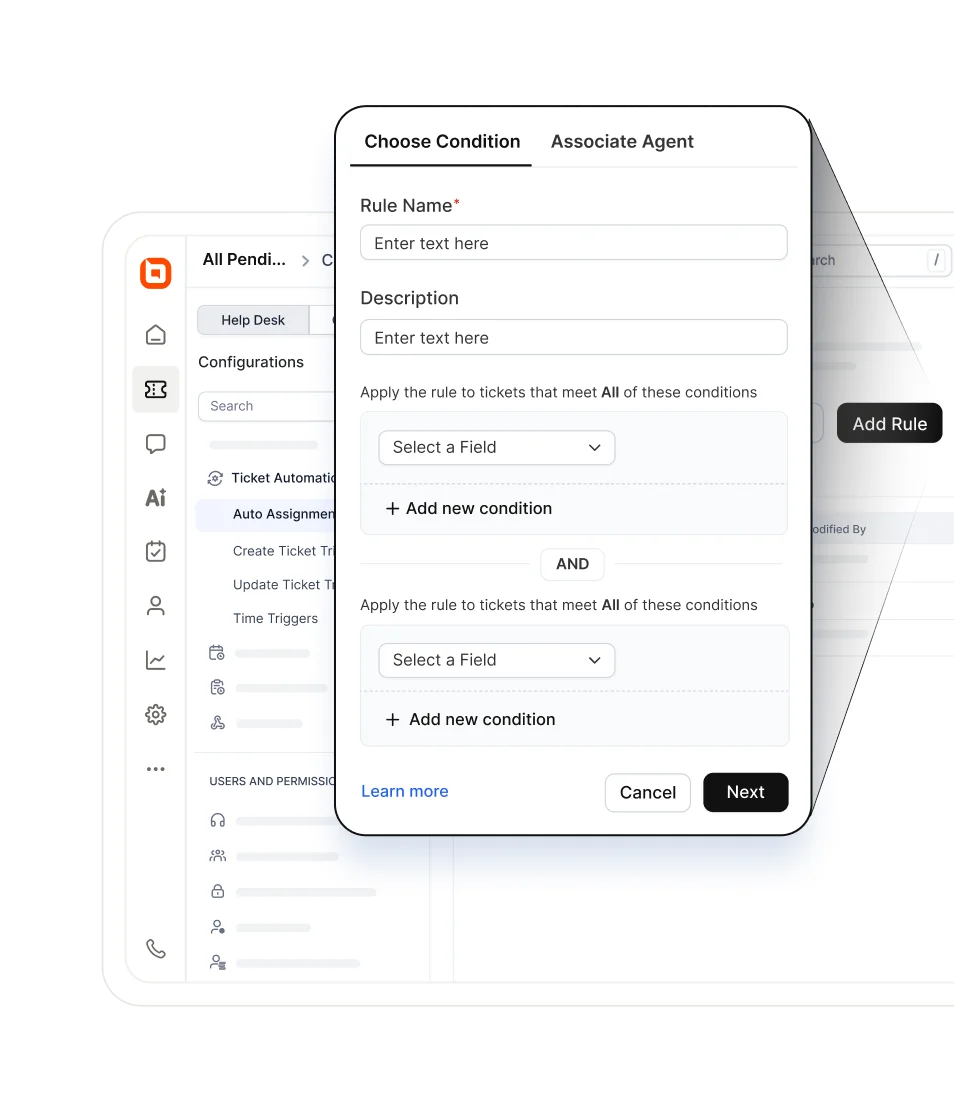
Real example: GeoVerra boosting productivity with BoldDesk automation
GeoVerra reduced manual ticket allocation work by automating ticket assignment using BoldDesk’s round‑robin rules and applying SLAs to enforce response timelines. This allowed routine requests to be handled automatically, improving operational efficiency by at least 25%.
Result: Automating routing and SLAs reduces manual coordination, balances workloads, and helps support teams consistently meet expectations at scale.
Learn how teams reduce order‑related ticket volume by automating common workflows with BoldDesk.
Reduced handoffs through built-in collaboration
As support environments grow more complex, seamless internal collaboration becomes essential. A modern help desk enables agents to communicate directly within each ticket through:
- Private notes
- @Mentions
- Shared drafts
- Watcher alerts
This keeps all internal discussions connected to the customer request they relate to. By keeping cross‑team collaboration inside each ticket, support teams reduce handoff errors, avoid missing context, and maintain accountability across departments.
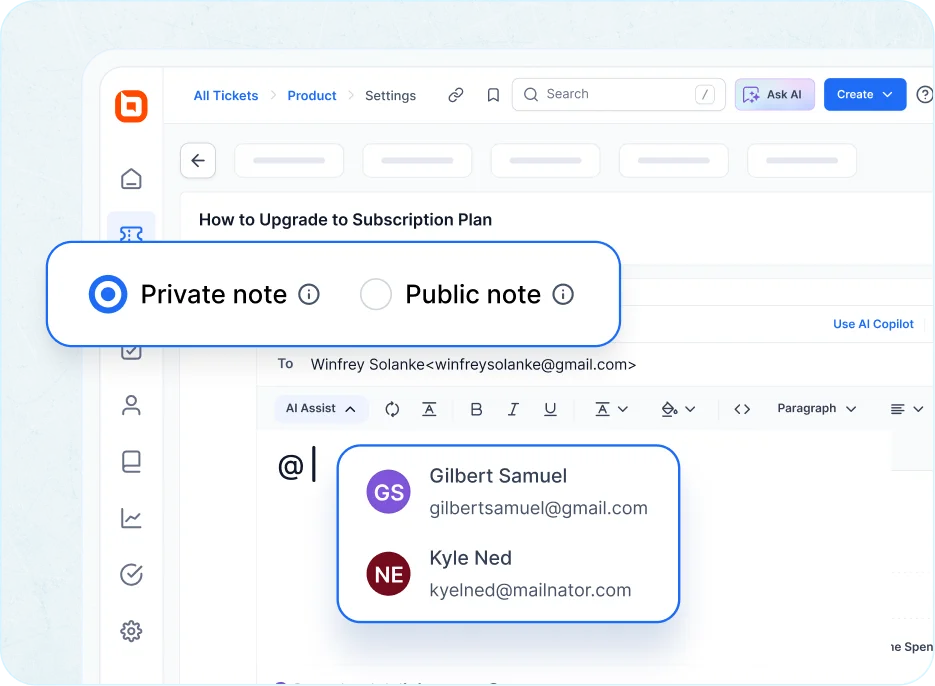
As a result, support teams avoid missing details, reduce handoff errors, and ensure everyone is working with the latest information. This helps teams focus on urgent requests, stay accountable, and meet customer expectations even during busy periods.
Unified customer conversations across channels
As organizations expand, customers reach out through different channels such as email, chat, web forms, and social platforms. Managing each channel separately can slow responses and cause missing context.
A help desk with omnichannel support pulls every interaction into one unified workspace, giving agents access to:
- Full conversation history
- Past issues and resolutions
- Real‑time context from all channels
This gives agents a clear context by showing customers’ past interactions and ongoing issues. This makes it easier for support agents to deliver a consistent omnichannel customer experience without asking customers to repeat themselves.
Real example: Eurotel supporting hospitality clients with BoldDesk
Eurotel used BoldDesk to manage customer queries from multiple channels in one workspace. This reduced response delays and eliminated repeated customer questions during time‑sensitive hospitality operations.
Result: Unified conversations enable faster, more consistent omnichannel support.
Clear reporting and actionable insights
Teams need data to understand what’s working and what isn’t. Reporting and analytics provide real-time visibility into key metrics such as ticket volume trends, response and resolution times, SLA compliance, and customer satisfaction.
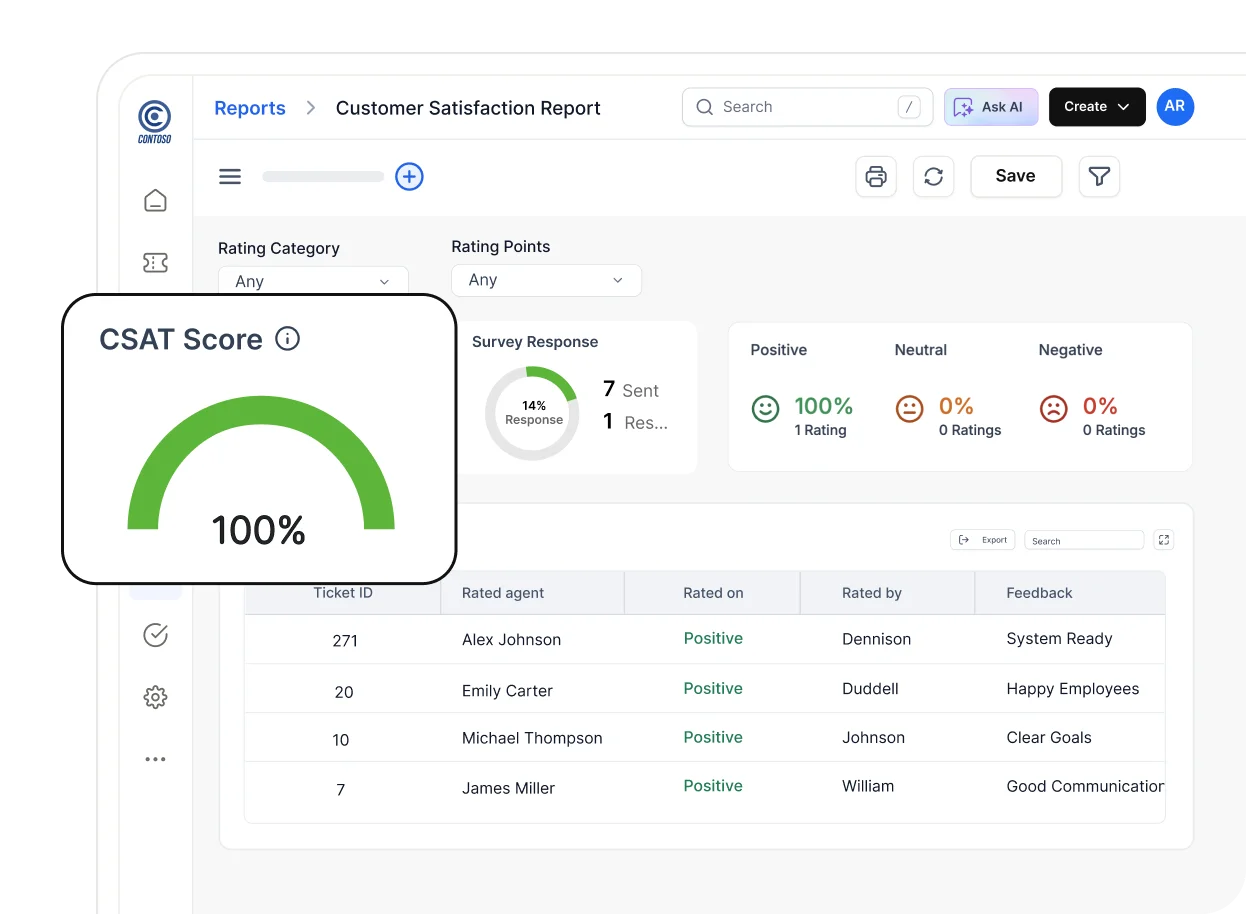
These insights help teams identify bottlenecks, measure performance, and continuously improve support quality. With built‑in reporting tools, growing teams can make informed decisions and scale support with confidence.
Shared inboxes are a starting point, not a strategy
Shared inboxes may work early on, but they are not designed to support long‑term growth, increasing complexity, or rising customer expectations.
As teams scale, structured workflows, automation, and clear ownership become essential to delivering consistent customer experiences.
BoldDesk helps growing teams move beyond inbox limitations with a modern ticketing system built for clarity, efficiency, and scale.
What challenges have you faced with shared inboxes as your support team grew? Share your experience in the comments below.
Frequently Asked Questions
Shared inboxes reduce agent productivity as support volume increases. Agents must manually sort messages, track ownership themselves, and respond to repetitive questions, which adds cognitive load and slows resolution times.
No. Shared inboxes make coordination harder for remote or distributed teams because context is spread across emails, chats, and private notes, leading to missed updates and unreliable handoffs across time zones.
The biggest risk is missed or delayed responses that go unnoticed internally. Over time, these hidden gaps, such as missed follow‑ups or inconsistent replies, degrade service quality and erode customer trust.
No. Most modern ticketing systems connect directly to existing inboxes, automatically converting emails into tickets, allowing teams to transition gradually with minimal disruption and fast agent adoption.





