

 In this page

TL;DR: FAQ page examples show how clear structure, intuitive search, and concise answers help customers resolve issues instantly without contacting support. Leading solutions like BoldDesk, Shopify, and Statista offer intelligent search, easy to use editors, and scalable documentation to streamline self-service experiences and improve customer support efficiency.
When a company rolls out a major product update or changes its pricing model, support teams often see a surge of similar questions within hours.
Customers want clarity on new features, account changes, or updated policies, and when answers aren’t easy to find, ticket queues increase quickly.
Agents feel the pressure, response times slow down, and customers become frustrated while waiting for help.
According to Harvard Business Review, 81% of customers attempt to solve issues on their own before contacting support, emphasizing the importance of clear, accessible self-service resources.
A well‑designed FAQ page equips users with quick, reliable answers, reducing repetitive inquiries and easing the strain on support teams.
Drawing inspiration from good FAQ page examples can help you build a resource that informs, educates, and guides users through your content with minimal friction.
This blog explores frequently asked questions page examples, their significance, and practical tips for designing an FAQ page that improves satisfaction while reducing support workload.
What is an FAQ page?
An FAQ page (Frequently Asked Questions page) is a structured section of a website that provides clear, concise answers to common customer questions.
It helps users resolve issues independently without contacting customer support and serves as a core self‑service resource within a company’s customer help center, knowledge base, or self-service portal.
A well-designed FAQ page reduces support tickets, improves customer experience, and centralizes essential information in one searchable location.
Why are FAQ pages important for customer service?
FAQ pages play a critical role in customer service by providing instant, self-service access to reliable information. When customers visit an FAQ section, they are typically seeking clarity before making a purchase decision or resolving an issue.
Below are the key reasons FAQ pages matter:
- Enhance customer experience: Clear, structured FAQs deliver fast, relevant answers that reduce frustration, improve navigation, and increase customer satisfaction.
- Improve search engine visibility: FAQs target natural, question-based keywords and can earn rich results when supported by structured data, increasing organic traffic.
- Build brand authority and trust: Accurate, consistent answers demonstrate expertise and transparency, strengthening brand perception and credibility.
- Reduce support workload: Comprehensive FAQ coverage deflects repetitive inquiries, allowing support teams to focus on complex or high-value issues.
- Remove buying friction: Addressing pricing, shipping, policies, and feature-related concerns directly in FAQs reduces hesitation, cart abandonment, and abandoned inquiries.
- Provide 24/7 self-service support: Customers gain immediate, always-available guidance, improving self-service success even outside business hours.
Too Many Repetitive Support Tickets? Try This!
Deliver instant answers with a knowledge base. Reduce ticket volume and boost customer satisfaction through seamless self-service.
How to build an effective FAQ page for your website
Strong FAQ pages follow a predictable structure, provide concise guidance, and are easy for both humans and AI systems to understand.
Here are the steps to follow to create an efficient FAQ page.
- Pick the right FAQ layout: Choose an FAQ template that’s easy to scan, such as categories, collapsible sections, or a sidebar. Match the FAQ page template to how much information you need to present so users can quickly navigate to the right topic.
- Identify and categorize common questions: Review your support tickets, emails, chats, and search logs to spot repeated questions. Group them into clear categories like Billing, Getting Started, or Troubleshooting so users don’t have to scroll through long lists.
- Write clear and concise answers: Keep answers short, direct, and easy to understand. Focus on the essential information, and link to deeper guides or tutorials when a topic needs more detail.
- Add search functionality: Include a search bar so users can instantly find answers without browsing every section. This is especially helpful for large FAQ collections and improves overall user experience.
What’s the difference between an FAQ page and a knowledge base?
Although FAQ pages and knowledge base software both help customers find information, they differ in depth, organization, and purpose.
An FAQ page provides quick answers to common questions, while knowledge base software offers detailed, structured resources for in‑depth self‑service support.
Below is a summary table of the key differences.
| FAQ Page | Knowledge base |
| Simple and concise format | Detailed and comprehensive resource center |
| Focused on common, repetitive questions | Covers broad topics with in-depth explanations |
| Short question-and-answer format | Includes long-form guides, tutorials, and documentation |
| Organized into basic categories | Structured hierarchically with topics and subtopics |
15 Best FAQ page examples
A carefully crafted FAQ page is an excellent strategy for delivering good customer service.
However, with so many FAQ page templates to choose from, creating an exceptional FAQ section can be challenging.
To compile the best FAQ page examples, we used a structured evaluation approach that combines feature‑based analysis, usability assessment, and third‑party validation signals from trusted platforms.
Check out these examples to give you some ideas.
1. BoldDesk
Best for: SaaS suites that want a clean, category-driven FAQ with built-in search and a live chat widget for issue escalation.
BoldDesk® features an intuitive, user-friendly, clear, and concise FAQ section for effective knowledge sharing. Its FAQ page answers various questions about help desk software, including ticket creation, email integration, and customization options.
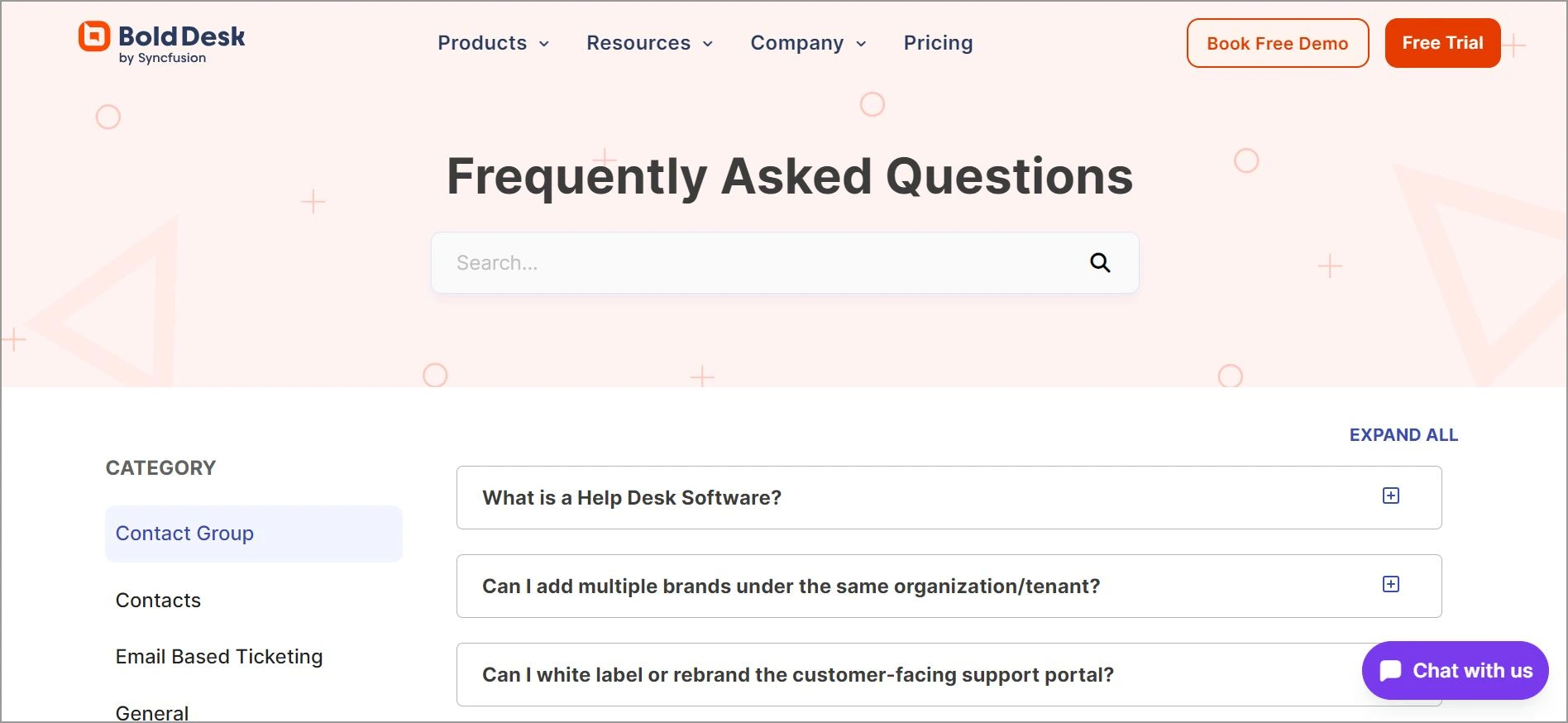
The page is organized into categories, with a drop-down that enables clients to choose and proceed to the relevant questions and answers.
The BoldDesk FAQ page also includes:
- A live chat widget that lets clients chat with an agent whenever they do not find what they are looking for.
- A dynamic search function
- Sidebar menu for easier navigation
2. Adobe Creative Cloud
Best for: Teams that need a search bar-led FAQ structure to handle many product FAQs at scale.
Adobe Creative Cloud has earned its reputation as a SaaS provider primarily because of its editing products. Its FAQ page is straightforward and efficient, as there are questions and answers separated into subtopics.
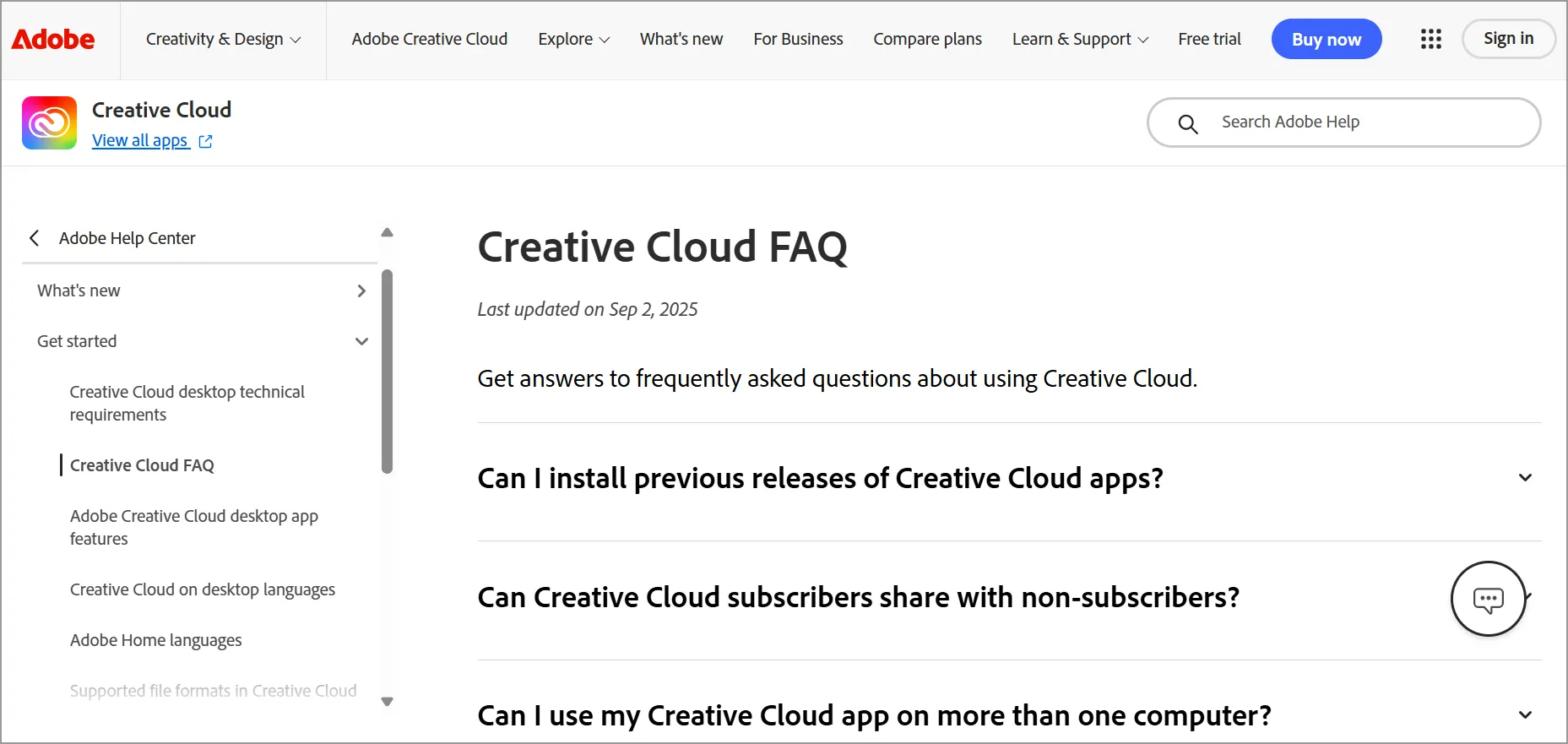
The FAQ page has several options for clients to use to easily find information, mainly:
- A sidebar menu
- A search bar
- Commonly asked questions organized into sections
- A live chat widget for additional help
3. American Airlines
Best for: Large service organizations that must divide FAQs by programs or policies.
The commercial airline company includes a branded FAQ page divided into specific sections. The categories include customer service, travel information, products, and programs.
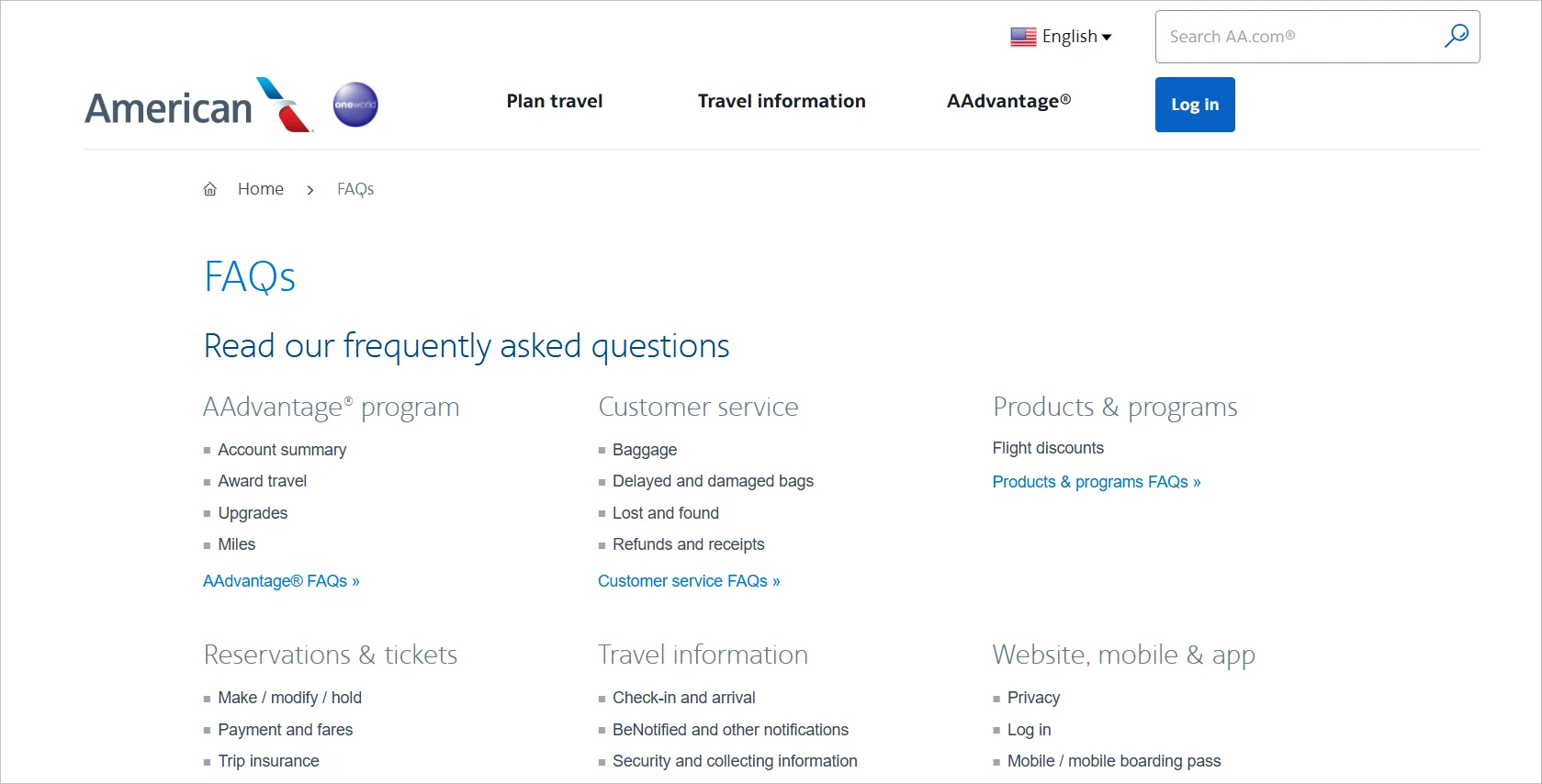
Clients can select either of the categories to find more specific questions and extra assistance. The airline has its contact information on its FAQ page for users to seek additional help.
4. Coca-Cola
Best for: Consumer brands that need a simple, broad category layout.
Coca-Cola, the soft drinks giant, has a very simple FAQ page design that is easy to navigate. It is categorized into a few broad sections, making it easy for users to find information.
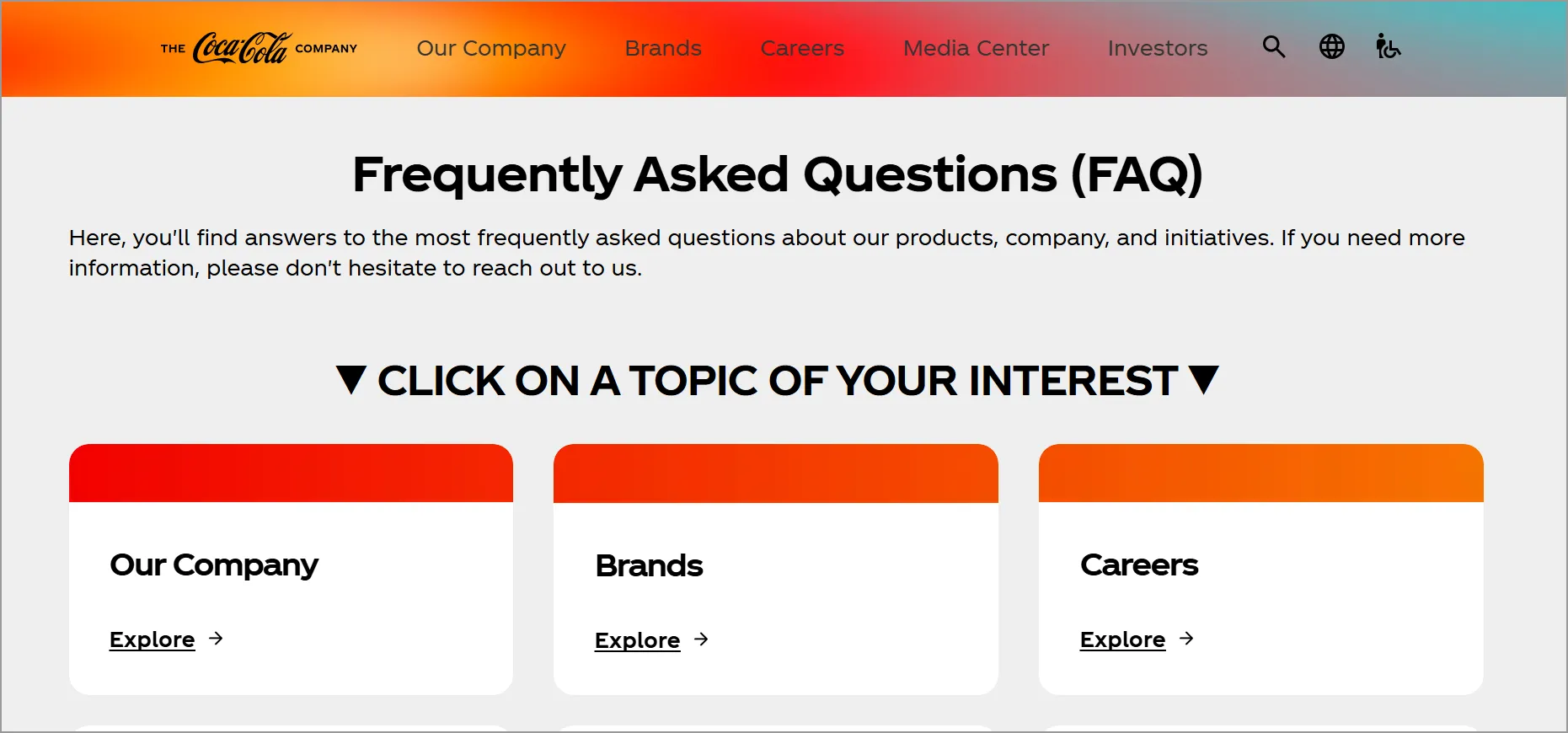
Coke’s customers can obtain details on different topics by just clicking a drop-down button.
5. eBay
Best for: Marketplaces that require intuitive navigation and concise answers.
eBay’s FAQ page offers clear, concise answers on an intuitive, easy-to-navigate interface.
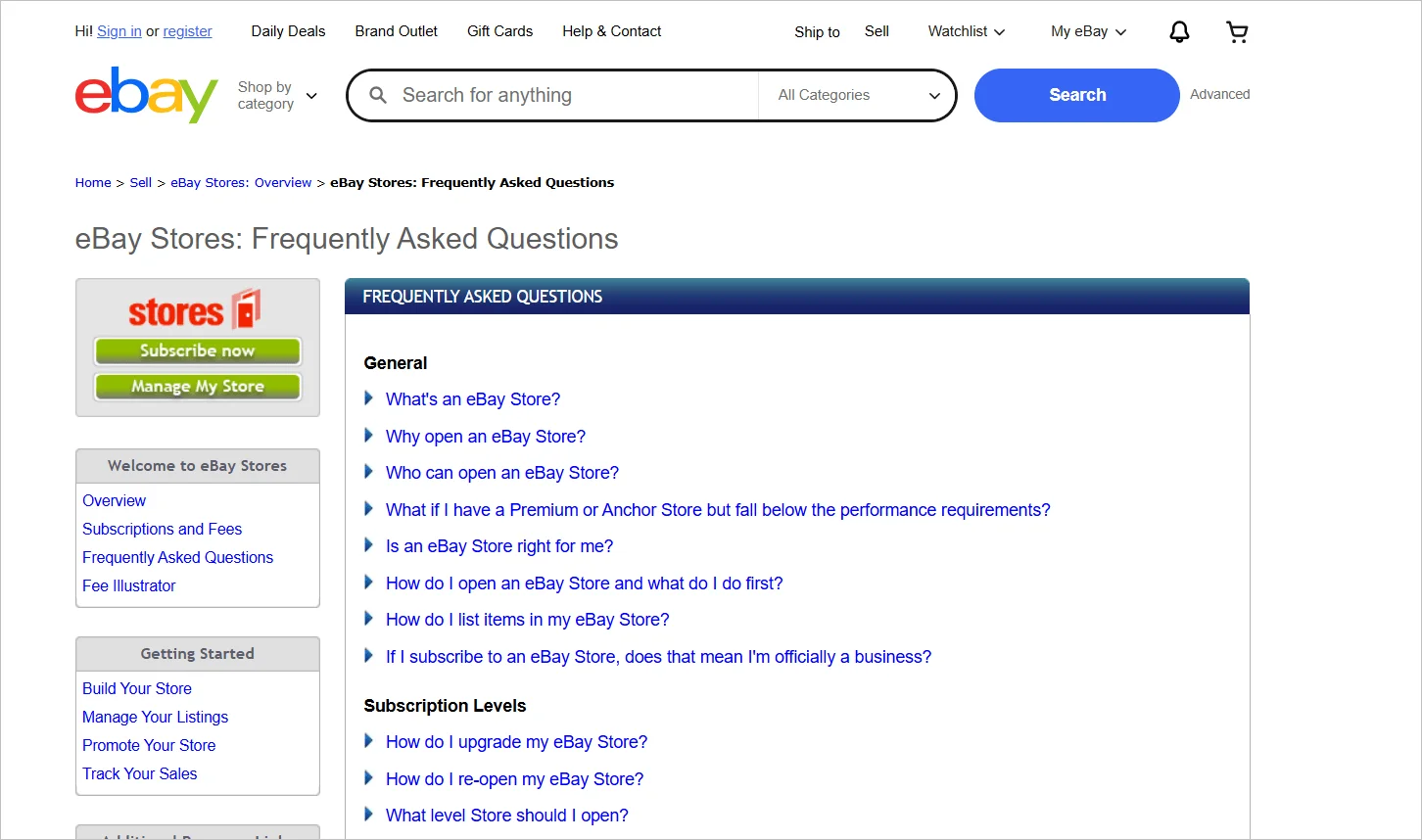
The eBay FAQ section provides quick solutions for buying, selling, and managing your account.
6. HP
Best for: Hardware companies that benefit from product category segmentation and troubleshooting flows.
Users can find instant answers to their issues on HP’s FAQ page. It addresses several issues, including support for computers and ways to troubleshoot them.
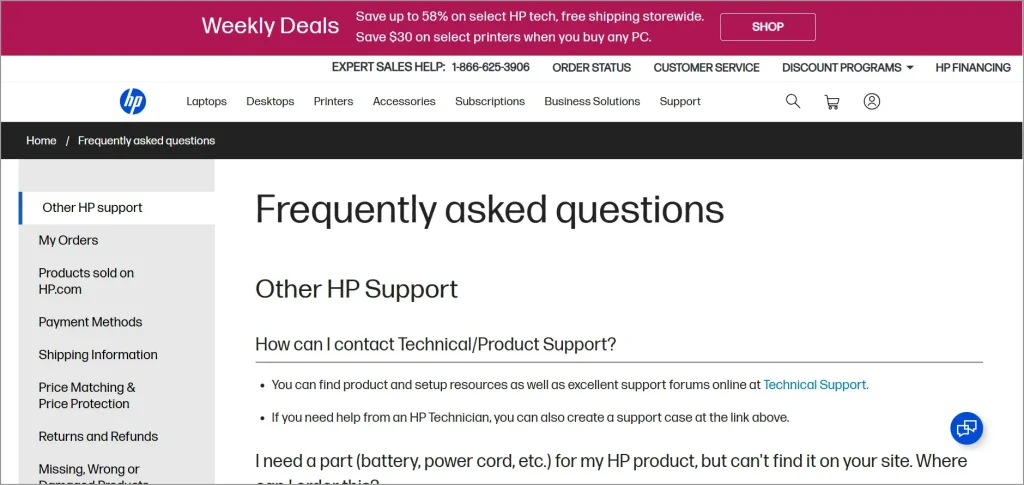
The page is well-structured, with different product categories and frequently encountered problems. HP also makes use of a virtual assistant that resolves client issues quickly.
7. McDonald’s
Best for: High volume consumer brands that need accessible, policy, and product information organized into straightforward categories.
McDonald’s is a fast-food chain company, and its FAQ page includes easy-to-use information.
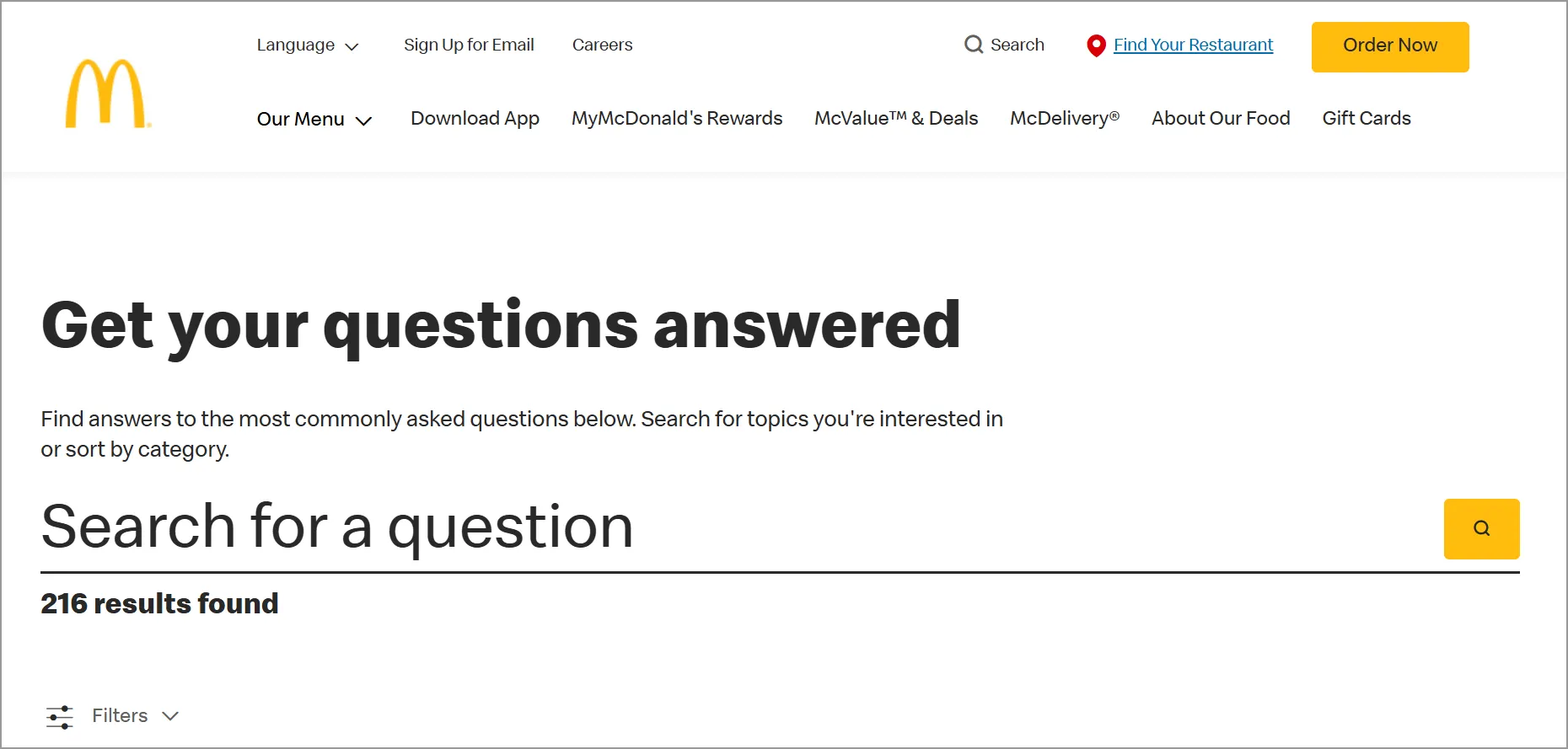
It addresses several aspects, such as information concerning nutrition and the policies of the company.
Customers are able to go through the categories, and they quickly obtain information on the relevant topics.
8. Spotify
Best for: Digital services pairing search with related topics and multimedia.
Spotify’s FAQ page prioritizes convenience. Its search bar at the top allows for quick searches, and related topics are grouped just beneath the search box, saving users the time to scroll for answers.
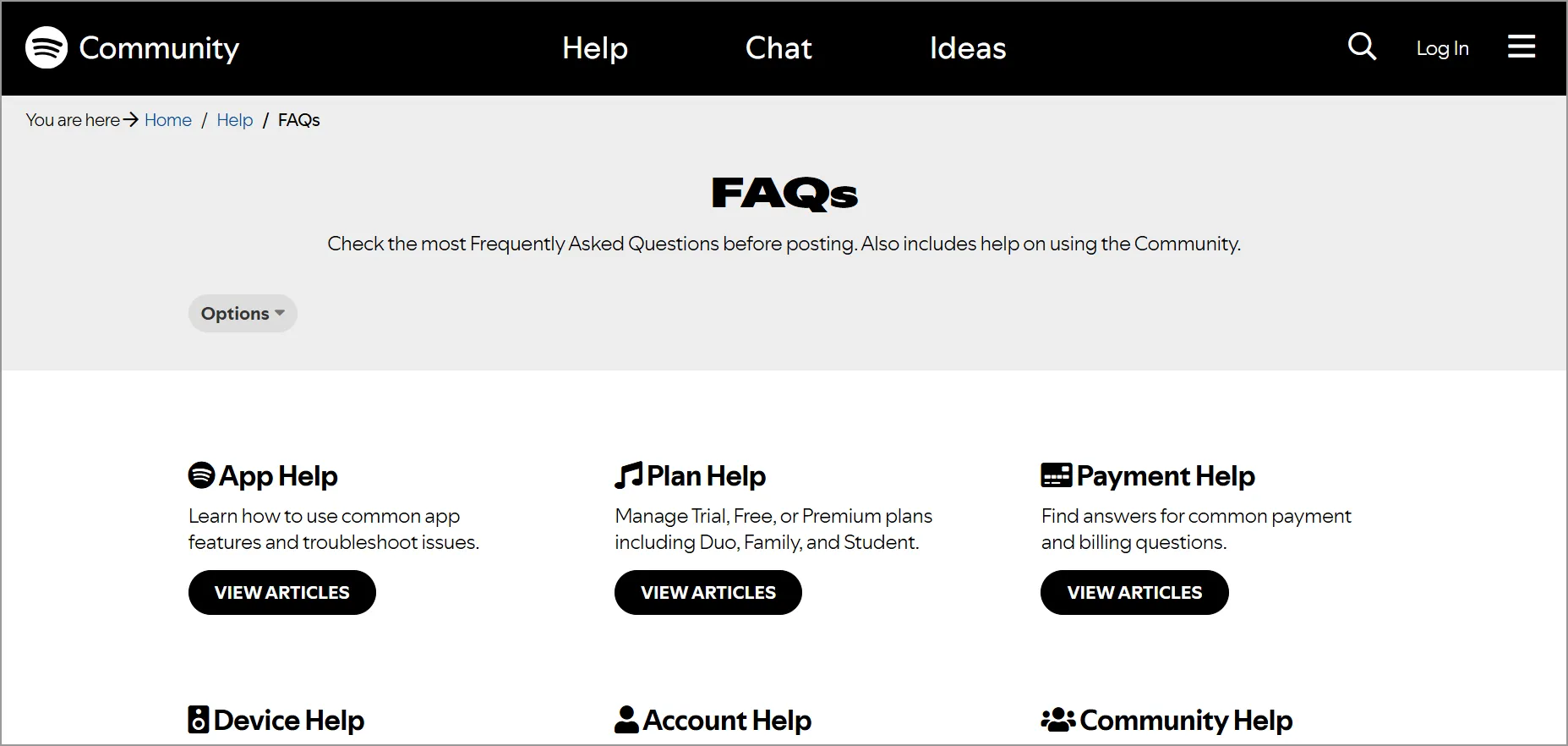
This FAQ page example for websites also uses pictures and videos to explain procedures. This improves understanding and gives clients an engaging experience.
9. Microsoft 365
Best for: Suite products where dropdown topic selection reveals contextual questions.
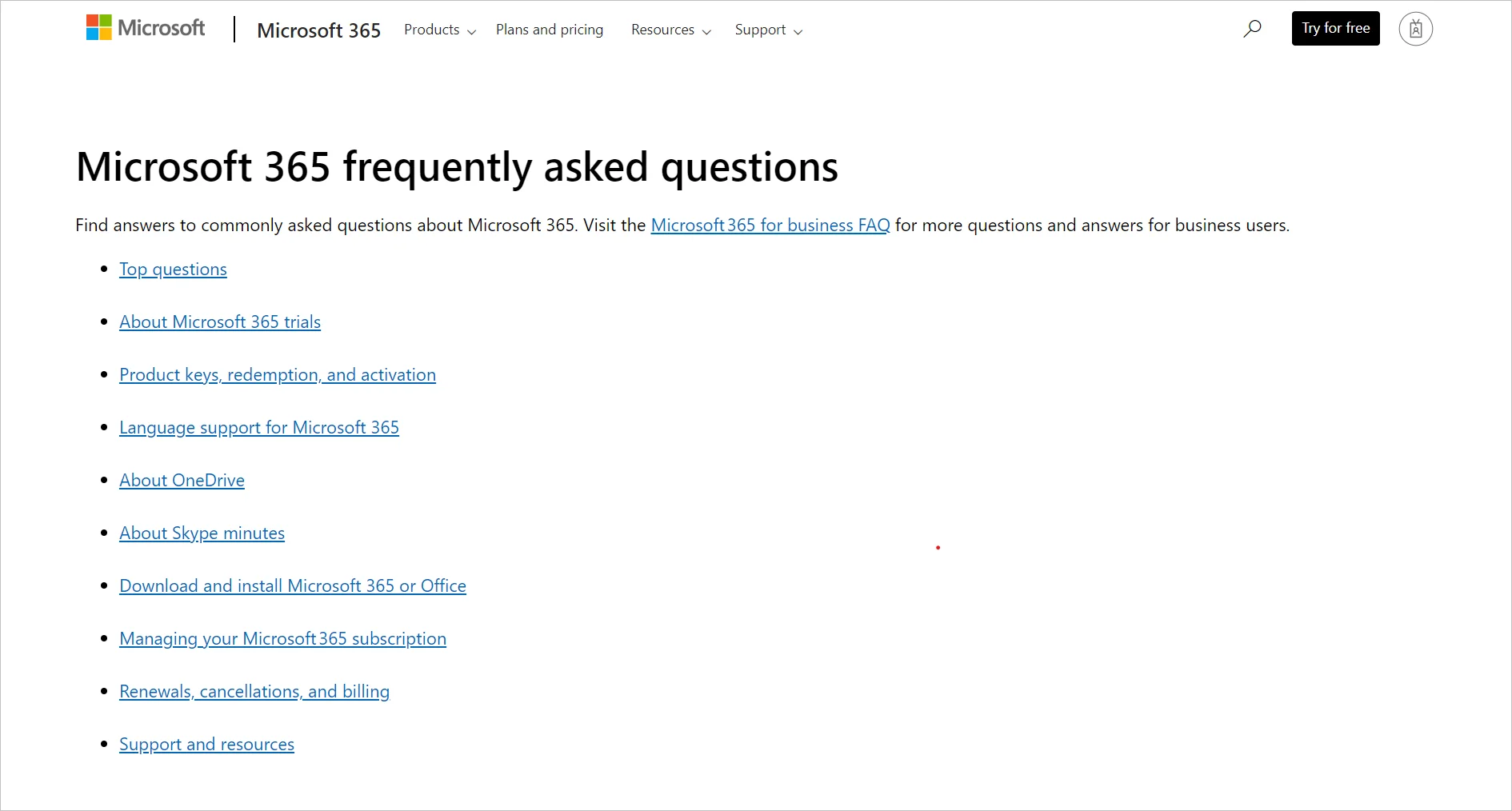
Microsoft 365 provides a unique, simple FAQ section. The landing page consists of headings. If you select a topic from the drop-down menu, related questions appear.
It offers questions and answers for every category.
10. Nike
Best for: Retail/ecommerce brands that want a prominent search bar.
Nike’s FAQ page template takes a straightforward approach. It starts with a handy search bar at the top and then groups questions into “quick assists” underneath.
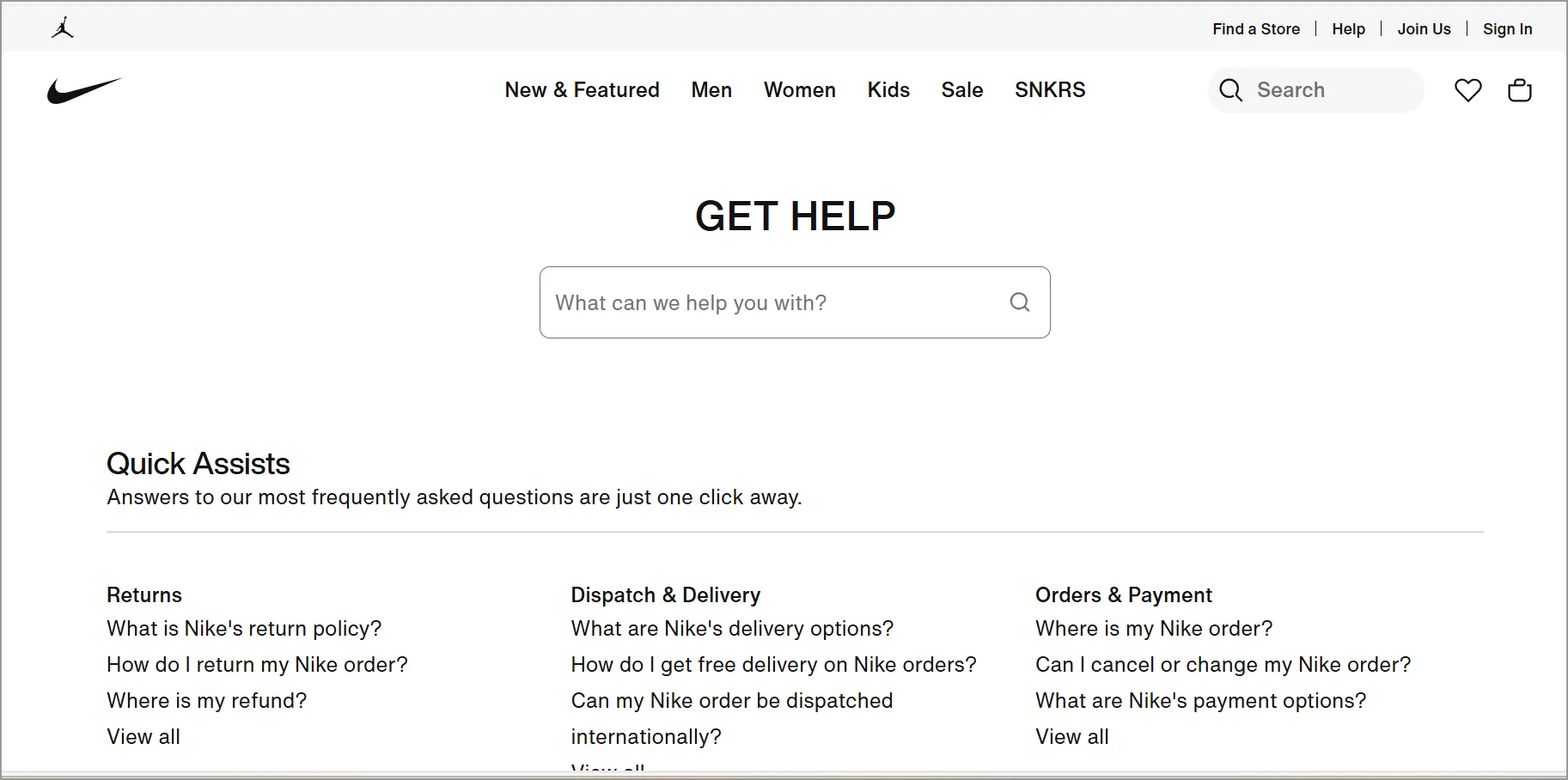
Nike addresses facts such as return policy, membership, and deliveries in its FAQ.
11. Quora
Best for: Platforms with broad account management and “how to use the product” coverage.
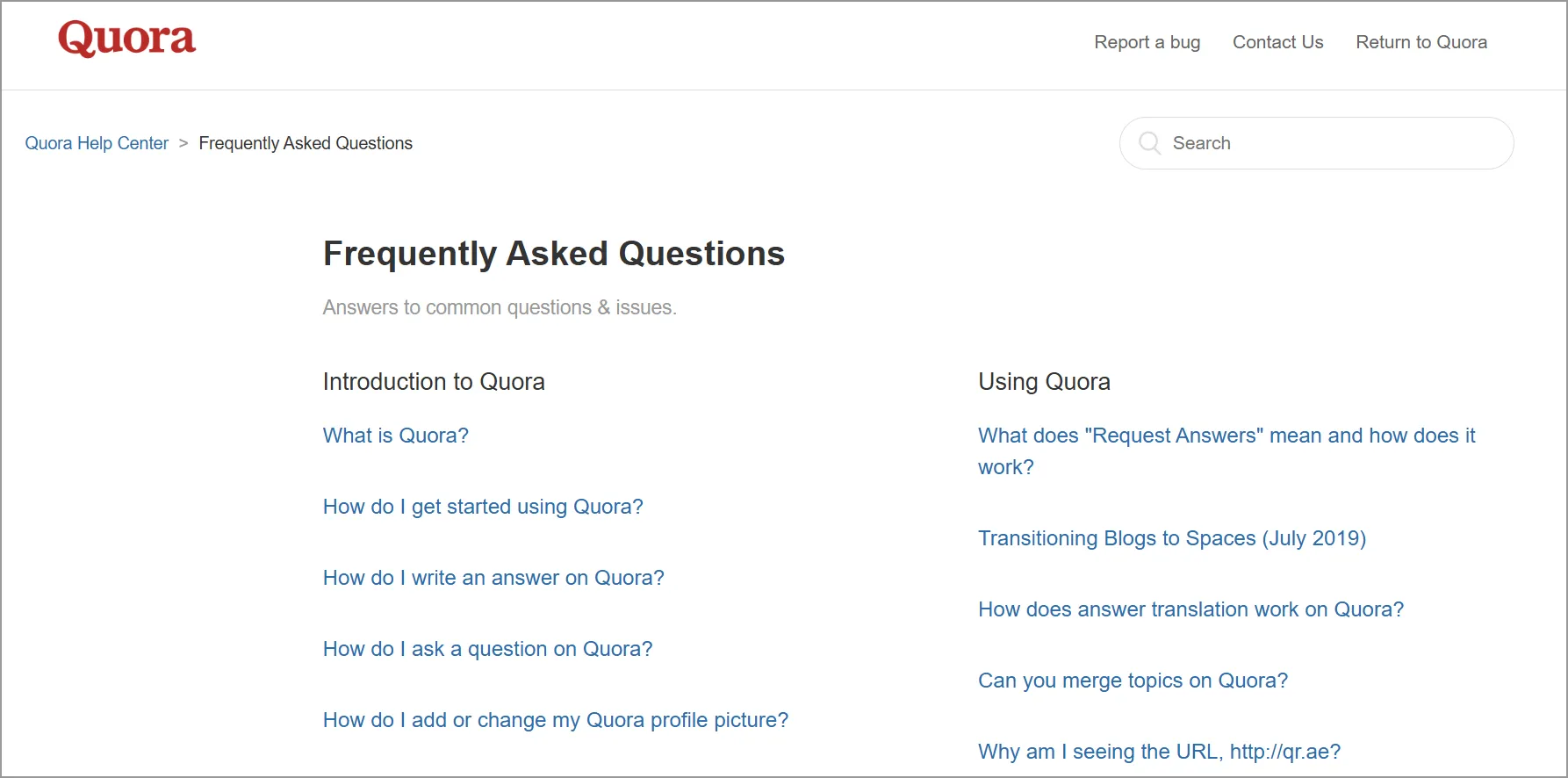
Quora’s FAQ page is comprehensive and well-organized to help users navigate the platform easily. It covers many topics, including how to get started, ask and answer questions, and manage your account.
The page is divided into clear sections, making it easy to find specific information.
12. Shopify
Best for: Productized platforms that link concise FAQs to deeper resources.
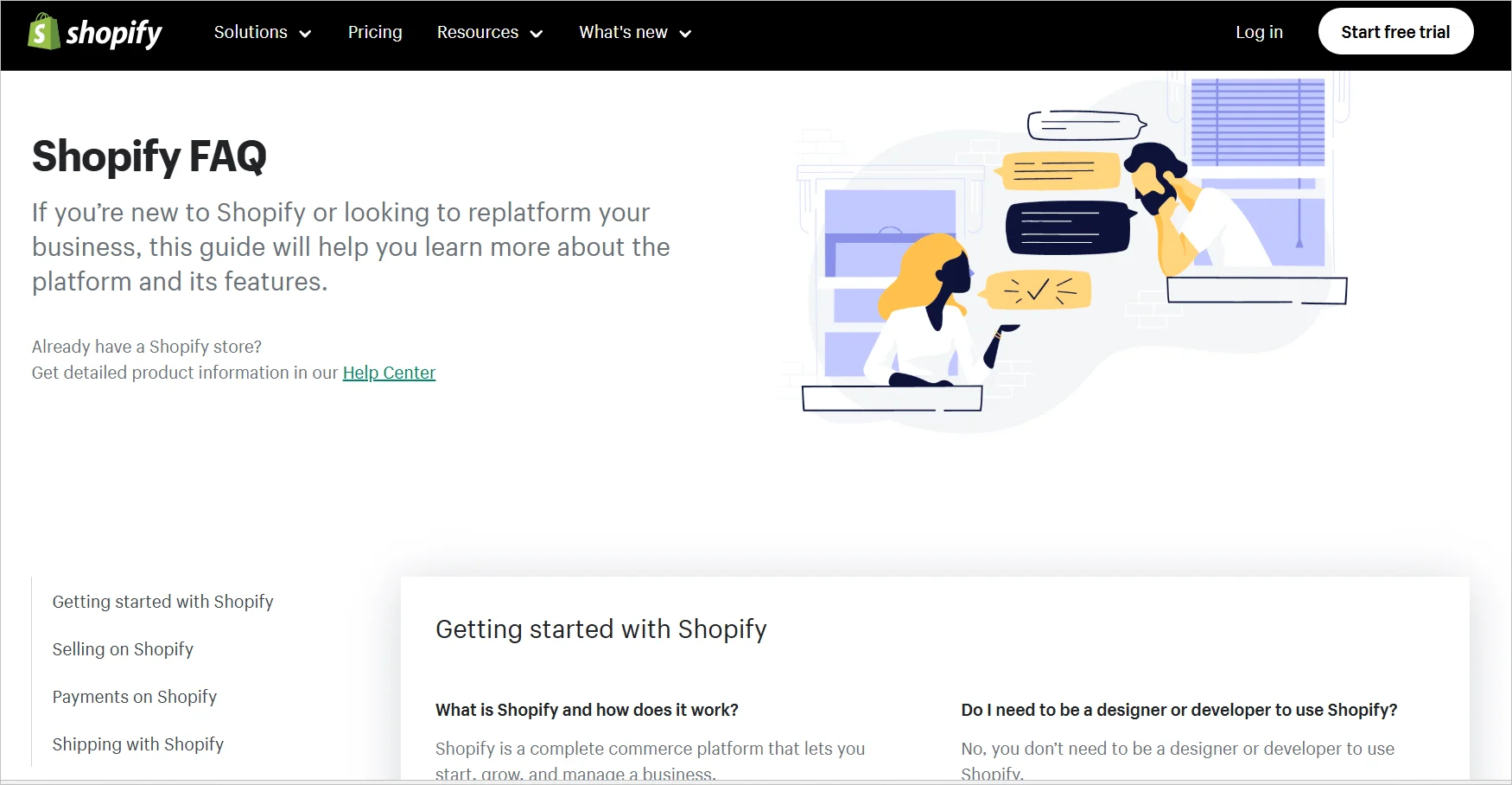
Shopify’s FAQ section is designed to help users maximize the platform’s capabilities.
It provides clear, concise answers and links to in-depth documentation for more complex topics.
13. Starbucks
Best for: Brands that prioritize a fast path to top questions with search and category grouping.
Starbucks has a simple FAQ page that prioritizes the most critical questions.
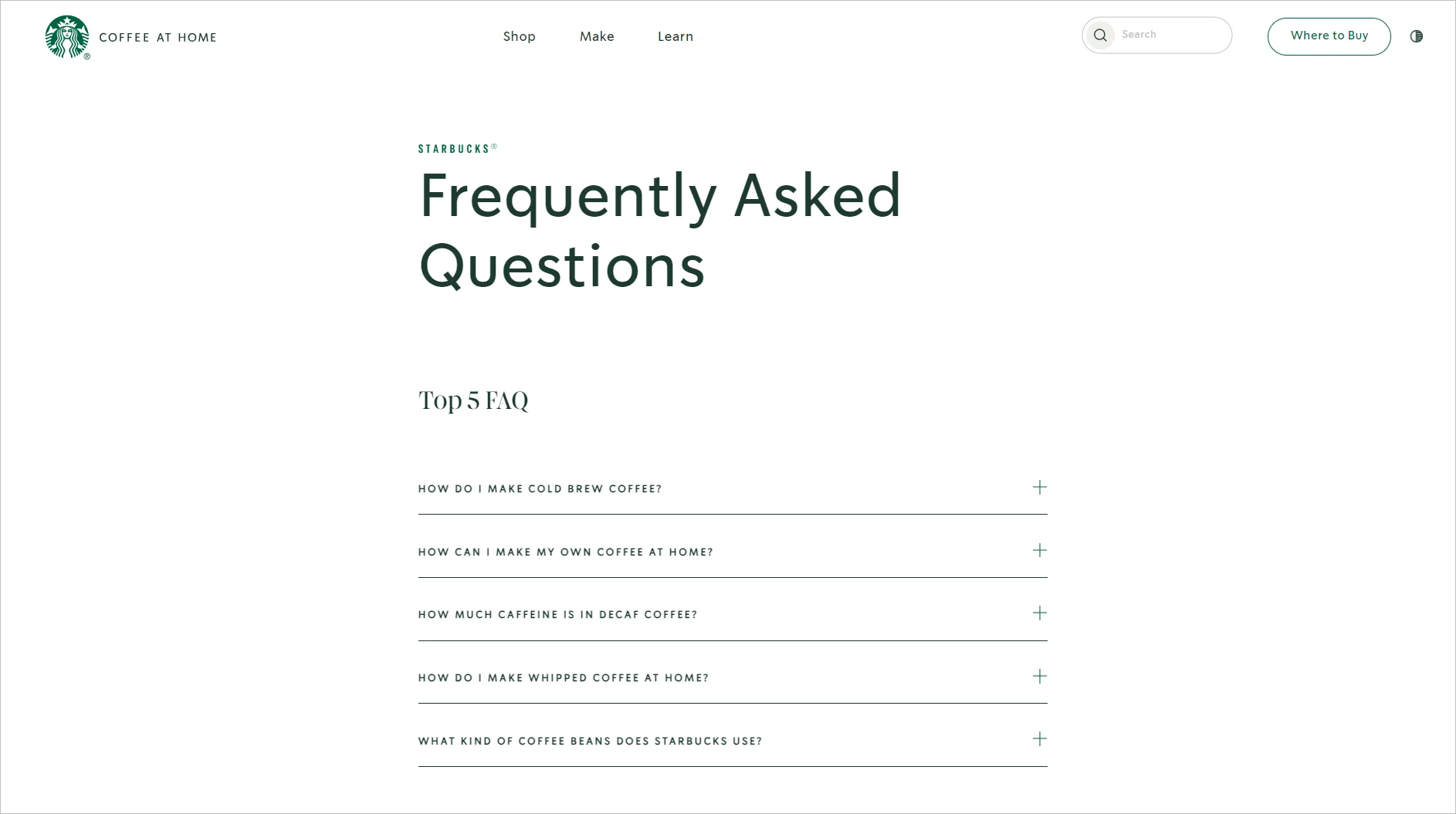
Its FAQ section includes a search bar, and common questions about the beverages offered are organized into categories.
14. Statista
Best for: Data services that benefit from a clearly sectioned FAQ with a prominent search bar.
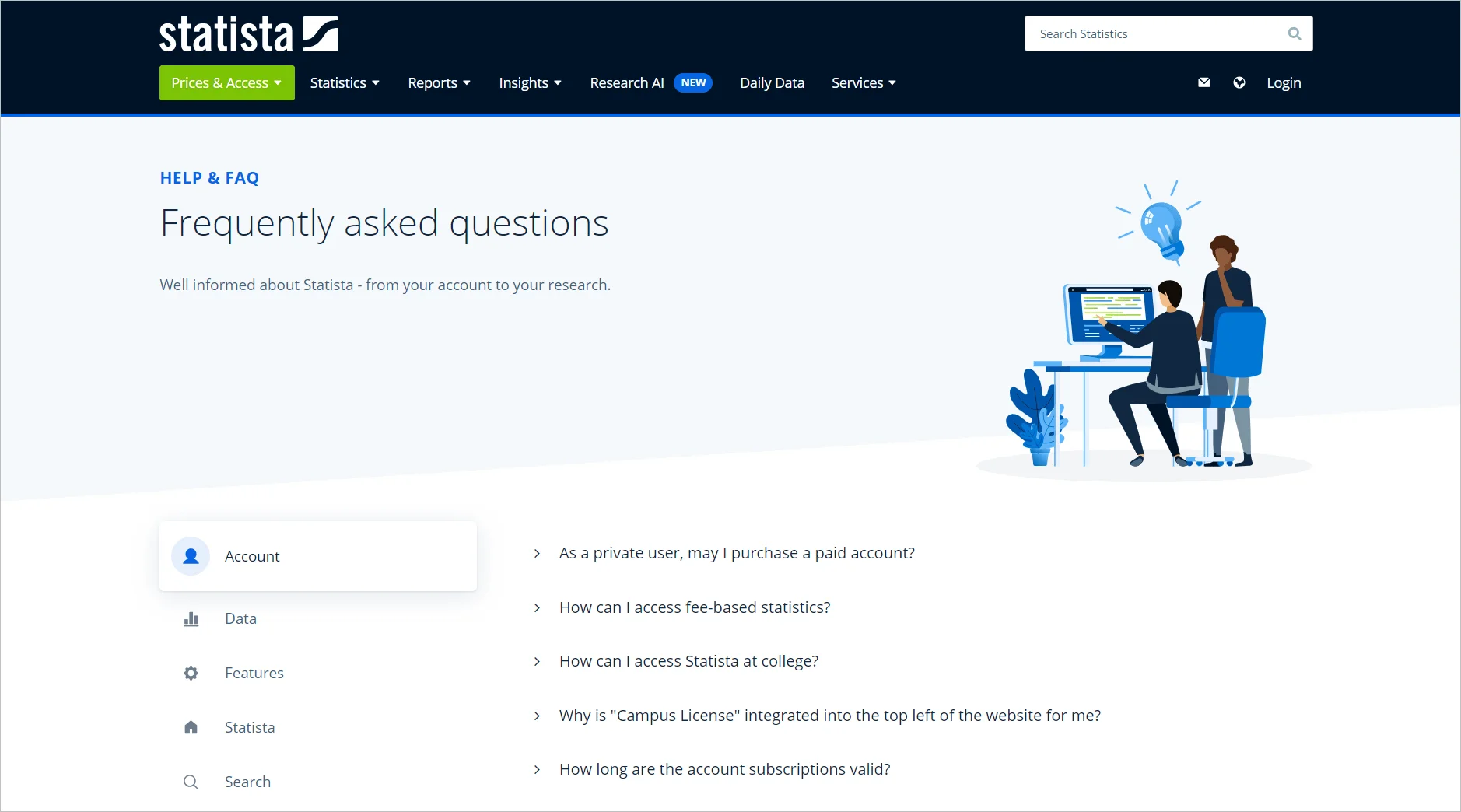
Statista’s FAQ page is divided into clear sections, making it easy for customers to find specific information quickly.
Statista also has a search bar where clients can type in questions and instantly get the answers they want instead of scrolling through the list.
15. YouTube
Best for: Platforms that need an intuitive, topic-grouped layout with a top search bar.
YouTube’s FAQ page is designed with user experience in mind. Its intuitive layout makes finding information easy.
The content of the page is grouped into subsections where each subsection covers a particular area of using YouTube, such as creating and managing accounts, uploading videos, troubleshooting issues, and so on.
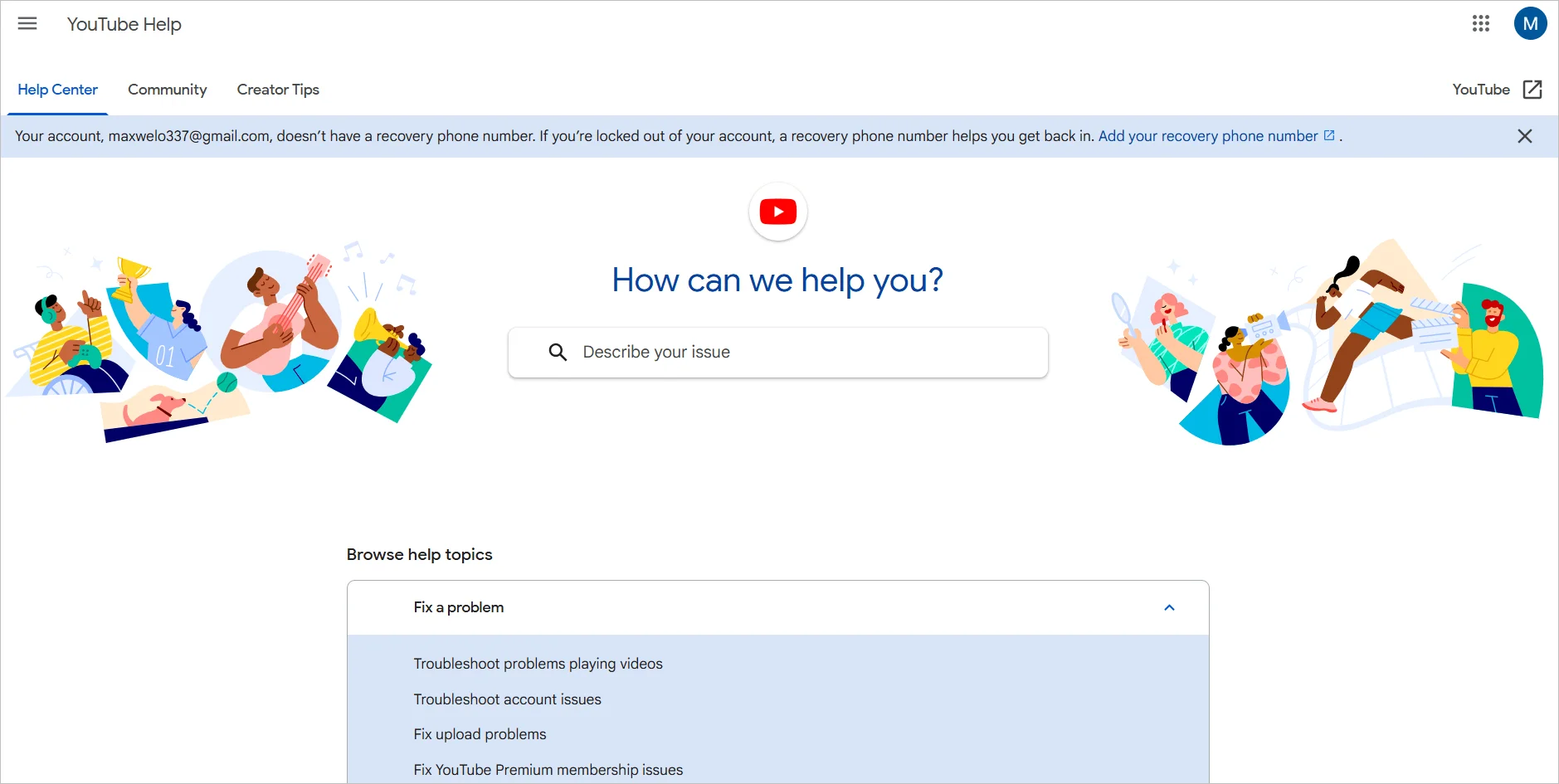
Its FAQ design includes a search bar at the top, allowing users to locate specific topics or questions quickly.
Best practices for creating an FAQ page for your website
Your FAQ page should reflect your brand values, standards, and commitment to customer experience.
The following tips can help you strengthen search visibility and trust.
Use visuals and additional resources
Enhance answers with how-to videos, screenshots, step-by-step guides, and links to in-depth documentation when appropriate. Multimedia content improves clarity, increases customer engagement time, and strengthens content depth—factors that can positively influence search performance.
Ensure media elements are relevant, optimized for speed, and properly structured for accessibility.
Include contact options
Some users will need assistance beyond what your FAQ provides. Include visible contact options such as live chat, email support, or contact forms to prevent frustration and ensure smooth escalation.
Live chat support, AI chatbots, and virtual assistants can also help handle complex or follow-up questions while maintaining 24/7 availability.
Localize content for global audiences
If your FAQ serves international users, go beyond direct translation.
Provide language‑specific FAQ versions, maintain consistent terminology across regions, and implement region‑aware search functionality so users can receive contextually relevant answers.
Regularly update your FAQ page answers
Monitor recurring customer inquiries and highlight high-demand questions in prominent sections. Remove outdated answers related to discontinued products or legacy policies.
Update your FAQ whenever new features, services, or policy changes are introduced.
As a general best practice, review and refresh content every 3–4 months to maintain accuracy and relevance.
Track and monitor progress for improvement
Use reporting and analytics to evaluate page traffic, search queries, bounce rates, and user behavior. Identify unanswered search terms and gaps in coverage.
Rather than focusing only on keyword volume, prioritize intent alignment and clarity.
Continuous monitoring ensures your FAQ page remains effective at reducing support tickets and improving customer satisfaction.
Learn from these FAQ page examples to improve your website design
Well-designed FAQ pages strengthen customer experience, reduce repetitive support inquiries, and make critical information easier to access.
By structuring content clearly, prioritizing high-intent questions, and integrating search functionality, you can transform your FAQ page into a powerful self-service resource that supports both customers and business growth.
BoldDesk helps you build structured, searchable FAQ pages with advanced customization, live chat integration, and analytics to optimize performance over time.
Contact us to start your 15-day free trial or schedule a live demo to see how BoldDesk can elevate your customer support experience.
Have additional insights or examples to share? Add them in the comments below.
Related articles
- 10 FAQ Software Solutions to Improve Customer Support
- 7 Techniques to Improve Your Knowledge Base Design
- Role of Self-Service in Modern Helpdesk Solutions
Frequently Asked Questions
A good FAQ page answers common customer questions clearly, uses simple language, organizes content into logical categories, and includes a search bar.
Strong FAQ pages also offer concise answers and link to deeper resources like guides or tutorials when users need more detail.
There’s no fixed number, but most effective FAQ pages include 5–15 high-priority questions.
It’s best to focus on the most common or high-intent queries, updating the list based on support ticket trends and search logs rather than overwhelming users with too many answers.
Yes. A searchable FAQ page significantly improves user experience by helping customers find answers instantly, especially when the page contains multiple categories or a long list of questions.
Strong search also improves navigation, reduces frustration, and enhances FAQ self-service support.
Yes. FAQ pages can improve SEO by targeting natural, question-based search queries that users commonly type into Google.
When well-structured and marked up with FAQ schema, they can appear in featured snippets, People Also Ask results, and voice search answers, boosting visibility and click-through rates.