




 In this page

TL;DR: Microsoft Build 2026 marks a clear shift from AI copilots that assist humans to agentic AI systems that execute tasks. These systems can resolve tickets, automate workflows, and act proactively, transforming customer support into a faster, scalable, and more autonomous function.
Microsoft Build 2026 confirmed what many support leaders are already seeing: AI in customer support is shifting toward systems designed to execute tasks, coordinate workflows, and operate across applications and enterprise data.
For customer experience and IT teams, the question is no longer whether to use AI, but where to apply it safely, measurably, and at scale.
This points to a more intelligent model in customer support where AI can assist across end-to-end workflows rather than just handling individual queries.
In this blog, we’ll break down what the shift to agentic AI means in practice, highlight key insights from Microsoft Build 2026, and explore how platforms like BoldDesk are aligning with this approach.
At Build 2026, Microsoft highlighted the growing role of AI agents, multi-agent systems, and enterprise orchestration frameworks that enable AI to perform actions across applications rather than simply generate responses. This signals a broader industry move toward outcome-driven AI experiences.
Why support teams should pay attention to the shift from copilots to agents
One of the most significant themes in the Microsoft Build 2026 AI announcements was the evolution from copilots to autonomous agents.
While copilots enhanced productivity by assisting human agents, AI agents go a step further by independently handling tasks, resolving issues, and orchestrating workflows across systems.
The shift toward agentic AI fundamentally reshapes support operations by enabling:
- End-to-end ticket resolution without constant human intervention
- Proactive support experiences, where issues are identified and acted on before customers escalate
- Greater scalability, allowing teams to handle higher volumes without proportional headcount growth
For support leaders, this isn’t just a feature upgrade; it’s a shift toward AI-driven service delivery models that prioritize speed, autonomy, and consistency.
Agentic AI vs chatbot: The shift to autonomous support agents
What is agentic AI in customer support?
Agentic AI in customer support refers to AI systems that can independently plan, execute, and optimize support tasks by combining reasoning, memory, and tool usage without requiring constant human input.
While traditional chatbots improved automation, they often struggled with complex, end-to-end customer journeys.
AI agents represent the next stage, extending beyond conversation into task execution and workflow management.
Here’s a simple breakdown of how AI has evolved from chat-based tools to action-driven systems:
| Feature | Traditional AI chatbot | Modern AI agent |
| Primary function | Conversational: Answers questions. | Operational: Completes tasks. |
| Intelligence | Reactive: Responds to prompts and predefined intents. | Proactive: Understands intent and reasoning. |
| Knowledge usage | Uses predefined FAQs and scripted responses. | Searches approved, up-to-date knowledge bases. |
| Customer context | Limited to the current chat session. | Aware of customer history and account status. |
| Workflow integration | Isolated from business systems. | Triggers workflows and updates internal tools. |
| Resolution style | “Here is an article on how to do it.” | “I have started the process for you.” |
This distinction aligns with Microsoft’s broader direction at Build 2026: AI systems that don’t just respond, but actively complete work.
Note: For modern platforms, AI does not just explain how to update an account; it can verify identity and initiate the update automatically.
How AI agents redefine customer support operations
Customer support is one of the clearest areas where agentic AI can create practical value. Support teams deal with repeated questions, rising ticket volume, multiple channels, SLA pressure, and the constant need to balance speed with quality.
AI agents can help in several ways:
- Handling routine work: AI agents answer common questions, suggest replies, and summarize conversations using approved knowledge. This reduces workload and helps agents resolve issues faster.
- Improving ticket management: Instead of tickets piling up in queues, AI triages them by understanding intent, urgency, and context as they come in. The result is a smoother flow of work: issues reach the right teams faster, and fewer requests are missed.
- Automating support actions: Beyond responses, AI agents can trigger predefined workflows like checking order status or updating records, quietly eliminating manual steps that would otherwise slow teams down.
- Enhancing the full support lifecycle: AI agents extend beyond individual interactions to support the entire customer journey, from proactive self-service to real-time assistance and after-sales support. By continuously learning from every touchpoint, AI agents help teams resolve issues faster and refine the overall support experience over time.
This does not mean AI replaces support teams. The better model is AI plus human support. AI handles repetitive, low-risk work, while human agents focus on complex, sensitive, and high-value conversations.
The new agentic AI in customer support operating model
Modern support operations demand more than what traditional ticketing systems were designed to handle. As complexity grows, with multiple channels and interconnected workflows, relying on standalone ticket management is no longer sufficient.
To fully realize the value of agentic AI, organizations must adopt an operating model built on five connected pillars.
Omnichannel intake and unified conversations
Customers will reach out through whatever channel is easiest for them, whether it’s email, chat, social media, or messaging apps.
The goal is to unify all customer conversations within a single omnichannel support environment.
When both agents and AI can see the full context, responses become faster, more accurate, and consistent.
AI assistance for customers and agents
A modern support model uses AI across the entire support journey, not just in one place. This typically includes:
- AI for customer self-service: Helps customers find answers instantly and reduces ticket volume.
- AI for agent productivity: Provides summaries, suggestions, and context to speed up responses.
- AI within workflows: Automates steps like routing, updates, and follow-ups to reduce manual effort.
Real-world agentic AI in customer service example
AdmissionPros struggled with a knowledge base that was not user-friendly, making it difficult for customers to find answers and increasing reliance on support tickets.
By implementing BoldDesk, they built a structured knowledge base with AI-assisted self-service, enabling users to access on-demand information and significantly improving the overall support experience.
Reporting, analytics, and continuous optimization
Support leaders need clear visibility into performance. This includes understanding what AI resolves, where it escalates, and where gaps exist.
With the right data, teams can continuously improve processes, refine AI performance, and deliver better support over time.
Centralized and structured knowledge base
AI systems are only as effective as the information they use, so if your knowledge is outdated, incomplete, or inconsistent, AI will deliver poor answers or escalate unnecessarily.
A well-structured knowledge base, covering FAQs, product documentation, troubleshooting guides, and past ticket patterns, ensures AI can reliably answer questions, route issues correctly, and use the right context.
This transforms your knowledge base into a shared source of truth that supports customers, agents, and AI systems with consistent, accurate information.
Workflow automation and SLA management
If key processes like ticket routing, prioritization, and escalation remain manual, AI automation will not resolve the underlying bottlenecks.
It may improve response quality, but delays will persist behind the scenes.
Automating these workflows ensures tickets move faster, SLAs are met consistently, and teams can handle higher volumes without extra effort.
Real-world example
Persistent Systems’ support team was slowed down by the constant need to manually sift through a crowded inbox, identify each request, and route it to the right person.
With BoldDesk, incoming emails were converted into tickets and automatically routed to the appropriate team members, removing the manual bottleneck and improving routing speed, ownership clarity, and response consistency.
Practical steps for support leaders to get started
You don’t need to wait for a complete AI transformation or a dedicated technical team to get started.
The move to agentic AI can begin with a few practical steps that establish a strong foundation for long-term success.

Step 1: The knowledge audit
Begin with your knowledge base, the foundation for both AI and human support. Review your most-used help articles and check if they are accurate, updated, and easy to understand.
Look for gaps, outdated content, or inconsistencies. A well-structured knowledge base ensures AI provides reliable answers and reduces unnecessary escalations.
Step 2: Identify high-volume low-complexity tickets
Analyze your recent support data (for example, the last 60–90 days) and group tickets by topic. You’ll quickly find patterns, common questions like order status, account issues, or basic troubleshooting.
These repetitive, straightforward queries are the best starting point for AI, as they offer high impact with low risk.
Step 3: Define escalation rules and confidence levels
Agentic AI performs best within clearly defined operational boundaries. Start by setting strict rules where AI suggests responses but requires human approval.
As accuracy improves, you can gradually allow AI to handle low-risk queries independently.
At the same time, clearly define escalation rules. This is especially important for complex, emotional, or high-value cases.
Step 4: Centralize channels and customer context
If your team is managing support across disconnected tools, it limits what AI can do. Bring all your support channels like email, live chat, and social media channels, into a unified omnichannel system.
When AI has full visibility into conversations and customer history, it can provide better responses, route tickets correctly, and support agents more effectively.
Step 5: Measure what matters
As you introduce AI, track key performance metrics such as resolution time, first response time, escalation rates, and customer satisfaction.
Also monitor where AI succeeds and where it struggles. These insights help you improve workflows, refine knowledge, and increase confidence in AI-powered support automation.
Step 6: Start with low-risk use cases and scale strategically
Focus on high-confidence use cases like FAQs, ticket summaries, routing, and basic automation. Once these are working smoothly, expand AI’s role into more complex workflows.
This phased approach reduces risk while building trust within your team.
Why AI needs guardrails
As customer support AI agents become more capable, the risk of them acting outside intended boundaries increases.
Control is what ensures these systems remain predictable, safe, and aligned with business rules.
Here are the key guardrails support teams need to put in place:
- Approved knowledge sources: AI systems must be restricted to verified and approved information to prevent inaccurate or inconsistent responses. This ensures every answer reflects the organization’s policies, products, and official communication standards without introducing external or unreliable data.
- Role-based permissions and action limits: AI should only perform actions it is explicitly authorized to execute, with strict limits on sensitive operations like refunds, account changes, or data access. Combining permissions with action boundaries ensures the system cannot overstep its role or make high-impact decisions independently.
- Human handoff with confidence-based escalation: The system should seamlessly transfer conversations to human agents when complexity, sensitivity, or user intent exceeds its scope. It should use confidence thresholds to decide when to escalate instead of guessing, ensuring accurate responses and a smooth customer experience.
- Auditability: Every interaction and action taken by the AI should be logged and traceable for review. This allows teams to investigate issues, ensure compliance, and continuously improve system behavior based on real data.
- Performance reporting: AI systems must be measured against clear metrics such as accuracy, resolution quality, and escalation rates. Continuous monitoring makes it possible to identify gaps, maintain control over outcomes, and ensure the system performs as intended over time.
The strongest AI support systems are not the ones that automate everything, but the ones that operate within clearly defined limits and maintain control at every step.
Many organizations understand the potential of agentic AI but struggle to connect strategy with execution. This is where support platforms play a critical role.
Where BoldDesk is already ahead
If Build 2026 highlights where the industry is heading, BoldDesk reflects how those ideas translate into everyday support operations.
Here’s how BoldDesk maps to the agentic transition in a way service teams can actually use.
- AI Agent for customer interactions: Acts as an autonomous assistant that can handle routine customer questions across channels like chat and social messaging. BoldDesk AI Agents use your configured data sources to deliver relevant answers and reduce unnecessary escalations to human agents.
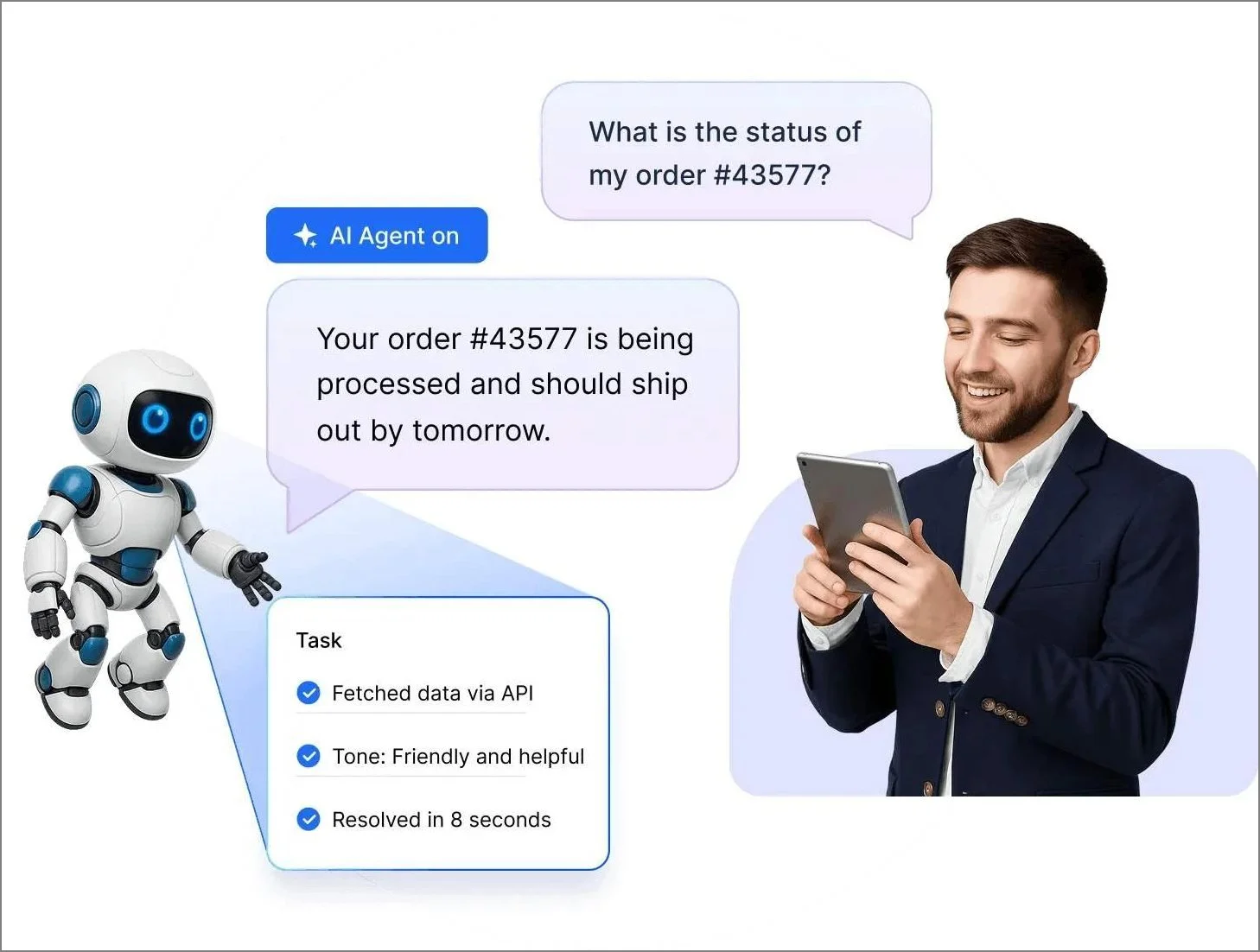
- AI Copilot for agent productivity: Works alongside human support reps to speed up handling and improve quality. AI Copilot can summarize tickets and chats, generate and refine replies, review response quality, translate content, and surface relevant knowledge for more accurate, consistent responses.
- AI Actions for task execution: Configure AI-driven tasks that can interact with external systems through APIs or MCP. AI Actions can be triggered by the AI Agent or Copilot during ticket handling or conversations to automate real work, such as updating records or syncing data with other business tools.
- Automation for scalable support operations: Reduces manual effort in repeatable support processes so teams can handle higher volumes more consistently, with standardized routing, updates, and workflow steps.
- Ticketing as the operational backbone: Provides the system of record for support work, tracking ownership, status, SLAs, and outcomes, so accountability and resolution progress remain clear even as AI takes on more front-line interactions.
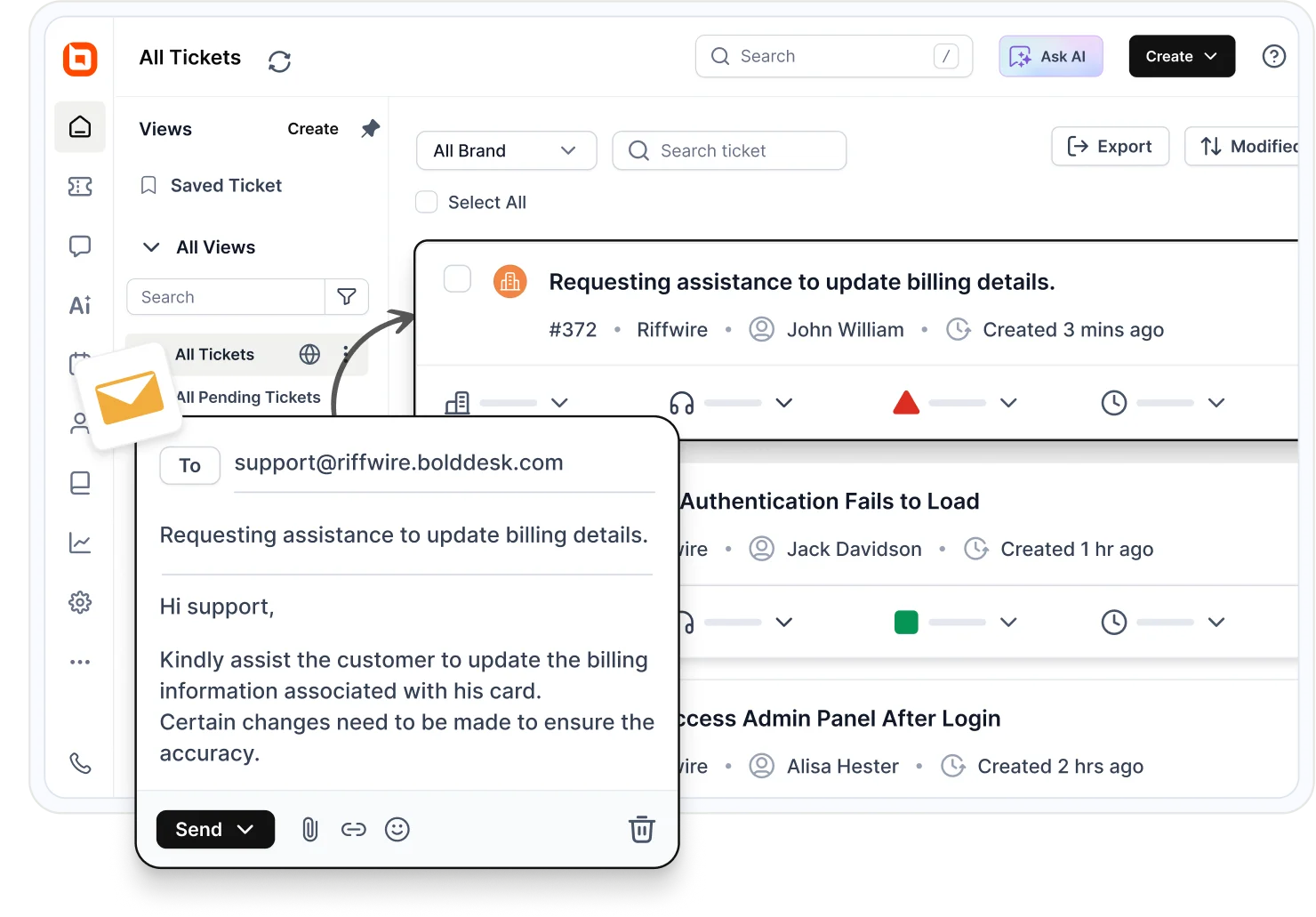
- Unified integrations across support tools: Connects support workflows across ticketing, chat, knowledge base, automation, AI, and reporting to reduce fragmentation and preserve customer context, enabling teams to operate more consistently and efficiently.
- Reporting for continuous optimization: Includes AI performance analytics such as an AI Agent performance dashboard, AI Agent Report, and AI Copilot Report to show how AI is performing, helping teams refine data sources, workflows, and overall support operations.
This aligns closely with where the support market is heading: AI that is practical, measurable, and embedded in support operations.
Preparing for the era of agentic AI in customer support
Support today is entering a phase where outcomes matter more than response times. With AI becoming part of how work gets done, Microsoft Build 2026 highlighted a future driven by action-oriented systems.
Going forward, teams will succeed by combining AI efficiency with human judgment, supported by connected systems and clear guardrails.
For service teams, the focus now is on building connected systems with the right knowledge, automation, and guardrails to make AI truly effective.
BoldDesk is already leading this transition by integrating AI Agents, Copilots, and AI Actions into a single, scalable support platform.
Start your journey toward agentic support with BoldDesk and see how AI features, automation, and workflows come together to deliver faster, more consistent service.
If you’d like to learn more, start a free trial or book a live demo to see how BoldDesk AI Agents, AI Copilot, and AI Actions can help your team automate support safely.
Do you have any questions or suggestions on this blog? Feel free to share your thoughts in the comments section below.
Related articles
Frequently Asked Questions
Yes. When implemented with approved knowledge sources, role-based permissions, audit logs, and confidence-based escalation rules, agentic AI can support secure and GDPR-aligned customer support workflows.
No. BoldDesk is designed for CX leaders and help desk managers. Most AI configurations, including AI Agents and AI Actions, are handled through a user-friendly interface with no-code or low-code setups.
A copilot assists users by providing suggestions, guidance, and answers within a workflow, keeping the human in control, whereas an AI agent can autonomously execute tasks, make decisions, and complete actions on behalf of the user with minimal or no human intervention.
AI guardrails are rules, frameworks, and safeguards designed to ensure AI systems operate safely, ethically, and in compliance with regulations.
AI agents can automate routine queries and workflows, but they complement rather than replace human support agents by freeing them to focus on complex, empathy‑driven issues.
Start with low-risk, high-volume workflows like FAQ answers from approved knowledge, ticket summarization, intent-based triage and routing, and status lookups. Expand to data-changing actions only after permissions, audit logs, and confidence-based escalation are in place.





