In this page

TL;DR: AI customer support fails due to poor system design but not weak models. Bad data, missing context, and excessive automation create friction instead of efficiency. Solving this requires fresh data, intelligent workflows, and human backup. Platforms like BoldDesk balance automation with agents to deliver fast, reliable support at scale consistently.
AI is supposed to make customer support faster and more efficient. So why does AI customer support fail in real‑world deployments, and why are so many teams seeing the opposite?
The problem isn’t the technology. It’s how AI is implemented.
As businesses push towards always-on, instant support, AI now handles replies, routes tickets, and manages repetitive queries at scale.
In theory, this should improve efficiency. In practice, it often creates new friction.
AI can misinterpret intent, lose context, and struggle with complex or emotional interactions. But these AI customer support challenges rarely come from the model itself, they come from weak systems around it.
According to Salesforce, only 33% of AI initiatives are meeting ROI targets. Even more concerning: 72% have failed to scale across business units, and 20% have stalled, failed outright, or been abandoned.
This gap between promise and performance highlights a growing challenge: deploying AI in customer support is easy, but deploying it effectively is not.
In this article, we’ll explore the 7 biggest AI customer support challenges, explain why they persist, proven fixes to address them, and show how BoldDesk helps organizations overcome these challenges and scale AI‑driven support successfully.
What are the biggest AI customer support challenges?
AI customer support problems are recurring failures in automated support systems caused by poor data quality, missing context, excessive automation, limited emotional intelligence, and weak escalation paths to human agents.
Here are the 7 biggest AI customer support failures:
- Understanding user intent: Customer questions may be misinterpreted when language is vague, informal, emotional, or shaped by cultural context.
- Lack of empathy and emotional intelligence: Responses can be factually correct yet fail to recognize frustration, urgency, or emotional cues.
- Poor escalation to human agents: Failing to hand off smoothly when AI reaches its limits can frustrate customers.
- Bias and fairness issues: Outputs may unintentionally mirror biases fixed in training data, leading to unfair or uneven outcomes.
- Data privacy and security concerns: Handling sensitive customer data requires strict safeguards that AI systems may complicate.
- Handling complex or unusual issues: Nonstandard, multi‑step, or highly technical problems often exceed AI’s capabilities.
- Lack of transparency and explainability: Decisions or responses are often difficult to interpret, making it hard to justify outcomes to customers or debug errors internally.
Example of AI chatbot issues in customer support:
A telecom’s AI chat widget, launched to cut call volume, frustrates customers by sending them into repetitive troubleshooting loops and ignoring prior inputs.
Poor issue classification misroutes billing disputes to technical support, increasing resolution times and dissatisfaction.
Common reasons behind AI customer support failures
Most AI customer service limitations don’t happen because the technology is weak. They happen because AI is deployed without a system around it.
AI promises efficiency and scale, but without the right foundations, it quickly turns into a source of friction instead of help.
Below are the most common reasons AI support efforts fall short.

Poor or outdated training data
AI systems are only as good as the data they’re trained on. When training data is outdated, incomplete, or biased, the AI delivers inaccurate or irrelevant responses.
You’ll often see this when AI suggests outdated policies, incorrect pricing, or solutions that no longer apply.
Without continuous data updates, AI quickly falls behind customer expectations and current business realities.
Real-life example:
A Saas customer reaches out via support Chat: “The API rate limits in your documentation don’t match what we’re seeing after last month’s update.”
The AI support assistant
- Pulls answers from outdated documentation
- Shares incorrect rate limits and deprecated endpoints
- Suggests workflows that no longer exist
The customer follows the guidance and encounters errors. Engineering time is spent validating incorrect information, and confidence in the support experience drops.
Outcome:
The issue escalates to a human support engineer, who must first correct the AI’s incorrect advice before resolving the problem, clearly showing how outdated training data transforms AI from a productivity tool into a source of friction.
Lack of context awareness
AI doesn’t fail at answering. It fails at understanding context across systems.
Many AI support tools struggle to understand context across a conversation. They may treat every message as a new interaction, ignoring previous questions, customer history, or prior frustrations.
As a result, customers are asked to repeat themselves, and conversations feel robotic rather than helpful. Context gaps break trust and make even simple issues feel unnecessarily difficult.
Over-automation without human oversight
Relying too heavily on automation can backfire when there’s no clear path to human support. While AI is excellent for handling routine tasks, not every query can or should be automated.
When businesses remove human oversight entirely, customers are forced to repeat themselves, escalations fail, and critical issues go unresolved, creating frustration instead of efficiency.
Example:
Before: Traditional Chatbot
A customer reports a duplicate charge, but the chatbot offers generic menu options without understanding context, forcing the customer to repeat details and slowing down resolution.
After: AI Agent
The AI agent immediately identifies the issue, validates account information, initiates a refund, and routes the case with full context if human support is needed.
Result
Issues are resolved faster, escalations are reduced, and the support experience focuses on solving problems rather than just responding.
Incorrect workflow or intent setup
AI models depend on properly defined workflows and intents to route conversations correctly. When these are poorly designed, the AI misunderstands what customers are trying to do.
A billing issue may be treated as a technical problem, or a cancellation request may never reach the right team.
These setup mistakes disrupt the customer journey and increase resolution time.
No quality monitoring
Once AI is deployed, many teams assume it will “just work.” Without ongoing monitoring and performance reviews, errors go unnoticed and poor responses continue indefinitely.
Quality monitoring like reviewing conversations and tracking resolution success is essential to identify gaps, retrain the AI, and improve accuracy over time.
Inability to handle complex or emotional issues
Difficulties arise when conversations involve emotion, urgency, or complex issues.
Angry, confused, or distressed customers often need empathy and human judgment—something AI cannot fully replicate yet.
When AI responds with scripted or overly neutral language in emotionally charged situations, it escalates frustration and directly contributes to reduced CSAT scores.
According to Forbes, nearly 75% of customers say chatbots are unable to handle complex or nuanced issues, and almost 50% report receiving responses that don’t make sense in context, leading to lower satisfaction ratings.
Poor integration with support systems
When AI doesn’t integrate smoothly with customer databases, CRMs, or ticketing systems, it operates blindly. It may not recognize returning customers, past tickets, or ongoing issues.
This lack of integration creates disjointed customer experiences and forces customers to re-explain their queries, defeating the purpose of intelligent automation.
No clear AI guardrails or governance
When AI customer support systems access unverified data or are allowed to take risky actions, the consequences can be serious.
Without strict controls on data sources and decision boundaries, AI may pull outdated, incorrect, or unauthorized information and use it to respond to customers.
This can result in answers that contradict company policies, local regulations, or even previous support interactions.
7 Proven ways to fix AI customer support problems
Fixing AI support isn’t about upgrading models. It’s about fixing the system around them.
Once you understand the real causes behind AI customer service limitations, the solution isn’t “smarter AI.” It’s smarter design.
Below are 7 proven strategies that address why AI customer support fails, including AI chatbot issues like poor intent detection, lack of context, and broken escalation paths.

1. Continuously refresh training data
AI maturity stage: Foundation
AI plays a critical role in customer support by delivering fast, accurate, and consistent responses, but its effectiveness depends entirely on the quality and freshness of the data it learns from.
Well-maintained training data allows AI to reflect real policies, real products, and real customer language.
What to do:
- Regularly update knowledge bases with current policies, pricing, and product changes so AI responses remain accurate and trustworthy.
- Train AI using real customer conversations, not just ideal FAQs, to capture how customers describe problems and ask questions.
- Remove duplicate, outdated, or conflicting content to prevent confusion and reduce incorrect or inconsistent answers.
If your knowledge base is fragmented, outdated, or disconnected from product updates, AI automation will amplify errors instead of reducing workload.
When training data is clean, current, and grounded in real customer interactions, AI becomes a reliable frontline support tool.
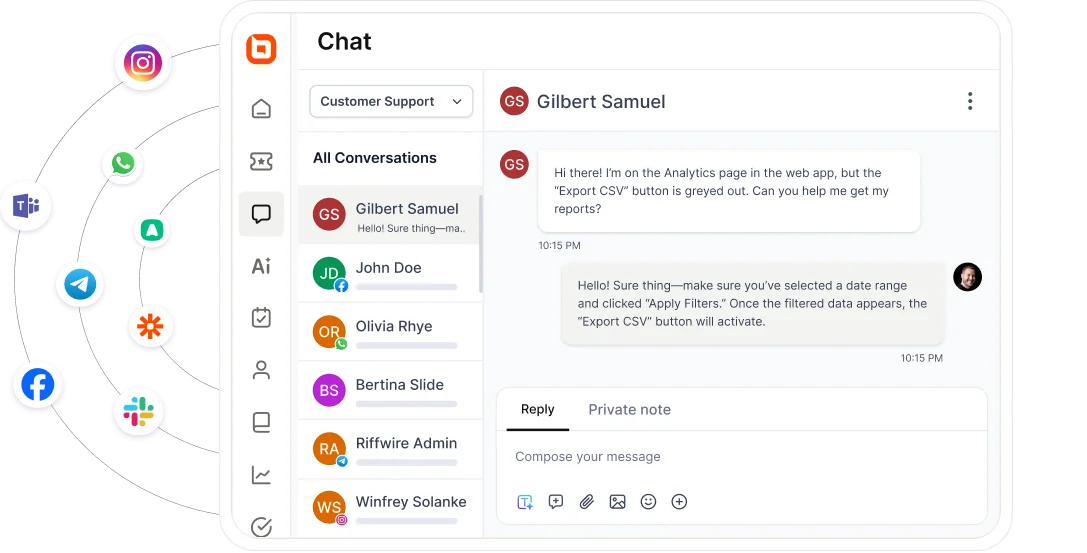
2. Maintain omnichannel consistency
AI maturity stage: Foundation
Customers don’t see channels; they see one conversation. Whether they reach out via email, live chat, WhatsApp, or social media, they expect consistency in accuracy, tone, and resolution.
AI helps deliver this by unifying conversations and context across channels.
What to do:
- Centralize customer interactions into a shared view so AI and agents operate with full context.
- Apply consistent intent detection, knowledge sources, and response rules across all channels.
- Track conversation history across touchpoints to prevent customers from repeating themselves.
Omnichannel consistency ensures the AI behaves predictably and builds trust instead of fragmentation.
3. Balance automation with personalization
AI maturity stage: Intelligence
Automation improves efficiency, but excessive automation removes empathy and flexibility from support interactions.
The goal is not maximum deflection, but effective resolution.
What to do:
- Automate low‑risk, repetitive tasks like FAQs, order status checks, and password resets.
- Use customer history to personalize automated responses so they feel relevant and contextual.
- Provide a clear, visible path to human support for complex, emotional, or high‑impact issues.
This reflects a human‑in‑the‑loop model, where AI accelerates routine resolution while humans retain control over judgment‑heavy or sensitive interactions.
4. Use intent detection to route conversations smartly
AI maturity stage: Intelligence
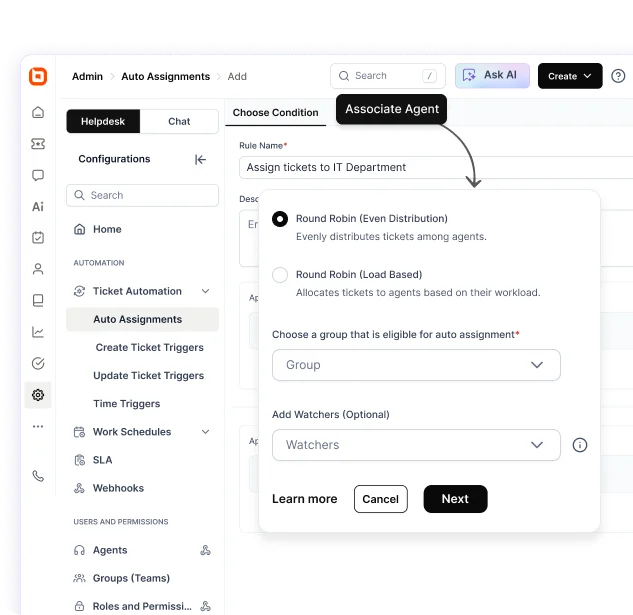
Intent detection allows AI to understand why customer is reaching out and route the conversation to the correct workflow or team.
When intent is accurate, resolution speeds up and unnecessary escalations are reduced.
What to do:
- Regularly review and refine intent definitions based on real customer language.
- Test routing workflows against real‑world scenarios to uncover edge cases.
- Add graceful fallback paths when intent is unclear instead of forcing incorrect classification.
In mature support architectures, intent detection acts as the orchestration layer, connecting customer input to knowledge systems, workflows, integrations, and human agents in a single flow.
5. Monitor performance with actionable insights
AI maturity stage: Control and optimization
AI only delivers value when its performance is visible, measurable, and continuously improved.
Without monitoring, errors persist silently.
What to do:
- Track key metrics like response accuracy, resolution time, and CSAT to understand how AI impacts customer experience efficiency.
- Monitor backup responses and human handovers to identify where AI lacks confidence or clarity.
- Retrain AI models regularly to help the system adapt to new customer needs and behavior.
Continuous monitoring turns AI into a learning system rather than a static automation layer.
6. Add guardrails and governance for safer AI
AI maturity stage: Control and optimization
Without governance, AI can hallucinate answers, contradict policies, or act beyond its intended scope.
Guardrails ensure AI operates safely and predictably.
What to do:
- Restrict AI to approved knowledge sources so responses are generated only from verified documentation, policies, and up‑to‑date content.
- Clearly define what AI can and cannot do, including which actions it may take autonomously and which require human approval.
- Enable AI to say, “I don’t know”, and escalate when confidence is low, rather than guessing or hallucinating answers.
Well-designed guardrails protect customer trust by ensuring AI delivers accurate, reliable support while minimizing risk.
Strong governance keeps AI behavior explainable, compliant, and aligned with business rules as it scales.
7. Enable seamless human handoffs
AI maturity stage: Control and optimization
AI should assist, not replace human agents, especially when conversations become complex, sensitive, or high‑impact.
Poor handoffs undo the benefits of automation.
What to do:
- Automatically escalate to human agents when confidence is low or complexity increases, rather than pushing AI beyond its limits.
- Pass full conversation context, customer history, and prior actions to agents so customers never have to repeat themselves.
- Ensure transitions feel seamless and natural, clearly signaling to customers when a human is stepping in.
At scale, effective AI support systems are designed around escalation paths, not deflection rates.
How BoldDesk solves AI customer support challenges at scale
BoldDesk aligns with each stage of AI maturity, from knowledge‑grounded responses to controlled, action‑driven automation with human oversight, allowing it to move beyond simple replies and resolve issues.
Unlike solutions that overpromise automation but rely on generic AI, BoldDesk delivers accurate, context‑aware support and executes real workflows, helping teams scale efficiently without compromising the customer experience.
Explore the BoldDesk features designed for smarter AI-driven customer support.
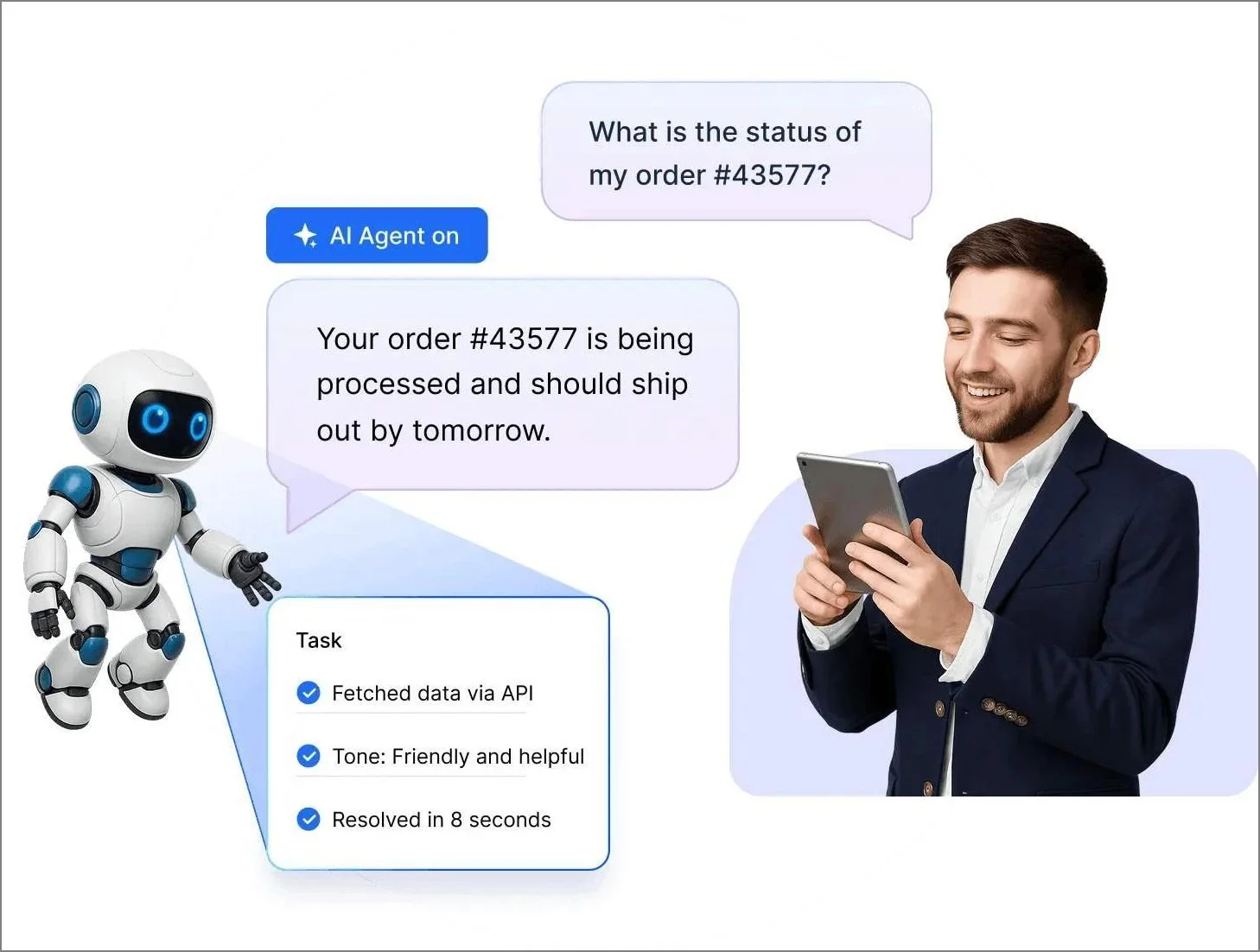
AI-powered agent assist and automation
Agents respond faster and more accurately with AI-powered assistance, without removing human control.
Automation handles repetitive tasks while suggested replies support agents, reducing errors and preventing over-automation in complex or sensitive cases.
Smart ticketing with deep context awareness
Tickets are routed and managed through configurable workflows and automation rules, ensuring they reach the right agents efficiently and are handled consistently.
Built‑in AI capabilities use approved data sources such as knowledge base content and connected systems to generate more relevant, context‑aware responses for customers.
Agents can also rely on AI‑generated summaries to quickly grasp long ticket histories, reducing unnecessary back‑and‑forth and improving resolution times.
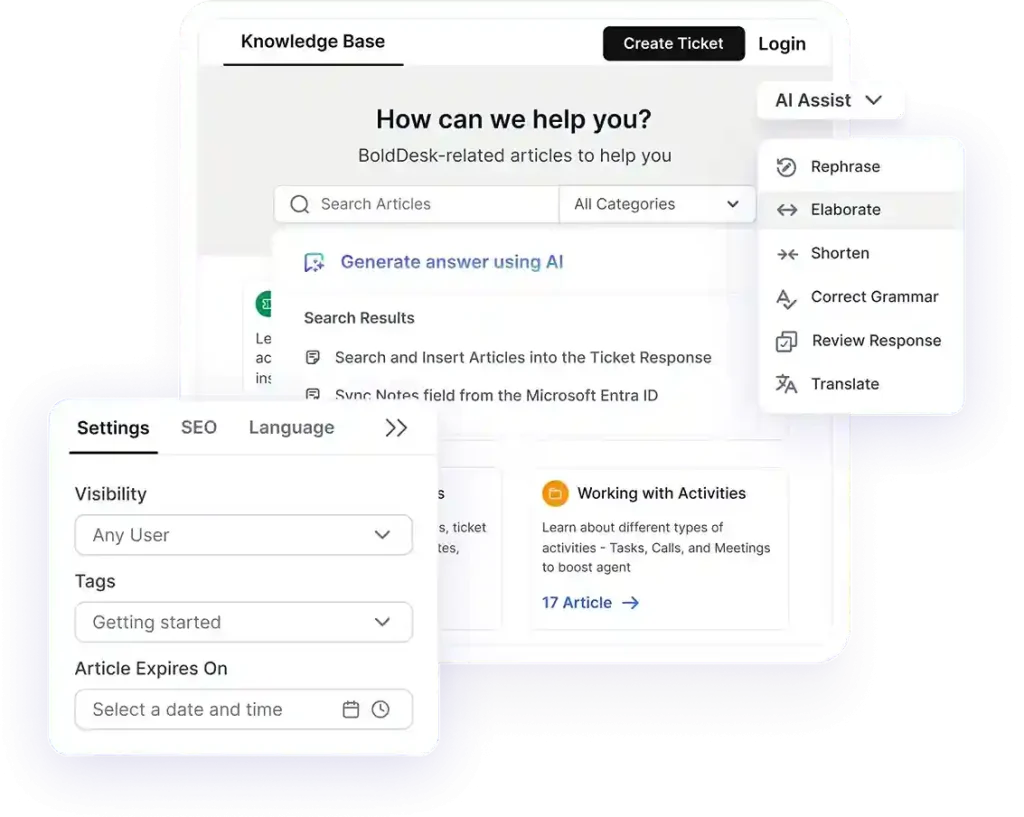
AI-ready knowledge base and management
Keeping AI accurate starts with maintaining high-quality content.
Built-in tools help teams create, refine, and optimize knowledge base articles for both AI consumption and search visibility.
Features like automated content suggestions, summarization, and customer insights from unanswered queries ensure the knowledge base evolves continuously.
This improves response accuracy while keeping information aligned with product updates and policies.
Built-in analytics for continuous improvement
Performance can be measured through dedicated dashboards and reports for the AI Agent, AI Copilot, and overall AI usage.
These views help teams understand adoption and outcomes such as how queries are resolved or deflected by the AI Agent and how agents use AI Copilot in their workflows.
Combined with existing support KPIs, these insights enable continuous improvement of AI quality.
Configurable guardrails for safer AI usage
AI works best when it operates within clearly defined boundaries. Role-based permissions control who can access AI features, while approved data sources ensure responses are grounded in reliable information.
Custom AI Actions and integrations define exactly what the system is allowed to do, creating safe, predictable automation while ensuring sensitive or complex issues are escalated to human agents when needed.
By combining automation, context, and control, BoldDesk enables teams to scale AI support confidently, delivering faster resolutions, consistent experiences, and a balance between efficiency and empathy.
Build smarter, scalable AI customer support without losing trust
Implementing effective AI-driven support requires more than automation. It demands clean data, strong context awareness, well-defined workflows, and seamless human handoff.
With the right balance of AI assistance and human expertise, organizations can reduce agent workload while improving customer satisfaction.
A continuously optimized AI support strategy ensures the system evolves alongside customer expectations, business growth, and changing support needs.
BoldDesk AI includes an autonomous AI Agent for 24/7 routine query handling, AI Copilot for agent-side assistance, and AI Actions to automate tasks through APIs/MCP.
Teams can improve accuracy over time using unanswered questions and AI performance reports, while keeping control through permissions and approved data sources.
Ready to build smarter, more human AI customer support?
Start a 15-day free trial or schedule a live demo to see how BoldDesk delivers faster resolutions, fewer escalations, and more satisfied customers.
Related articles
- 7 Common Challenges in Fintech Customer Service and How to Fix Them
- Top 7 Challenges in Telecom Customer Service and How to Solve Them
Frequently asked questions
AI customer support breaks when it is trained on outdated, incomplete, or poorly structured data. If the knowledge base lacks accurate FAQs, product updates, or real customer conversations, the AI cannot understand intent correctly. This results in vague, repetitive, or incorrect responses.
Common challenges include integrating AI with existing systems, maintaining high-quality training data, and balancing automation with human support. With BoldDesk, these are simplified through seamless integrations, centralized knowledge management, and human-in-the-loop workflows, while supporting cost control, security, and transparency.
Hallucinations are reduced by restricting responses to approved knowledge sources and preventing speculation. When the system is allowed to say it doesn’t know and escalate to a human when confidence is low, fabricated answers are avoided. Clear instructions and regular human review further reinforce reliable behavior.
AI isn’t better than human support; it delivers the best results when it works alongside agents.
Common signs your AI support is breaking include customers repeating questions, increased requests for human agents, and complaints about incorrect or unhelpful chatbot responses. A drop in CSAT, higher escalations, longer resolution times, or more abandoned chats also indicate AI support issues.