In this page

TL;DR: WhatsApp automation helps businesses manage high conversation volumes with structured workflows, intelligent routing, and timely notifications. It improves response speed, reduces agent workload, and makes it easier to scale support, sales follow-ups, and service updates.
Your support team is drowning in WhatsApp messages. Order updates. Refund requests. Complaints. “Just checking in” follow‑ups all landing in a single inbox.
As volume grows, ownership blurs, follow‑ups get missed, and response times slow. What starts as fast, convenient support quickly turns into operational chaos.
The WhatsApp Business App may work at low volume, but it wasn’t built for teams handling hundreds or thousands of conversations every day. Without structured workflows, routing, and visibility, scaling support becomes increasingly difficult.
This isn’t a temporary challenge. Salesforce reports that 65% of customers now use messaging channels to interact with businesses, raising expectations for fast, reliable, and always‑on responses.
That’s where WhatsApp automation comes in. By combining automated workflows with intelligent routing, timely notifications, and clear ownership, businesses bring order to WhatsApp conversations and scale support without sacrificing quality.
In this blog, we’ll explain what WhatsApp automation is, how to implement it, and real‑world use cases that show how teams manage WhatsApp support at scale.
What is WhatsApp automation for customer support?
WhatsApp automation is the process of using the WhatsApp Business App or WhatsApp Business API to automate messages, trigger responses, and manage customer interactions.
In customer support, it helps teams manage high volumes with structure, consistency, and control.
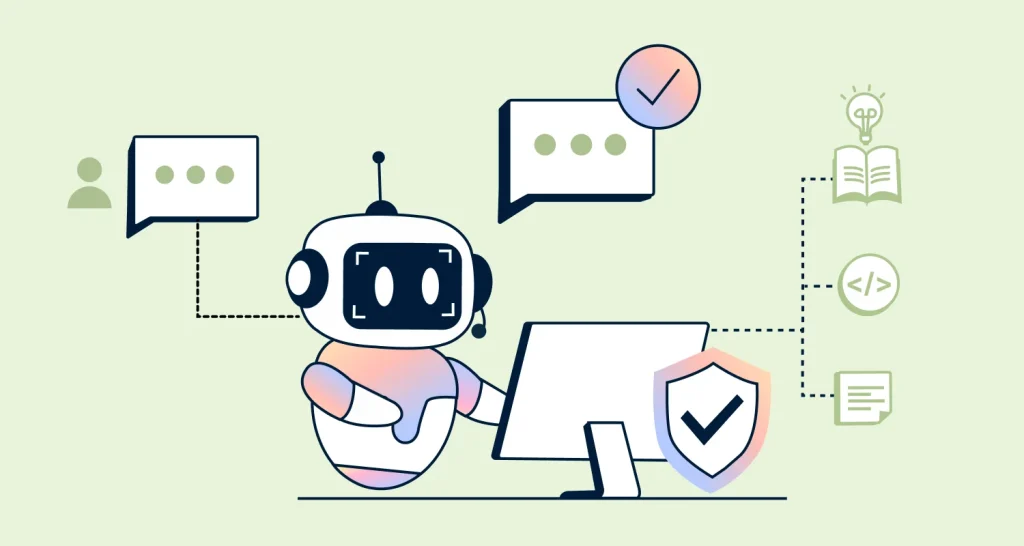
It handles common queries, captures key details, routes conversations to the right agents, and sends timely updates while ensuring messages don’t get missed or duplicated.
However, basic automation alone isn’t enough. Without structured workflows, routing, and visibility, teams still struggle to manage WhatsApp support effectively, especially with the limitations of the WhatsApp Business App.
By combining automation with seamless human handoff, businesses can reduce repetitive work, maintain response quality, and keep conversations organized without losing control.
How WhatsApp automation works
WhatsApp automation works through a structured system of triggers, workflows, and integrations with tools like CRMs and ticketing systems.

The process typically follows these steps:
- A trigger starts the workflow: An event such as an inbound message, form submission, order placement, or payment confirmation initiates automation.
- An automated response is sent and details are captured: The system acknowledges the message instantly, asks relevant questions, and collects key information such as order ID or issue type.
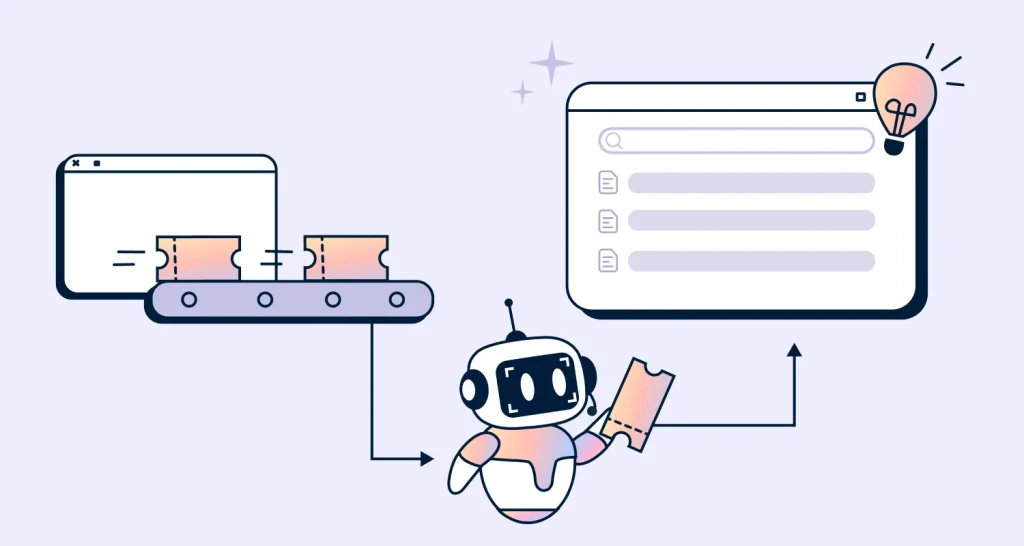
- The conversation is routed to the right team or workflow: Based on intent, priority, language, or customer segment, the system either continues the automated flow or assigns the conversation to the appropriate agent when human intervention is needed.
- Automated actions and updates are executed: The system sends confirmations, reminders, delivery updates, or next steps based on the interaction.
- Follow-ups keep conversations moving: If there is no response, automated reminders or prompts help prevent drop-offs.
- Performance is tracked and optimized: The system logs conversations with tags, outcomes, and response times, helping teams refine workflows over time.

This structured flow ensures conversations are handled consistently, nothing is missed, and teams manage high volumes without losing control.
To get started, businesses typically connect the WhatsApp Business API to a help desk or CRM, define key workflows like support, updates, and follow-ups, and set up automation rules for routing and responses.
How WhatsApp automation improves customer support
Messaging automation reduces WhatsApp chaos by adding workflows, routing, and timely updates, so conversations stay owned, tracked, and resolved.
Here are the business outcomes teams see with automated WhatsApp customer support.

- Supports customers on their preferred channel: Engages customers on a channel they already use, reducing friction and improving response accessibility.
- Scales support without increasing headcount: Enables teams to handle more conversations by automating repetitive queries, without the need for additional hiring.
- Delivers faster response times and continuous availability: Instantly acknowledges messages and keeps conversations moving, even outside business hours.
- Routes conversations more efficiently: Qualifies interactions by intent, priority, or customer segment and directs them to the right agent or queue, reducing delays and duplicate responses.
- Maintains consistent and compliant communication: Standardizes responses through templates and workflows, ensuring accuracy and brand consistency at scale.
- Provides actionable insights into conversations and performance: Tracks outcomes, response times, and interaction patterns to identify bottlenecks and improve support quality.
- Keeps customers engaged throughout the journey: Maintains trust and attention through timely, relevant updates across the entire support or service journey.
- Drives conversions and revenue through chat: Captures and qualifies leads, books appointments, and automates follow-ups that move prospects toward conversion.
9 Practical WhatsApp automation use cases to scale support
As WhatsApp becomes central to support, sales, and customer interactions, automation plays a critical role in keeping conversations structured, responsive, and scalable.
To see how this works in practice, let’s look at these real-world WhatsApp automation use cases across different business scenarios.
Resolve repetitive support queries instantly
Customers frequently ask the same questions about order status, refund timelines, and account access. Handling these manually slows down your team and increases backlogs.
With automation, incoming WhatsApp messages trigger instant, predefined responses or guided flows that resolve queries without agent intervention.
When to implement: When your team spends significant time on repetitive tickets.

Recover abandoned carts with automated follow-ups
Customers often drop off during checkout or delay decisions, leading to lost revenue. Manual follow-ups are inconsistent and time-consuming.
Automation sends timely reminders and personalized follow-ups to re-engage customers. This helps recover lost opportunities without manual effort.
When to implement: When improving conversions and reducing drop-offs becomes a priority.
Example:
A customer adds items to their cart but leaves without completing the purchase. A few hours later, they receive a WhatsApp message reminding them about the items, along with a limited-time offer. The customer returns to complete the purchase.
Book appointments and send automated reminders
Manual scheduling and reminders lead to missed appointments. Teams spend time coordinating instead of focusing on service delivery.
Automating workflows allows customers to book, reschedule, and confirm appointments directly through chat. This keeps the process simple and reduces missed appointments.
When to implement: When missed appointments and manual coordination affect operations.
Example:
A SaaS company automates appointment booking and reminders on WhatsApp. When a customer requests a demo or support call, automation shows available time slots, captures key details, and confirms the booking instantly.
Automated reminders are sent ahead of the appointment to help reduce missed appointments and keep customers prepared.
Results:
- Up to 70% fewer missed appointments
- Faster response times (up to 45%)
- Up to 2× more conversations handled per agent
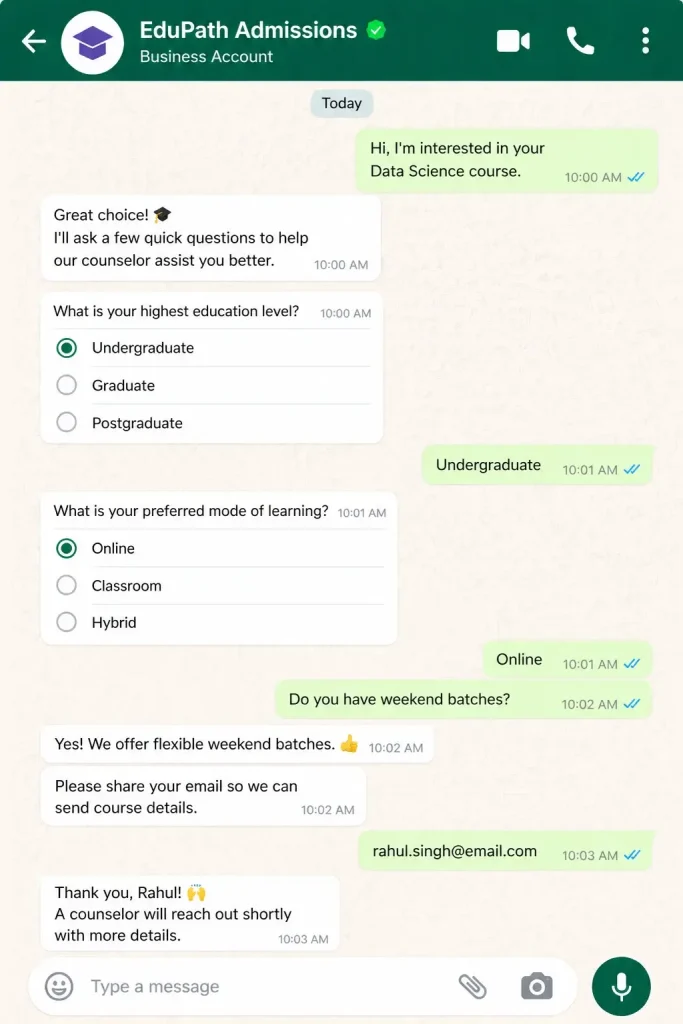
Guide customers with quick self-service options
Long back-and-forth conversations can slow things down. Most customers prefer quick, simple options instead of typing out full queries.
With interactive automated WhatsApp messages, you can guide users through clear choices that help them find answers or complete actions faster without agent involvement.
When to implement: When conversations require repeated clarification or follow similar decision paths.
Route conversations to the right team
Not all queries are equal. Billing issues, technical problems, and general questions require different expertise.
Instead of manual triage, automation can analyze intent and route chats to the appropriate team or agent.
When to implement: When misrouted tickets delay resolution and frustrate customers.
A customer asks about a delayed refund. The system identifies the request, tags it as a billing issue, and routes it directly to the finance team with all relevant details. The team can act immediately without reassignments, reducing resolution time by up to 40%.
Collect customer feedback and surveys automatically
Getting timely feedback can be challenging. Customers may ignore emails or respond too late for the insights to be useful.
Automated WhatsApp messaging makes it easier to collect feedback from opted-in customers right after an interaction. Automated surveys capture responses while the experience is still fresh, helping teams act quickly.
TimelinesAI benchmarks show WhatsApp messages achieve open rates of over 80%, significantly higher than email, which often leads to higher survey response rates and faster feedback collection.
When to implement: When feedback delays prevent teams from identifying and fixing issues quickly.
Example:
After resolving a support ticket, a SaaS company sends a quick WhatsApp CSAT survey. Responses come in within minutes, and low ratings are flagged for follow-up, helping the team address issues before they impact retention.
Send real-time updates within active conversations
Email updates are easy to miss, and most customers prefer getting answers in the same conversation they started. At the same time, teams need quick, clear updates to stay in sync.
With WhatsApp automation, businesses share real-time updates directly in ongoing chats, whether it’s an order confirmation, shipping update, delivery status, or service progress, while also notifying internal teams when action is needed.
This keeps everyone aligned without switching tools or chasing follow-ups.
When to implement: When customers frequently follow up for updates and teams need faster coordination across workflows.

Standardize responses with automation workflows
Inconsistent replies can confuse customers and create an uneven support experience.
With WhatsApp automation workflows, teams send clear, consistent responses using predefined templates and rules. This helps maintain accuracy and ensures customers get the same reliable information every time.
When to implement: When response quality varies across agents or teams.
A customer asks about the refund policy. The system instantly shares a clear, approved response, ensuring the same accurate information is delivered every time.
Verify users quickly during login or payments
Login, payments, and sensitive account actions often require verification, and delays can lead to drop-offs or frustration. With WhatsApp automation, businesses send OTPs and verification codes via WhatsApp using verified templates.
This makes identity checks faster, more secure, and easier for customers on a channel they already trust.
When to implement: When customers request sensitive, account‑level actions that require identity confirmation before support can proceed.
Example:
A user attempts to log in from a new device. A verification code is sent instantly on WhatsApp, and once confirmed, access is granted without interruption. The user signs in smoothly without abandoning the session.
Important note on proactive WhatsApp messages: Some use cases above (like cart recovery, reminders, and follow-ups) involve sending messages proactively. These messages must follow WhatsApp policies and depend on the capabilities of your WhatsApp provider or help desk.
Best practices for implementing WhatsApp automation effectively
Automation should enhance conversations, not replace them. On a personal, real-time channel like WhatsApp, it works best when aligned with how customers naturally expect to communicate.
To get the most value from WhatsApp automation, teams need to balance efficiency with customer experience.
Here are a few best practices to follow when setting up WhatsApp automation.
- Keep messages short, relevant, and timely: WhatsApp is a fast, conversational channel. Send messages based on clear customer actions or real events (for example, an order being shipped) and avoid over-messaging.
- Personalize interactions without over-automating: Use automation for routine queries, but route complex, sensitive, or high-value conversations such as refund disputes, account issues, or escalations to human agents. Leverage customer data and past interactions to keep responses relevant and context aware.
- Segment workflows and control timing: Different customers need different experiences. Categorize conversations by customer segment, lifecycle stage, or intent, and send messages at appropriate times to avoid fatigue.
- Follow opt-in and compliance requirements: Automation only sends messages to customers who have provided consent. Adhere to regional data and messaging regulations and make it easy for users to opt out.
- Test, monitor, and improve continuously: Track engagement, drop-offs, and handoff points. Use these insights to refine workflows, messaging, and routing over time.
Streamlining WhatsApp automation with BoldDesk
Even with the right automation strategies in place, managing WhatsApp conversations at scale requires more than faster replies. It requires structure and visibility across every interaction.
Most automation setups fall short because they focus on responding to messages, not resolving them. Without clear ownership, routing, and tracking, conversations still break down as volume grows.
BoldDesk acts as a unified system for managing WhatsApp conversations at scale, not just an automation tool. It brings conversations, workflows, and performance tracking into one place, so nothing slips through the cracks.
With a shared inbox, automation rules, SLA-based routing, and built-in reporting, BoldDesk ensures every conversation is assigned, tracked, and resolved efficiently across teams, not just acknowledged.
Start your free trial or book a demo to see how your team can manage WhatsApp support with full visibility and control.
Related articles
Frequently Asked Questions
Conversations that are high‑volume, repetitive, and time‑sensitive are best suited for WhatsApp automation. These include FAQs, order and delivery updates, appointment reminders, OTPs, lead qualification, and simple status checks.
Automating these conversations helps teams maintain speed and structure as volume grows, while allowing agents to focus on complex or sensitive issues that require human judgment.
The 24-hour messaging rule, also called the customer service window, means you can send free-form replies only within 24 hours of the customer’s last message.
After that, you must use a pre-approved WhatsApp template message to follow up or re-engage.
Common mistakes include over-automating without a clear human handoff, running automation without routing ownership, ignoring WhatsApp’s 24-hour policy rules, and sending irrelevant or excessive messages.
These lead to missed conversations, poor visibility, and a frustrating customer experience.
Not for basic automation. The WhatsApp Business App supports simple features like greeting or away messages, labels, and quick replies.
For higher volumes and more advanced workflows, the WhatsApp Business API is typically required, especially for multi‑agent support, integrations (CRM or help desk), automated notifications (order updates, reminders, OTPs), and reporting.
WhatsApp Business App is designed for small teams and supports basic messaging features with limited automation.
The WhatsApp Business API, on the other hand, enables businesses to handle conversations with multi-agent support, advanced automation, integrations, and centralized conversation management.