

 In this page

TL;DR: Inbox zero isn’t about deleting every email, it’s about reducing stress and boosting productivity. By using strategies like the 4D method, automation, shared inboxes, and daily routines, support teams can streamline communication, prevent burnout, and deliver faster, more organized customer support.
For customer support teams, email is both a lifeline and a source of stress. But what if there was a better way to manage it all?
That’s where Inbox Zero comes in, a concept popularized by productivity expert Merlin Mann. Contrary to what the name suggests, it’s not about obsessively deleting every email. It’s about building a system; a smarter, more strategic way to handle email communication.
A system designed to keep support teams organized, responsive, and productive, without burnout.
In this article, we’ll explain what inbox zero for customer support really means, why it matters, and how you can build habits that keep your inbox manageable, without living in it.
What is inbox zero?
Inbox zero is a productivity approach that helps support teams keep their inbox clear by making quick, deliberate decisions on every email, reducing stress and distractions.
The goal isn’t literally having zero emails but having zero mental burden; treating the inbox as a temporary holding space rather than a to‑do list, so you stay focused, organized, and in control.
Why achieving inbox zero is hard for support teams
According to Superhuman, 30% of remote teams in the U.S. report email communications as the biggest distraction.
This highlights the risk of email-driven workflows pulling teams away from high-value customer interactions due to:
- High ticket volume across multiple channels: Support teams receive requests from email, live chat, and social media simultaneously. Without consolidation, messages pile up faster than they can be addressed.
- Unclear ownership and accountability: When multiple agents share an inbox without clear assignment rules, tickets are overlooked, duplicated, or delayed, making it difficult to keep the inbox under control.
- Constant interruptions and context switching: Agents frequently switch between tickets, tools, and channels. This disrupts focus, slows response times, and prevents consistent progress toward clearing the inbox.
- Manual triaging and prioritization: Without automation, agents must manually read, categorize, and prioritize messages, which is time-consuming and increases the risk of missing urgent requests.
- Repeat and low-value inquiries: Common questions and status updates consume inbox space and agent time, preventing teams from focusing on complex or high-impact issues.
- Lack of visibility into response deadlines: Without SLAs or clear response-time tracking, messages linger in the inbox, creating a backlog and increasing customer frustration.
- Limited collaboration tools: When internal notes, handoffs, and escalation paths are unclear, resolving tickets takes longer, keeping the inbox full.
What are the benefits of the inbox zero method?
Inbox zero helps support teams improve focus, respond faster to customers, reduce email-related stress, and maintain better organization.
By processing emails intentionally, teams avoid distractions and prevent important messages from being missed.
Here’s why reaching zero inbox is absolutely worth the effort.

- Boosts focus and helps you complete more tasks: Inbox zero minimizes constant email interruptions by encouraging batch processing instead of reactive responses. This helps teams stay focused on high‑value work, maintain flow, and complete tasks faster with better quality.
- Enables faster, more reliable support responses: A clean inbox makes it easier to respond quickly and consistently. Systematic processing reduces missed deadlines, overlooked requests, and delayed replies, building trust with customers and colleagues.
- Helps agents reduce stress and anxiety: According to the Digital Genius, 75% of employees experience stress and anxiety daily. Clear workflows ensure emails are resolved, assigned, scheduled, or archived, keeping backlogs under control and work mentally manageable.
- Improves organization and task prioritization: Inbox zero often involves sorting, archiving, and labelling emails, which helps you stay organized. It also makes it easier to prioritize tasks and follow up on important conversations without losing track.
How to achieve inbox zero for support teams without burnout
According to the McKinsey productivity study, professionals spend 28% of their work week managing emails and internal communication.
Achieving inbox zero customer support doesn’t mean responding to every email instantly. It requires simple, repeatable processes that help support teams manage emails efficiently without increasing stress or workload.
Here are proven, practical strategies to help you get there.

- Use the 4D method: Implement the 4D method (delete, do, delegate, defer) to ensure every message is handled intentionally and nothing lingers unresolved.
- Organize your support inbox: Inbox zero works best when the inbox is structured for fast triage. Archive emails that no longer need action, use a small set of clear categories, and remove unnecessary subscriptions to reduce clutter and make it easier to spot priorities.
- Craft an out-of-office (OOO) message: Use a clear out-of-office message that states when you’ll return and who to contact to prevent messages from piling up while you’re away.
- Unsubscribe from non-essential emails: Remove promotional and spam emails that crowd your inbox, so customer messages don’t get buried and they receive timely, frustration-free support.
How BoldDesk helps support teams achieve inbox zero
Modern inbox zero tools for support teams like BoldDesk bring structure and clarity to high-volume inboxes, helping teams stay organized and responsive under pressure.
With BoldDesk, inbox zero means zero unattended tickets, not zero emails. The following features help maintain a focused, manageable support hub:
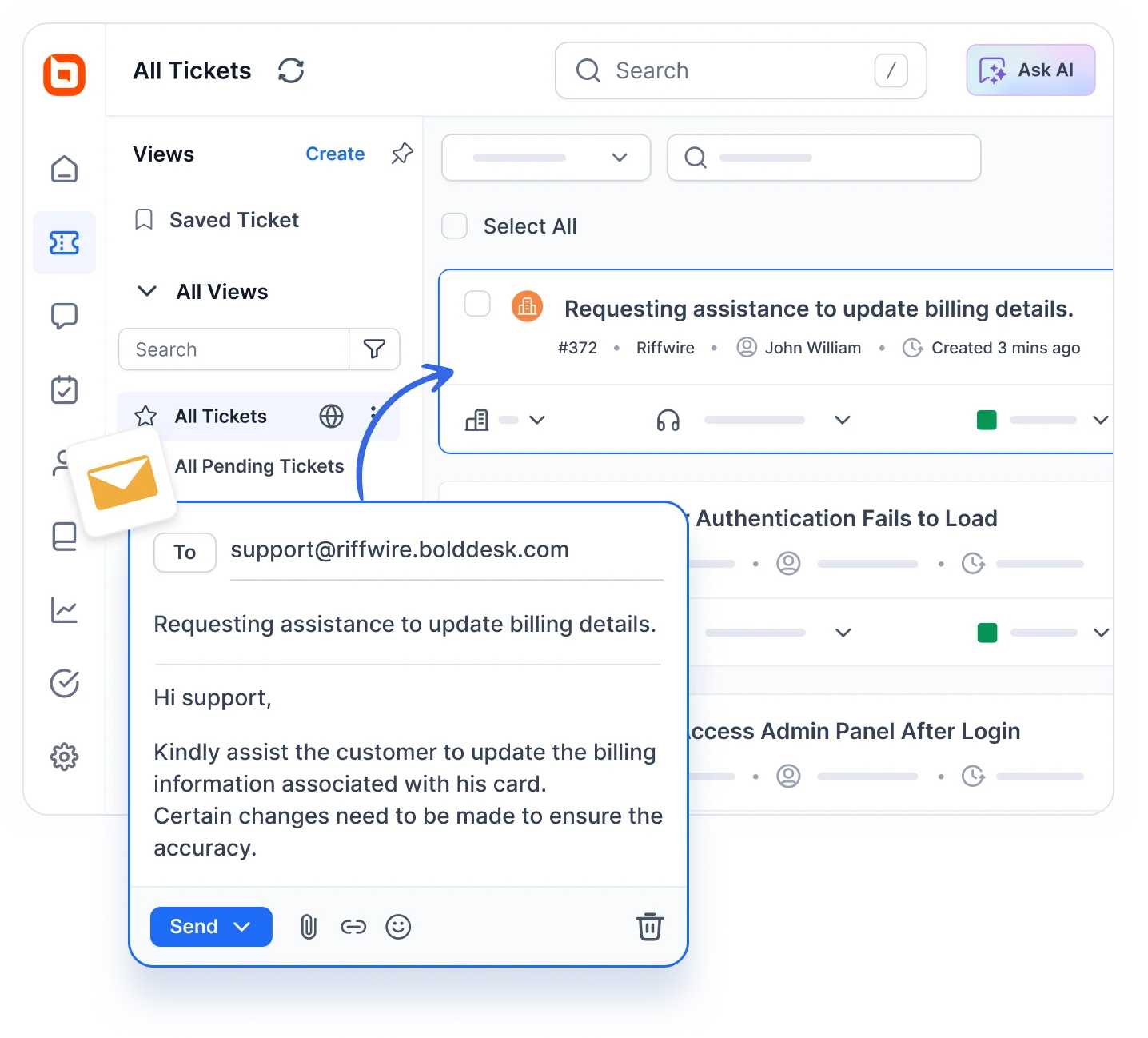
Email to ticket conversion for zero missed requests
BoldDesk’s email ticketing system automatically converts every incoming support email into a structured, trackable support ticket.
Threaded conversations, duplicate email merging, and unified histories eliminate inbox noise and prevent the same issue from being handled multiple times.
This ensures every ticket is tracked, owned, and resolved-never lost or ignored.
Smart automation that prevents inbox backlogs
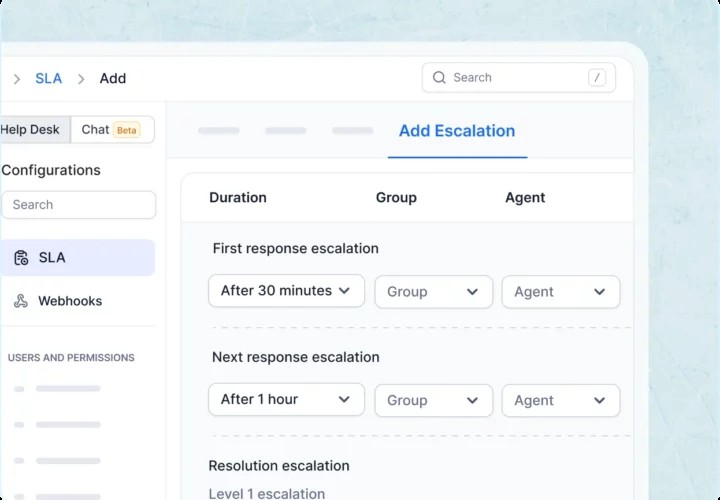
Custom, no‑code automation rules allow support emails to be auto‑assigned, prioritized, escalated, or closed based on conditions like subject, sender, urgency, or business hours.
Built‑in SLA timers, alerts, and escalation workflows ensure messages never stall, helping teams respond faster, meet SLAs, and continuously clear the inbox.
AI‑powered replies that reduce email load
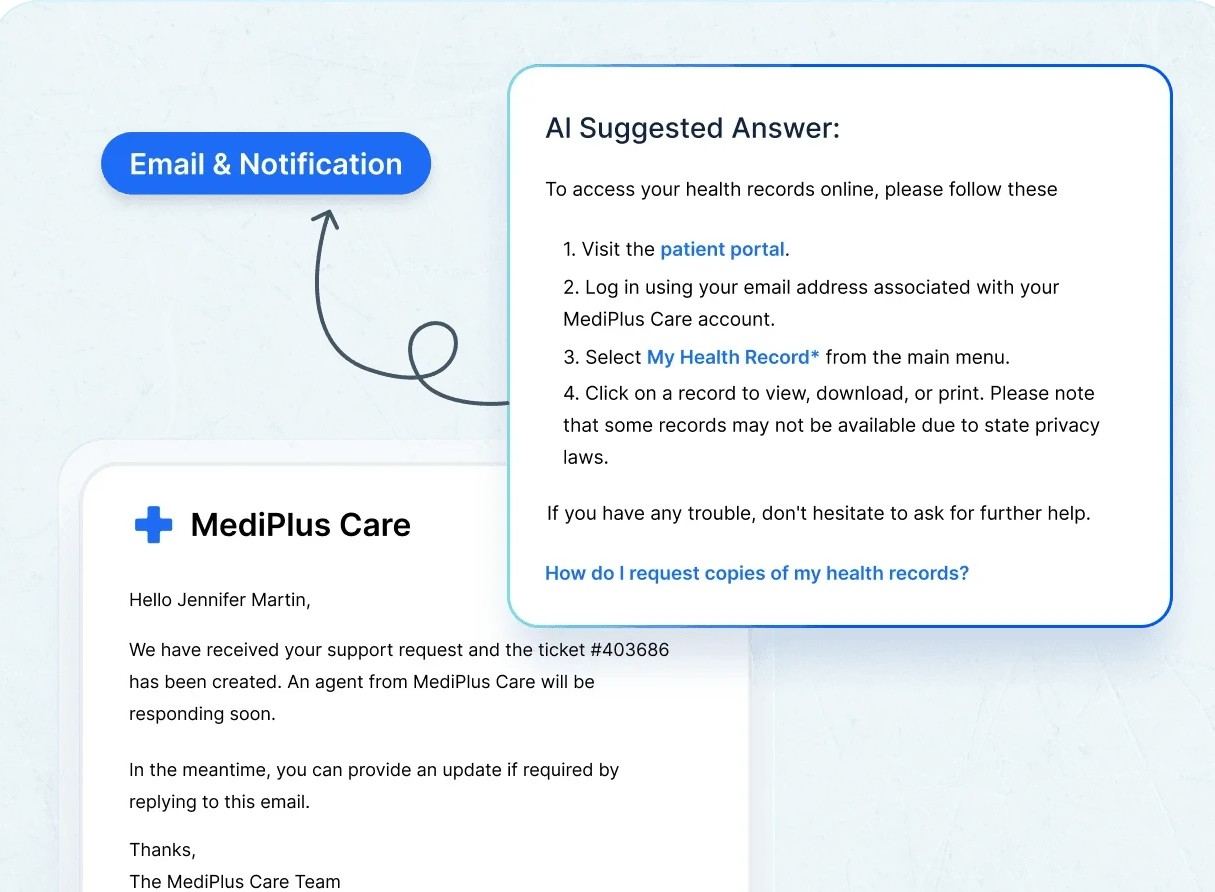
BoldDesk’s AI Copilot and email AI Agent generate context‑aware reply suggestions, summarize long email threads, refine tone, and assist with translations and grammar.
AI Agents can also handle support requests during off‑hours, preventing overnight backlog buildup and keeping inbox volumes under control.
Shared inbox with clear ticket ownership
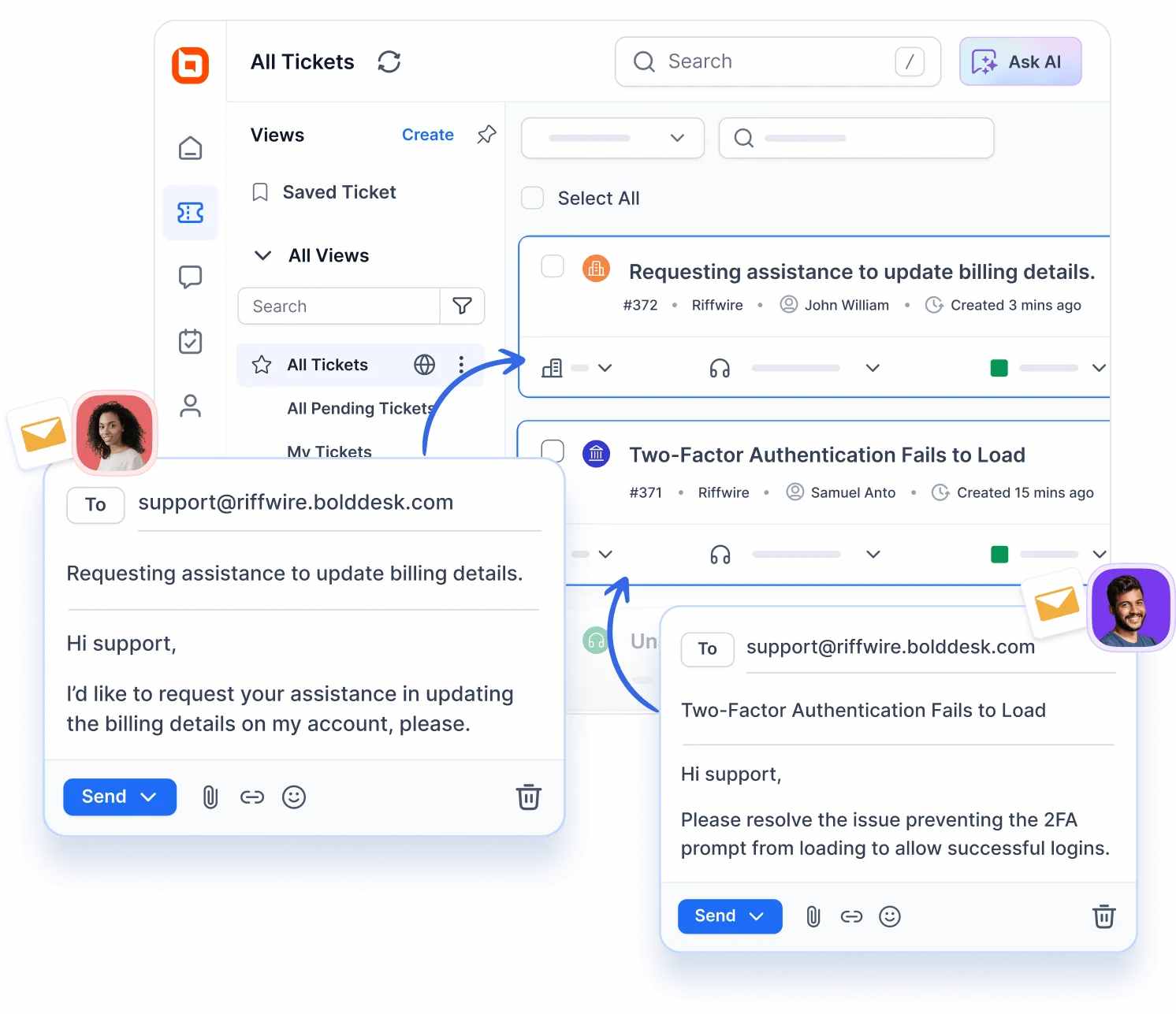
BoldDesk’s shared inbox software brings all team emails into one centralized workspace with visible ticket ownership, status indicators, watchers, and internal collaboration tools.
Private notes, @mentions, collision detection, and internal discussions eliminate confusion and duplication, ensuring every ticket has a responsible owner until resolution.
Ticket prioritization, tags, and custom views
With priority levels, tags, custom fields, and saved views, support teams can instantly surface urgent, SLA-sensitive, or high-impact tickets.
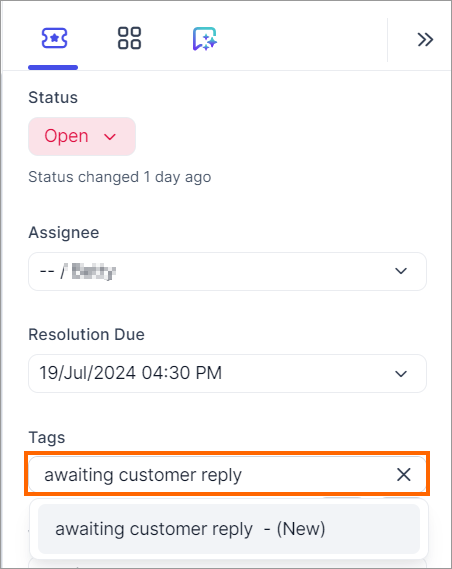
Paused conversations, such as “awaiting customer reply”, remain visible without clogging the active inbox, preventing silent inbox pileups.
Seamless integrations for a unified support workspace
BoldDesk integrates with tools like Microsoft 365, Salesforce, Mailchimp, Slack, and more, bringing customer context directly into each ticket.
With complete information in one unified support workspace, agents respond faster, avoid duplicate follow-ups, and resolve issues without inbox clutter.
Email templates, canned responses, and macros
Reusable email templates and canned responses allow agents to respond faster and more consistently.
Macros can trigger multiple actions at once, such as updating status, assigning tickets, sending replies, or applying tags, reducing repetitive work, keeping the support inbox clear and actionable.
Spam control and inbox protection
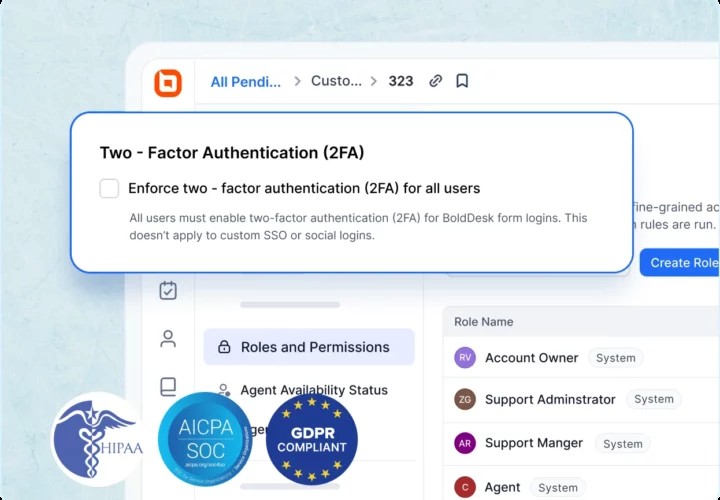
Enterprise-grade security features such as spam filtering, DKIM authentication, and threat protection keep spam and malicious emails out of the support queue, so teams focus only on genuine customer issues.
Role-based access and two-factor authentication ensure controlled inbox access and secure ticket handling.
Reporting, analytics, and SLA visibility
Real‑time reporting and analytics dashboards track ticket volumes, SLA compliance, resolution times, and agent performance.
These insights help managers identify bottlenecks early, rebalance workloads, and prevent inbox backlogs before they become unmanageable.

Rethinking email management with inbox zero
Email remains the backbone of customer support communication, even as chat, social, and messaging channels continue to grow; making effective email management more important than ever.
Inbox zero focuses on control, not emptiness, helping teams stay on top of customer needs. If your support inbox feels unmanageable, a help desk like BoldDesk can turn inbox zero from theory into a daily reality by bringing structure and clarity to email-driven workflows across industries.
Ready to experience inbox zero in action? Contact us today to schedule a live demo and see how BoldDesk powers modern, email-driven support at scale.
We’d love to hear your thoughts. Share your experience or tips in the comments below!
Related articles
- How to Write Perfect Auto-Reply Emails: Tips and Templates
- Gmail Shared Inbox: A Complete Setup Guide
- Best Email Ticketing Systems: 15 Picks for Efficient Customer Support
Inbox zero FAQs
Absolutely. Support teams often benefit most from inbox zero because it ensures no customer inquiries are overlooked. The key is implementing shared inbox best practices, automated routing, response templates, and clear SLA-based prioritization.
Inbox zero becomes much easier with the right tools. These tools work together to simplify email management and help you maintain a clean, focused inbox.
- Email clients with rules and filters like Gmail and Outlook.
- Task managers such as Trello or Todoist convert emails into actionable tasks.
- Help desk platforms like BoldDesk with robust features are ideal for support teams to ensure inbox zero.