


Best Practices for Building and Managing Help Desk Macros
-
by Maxwel Odhiambo
- Updated on: August 25, 2026

TL;DR: Help desk macros combine templated messages with automated ticket actions such as updating statuses, adding tags, or routing requests. While canned responses only provide reusable text, macros streamline workflows in one click. Build macros for common requests, organize them by issue type or workflow, and start with 10-20 high-impact macros.
When your support team is handling a high volume of repetitive questions, even simple tickets start to take more time than they should. This pressure builds quickly.
Research by Salesforce shows 78% of service agents struggle to balance speed and quality because so much time is lost to repetitive replies and manual ticket updates.
Learning how to create and use macros in a help desk software helps your team break that cycle by turning everyday tasks into quick, consistent, one-click actions.
This guide walks you through a smart, scalable approach to building and organizing macros, so support becomes faster, lighter, and far more consistent for every customer.
What are help desk macros?
Help desk macros are predefined responses and automated ticket actions that agents can apply to support tickets with a single click, enabling them to handle common requests much faster.
Unlike a simple text snippet, help desk macros can update fields (status, tags, assignee) and insert a templated message, speeding up repeatable workflows with consistent, policy-approved language.
As such, macros streamline repetitive workflows, reduce agent effort, and improve response times.
Macros vs canned responses: How they differ
While people often use these terms interchangeably, they serve different functions. A canned response is strictly a text template used to answer common questions.
A help desk macro includes a text template but also executes backend actions, such as moving a ticket from “Open” to “Pending” or updating a custom field.
Practical rule:
- Canned responses contain text only.
- Macros include both text and ticket actions.
- Use macros when both message and metadata must change.
Difference between triggers (automations) and support macros
What truly sets triggers apart from macros is how each one is activated. Agents apply help desk macros while the system runs triggers.
Help desk macros are manual, meaning an agent decides exactly when and if to apply them to a conversation.
Practical rule:
- Use macros when a human needs to choose the right response at the right moment.
- Use triggers or help desk automation when the system can reliably decide based on event/time rules.
Why help desk macros matter for support teams
Effective macros do more than streamline tasks. They also bring stability and consistency to your customer support operations.
Moreover, 27% of customers say they’re more inclined to make a purchase when a company replies quicker than they anticipated, making fast, reliable responses a direct driver of customer loyalty and revenue.
These are some of the reasons why help desk macros are important:
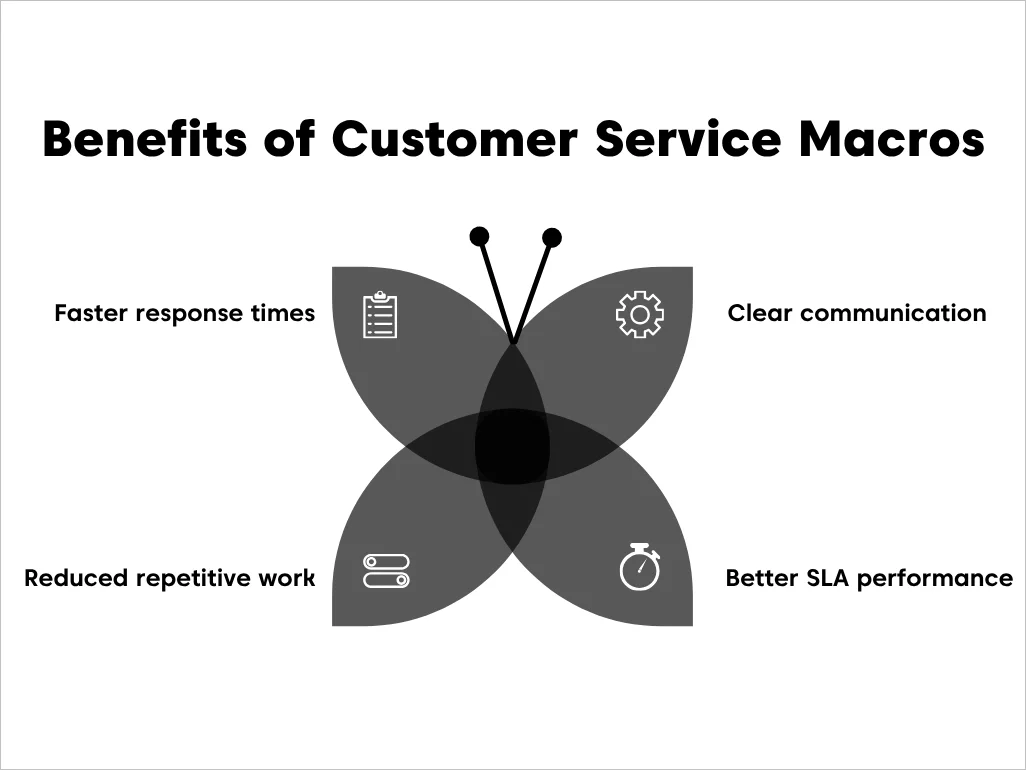
- Faster response times: Agents can resolve common inquiries in seconds rather than minutes.
- Reduced repetitive work: Automating support with a single click frees customer service teams from tedious tasks, helping agents focus on higher-value conversations.
- Consistent communication: Every customer receives the same verified, high-quality information regardless of which agent handles the ticket.
- Improved SLA performance: Even when macros don’t fully resolve a ticket, they help keep work moving, ensuring the right status, queue, priority, and clear next action.
When to use (and avoid) help desk macros
Macros can be powerful tools for support teams, but their impact depends on how they’re used.
Customer service macros are most effective in the following scenarios:
Best-fit use cases of help desk macros
Macros are most effective in scenarios that require a standardized help desk workflow, especially when inquiries are frequent, responses must stay consistent, and ticket updates follow predictable patterns.
Typical help desk macro use cases include:
- Password resets: Providing secure, step-by-step instructions.
- Status updates: Informing customers about shipping or ticket progress.
- Routing and escalations: Moving a ticket to a Tier 2 team with the correct tags.
- Common feature requests: Explaining how to use a specific tool.
Common help desk macros failure modes
Without a proper macro management system, they can quickly shift from helpful shortcuts to harmful habits that erode the customer experience.
These are the common pitfalls to watch out for when managing macros, mistakes that quickly turn efficiency gains into customer frustration:
- Macro overload: Having hundreds of unsorted help desk macros makes it harder for agents to find the right one.
- Outdated steps: Sending customers to dead links or referencing old UI layouts.
- Robotic tone: Failing to personalize the macro, making the customer feel like a number.
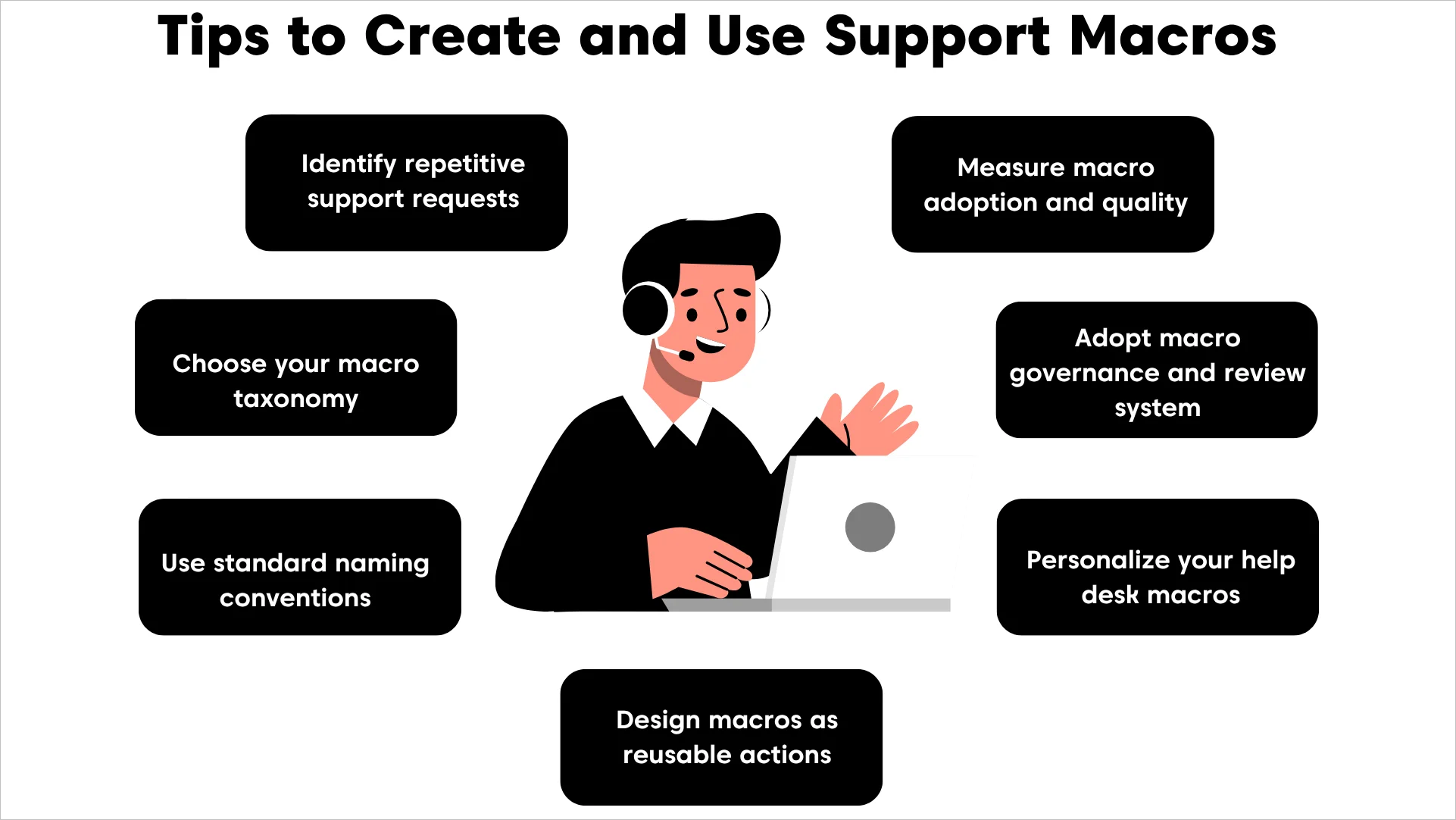
7 Best practices to create and use help desk macros for faster support
Creating macros is easy, but keeping a macro library organized and reliable as support grows requires structure.
The following help desk macro best practices ensure teams build macros that remain useful, consistent, and easy for agents to use.
1. Identify repetitive support requests
When the same requests repeatedly appear in your support queue, such as password resets, billing questions, or order updates, it’s a strong signal that a macro can help.
Instead of typing the same response repeatedly, a customer service macro helps agents handle routine cases in seconds with the right message and ticket actions already built in.
Begin with the most common scenarios and gradually expand your macro library as new patterns emerge.
Key takeaway: Macros turn repetitive support tasks into quick, effortless wins for both agents and customers.
2. Choose your macro taxonomy
Start by selecting a primary structure for grouping your macros. The goal is to organize your support macro library to match how your team thinks and works.
Some of the most common ways to structure a help desk macro library include:
- By Issue Type: (e.g., Billing, Technical, General Inquiry)
- By Workflow: (e.g., Escalation, Onboarding, Closing)
- By Team: (e.g., Tier 1, Sales, DevOps)
Choose one structure and apply it consistently so your macro library remains intuitive and easy to navigate as it grows.
3. Use standard naming conventions that make search effortless
Even with a good taxonomy, inconsistent naming can make macros difficult to locate. Establish a consistent naming convention so agents immediately understand what each macro does.
A strong convention typically includes:
- Consistent prefixes to group related macros
- Clear intent in the first few words
- Optional suffixes for channel, language, or version details
For even greater clarity, structure names in a nested format (Category > Action > Detail) so your help desk macro library feels intuitive and easy to navigate.
For example:
| Bad name | Better name | Why it works |
| Refund1 | Billing Refund Processed | Uses clear categories and tiers |
| PW_Reset | Security Password Reset | Group security-related macros together |
| Help_User | General Troubleshooting Steps | Clearly describes the macro purpose |
A consistent naming pattern helps agents quickly scan and locate the right macro without relying entirely on search.
4. Structure macros as repeatable action bundles
A well-designed macro should function as a complete action bundle, not just a message template.
This ensures that both the customer communication and the ticket workflow remain consistent.
Most macros include three core components:
- The reply: The customer-facing message explaining the next step or solution
- The actions: Ticket updates such as status changes, tags, or priority adjustments
- The assignment: Routing the ticket to the correct group when escalation or collaboration is required
By combining these elements into a single support macro, agents can perform multiple tasks instantly while maintaining standardized workflows.
In BoldDesk, for example, Ticket Macros are preconfigured action templates that can add replies or notes and update ticket fields such as status, tags, assignee, and priority.
5. Tailor help desk macros for better support
Macros improve speed, but they should never make customer interactions feel robotic. Personalization helps maintain a human tone while preserving efficiency.
Modern help desks allow placeholders such as {{customer.first_name}} or {{agent.name}}, which automatically insert relevant information into responses.
This ensures messages remain personalized even when applied at scale.
At the same time, the following guardrails help reduce mistakes and keep help desk macros trustworthy:
- Never include sensitive data directly in a macro.
- Avoid guarantee language like “This will fix it.” Instead, use “next steps” phrasing that sets the right customer expectation.
- Add a short internal checklist for agents, such as “Confirm plan, region, and last login timestamp before sending.”
Key takeaway: Always personalize but do it with care. Add a brief sentence at the top to make the customer feel seen, and double-check that placeholders are formatted correctly, as even a small error can prevent a macro from saving or sending.
6. Adopt governance and reviews for support macros
Macros need regular oversight to remain accurate and trustworthy. Without clear ownership, macro libraries often accumulate outdated responses, duplicate templates, and inconsistent messaging.
Over time, this creates macro debt, an overloaded library filled with unused or outdated macros that make it harder for agents to find the right response.
A simple governance model helps prevent this:
- Owner: A person or small group responsible for maintaining macro quality
- Contributors: Agents who can suggest improvements or new macros
- Permissions: Controlled publishing access for shared macros
Schedule regular reviews to archive unused macros, update outdated instructions, and merge duplicates. This keeps the library clean, reliable, and easy for agents to use
7. Measure support macro adoption and quality
Tracking usage isn’t just about customer service KPIs; it’s about understanding whether macros are actually helping customers and agents.
A strong help desk macro measurement routine should include:
- Usage reports: Identify your most‑used macros. High adoption signals value, but it’s only half the story.
- CSAT correlation: If a macro is used often but consistently tied to low customer satisfaction scores, it’s a red flag that the wording may feel cold, confusing, or unhelpful. Rewrite with more empathy or clarity.
- Agent feedback: Encourage agents to flag macros that feel outdated or awkward. Their frontline perspective often reveals issues that metrics alone can’t.
- Resolution impact: Compare ticket resolution times before and after macro use. A good macro should reduce the average handle time without sacrificing quality.
- Lifecycle reviews: Pair measurement with your governance cadence, monthly checks for top macros, quarterly audits for the full macro library, and targeted reviews after product or policy changes.
- Macro search time: Track how long agents spend locating the right macro. Longer search times slow responses and often indicate issues with naming conventions or macro organization.
Key takeaway: Don’t just track how often macros are used; measure how well they perform. Adoption plus quality ensures your macro library drives both efficiency and customer satisfaction.
Sample customer service macros templates you can copy
These are intentionally generic, so they work across many help desk platforms. Customize tone, policy language, and steps to match your product.
The following help desk macro examples can help you build your first help desk macro library:
General support macros
Covering the most common customer interactions, this category helps agents acknowledge requests, provide updates, manage expectations, and close conversations efficiently.
Examples include:
Ticket acknowledgment macro
Use this macro to quickly confirm receipt of a new inquiry so customers know their issue is in the queue and being reviewed.
Macro name: General – Ticket acknowledgment
Purpose: Confirm receipt of a new request.
Actions:
- Status → Open
- Tag → acknowledged
Message: “Hi {{customer.first_name}}, thanks for contacting us. We’ve received your request about {{ticket.subject}}, and our team is reviewing it now.”
Internal note (optional): “Confirm category + priority before sending follow‑up.”
Status update macro
Ideal for situations where progress is stalled, this macro keeps customers informed while you wait for internal updates.
Macro name: General – Status update pending
Purpose: Provide a timely update when progress is pending.
Actions: Status → Pending
Message: “Hi {{customer.first_name}}, I’m still waiting for an update from our technical team. I’ll follow up as soon as I have an update. If I don’t have news within 1 business day, I’ll message you again with an update.”
Internal note: “Verify blocker + ETA before applying.”
SLA delay apology macro
Use this to acknowledge delays during peak volume or backlog periods, helping reset expectations and restore confidence.
Macro name: General – SLA delay apology
Purpose: Acknowledge slow replies and reset expectations.
Actions: Priority → Urgent
Message: “We’re sorry for the delay in getting back to you. Our team is experiencing higher‑than‑usual volume, but we’re prioritizing your request now.”
Internal note: “Check SLA policy; mark follow‑up time.”
Ticket closure macro
If everything looks good and the customer hasn’t replied for a while, this template helps close the conversation professionally while leaving the door open for future assistance.
Macro name: General – Ticket closure
Purpose: Close inactive tickets while giving customers a clear path to reach out again if needed.
Actions:
Status → Closed
Tag → ticket_closed
Message: “Hi {{customer.first_name}}, since we haven’t heard back from you, we’re closing this ticket for now. If you still need assistance, simply reply to this message, and we’ll be happy to help.”
Internal note: “Confirm all requested information has been provided before closing the ticket.”
Technical support macros
Designed for troubleshooting and issue resolution, these templates help teams gather information, communicate progress, and route complex cases to the right experts.
Macro templates in this category include:
Escalation macro
Apply this when a ticket requires deeper technical expertise or higher‑tier intervention beyond frontline support.
Macro name: Technical – Escalate to Tier 2
Purpose: Route the issue to a higher‑tier team with clear urgency.
Actions:
- Priority → High
- Group → Tier 2 Support
Message: “Thanks for your patience. I’m escalating this to our senior engineering team for deeper investigation. Our Tier 2 team will review this next. I’ll keep an eye on it and update you as soon as they share findings.”
Internal note: “Attach relevant logs/screenshots before escalating.”
First response troubleshooting macro
This macro helps gather essential diagnostic details upfront, reducing back‑and‑forth and speeding up issue resolution.
Macro name: Technical – Initial troubleshooting request
Purpose: Gather essential details upfront.
Actions:
- Status → Open
- Tag → needs_info
Message: “To help us investigate, could you share the steps you took before the issue appeared, any error messages, and your device/browser details? Once I have this, I can guide you through the next steps.”
Internal note: “Attach troubleshooting checklist if needed.”
Bug confirmed macro
Once an issue has been reproduced and verified, this macro helps communicate next steps while assuring customers their report is being addressed.
Macro name: Technical – Bug Confirmed
Purpose: Inform customers that an issue has been reproduced.
Actions:
Tag → confirmed_bug
Status → Open
Message: “We’ve confirmed the issue and shared it with our engineering team for resolution. We’ll provide updates as progress is made.”
Additional information required macro
When a reported issue cannot be replicated, this macro requests additional details needed to continue troubleshooting effectively.
Macro name: Technical – Additional information required
Purpose: Request more information when the issue cannot be replicated.
Actions: Status → Pending
Message: “We’ve attempted to reproduce the issue but haven’t been able to replicate it yet. Could you provide a screen recording, screenshots, or detailed steps so we can continue investigating?”
Account and security macros
Access and security requests often require clear guidance and verification steps, making consistency especially important in this category.
Templates to use include:
Login or password reset macro
A quick way to assist users with account access issues is by directing them to the correct recovery steps.
Macro name: Account – Password reset instructions
Purpose: Provide fast assistance for account access issues.
Actions:
- Tag → account_access
- Status → Open
Message: “If you’re unable to log in, please try resetting your password using the link below. If you still can’t access your account, let me know, and I’ll help you further.”
Email change request macro
Use this macro when customers need to update their account email address and identity verification is required before changes can be made.
Macro name: Account – Email Change Request
Purpose: Handle account email updates.
Actions: Status → Pending, Tag → account_update
Message: “Before updating your email address, we’ll need to verify ownership of the account. Please reply with the requested verification details.”
Multi-factor authentication assistance macro
When customers are locked out because of multi-factor authentication issues, this macro helps gather the information needed to guide them through the recovery process.
Macro name: Security – Multi-Factor Authentication Assistance
Purpose: Assist customers with MFA issues.
Actions: Tag → mfa_support, Priority → High
Message: “We understand you’re having trouble accessing your account using multi-factor authentication. Please let us know whether you’re missing access to your authenticator app, backup codes, or registered device.”
Billing and subscription macros
From refund confirmations to invoice requests and renewal questions, these responses simplify recurring financial and subscription-related inquiries.
Refund or billing response macro
Designed for straightforward billing inquiries, this macro provides customers with timely confirmation of refund processing details.
Macro name: Billing – Refund processed
Purpose: Handle straightforward refund or billing inquiries.
Actions: Tag → billing_inquiry
Message: “We’ve processed your refund for {{ticket.order_id}}. You should see the amount reflected within 5–7 business days (timing can vary by bank).”
Internal note: “Verify refund policy eligibility before applying.”
Invoice request macro
Use this macro to quickly fulfill invoice requests while ensuring customers have an easy way to obtain additional billing documents if needed.
Macro name: Billing – Invoice Request
Purpose: Provide invoice assistance.
Actions: Tag → invoice_request, Status → Solved
Message: “Your invoice is attached to this ticket. Please let us know if you require any additional billing documentation.”
Subscription renewal reminder macro
Ideal for customers with questions about upcoming renewals, this macro provides key subscription details and offers assistance with plan or billing changes.
Macro name: Billing – Subscription Renewal Reminder
Purpose: Address renewal-related inquiries.
Actions: Tag → renewal_request, Status → Open
Message: “Your subscription is scheduled for renewal on {{subscription.renewal_date}}. If you’d like to update billing information or change your plan, we’re happy to help.”
Product and feature request macros
Customer feedback is easier to manage when feature suggestions, product questions, and enhancement requests follow a standardized workflow.
Templates in this category are as follows:
Feature not supported macro
Best for politely declining unavailable functionality while still offering next steps or alternatives to the customer.
Macro name: Product – Feature not available
Purpose: Politely decline unsupported requests while offering alternatives.
Actions:
- Tag → feature_request
- Status → Open
Message: “Thanks for your question! At the moment, this feature isn’t available, but I’ve logged your request for our product team. If you can share your use case, I can also suggest a possible workaround.”
Feature request logged macro
Once feedback has been submitted to the product team, this macro acknowledges the request and reinforces that customer input helps shape future improvements.
Macro name: Product – Feature Request Logged
Purpose: Confirm feedback submission.
Actions: Tag → product_feedback, Status → Solved
Message: “We’ve shared your feedback with our product team for review. While we can’t guarantee implementation, customer feedback plays an important role in shaping future improvements.”
Workaround available macro
When a requested feature isn’t available but an alternative solution exists, this macro helps agents guide customers toward a practical workaround while setting accurate expectations.
Macro name: Workaround available
Purpose: Suggest an alternative when a requested feature is not currently supported.
Actions: Tag → workaround_provided, Status → Open
Message: “While this feature isn’t currently available, there may be an alternative way to achieve your goal. Based on your use case, I recommend trying the following workaround: {{workaround_details}}. If you’d like, I can also share additional guidance to help you get started.”
Incident and service disruption macros
During outages and service interruptions, timely and consistent communication helps maintain trust while keeping customers informed of progress and resolution efforts.
Outage or incident broadcast macro
Use during active system incidents to provide consistent, accurate updates to all affected customers.
Macro name: Incident – Active service outage
Purpose: Provide a consistent message for many similar tickets.
Actions:
- Status → On Hold
- Tag → incident_active
Message: “We’re currently experiencing a service interruption affecting some customers. Our engineering team is actively working on a fix. I’ll update you as soon as we have more information.”
Issue resolved confirmation macro
Send this once an incident or bug fix is completed to notify users that the service should now be functioning normally.
Macro name: Incident – Issue resolved
Purpose: Notify users after an incident is resolved.
Actions:
- Status → Solved
- Tag → incident_resolved
Message: “Our team has resolved the issue that was affecting the service. Everything should now be working normally. Please let me know if you’re still experiencing any problems.”
Monitoring after resolution macro
Use this macro after a fix has been deployed but before the incident is formally closed, helping reassure customers that the service is stable while monitoring continues.
Macro name: Incident – Monitoring After Resolution
Purpose: Communicate that a fix has been applied and monitoring is underway.
Actions: Status → Pending, Tag → incident_monitoring
Message: “We’ve implemented a fix for the issue and are actively monitoring the service to ensure everything remains stable. While we’re seeing positive results, we’ll continue observing performance and provide another update if anything changes.”
Tip: Treat templates as a combination of message (for customers) and actions (for ticket updates).
How can AI help you create better help desk macros?
You don’t need a huge macro library to get started. Focus on 10-20 templates for the requests your team handles most often.
For many support teams, that’s enough to eliminate a large amount of repetitive work.
As your library grows, AI can help you:
- Identify responses agents send repeatedly
- Suggest macro drafts based on previous conversations
- Improve tone, clarity, and consistency
- Recommend updates to outdated templates
- Surface new opportunities for automation as ticket volume changes
Rather than creating every macro from scratch, support teams can use AI Copilot to generate a starting point, make a few adjustments, and save it as a reusable macro for future tickets.
How BoldDesk simplifies customer service macro management
By streamlining how to create and use macros, BoldDesk helps support teams work smarter and reduce repetitive effort.
These features illustrate how BoldDesk simplifies help desk macro management:
Unified macro library
BoldDesk makes it easy to standardize responses by keeping Ticket Macros in one place, so admins can create, maintain, and improve macros without chasing down scattered templates.
With centralized management, your team can keep messaging consistent and reduce repetitive work as your support operation scales.
Combined ticket actions
Ticket Macros in BoldDesk aren’t limited to canned text. They’re pre-configured action templates that can apply common updates, like adding a reply in Ticket Macros or updating ticket fields.
Additionally, bulk‑updating multiple tickets is a powerful way to clear ticket queues, but it requires strict governance.
Therefore, limit bulk‑impact macros to a small admin group, and always preview and test them before publishing changes.
Controlled access and permissions
As your macro library grows, governance matters. BoldDesk supports controlled macro usage through access scope options, so you can keep sensitive macros limited to specific agents or groups.
Pair that with BoldDesk permissions and roles, and you can maintain structure without slowing teams down.
Usage reporting and insights
Improvement is easier when you can measure what’s happening. BoldDesk includes a reports module with dashboards and reporting views designed to help teams track performance and spot trends over time.
You can also create custom dashboards and manage report views to keep the metrics that matter most visible to the right stakeholders.
Streamline support operations with macros in customer support
Building an organized support macro library is one of the most practical ways to scale support operations without forcing agents to rewrite the same responses repeatedly.
If you take only one thing from this guide, make it this: macros need a system; cleanup, taxonomy, naming, components, personalization rules, governance, and measurement.
Ready to implement macros in your support workflow? Explore how BoldDesk, a Ticket Macros software, supports consistent, repeatable ticket handling.
To learn more, start a free trial to build your first shared macros, book a live demo to map them to your workflows, or contact support for help.
Related articles
- Macro vs KB Link vs Custom Reply: When to Use Each
- 13 Best Cloud-Based Ticketing Systems for 2026
- 10 Best Free Help Desk Software for Startups
Frequently Asked Questions
What are macros in customer support?
A customer support macro (often referred to as “Zendesk macros” in popular help desk platforms) is a predefined set of actions and responses that an agent can apply to a ticket with a single click.
How many macros should a help desk have?
The exact number depends on team size and ticket complexity. Any more than your business’s needs creates “macro-overload,” where agents spend more time searching for a macro than it would take to type a response.
Can macros be used for internal notes?
Yes. You can create macros that add an internal private note and tag a specific department without the customer ever seeing the communication.
How often should a business review its help desk macro library?
A quarterly audit is recommended, though high‑growth SaaS companies should review their library monthly to stay aligned with product updates.
How many macros should we start with?
Start with 10–20 macros covering your highest‑volume, low‑variance workflows (password resets, status updates, common troubleshooting, escalations).
This keeps the help desk macro library manageable while you refine naming, taxonomy, and governance. Scale only after usage data shows clear demand patterns.
Are Zendesk macros the same as help desk macros?
Zendesk macros are a specific implementation of help desk macros.
While the concept is the same, predefined responses and ticket actions, different help desk platforms offer varying levels of flexibility, organization, and automation capabilities.
ABOUT THE AUTHOR

Maxwel Odhiambo 
Maxwel Odhiambo is a customer service specialist who enhances client experiences through clear, effective documentation. Combining strong communication skills with a passion for service excellence, he empowers organizations to build trust and improve customer satisfaction.
Read more articles by this author Connect with the author on LinkedIn.
Be the first to get updates