
 In this page

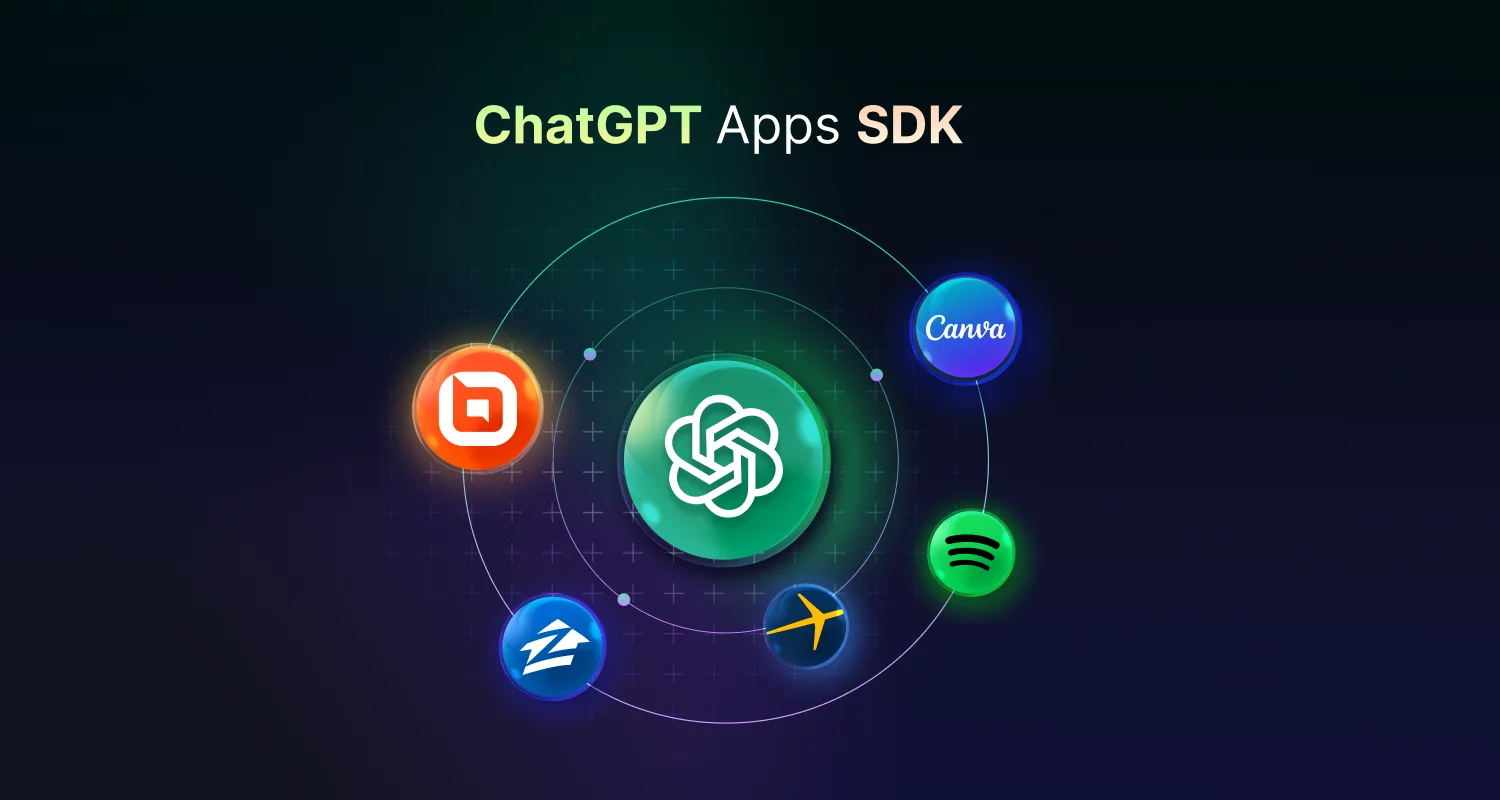
OpenAI recently launched the ChatGPT Apps SDK, empowering developers to build custom, interactive apps directly within ChatGPT.
This marked a major milestone in the evolution of conversational AI, transforming ChatGPT from a smart assistant into a full-fledged AI-native app platform.
In this blog, we’ll break down what the ChatGPT Apps Software Development Kit (SDK) is, why it matters, and how developers can build apps without fluff, inaccuracies, or redundancy.
What is the ChatGPT Apps SDK?
The ChatGPT Apps SDK is a new developer toolkit that allows you to design, build, and deploy interactive apps inside ChatGPT.
These apps can include custom UI ChatGPT components, workflows, and integrations with external services—all accessible directly from the ChatGPT interface.
Think of it as building mini apps that users can interact with during their conversations, such as:
- A Kanban board for task management
- A shopping assistant
- A data visualization dashboard
The software development kit lets you bring rich, interactive experiences into ChatGPT.
Core features of OpenAI’s ChatGPT Apps SDK
Whether you’re building tools for productivity, commerce, or customer support, the new Apps SDK offers a robust set of features that enable seamless integration, dynamic user interfaces, and secure communication between your app and ChatGPT.
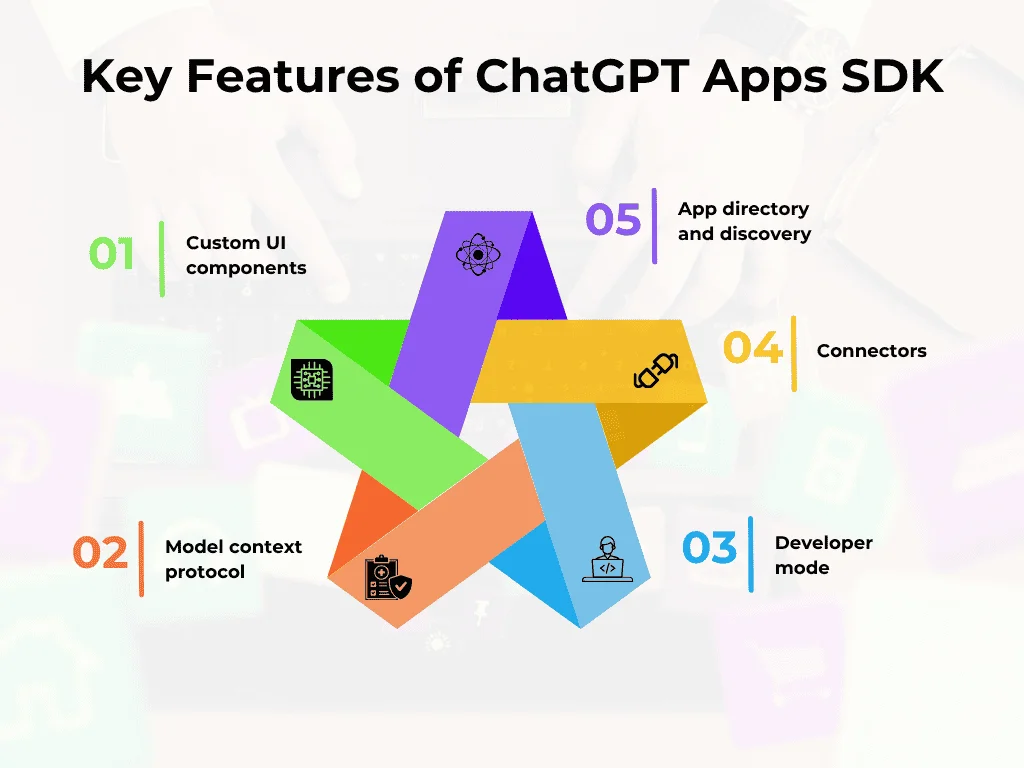
Here’s what makes OpenAI’s ChatGPT apps SDK powerful and developer-friendly:
- Custom UI components: Developers can create branded interfaces that users interact with inside ChatGPT. These components are designed to feel native and intuitive.
- Model Context Protocol (MCP): Apps in ChatGPT are built on the Model Context Protocol, which allows seamless communication between ChatGPT and external tools. This protocol defines how ChatGPT and external tools exchange structured data, making requests and responses predictable and secure.
- Developer mode: Available in ChatGPT Plus and Enterprise, Developer Mode unlocks full access to the SDK. You can test apps, connect servers, and validate tool calls directly in the ChatGPT UI.
- Connectors: Apps are linked via connectors, which expose your MCP server to ChatGPT, enabling your tools to be invoked naturally or explicitly during conversations.
- App directory and discovery: Apps that meet OpenAI’s quality and safety standards can be listed in the ChatGPT App Directory, making them discoverable and shareable.
Together, these features make ChatGPT more than a chat interface; it’s now a platform where developers can create intelligent, interactive experiences.
Why does the ChatGPT SDK matter to you?
Let’s break down what this means from two angles: ”you” as a user and as a developer or product owner.
Apps in ChatGPT for users: Smarter, more seamless experiences
ChatGPT apps bring everyday tasks and services directly into conversation, making interactions faster and more intuitive. With ChatGPT SDK:
- No more app switching: Complete tasks without leaving ChatGPT. Book hotels, design graphics, search real estate listings, or take online courses—all within a single conversation. This is the power of ChatGPT app integration.
- Context-aware interactions: Since ChatGPT retains conversation context, apps can leverage previous messages, preferences, and intent to provide smarter, personalized responses.
- Discovery built into chat: ChatGPT might suggest relevant apps based on user needs, creating an intuitive, AI-powered app discovery experience.
- Commerce and purchases in ChatGPT: As OpenAI develops commerce support within ChatGPT, you can buy products or pay for services right within the chat, for example, by typing “Order this from Etsy”, without leaving the conversation. However, these features are currently under development and may roll out in selected markets first.
New Apps SDK for developers or product owners: A new channel for innovation
The SDK introduces a new way to build and deploy apps inside ChatGPT, redefining how developers and product owners create and deliver experiences.
- Massive reach inside ChatGPT: Tap into hundreds of millions of ChatGPT users in a friction-minimized environment where discoverability is integrated via ChatGPT developer SDK.
- Conversational-first UI paradigm: Instead of designing full UIs and APIs, you define conversational inputs, outputs, micro-UI cards, and flows that live inside the chat. That’s different from traditional web apps.
- Structured integration via MCP: The Apps SDK builds on MCP, a standard that lets your app define how it’s invoked, how it interacts, and how UI is rendered. That structure ensures safety, predictability, and better interoperability.
- Early access and monetization: Though the SDK is in preview, you can start building now. Once submissions open, accepted apps may be monetized and featured in the directory.
How to build apps for ChatGPT: Step-by-step
Here’s a simplified workflow for developing apps using the ChatGPT SDK:
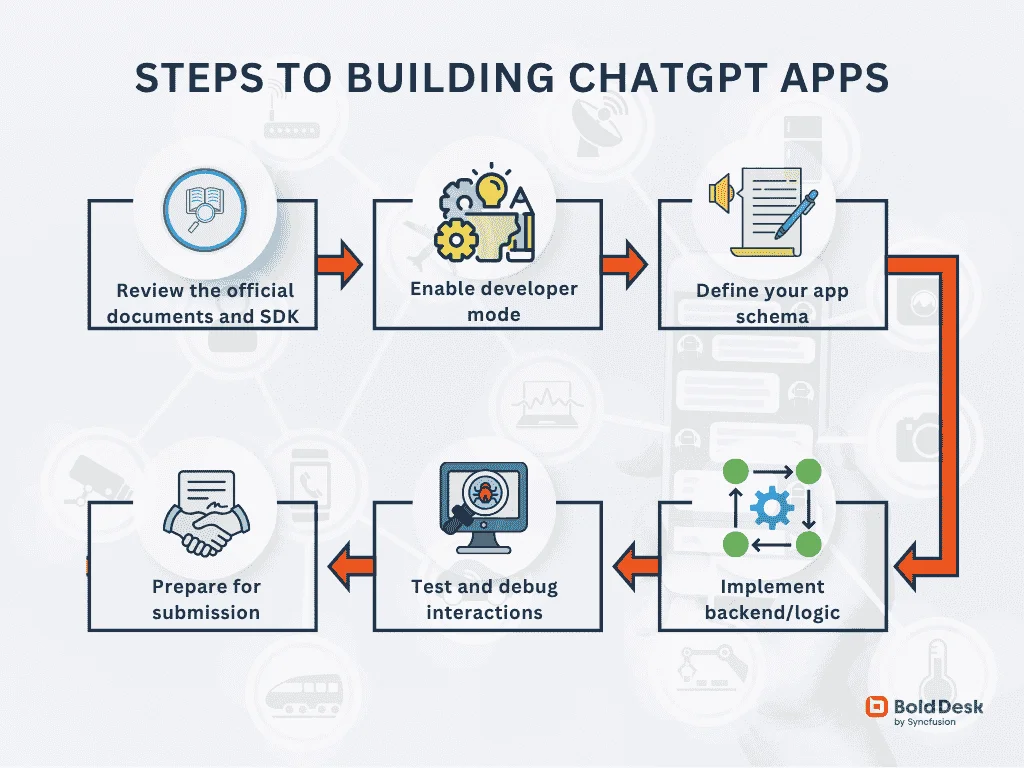
1. Review the official documents and SDK reference
OpenAI provides comprehensive resources, including implementation guidelines, sample apps, UI component libraries, and quality and safety requirements to help you build and deploy a compliant Model Context Protocol (MCP) server.
2. Enable developer mode
Available exclusively to ChatGPT Plus and Enterprise users, Developer Mode unlocks inline testing, real-time debugging, and seamless app previewing directly within the ChatGPT interface.
3. Define your app schema
Use JSON (inputs, parameters, outputs) according to the MCP or SDK spec. This defines how your app is called from natural language, what parameters you expect, and what you return.
4. Implement backend or logic
Behind the scenes, your server or app takes the inputs, performs the work (calls APIs, computes results), and returns a structured response plus UI instructions (cards, buttons, etc.)
5. Test and debug interactions
Because this is “chat-native,” error handling and fallback paths are critical. Make sure your app handles edge cases, missing inputs, ambiguous commands, context switching, follow-ups, and other potential issues.
6. Prepare for submission
Once OpenAI enables app submissions, you’ll need to comply with quality, security, policy, UI/UX guidelines, etc. That’s akin to publishing an app to an app store.
Use case examples of ChatGPT app integration
ChatGPT’s app integration capabilities allow users to interact directly with third-party services within the chat.
Here are a few examples of how this OpenAI app integration works in practice:
Travel planning
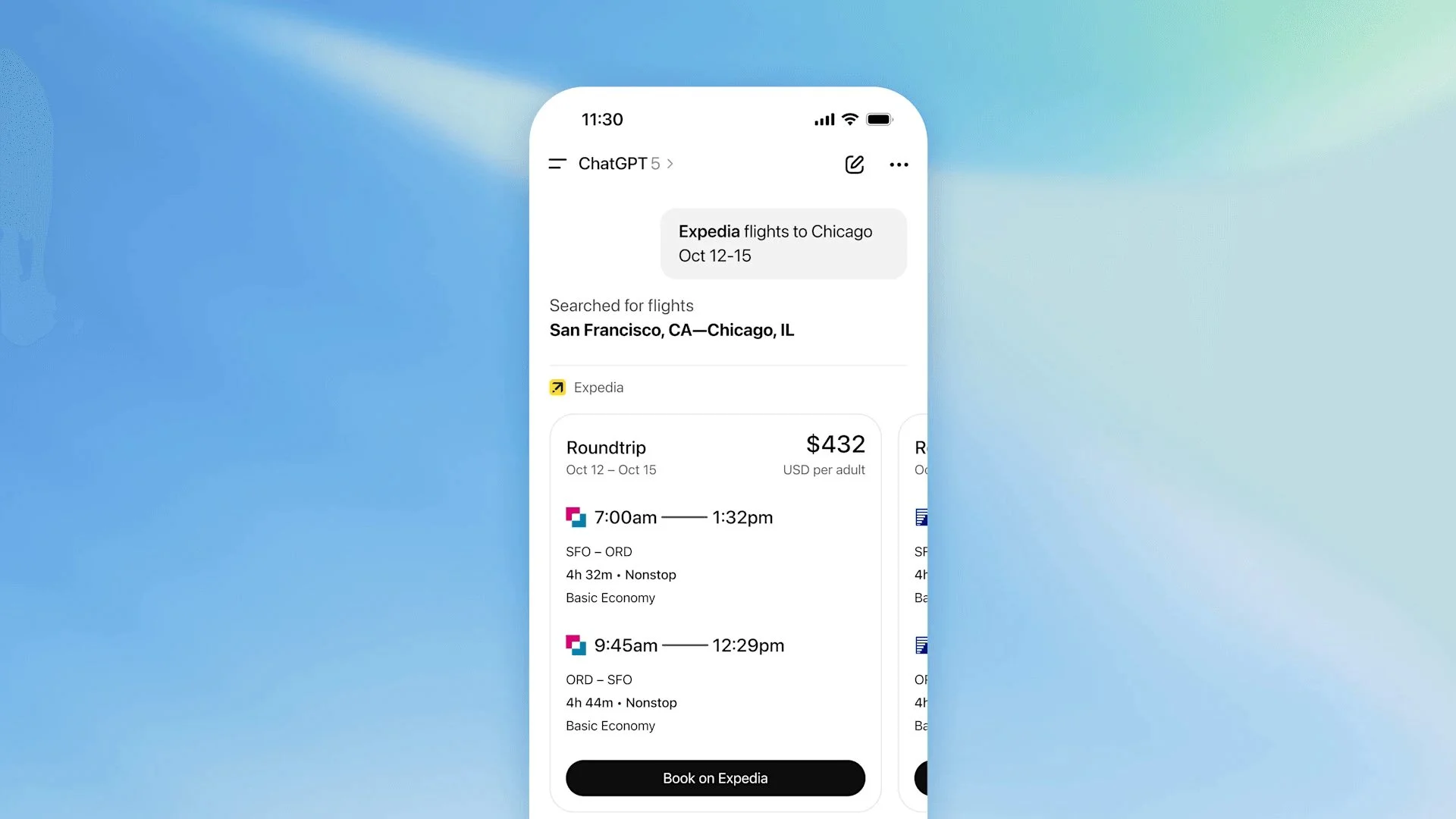
Need to book a trip? ChatGPT Apps SDK can help users search and book flights on travel apps like Expedia directly from ChatGPT.
Example:
A user can say: “Expedia, find me flights to Chicago in October.”
The result: ChatGPT responds with flight options and booking tools via the Expedia app.
Design tasks
Creating visuals made easy. Use design apps like Canva within ChatGPT to generate graphics without leaving the chat.
For instance:
Try: “Canva, create a 1080 by 1080px Instagram post about climate change.”
What happens: Visual suggestions or templates appear inline within the chat, ready to customize or download.
Music playlists
The ChatGPT Apps SDK can queue music or playlists using apps like Spotify, right in the conversation.
For example:
A user requests: “Spotify, queue ambient playlist for studying.”
The result: An embedded player or track list appears, ready to play or save.
Real estate browsing
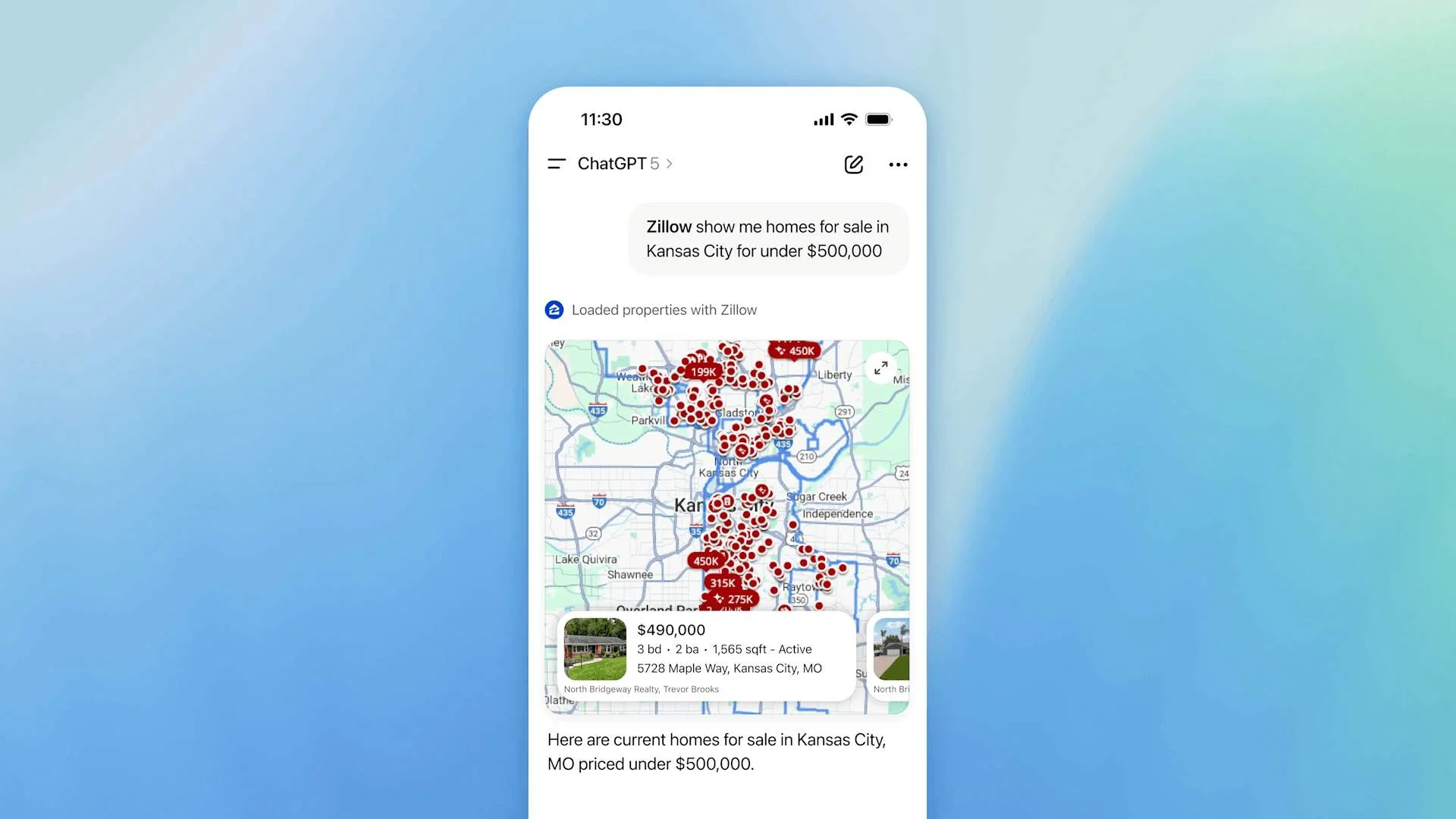
Searching for a new home? ChatGPT can pull listings and maps from real estate platforms like Zillow.
Example:
You can prompt: “Zillow, show me 3-bed homes under $500k in Kansas.”
What happens: Listings and maps from Zillow directly appear in chat.
Customer support automation
A developer can create a customer support automation app that connects ChatGPT with BoldDesk to fetch ticket summaries and reply templates within chat.
For instance:
When an agent prompts: “Summarize this support ticket #BD-2045 and generate a professional reply template.”
What happens: ChatGPT fetches the ticket from BoldDesk, summarizes it, and generates a professional reply template for the agent.
These integrations offer natural language interaction with a structured UI, eliminating the need for context switching.
What’s next in ChatGPT apps with OpenAI?
OpenAI plans to open app discovery and submissions later this year, with monetization options and enhanced distribution opportunities. This includes merchandising in the directory and proactive app suggestions during conversations.
As the ecosystem grows, expect to see apps for productivity, commerce, education, entertainment, and more—all powered by ChatGPT.
Unlock the future of AI development with ChatGPT Apps SDK
The launch of the ChatGPT Apps SDK is a bold step toward making AI more interactive, useful, and customizable. Whether you’re a solo developer or part of a large enterprise, this SDK unlocks endless possibilities for innovation within ChatGPT.
If you’re building customer-facing tools, especially in support or service delivery, consider pairing your ChatGPT app with platforms like BoldDesk. Its robust APIs, automation rules, and embeddable widgets complement ChatGPT’s conversational layer, enabling end-to-end support experiences.
Ready to build? Visit OpenAI’s developer portal to start creating your ChatGPT app and explore BoldDesk to see how it can elevate your support ecosystem.
Frequently asked questions
Plugins act as tools that ChatGPT can call, while SDKs allow apps to live inside ChatGPT conversationally, with richer UI and flows.
Not exactly. The apps use structured UI cards and micro interfaces designed for chat, rather than full web pages.
Not necessarily. There may still be overlaps, but Apps SDK gives a richer integration model.
Yes, whether called extensions, plugins, or apps, the core idea remains the same: third-party functionality deeply integrated into ChatGPT.
The SDK is already in preview. App submission, review, and wider rollout are expected to happen later in 2025.