



TL;DR: Freshdesk and Zendesk both start at $19/agent/month, but Freshdesk remains the cheaper and easier option as teams grow. Zendesk offers deeper customization, reporting, and enterprise capabilities through plans such as Suite Team and Suite Professional. Choose Freshdesk for simplicity and value, Zendesk for advanced support operations.
A robust customer support platform can be the foundation of your strategy, helping you manage inquiries, streamline workflows, and maintain high levels of customer satisfaction.
Two of the leading contenders in this space are Freshdesk and Zendesk, each offering a suite of powerful features designed to enhance your support operations.
Whether you’re a small startup looking for a cost-effective solution or a large enterprise needing advanced capabilities, choosing the right platform is key. Freshdesk and Zendesk both come with their own unique strengths and can cater to different business needs.
Join us as we delve into the specifics of Freshdesk vs Zendesk, examining what sets them apart and which one might be the perfect fit for your customer service strategy.
How we evaluated Freshdesk and Zendesk
We compared both platforms across seven areas: pricing and total cost, AI capabilities and billing, ticketing, automation, reporting and analytics, scalability, and verified user ratings.
- Pricing: Sourced from Freshdesk’s and Zendesk’s public pricing pages in August 2026, using annual-billing rates unless stated otherwise. Verify current pricing with each vendor before purchasing.
- User ratings: Sourced from G2 and Capterra and linked throughout the article. Ratings may change as new reviews are submitted.
- Features: Assessed from each vendor’s product documentation, feature pages, help centers, and published user reviews.
Disclosure: BoldDesk is our own product and appears in this comparison. We evaluated all three platforms accurately using publicly available pricing, documentation, and verified user reviews.
How do Freshdesk and Zendesk compare?
Below is a comparative table between Freshdesk and Zendesk, focusing on several key aspects of each platform:
| Feature | Freshdesk | Zendesk |
| Core functionality | Helpdesk software with ticketing system, knowledge base, social media, and chat. | Helpdesk software with ticketing system, live chat, call center software, and knowledge base. |
| User interface | User-friendly with a modern, intuitive design. | Clean, streamlined interface that can be more complex due to extensive features. |
| AI agent | Freshdesk’s Freddy AI is simple and fast for handling basic customer questions. | Zendesk’s AI agents are smarter and more advanced for tackling complicated issues. |
| Customization | High level of customization options for ticketing. | Extensive customization options are available for ticketing and workflows. |
| Automation | Robust automation for ticket routing, scenario automation, and time-triggered actions. | Powerful automation with triggers, automation, and macros for ticket handling. |
| Reporting and analytics | Advanced reporting suite with customizable reports and dashboards. | Comprehensive analytics and reporting features with custom report creation. |
| Integrations | Offers a marketplace with a variety of integrations, including CRM, e-commerce, and productivity tools. | Extensive integration options through the Zendesk Marketplace, including CRM, e-commerce, and more. |
| Customer support channels | Email, phone, chat, social media, and a knowledge base. | Email, phone, chat, social media, a knowledge base, and community forums. |
| Price | Offers several tiers, including a free plan for basic needs and advanced paid plans. | Multiple tiered pricing plans, generally considered to be at a higher cost than Freshdesk, with no free plan for businesses (only a trial). |
| Scalability | Suitable for businesses of all sizes, from small to large enterprises. | Highly scalable, designed to accommodate small businesses to large enterprises. |
| Security | Offers standard security features such as SSL, data encryption, and compliance with industry standards. | Advanced security features and compliance with multiple industry standards, plus additional security packages. |
| Trial period | Free trial available for paid plans. | Free trial available for all plans. |
Freshdesk vs Zendesk Overview
Looking for a Better Alternative? Try This Instead!
Deliver faster, smarter customer support with BoldDesk — built to keep your team efficient and your customers satisfied.

Here’s an overview of Freshdesk and Zendesk:
Freshdesk, created by Freshworks Inc., is a cloud-based ticketing system offering a range of tools to enhance the efficiency of customer service operations.
It features a unified ticketing system for various channels like email, chat, social media, and phone. The software streamlines support tasks with automated workflows for ticket routing and SLA management, and it includes a knowledge base for article creation and sharing.
Customizable and capable of integrating with other apps, Freshdesk’s intuitive and scalable platform serves businesses of all sizes.
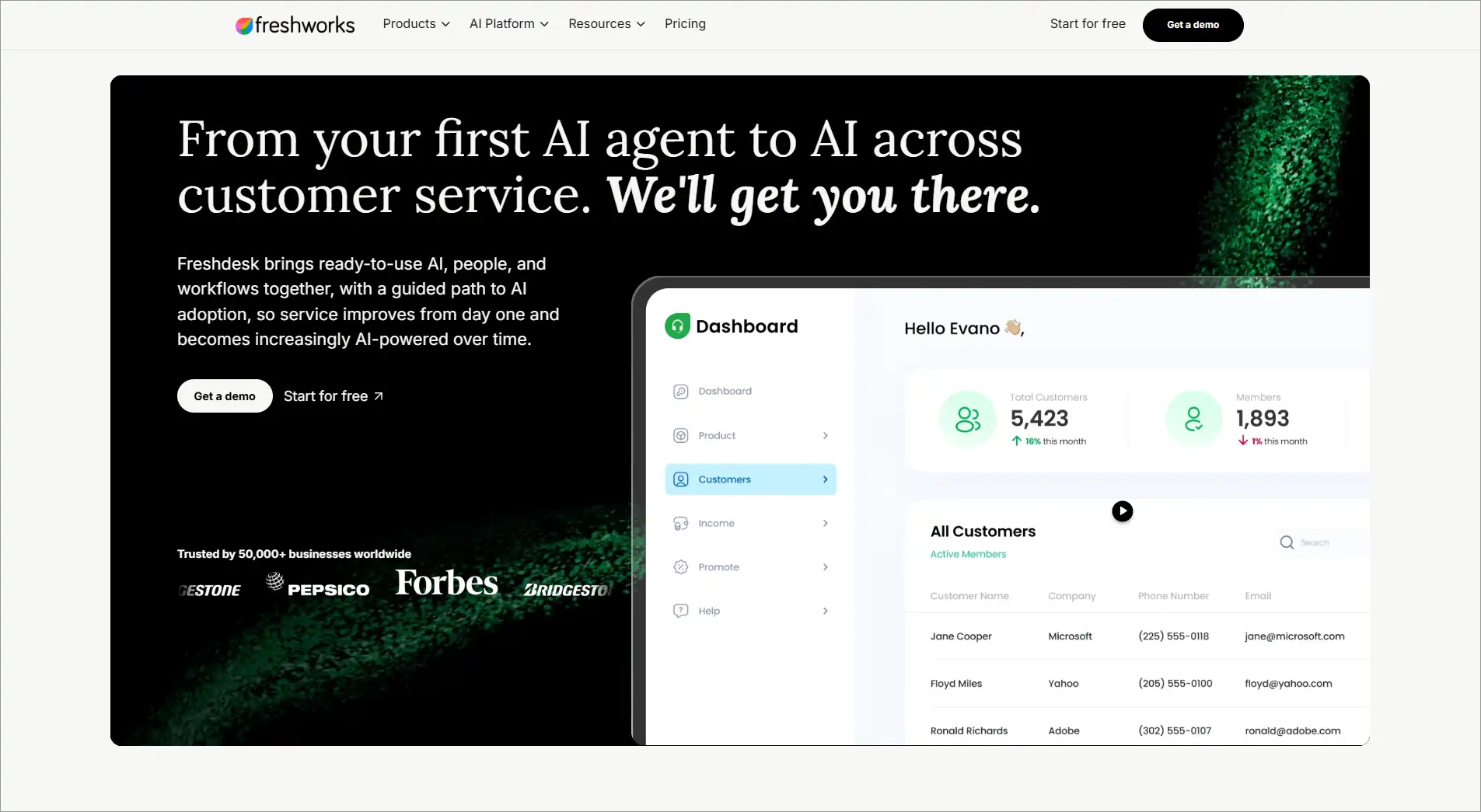
Graeme R., a Capterra reviewer and Systems Administrator, highlighted Freshdesk’s ease of use and streamlined ticket management experience:
“Freshdesk has been a reliable and user-friendly customer support platform. It has helped streamline ticket management, improve response times, and provide a better experience for both support agents and customers.”
Zendesk is a global customer service software company. Its main product is a cloud-hosted support platform that empowers companies to enhance customer service.
The platform includes Zendesk Support, a ticketing system for managing and addressing customer inquiries through various communication channels such as email, chat, social media, and phone.
Additional offerings from Zendesk include live messaging with Zendesk Chat, self-service resources through Zendesk Guide, call center features via Zendesk Talk, and data analysis with Zendesk Explore.
Designed for flexibility and scalability, Zendesk’s products serve a diverse array of businesses, from small startups to large corporations.
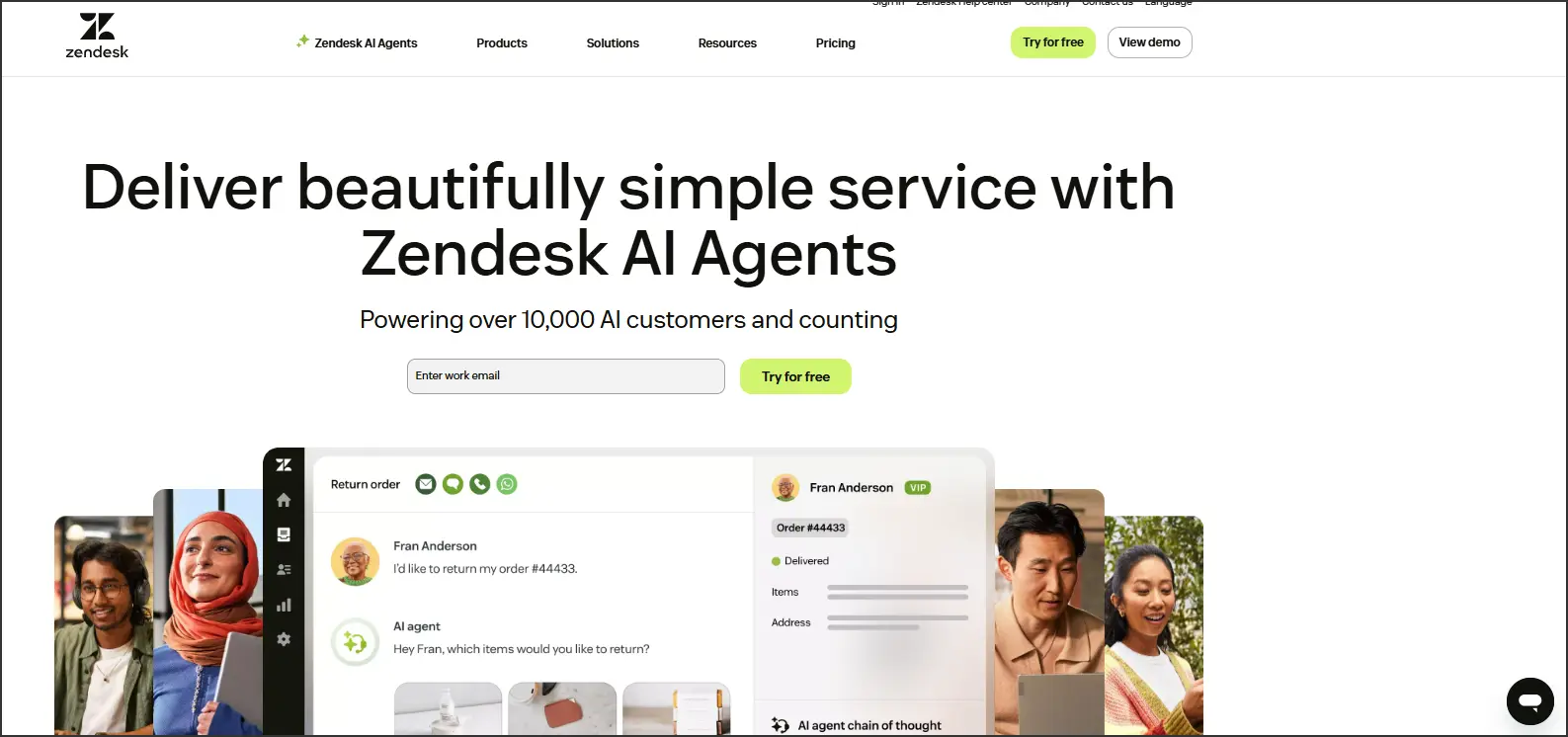
Zendesk’s ability to keep support operations organized is a recurring theme in customer feedback. As one Capterra reviewer noted:
“My overall experience with Zendesk Suite has been very positive. It streamlines customer support, keeps tickets and communications organized, and helps provide fast, consistent, and professional service.”- Jane F., Personal Lines Executive.
Freshdesk vs Zendesk pricing
When comparing Freshdesk and Zendesk, pricing is a crucial factor to consider. Both platforms offer tiered pricing models to cater to different business sizes and requirements.
Here’s a detailed look at Freshdesk vs Zendesk pricing structures:
Freshdesk pricing
Freshdesk offers several pricing tiers, including a free plan and paid plans that increase with features and capabilities.
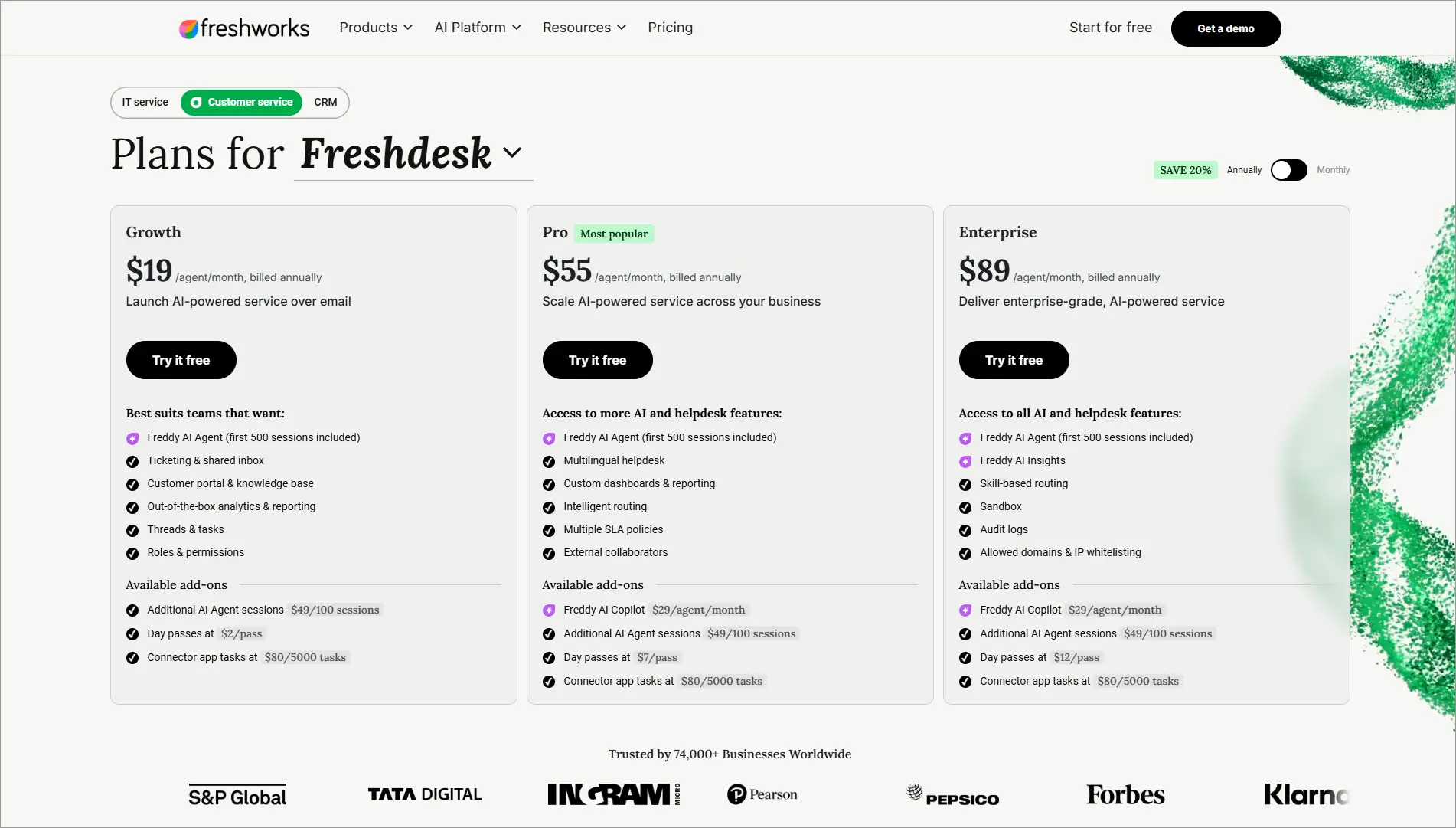
Note: Pricing was checked against Freshworks’ pricing page in August 2026. Freshworks publishes both annual and monthly billing rates directly, so the monthly figures shown here are not calculated estimates.
| Plan | Annual Billing | Monthly Billing | Key Features |
| Free | $0 | $0 | Basic ticketing, email support, knowledge base, up to 2 agents |
| Growth | $19/agent/month | $23/agent/month | Automation, reporting, social media integration, time tracking |
| Pro | $55/agent/month | $66/agent/month | Custom roles, CSAT surveys, multilingual support |
| Pro + Freddy AI Copilot | $84/agent/month | $94/agent/month | Pro features plus Freddy AI Copilot |
| Enterprise | $89/agent/month | $107/agent/month | Advanced analytics, sandbox, HIPAA compliance |
Freshdesk’s add ons
| Add-on | Annual Billing | Monthly Billing | Key Features |
| Omni Growth | $29/agent/month | $35/agent/month | Omnichannel customer support |
| Omni Pro | $79/agent/month | $95/agent/month | Advanced omnichannel workflows |
| Omni Enterprise | $119/agent/month | $145/agent/month | Enterprise omnichannel support |
| Freddy AI Copilot | $29/agent/month | $35/agent/month | AI-assisted ticket summaries and suggestions |
| Additional AI Agent Sessions | $49 per 100 sessions | $49 per 100 sessions | Additional AI-powered interactions |
Freshdesk remains a strong option for small and mid-sized teams thanks to its free plan and relatively affordable Growth, Pro, and Enterprise tiers.
Organizations evaluating costs should also consider Omni plans and Freddy AI add-ons when estimating their total investment.
Zendesk pricing
Zendesk offers tiered pricing plans designed for businesses ranging from small support teams to large enterprises.
As plans increase, Zendesk adds advanced automation, AI capabilities, analytics, security, and workforce management features.
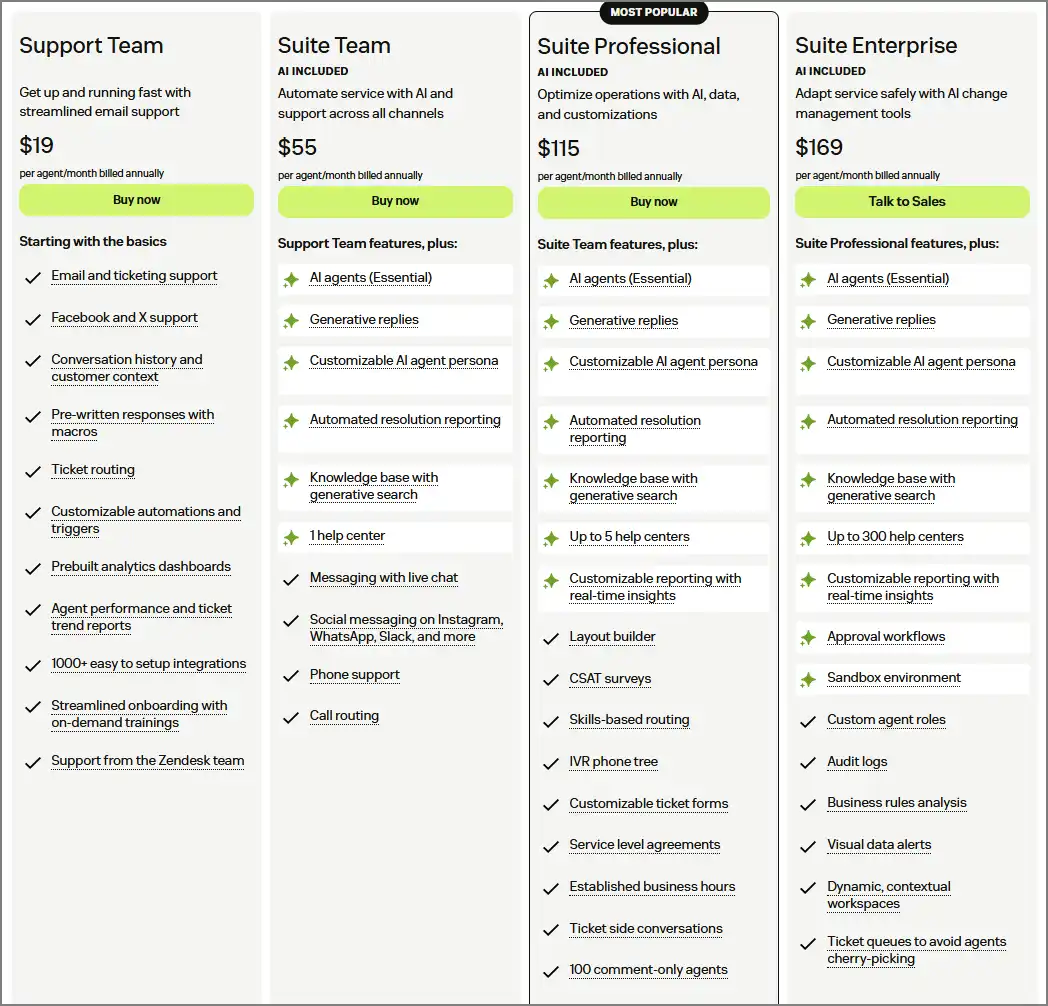
Note: Zendesk pricing was checked against Zendesk’s pricing page in August 2026. Zendesk publishes both annual and monthly billing rates directly, so the monthly figures shown here are not calculated estimates.
| Plan | Annual Billing | Monthly Billing | Key Features |
| Support Team | $19/agent/month | $25/agent/month | Ticketing, email support, automations |
| Suite Team | $55/agent/month | $69/agent/month | AI Agents, omnichannel routing, live chat |
| Suite Professional | $115/agent/month | $149/agent/month | AI tools, advanced reporting, skills-based routing |
| Suite Enterprise + Copilot | Contact sales | Contact sales | Advanced governance, security, AI capabilities |
Zendesk’s add ons
| Add-on | Annual Billing | Monthly Billing | Key Features |
| Copilot | $50/agent/month | $50/agent/month* | AI assistance for agents and admins |
| Workforce Engagement Bundle | $50/agent/month | $50/agent/month* | QA and workforce management |
| Contact Center | $83/agent/month | $83/agent/month* | Advanced voice and contact-center capabilities |
| AI Agents | Usage-based | Usage-based | Billed per automated resolution |
Zendesk’s pricing starts at $19 per agent per month but increases significantly as businesses adopt omnichannel support, AI tools, workforce management, and advanced reporting.
While it is typically more expensive than Freshdesk, Zendesk offers deeper customization, automation, analytics, and enterprise-grade functionality for larger support operations.
Additional costs and considerations
- Add-ons and integrations: Both Freshdesk and Zendesk offer a variety of add-ons and integrations that can incur additional costs. These can include advanced analytics, AI-powered tools, and additional storage.
- Customization: Extensive customization may require additional development resources or professional services, which can impact overall costs.
- Annual vs monthly billing: Both platforms offer discounts for annual billing, which can provide significant savings compared to month-to-month plans.
Freshdesk vs Zendesk pricing summary
Here’s a table summarizing the key pricing points.
| Feature | Freshdesk | Zendesk |
| Free plan | Available (limited features) | Not available |
| Pricing model | Per agent, per month | Per agent, per month |
| Starting price | $19/agent/month (Growth) | $19/agent/month (Support Team) |
| Value focus | Affordability for smaller teams | Comprehensive features for larger teams |
Freshdesk is generally more affordable, especially for small to medium-sized businesses or those just starting out. Its free plan and lower entry-level pricing make it accessible, while higher tiers offer advanced features for growing businesses.
Zendesk tends to be more expensive but justifies the cost with extensive features and capabilities that are particularly suited for larger enterprises with complex support needs. Its advanced tiers provide robust tools for managing large-scale support operations.
Freshdesk vs Zendesk: What do they offer?
Choosing the right customer service software is about finding the perfect blend of features to meet your needs. Here’s a head-to-head comparison of Freshdesk and Zendesk’s core offerings:
Ticketing system (core functionality)
- Both Freshdesk and Zendesk offer robust ticketing systems for managing customer inquiries. These include features like ticket creation, assignment, prioritization, internal notes, and communication history.
- Freshdesk is known for its user-friendly interface and intuitive ticketing experience.
- Zendesk provides more comprehensive reporting and analytics dashboards with deeper insights (in higher tiers), reflecting the platform’s broader set of Zendesk features for enterprise support operations.
Artificial Intelligence (AI)
- Freshdesk’s Freddy AI offers basic AI functionalities and automation capabilities.
- Zendesk’s AI agent provides advanced AI features, including chatbots, sentiment analysis, and smart ticketing for improved customer experience (in higher tiers).
Self-service portal
- Both: Empower your customers with self-service options. Both platforms allow you to create a knowledge base with articles, FAQs, and downloadable resources.
- Freshdesk provides a basic knowledge base builder.
- Zendesk offers a more robust knowledge base solution with features like article categorization, search functionality, and analytics (in higher tiers).
Multi-channel support
- Freshdesk offers multichannel support (email, social media) in paid plans.
- Zendesk includes multichannel support (email, social media, live chat) in most paid plans. Higher tiers offer additional channels like telephony and community forums.
Automation
- Both automate repetitive tasks to streamline workflow. Both offer features like automated ticket routing, canned responses, and basic workflow automation.
- Zendesk provides more advanced automation functionalities through triggers and custom workflows (in higher tiers).
Reporting and analytics
- Both track performance and gain insights with reporting tools.
- Freshdesk offers basic reporting on key metrics like agent performance and ticket resolution times.
- Zendesk provides more comprehensive reporting and analytics dashboards with deeper insights (in higher tiers).
Freshdesk vs Zendesk: Review
Both Freshdesk and Zendesk are popular customer service platforms with a strong presence on review sites like Capterra and G2.
Here’s a breakdown of how they fare based on user reviews:
Freshdesk
- Capterra: Freshdesk receives a user rating of 4.5 out of 5 on Capterra. Users praise its ease of use, affordability, and intuitive interface. However, some reviewers mention limitations in advanced features and automation capabilities compared to Zendesk.
- G2: Freshdesk scores 4 stars out of 5 on G2. Similar to Capterra, reviewers highlight Freshdesk’s user-friendliness and value. Some G2 reviews mention occasional limitations in reporting and customization options.
Zendesk
- Capterra: Zendesk has a user rating of 4.4 out of 5 on Capterra. Users commend its comprehensive feature set, powerful integrations, and scalability. However, some reviewers mention Zendesk’s pricing can be expensive for smaller teams, and the interface can be complex for beginners.
- G2: Zendesk scores 4.3 out of 5 on G2. Users value Zendesk’s robust functionalities, customization options, and AI capabilities. Some G2 reviews mention a steeper learning curve compared to Freshdesk and occasional concerns about customer support quality.
Freshdesk vs Zendesk: What about customer support?
When comparing Freshdesk and Zendesk, the quality and availability of customer support are critical factors to consider.
Both platforms are known for providing comprehensive support to their users, but there are some differences in their offerings. Here’s a look at the customer support provided by Freshdesk and Zendesk:
Freshdesk customer support
Support channels
- Email support: Available 24/7 across all plans.
- Phone support: Available in higher-tier plans.
- Live chat: Available in higher-tier plans.
- Community forums: Access to peer support and community discussions.
Self-service resources
- Knowledge base: Extensive library of articles, guides, and FAQs.
- Video tutorials: Step-by-step video guides to help users navigate the platform.
- Webinars: Regular webinars on various topics related to customer support and product usage.
Onboarding and training
- Detailed onboarding process with setup guides and tutorials.
- Training sessions are available for teams to get up to speed with the platform.
Zendesk customer support
Support channels
- Email support: Available 24/7 for all plans.
- Phone support: Available 24/7, depending on the plan.
- Live chat support: Available for higher-tier plans.
- Social media support: Support via X and other social media platforms.
Self-service resources:
- Knowledge base: Comprehensive collection of help articles, guides, and FAQs.
- Zendesk help center: Centralized portal for self-service support resources.
- Community forums: Engage with other users and share best practices.
- Developer portal: Resources for developers, including API documentation and SDKs.
Onboarding and training
- Extensive onboarding resources, including setup guides and product walk-throughs.
- Training programs and certification courses are available for users and administrators.
- Access to Zendesk’s training portal for self-paced learning.
Customer support comparison summary
Freshdesk offers solid customer support with 24/7 email support for all plans and additional channels like phone and chat for higher tiers. It provides extensive self-service resources, onboarding, and training, making it accessible for small to medium-sized businesses.
The presence of a dedicated account manager for enterprise plans adds a layer of personalized support.
Zendesk provides robust customer support with 24/7 availability across multiple channels, including email, phone, and social media. Its comprehensive self-service resources, extensive training programs, and developer portal make it suitable for larger enterprises.
The inclusion of a dedicated account manager and proactive customer success programs for higher-tier plans ensure tailored support for complex needs.
Freshdesk vs Zendesk: Strengths
When compared, Freshdesk and Zendesk stand out in the customer support software market for their robust feature sets and capabilities.
However, each has its own strengths and may be better suited to different types of businesses and needs. Here’s a detailed comparison of Freshdesk and Zendesk, highlighting their strengths.
Freshdesk
- User-friendly interface: Freshdesk is known for its intuitive and clean user interface, making it easy for new users to get up to speed quickly.
- Affordability: Freshdesk is generally more cost-effective, with competitive pricing plans and a free tier, making it accessible for small to medium-sized businesses.
- Comprehensive features: Robust ticketing system with automation, collision detection, and multi-channel support (email, phone, chat, social media). Collaboration tools like Team Huddle and Shared Ownership facilitate internal communication and teamwork.
- Scalability: Offers a range of plans that can scale with your business as it grows, from small teams to larger enterprises.
- Customer support: 24/7 email support across all plans, with additional phone and chat support in higher-tier plans. Dedicated account managers and priority support for enterprise plans.
Zendesk
- Comprehensive and advanced features: An advanced ticketing system with macros, triggers, and extensive automation rules. Multichannel support includes messaging apps and social media with a unified agent workspace.
- Customization and scalability: Highly customizable workflows, roles, and permissions, making it suitable for large enterprises with complex needs.
- Advanced analytics and reporting: Deep analytics capabilities with Zendesk Explore, offering real-time dashboards and customizable reports.
- Customer support: 24/7 support through multiple channels (email, phone, chat), depending on the plan. Dedicated account managers and extensive training resources for higher-tier plans.
- Enterprise-grade security: Advanced security features, including single sign-on (SSO), data encryption, and compliance with regulations like HIPAA and GDPR.
Choose Freshdesk if: You want a lower-cost platform with a simpler setup, intuitive ticket management, and strong customer support capabilities for small to mid-sized teams.
Choose Zendesk if: You need advanced customization, sophisticated reporting, enterprise-grade security, and the ability to support complex customer service operations at scale.
Startups: Low on Budget? No Problem!
Ready to scale your business? Time to deliver exceptional experiences with the right high-performance customer service solution!
Explore BoldDesk: A scalable alternative to Freshdesk and Zendesk
BoldDesk is a customer service platform designed to help teams streamline support operations through automation, AI, and omnichannel communication, offering a practical alternative for businesses looking to improve support efficiency and customer experiences.
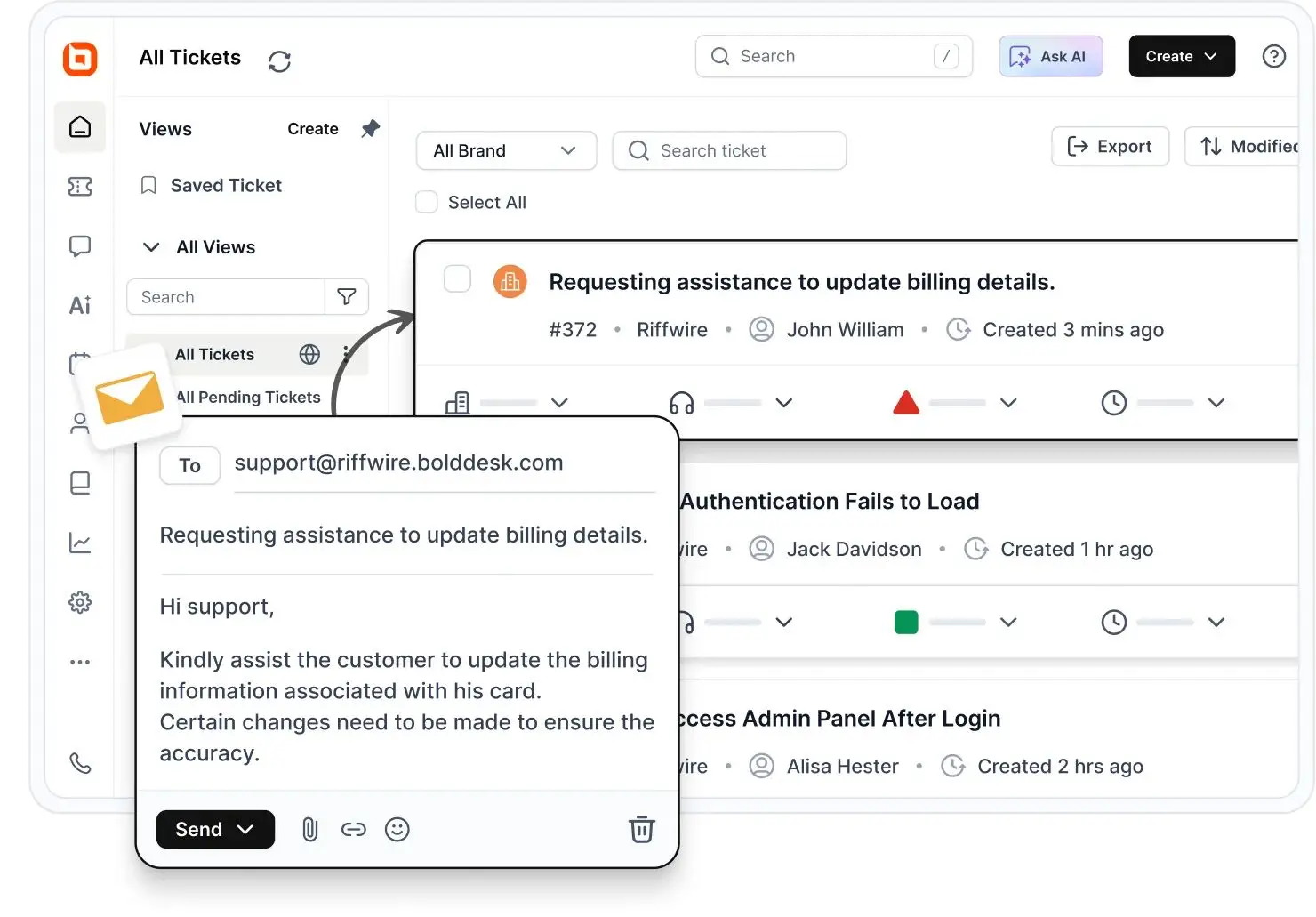
There are several reasons why some organizations might consider BoldDesk to be a preferable solution.
For teams looking for a Zendesk alternative, BoldDesk offers a combination of AI-powered support, automation, and predictable pricing.
Comprehensive and advanced features
BoldDesk offers a range of features designed to streamline customer support operations and enhance overall user experience. Here’s a detailed look at the key features of BoldDesk:
- Ticket management: Create, assign, track, and manage support tickets from a centralized workspace.
- Omnichannel support: Manage conversations from email, live chat, and social media through a unified workspace.
- Automation and workflows: Automate ticket routing, responses, escalations, and other repetitive support tasks.
- AI Copilot: Help agents work faster with AI-powered summaries and reply suggestions.
- AI Agent: Automate customer interactions and routine support tasks across channels.
- Knowledge base: A self-service knowledge base allows customers to find answers to common questions without contacting support. This reduces the volume of support tickets and empowers customers to resolve issues independently.
- Reporting and analytics: Monitor key support metrics, analyze trends, and create reports and dashboards to improve team performance.
- SLA management: Track and manage response and resolution targets.
- Customer feedback and surveys: Collect feedback to measure and improve customer experiences.
- Security and compliance: Support enterprise security requirements with encryption, SSO, and compliance with regulations like SOC 2 Type II, GDPR, and HIPAA.
Vishal N., a Senior Support Specialist and validated G2 reviewer, noted:
“I think BoldDesk is one of the best tools I’ve used for system management. I really value the feedback feature. The ticket management aspect is appreciated as well. The initial setup was easy to complete.”
Competitive pricing
Explore BoldDesk pricing to see plans that include all core features across paid tiers.
AI features
Every tier includes monthly AI credits and AI Copilot; extra credits are $40 per 1,000.
Need more agents? Let’s build a custom plan for you— talk to our experts today!
BoldDesk combines predictable pricing, AI-powered support tools, and flexible plans for teams of different sizes.
Which is the best solution for your business?
In the end, the choice between Freshdesk or Zendesk depends on your business’s specific needs.
| Platform | Best for |
| Freshdesk | Teams seeking the lowest total cost, easier setup, and strong ticketing capabilities without enterprise-level complexity. |
| Zendesk | Large support organizations that need advanced routing, workforce management, voice support, and sophisticated reporting. |
| BoldDesk | Businesses looking for predictable pricing, integrated AI and automation, and faster onboarding with lower administrative overhead. |
The verdict: Freshdesk or Zendesk?
Ultimately, the choice between Freshdesk and Zendesk will depend on your specific business requirements, budget, and the complexity of your support operations.
If Zendesk’s pricing or complexity is a concern, evaluating Zendesk alternatives may be worthwhile before committing to a long-term platform decision.
BoldDesk stands out as a compelling alternative to Freshdesk and Zendesk, especially for businesses looking for an affordable, user-friendly, and reliable customer support solution.
Explore BoldDesk’s website to see its offerings and its dedication to customer satisfaction.
Related articles
FAQs on Freshdesk and Zendesk
Freshdesk is known for its user-friendly interface, affordability, and robust feature set that is suitable for small- to medium-sized businesses.
It offers comprehensive multi-channel support, automation, and collaboration tools.
Zendesk, on the other hand, excels in scalability, advanced features, and extensive customization options, making it ideal for larger enterprises.
Zendesk provides more complex analytics and a broader range of integrations.
Freshdesk is generally more affordable. Plans range from free to $89 per agent/month on annual billing, or up to $107 per agent/month billed monthly. Zendesk starts at $19 per agent/month for Support Team, rising to $55 for Suite Team and $115 for Suite Professional on annual billing.
Both platforms charge separately for AI. Freshdesk’s Freddy AI Copilot is $29 per agent/month, Zendesk’s Copilot is $50. Factor add-ons into the total before comparing headline prices.
Both Freshdesk and Zendesk provide robust ticketing systems. Freshdesk offers features like automation, collision detection, and multi-channel support.
Zendesk offers advanced ticketing with macros, triggers, intelligent routing, and detailed ticket forms, making it more suitable for complex workflows.
Yes, both Freshdesk and Zendesk handle multichannel support. Freshdesk offers a unified platform for email, phone, chat, social media, and website inquiries.
Zendesk also supports these channels and adds messaging apps like WhatsApp, providing a more integrated agent workspace.
Yes. Freshdesk provides migration tools and onboarding resources that help organizations transfer tickets, contacts, knowledge base content, and historical support data from other platforms. The complexity of migration depends on the volume of data, integrations, and custom workflows being transferred.
Both platforms provide AI features, but their approaches differ. Freshdesk includes Freddy AI for ticket assistance, automation, and customer interactions, while Zendesk offers AI agents, Copilot, and advanced automation capabilities. Zendesk generally provides more advanced AI functionality, though it often comes with higher costs and additional add-ons.
Freshdesk is often considered easier to implement and manage, making it a popular choice for small and mid-sized businesses. Zendesk offers more customization and advanced capabilities, but it can require additional setup and administrative effort, especially for complex support operations.
Freshdesk is well suited for growing teams that need affordability, ease of use, and quick deployment. Zendesk is often a stronger fit for organizations expecting more complex workflows, advanced reporting needs, and larger support teams as they scale.