In this page

TL;DR: AI support succeeds when it’s treated as an operational system, not a plug‑and‑play tool. Clear ownership, clean support data, controlled automation, and seamless human handoffs determine whether AI reduces effort or creates friction. Teams that fix these fundamentals turn AI into a lasting support advantage.
AI support rarely fails overnight. It breaks through small, avoidable issues or mistakes that compound over time.
These AI support implementation mistakes often show up as inaccurate responses, broken handoffs, and frustrated customers, even when the technology itself is sound.
The risk is higher than many teams expect. Gartner reports that only 28% of AI initiatives meet ROI expectations, with many falling short due to gaps in strategy, data quality, and execution.
Understanding where AI support implementations go wrong, and how to fix them, is the difference between scalable support and costly automation failures.
Below, we outline common AI support implementation mistakes and how you can avoid them to build a more effective support system.
Quick comparison of AI implementation mistakes
This table summarizes the common AI support implementation mistakes, how they show up in support, and what to do to fix them.
| Mistake | Impact on support | How to fix |
| No clear strategy | No customer or business impact | Link AI goals to outcomes like CSAT |
| Poor training data | Wrong answers, high escalations | Clean and unify support data |
| Unrealistic expectations | Over-automation, poor experiences | Start small, expand gradually |
| Over-reliance on AI | Workflow friction, agent confusion | Keep agents in the loop |
| No agent training | Low adoption, uneven usage | Train support teams, communicate clearly |
| No performance monitoring | AI quality drifts over time | Track metrics, optimize continuously |
| Broken handoffs | Customer frustration, wasted effort | Pass full context to agents |
7 AI support implementation mistakes and how to fix them
AI doesn’t fail in customer support; broken workflows do. While AI can significantly enhance customer support efficiency, many companies hastily implement AI initiatives and subsequently experience underwhelming results.
In most cases, AI-powered customer support success depends more on implementation than on the technology itself.
According to Gartner, 91% of service and support leaders feel pressure from executives to adopt AI, which often leads to rushed decisions and gaps in strategy, data, and adoption.
Below are the common implementation mistakes companies make when rolling out AI for customer support, and how to fix them.
Mistake #1: Implementing AI without clear support goals
Many organizations implement AI in customer support because it’s trending, not because it addresses a clearly defined support problem.
As a result, AI is introduced as a standalone technology initiative rather than as a capability designed to improve specific customer support and operational outcomes.

When AI is implemented without specific, measurable objectives, such as reducing first response time, improving CSAT, or lowering cost per ticket, it lacks direction.
Teams may optimize the technology, but they are not improving outcomes that matter. The result is AI that technically works, but fails to deliver meaningful business or customer impact.
Why this mistake happens
- Organizations feel pressure from leadership or market trends to adopt AI in customer support before defining what success means for customers, agents, or the support team.
- Support teams choose AI tools based on available features like sentiment analysis instead of the specific support problems they need to solve.
How to fix it
- Define clear support and business goals first, such as reducing ticket volume, before introducing AI tools.
- Link every AI use case in customer support to measurable outcomes like CSAT.
- Use AI to improve existing support workflows and agent experiences rather than treating AI as a replacement for a clear customer service strategy.
Mistake #2: Using poor data quality or insufficient training data
AI systems in customer support are only as effective as the data they are trained on. However, in most cases, organizations implement AI using outdated, incomplete, inconsistent, or low-quality support data while expecting accurate and reliable results.
Without access to accurate support knowledge, historical ticket context, and real customer conversations, AI tools often generate irrelevant responses, misunderstand customer intent, and deliver inconsistent support experiences.
Instead of improving efficiency, poor training data leads to unreliable outputs that reduce customer trust, increase agent intervention, and create frustration for both customers and support teams.
Why this mistake happens
- Support content, such as knowledge bases, canned responses, and ticket histories, is outdated or inconsistent.
- Customer conversations across channels are fragmented, making it difficult to train AI effectively.
- Teams assume AI tools will automatically perform well without continuous data refinement and maintenance.
How to fix it
- Train AI using accurate, updated, and well-structured customer support data.
- Regularly review and improve knowledge base articles, macros, FAQs, and historical ticket data.
- Use real customer interactions to help AI better understand customer intent and support scenarios.
- Continuously monitor AI responses and retrain models to improve accuracy and relevance over time.
Mistake #3: Unrealistic expectations for AI customer service outcomes
AI can improve support efficiency and help teams scale faster, but it cannot fully replace human judgment, empathy, and problem-solving.
Most businesses expect AI to handle complex customer interactions immediately after implementation, without considering its limitations.
When AI is pushed too aggressively into customer-facing workflows, support experiences become inconsistent and frustrating.
Customers struggle to get meaningful help, while agents spend more time fixing automation gaps instead of resolving issues efficiently.
Why this mistake happens
- Organizations prioritize cost reduction over customer experience and treat AI as a replacement for support agents rather than a support enhancement tool.
- AI solutions are evaluated using controlled demos instead of real-world customer conversations that are often emotional, unclear, or context-heavy.
How to fix it
- Use AI primarily for repetitive and low-risk tasks such as FAQs, ticket routing, and basic troubleshooting while keeping human agents involved in complex interactions.
- Introduce AI gradually by first using it to assist agents with tasks like response suggestions, summarization, and sentiment analysis.
- Measure AI success using customer-centric metrics such as CSAT, first-contact resolution, escalation rates, and overall support quality.
Mistake #4: Over-reliance on AI technology
Most organizations expect AI to function independently without redesigning workflows, training agents, or assigning clear ownership for AI performance.
As a result, AI is added to existing support processes without being properly integrated into day-to-day customer support operations.
This often creates unclear handoffs, inconsistent ticket handling, and broken workflows that frustrate both customers and agents.
Instead of improving support efficiency, teams end up spending more time fixing process gaps created by poorly managed automation.
Why this mistake happens
- Organizations assume AI can independently handle customer interactions that still require human judgment and empathy.
- Support agents are not trained to review, refine, or override AI-generated responses effectively.
How to fix it
- Redesign support workflows to clearly define where AI should assist and where human agents should take over.
- Train support agents to confidently evaluate and improve AI-generated responses during customer interactions.
- Use AI as a support enhancement tool for repetitive tasks while keeping agents involved in sensitive or complex cases.
Mistake #5: Not training support agents to use AI
AI tools deliver limited value when support agents are not properly trained to use them.
Even when the technology performs well, poor AI adoption and a lack of confidence among support agents reduce its effectiveness.
When organizations introduce AI without clear guidance or workflow training, agents become unsure when to trust it, when to intervene or correct it, and how to use it effectively during customer interactions.
This creates inconsistent usage, manual workarounds, and resistance across support teams.
Why this mistake happens
- AI implementation is treated as a technology upgrade rather than an operational workflow change.
- Internal communication focuses more on AI capabilities than on the value it provides to agents and customers.
How to fix it
- Train agents on how AI supports daily workflows, including when to rely on it and when human intervention is needed.
- Clearly position AI as a tool that improves agent productivity rather than replacing support teams.
- Provide consistent feedback, guidance, and best practices to help support agents improve AI usage over time.
Mistake #6: Launching AI and failing to monitor performance
It is common for various organizations to launch AI support tools and assume they will continue performing effectively without ongoing monitoring or optimization.
However, customer behavior, product information, and support requirements constantly evolve.
Without regular review, AI responses gradually become outdated, inaccurate, or less relevant.
Over time, this leads to more escalations, lower customer trust, and reduced confidence among support agents using the system.
Why this mistake happens
- AI support performance metrics are not tracked consistently across customer interactions.
- Feedback from customers and support agents is not incorporated into AI optimization efforts.
How to fix it
- Continuously monitor AI performance using support metrics such as CSAT, escalations, repeat contacts, and resolution rates.
- Review failed interactions and escalated tickets regularly to identify gaps in AI responses.
- Keep AI systems updated with current support data, workflows, product information, and customer behavior trends.
Example: Initially, AI reduces ticket volume by handling common questions effectively. Months later, customer language and product features change, but AI behavior isn’t monitored or optimized. Incorrect responses become common, and agents gradually lose trust in AI suggestions and reduce reliance on them.
Impact: AI adoption drops internally, and the organization quietly reverts to manual processes.
Mistake #7: Creating a bad AI-to-human handoff
A poor AI-to-human handoff occurs when customer conversations are escalated without transferring the necessary context to support agents.
Customers are forced to repeat information, while agents spend additional time understanding the issue from the beginning.
This affects customer service experience and removes many of the efficiency benefits AI is supposed to provide.
Instead of creating seamless support journeys, broken handoffs increase frustration and make support feel slow and disconnected.

Why this mistake happens
- Escalation workflows are not clearly designed or maintained.
- AI systems are not fully integrated with agent support tools and ticketing workflows.
How to fix it
- Ensure support agents receive the complete conversation history and customer context during escalations.
- Define clear escalation rules for when AI should transfer issues to human support teams.
- Use AI to generate summaries and recommended next steps so agents can continue conversations efficiently without asking customers to repeat themselves.
Example: An AI support tool collects detailed information about a failed refund but escalates the ticket without transferring the conversation history to the support agent. The agent asks the customer to repeat everything from scratch, adding frustration to an already sensitive issue.
Impact: Longer handle times, reduced trust in support, and agents spending time repairing workflows instead of resolving issues.
Avoiding these AI implementation challenges doesn’t just improve AI performance; it also protects customer trust, boosts agent efficiency, and ensures long-term support scalability.
How BoldDesk helps you avoid these AI customer support implementation mistakes
Avoiding AI customer support implementation mistakes requires more than adding automation layers.
Organizations need clear ownership, structured workflows, high-quality knowledge management, strong agent involvement, and continuous AI performance monitoring.
BoldDesk is designed around these operational realities. Instead of positioning AI as a replacement for human support teams, BoldDesk helps organizations implement AI responsibly, improving efficiency and customer experience while maintaining visibility, control, and accuracy.
Here’s how BoldDesk helps teams avoid some of the most common AI customer support implementation mistakes.
- Prevent unnecessary escalations with AI that supports agents: During live customer interactions, AI Copilot supports agents with real‑time response suggestions, conversation summaries, and full customer context, helping them resolve issues faster without relying solely on automation.
- Detect AI performance issues before they impact customers: Built-in AI reports and dashboards help teams monitor trends such as deflection rates, escalation rates, and conversation-level performance. This makes it easier to identify recurring issues early and refine workflows or knowledge content before problems scale.
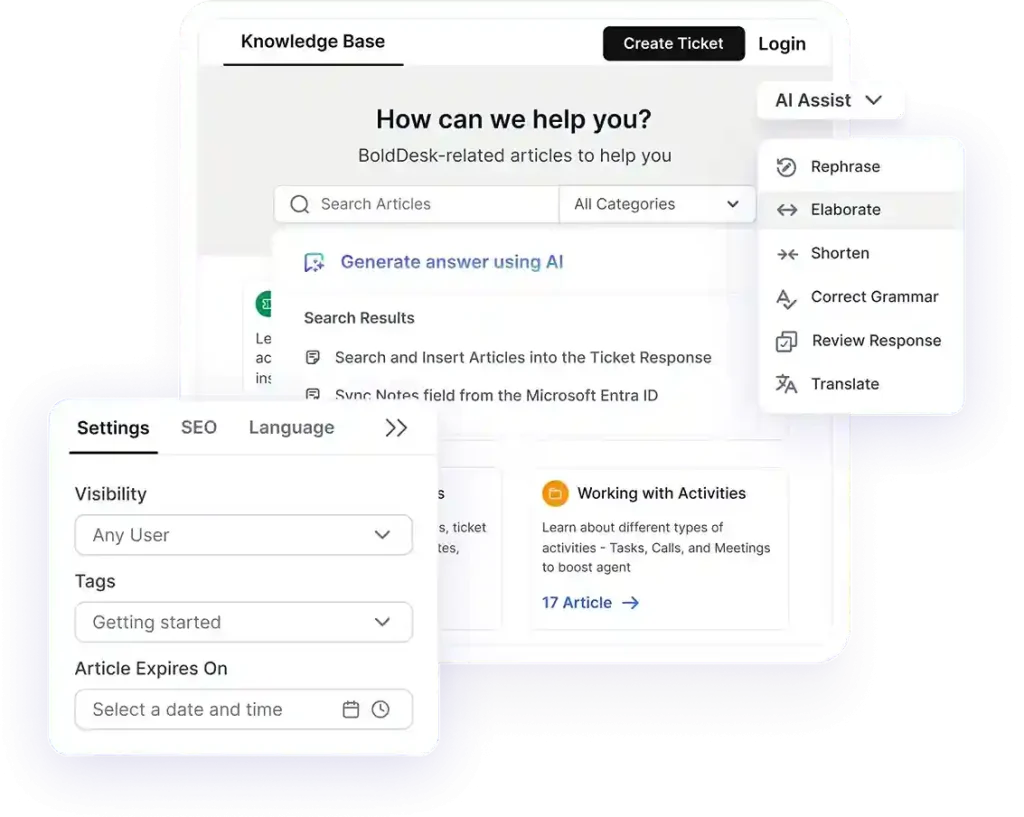
- Prevent inconsistent answers with centralized knowledge management: BoldDesk centralizes support knowledge and uses approval workflows (with versioning) to keep content accurate and up to date, helping AI and agents deliver more consistent and meaningful answers.
- Eliminate data silos that reduce AI accuracy: BoldDesk brings conversations from multiple channels into one unified workspace and preserves complete interaction history across channels, so agents always have full ticket and conversation context. This shared visibility supports more accurate routing, categorization, and issue resolution across AI‑assisted workflows.
- Ensure seamless AI‑to‑human handoffs: When conversations need escalation, BoldDesk preserves the entire interaction history and provides summaries or suggested responses so agents can continue the conversation without forcing customers to repeat information.
Turn AI customer support implementation challenges into success
AI can transform customer support, but only when it’s implemented with purpose.
Avoiding these common AI support implementation mistakes helps teams resolve issues faster, keep customer journeys seamless, and improve CSAT without losing the human touch customers expect.
That’s where BoldDesk comes in. BoldDesk combines smart automation with AI‑powered assistance to help your team scale support confidently, without hidden costs, operational complexity, or churn risk.
With full feature access across all pricing plans, free AI credits, and optional AI Agent and AI Copilot add‑ons, you get the flexibility to adopt AI at your own pace while delivering consistently reliable support outcomes.
Start a free trial to see BoldDesk in action or book a live demo to explore how AI‑powered support can work for your team.
Have questions or insights to share? Drop them in the comments. We’d love to hear from you.
Related articles
- 10 Common Customer Service Mistakes to Avoid and How to Fix Them
- Top Customer Service Guidelines to Improve Customer Experience
- 8 Practical Ways to Use Generative AI in Customer Service
Frequently Asked Questions
The most common mistakes include implementing AI without clear business goals, training models on poor-quality or outdated support data, over-relying on automation without human oversight, failing to train support agents, and creating clunky or contextless AI-to-human escalation handoffs.
BoldDesk helps organizations implement AI responsibly by using an AI Copilot to assist agents in real-time, centralizing knowledge management to ensure accurate responses, and preserving full conversation history so agents always have the right context during handoffs.
It also keeps humans in control, allowing teams to review and override AI outputs to ensure accuracy, transparency, and a consistent human touch across every customer interaction.
To ensure your AI is performing effectively, track customer-centric metrics such as Customer Satisfaction (CSAT), First-Contact Resolution (FCR), ticket deflection rates, AI-to-human escalation rates, and average handling time (AHT).
Tracking these helps identify performance drift before it impacts the customer experience.
Businesses can avoid AI implementation failures by setting clear goals, using high-quality data, maintaining human oversight, and continuously monitoring AI performance.
Timelines vary, but teams move fastest when goals, data readiness, and escalation workflows are defined upfront.