
 In this page

TL;DR: Knowledge base article templates give a consistent structure for clear FAQs, troubleshooting guides, and product overviews, helping customers resolve issues faster and improving self-service efficiency for support teams. They standardize quality, simplify updates, and make it easier to scale documentation.
Struggling to create consistent, high-quality knowledge base articles? You’re not alone.
Many support teams waste hours writing documentation from scratch, only to end up with content that’s inconsistent and hard to scale.
The faster way to fix this is by using proven knowledge base article templates for FAQs, troubleshooting, and step-by-step how‑to guides.
Whether you’re building a new help center or improving an existing one, these templates help you standardize structure, reduce writing time, and deliver better self-service.
In this guide, you’ll find 6 ready-to-use templates you can copy and customize, along with benefits, components, and practical tips to help you publish clearer, more scannable articles.
What is a knowledge base article?
A knowledge base article is a single help-center page that explains one topic, answering a question, guiding a task, or resolving an issue, so users can self-serve through search and navigation.
What are the types of knowledge base articles?
Knowledge base articles fall into several standard formats, each designed to help users find answers quickly and resolve issues independently.
The main types include:
- Frequently asked questions articles: FAQs compile common questions with short, direct answers, allowing users to locate information quickly without navigating long documents.
- How‑to/step‑by‑step guides: These articles provide clear, sequential instructions for completing a task, such as setting up a feature or performing a routine workflow.
- Troubleshooting articles: Focused on a single issue, these articles outline likely causes and provide step‑by‑step solutions to help users confirm the problem and resolve it efficiently.
- Product or feature overview articles: These help center article templates explain a product, module, or feature at a high level, including what it does and why it matters. They support understanding and decision‑making for both new and existing customers.
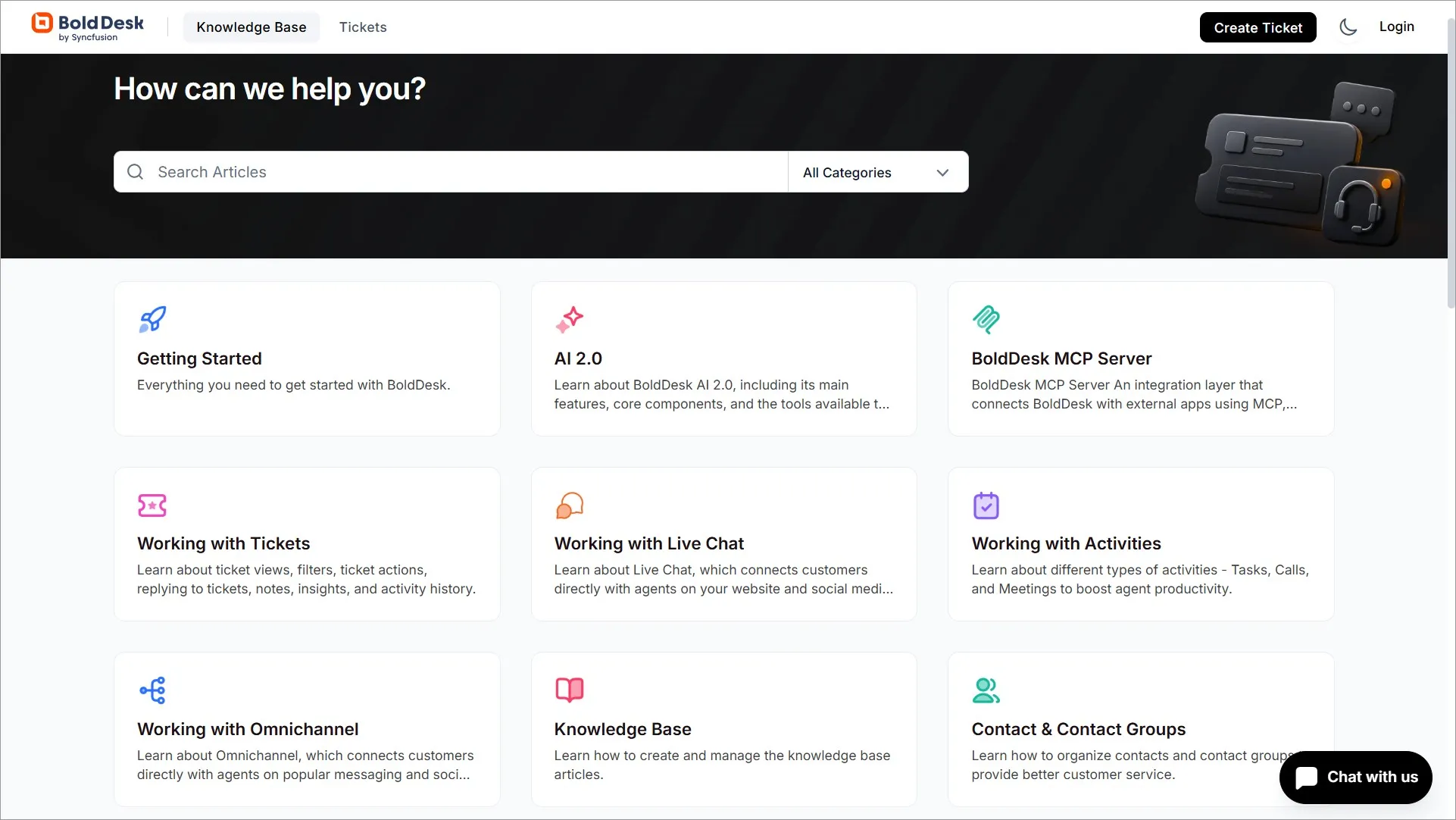
Top 6 knowledge base article templates
There are several types of knowledge base article templates you can use to create clear, structured, and consistent content.
Below are the essential templates every help center should include:
Troubleshooting articles
Troubleshooting articles focus on one specific issue and guide users through clear, step‑by‑step solutions.
According to Harvard Business Review, 81% of customers attempt to fix problems themselves before contacting support, so these articles must be easy to find, confirm, and follow.
Each article should use a precise title, relevant tags and keywords, and a brief intro describing what the issue looks like from the user’s perspective.
This helps readers quickly confirm they’re in the right place.
Example:
## Title:
[State the exact issue clearly]
## Problem:
[Describe what the user experiences]
## Why this happens:
[List the most common causes of the issue]
* [Cause 1]
* [Cause 2]
* [Cause 3]
## Resolution:
[Provide step‑by‑step instructions in the order they should be attempted]
- [Step 1]
- [Step 2]
- [Step 3]
## Additional reference:
Add links to related or prerequisite articles
* [Link to related content]
* [Link to related content]
* [Link to related content]
## Contact support:
If the issue continues, [explain how users can reach support].
FAQ articles
FAQ articles are knowledge base article templates that compile a list of questions and answers about a particular aspect of your product or service.
Questions concerning the same subject are listed on a single page in the FAQ articles. Both general and specific inquiries are covered.
A knowledge base should include frequently asked questions since they are helpful. It can be a great addition to your customer experience strategy.
Example:
## Frequently Asked Questions
Find answers to the most frequently asked questions about this topic [title].
### Question 1:
[Answer]
### Question 2:
[Answer]
### Question 3:
[Answer]
### Question 4:
[Answer]
### Additional information:
(Include only if it adds value and helps users complete the task.)
- [Link to related documentation]
- [Link to related troubleshooting article]
- [Link to related product or feature overview]
- If the question is not answered here, contact support: [Support option or method]
Product or feature overview template
Knowledge bases aren’t just made to provide answers to questions. To educate potential consumers on how a product functions and the advantages it may provide, some knowledge base content can be informational materials and even sales tools.
Typically, descriptions of your products and services are made specifically for potential customers interested in learning more about your company.
These product overview articles respond to “what” questions, concentrating on the operation of your service or typical queries regarding your product offerings.
Example:
## Title:
[Feature or module name]
## Description
Provide a summary covering the main use cases, core functionality, and the value it delivers.
## Key features
List the feature’s most important capabilities using short, direct bullets.
- [Feature 1]
- [Feature 2]
- [Feature 3]
## Technical details
Include essential requirements or specifications relevant to the product or feature (e.g., supported environments, settings needed, system, browser, platform, limitations).
## Best practices
Share helpful recommendations for achieving smooth use, avoiding common mistakes, or ensuring long‑term performance.
## Additional information
Include optional items such as:
- Related articles
- Setup or configuration guides
- Compliance notes, permissions, or visibility settings
- Links to product updates or release notes
## Contact support
If users need help with setup or experience unexpected behavior, explain how they can reach the support team.
Glossary of terms
A glossary defines important terms and concepts related to your product or support environment.
They are used when users need clear definitions for product terms, settings, processes, or technical language.
These templates are sorted in alphabetical order, helping users understand feature names, system terminology, and domain‑specific language more quickly.
Example
## Title:
## Introduction:
Provide a brief overview explaining that this glossary defines commonly used terms within your product or service.
## Term 1:
Definition: [Short, clear explanation]
## Term 2:
Definition: [Short, clear explanation]
## Term 3:
Definition: [Short, clear explanation]
## Additional references:
- [Related product overview]
- [Related how‑to or troubleshooting article]
## Contact Support:
If users need help understanding any term, explain how they can reach support.
Getting started article
Getting started guides help new users understand the basics of a product or feature.
They simplify onboarding by showing where to begin, what to set up first, and how to access essential tools.
These guides are used for new features, onboarding flows, account setup, or product introductions to improve early user success and reduce onboarding‑related questions.
Example
## Title:
[Getting started with feature X]
## Overview:
Briefly introduce what the user will accomplish in this guide.
## Prerequisites:
- [Requirement 1]
- [Requirement 2]
## Step‑by‑step setup:
- [Step 1]
- [Step 2]
- [Step 3]
## Key actions to try next:
- [Action 1]
- [Action 2]
## Additional references:
- [Helpful how‑to article]
- [Related FAQ]
## Contact Support:
Explain how users can get help if they run into issues.
Release notes
Release notes are used for monthly updates, version releases, or feature rollouts to highlight new features, enhancements, and updates.
They help users stay informed and ensure transparency when communicating what has changed in your product.
They also give support teams a reliable source to reference when answering user questions.
Example
## Title:
[Release Notes – Version/Month]
## Overview:
Brief summary of what’s included in this release.
## New features:
- [Feature 1 + short explanation]
- [Feature 2 + short explanation]
## Enhancements:
- [Improvement 1: include what changed, why it matters, and how to use the new capability]
- [Improvement 2: include what changed, why it matters, and how to use the new capability]
## Bug fixes:
- [Fix 1]
- [Fix 2]
## Actions required:
- [Action 1]
- [Action 2]
- [Action 3]
## Additional references:
- [Link to detailed documentation]
- [Previous release notes]
## Contact support:
Add instructions for reporting issues or requesting help.
What are the components of knowledge base templates
A well‑designed knowledge base template uses a predictable structure that helps readers quickly understand the purpose of the article and follow the steps without confusion.
The following are the key components found in well‑designed knowledge base article templates:
- Title: A clear, action‑focused heading such as “How to…” or a specific issue name that immediately tells users what the article covers.
- Introduction: A brief overview explaining the purpose of the article, why it matters, and any prerequisites the user should know before starting.
- Table of contents: A navigational list that helps users jump to major sections in longer or more detailed articles.
- Section headings: Clear labels that break the article into logical parts, improving scanability and user navigation.
- Subheadings: More specific breakdowns within each section to guide users step‑by‑step through tasks or explanations.
- Body content: The primary instructional material, often including numbered steps, troubleshooting actions, visual aids, or detailed explanations.
- Conclusion: A concise closing statement summarizing the outcome, what users should have achieved, or what to do next.
- Last updated date and version: Shows when the article was last revised and what changed to improve trust and content freshness.
- Tags or labels: Categorizes content and improves search, filtering, and routing, making it easier for both users and AI‑powered search tools to find related content.
- Owner or reviewer: Identifies the subject matter expert or content owner who maintains the article for accuracy and reliability.
- Feedback widget: Allows readers to rate article usefulness and provide feedback for improvement, e.g., “Was this helpful?”
- Call‑to‑action: Optional prompts such as “Read next,” “Contact support,” or links to related articles to guide users toward further help or associated tasks.
What are the benefits of using knowledge base templates
Knowledge base templates have a predetermined form, structure, and sequence.
The development of knowledge base articles with a customer service standard format is made easier by these ready-to-insert content snippets.
Here are some advantages of using knowledge base templates.
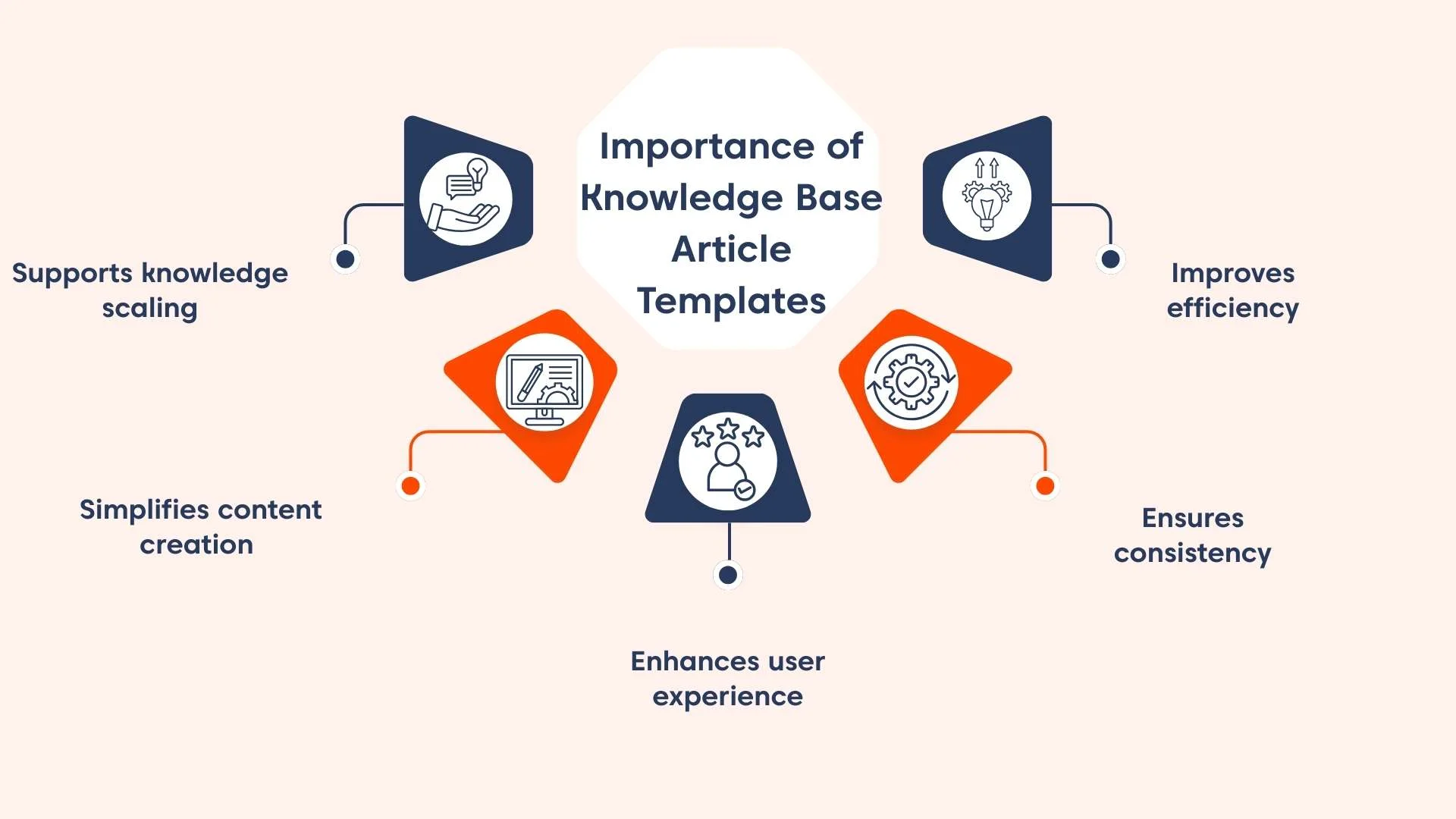
- Improves efficiency: Templates support editorial review workflows, content audits, quality control checks, and version tracking. This ensures compliance, accuracy, and long-term content maintenance.
- Ensures consistency: Uniform article formatting, heading structure, and terminology across all articles strengthens brand voice consistency and enhances professional presentation across all help articles.
- Enhances user experience: By providing a logical information flow and a standardized structure, it reduces cognitive load, helping users find answers quickly and lowering bounce rates.
- Simplifies content creation process: During product updates or feature launches, templates eliminate the need to decide structure from scratch and rebuild standard sections, enabling support teams to publish articles faster.
- Supports scalable knowledge management: As teams grow, templates allow multiple authors to write uniformly, reduce training time for new hires, and prevent content fragmentation, without sacrificing quality.
Best practices for using knowledge base article templates
Using knowledge base templates effectively ensures every article is easy to read, accurate, and structured in a way that helps users find answers quickly.
Templates provide consistency, but the value comes from how well they’re applied when creating or updating content.
Here are the best practices to follow:
- Start with a clear purpose: Define what the article will help the user accomplish before filling in the template. A strong introduction improves clarity and sets expectations for the reader.
- Use consistent structure: Follow the template’s layout, which includes the title, introduction, headings, steps, and conclusion, to maintain uniformity across all articles, making the knowledge base easier to navigate.
- Write in simple, direct language: Knowledge base articles should prioritize clarity over style. Use straightforward instructions so readers can complete tasks without confusion.
- Break content into logical steps: Use numbered steps for procedures and concise subheadings for explanations to help readers follow tasks in order. Visual aids such as screenshots can make instructions clearer.
- Focus on accuracy and relevance: Always verify steps, screenshots, and product details before publishing. Well‑maintained support knowledge base templates reduce support tickets and prevent user frustration.
- Add troubleshooting guidance when applicable: Provide common causes and practical fixes for issues users may encounter, especially in troubleshooting‑focused templates.
- Link to related articles: Use the “additional resources” or CTA section to guide users to supporting content, improving self‑service success, and knowledge flow.
- Review and update regularly: Templates help maintain consistency, but information must stay fresh. Schedule periodic reviews to ensure steps, layouts, and examples remain accurate.
How to structure knowledge base articles for AI and search
Structuring articles correctly improves visibility, snippet eligibility, and accuracy in AI‑generated answers.
To ensure your templates perform well in search engines and AI assistants, apply the following guidelines:
- Use one intent per article: Avoid mixing troubleshooting, FAQs, feature explanations, and workflows on the same page.
- Put the direct answer at the top: Clearly answer the main question in the first 2–3 sentences before adding detail.
- Use clear, descriptive headings: Headings should reflect how users search (e.g., “How to reset two‑factor authentication”).
- Include specific keywords and entities: Mention feature names, product areas, system requirements, and error messages exactly as they appear in the product.
- Add metadata fields: Include “Last updated,” “Applies to,” tags/labels, and article ownership to support credibility, routing, and freshness signals.
- Keep formatting clean and scannable: Short paragraphs, bullets, numbered steps, and bold labels help both users and AI understand the content quickly.
Improving self‑service with knowledge base article templates
Using knowledge base article templates helps teams create clear, consistent, and easy‑to‑navigate content.
Templates streamline writing, reduce effort, and ensure every article follows a reliable structure that improves the customer self‑service experience.
BoldDesk provides a structured knowledge base platform with built‑in templates, AI-powered search, version tracking, and content governance tools to help teams publish consistent, high-quality articles and reduce repetitive tickets.
To see how this robust software can improve agent productivity, sign up for a free trial or book a live demo.
You can contact our support team for more inquiries.
Do you have any additional comments or questions? Please share them in the comment section below.
Related articles
- 7 Techniques to Improve Your Knowledge Base Design
- 7 Important Tips for Creating a Knowledge Base Effectively
Frequently Asked Questions
Templates should be reviewed whenever a feature changes, a process is updated, or authors identify gaps in structure.
Regular updates ensure consistent quality and prevent outdated or incomplete content.
Yes. Templates ensure internal documentation (processes, roles, workflows) stays consistent and easy to maintain, helping teams collaborate more effectively.
Select a template based on the user’s intent and the type of information you’re documenting.
Match the structure to the problem the reader is trying to solve:
- FAQ templates: For common, short-form questions.
- Troubleshooting templates: When users need step-by-step instructions.
- Feature overviews templates: To explain functionality and use cases.
- Release notes: To document product updates.
Using the right template ensures clarity, improves searchability, and helps users find answers faster.