
 In this page

TL;DR: Remote customer service allows businesses to deliver fast, efficient support through distributed teams using digital channels and customer service software. By combining effective communication, ongoing training, strong leadership, and the right tools, organizations can improve agent performance, customer satisfaction, scalability, and operational efficiency.
The shift toward digital tools and changing workplace expectations has turned remote work from a short-term fix into a long-term strategy for modern businesses.
Companies are now embracing remote customer service as a scalable, high-impact model for delivering exceptional support from anywhere in the world.
This flexibility enables teams to stay agile, expand access to talent, and serve customers across multiple time zones.
However, managing a distributed support team also brings unique challenges, from maintaining communication and engagement to ensuring consistent customer service standards.
In this article, we’ll explore the benefits of remote customer service and share practical strategies for building and managing a high-performing remote support team.
What is remote customer service?
Remote customer service is the practice of delivering customer assistance from locations outside a traditional office setting.
This approach involves utilizing customer service software and digital communication tools such as live chat, email, phone, video conferencing, and co-browsing to address customer inquiries and provide guidance from anywhere in the world.
With the help of automation, AI, and communication across multiple channels, customer service teams can provide quick and personalized service through customers’ preferred communication channels.
Key differences between on-site and remote customer service
On-site and remote customer service models each offer distinct advantages.
Understanding how they differ can help you build a support strategy that balances team performance, customer needs, and operational flexibility.
| Aspect | On-site | Remote |
| Interaction style | In-person interactions with customers | Digital interactions via chat, email, phone, or video |
| Workspace | Office-based environment with physical workstations | Home offices or any remote location with internet access |
| Work hours | Structured and fixed schedules | Can offer more flexible scheduling and easier coverage across shifts |
| Commute | Requires daily commutes to a centralized office | No commute, reducing stress and saving time |
| Talent access | Limited to local candidates | Access to a global talent pool |
| Operational costs | Higher overhead costs (office space, utilities, etc.) | Lower operational expenses (minimal overhead and reduced infrastructure needs) |
| Scalability | Constrained by physical space | Highly scalable with cloud-based tools |
| Management style | Direct in-person supervision and immediate feedback | Remote monitoring, virtual coaching, and digital performance tools |
| Technology requirement | Standard in-office infrastructure | Robust digital tools, cloud systems, and cybersecurity measures |
Benefits of providing remote customer support
Remote customer support offers a modern, flexible approach to service that meets customers wherever they are.
By operating across locations and time zones, remote teams can extend support coverage and, with appropriate scheduling, provide around-the-clock service.
Let’s explore the key business benefits of remote customer support.
- Improves agent productivity through flexible work environments: Remote work gives agents greater flexibility, better work-life balance, and fewer workplace distractions, helping improve performance and reduce the risk of customer service burnout.
- Enhances scalability to meet fluctuating customer demand: Remote customer support allows businesses to quickly expand or adjust support teams during peak periods without the limitations and costs of additional office space.
- Expands your talent pool for specialized support teams: Organizations can hire skilled professionals from anywhere, helping build diverse, high-performing customer support teams without geographic restrictions.
- Increases accessibility for seamless customer support: Remote teams can support extended or 24/7 coverage when agents are scheduled across different shifts or time zones.
- Reduces operational costs: By reducing expenses related to office space, utilities, and equipment, businesses can allocate more resources to growth, innovation, and customer experience.
Types of remote customer support
Remote customer service teams use multiple channels and technologies to provide support without being physically present in an office.
Each channel caters to different customer needs and preferences.
Email support
Remote agents manage customer inquiries through email using ticketing systems to track, prioritize, and resolve issues. This approach allows for:
- Detailed documentation of all customer interactions
- Efficient routing of specialized questions to appropriate experts
- Clear resolution paths for complex problems requiring multiple steps
- Thorough responses with supporting documentation when needed
Live chat support
Agents use web-based chat platforms to engage customers in real-time, offering immediate assistance through:
- Instant responses to straightforward questions
- Guided navigation through website features
- Concurrent handling of multiple customer conversations
- Proactive engagement based on customer behavior patterns
Phone support
For situations requiring direct conversation, remote agents provide voice-based assistance through:
- Clear verbal explanations for complex issues
- Demonstrating empathy in customer service when handling sensitive customer concerns
- Step-by-step troubleshooting with immediate feedback
- Personalized service that builds stronger customer relationships
Social media support
Agents monitor and respond to customer interactions across platforms like Facebook for customer service, X, Instagram, and WhatsApp, focusing on:
- Public and private message management
- Brand reputation maintenance through timely responses
- Community engagement and relationship building
- Trend identification through social listening
Online resource portals
Self-service tools, such as knowledge bases, FAQs, video tutorials, and interactive guides, empower customers to find solutions independently. Remote teams:
- Create and maintain comprehensive documentation
- Analyze usage patterns to identify content gaps
- Update resources based on emerging issues and solutions
- Develop multimedia content for different learning styles
Remote support teams often integrate these channels into an omnichannel approach, ensuring consistent customer experiences regardless of which communication method customers choose.
Challenges remote customer service agents face and their solutions
Working remotely offers many advantages, including flexibility, comfort, and independence, but it also presents unique challenges.
The table below highlights common issues remote teams face and practical ways to address them.
| Challenge | Impact | Solution |
| Communication barriers | Can lead to misunderstandings, delayed responses, and reduced team collaboration. | Establish clear communication processes and use collaborative tools. |
| Data security concerns | Increases the risk of unauthorized access to customer and company data. | Implement secure systems, encryption, VPNs, and access controls. |
| Technical issues | Can disrupt customer interactions and agent productivity. | Provide reliable infrastructure and contingency plans. |
| Limited training and supervision | Makes it harder to maintain service quality and support skill development. | Invest in ongoing coaching, training, and performance monitoring. |
| Maintaining motivation and team morale | May lead to disengagement and reduced productivity. | Promote employee well-being, recognition, and team engagement. |
Actionable tips to deliver exceptional remote customer service
Exceptional remote customer service requires a strong customer service mindset focused on creating personalized and efficient experiences for customers.
Communicate effectively
Clear communication becomes even more important when support teams work across different locations and time zones.
Pro tips:
- Implement shared note systems for customer interactions.
- Arrange for frequent video meetings to share tips, discuss in-house issues, and share knowledge.
- Establish communication standards that define expected response times, preferred channels, and escalation paths.
Adopt cloud-based customer service tools
According to Metrigy’s Customer Experience MetriCast 2026 study, 33.1% of businesses worldwide use contact-center-as-a-service (CCaaS) as their primary contact center platform, while another 41.6% plan to adopt it in the future.
This trend highlights the growing demand for cloud-based customer service solutions that offer greater flexibility, scalability, and operational efficiency.
Pro tips:
- Implement a help desk ticketing system to track, organize, and route customer support tickets and conversations to the appropriate agents.
- Use task management tools to delegate, set deadlines, and monitor agent progress remotely.
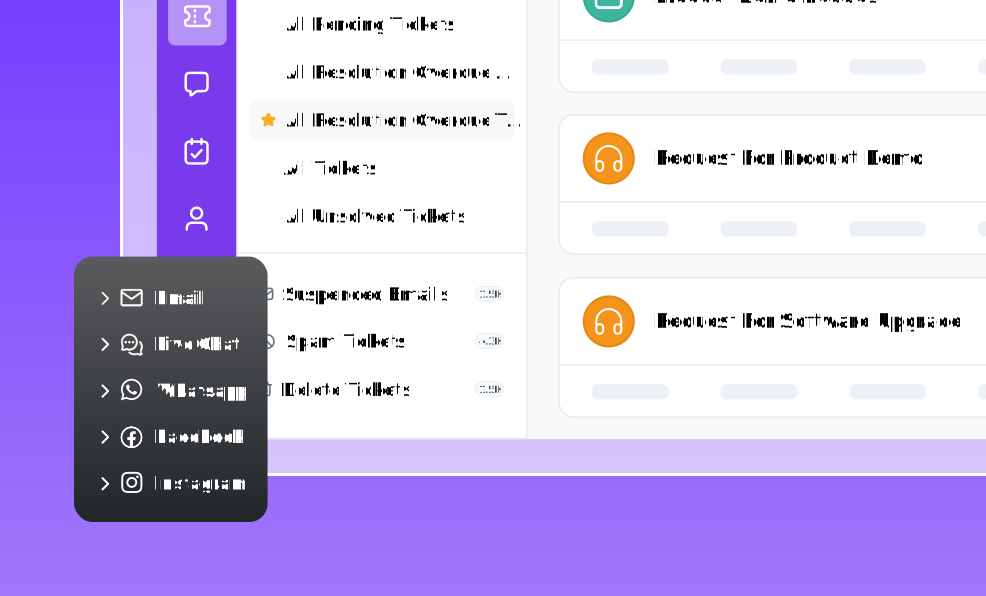
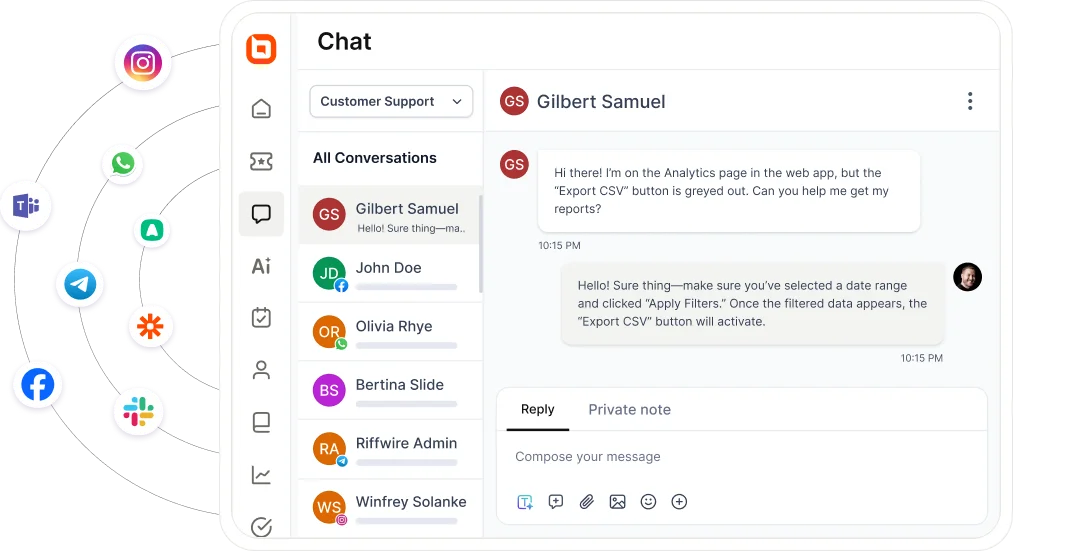
- Adopt omnichannel customer service to empower your remote team to manage all customer requests from email, live chat, SMS, and social media platforms in one unified inbox.
Give remote agents easy access to knowledge
Time zone differences can be a challenge in remote work. Agents may need quick access to information to resolve customer inquiries outside normal business hours, while customers increasingly expect to find answers on their own through self-service resources.
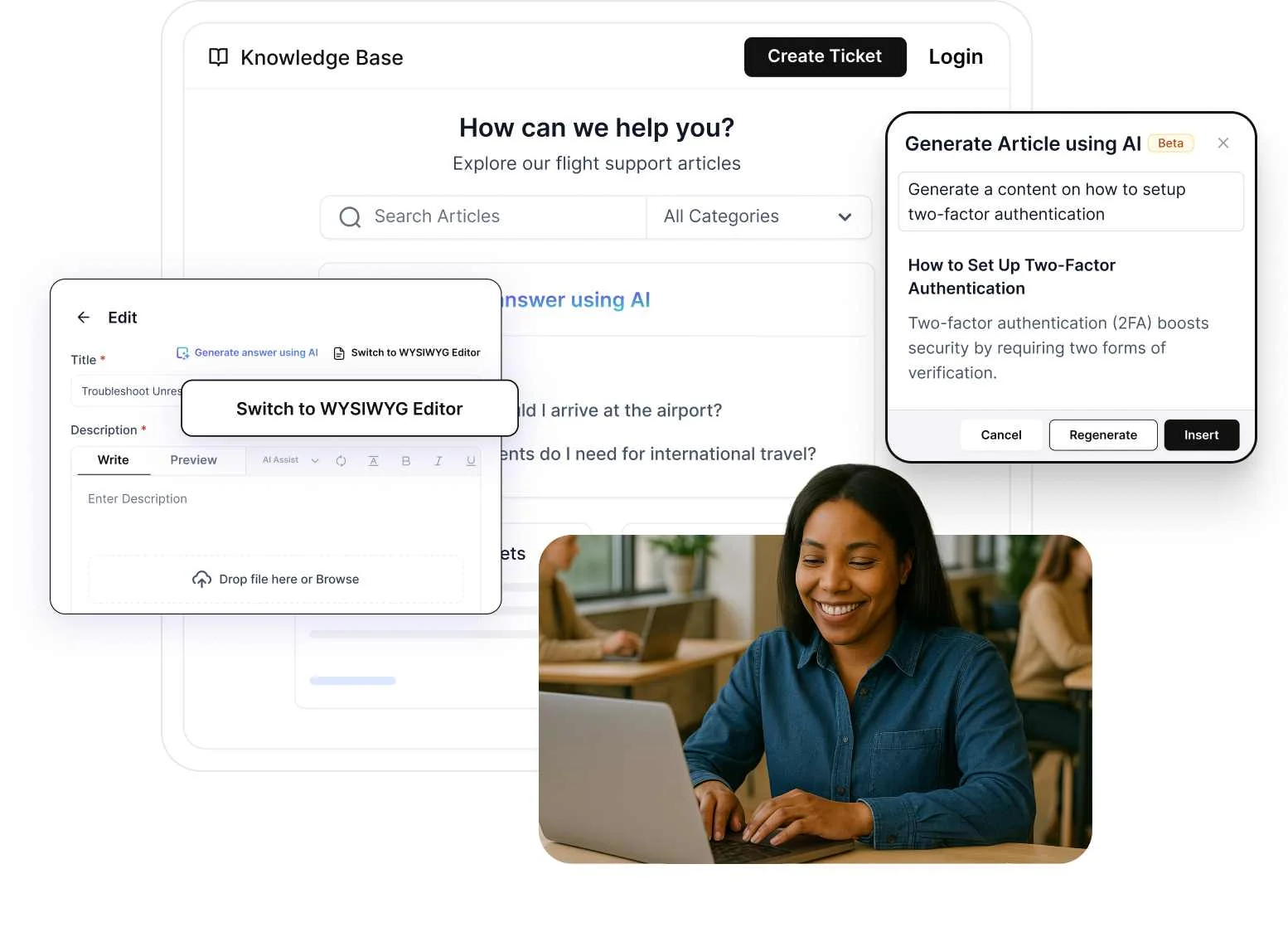
Maintaining both internal knowledge resources for agents and customer-facing knowledge bases helps ensure consistent support experiences.
Pro tips:
- Use cloud-based storage tools such as Google Drive to help remote agents store, organize, and retrieve important information.
- Implement knowledge base software that enables agents to access product information, troubleshooting guides, SOPs, escalation procedures, and private notes from a centralized location.
- Develop structured guidance for common scenarios to help agents resolve issues quickly and consistently.
Leverage automation to boost efficiency
According to Gartner, 85% of service and support leaders are expanding human-agent responsibilities as AI reduces contact volume and shifts work toward higher-value tasks, highlighting the growing role of AI and automation in modern support operations.
Implement AI and automation to complement remote support agents by streamlining workflows, reducing repetitive tasks, and improving response efficiency.
Pro tips:
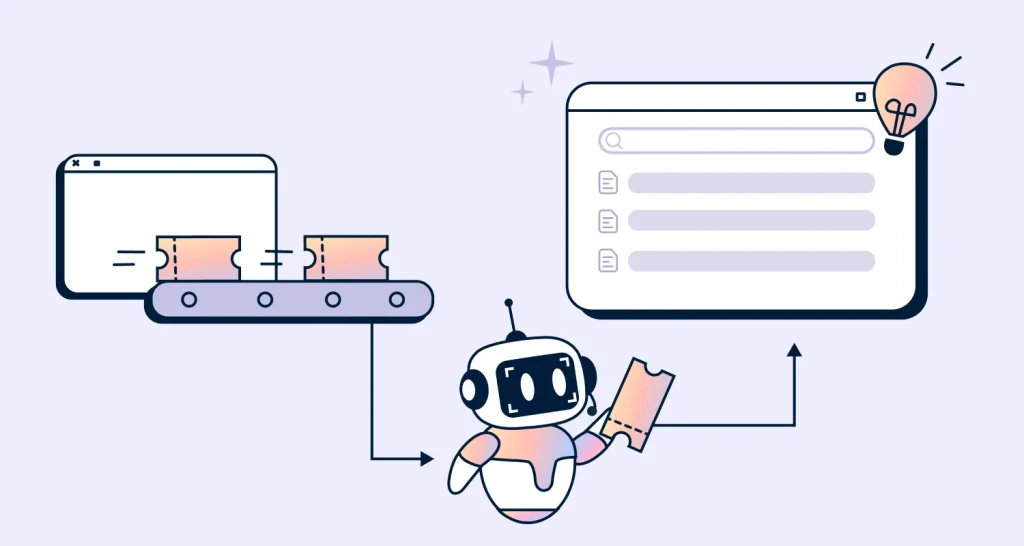
- Use an AI Agent to handle simple, repetitive inquiries and let your remote team manage complex customer queries that require expertise.
- Automate recurring processes like smart ticket routing to save time and avoid burnout.
- Optimize escalation workflows for overdue tickets so that urgent issues can be handled promptly.
Hire the right team and ensure continuous training
Hiring remote agents isn’t just about skills; it’s about finding the right fit for remote work and preparing them to succeed in the role.
Consider global talent to diversify your team and ensure alignment with company values and remote work culture.
Pro tips:
- Recruit individuals who demonstrate accountability, self-motivation, adaptability, and strong customer service skills.
- Clearly define roles, expectations, and performance goals during the onboarding of remote customer service agents.
- Offer comprehensive virtual customer service training sessions via online meeting platforms like Zoom, Microsoft Teams, or Google Meet. Record sessions for future reference and learning.
Maintain a strong company culture
Company values and ethics should be upheld even when working remotely. If teamwork is a core aspect of your customer service culture, ensure your remote team embraces it.
Pro tips:
- Hold regular video meetups to define and communicate company values, mission, and vision statements.
- Encourage teamwork, recognize achievements, and ensure your remote agents feel connected to your broader organizational culture.
- Use an internal newsletter to recognize quality work, milestones, and team achievements.
Monitor service quality with key metrics
Data-driven management helps remote teams maintain high standards. Manage your remote team’s performance by tracking customer service metrics.
Pro tips:
- Measure customer service metrics such as customer satisfaction score (CSAT) by collecting feedback after each ticket resolution using survey questions.
- Provide agents with individual dashboards to monitor personal performance.
- Measure the average response time and first contact resolution rate to track efficiency.
In addition, identify the factors that impact your remote team’s performance and refine your coaching, workflows, and support processes accordingly.
Strengthen remote customer service for long-term success
Remote customer service has evolved from a workplace trend into a strategic approach for delivering flexible, scalable, and customer-focused support.
When supported by the right technology, processes, and team management practices, remote support teams can improve productivity, maintain service quality, and create exceptional customer experiences.
BoldDesk simplifies remote team management with powerful tools for collaboration, automation, ticket management, and performance tracking, helping distributed teams stay connected and productive.
Ready to level up your remote customer support strategy? Contact our support team today to discover how BoldDesk can help you build a high-performing remote customer service operation.
Have additional tips or experiences managing a remote support team? Share your thoughts in the comments below.
Related articles
- Digital Customer Service: Benefits, 7 Best Practices and Examples
- Online Customer Service [Best Ways to Improve It]
- 20 Best Customer Service Software Solutions for 2026
Frequently Asked Questions
A remote customer service team is a group of customer support professionals who work from various locations outside of a traditional office environment.
Instead of being physically present in a central location, remote team members work from home offices or other remote settings, often using advanced customer service technology to communicate with customers and collaborate with each other.
The most important customer service skills for remote agents include communication, problem-solving, active listening, empathy, adaptability, time management, and emotional intelligence.