




TL;DR: Customer service response time measures how long customers wait for support replies. Track average response time and first response time separately, set targets by channel and priority, then improve routing, agent access to knowledge, automation, self-service, staffing, and quality controls.
Customers notice response delays immediately. An unanswered live chat, email, or support ticket can increase frustration even when the issue is eventually resolved.
Improving customer service response time is not simply about asking agents to work faster. Teams need clear ownership, effective routing, accessible knowledge, realistic service targets, and enough capacity to manage demand.
The best customer service software brings these workflows together, helping support teams organize inquiries and respond more efficiently.
This guide explains how to calculate customer service response time and first response time, set suitable targets, identify delays, and improve responsiveness without sacrificing resolution quality.
What is customer service response time?
Customer service response time is the time between a customer’s message and a reply from the support team. It can describe the first reply to a new request or the wait between later replies in the same conversation.
For example, suppose a customer emails at 9:10 a.m., receives a meaningful first reply at 9:40 a.m., sends more information at 10:00 a.m., and hears back again at 10:20 a.m. The first response time is 30 minutes.
The two customer wait periods are 30 and 20 minutes, so the average response time across those replies is 25 minutes.
A meaningful response does more than confirm receipt. It should answer the question, request the specific information needed to continue, or explain what will happen next and when.
An automated acknowledgement may reassure the customer, but it should be reported separately unless your measurement policy explicitly counts it.
Customer service response time vs. first response time
These metrics describe different parts of the support journey. Tracking them separately makes it easier to find the real delay.
| Metric | What it measures | What it helps diagnose |
| Customer service response time | How long customers wait for support replies throughout an interaction | Delays between messages, handoffs, and follow-ups |
| First response time (FRT) | Time between the initial request and the first meaningful reply | Queue health, intake coverage, and initial routing |
| Time to resolution | Time from the initial request until the issue is fully resolved | End-to-end process efficiency and issue complexity |
A team can have a fast FRT and a slow time to resolution if the first reply is vague or the ticket is repeatedly transferred.
Conversely, a complex request may take longer to resolve even when every update is timely. Review the metrics together instead of optimizing one in isolation.
How to calculate customer service response time
Before calculating either metric, define the rules. Decide whether the clock runs only during business hours, which channels and ticket statuses are included, and whether bot replies, spam, reopened tickets, or agent-created tickets count.
Use the same rules each reporting period so trends remain comparable.
Average response time formula
Average response time = Total customer wait time before agent replies ÷ Number of agent replies
Example: If a team records customer wait periods of 20, 35, 10, and 15 minutes. The total is 80 minutes across four replies, so the average response time is 20 minutes.
Use the median and 90th percentile alongside the average. A few extremely late replies can distort the average, while the percentile view reveals how long customers wait in slower cases.
First response time formula
Average FRT = Total time to first meaningful reply ÷ Number of eligible tickets
Example: Five tickets receive first replies after 10, 20, 25, 30, and 35 minutes. The total is 120 minutes, so average FRT is 24 minutes.
Then break the results down by channel, priority, customer tier, language, business hours, and issue type. A single average can hide a live-chat queue that is performing well and an email queue that is falling behind.
Benefits of improving customer service response time
A survey by Emplifi reveals that 52% of consumers expect brands to reply to customer service inquiries made through digital channels within just one hour, highlighting the importance of improving customer response time.
Doing so can bring various benefits to businesses, contributing to customer satisfaction and overall operational efficiency.
Let’s explore the key advantages of improving customer support response times:
Enhanced customer satisfaction
Faster response times improve the customer experience by reducing wait times and frustration. Prompt replies reassure customers that their concerns are valued and being addressed.
Even a quick initial response can boost customer satisfaction while your team works on a complete solution. Including an estimated wait time helps set clear expectations and maintain trust.
Competitive advantage
In a market where consumers have many choices, the speed of a response can be a key differentiator. A company that responds quickly to customer queries can stand out from competitors and attract more customers.
This can be especially important in industries where products and services are similar and there are a lot of choices.
Increased loyalty and reduced customer churn
Quick responses build trust and strengthen customer relationships. When customers receive timely support, they are more likely to stay loyal to a brand, leading to repeat business and higher customer lifetime value.
Slow response times can frustrate customers and drive them to competitors. By responding promptly, businesses can reduce customer churn and improve retention.
Positive brand perception
A commitment to fast response times reflects positively on the brand, signalling professionalism and customer-centricity.
Improving response times can lead to better reviews and acknowledgements, which can be powerful marketing tools. Overall, it can improve the public’s view of your brand.
Increased sales
Prompt responses to inquiries about products or services can lead to quicker purchasing decisions, potentially boosting sales. Customers who might otherwise abandon their shopping due to unanswered questions can be converted into sales with timely assistance.
Better crisis management
In times of a crisis or when dealing with complaints, a swift response is critical. It can help to mitigate damage to the company’s reputation and show customers that the business is proactive in addressing issues.
8 Ways to improve customer support response time
Here are some techniques to help your support team improve customer service response time:
- Analyze workflows and response-time data
- Set targets by channel and priority
- Prioritize, route, and assign tickets automatically
- Train agents and make knowledge easy to find
- Use templates, automation, and AI with guardrails
- Expand self-service for repeat questions
- Plan staffing and protect agent capacity
- Monitor performance and improve continuously
1. Analyze workflows and response-time data
Break response times down by channel, priority, category, team, and time period. This makes recurring delays easier to identify.
Separate new and unassigned tickets from ongoing conversations so you can distinguish slow initial responses from delayed follow-ups.
Review the slowest tickets for issues such as unclear ticket ownership, manual triage, approval bottlenecks, or missing customer information.
2. Set targets by channel and priority
Customers do not expect the same pace from live chat and email. Establish service-level agreement (SLA) targets that reflect the channel, operating hours, urgency, customer commitment, and complexity of the request.
The table below shows what each target should account for. Set the actual times using your support hours, ticket volume, staffing, and customer data.
| Channel or request type | Target design |
| Live chat and messaging | Measure in minutes during published coverage hours; show queue status and provide a human handoff path |
| Phone | Track average speed to answer, abandonment, and callback time |
| Email and web tickets | Set business-hour targets by priority and issue type |
| Social media | Monitor frequently and move account-specific cases to a secure support channel |
| Critical incidents | Use a shorter acknowledgement target, named owner, and scheduled progress updates |
Set alerts to notify the ticket owner before an SLA threshold is breached. Escalate the request if no action is taken.
Publish realistic hours and response commitments. An ambitious target that the team regularly misses creates more frustration than a clear promise it consistently meets.
3. Prioritize, route, and assign tickets automatically
Collect essential details such as the product, issue type, urgency, language, or customer tier when the request is created, but keep the intake process short enough for customers to complete.
Use this information to route the ticket to the right team and assign a clear owner. Add escalation rules so urgent or unattended requests do not remain unnoticed in a shared queue.
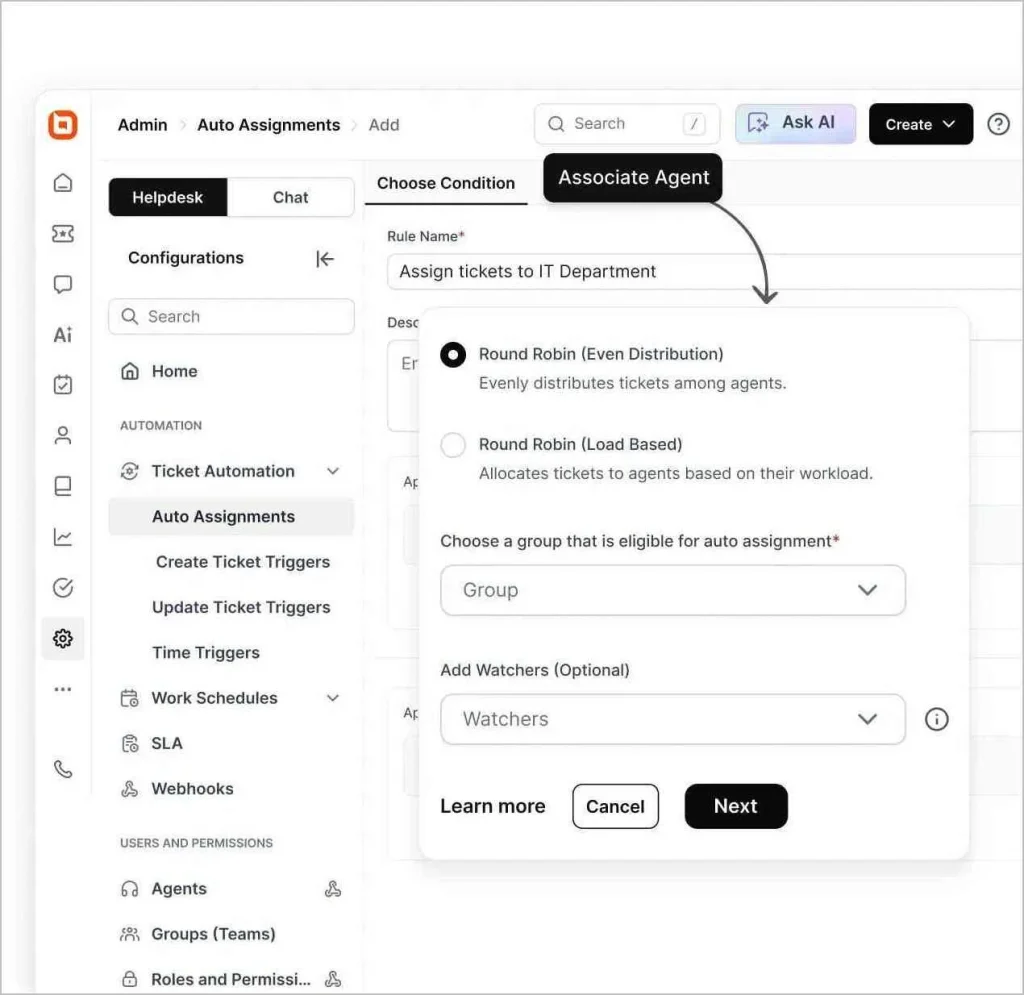
Also, review your routing rules regularly. New products and changing customer needs can make old rules less effective.
4. Train agents and make knowledge easy to find
Product knowledge, troubleshooting skills, and clear decision authority help agents resolve issues without unnecessary internal approvals.
Train new agents with realistic examples, shadowing, and guided practice.
A useful first reply should:
- Acknowledge the specific issue
- Answer what is already known
- Request only the necessary information
- Explain the next step and expected update time
Maintain one searchable source for policies, procedures, known issues, and approved answers.
Well-managed knowledge base software supports both agents and customers. Assign owners and review dates to key articles to prevent outdated guidance.
5. Use templates, automation, and AI with guardrails
Use canned responses for repeatable parts of a reply, such as requesting logs or explaining a standard process. Agents should personalize the greeting, issue details, and next step rather than sending a generic block of text.
Help desk automation can categorize and route tickets, apply SLA policies, notify owners, and escalate overdue work.
AI agents can resolve suitable routine requests or collect details before a handoff, while an AI Copilot can summarize long threads, surface knowledge, and draft replies for an agent to review.
Set clear boundaries. Sensitive, urgent, ambiguous, or high-risk cases should reach a person with the conversation history intact.
Audit automated replies for accuracy, tone, escalation quality, and unintended loops.
6. Expand self-service for repeat questions
Turn recurring questions and proven ticket solutions into:
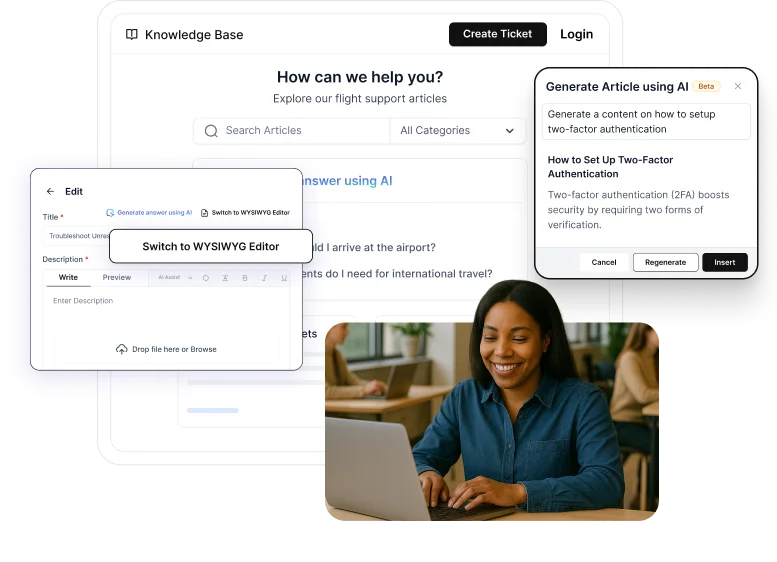
- Concise knowledge base articles
- Step-by-step troubleshooting guides
- FAQs and in-product guidance
- Links to the exact resource customers need
Use search terms, failed searches, ticket tags, and agent suggestions to identify content gaps. Assign owners and review dates to keep important resources accurate.
Track whether customers resolve the issue, abandon the content, or still submit a ticket. Self-service should make support easier, not create another barrier before customers can reach an agent.
7. Plan staffing and protect agent capacity
Align staffing with demand across channels, seasons, product launches, and other peak periods. Cross-train agents and maintain backup coverage for predictable spikes and absences.
Review the oldest unassigned tickets during shift changes so requests are not stranded between teams or time zones.
Limit excessive multitasking, set reasonable chat limits, protect focus time for complex cases, and redistribute workloads before backlogs grow.
8. Monitor performance and improve continuously
Track key metrics such as average response time, first response time, 90th-percentile wait time, SLA compliance, first-contact resolution, escalations, reopens, and CSAT regularly to identify trends and performance gaps.
When metrics change, investigate the underlying cause before adjusting targets. Faster FRT should come from better routing and more effective responses, not just automated acknowledgements.
Share insights with product and operations teams to address recurring issues that drive repeat contacts.
Improve customer service response time with the right tools
Faster responses come from clear ownership, effective routing, accessible knowledge, realistic service targets, and appropriate staffing.
Employ the right customer service software to track response time alongside resolution time, first-contact resolution, reopens, and CSAT to ensure speed improvements do not reduce service quality.
BoldDesk brings ticket routing, SLA management, automation, AI assistance, knowledge management, and performance reporting into one platform.
Start 15-day free trial to explore how it can support faster, more consistent customer service. For any questions, please post them in the comments section.
Related articles
- What Is Good Customer Service? 9 Best Practices and Examples
- What Is Customer Experience? A Comprehensive Guide
- 11 Common Customer Service Problems and How to Solve Them
FAQs on customer service response time
Review them at least quarterly and after major changes in volume, staffing, channels, products, or support hours.
A weekly operational review can show whether the team is drifting toward an SLA breach, while the quarterly review determines whether the target itself is still realistic.
It depends on the service commitment. If support is advertised as business-hours only, pause the timer outside those hours and make the schedule clear to customers. For 24/7 or critical-incident coverage, keep the timer running and make sure an on-call owner receives the request.
The team may be sending quick acknowledgements that do not answer the question, transferring tickets too often, or taking longer to resolve issues after the first reply.
Review ticket quality, resolution time, reopens, and customer comments before concluding that the faster FRT represents better service.
Separate urgent tickets from routine work, pause nonessential queue tasks, move trained agents to the affected channel, and give customers realistic wait-time updates.
Once the queue is stable, identify whether the spike came from an incident, product change, campaign, or staffing gap.
Compare trends, but do not hold every channel to the same target. Live chat and phone are immediate channels, while email and web tickets are asynchronous. Evaluate each channel against its own SLA, coverage hours, issue mix, and customer expectations.