

- Blogs Explore Blogs Blogs
What Is an AI-First Help Desk and Why Help Desk with AI Is Different
-
by Sathya Ayothi
- Updated on: November 2, 2026
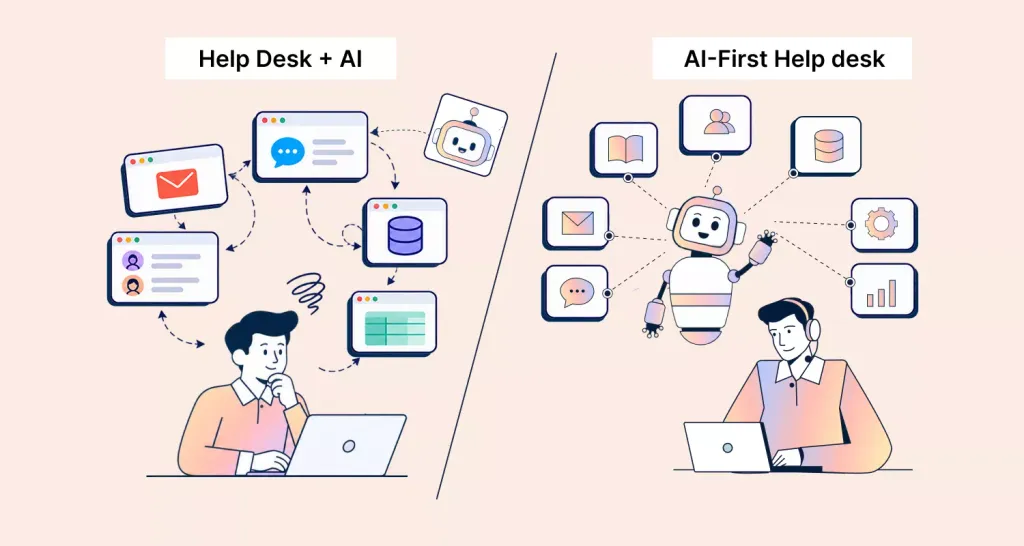
TL;DR: An AI-first help desk has an AI agent handle every conversation first. It resolves routine requests, takes approved actions in your systems, and hands exceptions to human agents with full context. A help desk with AI added later still sends tickets to human agents first. It uses AI only at the edges.
An AI-first help desk is customer service software where an AI agent is the first to handle every incoming question.
The AI agent resolves routine requests on its own, including taking approved actions in other systems. It hands exceptions to human agents with full context.
Workflows, reporting, and AI costs are built around that split.
That’s different from a traditional help desk that later added AI features. In that setup, tickets still land in a human queue first.
AI helps only at the edges: a chatbot on the website, a reply suggestion here, a summary there.
Both products may list similar AI features. What separates them is where the AI sits in the workflow and who owns the first response.
Gartner predicts that by 2029, agentic AI will autonomously resolve 80% of common customer service issues without human intervention.
This blog explains what makes a help desk AI-first. It also compares an AI-first help desk with a help desk that added AI later.
You’ll also learn what changes for your human agents and the questions to ask any vendor that claims the label.
AI-first help desk vs. help desk with an AI add-on
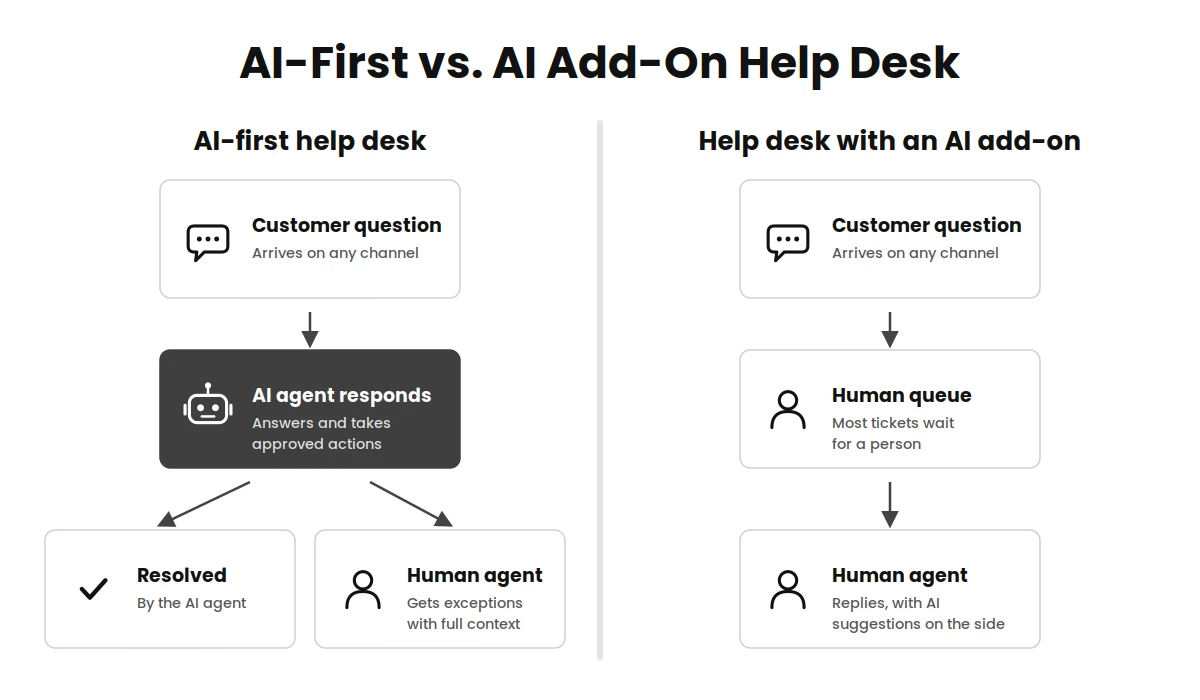
The quickest way to tell the two apart is to follow one ticket from start to finish.
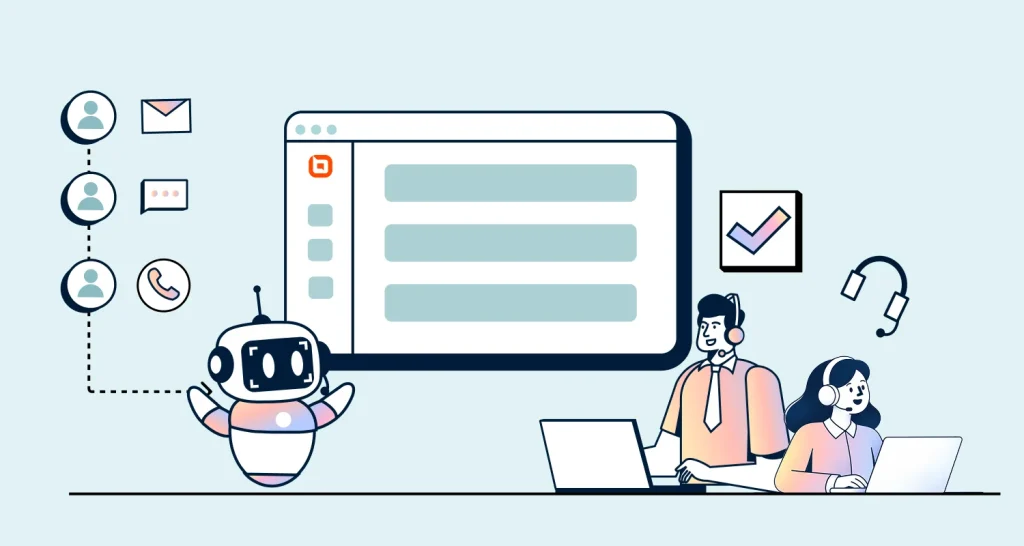
The diagram and table below show where each model puts the AI and what that means for your team.
| Aspect | AI-first help desk | Help desk with an AI add-on |
| Who answers first | The AI agent, on every channel it’s set up for | A human agent, or a separate chatbot that only covers some channels |
| What the AI can do | Answer questions and take approved actions, such as checking an order or updating an account | Mostly answer FAQs or suggest replies |
| Handoff to a human | Built into the ticket, with the conversation history and the AI’s notes attached | Often a transfer to a new queue, where the customer repeats themselves |
| Knowledge source | One knowledge base feeds the AI agent, the human agents’ assistant, and the self-service portal | The chatbot and the help center may use separate content |
| Reporting | Tracks AI resolution rate and handoff rate next to human metrics | Reports on human ticket metrics; AI performance sits in a separate tool or isn’t tracked |
| AI pricing | AI cost is visible and tied to how much work the AI does | AI is a bundled extra or a separate per-resolution fee that’s hard to forecast |
| Role of human agents | Handle exceptions, sensitive cases, and approvals, and improve the content the AI uses | Handle most of the volume, with AI as an occasional shortcut |
A help desk doesn’t need to score perfectly in every row to be useful.
But what if most of your answers fall in the right-hand column? Then AI is an extra layer on top of a human-first process.
Five capabilities that make a help desk AI-first
Many products describe themselves as AI-powered. These five capabilities are what let the AI agent own the first response.
They do it without leaving customers stuck or giving your team surprises.
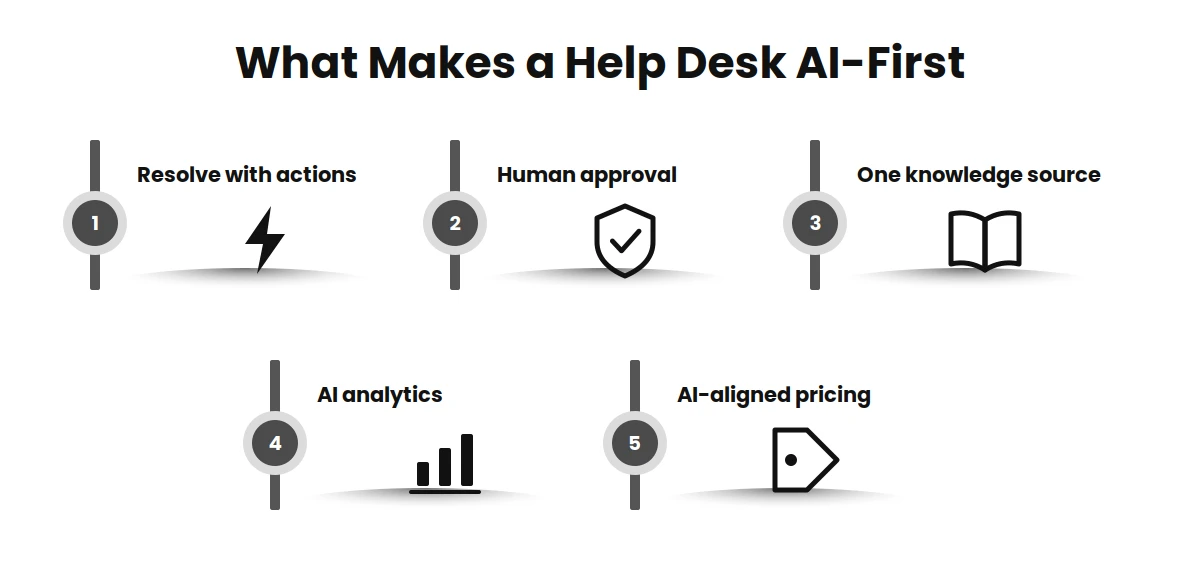
1. The AI agent resolves requests, not just answers
Answering “Where is my order?” with a link to the tracking page is deflection.
Looking up the order, telling the customer it ships tomorrow, and logging the conversation on the ticket is resolution.
That gap is the main difference between an AI agent and a chatbot.
To resolve requests, the AI agent needs to take AI actions in connected systems. It can check an order status, resend an invoice, update a shipping address, or reset a password.
Each action should have clear limits on what the AI is allowed to change.
2. Human approval for higher-risk actions
Some actions are low risk and can run automatically.
Others should wait for a person to approve them. Examples include issuing a refund above a set amount or changing account ownership.
This is often called human-in-the-loop (HITL) approval.
A good setup lets you decide action by action. For example:
- The AI agent can resend an invoice on its own.
- The AI agent can issue refunds up to a limit you choose. Anything above it goes to a team lead for approval.
- The AI agent can’t close an account. It creates a ticket for a human agent instead.
Approval rules are what make support leaders comfortable letting the AI act, not only talk.
3. One knowledge source for the AI and your team
An AI agent is only as accurate as the content it works from.
In an AI-first help desk, the same knowledge base articles, policies, and past resolutions feed every tool. They power the AI agent, the assistant your human agents use, and your self-service portal.
One source means one place to fix a wrong answer.
If the AI gives an outdated return window, you update one article. Every channel then uses the corrected version.
4. Analytics that measure the AI’s work
If the AI agent handles first contact, you need to know how well it does that job. Two metrics matter most:
- AI resolution rate: The share of AI conversations resolved without a human agent.
- Handoff rate: The share of AI conversations passed to a human agent.
AI resolution rate = (conversations resolved by AI without a human ÷ total AI conversations) × 100
For example, say the AI agent handled 2,000 conversations last month and resolved 1,100 without a human agent. Its AI resolution rate is 55%.
Look at the conversations it handed off, too. A cluster of handoffs on one topic usually points to a missing or unclear knowledge base article.
AI resolution rate on its own can hide problems. Track customer satisfaction score (CSAT) for AI-resolved conversations as well.
A conversation that closed without a human agent but left the customer frustrated isn’t a real resolution.
5. Pricing that follows the AI’s work
In an AI-first help desk, AI cost should be visible and predictable. It shouldn’t be hidden in a bundle or charged as a fee you can’t forecast.
Pricing models vary by vendor. Common ones include a flat fee for each AI resolution.
Others use a per-seat charge for AI tools that help human agents. Some vendors include human agents in the plan and bill AI work through usage credits.
For a closer look at each model, see how AI chatbot pricing works for customer service.
Whatever the model, you should be able to estimate your monthly AI cost from two numbers you already know:
- How many conversations you expect the AI agent to handle.
- How long those conversations usually run.
You can run those numbers in the AI ROI calculator. If a vendor can’t help you do that math before you buy, treat it as a warning sign.
What changes for human agents
An AI-first help desk doesn’t remove the support team. It changes what reaches them.
Many organizations expected AI to significantly reduce their customer service workforce. Gartner predicts that by 2027, half of them will abandon those plans.
In a tiered support model, the AI agent becomes the first tier. Human agents handle what it escalates.
When the AI agent handles password resets, order lookups, and policy questions, human agents see fewer repetitive tickets.
They get more of the conversations that need judgment. Examples include a billing dispute, a customer who’s about to cancel, or a bug report that needs investigating.
Those tickets arrive with the conversation history and a summary, so the agent doesn’t start from zero.
The work also shifts in three new directions:
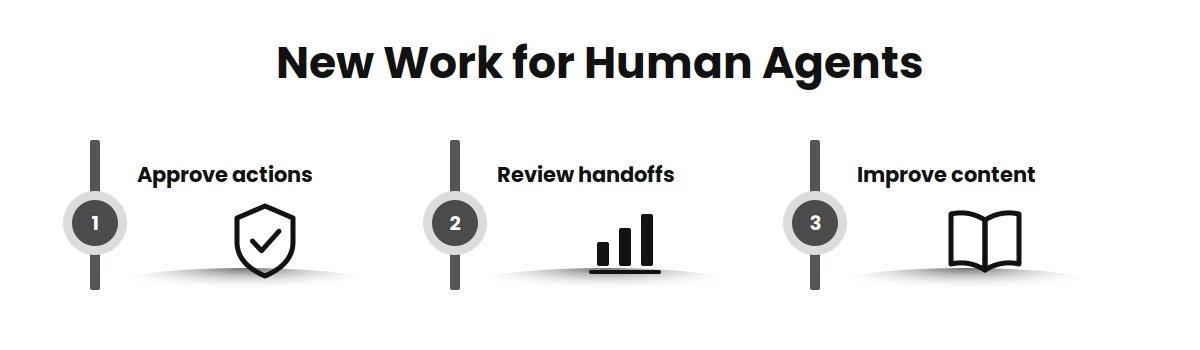
- Approving actions the AI isn’t allowed to take alone.
- Reviewing handoffs to spot topics the AI can’t handle yet.
- Improving content the AI works from. For example, turn a good answer to a new question into a knowledge base article.
This needs some planning. Agents who used to measure their day in tickets closed may now handle fewer, harder ones.
Update your team’s metrics to match, so that resolution quality and handoff reviews count as real work.
How to evaluate an AI-first help desk vendor
Marketing pages make most help desks sound AI-first. A demo and a trial tell you more.
Bring these questions, and ask the vendor to show the answer in the product rather than describe it.
- Where does a new conversation go first? Ask to see a chat or email arrive and follow it. If it lands in a human queue before the AI sees it, the AI isn’t first.
- Which actions can the AI agent take, and how are they limited? Ask for a live example, such as an order lookup or a refund. Then ask how you would set a limit on it.
- How do approvals work? Find out whether you can require a person to approve specific actions and who gets notified.
- What does a handoff look like to the human agent? Check that the conversation, the customer’s details, and the AI’s summary arrive on the ticket.
- Where does the AI get its answers? Confirm it uses your knowledge base and that you can see which article it used for a given reply.
- How do you measure the AI? Ask to see AI resolution rate, handoff rate, and CSAT for AI conversations in the standard reports.
- How is AI priced, and what happens when you hit a limit? Ask the vendor to estimate your monthly AI cost from your own conversation volume. Also ask what the AI does if you run out of usage mid-month.
- How does the AI use your data? Ask whether customer conversations are used to train models, where data is stored, and which compliance standards apply. Get the answers in writing.
During the trial, test the AI agent on 20 to 30 real questions from last month’s tickets. Include a few awkward ones.
That shows more than any feature list.
How BoldDesk works as an AI-first help desk
BoldDesk is AI-first customer service software.
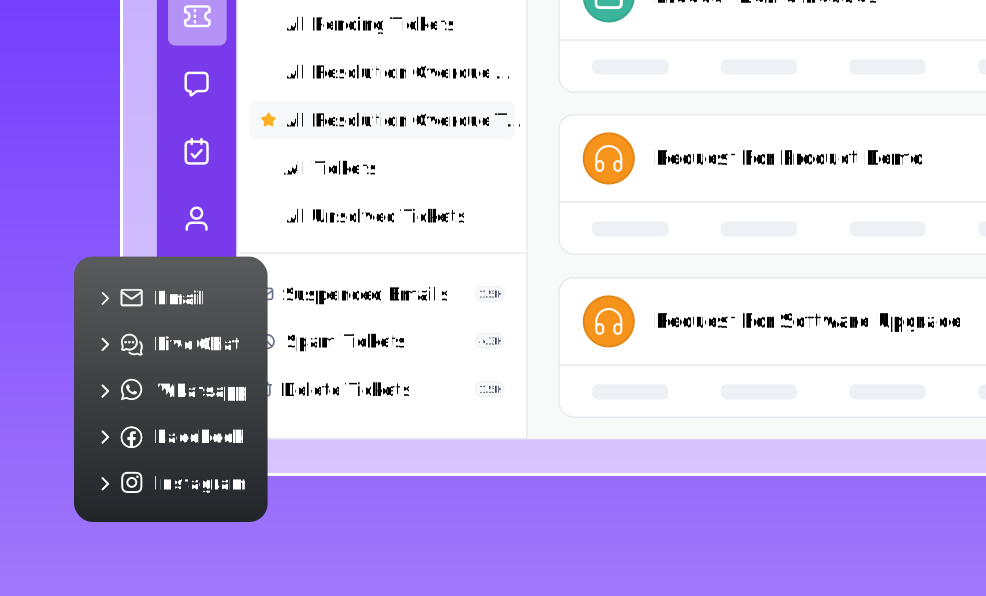
The BoldDesk AI agent answers customers first on live chat, email, WhatsApp, Instagram, Facebook Messenger, Telegram, LINE, and SMS.
It works from your knowledge base articles, Q&A pairs, files, and public web pages. It hands a conversation to a human agent when your rules say it should.
Here’s how BoldDesk covers the five capabilities above:
- Resolving, not just answering: With AI Actions, the AI agent calls your own systems. It uses API actions or Model Context Protocol (MCP) servers. It can look up an order, change a delivery address, reset a password, or process a refund during the conversation.
- Approvals: For each action, you choose how it runs. The AI agent can run it on its own or wait for a person to approve it. Every action call is logged, so your team can see what the AI did and when.
- One knowledge source: The AI agent and your self-service portal draw on the same help content. When a policy changes, you update the article once.
- AI analytics: The AI Agent Performance Dashboard and AI Agent Report sit next to your ticket and CSAT reports. The AI Credit Usage Dashboard shows what the AI has used so far this month. These reports are included on the Momentum AI and Enterprise AI plans.
- AI-aligned pricing: Every BoldDesk AI plan includes unlimited human agents, so adding teammates doesn’t raise your bill. You pay for the plan and the AI credits it includes each month.
- A simple answer from the knowledge base uses 1 to 2 credits.
- A task that uses one connected system uses 3 to 5.
- A multi-step workflow across several systems uses 8 to 12.
- Handing a conversation to a human agent without an AI answer uses no credits.
Plans start at $99 a month, billed yearly, with 500 AI credits a month (pricing as of October 30, 2026). See the BoldDesk pricing page for current plans and extra credits.
When a conversation reaches a human agent, it arrives with a summary and the customer record. It also shows every action the AI already took.
Inside the ticket, Assist Agent helps the human agent draft, summarize, and translate replies. The agent can respond without rereading the whole thread.
Before launch, you can run real customer questions in the Playground. You’ll see which action the AI agent picks and whether it waits for approval.
Results depend on your setup. The AI agent resolves more when your knowledge base covers your common questions and your handoff rules are clear.
It also helps when someone on the team reviews handoffs every week.
Start with your most frequent, lowest-risk questions and test them in the Playground. Then measure the AI resolution rate and widen what the AI handles from there.
To see the AI agent handle real support cases from start to finish, browse the AI use case library.
For a framework on how far to go, see the five AI agent autonomy levels.
Put the AI agent first on your own tickets
The fastest way to judge an AI-first help desk is to test it on your own questions.
Connect your knowledge base and pick the 10 questions your team answers most. Then see how many the AI agent resolves without a human agent.
Ready to try it? Get your AI agent live today with a 15-day free trial, no credit card required.
Related articles
- AI-to-Human Handoff: When Should an AI Agent Escalate?
- AI vs Human Customer Service in 2026: When to Use AI, Humans, or Both
- 14 Essential AI Support Vendor Questions To Ask About Billing
FAQs on AI-first help desks
What’s the difference between an AI-first help desk and a help desk with AI?
In an AI-first help desk, the AI agent handles each conversation first and hands exceptions to human agents.
In a help desk with AI added, human agents still handle most tickets first. AI helps with tasks such as suggesting replies or answering FAQs in a separate chatbot.
Does an AI-first help desk replace human support agents?
No. It takes routine, repetitive requests off the queue so human agents can focus on complex, sensitive, and high-value conversations.
Human agents also approve higher-risk actions and improve the content the AI agent relies on.
Is an AI-first help desk the same as an agentic help desk?
The terms overlap.
Agentic AI usually means the AI can take actions, not only answer questions. Examples include updating an order or resetting a password.
An AI-first help desk includes that ability. The term also covers how handoffs, reporting, and AI pricing are designed around the AI agent.
How do I know if an AI-first help desk is working?
Track AI resolution rate, handoff rate, and CSAT for AI-resolved conversations every week.
Review handed-off conversations to find gaps in your knowledge base. Then fix those articles and watch whether the resolution rate rises.
How is an AI-first help desk priced?
It depends on the vendor. Some charge a fee for every conversation the AI resolves.
Others charge per human agent seat with AI as an add-on. Some include human agents and bill AI work through usage credits.
Before you buy, ask the vendor to estimate your monthly AI cost from your own conversation volume.
ABOUT THE AUTHOR

Sathya Ayothi 
Sathya, a lead customer service specialist dedicated to strengthening support experiences through clear insights, strategic communication, and practical guidance. Leveraging expertise in documentation and customer-focused content, helps organizations empower teams, enhance satisfaction, and deliver meaningful, solution-driven interactions.
Read more articles by this author Connect with the author on LinkedIn.
Be the first to get updates