

- Blogs Explore Blogs Blogs
AI Agent, Copilot, or Assistant? Three AI Roles in Customer Support
-
by Sarah Adhiambo Ogada
- Updated on: October 26, 2026
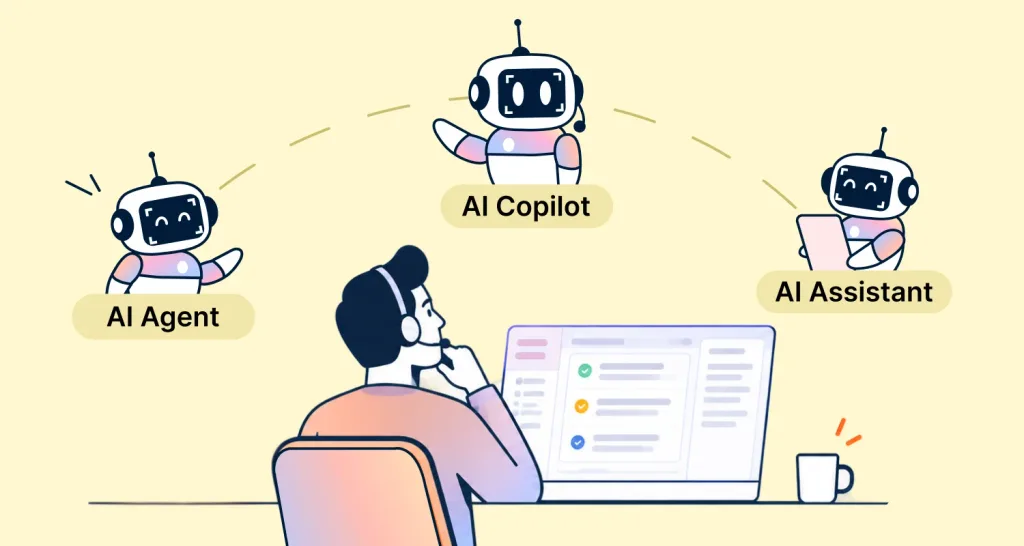
TL;DR: Assistants help people find answers, copilots support human agents, and AI agents can take approved steps toward a goal. These roles can overlap in one product. Choose the capability that fits your support need and the level of human oversight it requires.
Can AI explain how to change a billing contact, help an agent review the request, or make the update? The answer depends on the system’s capabilities and autonomy.
According to IBM, AI assistants generally respond to user requests, while AI agents can pursue goals and act with greater independence.
In AI-first customer support, each role handles a different part of the work: answering questions, helping agents, or completing approved tasks.
This AI agent vs copilot vs assistant guide compares the roles through one billing request and shows when standard automation may be enough.
AI agent vs copilot vs assistant: Key differences
Here is how AI assistants, copilots, and agents compare, from who decides the next step to how much human oversight each needs.
| Feature | AI assistant | AI copilot | AI agent |
| Primary purpose | Help customers find answers and information | Help support agents work more efficiently | Automate tasks and workflows |
| Primary user | Customers | Human support agents | Customers, employees, or support teams |
| Who decides the next step? | The user | The human agent | The AI, within limits you set |
| Human oversight | Users review guidance; simple actions depend on permissions | Humans usually review customer-facing suggestions; high-impact actions may require approval | Humans set permissions, review exceptions, and require approval for high-impact actions |
| Action capability | Primarily provides information and guidance | Supports actions with human involvement | Can perform configured actions and workflows |
| Best suited for | Self-service support | Agent productivity | Workflow automation |
| Typical examples | FAQ assistance, knowledge search, troubleshooting guidance | Ticket summaries, response suggestions, knowledge recommendations | Account updates, service fulfillment, status notifications, multi-step request handling |
| Typical environment | Self-service experiences, customer portals, and chat channels | Customer support platforms and agent workspaces | Customer support workflows and connected business systems |
Note: Assistant, copilot, and agent describe roles, not separate product categories. One customer support platform may combine capabilities from all three.
How to tell an AI agent, copilot, and assistant apart
A quick way to distinguish the roles is to ask who sets the task, who controls the next step, and whether the AI can act.
- Who sets the task? An assistant responds to a user’s request. A copilot supports a human agent’s work. An AI agent pursues a goal set by a customer request, a workflow trigger, or your team.
- Who chooses the next step? The user directs the assistant, and the human agent stays in control with the copilot. An AI agent can select steps within limits set by your team.
- Can it take action? An assistant mainly provides answers and guidance. A copilot suggests or prepares actions that the agent approves. An AI agent can carry out configured tasks across connected systems.
Understanding the three AI roles in customer support
Support teams use AI roles to answer customer questions, assist human agents, or complete eligible tasks. The sections below explain where each fits.
AI assistants: Help customers find answers
An AI assistant in customer support is a user-directed tool that answers questions, guides people through steps, and can complete simple tasks.
Common uses include:
- Customer self-service
- Knowledge lookup
- Troubleshooting guidance
When customers ask about routine tasks, such as resetting a password or finding an invoice, an assistant can surface relevant guidance.
With access to approved account data, it can personalize help, for example, directing a customer to their latest invoice.
A 2026 Gartner survey of 3,566 B2B and B2C customers found that 50% said GenAI made service interactions easier.
Limitation: AI assistants mainly provide information and guidance, though some can complete simple tasks using configured tools. For multi-step requests, check whether the system can choose actions, handle exceptions, and stay within your team’s limits.
AI copilots: Help agents respond in context
An AI copilot for customer service, often called agent assist AI, works alongside human agents during customer interactions.
Agents often spend time reviewing conversation history, searching documentation, and drafting replies before they address the customer’s issue.
A copilot brings useful context into that workflow by:
- Summarizing conversations
- Highlighting important details
- Recommending knowledge articles
- Drafting responses
The human agent reviews the suggestions and decides what to send or do, helping provide faster, more consistent support.
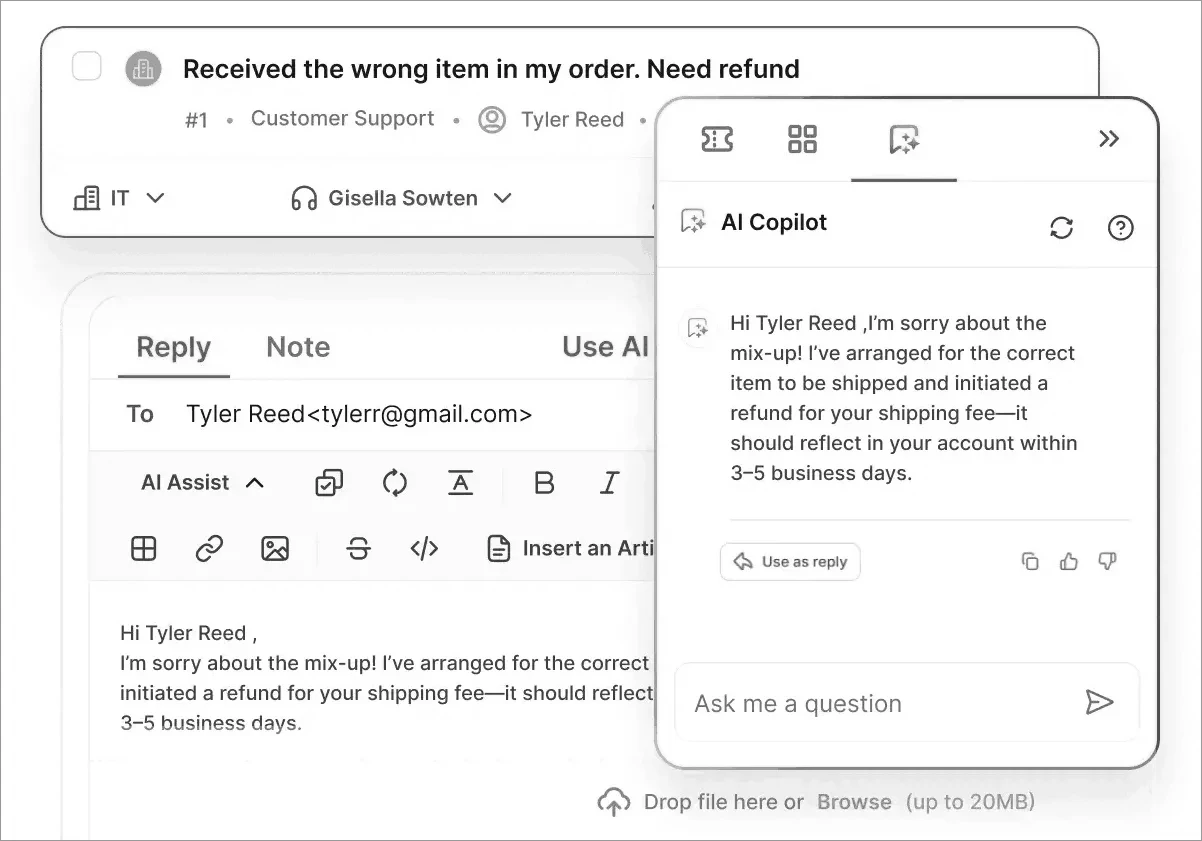
By surfacing a customer’s account history and past tickets, a copilot helps agents respond in context instead of asking the customer to repeat information.
Limitation: AI copilots can support decision-making and draft responses, but human agents typically remain responsible for reviewing recommendations, communicating with customers, and approving high-impact actions.
AI agents: Complete tasks across connected systems
AI agents can work toward a defined support goal by choosing and carrying out approved steps across connected systems.
For many teams, self-service and agent productivity improvements may address most support needs. Others have workflows that need more automation.
Depending on its permissions and workflow rules, an AI agent could:
- Issue a refund below a set limit
- Arrange a replacement after checking an order’s tracking status
- Upgrade an eligible subscription
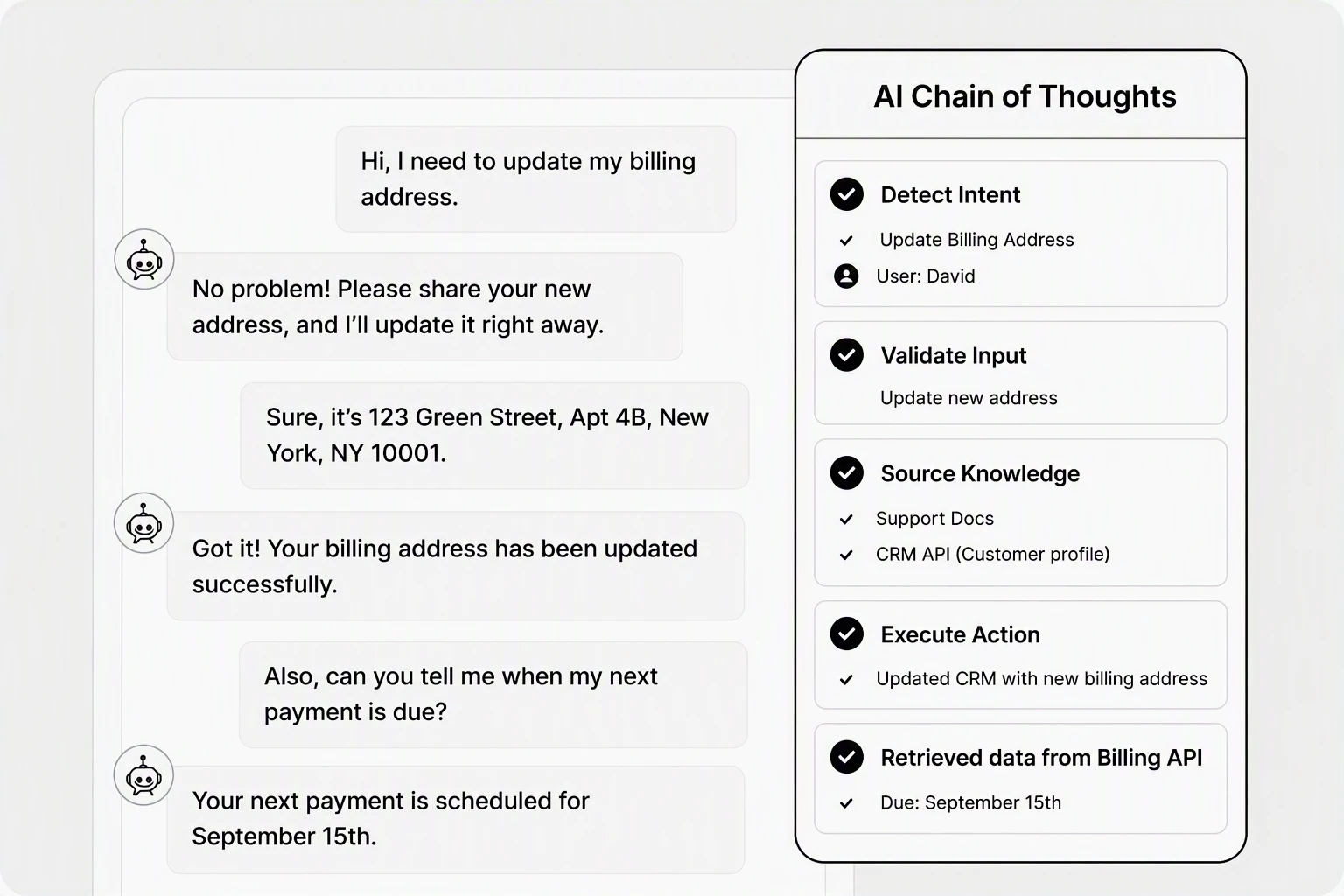
Use an AI agent for workflows that require decisions across connected systems. With clear rules and working integrations, it can complete eligible requests end to end.
Standard customer support automation may be easier to manage for fixed, predictable tasks.
Customers are already comfortable handing tasks to AI. Gartner’s 2026 survey found that 58% of customers who use GenAI had used it to complete a task on their behalf. Among B2B customers who use GenAI, the figure was 74%.
Limitation: AI agents require clear access rules, tested integrations, exception handling, and human review. Not every workflow needs an AI agent.
One billing request, three AI roles: An example
Many organizations use AI assistants, copilots, and agents together rather than relying on a single capability.
A customer reaches out through chat, email, or a help center and asks:
“How do I change the billing contact on my account?”
This is one possible workflow, not a required sequence; a request may use only one or two of these capabilities.
Step 1: The AI assistant provides guidance
The AI assistant explains the process, identifies any verification requirements, and helps the customer start the request.
It collects only the information needed to move the request forward and may resolve the issue entirely if self-service is available.
Step 2: The AI copilot supports the review process
The human agent verifies the customer’s authorization. The copilot surfaces relevant account context, knowledge, and suggested next steps to help the agent decide how to proceed.
Step 3: The AI agent completes approved actions
If the billing contact needs to be updated across connected systems, the AI agent can complete the configured steps and log the result.
This can spare the human agent from repeating the update manually.
Depending on the workflow, it may:
- Check relevant records
- Select an approved next step
- Update the billing contact
- Record the change
- Notify the customer after the connected system confirms the update
If anything fails or falls outside the agent’s permissions, a human agent reviews the request.
Note: This example assumes account changes require authorization review. Your approval and escalation rules may differ.
How to choose the right AI approach
When evaluating support AI capabilities, the best starting point depends on the challenge you are trying to solve.
Use the table to identify a suitable starting point, then consider what the workflow needs before you put it into practice.
| Your main problem | Best starting point | What must be ready | Measure |
| Customers struggle to find answers | AI assistant | Accurate support content and a clear path to human help | Answer accuracy and repeat contacts |
| Agents spend too long reading and drafting | AI copilot | Relevant ticket context and reply review | Handling time and reply quality |
| Requests require several connected actions | AI agent | Tested integrations, defined permissions, and exception handling | Task completion rate and action error rate |
| Tasks follow fixed, predictable rules | Standard automation | Clear conditions and exception rules | Completion rate and exception rate |
These measures are suggestions for evaluating your workflow, not industry benchmarks.
Risk and oversight: Match automation to the impact of a mistake. Ticket categorization or routing may need less review than changing account details or approving refunds. For high-impact actions, set approval and escalation rules, and test how the workflow handles errors before expanding automation.
To see how an agent’s independence affects oversight, read our guide to AI agent autonomy levels.
How to roll out AI in customer support safely
Roll out AI in stages, with human review matched to each task’s risk:
- Choose one use case: Identify a recurring support need and select an assistant, copilot, AI agent, or standard automation to address it.
- Prepare your content and controls: Keep your knowledge base software accurate and organized. Define permissions, instructions, and escalation rules.
- Test realistic scenarios: Check how the workflow handles routine requests, missing information, unauthorized requests, tool failures, and handoffs to human agents.
- Expand based on results: Review answer accuracy, task completion, errors, and customer outcomes. Start with low-risk tasks and expand only when the controls work reliably.
- Keep human help available: Give customers a clear path to a human agent. Define when AI should pause, seek approval, or hand off. Gartner’s 2026 survey also found that 87% consider access to a human essential when companies use GenAI for customer service. These safeguards support a human-in-the-loop approach and a reliable AI-to-human handoff.
Common mistakes when adopting AI in customer support
A safe rollout is only one part of successful AI adoption. Teams also need reliable knowledge, the right level of automation, and measures that reflect customer outcomes.
The table below highlights common issues and practical ways to address them.
| Mistake | Why it hurts | What to do |
| Poor knowledge quality | Leads to inaccurate answers and inconsistent support | Keep support content accurate and current |
| Treating every AI feature as an AI agent | Adds unnecessary complexity | Match the capability to the problem |
| Automating too quickly | Increases operational risk | Start with low-risk workflows |
| Measuring only ticket deflection | Misses service quality and customer satisfaction | Track customer satisfaction, resolution quality, and productivity |
For a deeper look at AI implementation challenges and how to address them, see our guide on AI customer support challenges.
Building AI-first customer support
AI assistants help customers find answers, copilots support agents, and AI agents carry out permitted tasks. The right combination depends on your support workflows and the oversight each task needs.
BoldDesk is an AI-first customer support platform that brings customer-facing answers and agent assistance together.
Assist Agent (the AI copilot) helps agents summarize conversations, draft replies, and find knowledge. Support Agent (the AI agent) answers customer questions and can take permitted actions through connected systems.
Ready to modernize your customer support? Sign up for a 15-day free trial today and see how BoldDesk can help your team work smarter.
Related articles
- Microsoft Build 2026 AI: Moving from Copilots to AI Agents
- AI Agent vs Chatbot: Key Differences and How to Choose the Right One
- AI vs Human Customer Service: Which Works Best in 2026?
FAQs on the three AI roles in customer support
What is the difference between an AI assistant and an AI agent?
An assistant mainly responds with information or simple help. An AI agent can choose steps and use connected tools to pursue a goal within set limits.
Is a copilot the same as an AI agent?
No. A copilot supports a human agent, who stays involved in decisions. An agent chooses and carries out steps within configured limits, with human review where needed.
What is agent assist AI?
Agent assist is AI that helps support agents during customer interactions. It can summarize conversations, suggest replies, and surface relevant knowledge, all common copilot capabilities.
What does human-in-the-loop mean?
Human-in-the-loop means a person reviews or approves an AI’s output or action at key points in a workflow. They can correct it, stop it, or take over when a request needs human judgment, such as a sensitive account change.
Which AI role should a support team start with?
Start with the support task you want to improve. Use an AI assistant for customer questions, a copilot to help agents review and respond, and an AI agent for approved tasks across connected systems. For fixed, predictable workflows, use standard automation.
Can a customer support team use all three AI roles?
Yes, but a request doesn’t have to pass through all three. A team can combine them and use only the capabilities a particular request needs.
ABOUT THE AUTHOR

Sarah Adhiambo Ogada 
Sarah Adhiambo Ogada is a content strategist at Syncfusion with a strong interest in writing blogs that explain customer support topics in a simple, practical way, so teams can improve response times, stay organized, and deliver a better customer experience. She focuses on clear writing, real examples, and step-by-step tips readers can use right away.
Read more articles by this author Be the first to get updates