


- Blogs Explore Blogs Blogs
What Is Agent Assist? How It Works, Examples, and What to Look For
-
by Cherine Apondi Okumu
- Updated on: October 30, 2026
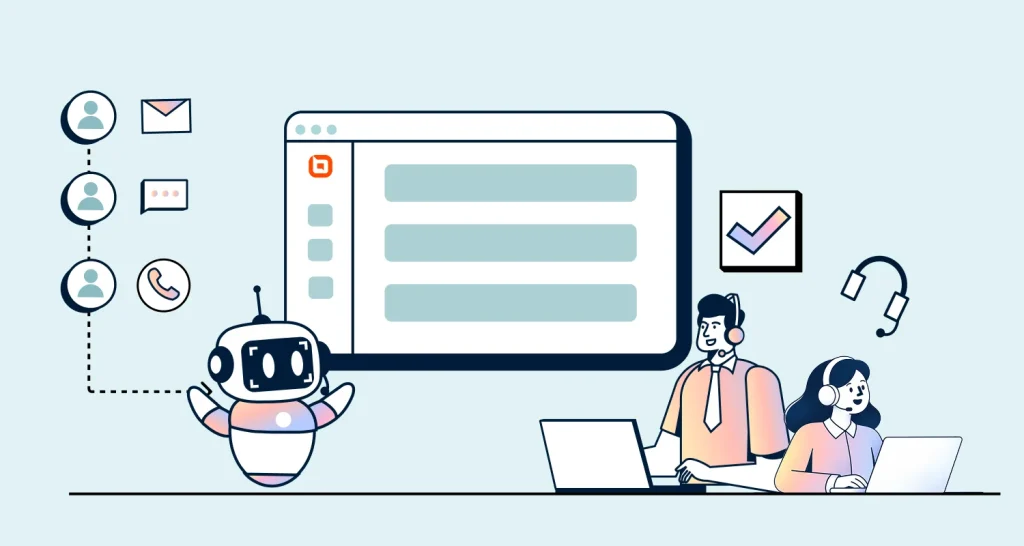
TL;DR: Agent assist helps support teams find answers and respond faster. It reduces the time spent searching for information, drafting replies, and reviewing conversations. This lets teams deliver more consistent customer service without replacing human agents.
Before replying to a customer, support agents often need to review past conversations, search for information, and write a response. These steps take time, especially when agents handle multiple requests at once.
According to the 2025 seventh edition of Salesforce’s State of Service report, service reps spend only 46% of their time with customers. Administrative tasks and internal work take up the rest.
Agent assist helps reduce this manual work. It uses AI to find relevant information, suggest responses, and provide guidance while agents handle customer conversations.
This guide explains how agent assist works, with practical examples of how it speeds up customer responses. You’ll also learn about its benefits, challenges, and what to look for when choosing a solution.
What is agent assist?
Agent assist is an AI-powered capability used in customer service to help human support agents respond to customer questions faster and more accurately.
It analyzes conversation context to suggest replies, find relevant information, summarize interactions, and recommend next steps. It can provide guidance in real time during customer interactions and assist with follow-up tasks.
Unlike customer-facing chatbots or autonomous AI agents, agent assist works behind the scenes to support human agents. The support agent reviews the recommendations, makes any necessary changes, and decides what to send.
How agent assist works
Agent assist works in the background while an agent handles a ticket, chat, or call. When a customer asks a question, the system:
- Analyzes the request: Reviews the customer’s message and available conversation context.
- Retrieves relevant information: Searches connected knowledge sources, policies, or customer records.
- Generates suggestions: Drafts a response or highlights relevant next steps.
- Presents guidance in real time: Shows suggestions within the agent’s existing workflow.
- Supports agent review: The agent verifies the information, edits the draft if needed, and decides what to send.
Agent assist examples in real support conversations
Support agents often spend more time finding information and preparing responses than sending them.
Depending on the platform’s capabilities and connected systems, agent assist can shorten this process in several ways.
Find relevant answers without searching multiple systems
Agents may need to check policies, customer records, or previous tickets before responding. Agent assist can retrieve relevant information from connected sources, reducing the need to search multiple systems.
Example: Refund request
Customer message: “My refund hasn’t arrived yet. What’s going on?”
What agent assist does:
- Finds the applicable refund policy and processing timelines.
- Retrieves the refund status from a connected order or billing system.
- Suggests relevant internal guidance or similar resolved cases, if available.
- Presents the information for the agent to verify before responding.
What the agent does: Reviews the information, verifies the details, and responds to the customer.
Generate and refine customer replies
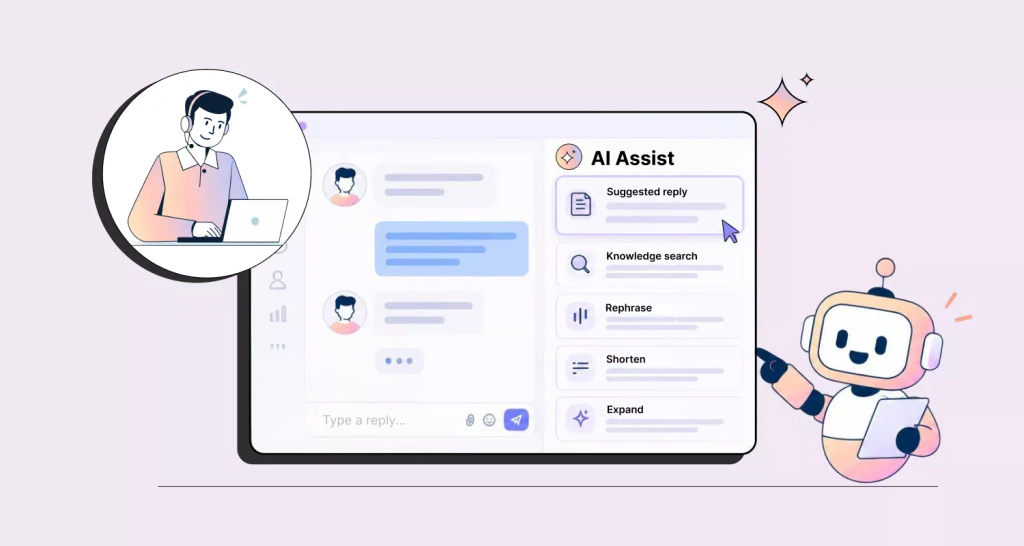
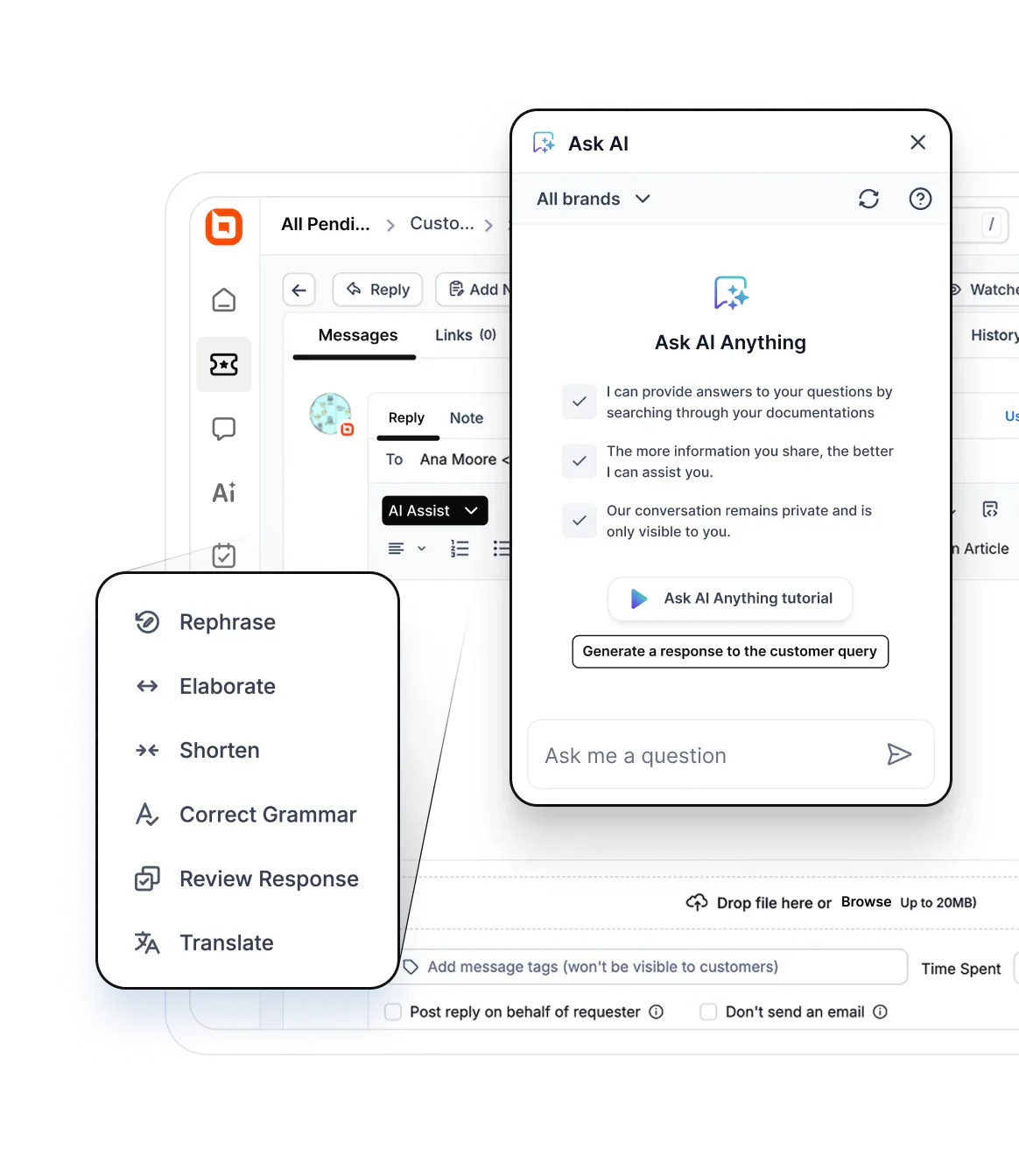
Writing responses takes time, particularly when agents handle similar questions repeatedly. Agent assist can draft replies using the customer’s message and available context.
Agents can then review, edit, and personalize the suggestions.
Example: Return request
Customer message: “Can I return an item I purchased earlier this month?”
What agent assist does:
- Retrieves relevant order details.
- Drafts a response using available return policies.
- Suggests a customer-ready reply.
What the agent does: Verifies the purchase date and return eligibility, then reviews and sends the suggested response.
Summarize conversations for faster follow-ups and handoffs
Long ticket histories can take time to review, especially when several agents have handled the same issue.
Agent assist can summarize previous interactions and highlight information needed to continue the conversation.
Example: Escalated support ticket
Customer message: “I’m following up on my existing support ticket.”
What agent assist does:
- Summarizes the conversation history.
- Lists completed troubleshooting steps.
- Highlights unresolved issues and recommended next steps.
- Drafts internal handoff notes.
What the agent does: Reviews the summary and continues the conversation.
Recommend next steps during complex requests
Some customer requests involve verification, approvals, or multiple procedures. Agent assist can suggest the appropriate next steps using available policies and workflow guidance.
Example: Card replacement request
Customer message: “I lost my card and need a replacement.”
What agent assist does:
- Surfaces required identity verification procedures.
- Retrieves applicable card replacement policies.
- Suggests the next steps in the approved process.
- Highlights required customer disclosures.
What the agent does: Completes the required verification and authorization checks, reviews the guidance, and follows the approved replacement process.
Help agents respond across different languages
When customers contact support in different languages, agents may need translation assistance to understand requests and prepare responses.
Agent assist tools with multilingual customer support capabilities can help agents interpret incoming messages and draft replies in the customer’s preferred language.
Example: Multilingual support request
Customer message (in Spanish): “Mi pedido llegó dañado. ¿Puedo cambiarlo?” (My order arrived damaged. Can I exchange it?)
What agent assist does:
- Translates the customer’s message.
- Drafts a response in the customer’s preferred language.
- Adjusts the response to match the company’s support tone.
- Presents the translated reply for review.
What the agent does: Reviews the translated response, verifies accuracy, and sends the reply.
For complex or sensitive requests, teams should have a process for checking translation accuracy before responding.
Provide real-time guidance during customer calls
During customer calls, agents need to listen, find information, and follow support procedures without disrupting the conversation.
Some voice-enabled agent assist platforms can provide real-time suggestions and automate call documentation.
Example: Billing inquiry
Customer says: “I noticed an unexpected charge on my account. Can you explain it?”
What agent assist does:
- Transcribes the conversation in real time.
- Retrieves relevant billing policies and account information.
- Suggests next steps and highlights required customer disclosures.
- Generates a call summary and follow-up notes after the conversation.
What the agent does: Verifies the account details, explains the charge to the customer, and reviews the call summary before saving it.
Support workflows with and without agent assist
The table below compares everyday support tasks with and without AI assistance.
| Support activity | Without agent assist | With agent assist |
| Finding information | Search multiple systems for customer details, policies, and previous conversations. | Review relevant information retrieved from connected sources in one place. |
| Preparing responses | Write customer replies from scratch. | Review and refine AI-generated reply suggestions. |
| Understanding case history | Read lengthy ticket histories before responding. | Review AI-generated conversation summaries. |
| Following support processes | Look up procedures when handling unfamiliar requests. | Review suggested next steps based on approved guidance. |
| Supporting multilingual conversations | Use separate tools to translate customer messages. | Review AI-assisted translations and draft replies within the support workflow. |
| Managing handoffs | Prepare handoff notes manually. | Review and edit AI-generated handoff summaries. |
Agent assist, chatbots, and AI agents compared
Agent assist, chatbots, and AI agents all use AI, but they support customer service in different ways.
| Technology | Who it primarily supports | Who communicates with the customer | What it’s for |
| Agent assist | Human agent | Support agent | Helps agents find information, draft responses, and complete tasks faster. |
| Chatbot | Customer | Bot | Handles customer questions through predefined workflows or AI-powered conversations, depending on the platform. |
| AI agent | Customer | AI agent | Understands requests, takes actions, and resolves some issues with little human involvement. |
The main difference is that agent assist supports teams, while chatbots and AI agents interact directly with customers.
Many teams use both: an AI agent resolves routine questions, then hands off complex ones to a human agent working with agent assist. For more, see AI agents in customer service and AI agents vs. chatbots.
Benefits of agent assist for support teams
Customer service agent assist helps support teams spend less time searching for information and writing responses.
- Faster responses: Agent assist pulls information from connected knowledge sources, customer records, and past conversations into one view. Agents spend less time searching and can handle more requests each day.
- More consistent support: Suggested replies based on approved knowledge and policies help agents follow the same procedures and maintain a consistent tone. This also helps align agent-assisted responses with information available through customer self-service.
- Less repetitive work: Agent assist drafts responses to common questions, summarizes lengthy conversations, and helps agents rephrase or shorten replies. This reduces the amount of manual work agents need to do.
- Better quality control: Agent assist highlights relevant policies, supporting information, and missing details during the support process. Agents can then verify these suggestions and correct inaccurate or incomplete information before sending a reply.
- More cost-efficient growth: As ticket volumes increase, support teams often need more resources. Reducing repetitive work may allow teams to expand support capacity without increasing staffing at the same pace.
- Faster onboarding for new agents: New agents get policy and procedure guidance during live conversations. A study in The Quarterly Journal of Economics found that less experienced agents resolved about 30% more issues per hour with AI assistance.
Challenges of agent assist and how to address them
Agent assist can deliver significant benefits, but teams should understand its limitations and risks before implementation.
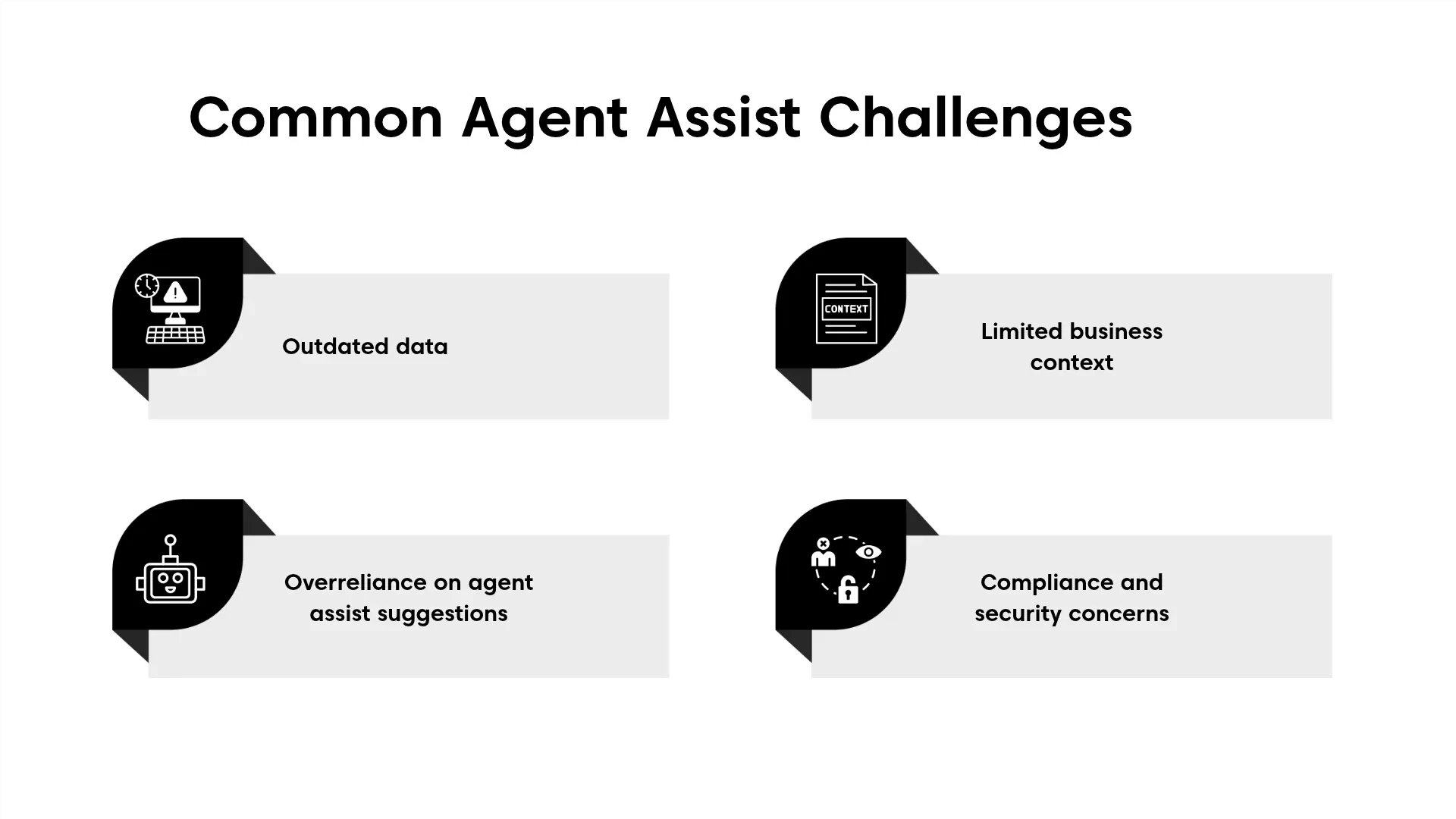
1. Inaccurate or outdated data
Suggestions are only as good as the information behind them. Outdated knowledge sources can lead to incorrect recommendations and increase the risk of AI hallucinations in customer service.
How to address it:
- Review and update knowledge sources regularly.
- Use approved documentation as the primary source of information.
2. Overreliance on agent assist suggestions
Suggested responses can save time, but they are not always correct. This is why many teams use a human-in-the-loop AI for customer service that keeps people involved in critical decisions.
How to address it:
- Provide teams with customer service training on how to verify AI-generated responses.
- Treat AI agent assist suggestions as guidance, not final answers.
3. Limited business context
Agent assist may not have access to all the information needed to provide accurate recommendations. Missing customer data, disconnected systems, or outdated business rules can limit context.
How to address it:
- Connect approved customer and business systems.
- Keep policies, product information, and business rules updated.
4. Compliance and security concerns
Agent assist often accesses customer and business data. Poor controls can increase the risk of unauthorized access or policy violations.
How to address it:
- Apply role-based access controls.
- Require human approval for sensitive actions and responses.
What to look for in an agent assist tool
Not all AI agent assist tools offer the same capabilities. Some combine reply drafting, conversation summaries, actions in connected systems, and role-based controls in one workspace, while others only suggest responses.
Understand where agents lose the most time
Before comparing platforms, identify the tasks that slow agents down today. Ask questions such as:
- Where do agents spend most of their time?
- Which tasks create the biggest delays?
- What types of requests occur most often?
- What prevents agents from responding faster?
The answers will help you focus on features that solve real problems instead of features that look impressive in a demo.
Review AI guidance, knowledge sources, and human controls
Agent assist should help agents work faster without taking control away from them. Support teams should be able to review, edit, and approve suggestions before they are used.
Look for capabilities such as:
- Editable response suggestions
- Conversation summaries
- Source references
- Recommended next steps
- Approval processes
Also review the knowledge sources the solution uses. This may include help articles, internal documentation, policy guides, and past support cases.
Accurate, up-to-date knowledge helps AI provide more reliable suggestions.
Check integrations and access to customer information
AI agent assist works best when it can access the systems agents already use.
Without strong integrations, customer details, order records, and account data may remain scattered across different platforms.
Check whether the solution can connect with the systems your team uses every day. This may include your help desk, CRM platforms, knowledge bases, ecommerce systems, and support channels.
The more information the AI can access in one place, the more useful its recommendations will be.
Evaluate usability, security, and compliance
Agent assist should fit into tools agents already use, not add another one to learn.
For usability, look for solutions that provide:
- Simple setup
- Easy-to-use interfaces
- Clear workflows
- Minimal training requirements
For security and compliance, evaluate:
- Role-based permissions
- Data handling, including whether customer data is used to train AI models
- Audit logs
- Approved information sources
- Security certifications, such as SOC 2, and GDPR compliance
Test AI-generated recommendations before deployment and review how sensitive customer information is accessed, stored, and displayed.
Test with real tickets and check long-term costs
Choosing a solution that can grow with your team can help you avoid costly migrations later.
Compare per-agent and usage-based pricing, including AI credit limits, additional charges, and how costs may change as more agents use the tool.
Test agent assist with common support requests and compare how long agents take to prepare replies with and without AI assistance. Review response accuracy, relevance, and ease of use alongside drafting speed.
Agent assist evaluation checklist
Use our downloadable agent assist evaluation checklist to compare solutions across AI capabilities, knowledge access, integrations, security, usability, and long-term fit.
The table below covers the essentials. Score each vendor against it, then shortlist the best options to test with your team.
| Area | What to check |
| AI capabilities | Editable reply drafts, summaries, next-step suggestions, and translation |
| Knowledge access | Uses your help articles, policies, and past tickets, and shows its sources |
| Integrations | Connects to your help desk, CRM, and order or billing systems |
| Human control | Agents review every suggestion; sensitive actions need approval |
| Security | Role-based permissions, audit logs, data handling, and certifications |
| Usability | Works inside the agent workspace with minimal training |
| Cost and fit | Per-agent or usage pricing, AI credit limits, and costs as the team grows |
Want to score vendors side by side? Download the full checklist:
Using agent assist to deliver faster, more consistent support
Agent assist works best when your knowledge is accurate and agents stay in control of every reply. With both in place, teams can respond faster without lowering service quality.
BoldDesk’s Assist Agent brings these capabilities into the support workflow. Teams can draft replies using knowledge base content and similar resolved tickets. They can summarize conversations and attached files. AI Actions support approved workflows, while role-based controls help manage AI-powered assistance.
Ready to see BoldDesk in action? Sign up for a 15-day free trial today to explore agent assist using your own support workflows and customer conversations.
Related articles
- AI Knowledge Base: What It Is and How to Build One
- Effective Ways to Improve Agent Productivity with AI Copilot
- AI-to-Human Handoff: When Should an AI Agent Escalate?
FAQs about agent assist
What happens if agent assist provides an incorrect recommendation?
Support agents review every suggestion before it reaches the customer, so they can catch and correct mistakes. Teams should also report wrong suggestions and fix the knowledge sources behind them.
Is agent assist the same as an AI copilot?
Agent assist and AI copilots often perform similar roles in customer support. Both help human agents find information, draft responses, and handle requests more efficiently.
Agent assist specifically refers to assistance within support workflows, while AI copilot is a broader term used across different business applications.
Does agent assist replace human agents?
No. Agent assist is designed to support human agents rather than replace them. It helps with tasks such as finding information, drafting replies, and summarizing conversations.
Human agents remain responsible for reviewing suggestions, handling sensitive issues, and communicating with customers.
Can agent assist work across multiple support channels?
Yes. Many agent assist tools support channels such as email, live chat, social media, messaging apps, and voice interactions.
This allows teams to receive AI-powered agent assistance regardless of where the customer conversation takes place.
How can teams measure the success of agent assist?
Teams can compare support performance before and after implementation. Common metrics include first-response time, average handling time, drafting time, response quality, suggestion acceptance rate, resolution time, and customer satisfaction scores.
Can agent assist support new agents during onboarding?
Yes. Agent assist helps new agents find answers and follow support procedures during customer interactions. Research suggests that less experienced agents see the biggest productivity gains from AI assistance.
What data does agent assist need to work well?
Agent assist works best with an up-to-date knowledge base, clear support policies, and access to past tickets and customer records. The more accurate and complete these sources are, the more reliable its suggestions will be.
ABOUT THE AUTHOR

Cherine Apondi Okumu 
Cherine is a content strategist at Syncfusion, combining her writing expertise with a passion for technology to produce clear and engaging content. Always eager to learn, she embraces new challenges and stays updated on trends that enhance customer support.
Read more articles by this author Connect with the author on LinkedIn.
Be the first to get updates