


TL;DR: The most essential help desk features are ticketing, unified inboxes, automation, knowledge bases, SLA management, collision detection, reporting, omnichannel support, mobile accessibility, and security controls. These capabilities streamline workflows, reduce manual effort, and help support teams resolve issues faster while delivering better customer experiences.
In customer service, operational efficiency is key to staying competitive. Support teams are expected to resolve issues quickly, stay organized, and maintain high service standards, all while managing multiple channels and rising ticket volumes.
Without the right help desk software, even the most capable agents can struggle to keep up. That’s where having the right help desk features makes all the difference.
A well-equipped help desk can centralize communication, automate repetitive tasks, and provide the visibility teams need to work smarter.
In this guide, we’ll explore 10 essential help desk features that can empower your team to deliver exceptional customer service experiences.
What is a help desk system?
A help desk system is a centralized customer support platform designed to streamline the process of managing support tickets. It captures and tracks requests from various channels, ensuring that each issue is properly logged and addressed.
The best help desk software helps teams stay organized, efficient, and responsive by prioritizing and assigning tickets to the right agents, automating repetitive tasks, and generating performance reports.
These capabilities not only improve internal workflows but also enhance the overall support experience for customers.
Essential help desk features to look out for
The usage of help desk software increased from 11% in 2020 to 53% in 2024, underscoring its growing importance in modern customer support strategies.
With so many help desk software features available today, it can be overwhelming to know which ones truly matter.
While the ideal tool may depend on your support needs, certain capabilities have become non-negotiable in delivering fast, efficient, and high-quality service.
The following are essential features every help desk system should offer:
Ticketing system
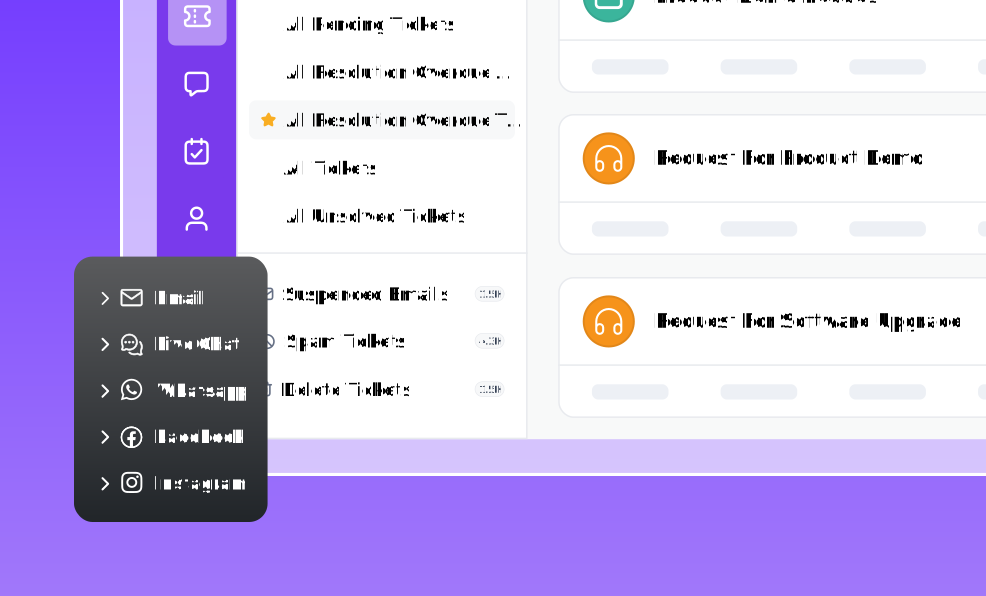
A help desk ticketing system is the core of any help desk platform. An ideal help desk system captures customer requests from multiple channels and converts them into organized, trackable tickets.
It should also intelligently route the tickets to the right agents based on factors like workload, availability, or expertise, so no issue ever slips through the cracks.

Key highlights to consider:
- Shared inbox: Consolidates all customer requests in a shared space, making it easy to manage and monitor every interaction.
- Organized workflows: Tools like ticket tags help organize tickets by status or priority, and collision detection avoids duplicate work.
- Seamless collaboration: Private notes enable internal discussions and efficient escalation management for complex issues.
Business impact
- Centralizes customer requests in a single workspace.
- Prevents tickets from being overlooked or duplicated.
- Improves agent accountability and resolution efficiency.
Artificial intelligence capabilities
AI is revolutionizing help desk operations, making teams more efficient, speeding up issue resolution, and enabling effortless scaling.
Modern AI-powered help desks can summarize long ticket threads, draft and refine replies, suggest relevant knowledge base articles, and automatically respond to common tickets.
The growing adoption of AI in customer support reflects its value in modern service operations, with 53.8% of customer service teams already using AI to automate repetitive tasks, improve productivity, and enhance customer experiences.
When selecting a help desk solution, prioritize AI features that boost agent productivity and improve customer experience.
Here are the key AI tools:
- AI Copilot: Assists agents by drafting responses, summarizing tickets, and enhancing reply quality using your knowledge base.
- AI Agent: Automatically responds to customer queries without human intervention.
- AI Actions: Connect to external APIs or systems to automate manual tasks like order updates or CRM lookups.
What to look for:
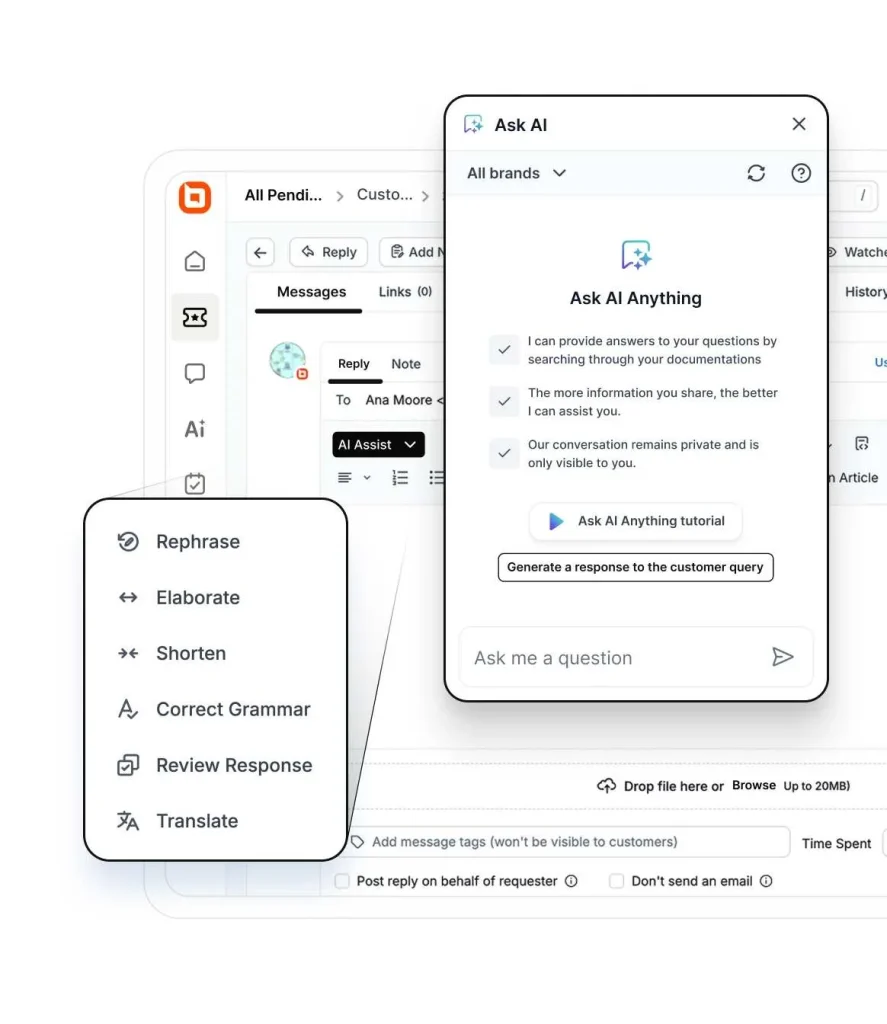
- Ticket summarization: Instantly condenses long conversations into clear, actionable summaries.
- Smart response generation and tone adjustment: AI Assist tools that draft context-aware replies and lets agents fine-tune tone to match brand voice.
- Sentiment analysis: Detects customer emotions in real time to guide empathetic and effective responses.
- Advanced text analysis: AI Copilot tools that rephrase, expand, or elaborate on messages, and for clarity and professionalism.
- Multilingual translation tools: Automatically translates tickets and knowledge base articles across multiple languages.
- 24/7 autonomous support: AI Agents handle common queries around the clock, reducing ticket volume and improving response times.
Business impact
- Reduces manual workload through automated routing and task assignment.
- Accelerates response and resolution times.
- Minimizes human error in repetitive processes.
Omnichannel support
Customers expect flexibility in how they communicate, whether it’s via email, live chat, social media, or messaging apps.
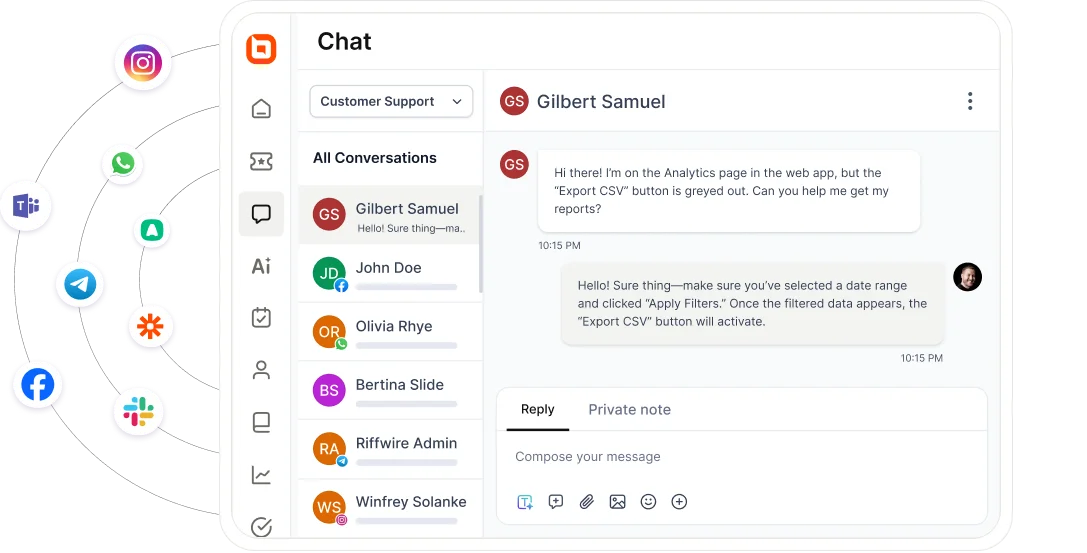
An omnichannel help desk integrates various customer communication channels, such as email, chat, social media, phone, SMS, and web forms into a single unified platform.
This allows support agents to manage all interactions from one place and maintain context and continuity regardless of where the interaction starts or ends.
Key functionalities to keep in mind:
- Unified inbox: All customer requests appear in a single, organized, omnichannel inbox, reducing the need to switch between channels.
- Seamless conversations across channels: Agents maintain context even when customers switch platforms in the middle of conversations.
- Real-time syncing: Any changes or updates across channels reflect instantly to avoid delays or duplicated efforts.
- Supports multiple channels: The system should support a wide range of communication channels.
Business impact
- Creates a consistent customer experience across email, chat, phone, social media, and web forms.
- Ensures no customer inquiry is missed regardless of channel.
- Reduces context switching for agents.
Live chat support
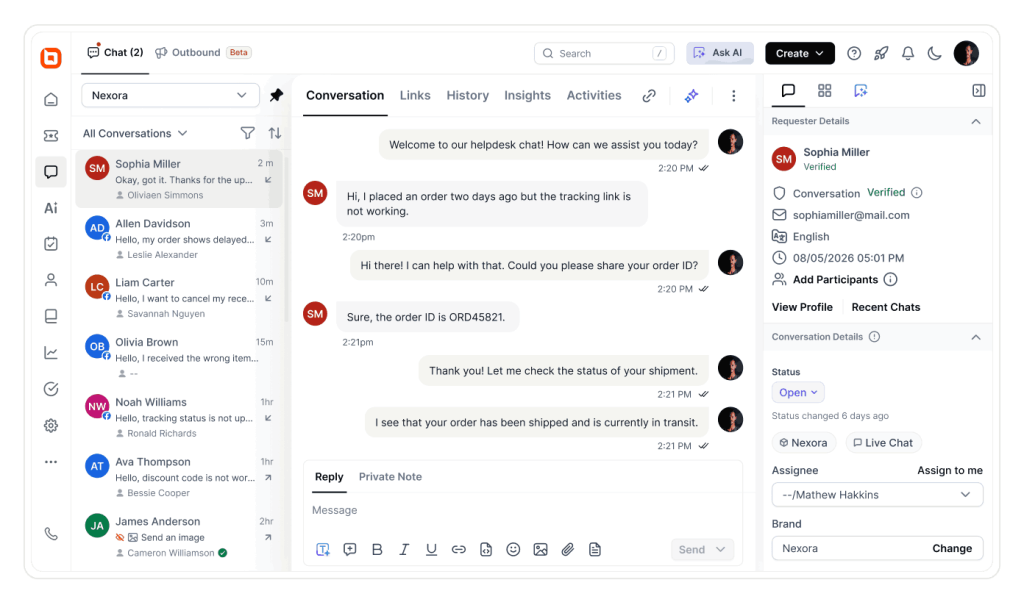
Quick live chat support can greatly improve how you interact with customers. Whether initiated from a website widget or a mobile app, customers should instantly connect with a human or AI agent and get help on the spot.
Core capabilities to consider:
- Real-time messaging: Instant, two-way communication between customers and agents.
- Canned responses: Pre-written answers to common questions that agents can use with a single click.
- Proactive chat triggers: Automatically prompts website visitors to start a conversation based on user behavior, such as how long they’ve been on a page.
- Chat routing and queuing: Directs incoming chats to the right agent or department based and manages wait times efficiently.
- Multimedia support: Enables sharing of images, files, and links to resolve issues faster.
- Offline messaging: Captures inquiries even when agents are unavailable, so no message is lost.
Business impact
- Provides customers with immediate access to support, reducing wait times.
- Resolves simple issues faster than traditional email-based support.
- Increases customer satisfaction through real-time assistance.
Knowledge base
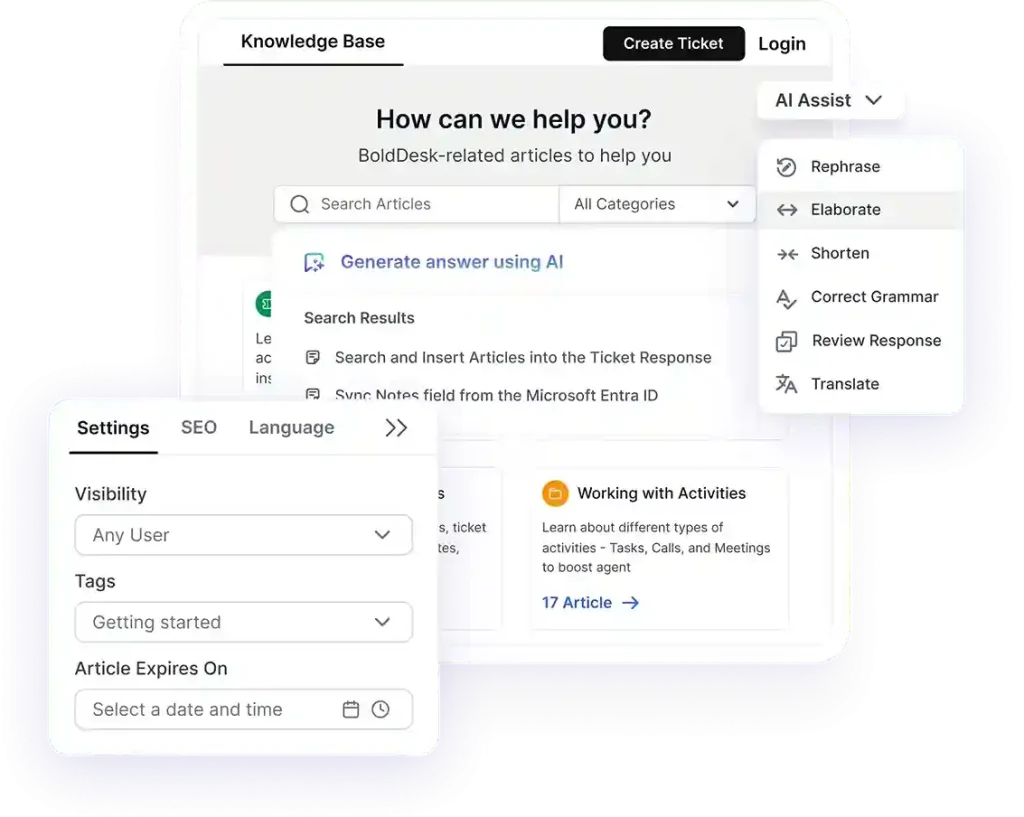
A help desk system should include an inbuilt knowledge base software to empower customers to find answers independently. By accessing well-organized articles and guides, users can resolve common issues without needing to raise a ticket.
At the same time, support agents can refer to the same resources to provide accurate, consistent responses.
Important capabilities to evaluate:
- Integration with other tools: Easily link or embed help articles directly into ticket and chat replies to streamline responses.
- AI-assisted article creation: Use AI to draft, summarize, and enhance articles, saving time and ensuring consistent, high quality content.
- Rich content editor: Create visually engaging articles with formatted text, images, videos, and links to make guides clear and easy to follow.
- Smart organization and navigation: Organize articles into categorizes and use tags and filters to help users quickly find relevant content.
- Intelligent search function: AI-powered search should understand user intent and surface the most relevant articles, even with vague or incomplete queries.
- Insightful usage analytics and feedback tools: Usage analytics and feedback tools highlight top-performing content, reveal drop-off points, and uncover knowledge gaps for continuous improvement.
Business impact
- Deflects repetitive support requests through self-service.
- Reduces ticket volume and support costs.
- Enables customers to find answers faster.
Task management
An efficient task management system helps support representatives stay organized, prioritize work, and ensure timely resolution of customer issues.
By tracking tasks and agent activity, customer support teams can better meet service level agreements (SLAs) and maintain accountability.
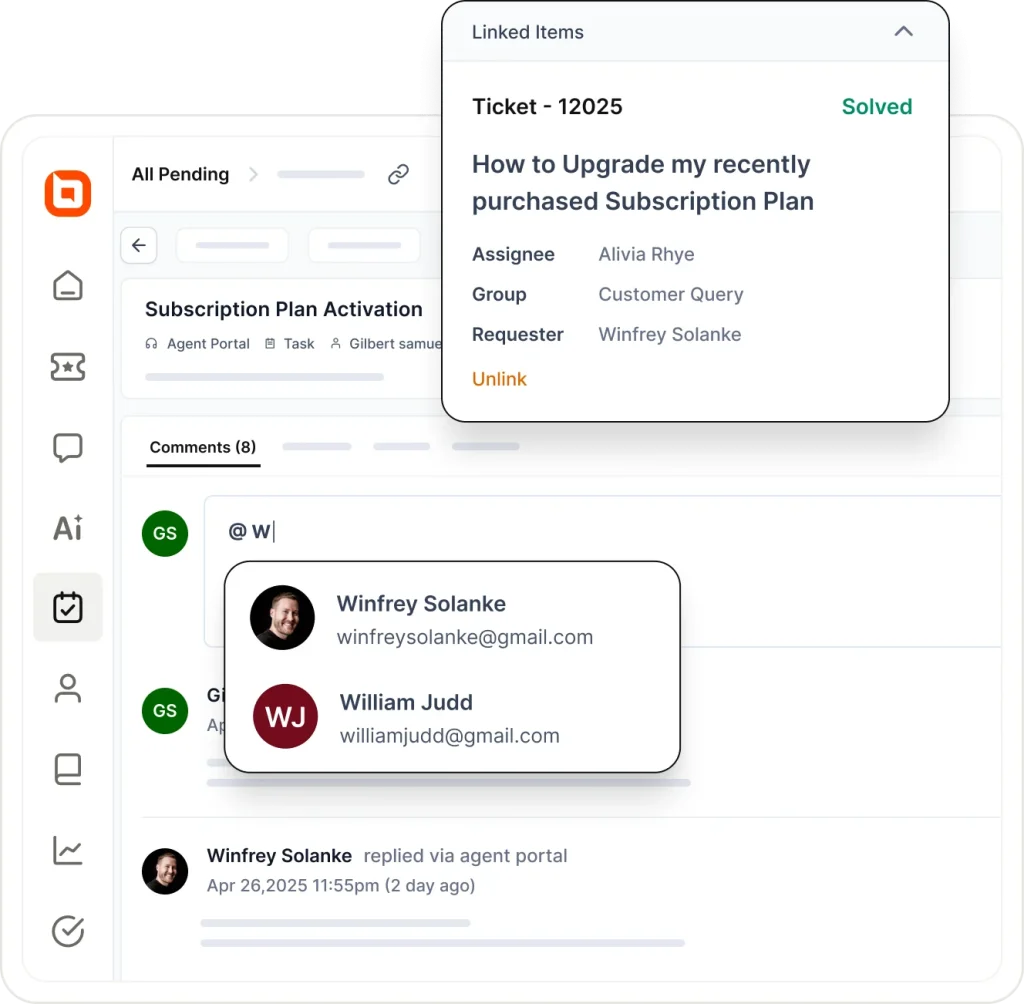
Top things to check for:
- Centralized dashboard: Manage and prioritize tasks from a single interface for more coordinated workflow management.
- Task assignment: Assign tasks to the appropriate team members or groups based on expertise and availability.
- Progress tracking: Monitor task completion in real-time with status updates and deadlines.
- Collaboration tools: Facilitate communication and collaboration among team members with notes, updates, and file sharing.
- Automated task triggers: Automatically create or update tasks based on ticket actions to reduce manual effort.
Business impact
- Supports SLA compliance by monitoring deadlines and task progress.
- Enhances accountability with greater visibility into team activities.
- Reduces manual effort through automated task creation and workflow management.
Automation and SLA
Meeting customer expectations consistently builds trust. Help desk solutions with robust automation and SLA (Service Level Agreement) management help teams stay on track by streamlining workflows and ensuring timely resolutions.
Help desk automation features reduce manual effort, improve accuracy, and minimize human error, especially in high-volume environments.
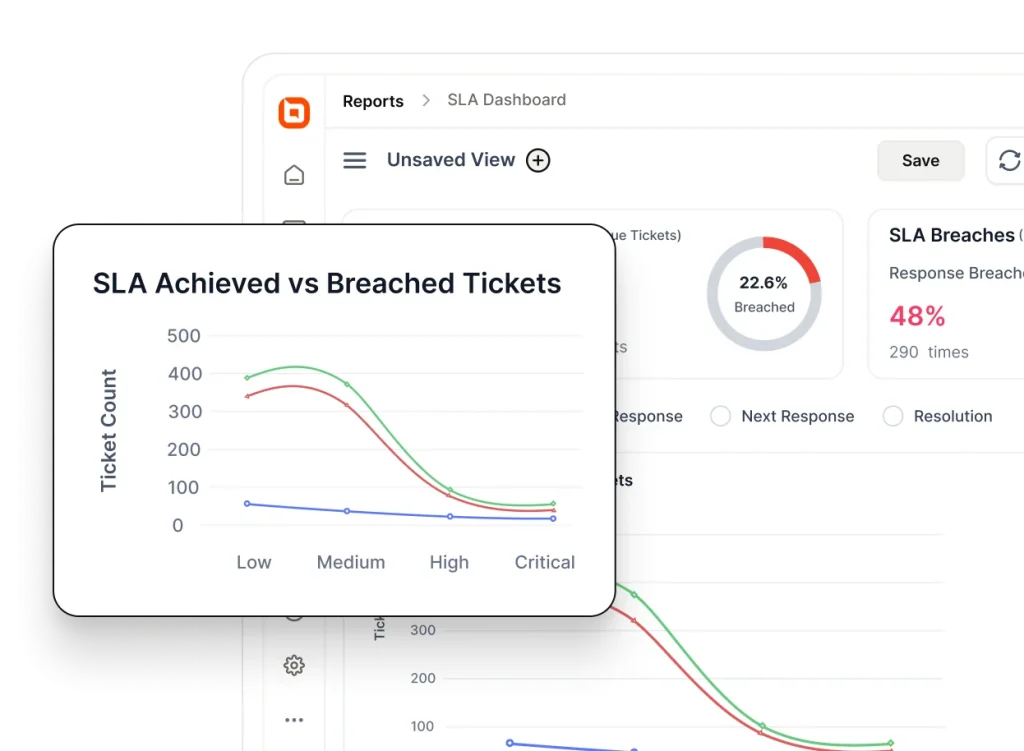
Essential capabilities to keep in mind:
- Workflow automation: Automate repetitive tasks like ticket tagging, status updates, and follow-ups to improve agent productivity and reduce response times.
- SLA rule configuration: Define response and resolution time targets based on ticket priority, channel, or issue type.
- Automated escalations and alerts: Automatically escalate tickets approaching SLA deadlines and trigger real-time notifications to prevent breaches.
- Performance monitoring: Track SLA compliance, resolution times, and operational bottlenecks to improve accountability and optimize support workflows.
- Scalability: Ensure the system is flexible enough to support the addition of new SLA rules, users, or workflows as your business grows—without compromising performance.
Business impact
- Helps teams meet response and resolution commitments consistently.
- Increases visibility into service performance.
- Reduces the risk of missed deadlines and escalations.
Third-party integrations
Modern support teams rely on a variety of tools to manage communication, projects, and workflows.
A help desk solution with strong integration capabilities seamlessly connects with your favorite tools and apps, to simplify workflows, reduce data clutter, and increase efficiency.
Key integration features to look out for:
- Extensive integration options: Connect seamlessly with essential productivity tools like project management platforms, billing systems, communication apps, contact management systems, and automation services to streamline workflows.
- Support for custom integrations: Use flexible APIs and webhooks to build custom integrations that align with your unique business processes and system architecture.
- Data synchronization: Keep relevant information consistent across all platforms, ensuring a single source of truth.
- Security and compliance: Protect sensitive customer and company data with encryption, risk management, audit logs, and compliance with international data regulation standards like GDPR.
To explore these capabilities in greater detail, check out our guide to help desk security review, which breaks down the essential tools every support team should prioritize.
Business impact
- Adapts workflows to match business requirements.
- Eliminates manual data entry between systems.
- Creates a unified operational ecosystem.
Analytics and reporting
Having robust reporting and analytics features embedded in a help desk yields clear insights into support performance, highlighting improvements, identifying bottlenecks, and measuring customer satisfaction.
By continuously collecting data from every customer interaction, including feedback and satisfaction ratings, your help desk can transform raw information into actionable insights.
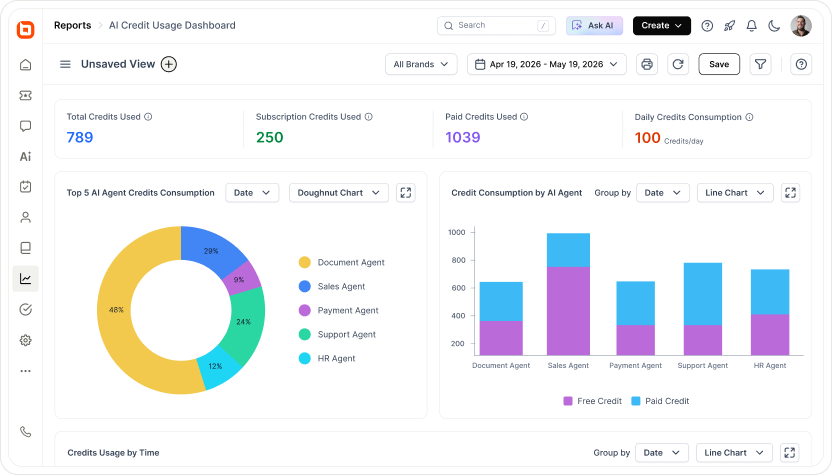
Managers can use real-time dashboards to monitor agent performance, address recurring pain points, and allocate resources accordingly.
Reporting features to evaluate:
- Interactive dashboards: Visualize key metrics like ticket volume, first response time (FRT), and resolution time in a centralized, easy to navigate dashboard one place.
- Customer analytics (CSAT): Track customer satisfaction through post-interaction surveys. Analyze CSAT trends to assess customer sentiment and identify areas for service improvement.
- Agent performance tracking: Monitor individual and team productivity, including ticket handling efficiency and resolution rates, to recognize top performers and guide training efforts.
- Customizable reports: Create, filter, and schedule reports based on the customer service metrics that matter most to your business. Tailor insights to different teams or goals for more actionable data.
- Trend analysis: Spot recurring issues, peak support hours, and opportunities to streamline operations and enhance the overall customer experience.
Business impact
- Provides insights into team performance and support trends.
- Identifies bottlenecks affecting service quality.
- Supports data-driven staffing and process improvements.
Mobile accessibility
Customer support doesn’t stop at the desk. Select a help desk that provides a mobile help desk to ensure your agents stay connected, respond quickly, and manage tickets on the go, whether working remotely or outside office hours.
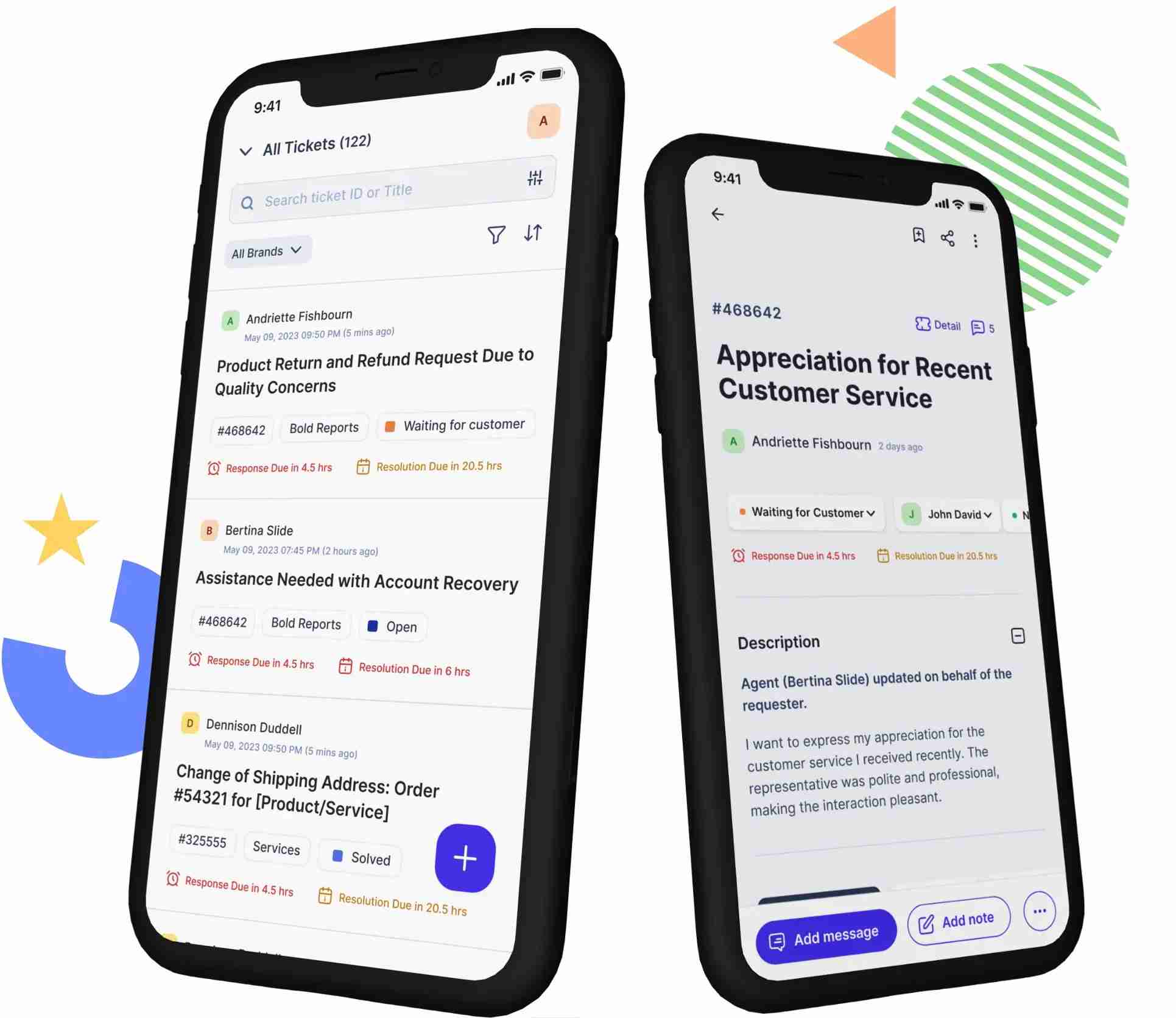
Key mobile help desk capabilities to look for:
- Real-time notifications: Get instant alerts for new tickets, replies, and escalations to stay informed and responsive.
- On-the-go ticket management: View, update, and reply to tickets directly from a mobile device for faster resolution.
- Work from anywhere: Access full help desk functionality like adding notes, replying to tickets, and collaborating from any location.
- Optimized mobile interface: A clean, intuitive design that makes navigation and ticket handling easy on smaller screens.
Business impact
- Enables faster response times by allowing agents to assist customers from anywhere.
- Reduces ticket resolution delays through real-time mobile access.
- Improves agent productivity with on-the-go ticket management.
Having the right features is important, but organizations also need strong help desk management practices to turn those capabilities into measurable support outcomes.
Help desk readiness review: Essential features checklist
Instead of evaluating a long list of capabilities, use this quick readiness checklist to identify whether your current help desk has the essential features needed to deliver efficient, scalable customer support.
| Common support question | What it indicates |
| Are tickets getting lost or duplicated? | You may need a stronger ticketing system with better routing and ownership. |
| Are agents spending too much time on repetitive tasks? | AI capabilities and automation may be missing. |
| Do customers reach out through multiple channels that are hard to manage? | Omnichannel support may be lacking. |
| Are response and resolution times slower than expected? | Live chat, automation, or SLA management may need improvement. |
| Do customers repeatedly ask the same questions? | Your knowledge base or self-service options may be insufficient. |
| Are agents constantly switching between tools? | Better third-party integrations could streamline workflows. |
| Is it difficult to measure team performance? | Analytics and reporting capabilities may be limited. |
| Can agents effectively support customers while away from their desks? | Mobile accessibility may be missing. |
Recognizing several of these issues could indicate that your current help desk lacks the key features needed to drive operational efficiency and support growth.
Turn support into success with the right help desk features
A powerful help desk system empowers support teams to work smarter, resolve issues faster, and consistently deliver exceptional service.
We hope this guide has equipped you with the insights you need to confidently select a help desk solution that suits your business requirements.
But why keep searching?
If you are searching for a help desk solution that delivers all the essential features and more, BoldDesk is the perfect choice. With a modern interface, powerful automation, AI features, seamless integrations, and robust reporting tools, BoldDesk empowers support teams to deliver faster, smarter, and more personalized customer service.
Whether you’re a startup or an enterprise, BoldDesk scales with your needs and helps you turn every support interaction into a success story.
Reach out to our support team today to discover how its comprehensive capabilities can streamline your operations, reduce agent workloads, and elevate your customer experience.
Are there any other useful features you are looking for? We’d love to hear your thoughts—drop a comment below.
Related articles
- 11 Best Help Desk Software for Small Businesses in 2026
- 11 Best SaaS Help Desk Software to Simplify Customer Support
- Best Ecommerce Help Desk Software in 2026