

- Blogs Explore Blogs Blogs
AI Agent Limitations: What AI Still Can’t Do in Customer Support
-
by Sarah Adhiambo Ogada
- Updated on: October 29, 2026
TL;DR: AI agents cannot own customer outcomes, guarantee correct answers, or replace human empathy. Conflicting evidence and exceptions outside approved policy need human judgment. Use the six-question test to decide what to automate, what needs approval, and where people should lead.
A customer of six years requests a refund three days after the deadline. An AI agent following a strict refund rule declines the request. A support manager sees six years of loyalty and considers whether an exception is justified.
AI can see that history too. The real question is whether it should approve the exception and who remains responsible if the decision is wrong.
Deciding what AI should handle on its own is a challenge many support teams face as they expand automation.
This guide explains what AI still can’t do in customer support. It covers five AI agent limitations, what AI does well, and a six-question test to help you decide what to automate, what needs approval, and when people should stay involved.
What AI can’t do reliably in customer support
Even with accurate content, connected systems, and well-defined workflows, some customer support decisions still require human judgment.
The five limitations below highlight where AI works best as a tool and where people should remain involved.
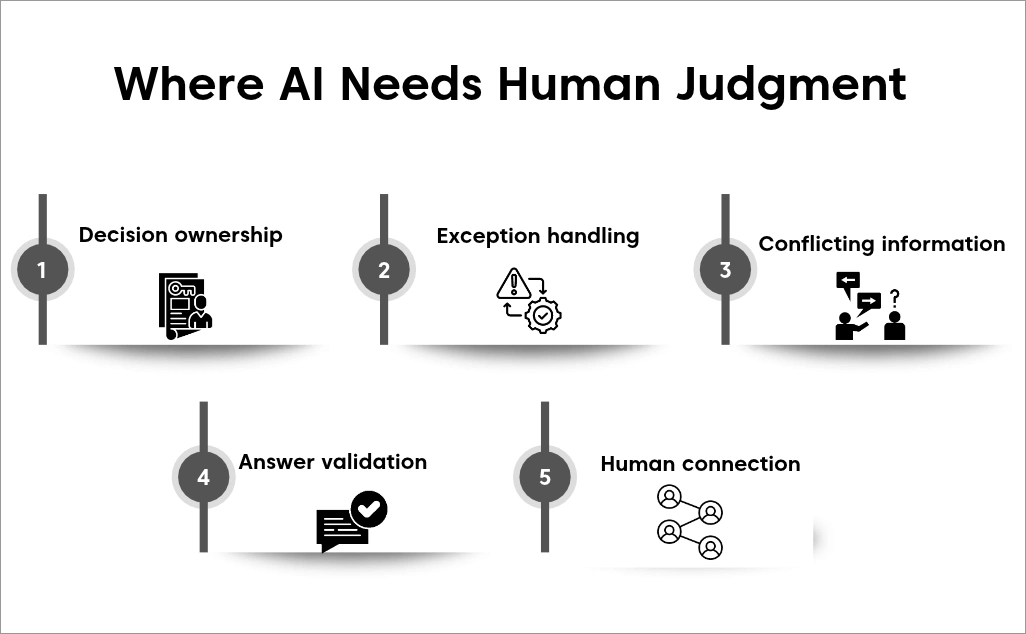
1. Approving exceptions outside policy
Customer support is not always about applying policies exactly as written.
Consider the long-standing customer from the opening example who missed the refund deadline by three days. AI can gather the purchase details and customer history.
If the request falls outside approved rules, an authorized person decides whether the circumstances justify an exception.
AI can apply exceptions already covered by approved rules, such as a goodwill credit within a set limit.
What to do: Let AI gather the relevant details, then route the request to an authorized person when it falls outside approved rules.
2. Fully verifying its own answers
AI can provide useful answers, but it cannot reliably verify every response it gives.
Even with current documentation, AI can misread a condition or apply the wrong policy to a customer’s situation. Approved sources reduce the risk of incorrect answers but do not eliminate it.
A real-world example comes from Moffatt v. Air Canada (2024 BCCRT 149). A customer relied on the airline’s chatbot, which incorrectly stated that a bereavement fare could be claimed after travel.
The tribunal found Air Canada responsible for misleading information provided through its chatbot. The case shows that organizations remain accountable for customer-facing AI.
That’s why AI systems still need regular review, knowledge updates, and human monitoring.
Learn more in our guide on AI hallucinations in customer service.
What to do: Review AI responses regularly and update support content when inaccuracies, gaps, or outdated information are discovered.
3. Owning high-stakes decisions
AI can recommend actions and complete approved tasks, but it cannot take responsibility for the outcome.
For example, an AI agent may approve a refund that should have been declined or grant account access based on incomplete information.
If the decision causes financial, security, or compliance issues, the organization remains responsible.
Decisions involving account access, customer rights, or compliance may need human review because mistakes can cause serious harm.
What to do: Require human review for refunds, account access, and compliance-related decisions above predefined limits.
4. Deciding when evidence conflicts
Some support cases involve missing or conflicting information.
A customer may say a payment was made while internal records show otherwise. Important details may be unavailable or inconsistent.
A connected AI agent can ask follow-up questions, retrieve records, and compare information across systems.
Our guide to AI-to-human handoff explains how to pass the case to a person with the full conversation.
What to do: Flag the case for investigation when important facts conflict. A qualified person can review the evidence and decide how to proceed.
5. Replacing human empathy in sensitive moments
Some customer conversations need more than information.
A customer may be frustrated, disappointed, or dealing with a sensitive situation. They may need reassurance, patience, or help rebuilding trust.
AI can detect cues such as frustration and adjust its wording, but it may misread the situation or the customer’s intent. Some customers also want a person to take ownership.
Gartner surveyed 3,566 B2B and B2C customers in February and March 2026. Of those surveyed, 87% said companies using GenAI must provide an option to reach a human agent.
Customers also want to know when they are interacting with AI. They expect a smooth handoff when human help is needed and do not want to repeat information they have already provided.
What to do: Make it easy for customers to reach a person and pass the full conversation context during handoff.
Is it an AI limitation or a setup problem?
Not every AI failure comes from the model itself. Some issues are caused by content, integrations, workflows, or permissions rather than AI limitations.
Here are common setup problems and likely causes:
| Observed problem | Likely setup issue |
| AI quotes an outdated help article | Content maintenance |
| AI cannot retrieve an order because the connection is missing or failing | Integration |
| The receiving agent cannot see details already collected | Handoff workflow |
| AI can execute an action beyond its permitted scope | Permissions |
Many of these issues can be addressed by improving the setup rather than changing the AI model. The five limitations of AI in customer service discussed above can remain even when the setup works properly.
For a deeper look at these challenges and their fixes, see our guide on AI customer support challenges.
What AI agents already do well
The limits above don’t make AI less useful. They show where it fits best. AI agents work best on high-volume, repeatable tasks. These tasks follow clear rules and produce outcomes that can be verified.
When connected to approved systems and given clear permissions, they can:
- Answer common questions using approved support content.
- Retrieve order, account, or delivery information.
- Update customer records within defined limits.
- Summarize, classify, and route conversations.
- Complete routine workflows or hand unresolved cases to an agent.
These tasks save time without requiring a support agent to handle every step.
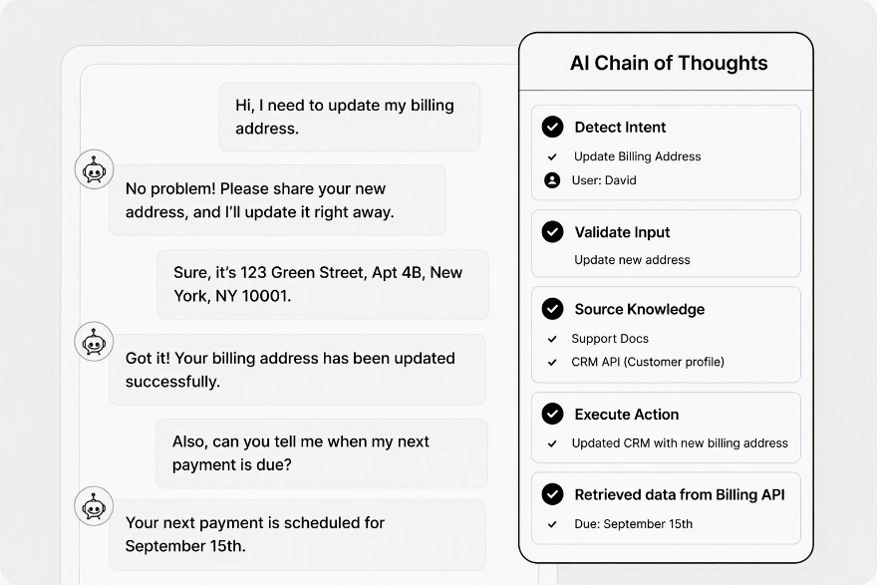
The example below shows an approved billing-address update completed by AI after the customer has been authenticated and the required information has been verified.
To learn more about how organizations use AI to automate routine work, read our guide to AI agent examples.
The six-question test: Evaluating automation opportunities
Use these six questions to decide whether a task can run automatically, needs approval, or should remain human-led.
1. Can the outcome be checked against a trusted source?
Tasks are easier to automate when the result can be verified. For example, an order status can be checked against an order management system.
A decision about fair compensation may not have a single correct answer.
2. Is the required information complete and current?
AI depends on accurate information. Do not automate decisions if policies, procedures, or customer records are incomplete, inconsistent, or out of date.
For example, do not let AI decide return eligibility when the live policy and help-center article disagree.
3. Can the action be reversed easily?
Some mistakes are easy to correct. Others are difficult, costly, or disruptive to undo. The harder it is to reverse an action, the more oversight it may require.
Correcting a ticket tag is easy. Closing an account or issuing a large refund may not be.
4. Is the potential risk low?
Consider the impact of a wrong decision. Providing a routine tracking update to a verified customer is generally low risk. Changing account permissions or handling a legal complaint carries greater consequences.
5. Does an approved policy fully cover the situation?
AI works best when clear rules already exist. An in-policy refund request may be suitable for automation. A goodwill exception outside set limits usually requires human judgment.
6. Can a qualified person review high-impact decisions before AI acts?
For exceptions and high-impact actions, a qualified person should review the proposed action and supporting information before AI proceeds. Routine, low-risk tasks may not need this approval.
Turning the six-question test into a decision
Use your answers to choose the appropriate level of automation.
| Your answers | What to do |
| No to Question 1 or 2 | Keep it human-led. Fix the missing information first. |
| Specialist judgment needed (legal, safety, regulatory) | Human-led. AI can gather and summarize, but a person decides. |
| No to Question 3, 4, or 5, and a reviewer is available (Question 6) | Require human approval before AI acts. |
| No to Question 3, 4, or 5, and no reviewer is available | Keep it human-led. |
| Yes to Questions 1–5 | Automate within approved limits. |
Apply the first matching row. Question 6 applies when an action needs human approval; it does not prevent low-risk automation that meets Questions 1–5.
Human-led means a qualified person determines the outcome. AI may still gather information, summarize the case, recommend an action, or execute a previously approved action.
Applying the six-question test to common support tasks
The examples below show how the six-question test applies to common support tasks:
- Automate within approved limits: Order-status requests, billing-address updates, and in-policy refunds that pass Questions 1–5. Verify the customer, confirm authorization for updates, and check that refunds meet policy and amount limits.
- Require human approval: Refund exceptions, such as the six-year customer’s late refund in the introduction. Account-access changes also need approval when they carry security risks.
- Human-led decision: Legal complaints requiring specialist judgment. AI may gather records and summarize the case, but a qualified person determines the outcome.
Key takeaway: Fix missing or conflicting information before you automate. Pilot low-risk tasks, then track answer accuracy, reopened tickets, escalation rates, and CSAT for AI conversations. Expand only when results meet your team’s quality targets.
How BoldDesk helps teams manage AI agent limitations
AI can handle routine requests while people review exceptions and sensitive decisions. A human-in-the-loop AI approach helps teams decide where that review belongs.
BoldDesk supports this approach by connecting AI, support knowledge, and human agents in one platform.
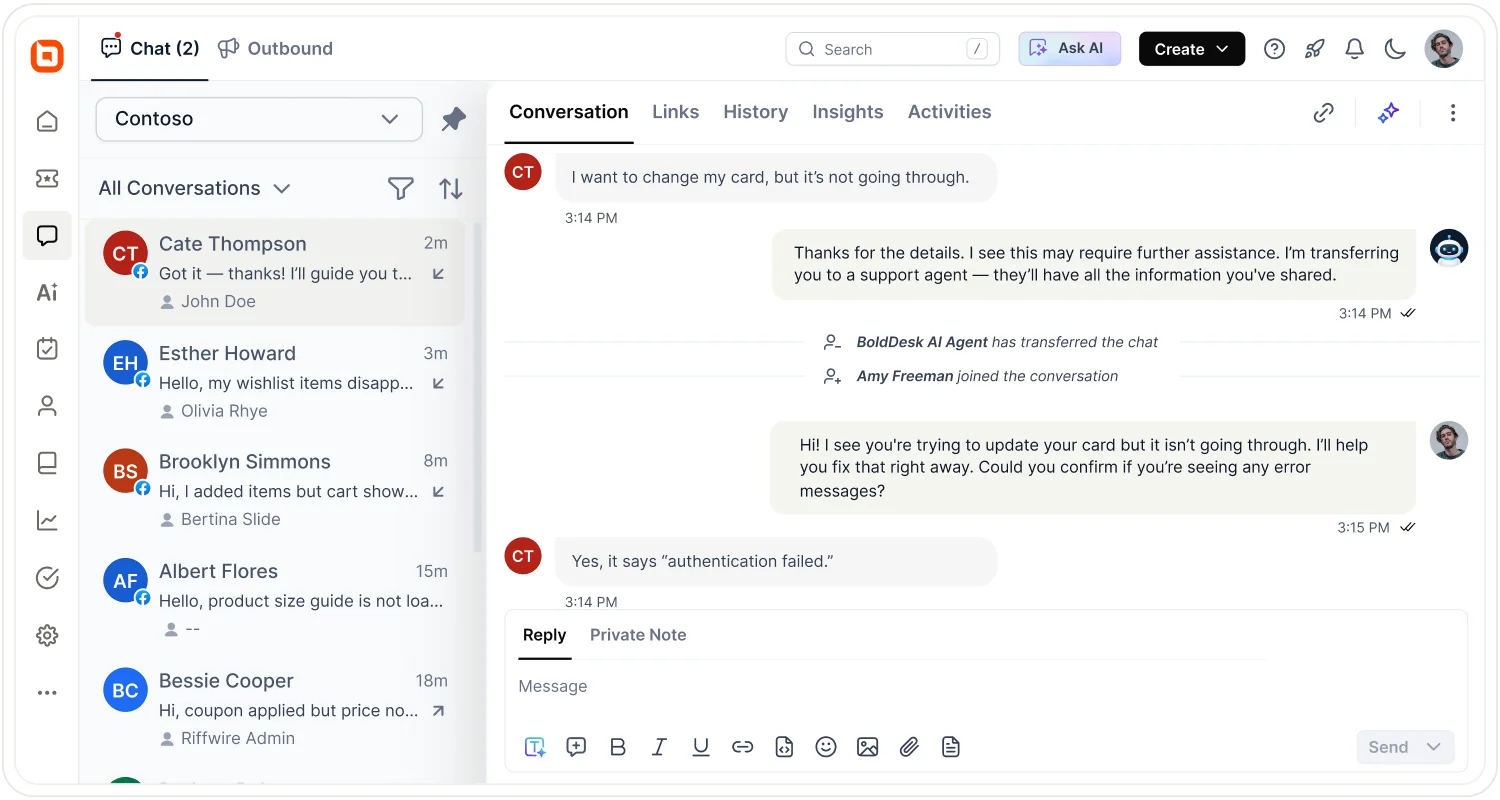
Here’s how your team can put these boundaries into practice with BoldDesk:
- Ground answers in support knowledge: Support Agent answers from your connected help articles, files, Q&A pairs, and web pages using approved information sources.
- Control which tasks AI can perform: AI Actions and MCP tools connect agents to business systems to retrieve information and complete approved tasks. Teams can configure which actions run automatically and which require human approval.
- Pass unresolved cases to people with context: Support Agent hands conflicting or unclear cases to your team with full conversation context and a summary.
- Help agents review and respond to complex requests: Assist Agent summarizes tickets, references support knowledge, and drafts responses. The support agent reviews and edits the reply before sending it, retaining control over what the customer receives.
For guidance on dividing the work, explore our comparison of AI vs human customer service.
Manage AI agent limitations with clear boundaries
Knowing what AI can’t do helps you set realistic expectations for customer support.
Start with tasks that follow clear rules, verify the results, and keep human review available for exceptions and sensitive decisions.
Build on what AI does well while keeping people involved with BoldDesk. Sign up for a 15-day free trial to explore how AI and your team can work together. No credit card required.
Related articles
- AI Agent vs Chatbot: Key Differences (2026)
- 7 Best Ways to Utilize AI for Customer Experience
- Top 5 Strategies to Master Escalation Management
FAQs on AI agent limitations
Which customer support decisions should require human review?
High-impact or difficult-to-reverse decisions involving money, legal rights, security, privacy, or safety should require human review.
Lower-risk actions may be automated within approved limits.
Can AI agents access all customer data?
Access depends on connected systems and permissions. Give the agent only the data needed for its task and verify the requester before sharing account information.
Can AI agents make policy exceptions?
AI can apply credits or exceptions covered by existing rules. If a request falls outside those rules, it should gather the relevant details and seek approval from an authorized person.
Factors such as customer history, business priorities, and unique circumstances often influence whether an exception should be granted.
Can guardrails completely prevent AI hallucinations?
No. Guardrails can reduce the risk of wrong or made-up answers, but they cannot eliminate it completely.
AI systems still need accurate information, regular reviews, and human checks to help catch mistakes and keep responses reliable.
When should an AI agent transfer a customer to a human?
Transfer the conversation when the stakes are high, the facts are unclear, or an exception may be needed. Also transfer whenever the customer asks for a person.
Who is accountable when an AI agent gives an incorrect answer?
The organization deploying the AI remains responsible for customer outcomes, decisions, and communications.
The Air Canada case discussed in this article shows that organizations can be held accountable for inaccurate information provided by customer-facing AI.
How can teams assess whether a task is ready for AI?
Use the six-question test. It helps you decide whether a task suits AI, when a person should review it, and where to add safeguards.
ABOUT THE AUTHOR

Sarah Adhiambo Ogada 
Sarah Adhiambo Ogada is a content strategist at Syncfusion with a strong interest in writing blogs that explain customer support topics in a simple, practical way, so teams can improve response times, stay organized, and deliver a better customer experience. She focuses on clear writing, real examples, and step-by-step tips readers can use right away.
Read more articles by this author Be the first to get updates