In this page

Agent portal
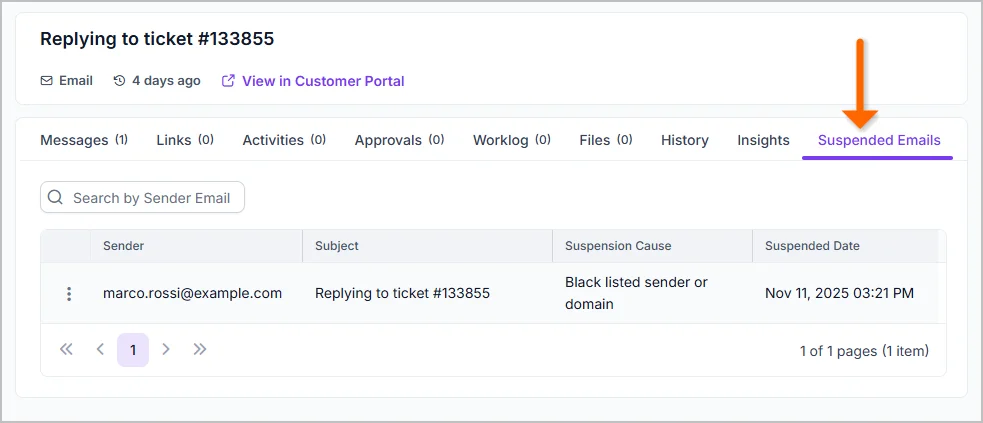
Show Suspended Emails in Ticket Details
The ticket details page now includes a list of suspended replies associated with a ticket. This allows users to review and manage suspended replies without navigating away from the ticket.
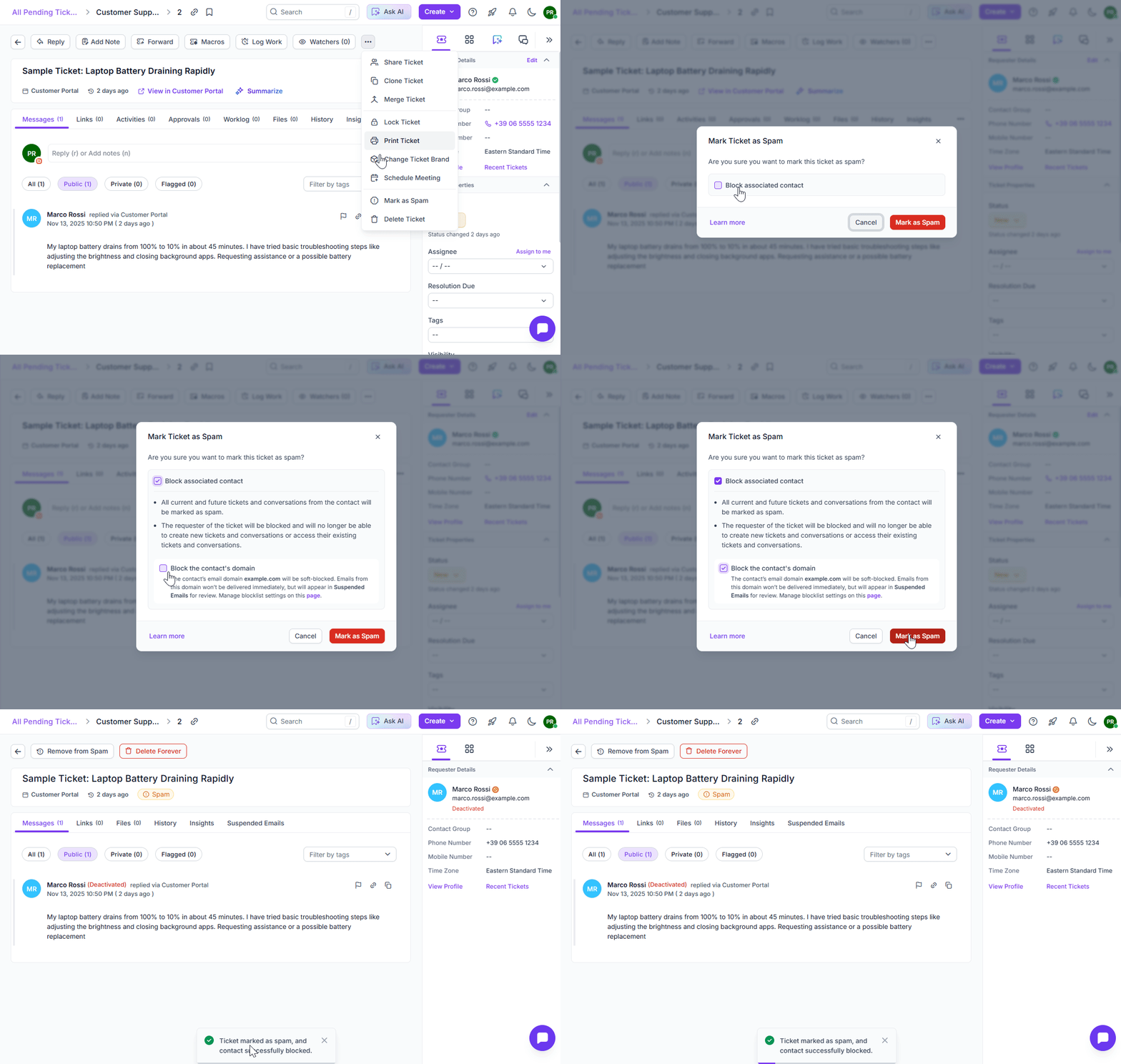
Add ‘Block Domain’ option to the ‘Mark Ticket as Spam’
The Mark Ticket as Spam window now includes an option to block the contact’s email domain when marking a ticket as spam. This enhancement makes it easier to prevent unwanted domains from sending future requests.
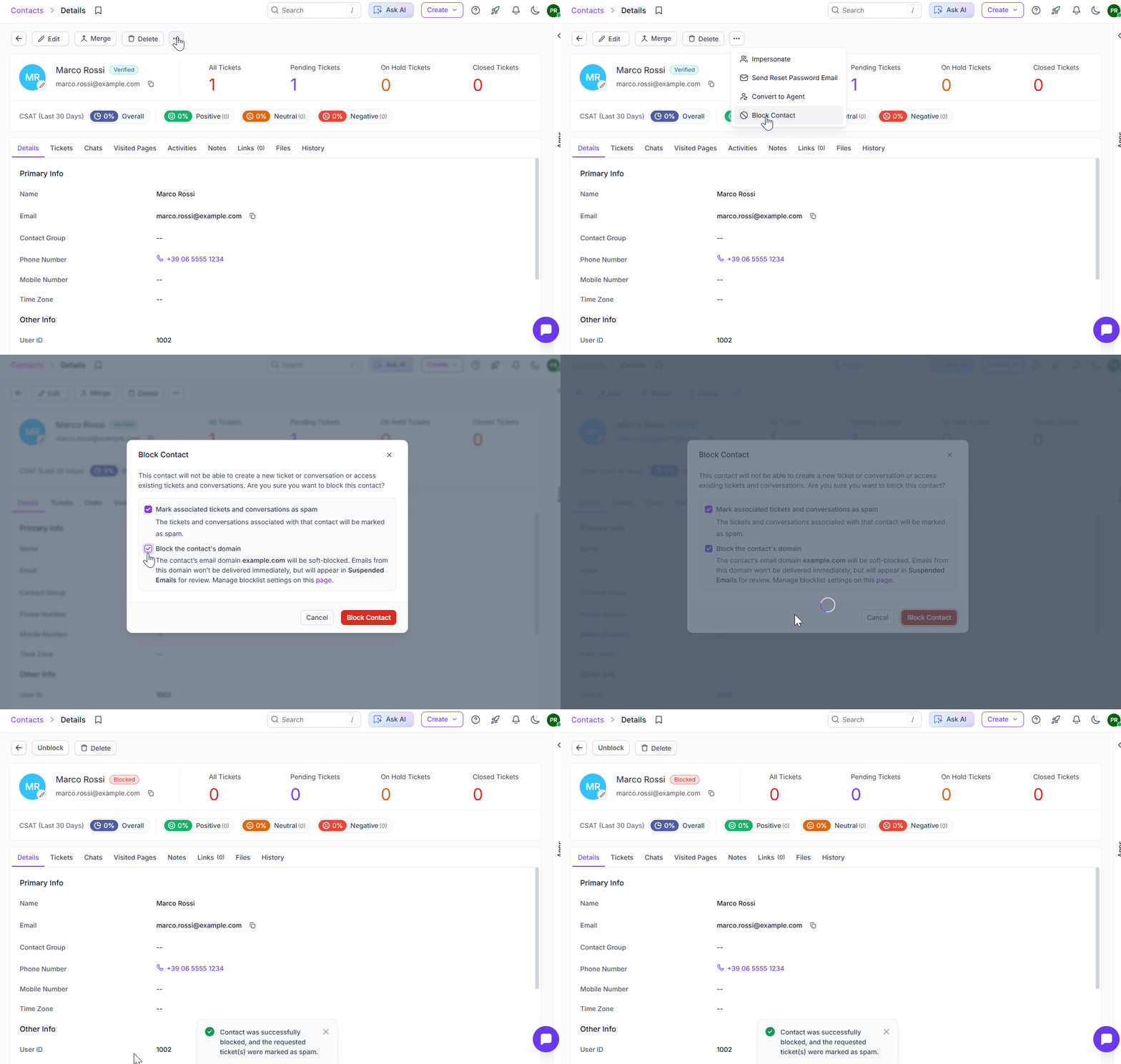
Add ‘Block Domain’ option to the ‘Block Contact’ window
The Block Contact window now includes an option to block the contact’s email domain. In addition to blocking suspicious contact directly, it enables the user to blacklist unwanted domains.
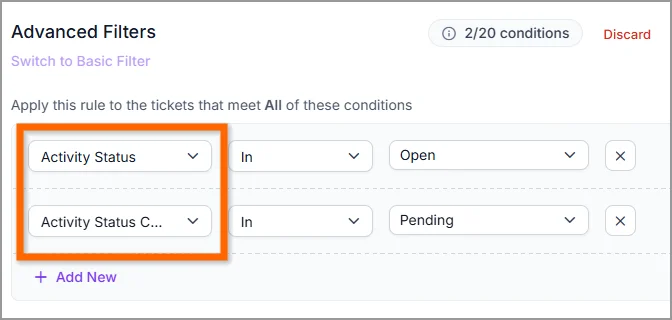
Filter Tickets by Linked Activity Status
The advanced ticket filters now allow you to filter tickets based on the status and status category of activities linked to them. This enhancement makes it easier to identify tickets with pending activities and manage them efficiently.
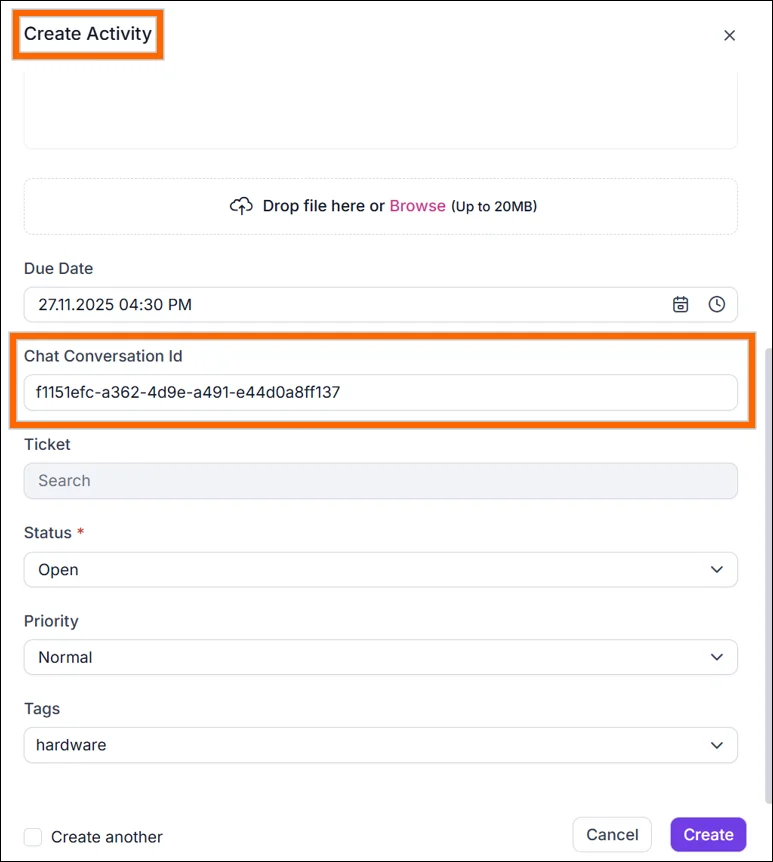
Link Chat to Activities
You can now link activities directly to chat conversations. This allows you to associate tasks performed within a conversation and manage them from the conversation details page as in the ticket module.
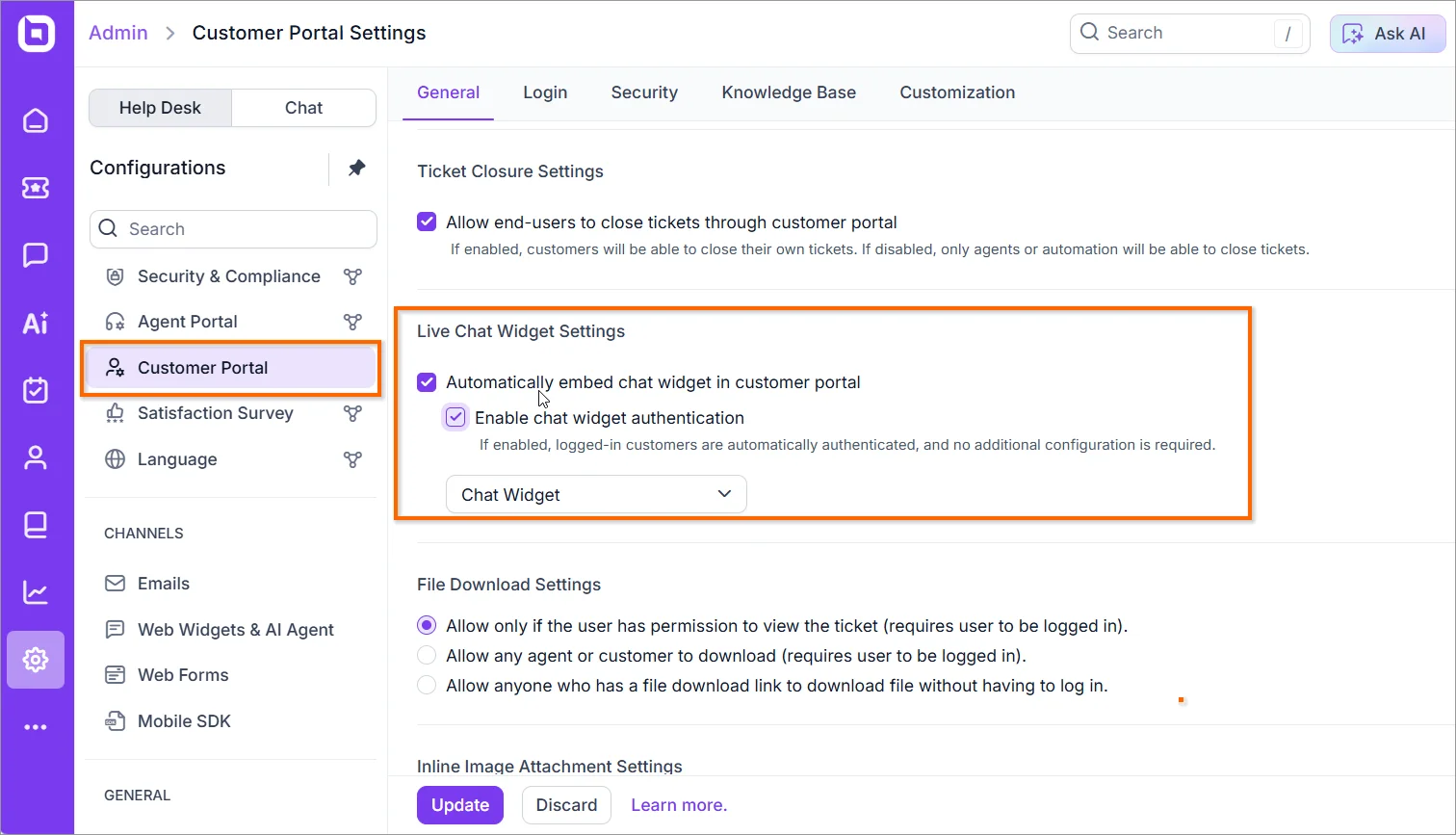
Auto-Embed Live Chat in Customer Portal
Automatically embed a live chat widget in the customer portal. This feature can be configured from the Admin page, making it simple to add live chat support to your portal. Additionally, authenticated conversations can be initiated directly through the embedded widget, ensuring secure and seamless communication.
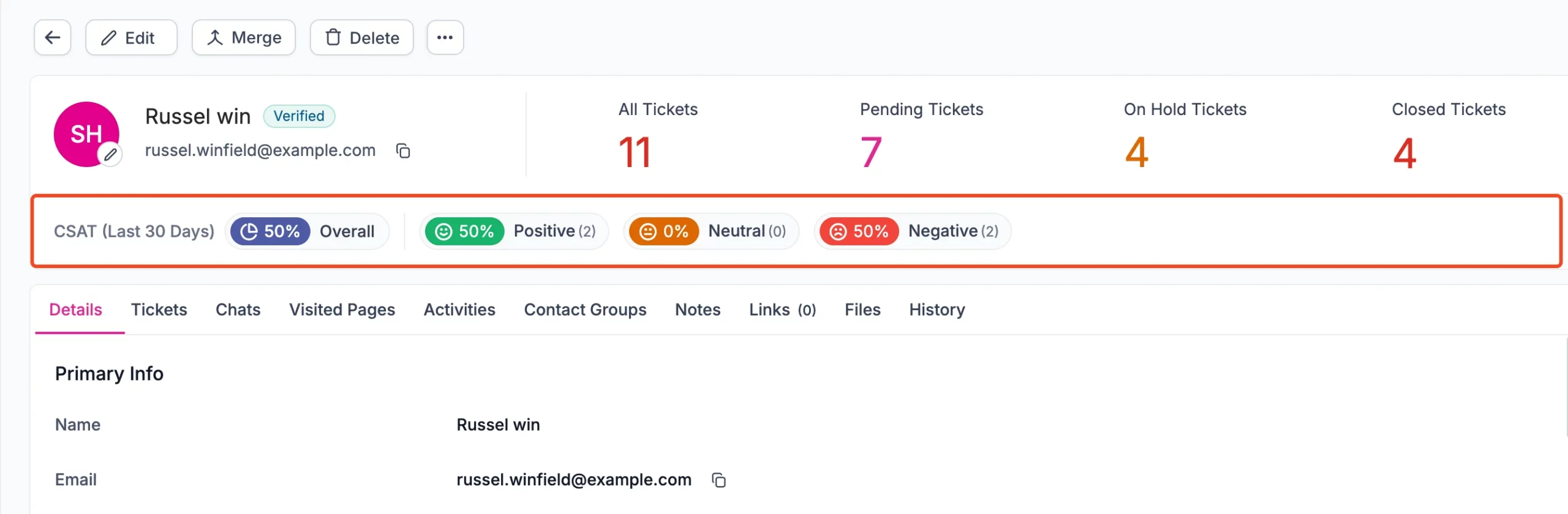
CSAT Score in Contact & Contact Group Pages
- CSAT score integration: The Customer Satisfaction (CSAT) score is now visible directly within Contact and Contact Group detail views.
- This enhancement provides quick insights into customer sentiment, helping teams make informed decisions and improve engagement strategies without leaving the detail view.
- By integrating CSAT scores, you gain better transparency and can prioritize actions based on real customer feedback
KB – Customer Portal
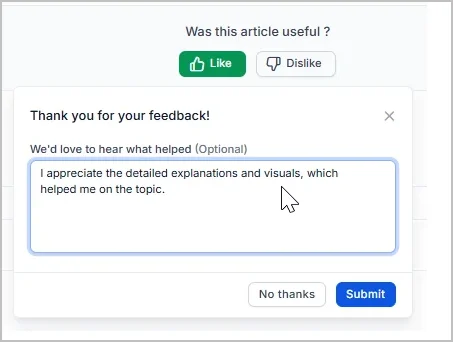
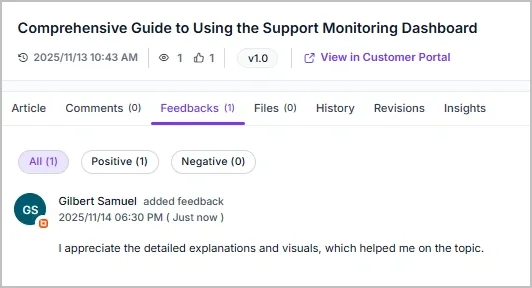
Support for Positive Feedback
Users can now express appreciation for articles by giving them a “Like” and providing constructive feedback to help improve content quality.
Key features:
- Optionally add comments to elaborate on feedback.
- Enhances user engagement and helps gather meaningful insights for improvement.
Full WCAG 2.2 Accessibility Compliance
We’ve implemented all recommended best practices to ensure full compliance with WCAG 2.2 accessibility standards. Key improvements include:
- Addressed accessibility issues using Chrome’s accessibility tools.
- Updated HTML tags to meet accessibility guidelines.
- Verified compatibility with screen readers, including Narrator support.
Dashboard & Reports
Custom Time-Series Grouping for Metrics
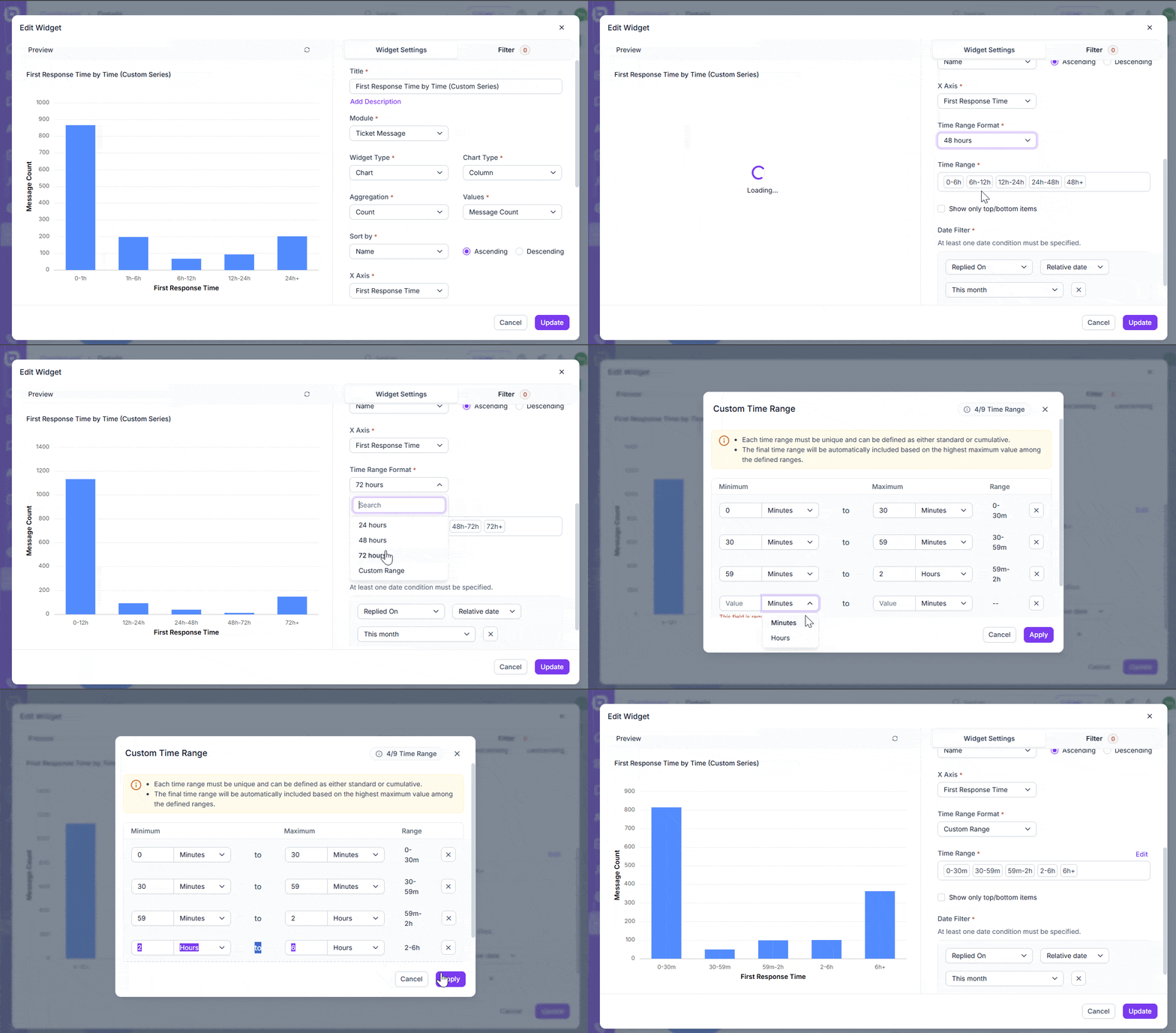
You can now group time-based data in custom dashboards for a clearer view of performance metrics such as First Response Time or Resolution Time.
Key features:
- Define custom time ranges to analyze how many tickets or updates fall within each range (e.g., 0–15 mins, 15–30 mins, 1–2 hrs, 4–8 hrs).
- Create standard series (e.g., 0–15m, 15–30m, 1–2h) or cumulative series (e.g., 0–15m, 0–30m, 0–1h).
- Each time range must be unique and customizable to fit your reporting needs.
- The final range is automatically added based on the highest maximum value you define.
This feature gives you full flexibility to analyze response and resolution trends in a way that best matches your workflow.
Unified SLA Achieved/Breached Widget
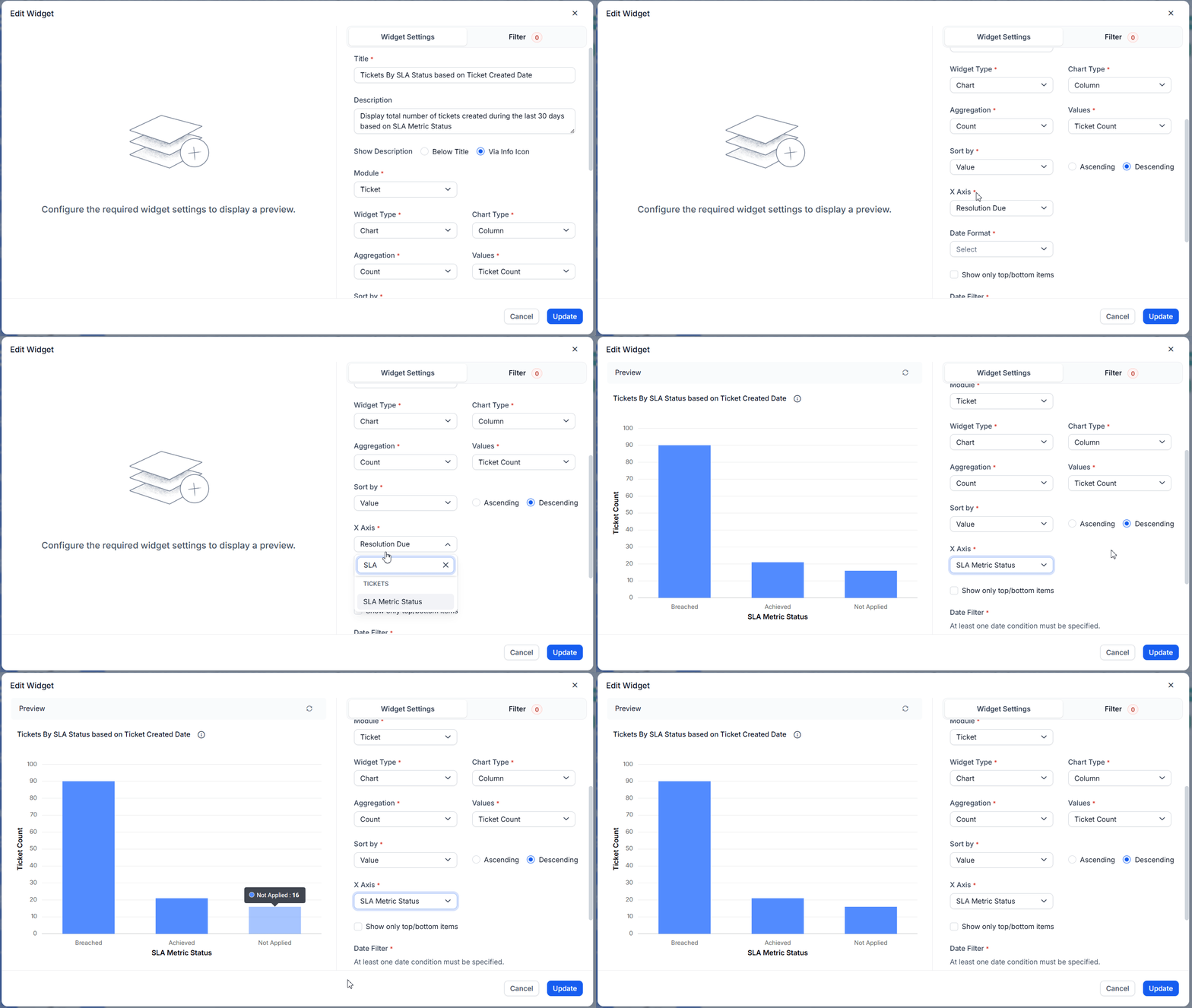
You can now create a single widget to easily track how many tickets have achieved SLA, breached SLA, or had no SLA applied, based on the ticket creation date.
Key features:
- Tickets are grouped by creation date, not SLA applied date.
- Provides a consolidated SLA status for each ticket up to the current time.
- Tickets that breached SLA even once are counted as breached.
- Analyze SLA results by agent, brand, or category for deeper insights.
This update gives you a clearer and more accurate view of SLA performance, helping you identify areas for improvement.
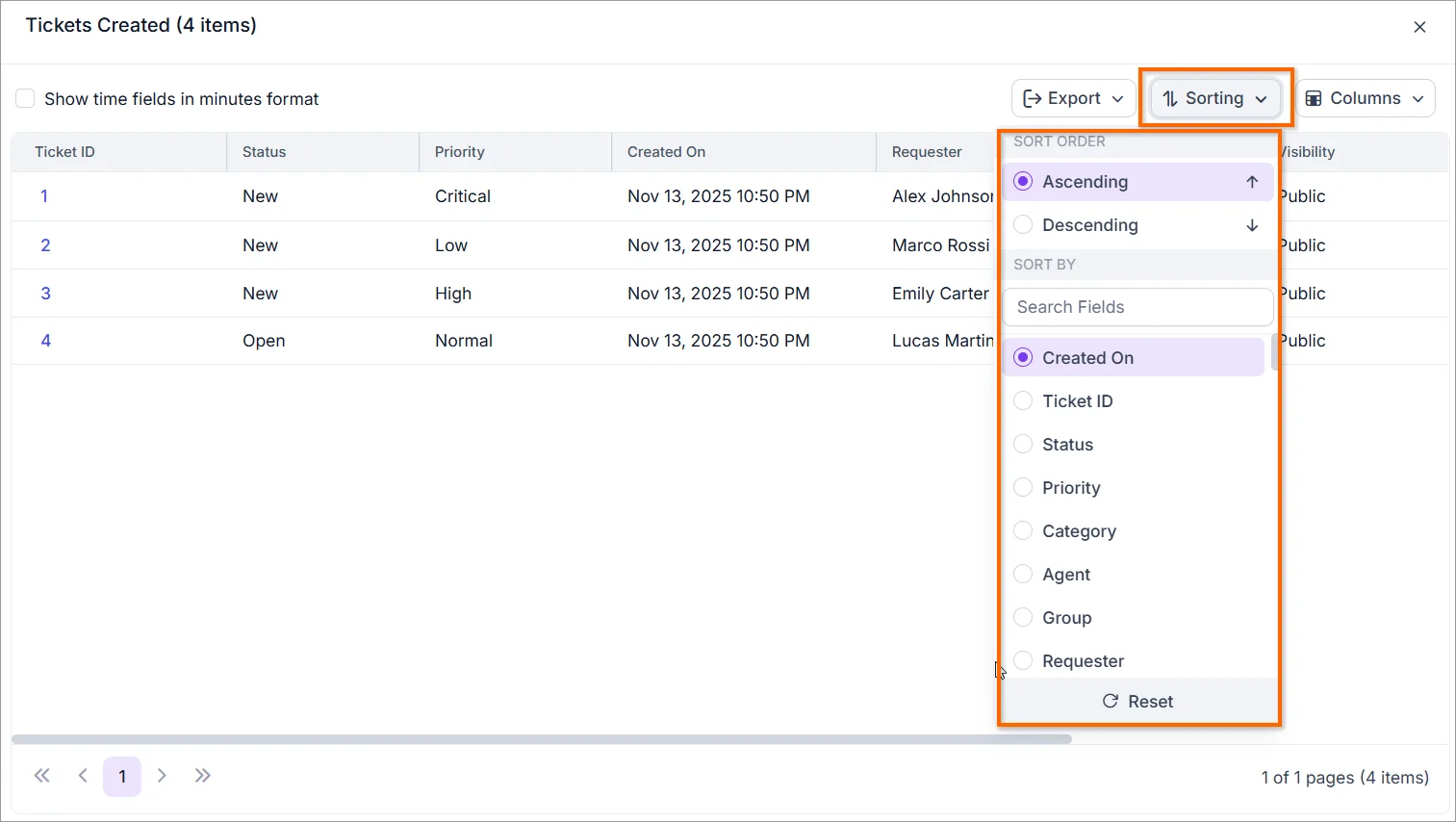
Sorting support for underlying data
You can now sort underlying data in dashboards based on your preferred order, making it easier to organize and analyze information.
Key features:
- Sort by any system or custom field for personalized data views.
- Easily arrange records by key fields such as Created On, Agent, or Requester.
- Improve analysis efficiency by finding the most relevant information faster.
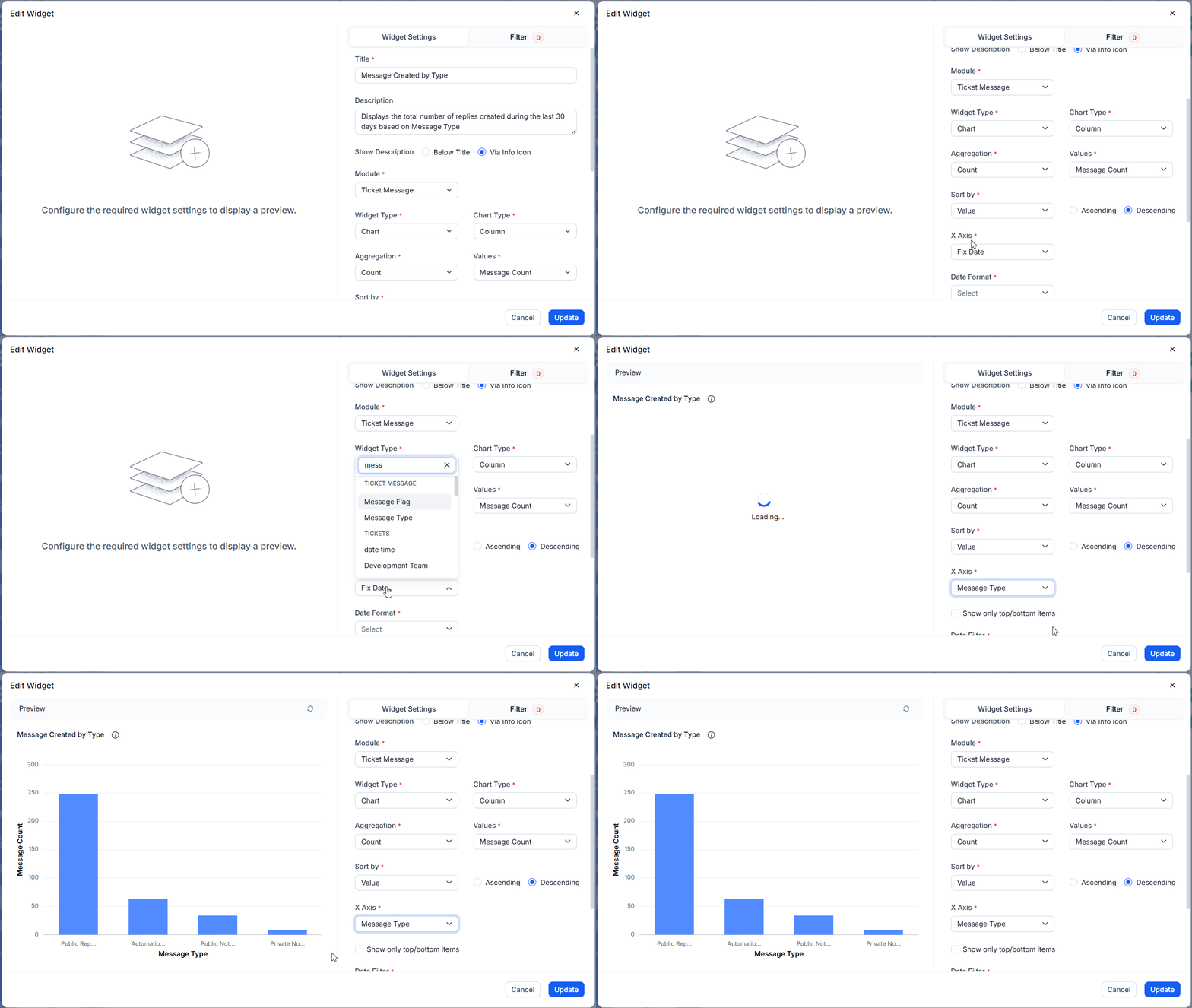
New grouping option: Message Type
You can now group agent replies by the Message Type field in the ticket message module within custom dashboards, giving you deeper visibility into communication patterns and agent activity across your helpdesk.
Key Benefits:
- Analyze how different message types are used, such as Public Replies, Public Notes, Private Notes, and Automation Notes.
- Track how actively each agent communicates with customers through Public Replies.
- Review the volume of Private Notes for collaboration or internal communication.
- Identify agents or teams handling higher message volumes to balance workloads more effectively.
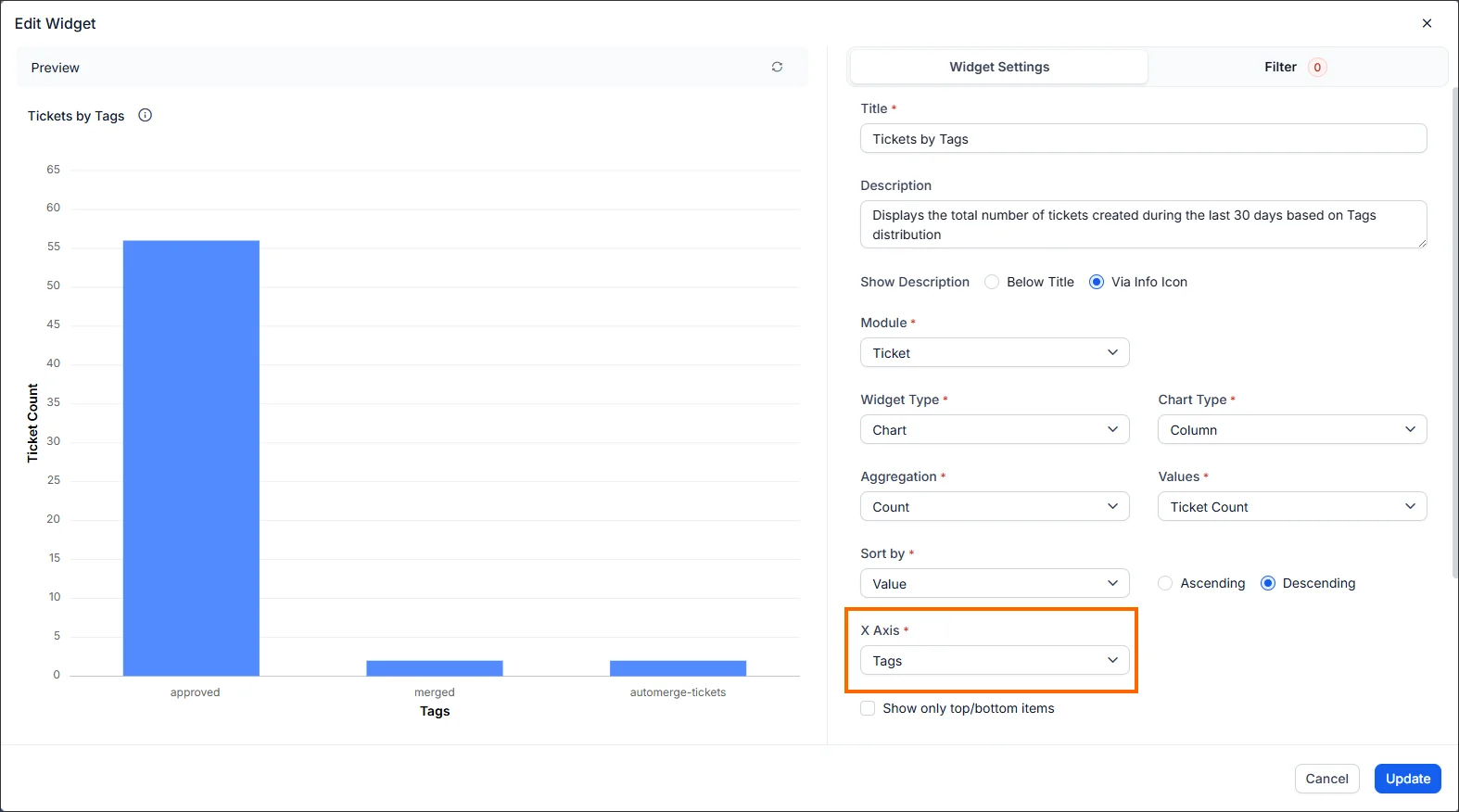
New grouping option: Tags
You can now group tickets by the Tags field in the ticket module within custom dashboards. This enhancement helps you analyze ticket distribution and tag-based trends, making it easier to identify which tags are most frequently associated with your tickets.
Key Details:
- Since tags are multi-select, a ticket with multiple tags (e.g., three tags) will appear once under each tag in the grouping level.
- Ticket counts reflect occurrences per tag, not distinct ticket totals.
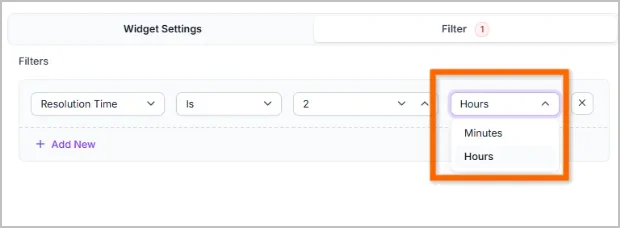
Enhanced Time-Based Filters
Filtering time-based fields in advanced filters is now more flexible and user-friendly. Instead of entering all values in minutes, you can now specify both a number and a time unit (minutes or hours).
For example, to filter “2 hours,” you previously had to enter 120. Now, you can simply enter 2 hours or 2 minutes without manual conversion.
This enhancement makes it easier to:
- Apply filters quickly without manual conversions.
- Set clearer and more readable filter conditions.
- Reduce input errors and save time.
Integration
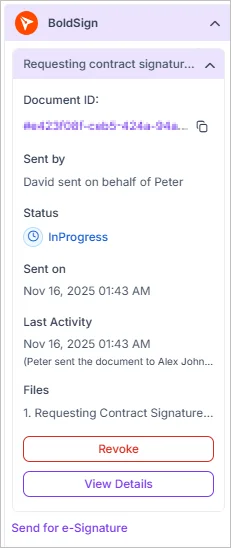
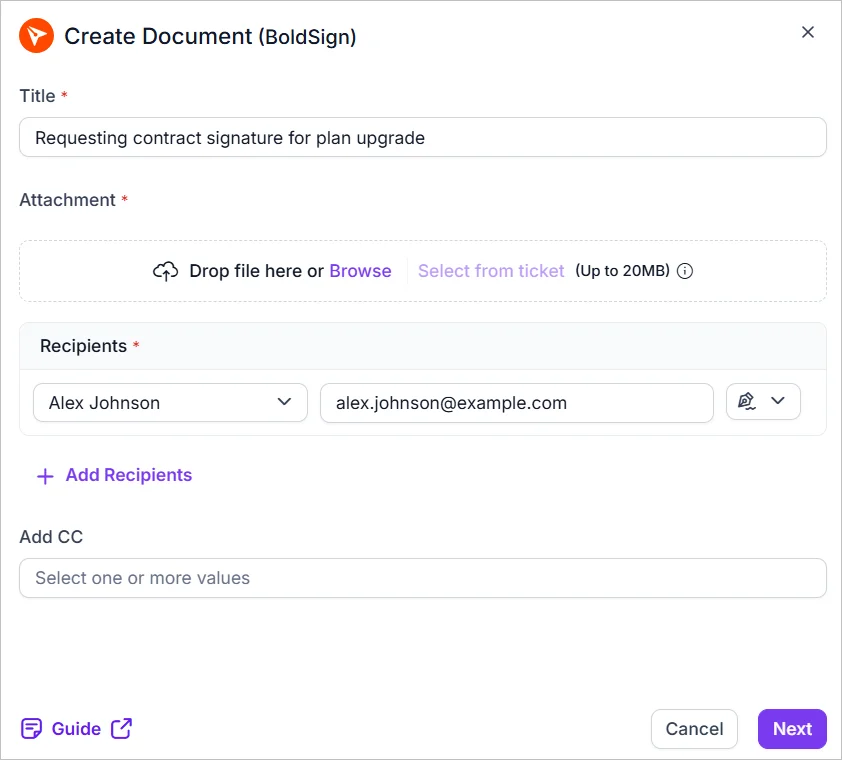
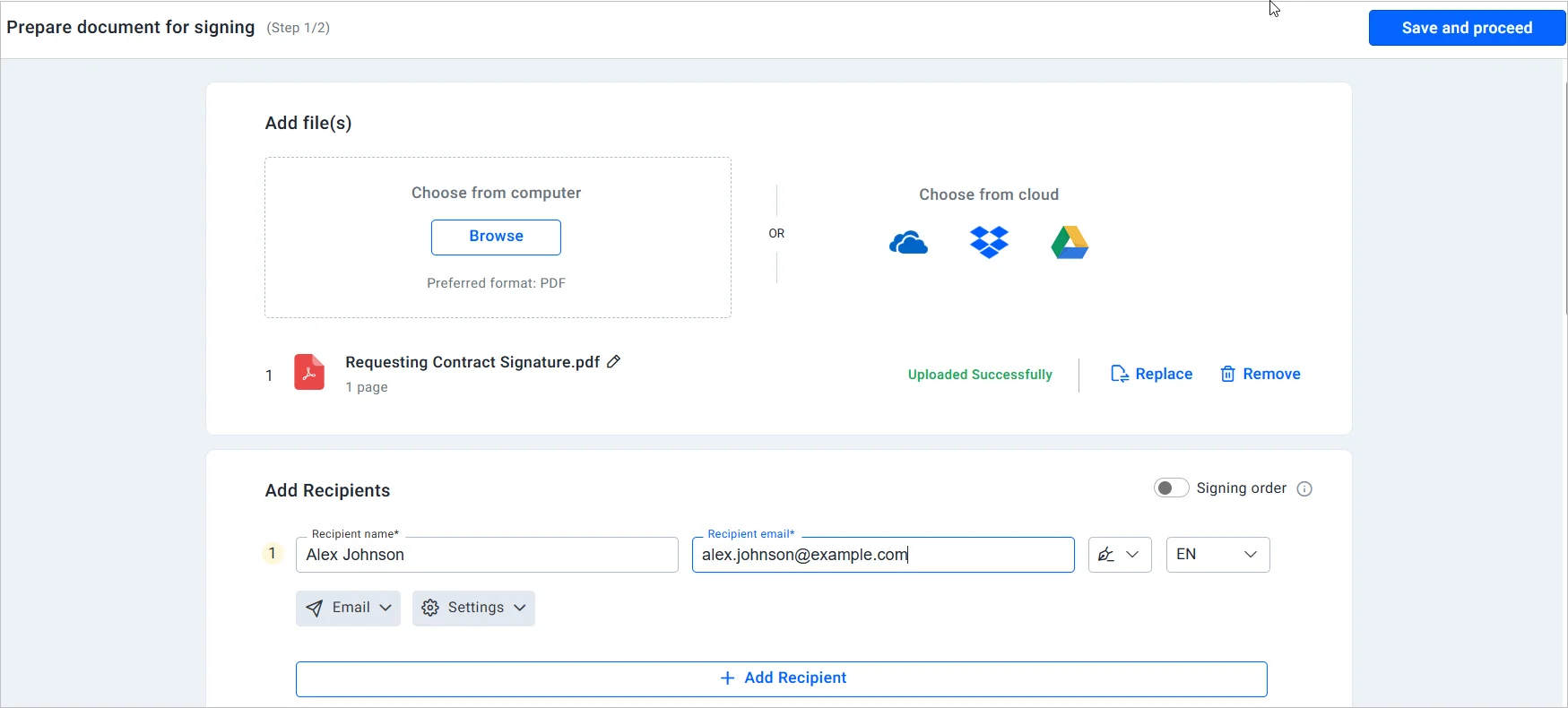
BoldSign Integration
Overview
BoldSign is a secure, cloud-based eSignature platform designed to simplify sending, signing, and managing documents online. It emphasizes compliance, process automation, and easy integration, making it ideal for businesses seeking efficient and legally compliant document workflows.
Key features
- Electronic Signatures: Legally binding eSignatures compliant with U.S. ESIGN and EU eIDAS regulations.
- Smart Signature Sequencing: Set signing order, send documents, and track real-time signing progress.
- Audit Trail Visualization: Access a complete, timestamped log of every action (viewed, signed, declined) for full transparency.
- Embedded Signing: Integrate the signing experience directly within your app or website for a seamless, branded user flow.
- Multi-Recipient Dispatch: Send identical documents to multiple recipients simultaneously for high-volume scenarios.
PagerDuty Improvements
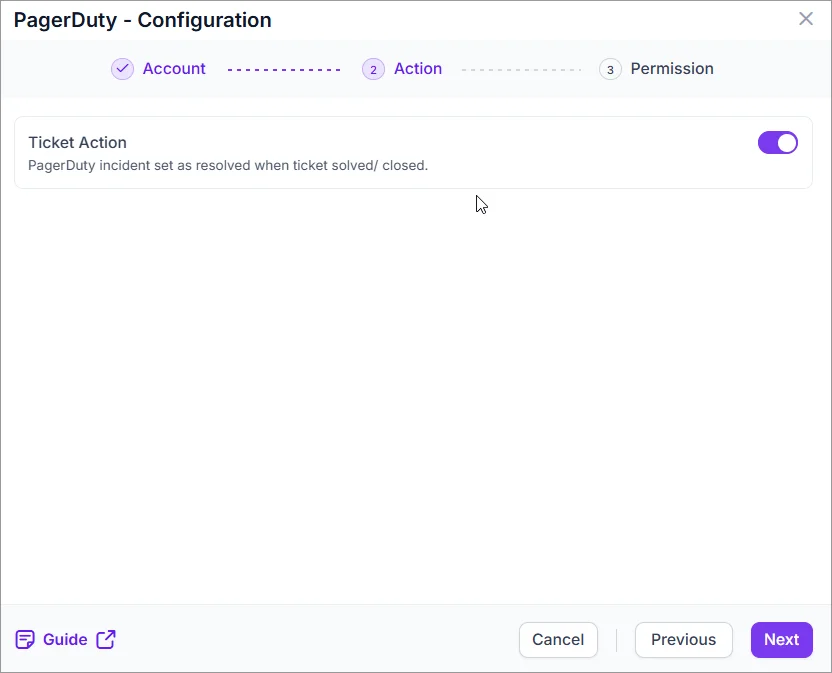
Easily resolve PagerDuty incident when a ticket is solved and closed.
Microsoft Entra ID Improvements
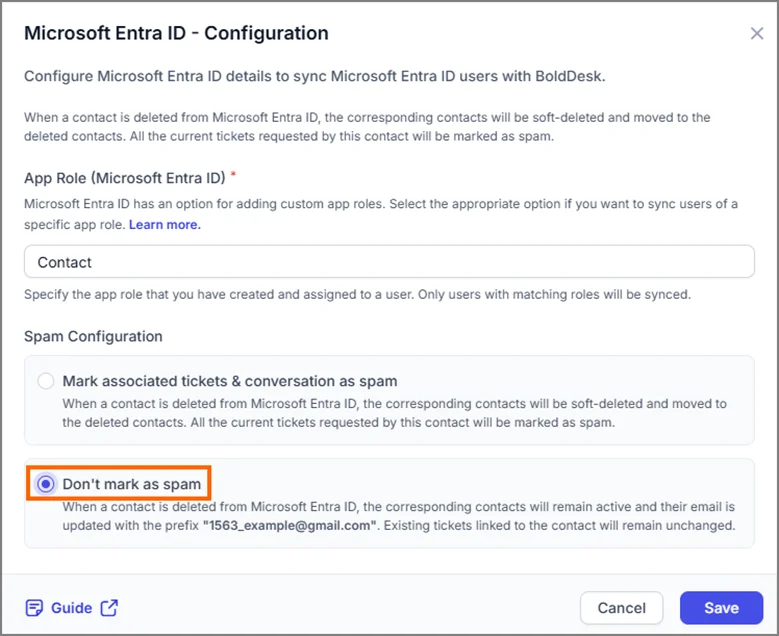
1. Prevent tickets from being marked as spam during contact deletion
You can now choose whether to mark tickets as spam when contacts are removed via Microsoft Entra ID (Azure AD) sync.
- Mark as Spam: Exclude tickets from active views.
- Don’t Mark as Spam: Keep tickets intact and preserve history.
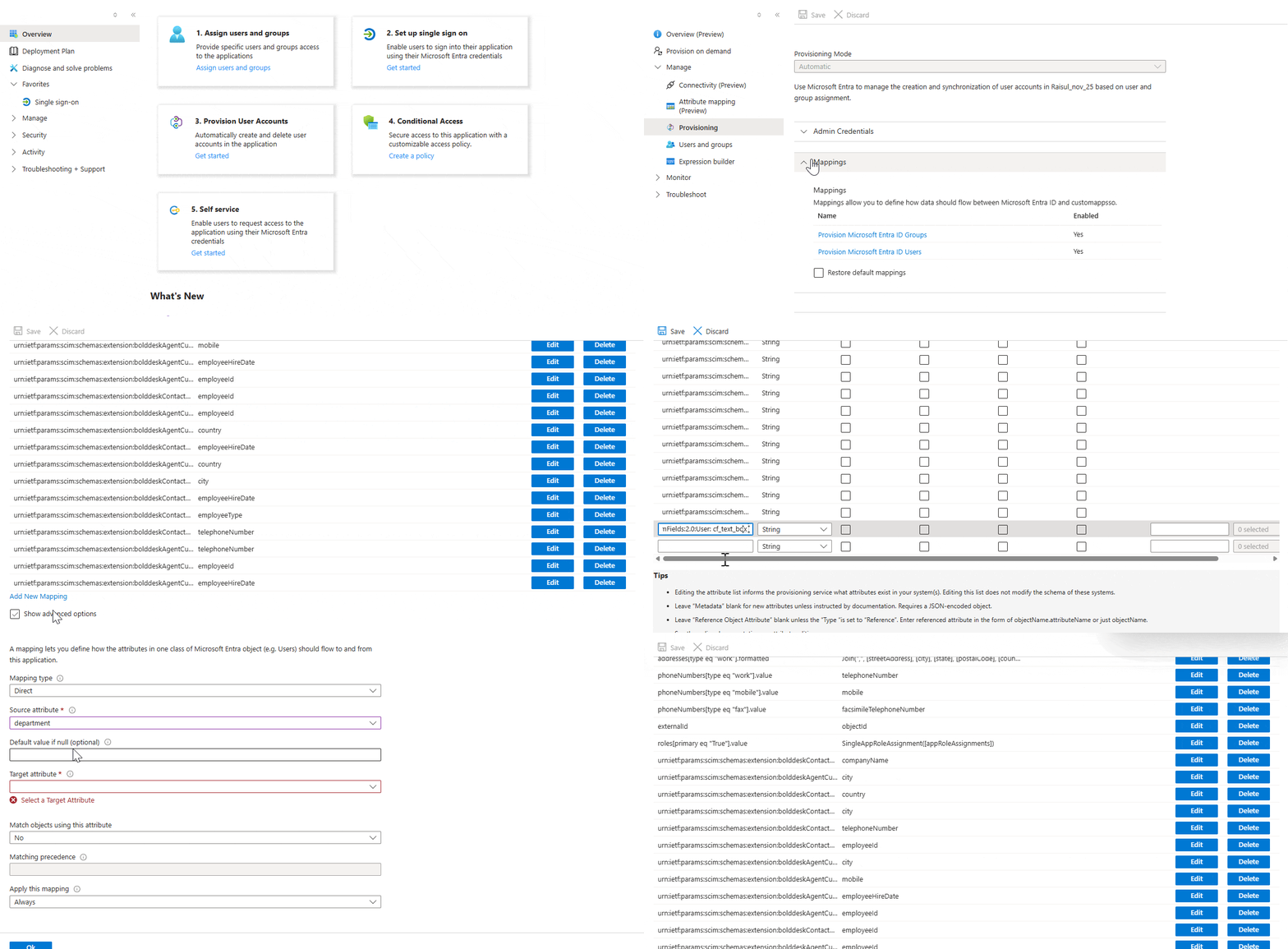
2. Sync agent Custom Fields from Microsoft Entra ID
BoldDesk now supports syncing custom agent attributes from Azure AD for consistent data across systems.
- Configure custom fields.
- Map them via SCIM.
- Sync automatically during agent creation or updates.
Calendly Integration
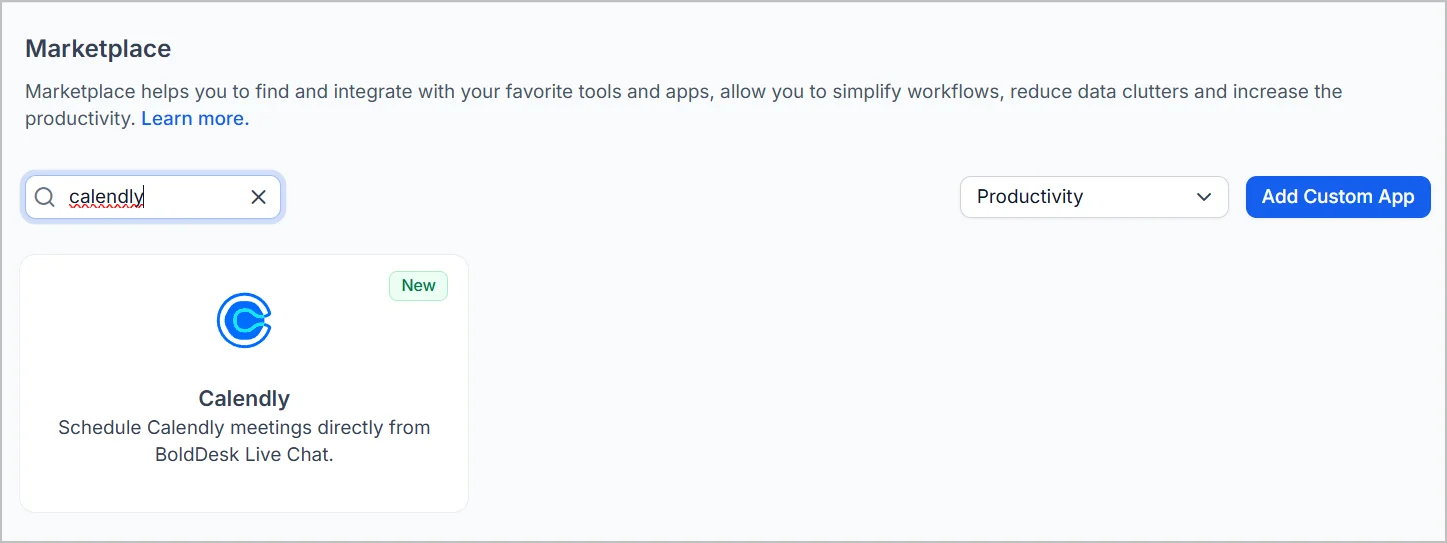
Schedule Calendly meetings from BoldDesk live chat
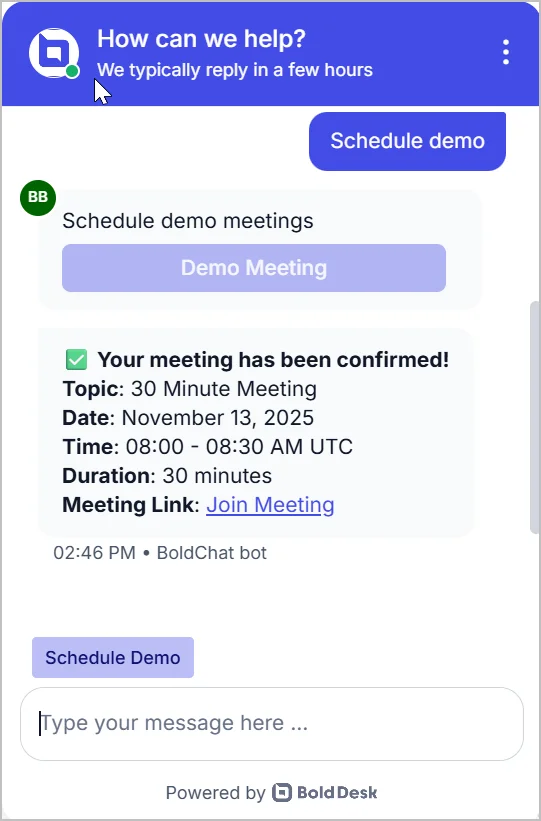
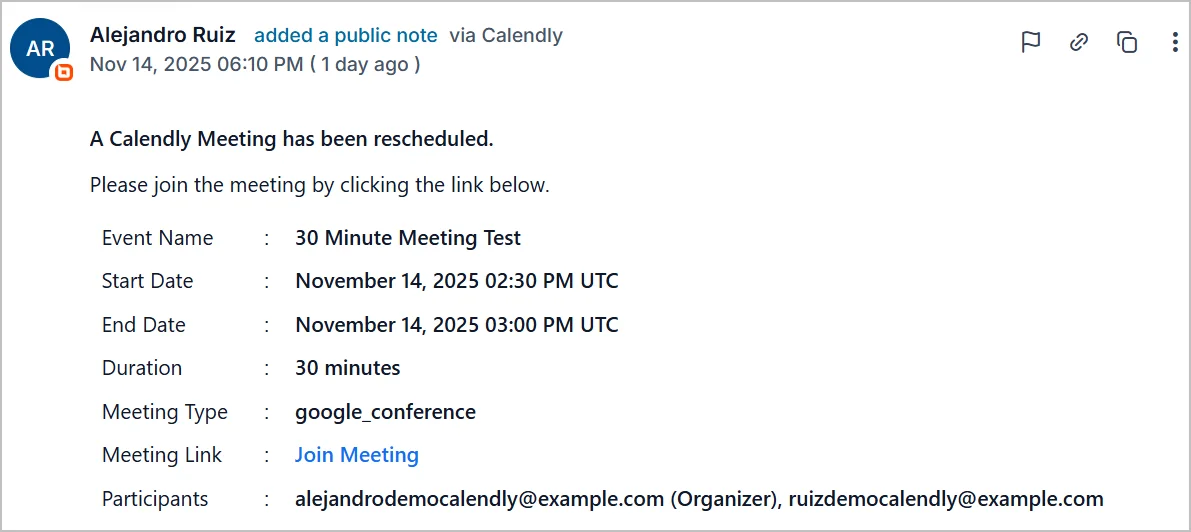
You can now integrate Calendly with BoldDesk to let customers book meetings during live chat conversations using automated workflows. This feature streamlines scheduling, reduces manual work, and keeps all meeting details organized within tickets.
Key Features:
- Book Meetings in Chat: Customers can select a time slot and schedule a Calendly meeting without leaving the chat window.
- Auto ticket creation: Each scheduled meeting creates a ticket with full details and a meeting link.
- Reschedule updates: Changes in Calendly are logged as public notes in the ticket.
- Auto ticket closure: Cancelled meetings automatically close the ticket with a cancellation note.
- Complete history: All scheduling, rescheduling, and cancellations are tracked in one place
Mobile App
BoldDesk Mobile Support SDK for Android, iOS, Flutter, React Native
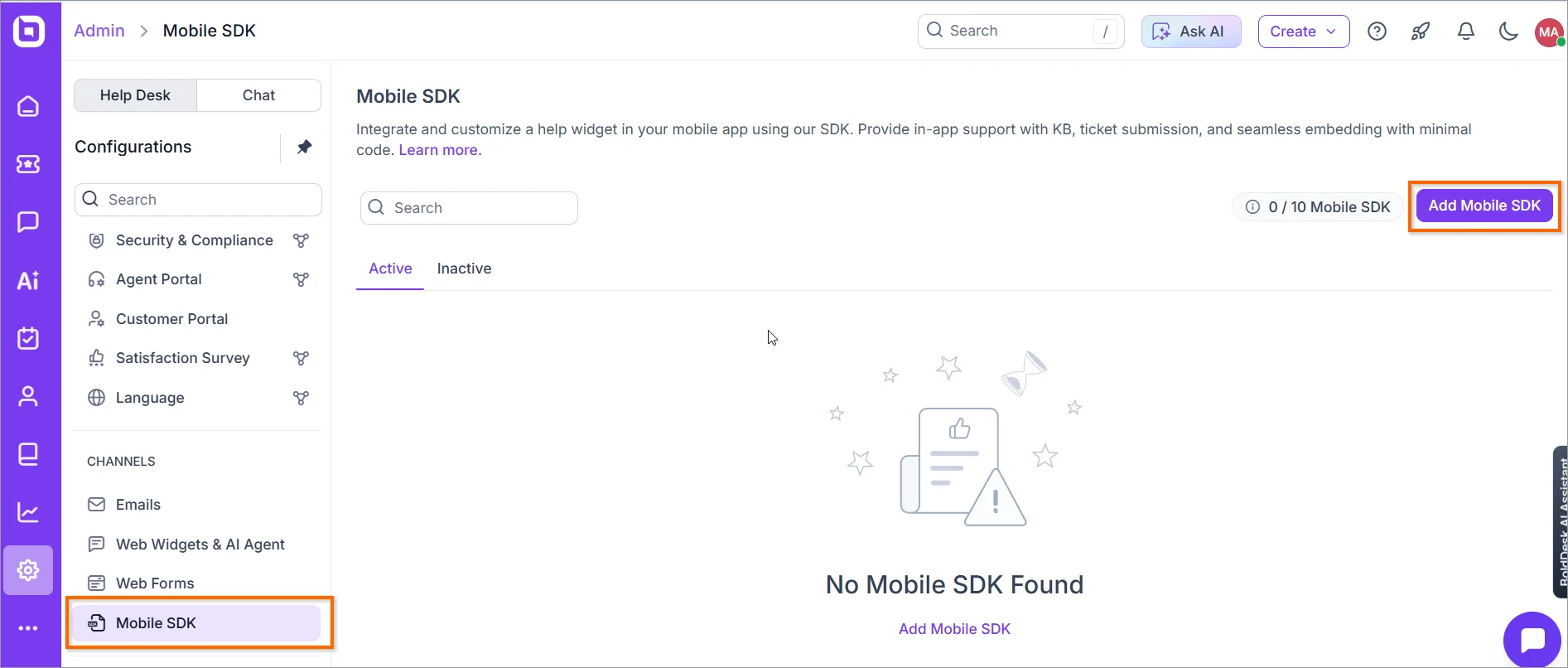
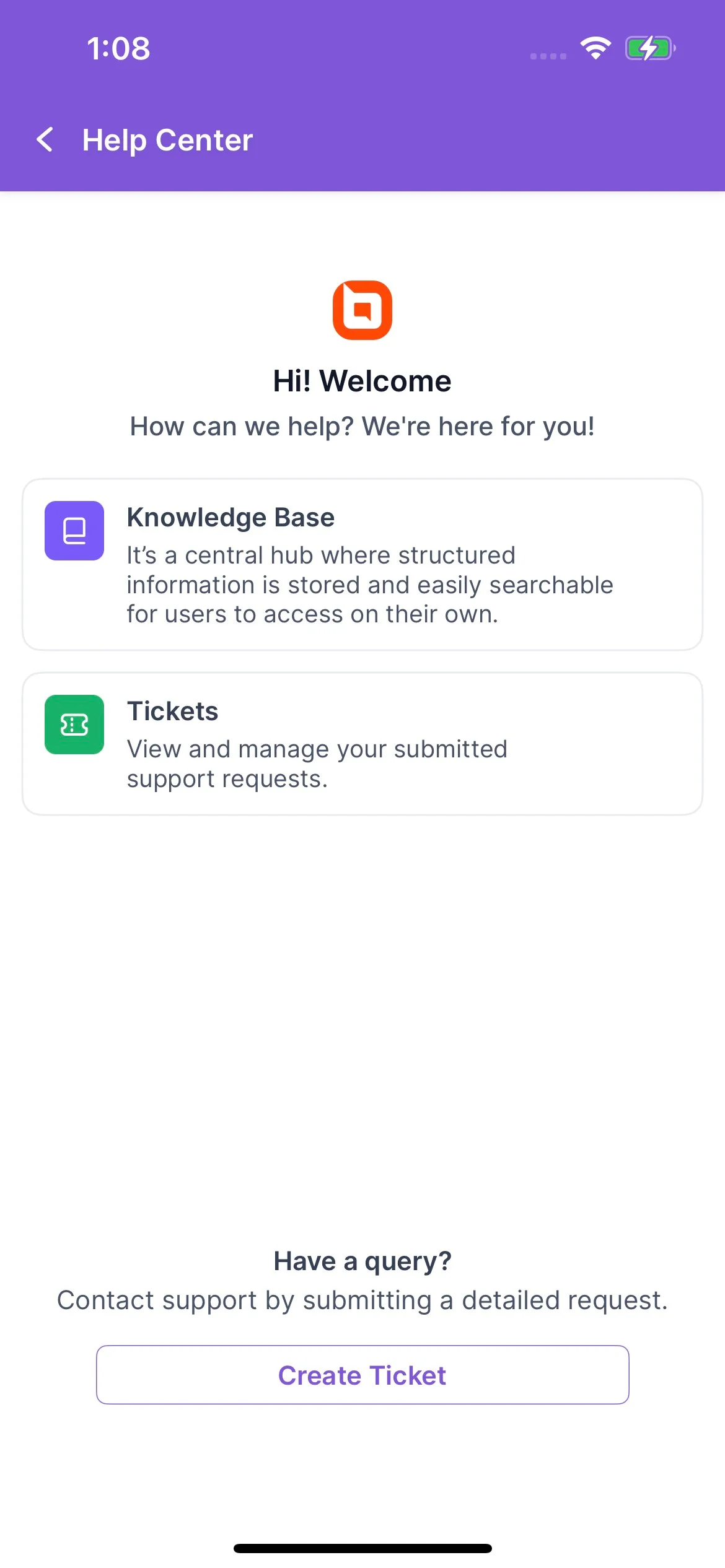
We’re excited to announce the release of the BoldDesk Mobile Support SDK, enabling seamless integration of Knowledge Base (KB) and Ticketing modules into your mobile applications.
You can now embed BoldDesk support features directly into Android, iOS, Flutter, and React Native apps with customizable themes, JWT-based authentication, and push notifications.
Key features:
- Knowledge Base (KB) Module: Browse articles directly within the app.
- Ticket Module: Create and track support tickets effortlessly.
- Authentication: Secure login using backend-generated JWT tokens.
- Custom theming: Light, Dark, and System theme support with custom branding.
- Font customization: Add custom fonts from your main app.
- Push notifications: Get real-time ticket updates.
Live Chat Widget
Pre-Chat Form
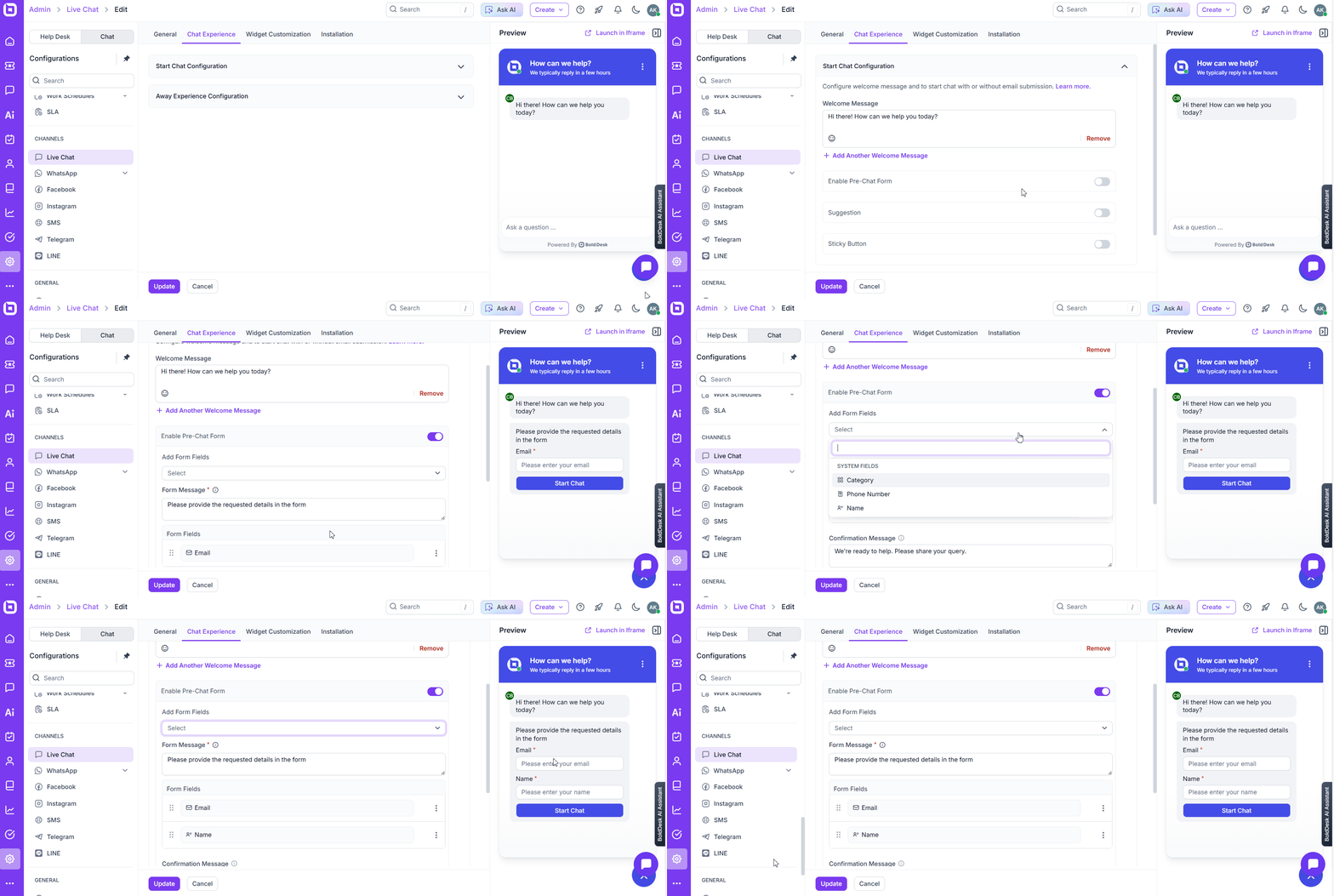
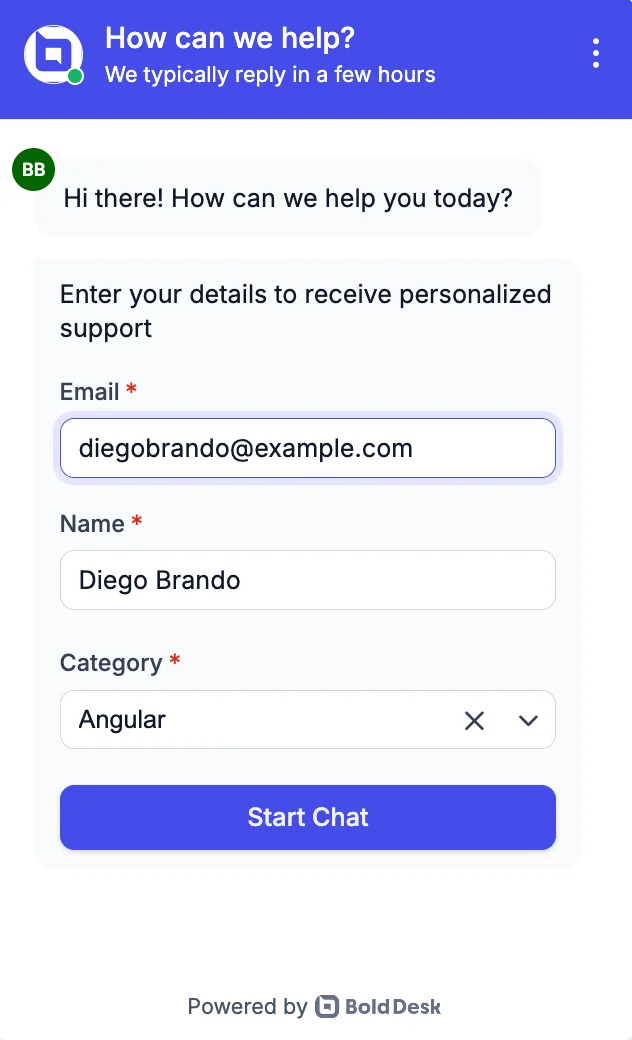
BoldDesk now offers a customizable pre-chat form for collecting customer details before a conversation begins.
By capturing essential information upfront, agents gain valuable context, enabling them to streamline interactions and deliver more personalized support.
Sticky Buttons
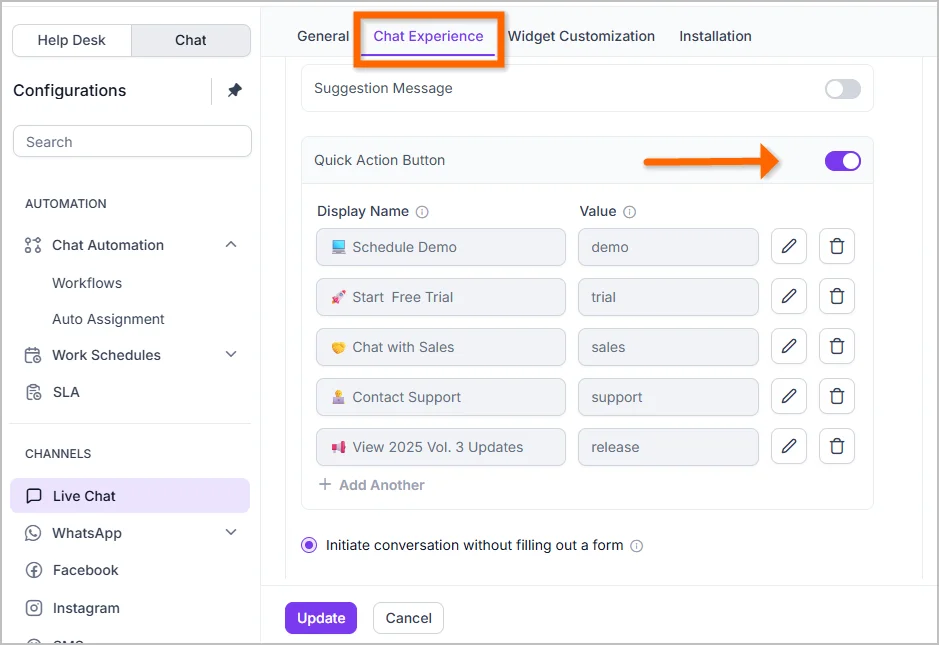
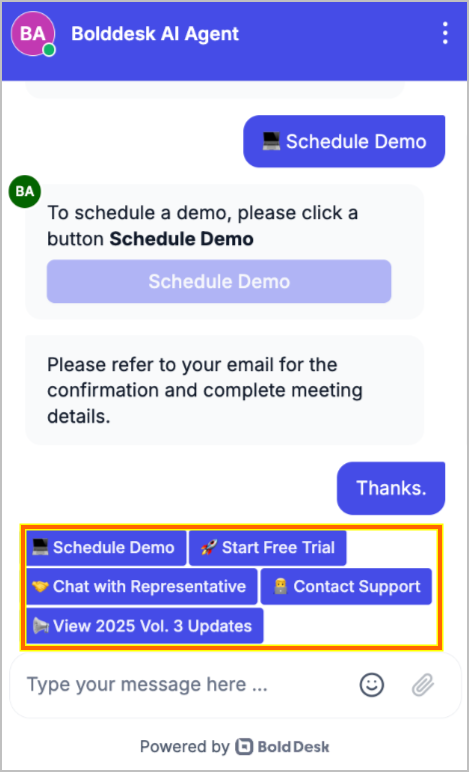
BoldDesk now offers Sticky Buttons that remain visible in the chat window for quick access.
These buttons can be configured by administrators to display custom names and values, triggering actions through workflows and enhancing customer engagement.
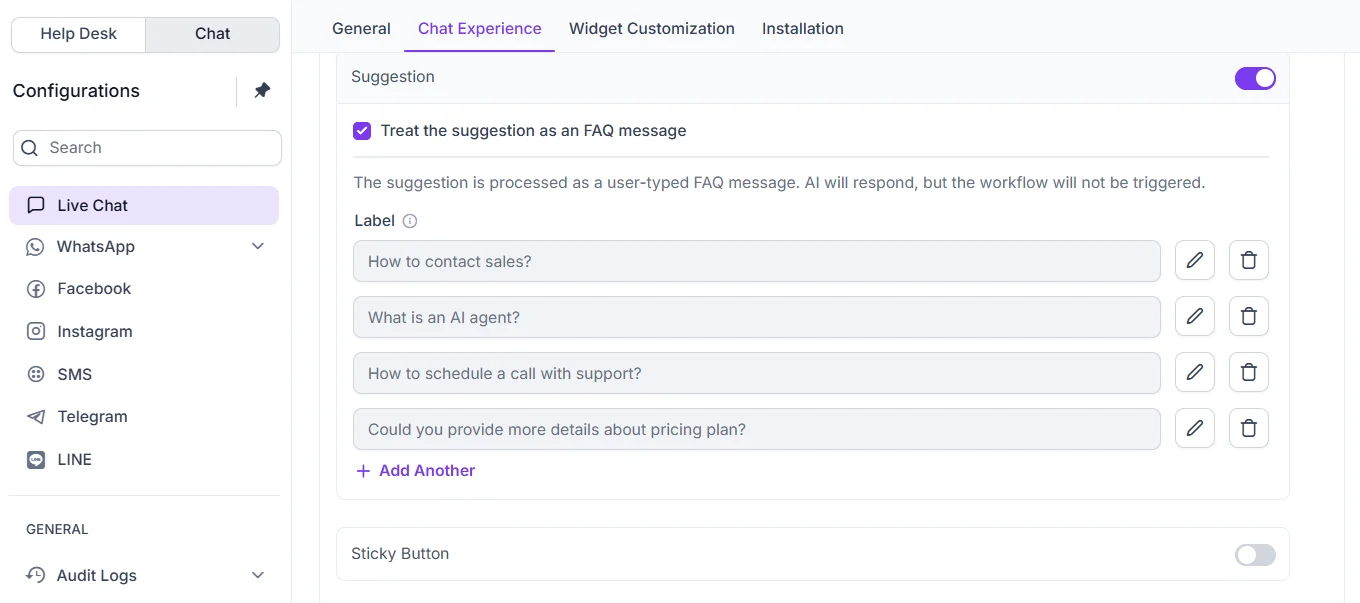
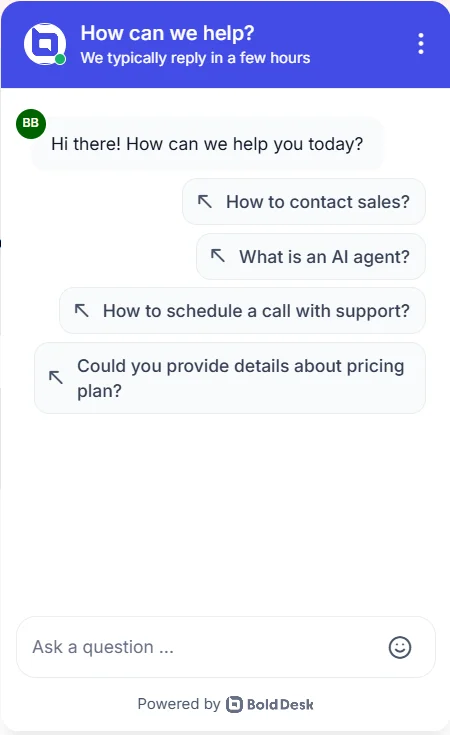
FAQ Message
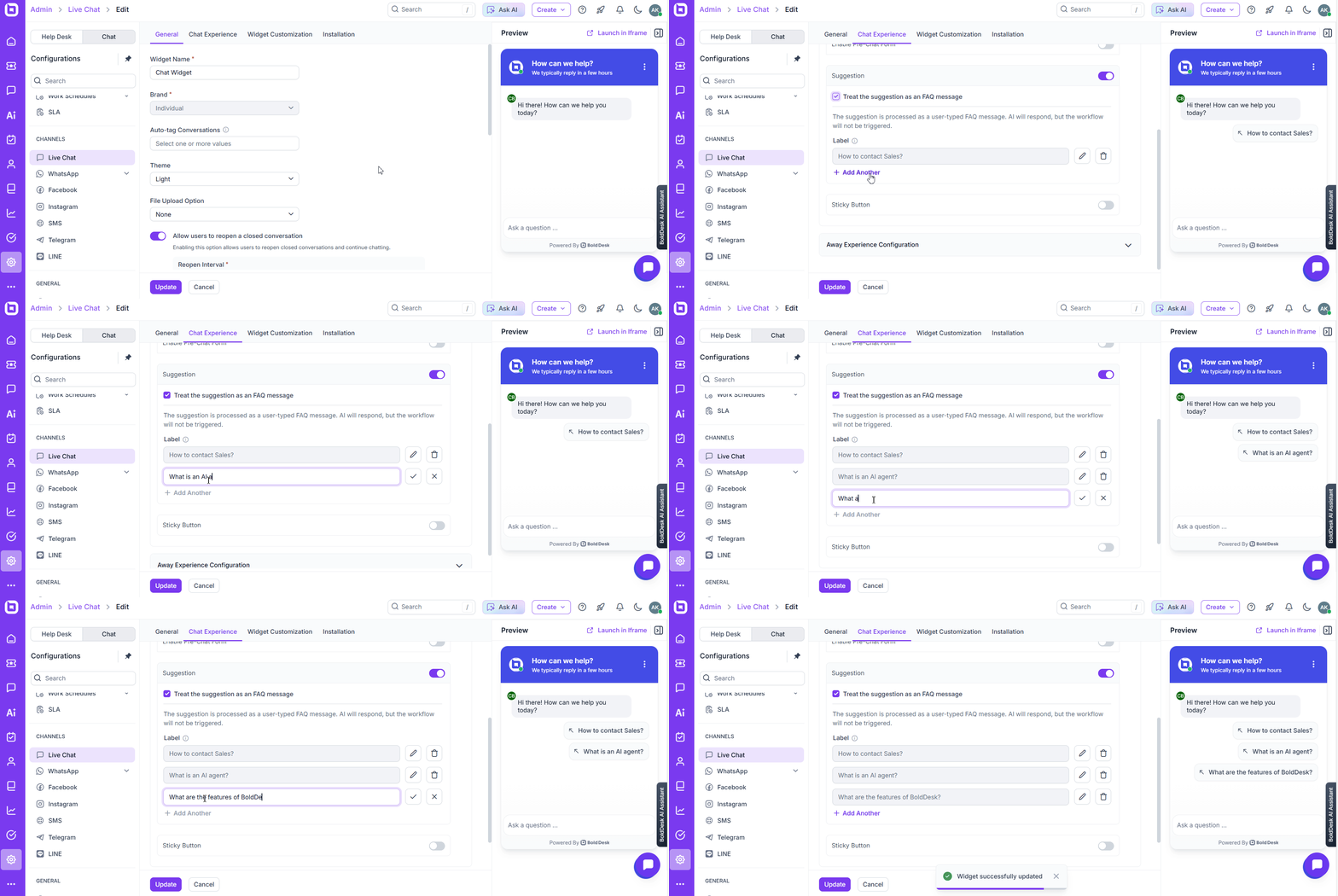
BoldDesk now supports predefined FAQ prompts that appear at the start of a conversation.
This feature helps customers quickly access answers to common questions and initiate chats with AI or human agents for faster resolution.
General Improvements
We’ve introduced several enhancements to deliver a smoother and more intuitive live chat experience.
Key Improvements:
1. UI enhancements: Refined the chat widget interface for better usability and a more intuitive experience.
2. Allowed file types: Configure which file types customers can upload.
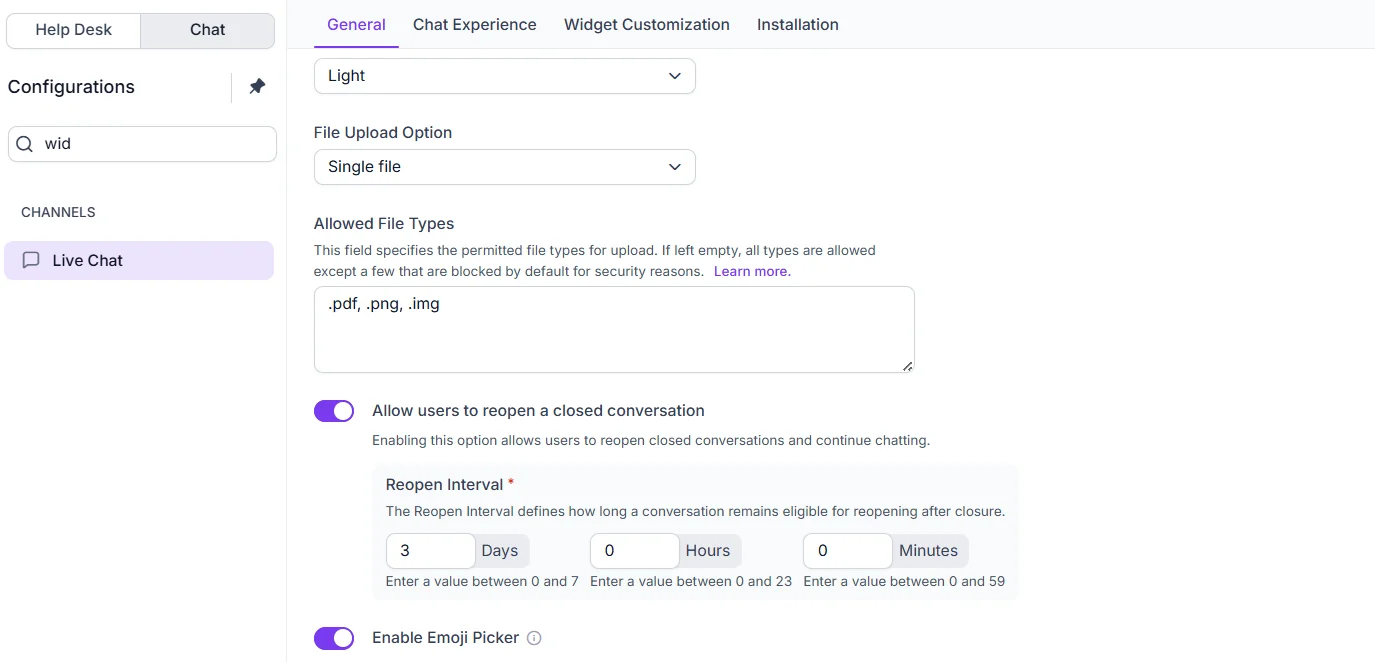
3. Optional emoji picker: Enable or disable the emoji picker as needed.
4. Reopen interval: Set a configurable time window for reopening closed conversations.
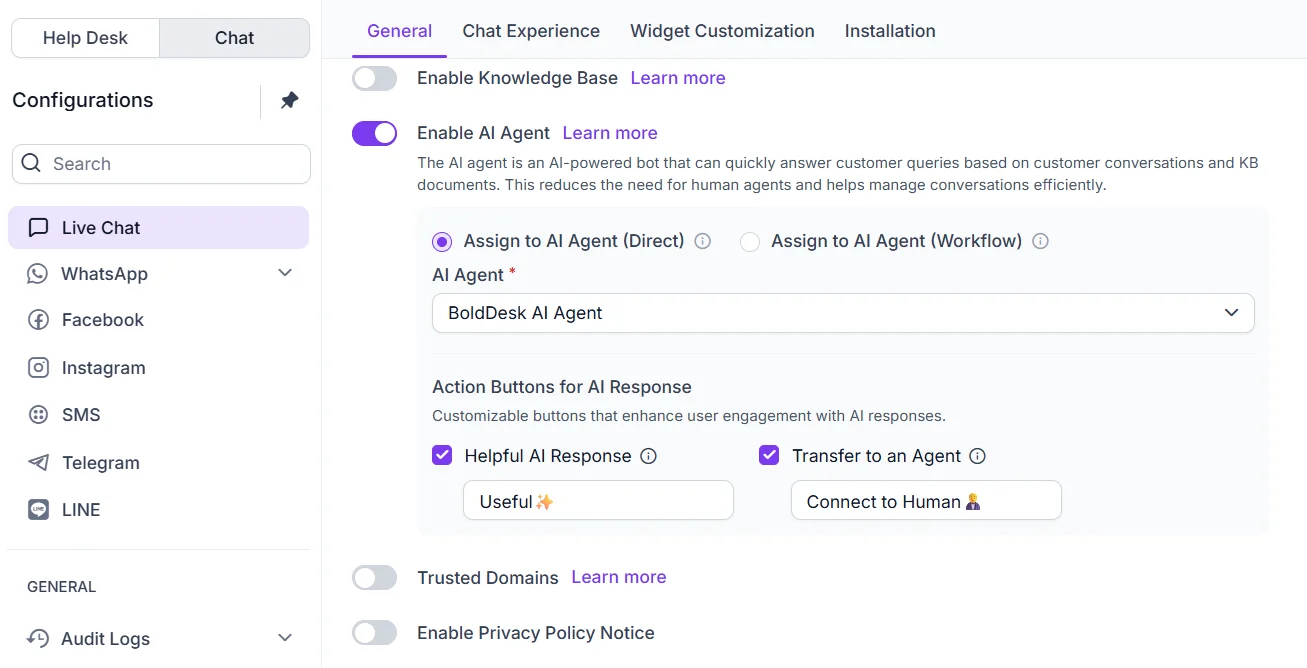
5. Customizable AI Action buttons: Personalize AI action buttons, including options to transfer a conversation to a human agent or mark an AI-generated message as helpful. Administrators can edit button text and enable or disable each option individually.
Omnichannel
WhatsApp via Twilio
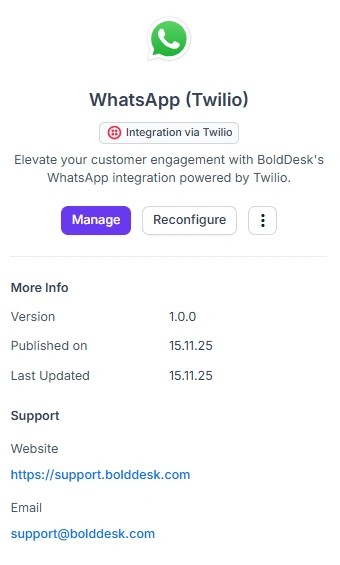
BoldDesk now seamlessly integrates with WhatsApp via Twilio, enabling teams to manage all customer conversations in one place for faster, consistent, and personalized support.
Key features:
- Quick onboarding: Activate WhatsApp via Twilio using your Account SID and Auth Token, no complex setup required.
- Support for multiple numbers: Associate multiple WhatsApp numbers with a single account SID, allowing each number to represent a distinct brand.
- Rich messaging: Exchange images, videos, files, and templates for clearer, more engaging conversations.
Twilio SMS with MMS
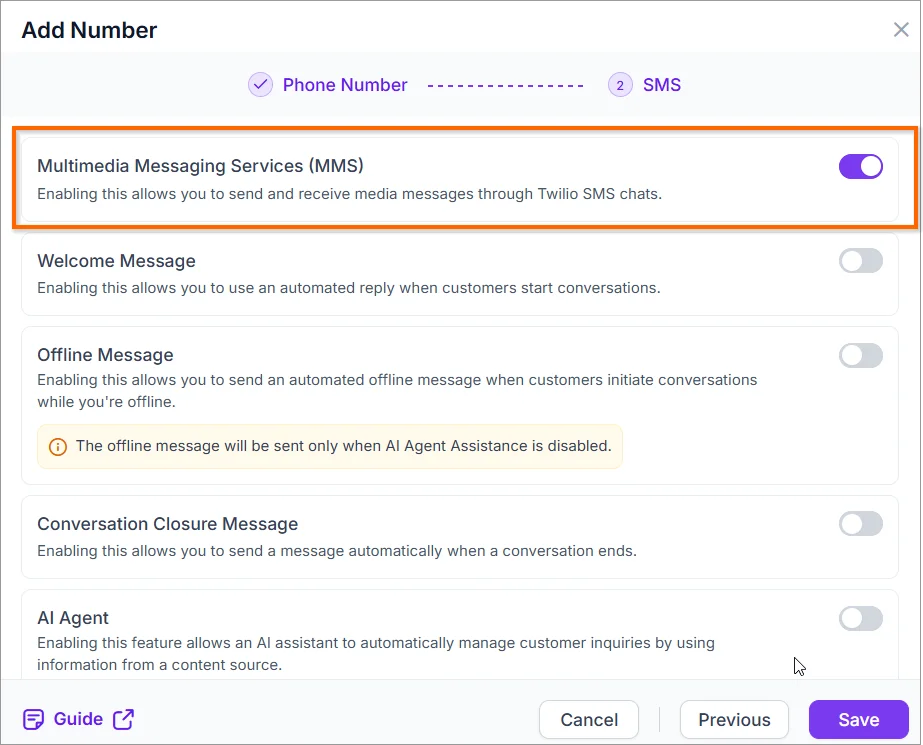
BoldDesk now supports MMS in chats established through the SMS (Twilio) channel.
By enabling the MMS toggle in the SMS (Twilio) channel configuration, agents can send and receive multimedia messages, including images and other rich content, for more engaging and effective communication.
WhatsApp Interactive Messages via Gupshup
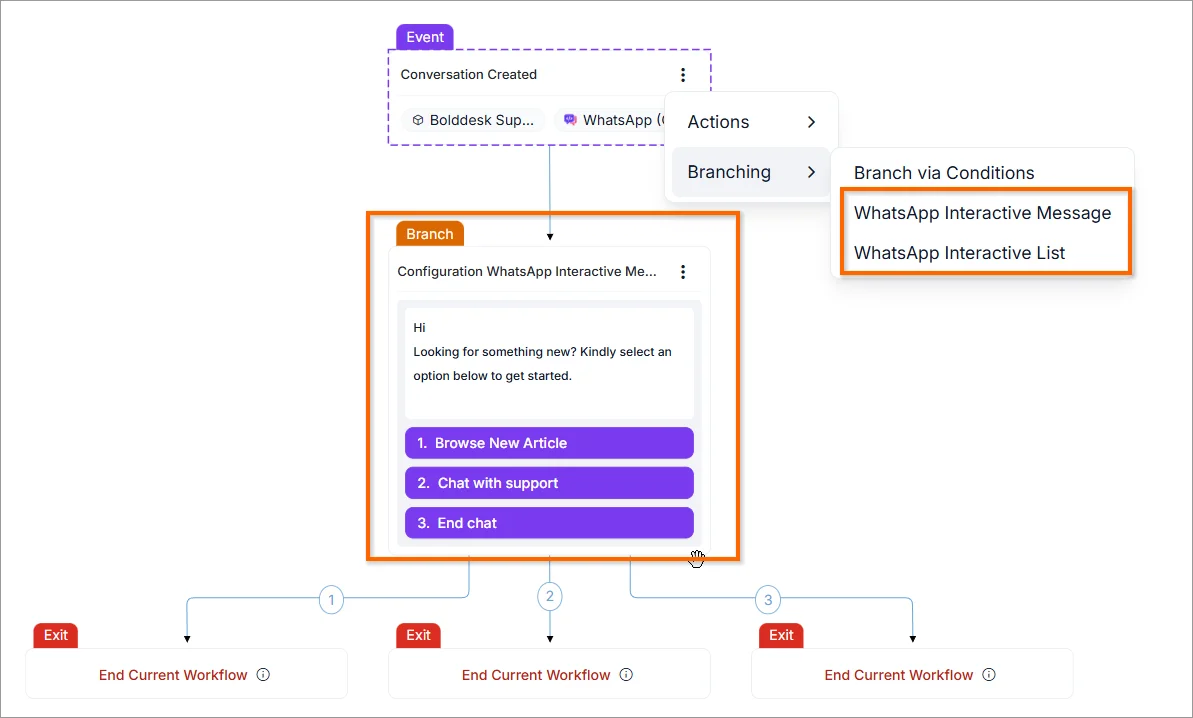
BoldDesk now supports the use of Interactive Message Templates on WhatsApp through Gupshup, enabling agents to engage with clients more efficiently and proactively using automated workflows.
Key features:
- Send rich interactive messages, including buttons, quick replies, and call-to-action components, directly to clients via WhatsApp (Gupshup).
- Enhance customer engagement with structured, actionable message formats.
- Streamline communication by integrating interactive templates into automated workflows.
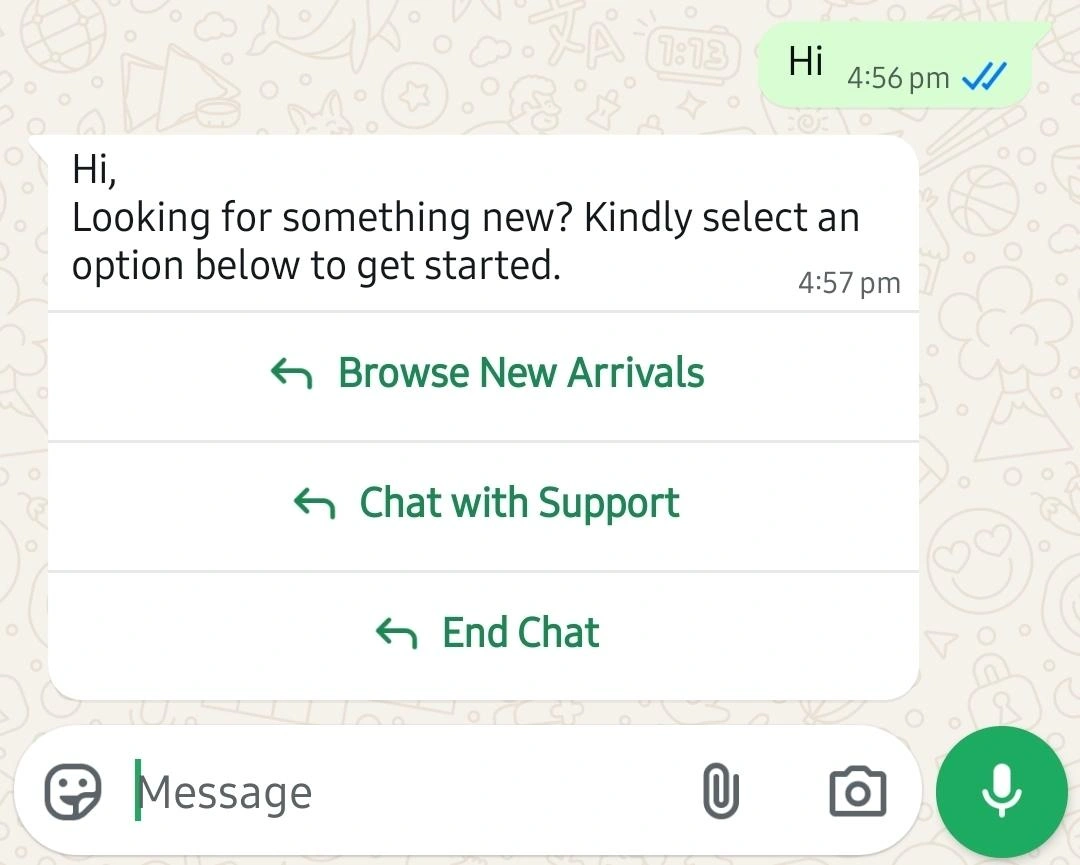
WhatsApp CTA via Meta Cloud API & Gupshup
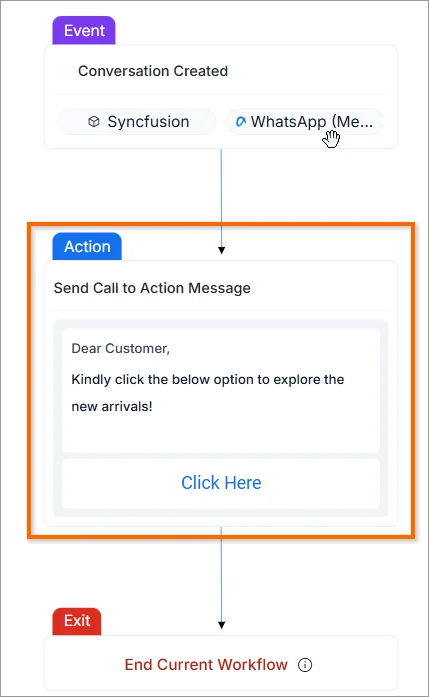
BoldDesk now supports sending WhatsApp Call-to-Action (CTA) messages through Meta Cloud API and Gupshup through workflows.
This feature addresses the challenge of users hesitating to click on long or unclear URLs by allowing you to include an interactive CTA button. The button seamlessly directs users to the intended URL without exposing the full link in the message, creating a cleaner and more user-friendly experience.
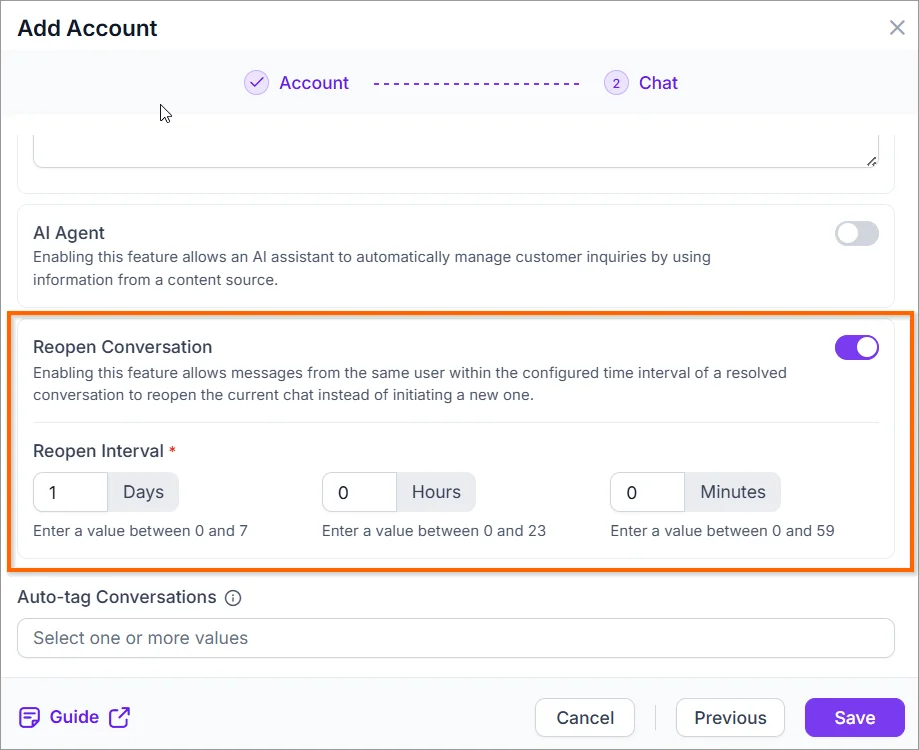
Conversation Reopen Across All Channels
BoldDesk now supports reopening previously closed conversations within a specified time interval across all omnichannel platforms.
By enabling Reopen Conversation and defining a time interval in your account settings for each channel, any closed conversation with a user will automatically reopen if accessed within the configured timeframe.
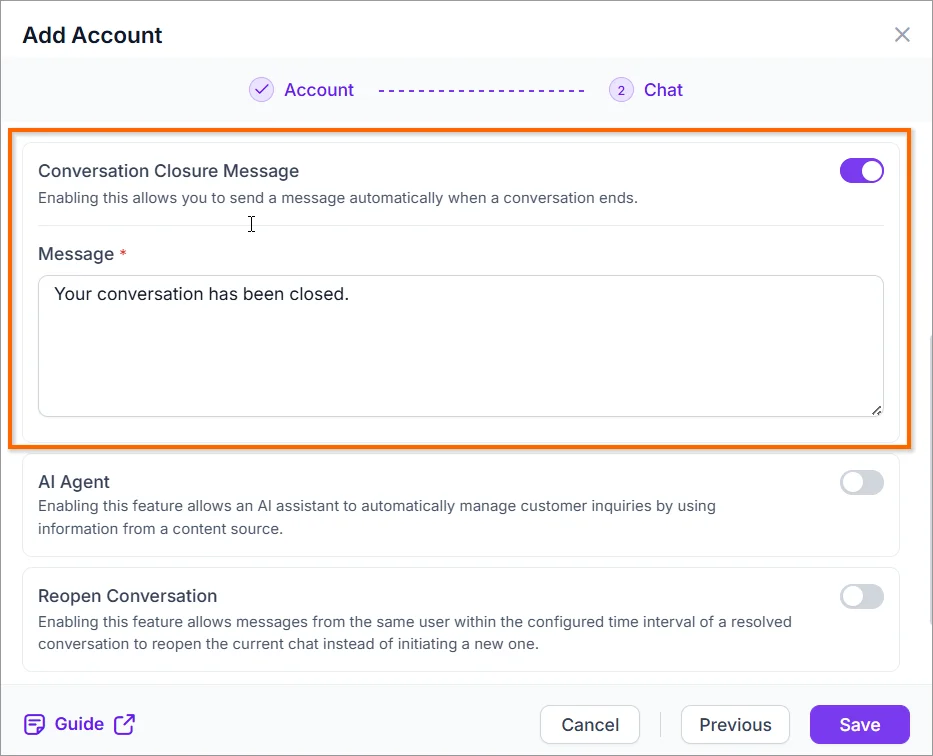
Automated Chat Closure Message
BoldDesk now enables businesses to automatically send a Conversation Closure Message when a chat session ends.
Once this feature is enabled and a closure message is configured in the channel’s account settings, end users will receive a clear notification confirming that the conversation has been closed.
Chat Agent Portal
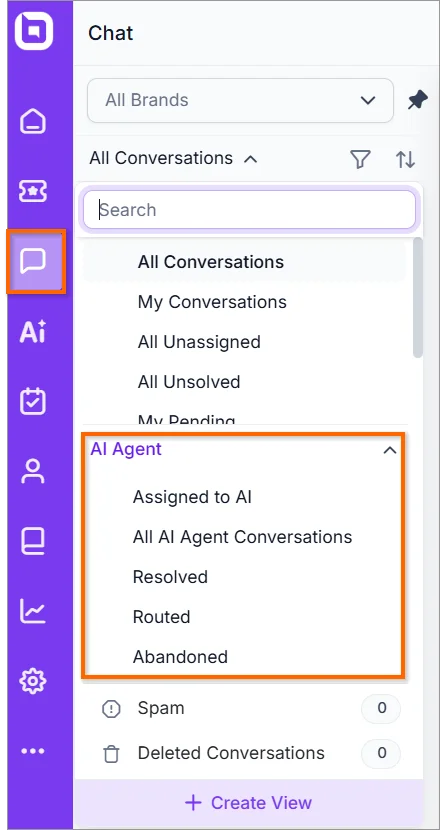
AI powered views and filters
BoldDesk now introduces AI-based System Views, Custom Views, and Advanced Filters to automate workflows and improve case routing accuracy. These enhancements reduce manual effort, accelerate case handling, and allow agents to focus on high-value tasks.
Key highlights
- AI-based system views – Automatically classify and route cases to the right team using machine learning. Prioritize urgent or high-impact cases so critical issues are resolved faster.
- Custom views – Create and save personalized dashboards showing only the cases you need. Quickly switch between role-based or task-focused layouts for faster triage.
- Advanced filters – Combine multiple conditions (tags, SLA, priority, custom fields, AI-related fields) to find precise case sets. Save and reuse filter presets to speed up recurring searches and reporting.
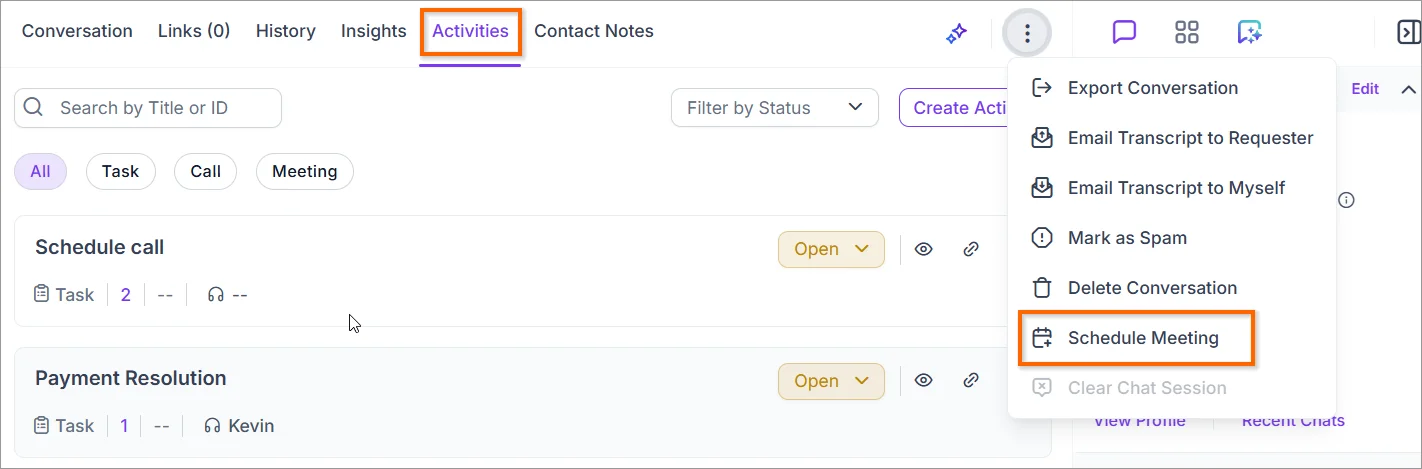
Schedule Meeting and Link Activity
Agents can now schedule and book meetings directly from conversations, with automatic capture as activities and linked history for complete interaction tracking.
Agents can now schedule and book meetings directly from conversations, with automatic activity tracking and linked interaction history for a complete view of customer engagement.
Key features
- Automatic activity capture: Every scheduled meeting is automatically logged as an activity for easy tracking.
- Linked interaction history: Maintain a complete record of all past interactions for better context and continuity.
- In-chat activity management: Agents can view and update activities directly within the chat module, no need to switch screens.
Chat Workflow
Workflow enhancements
We’ve introduced several improvements to make workflows more dynamic, flexible, and user-friendly.
Key updates:
- Temporary field support in placeholders: Use temporary fields in workflow message placeholders for more dynamic and personalized messaging.
- Updated field name in Query Builder: Access updated field names in the Query Builder for the field-updated trigger, enabling precise automation setup.
- “Get customer details” in reusable workflows: This action is now supported in reusable workflows, ensuring consistent data access across automation flows.
- WhatsApp template placeholder support: Add dynamic and personalized parameters to WhatsApp message templates for richer communication.
- Relative date and date-time support: Workflow Query Builder and field validation now support relative date and date-time values, allowing more flexible logic.
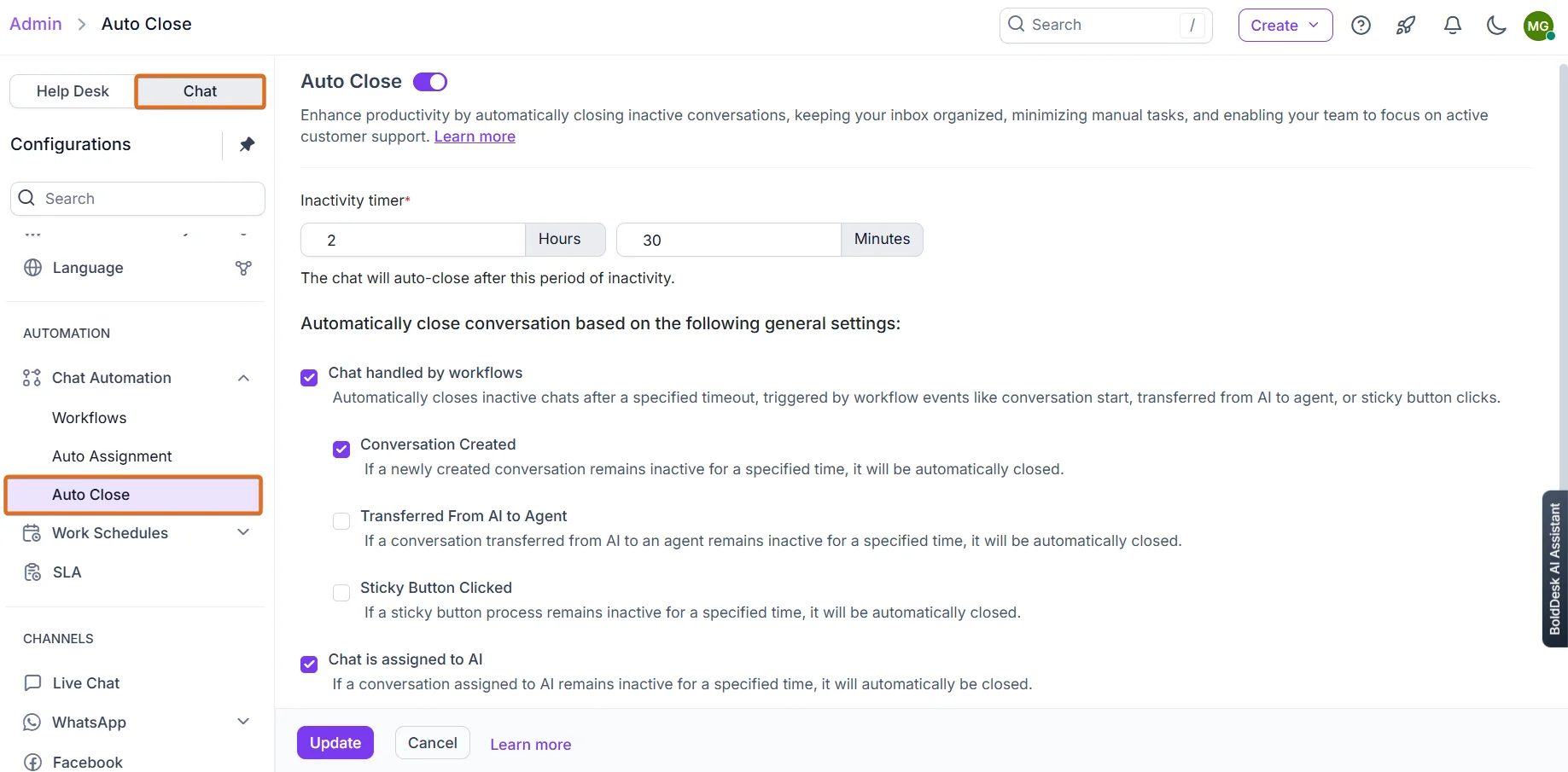
Auto-Close Idle Chats
BoldDesk now supports automatic closure of idle chat conversations, helping teams maintain a streamlined chat queue and improve operational efficiency.
Key features:
- Configurable inactivity threshold: Automatically close conversations that remain idle beyond a set time (hours and minutes).
- Workflow-handled chats: Terminate chats managed by workflows if no activity is detected within the configured period.
- AI and agent transfers: Auto-close chats transferred from AI to agents or assigned to AI/human agents after prolonged inactivity.
- Boost productivity: Reduce queue clutter and enhance agent efficiency by removing stale conversations.
Inactivity-Based Workflow Triggers
Introduced Inactivity-Based Workflow Triggers for Customers and Agents, enabling automated actions when either party remains idle, ensuring timely engagement and improved service continuity.
Key Features:
- Automatically trigger workflows when a customer or agent is inactive for a configured duration.
- Separate triggers for Customer Inactivity and Agent Inactivity, allowing tailored automation paths.
- Define custom inactivity thresholds to suit different engagement strategies.
- Send automated reminders to customers or agents through predefined workflows.
- Initiate actions such as reassigning chats, escalating issues, or closing idle conversations.
AI
Scheduled Resync for Web Page Crawling
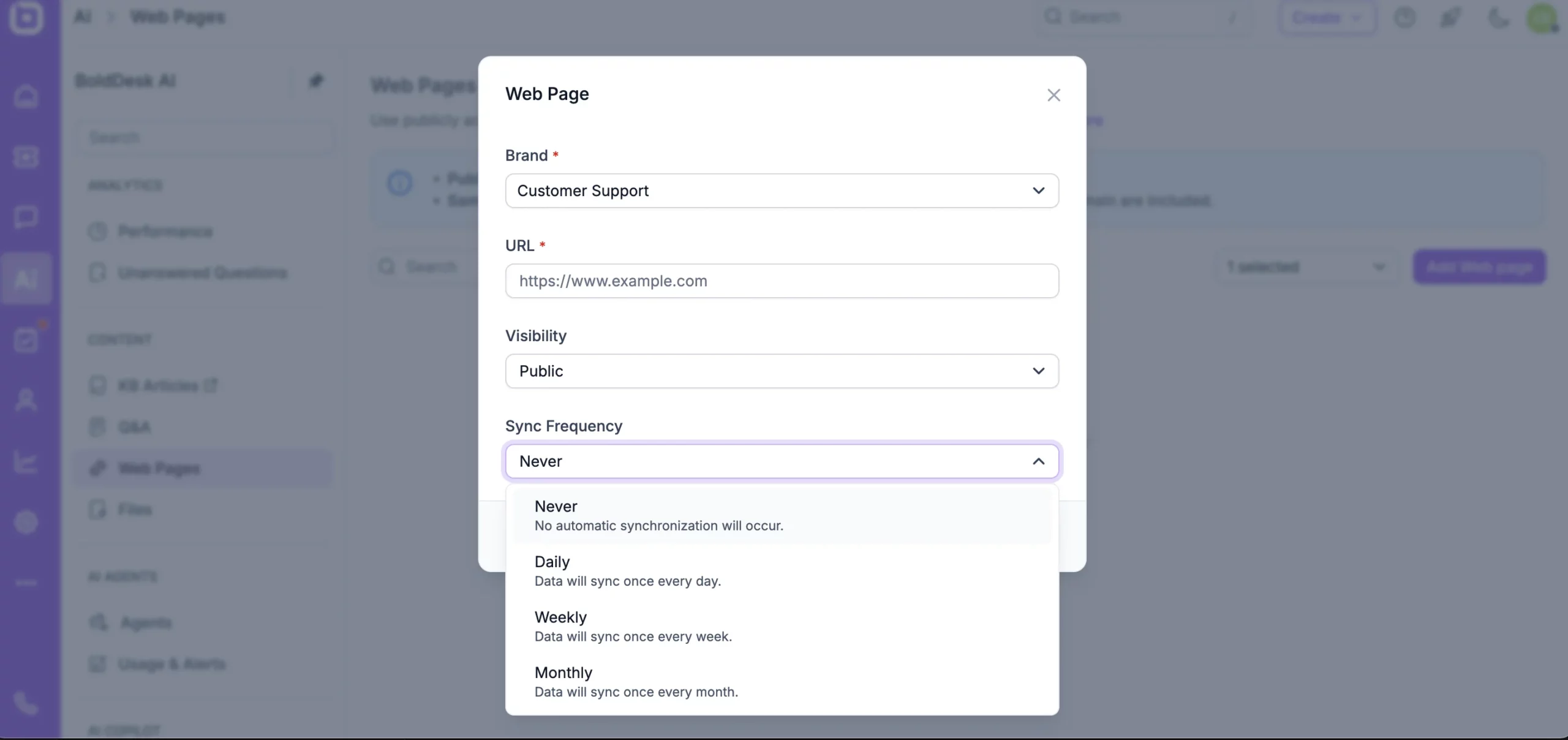
Scheduled Resync lets you automatically refresh your crawled pages on a daily, weekly, or monthly schedule. Once set, your content stays accurate and consistent without any manual updates, making ongoing monitoring smoother and more reliable.