


- Blogs Explore Blogs Blogs
12 Best AI Customer Service Software for Support Teams in 2026
-
by Kevin Akoyo Aswani
- Updated on: November 24, 2026
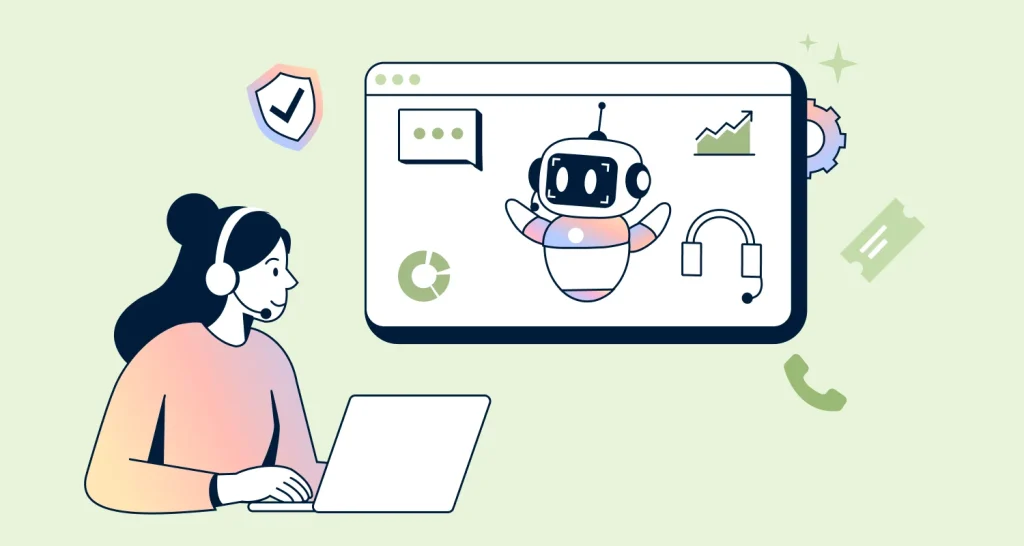
TL;DR: AI customer service software uses chatbots and AI agents to handle routine requests and copilots to assist support teams. This guide compares 12 platforms by AI features, pricing, integrations, scalability, and user ratings so you can choose a suitable option for your team.
Modern support teams are under pressure to respond faster, manage growing ticket volumes, and meet rising customer expectations. Many need to do this without adding more staff.
Common inquiries take up valuable time. Long wait times reduce customer satisfaction. Scattered systems can make it harder to deliver consistent customer service standards.
AI customer service software uses tools such as chatbots, AI copilots, and AI agents in customer service to automate tasks.
These tools help teams resolve issues faster, provide more personalized support, and offer help around the clock. They also make it easier to manage support.
Organizations are also using these capabilities to strengthen AI for customer engagement across the customer journey.
This guide compares leading AI customer service platforms. It reviews their features, pricing, and AI capabilities for customer support.
An AI Teammate That Works Your Queue on Its Own
BoldDesk’s AI Agent understands the request, acts in your systems, asks a person when your rules say so and closes the ticket.
What is AI customer service software?
AI customer service software is a support solution that uses artificial intelligence to automate support tasks and analyze customer conversations. It also helps agents resolve issues faster and provide better support.
AI customer service software uses technologies such as machine learning and natural language processing to personalize responses and simplify support tasks.
Its core purpose is to help teams reduce response times, improve efficiency, and provide consistent, high-quality service across all channels.
Why do AI customer service tools matter?
AI customer service tools help teams manage growing customer expectations and increasing support demands.
Key benefits include:
- Speeds up response times: AI tools provide instant answers to common questions, reducing wait times and helping customers get support the moment they need it. This quick access improves satisfaction and prevents frustration caused by delays.
- Reduces repetitive workload: AI handles FAQs, basic troubleshooting, order lookups, and other routine tasks. This frees agents to focus on complex issues that require human judgment.
- Delivers personalized interactions: AI analyzes past conversations and customer data to tailor recommendations and responses. These personalized moments make support feel more relevant, building stronger customer trust and engagement.
- Ensures 24/7 support availability: Automated systems can assist customers at any time, even outside business hours. This around-the-clock help makes your support more reliable and meets the expectations of global audiences.
- Lowers operational costs: AI allows teams to manage higher volumes of inquiries without expanding staffing, reducing support costs. It also shortens onboarding time by guiding agents with automated suggestions and knowledge tools.
- Maintains consistent service quality: AI can help teams give more consistent responses when its knowledge sources are current and agents review sensitive answers. Salesforce found that 79% of service leaders believe investing in AI agents is essential to meet current business demands.
- Provides actionable insights: AI analyzes support patterns, identifies recurring issues, and highlights areas for improvement. These insights help teams refine processes, anticipate customer needs, and make smarter decisions.
- Supports multilingual communication: AI translation tools break language barriers by enabling seamless conversations across multiple languages. This improves accessibility and helps businesses serve diverse customer groups more effectively.
For a deeper look at conversational support tools, explore our guide to the best AI chatbots for customer service.
What to look for when choosing an AI-powered customer service platform
Before choosing a platform, check how well it fits your team’s workflows and customer needs.
Here are key considerations:
- Feature set: Look for the features your team needs. These may include automation, support across channels, and AI insights.
- Data privacy and security: Ensure the platform protects customer information through encryption, access controls, and compliance with standards like GDPR. Strong security reduces risk, builds trust, and prevents costly breaches.
- Cost vs. benefit: Compare the total cost, including licensing, usage fees, and maintenance, with the expected gains in speed, productivity, and customer satisfaction.
- Scalability: Choose a platform that can grow with your business and handle more tickets, channels, and automation needs without slowing down.
- Customization and flexibility: Every organization has different needs. Choose a solution that lets you customize responses, workflows, and integrations. McKinsey reports that two-thirds of millennials expect real-time service, while three-quarters of customers expect a consistent experience across channels. These expectations make manual support harder to scale.
- Integration with existing tools: Choose a platform that connects with your help desk, CRM, knowledge base, and communication channels. Strong integrations create a unified support system and prevent data silos.
If you’re specifically comparing autonomous AI solutions, our roundup of the best AI agents for customer support covers leading options in the category.
Comparison table for the best AI customer service software
The table compares each platform’s starting price with how its AI features are priced. The starting price may be for a plan that does not include every AI feature listed.
Methodology: We compared each AI customer service platform based on AI features, security, pricing, scalability, customization, integrations, and core support tools. We also reviewed vendor documentation and user reviews from G2 and Capterra to understand usability and customer satisfaction. The products below are listed for comparison only and are not ranked.
| AI customer service software | Starting platform price | AI pricing and access | Ratings (G2 / Capterra) |
| BoldDesk | $99/month, billed yearly (unlimited human agents) | Includes 500 AI credits a month and Assist Agent; extra credits cost $40 per 1,000 | G2 4.5/5 / Capterra 5.0/5 |
| Zoho Desk | Starts at $7/agent/month | AI features vary by edition; check the plan needed for specific Zia and AI agent features | G2 4.4/5 / Capterra 4.5/5 |
| Kustomer | Contact Kustomer for pricing | Platform and AI pricing require a custom quote | G2 4.4/5 / Capterra 4.7/5 |
| Intercom | $29/user/month | Fin: from $0.99 per outcome; Copilot: $29/agent/month | G2 4.5/5 / Capterra Not available |
| Tidio | $24.17/month | Lyro starts at $32.50/month for 50 AI conversations; Starter includes 50 one-time Lyro conversations | G2 4.6/5 / Capterra 4.7/5 |
| HubSpot Service Hub | $7/user/month | Customer Agent requires Professional or Enterprise and uses HubSpot Credits; extra credits cost $0.01 each | G2 4.4/5 / Capterra 4.4/5 |
| Freshdesk | $19/user/month | Freddy AI Agent for chat and messaging is part of Freshdesk Omni ($29/agent/month), with 500 sessions included; extra sessions cost $49 per 100. Copilot costs $29/agent/month on eligible plans | G2 4.4/5 / Capterra 4.5/5 |
| Help Scout | $25/user/month | AI Answers costs $0.75 per resolution; other AI features vary by plan | G2 4.4/5 / Capterra 4.6/5 |
| Zendesk | $19 per user/month | AI agents are available in Support and Suite Team plans; capabilities vary by plan. Automated resolutions are usage priced. | G2 4.3/5 / Capterra 4.4/5 |
| Salesforce Service Cloud | $25/agent/month | Agentforce for Service costs $125/user/month as an add-on to eligible editions; Help Agent resolutions cost $2 each | G2 4.4/5 / Capterra 4.5/5 |
| Hiver | $25/user/month | AI Agents and Copilot are listed in the Growth plan; confirm usage terms with Hiver | G2 4.6/5 / Capterra 4.7/5 |
| HappyFox | $24/user/month | AI products are priced separately; contact HappyFox for a quote | G2 4.5/5 / Capterra 4.6/5 |
Note: Starting pricing reflects each vendor’s lowest listed paid plan and may not include every AI feature shown in this comparison.
AI capabilities may be included with usage limits, require a higher plan, or be charged separately by seats, credits, conversations, sessions, or outcomes.
Pricing and feature availability vary by plan and billing cycle. Check the vendors’ pricing pages for current details.
Best AI customer support tools for modern support teams
AI customer support tools improve customer service through automation, personalization, and real-time assistance. The following platforms are among the leading options on the market.
1. BoldDesk
Best for: Support teams seeking an AI-powered help desk with automated ticketing, omnichannel workflows, multilingual assistance, and predictable pricing.
BoldDesk is an AI-powered customer service platform developed by Syncfusion that helps organizations manage support operations from a single workspace.
BoldDesk combines AI automation with human-assisted support. This helps teams work more efficiently while staying informed about customer interactions.
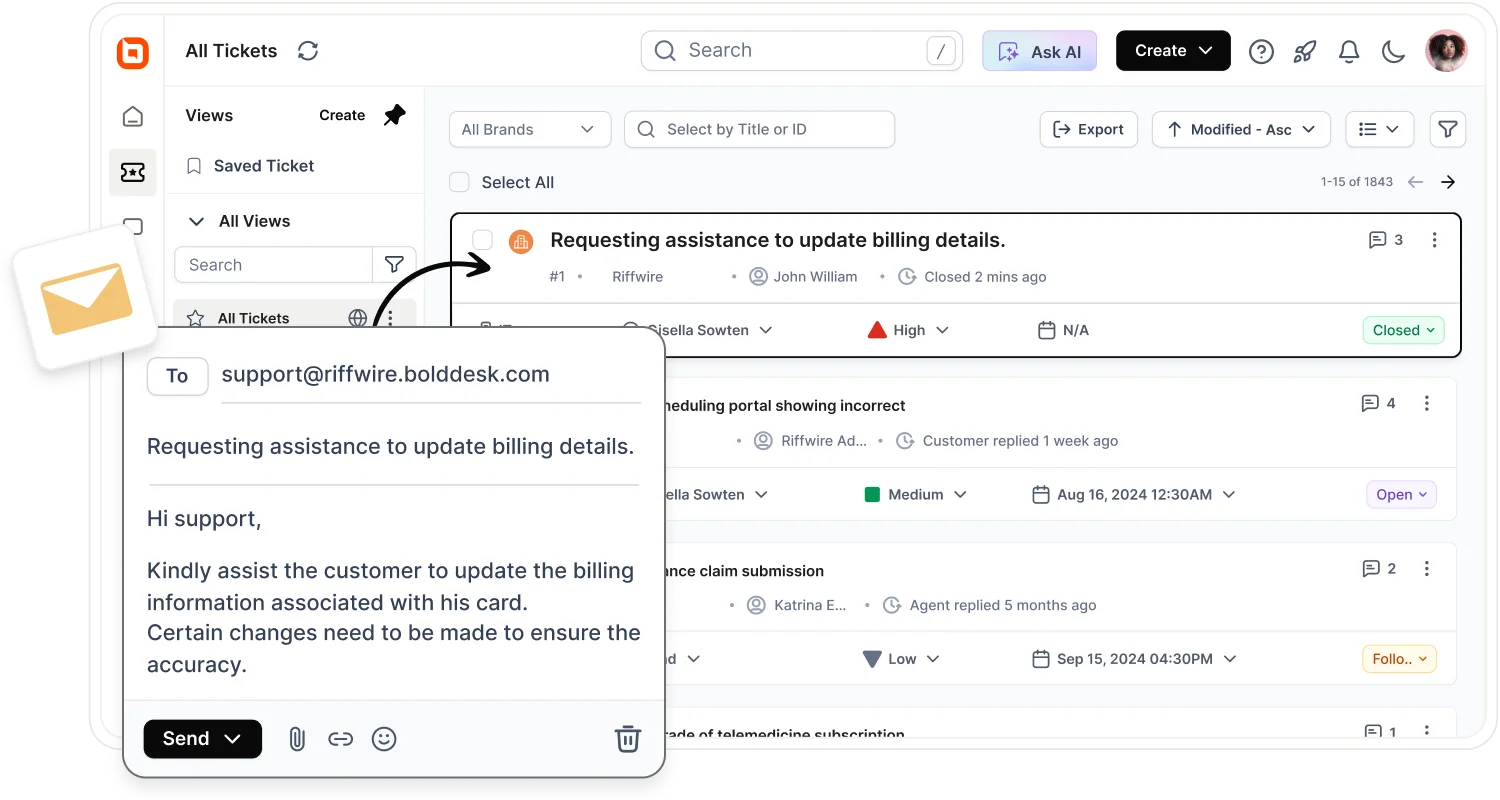
The platform is especially useful for organizations that want AI features, ticketing, and agent assistance in one help desk solution.
Key features
- Support Agent: BoldDesk’s Support Agent uses your knowledge base to answer routine questions and help resolve requests. It can hand over complex cases to human agents when needed.
- AI ticket automation: Automates ticket assignment, routing, and responses to common questions using AI, helping teams reduce manual workload and speed up resolutions.
- Assist Agent: Assists agents with reply suggestions, knowledge recommendations, and real-time translation to make communication easier.
- Sentiment analysis: Detects customer sentiment within conversations to prioritize issues and improve support quality.
- AI knowledge base: Creates and manages a self-service knowledge base, with AI assisting in content generation and organization to improve findability.
Pros
- Combines Support Agent, Assist Agent, ticketing, automation, knowledge management, and omnichannel support in a single platform.
- Supports AI for customers and agents, helping teams automate routine requests while keeping human agents involved when needed.
Cons
- Advanced workflow customization may take time to learn for teams with complex support needs.
BoldDesk pricing
Starts at $99/month, billed yearly ($116 billed monthly), with unlimited human agents and 500 AI credits a month
Explore the BoldDesk pricing page to see every tier, its features, and available AI add-ons.
Interested in learning more? You can start a free trial and see how BoldDesk’s AI-powered support capabilities align with your team’s customer service needs.
2. Zoho Desk
Best for: Small and mid-sized businesses looking for an AI-powered help desk with ticket automation, self-service, and built-in AI assistance.
Zoho Desk is an AI customer service platform designed to help teams manage support at scale without losing visibility or control over customer interactions.
Its AI capabilities are built directly into the support experience. They help teams automate routine support tasks, improve response quality, and respond faster across channels.
Zoho Desk includes AI in everyday workflows. As a result, agents can focus on more complex customer conversations and provide consistent support.
Key features
- Zia AI assistant
- AI agents and answer bot
- AI-assisted response generation
- AI-powered intent detection
Pros
- Combines AI automation with human support workflows.
- Offers both customer-facing AI tools and agent-assist capabilities.
Cons
- Some AI capabilities depend on Zia, and feature availability may vary by plan or configuration.
Pricing
Starts at $7/agent/month
3. Kustomer
Best for: CRM-driven organizations that require unified customer timelines, strong workflow automation, and AI support.
Kustomer combines customer data, conversations, and business information in a single customer timeline.
Its AI helps teams automate support tasks, recommend next steps, and provide personalized support across channels.
Key features
- AI agent
- AI-powered automation
- Sentiment analysis
- Unified customer timeline
Pros
- Combines AI with unified customer context to help teams deliver more personalized support.
- Automates routine workflows and provides AI-powered recommendations that help agents resolve issues faster.
Cons
- Additional AI functionality adds to the overall budget requirements.
Pricing
Contact Kustomer for pricing
4. Intercom
Best for: Conversational support teams looking for AI chatbots and deep automation to accelerate responses.
Intercom is an AI-first customer service platform built around Fin AI Agent. The platform brings customer support, AI tools, ticketing, and insights together in one system.
Intercom automates routine conversations and lets agents focus on more complex customer issues.
Key features
- Fin AI chatbot
- Fin AI Copilot
- AI knowledge answers
- AI workflow automation
Pros
- Supports conversational customer service through chat, automation, and AI-powered assistance.
- Integrates into diverse workflows, making it flexible for different industries.
Cons
- Access to certain AI capabilities may require higher-tier plans.
Pricing
Starts at $29/user/month
5. Tidio
Best for: Ecommerce businesses that want affordable AI chatbots, proactive messaging, and automated workflows.
Tidio is an AI customer service platform that helps businesses automate support conversations using Lyro AI Agent. It combines conversational AI, support automation, and live chat. Teams can handle routine requests automatically while transferring more complex issues to human agents.
Key features
- Lyro AI agent
- AI reply assistant
- AI chatbots
- Automated customer conversations
Pros
- Designed for small businesses and ecommerce brands needing quick deployment.
- Easy to set up and learn, reducing onboarding time for new support teams.
Cons
- AI capabilities require higher-tier plans, making fully automated support costly.
Pricing
Starts at $24.17/month
6. HubSpot Service Hub
Best for: Businesses that need a CRM-connected service platform with ticketing, automation, and customer feedback tools in a single workspace.
HubSpot Service Hub combines customer service, ticket management, and automation within HubSpot’s CRM platform. Its AI tools help teams automate support conversations, resolve tickets faster, and personalize service using shared customer data.
Key features
- AI customer agent
- AI-powered chatbots
- AI-generated responses
- AI-powered knowledge assistance
Pros
- Seamlessly connects service operations with sales and marketing via native CRM alignment.
- Supports easy adoption through user-friendly UX and a wide integration ecosystem.
Cons
- Many essential tools fall behind higher-priced tiers, impacting affordability.
Pricing
Starts at $7/user/month
7. Freshdesk (Freddy AI)
Best for: Support teams seeking an AI-enhanced help desk with ticketing, omnichannel support, and Freddy AI capabilities.
Freshdesk is an AI customer support platform developed by Freshworks. It combines traditional support tools with Freddy AI to help teams improve customer service.
Key features
- Freddy AI
- Chatbots
- Self-service solutions
- Smart recommendations
Pros
- Provides reliable performance as teams scale workloads.
- Maintains a user-friendly interface suitable for fast-moving teams.
Cons
- Some teams report complexity when managing more sophisticated workflows.
Pricing (billed annually)
Starts at $19/user/month
8. Help Scout
Best for: Teams requiring a simple support solution with shared inboxes, live chat, and lightweight AI-powered assistance.
Help Scout is AI customer service software that combines customer support tools with AI-powered assistance. It helps teams summarize conversations, draft replies, and provide self-service support through AI Answers.
Key features
- Summarization and AI assist
- AI answers
- AI knowledge base
- AI assistants
Pros
- Known for delivering personalized support that benefits customer-centric brands.
- Easy for small teams to adopt without training overhead.
Cons
- Feels limited for fast-scaling companies needing deeper automation.
Pricing
Starts at $25/user/month
9. Zendesk
Best for: Enterprises that need omnichannel support, scalable workflows, customizable automation, and powerful AI tools.
Zendesk is an AI-powered customer service platform designed to automate resolutions across the support process.
Its AI agents, Copilot, and knowledge tools help teams resolve issues faster. They also help teams improve support using information from previous customer interactions.
Key features
- Zendesk AI agents
- Zendesk Copilot
- AI-powered knowledge
- AI quality assurance
Pros
- Delivers strong reliability and performance across large teams.
- Enables organizations to manage complex service operations across multiple departments.
Cons
- Advanced features and AI capabilities may increase overall costs.
Pricing
Starts at $19/user/month
10. Salesforce Service Cloud (Agentforce Service)
Best for: Enterprise teams that need AI-powered service, omnichannel support, case management, and CRM-connected customer data on a single platform.
Salesforce Service Cloud is an AI customer service platform built to help organizations deliver support across multiple channels as service demands grow.
Through Agentforce, the platform brings AI into customer service workflows to automate routine interactions. It also provides recommendations that help agents resolve issues faster.
The platform helps large teams handle growing support volumes while maintaining consistent service.
Key features
- Agentforce AI agents
- AI-powered replies
- AI summaries
- AI-powered knowledge recommendations
Pros
- Combines customer service, automation, AI, and CRM data within a unified platform.
- Supports customer interactions across email, chat, phone, SMS, messaging apps, and self-service channels.
Cons
- Pricing for advanced AI capabilities may require contacting Salesforce sales.
Pricing
Starts at $25/agent/month
11. Hiver
Best for: Teams using Gmail that want an inbox-native support platform with AI-powered collaboration features.
Hiver helps teams manage email, chat, voice, SMS, and other support channels from a single workspace.
Its AI Agents and AI Copilot help automate support tasks, resolve requests, and assist agents with customer conversations.
Key features
- AI Agents
- AI Copilot
- AI Insights
- AI-powered workflow automation
Pros
- Easy to adopt because it works inside Gmail, minimizing training time.
- Promotes transparency and collaboration in teams using shared inbox operations.
Cons
- May feel limiting for teams requiring broad social media support.
Pricing
Starts at $25/user/month
12. HappyFox
Best for: Support, IT, and operations teams that need an AI-enabled help desk.
HappyFox is an AI-powered help desk platform that combines ticket management with Assist AI. It can automate repetitive requests, generate responses, summarize conversations, and help teams resolve issues faster.
Key features
- Assist AI
- AI-generated response drafts
- AI ticket summaries
- AI-powered ticket prioritization
Pros
- Suitable for teams needing structured service operations beyond basic customer support.
- Supports cross-functional teams with shared workflows and collaboration tools.
Cons
- Some users report that the interface becomes complex as customization increases.
Pricing
Starts at $24/user/month
Best practices for implementing AI customer service software
Implementing AI customer service software requires thoughtful planning to ensure it enhances, not disrupts, your existing support operations.
The following tips help teams adopt AI smoothly, maximize its value, and maintain a consistent, customer-centric experience.
- Start with clear goals: Decide what you want AI to achieve. Examples include faster responses, fewer tickets, better accuracy, and 24/7 support. Clear outcomes help you configure AI correctly and measure success more effectively.
- Begin with small, high-impact use cases: Roll out AI in stages by focusing first on predictable inquiries (password resets, order status, simple troubleshooting). Early wins build confidence, reduce risks, and make it easier for teams to adapt before scaling to more complex scenarios.
- Ground AI in quality content: Give your AI clean, up-to-date knowledge base articles, FAQs, macros, and past resolved tickets. The better the source material, the more accurate and reliable the AI becomes.
- Establish human-in-the-loop controls: Ensure agents can monitor AI responses, intervene when needed, and improve outputs over time. Human review protects accuracy, maintains brand tone, and prevents AI from escalating issues unnecessarily.
- Set clear guardrails and escalation paths: Define which tasks AI should handle and when it should transfer a conversation to a human. Also document how to route complex or sensitive inquiries.
- Integrate with existing systems: Connect the AI tool to your help desk, CRM, knowledge base, and communication channels. This ensures AI has the context it needs and keeps your support system unified rather than fragmented.
- Train and onboard your team: Educate support agents on how AI works, how to collaborate with it, and how to refine its output. When agents understand AI’s role, adoption increases, and overall efficiency improves.
- Monitor performance and refine continuously: Track AI metrics such as deflection rate, response accuracy, CSAT impact, and escalation patterns. Regular reviews help you fine-tune workflows, expand automation, and improve the customer experience.
- Prioritize transparency with customers: Let customers know when they are interacting with AI and provide an easy option to connect with a human. Transparency builds trust and reduces frustration, especially for sensitive or urgent issues.
- Maintain compliance and data security: Ensure the AI solution complies with privacy and security regulations, follows data-handling best practices, and protects sensitive customer information. Safe implementation builds confidence for both customers and internal stakeholders.
Building a solid foundation for AI customer service software
The biggest difference between AI customer service platforms is not the number of AI features they offer. It is how well those features improve everyday support workflows.
The most valuable solutions reduce manual work, resolve issues faster, and help teams handle more support requests without making processes more complex.
As AI capabilities continue to evolve, businesses should prioritize practical outcomes over feature checklists. Focusing on support needs, usability, and long-term value usually leads to a better decision than choosing software based only on the newest AI features.
We’d love to hear your thoughts on our AI customer service software comparison! Did we miss any vendors you’d like us to include? Share your feedback in the comments below.
Related articles
- 7 Best Ways to Utilize AI for Customer Experience
- Best Knowledge Management Software for 2026
- 9 Help Desk Management Best Practices for Operations
FAQs about AI customer service software
What are the features of AI customer service solutions?
AI customer service solutions typically include a mix of tools that help teams deliver faster, more consistent support across channels.
Common features include:
- A knowledge base allows customers to self-serve and helps AI generate accurate recommendations.
- Live chat enables real-time assistance supported by AI-powered replies or automated chatbots.
- An omnichannel inbox unifies email, chat, social media, voice, and messaging apps into a single workspace so teams can manage all conversations efficiently.
- Workflow automation routes, tags, and categorizes inquiries automatically.
- AI-driven analytics highlights trends, customer sentiment, and performance metrics.
How do we measure AI quality over time?
Track answer accuracy, escalation rates, average handle time, CSAT, and agent feedback. Also track the share of conversations resolved without an agent.
What is the best AI customer service software?
The best AI customer service software depends on your support needs, automation goals, and budget. Leading platforms such as BoldDesk, Zendesk, Freshdesk, Intercom, and Zoho Desk differ in AI features, scalability, agent assistance, and support capabilities.
What are the common challenges to avoid?
Common challenges include launching too broadly, weak knowledge sources, unclear escalation rules, and “set and forget” deployments. Avoid over-promising automation; instead, scale coverage only when quality and customer sentiment remain strong.
ABOUT THE AUTHOR

Kevin Akoyo Aswani 
Kevin Aswani is a technical writer at Syncfusion. Passionate about writing and web development. Well versed with SEO techniques, content strategy and technical content documentation.
Read more articles by this author Connect with the author on LinkedIn.
Be the first to get updates