


GitHub Integration That Turns Tickets Into GitHub Issues
For support teams working with developers on GitHub: create or link an issue from the ticket, and sync notes and comments both ways.
- 15-day free trial
- No credit card required


Customers Find the Bugs. Developers Fix Them in GitHub. Both Should Work From One Issue.
When bug reports travel by chat and email, details get lost and customers wait for updates. Connected, support and developers work from the same issue.
-
Before:
Bug reports retyped into GitHubBugs Reach Developers Intact
Every report arrives with the details developers need.
-
Before:
Agents pinging developers for newsUpdates Without Interruptions
Agents share progress without pulling developers away.
-
Before:
Answers stuck in GitHub threadsOne Conversation, Two Tools
Support and developers see the same notes and comments.
Hand Bugs to Developers Without Leaving the Ticket
Sync, create, link and track GitHub issues from the ticket your agents already work in.
-
Comment Sync
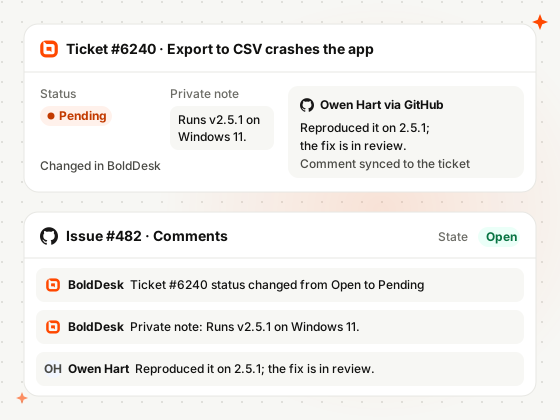
Sync Notes and Comments With the Issue
Notes and status or priority changes post to the issue as comments; issue comments return as notes.
-
Create Issues
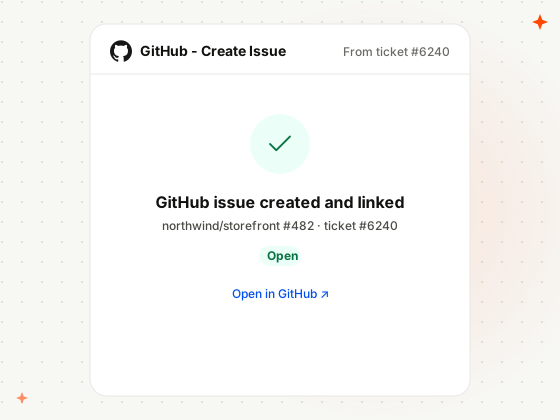
Create GitHub Issues From the Ticket
Create a GitHub issue right from the ticket, with its repository, title, labels, assignees and milestone.
-
Link & Unlink
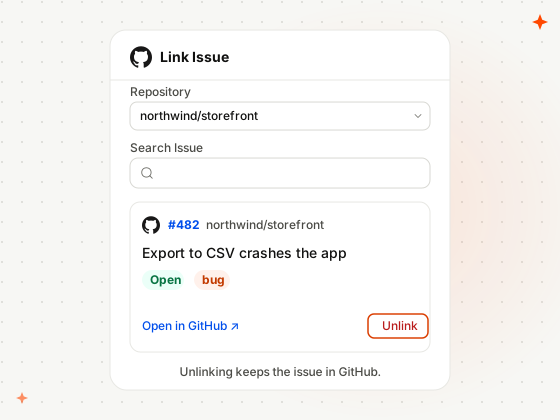
Link Tickets to Existing Issues
Search an issue by its number or title in the right repository, link it to the ticket, and unlink anytime.
-
Issue Details
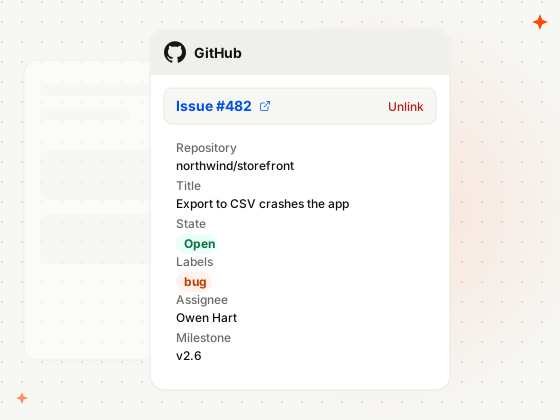
See GitHub Issue Details on the Ticket
The issue’s repository, title, state, labels, assignee and milestone show on the ticket, with a link to GitHub.
How Support and Developer Teams Use BoldDesk and GitHub
Real situations from teams that build their products on GitHub.
-
Developer tools
Get a Bug Report to Developers With the Details
A customer finds a bug in your API client and sends steps to reproduce it.
- The agent creates a GitHub issue in the right repository
- A developer asks for logs in an issue comment
- The comment lands on the ticket as a private note
-
Mobile apps
Keep a Customer Updated While a Fix Ships
A customer checks in every few days to ask if their crash is fixed yet.
- The agent links the ticket to the existing issue
- The issue’s state and milestone show on the ticket
- The agent answers without asking a developer
-
Enterprise support
Flag the Urgency When a Key Customer Is Blocked
A key customer can’t work, and developers need to know right away.
- The agent raises the ticket’s priority to Urgent
- The change posts to the GitHub issue as a comment
- Developers see the urgency where they already work
Related Integrations
Connect BoldDesk to the other tools your engineering and product teams track work in.


Security & Compliance
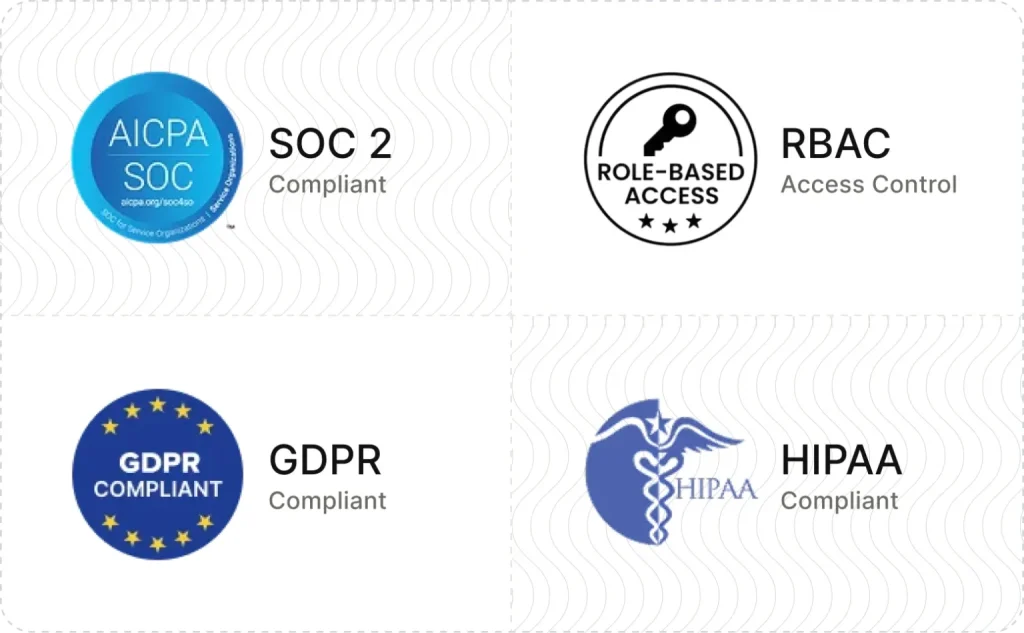
Enterprise-Grade Security and Compliance
Protect customer data with secure infrastructure and enterprise-grade access controls.
- SOC 2 Type 2 report & GDPR compliant
- AES-256 encrypted infrastructure
- SSO and IP restrictions
- HIPAA compliance with a signed BAA
- Secure cloud architecture
Customers
Backed by Syncfusion, Trusted by 41K+ Companies
4.5/5 on G2 · Fall 2026 Leader, Momentum Leader, Best Est. ROI, Fastest Implementation
Recognized by Customers on G2
4.5/5 average rating on G2

-
Reelo Technologies Raj Khichi, Customer Support Executive, Reelo Technologies Pvt. Ltd.
Up to 24x
faster at solving customer queries, with 2.4x more tickets closed per day
Read the Reelo story -
GeoVerra One of Canada’s largest geomatics firms
25%+
improvement in service desk efficiency, with single sign-on via Entra ID
Read the GeoVerra story -
Eurotel Hospitality Hospitality software, Greece
~67%
more issues handled each week, from about 600 to about 1,000
Read the Eurotel story
-
"The overall application functionality is good, UI/UX and the configurations including automations all the other services are constantly working fine."
 Harsha R Support Team Lead
LTIMindtree -
"BoldDesk has everything you could imagine in a customer service platform, including many features like APIs that we are yet to explore fully."
Carlos R VP of Operations
Movisis Tecnologia Limited -
"BoldDesk provided an all-in-one solution that saves time and reduces redundancy, improving the user experience and shortening ticketing time by 50%."
 Amy Syncfusion
Frequently Asked Questions
What does the BoldDesk GitHub integration do?
It connects BoldDesk tickets with GitHub issues: agents create or link an issue from a ticket, see its details on the ticket, and sync notes and comments both ways.
Can agents create and link GitHub issues from a ticket?
Yes. Agents create an issue from the ticket’s Apps panel with the repository, title, description, labels, assignees and milestone, and it links to the ticket automatically. They can also search an existing issue by its number or title and link it.
What syncs between BoldDesk and GitHub?
Ticket notes, status changes and priority changes post to the GitHub issue as comments, and new issue comments come back to the ticket as private notes. Replies to the customer do not sync, and unlinking leaves the issue in GitHub.
Which BoldDesk plans include the GitHub integration?
Every BoldDesk plan includes the GitHub integration: Scale AI, Momentum AI and Enterprise AI. Compare plans and pricing
How do I set up the BoldDesk GitHub integration?
An admin installs GitHub from Admin › Marketplace, authorizes a GitHub account, selects the GitHub Cloud repositories agents can use, chooses the sync actions and sets app permissions. Read the setup guide
Bring Support and Developers
Onto the Same Issue
Install GitHub from Admin › Marketplace, choose your repositories, and create your first issue from a ticket.