AI Agent Dashboard Home
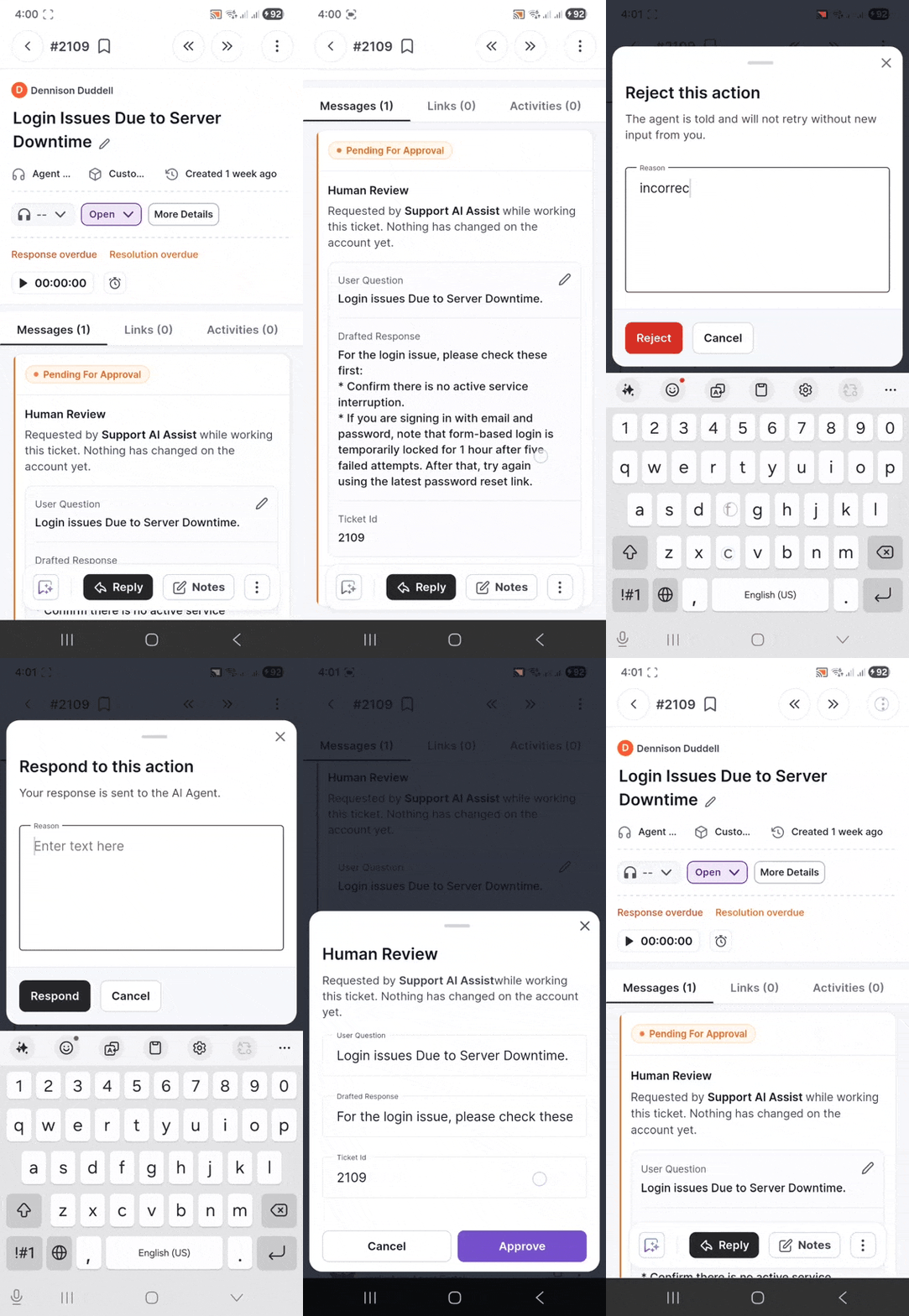
We are introducing the AI Agent Dashboard Home, a centralized view that helps you monitor AI activity, measure AI effectiveness, and gain insights into how AI contributes to ticket resolution within your support operations.
What’s New
- View AI activity and performance metrics in one place.
- Track key AI actions, including HITL Approvals, Auto Resolved, Replies Sent, and Reopened tickets.
- Monitor AI outcomes through Deflected, Assisted, and Escalated metrics.
- Measure AI effectiveness with the AI Resolution Rate.
- Drill down into detailed ticket lists for AI-related activities.
- Search, sort, and analyze AI-driven ticket interactions with ease.
Key Benefits
- Gain visibility into AI adoption and usage across your support operations.
- Understand how AI contributes to ticket resolution and agent productivity.
- Track AI approvals, responses, resolutions, and reopening trends.
- Measure the effectiveness of AI through resolution and outcome metrics.
- Identify opportunities to increase automation and reduce agent workload.
- Access detailed AI activity insights from a single, centralized dashboard.
Human-in-the-Loop (HITL) Approvals for Response AI Agents
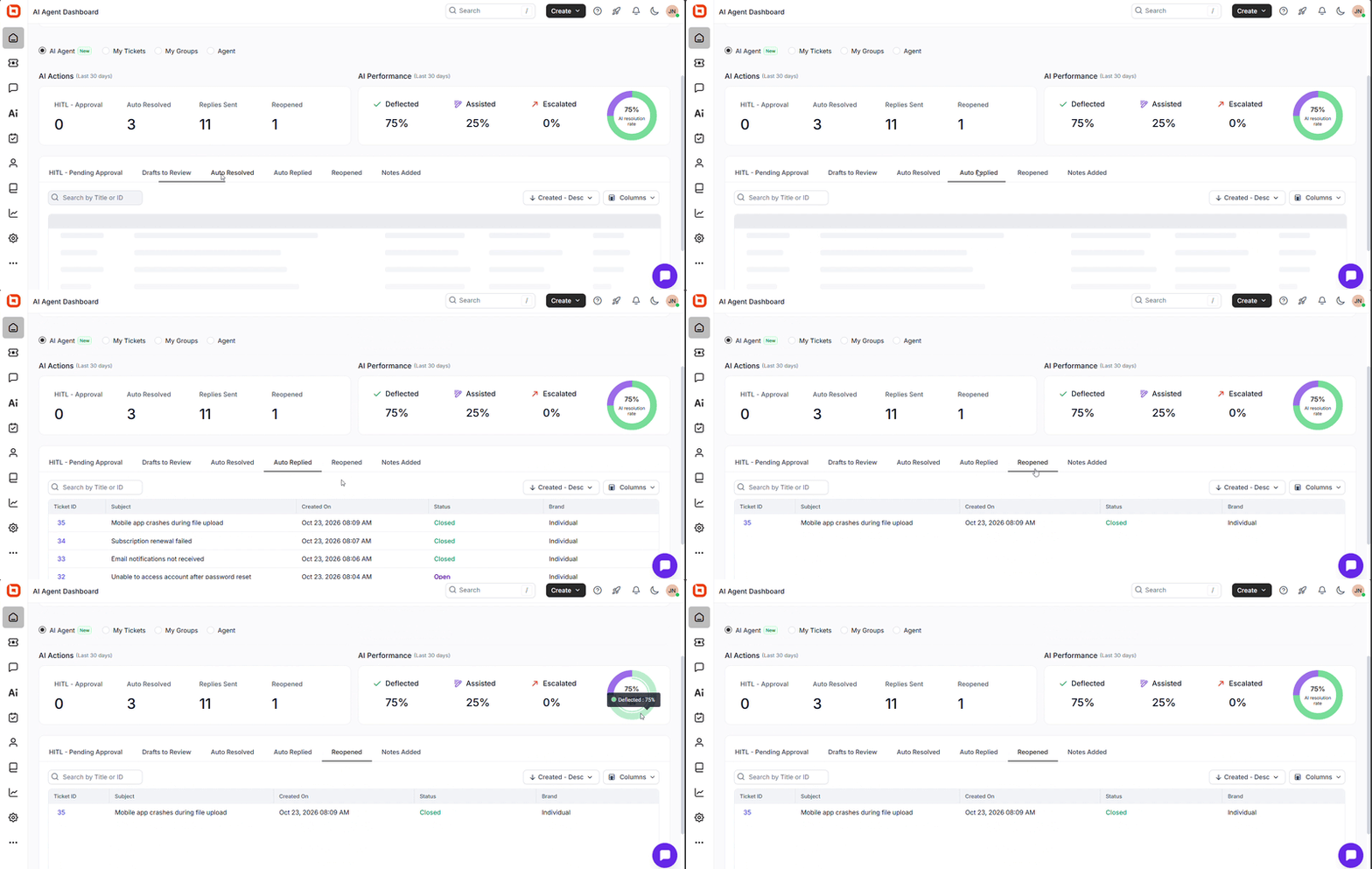
Response AI Agents now support Human-in-the-Loop (HITL) approvals, allowing AI-generated responses to be reviewed before being sent to customers. Designated reviewers can approve, reject, or modify responses, helping teams maintain quality, accuracy, and compliance in customer communications.
What’s New
- Added approval workflows for AI-generated responses.
- Assign designated reviewers to validate responses before delivery.
- Support for approving, rejecting, or editing AI-generated responses.
Key Benefits
- Improves response quality and accuracy.
- Provides greater control over AI-assisted customer communications.
- Helps meet compliance and governance requirements.
- Builds confidence in AI adoption through human oversight.
MCP for KB
BoldDesk MCP Server for Knowledge Base Management
AI-Powered KB Management Using MCP
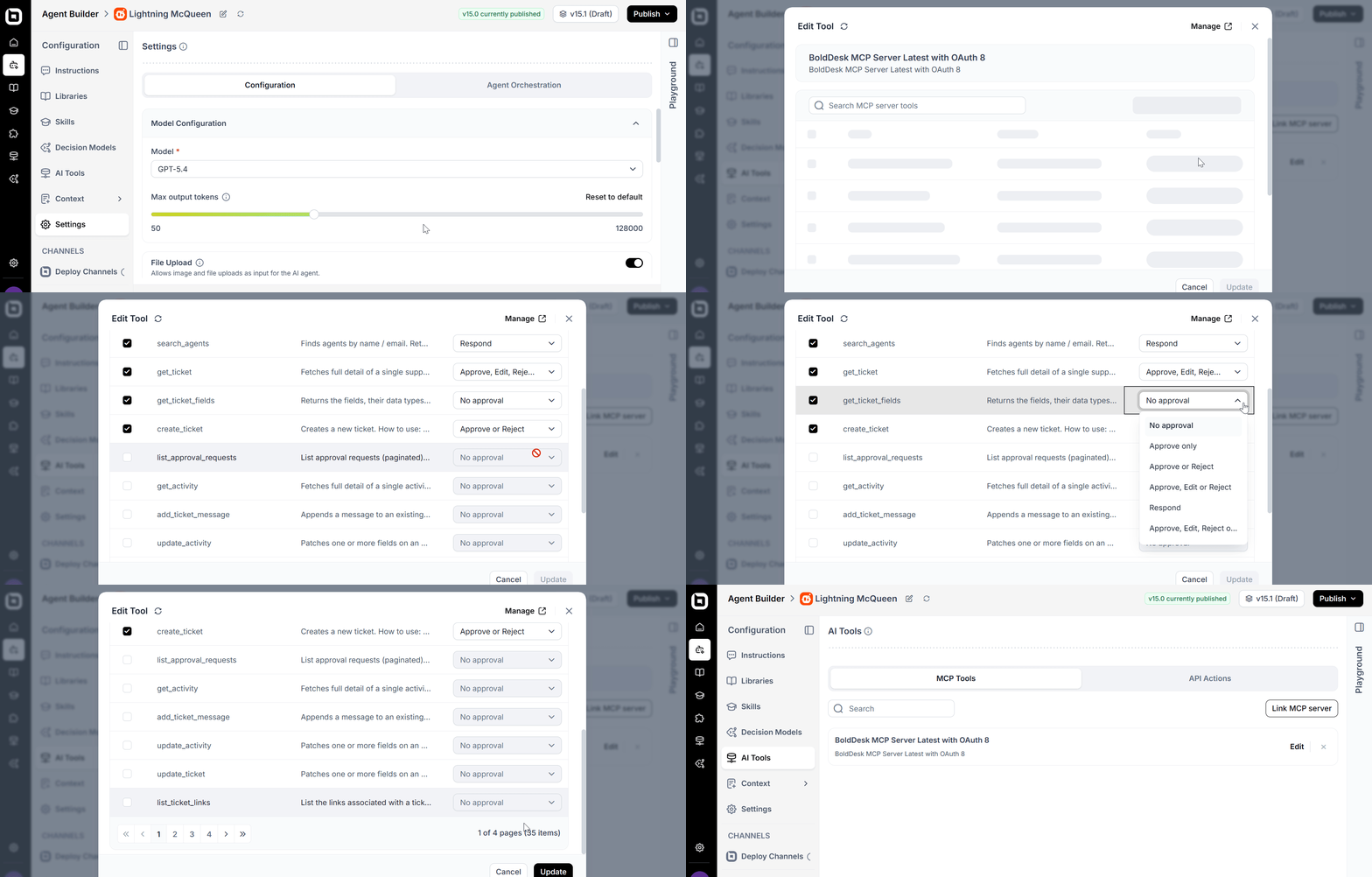
The BoldDesk MCP Server enables AI tools and agents to create and get details about knowledge base articles in BoldDesk using the Model Context Protocol.
It supports integration with MCP-compatible clients such as Claude, ChatGPT, GitHub Copilot, and autonomous AI agent workflows.
The MCP Server acts as a secure bridge between AI agents and BoldDesk APIs, allowing AI tools to perform structured support actions in BoldDesk.
Key Capabilities
- Create Knowledge Base articles.
- Retrieve article details.
- Search articles.
BoldDesk provides a hosted MCP Server, so teams do not need to set up or maintain a local MCP server.
Ticket Management
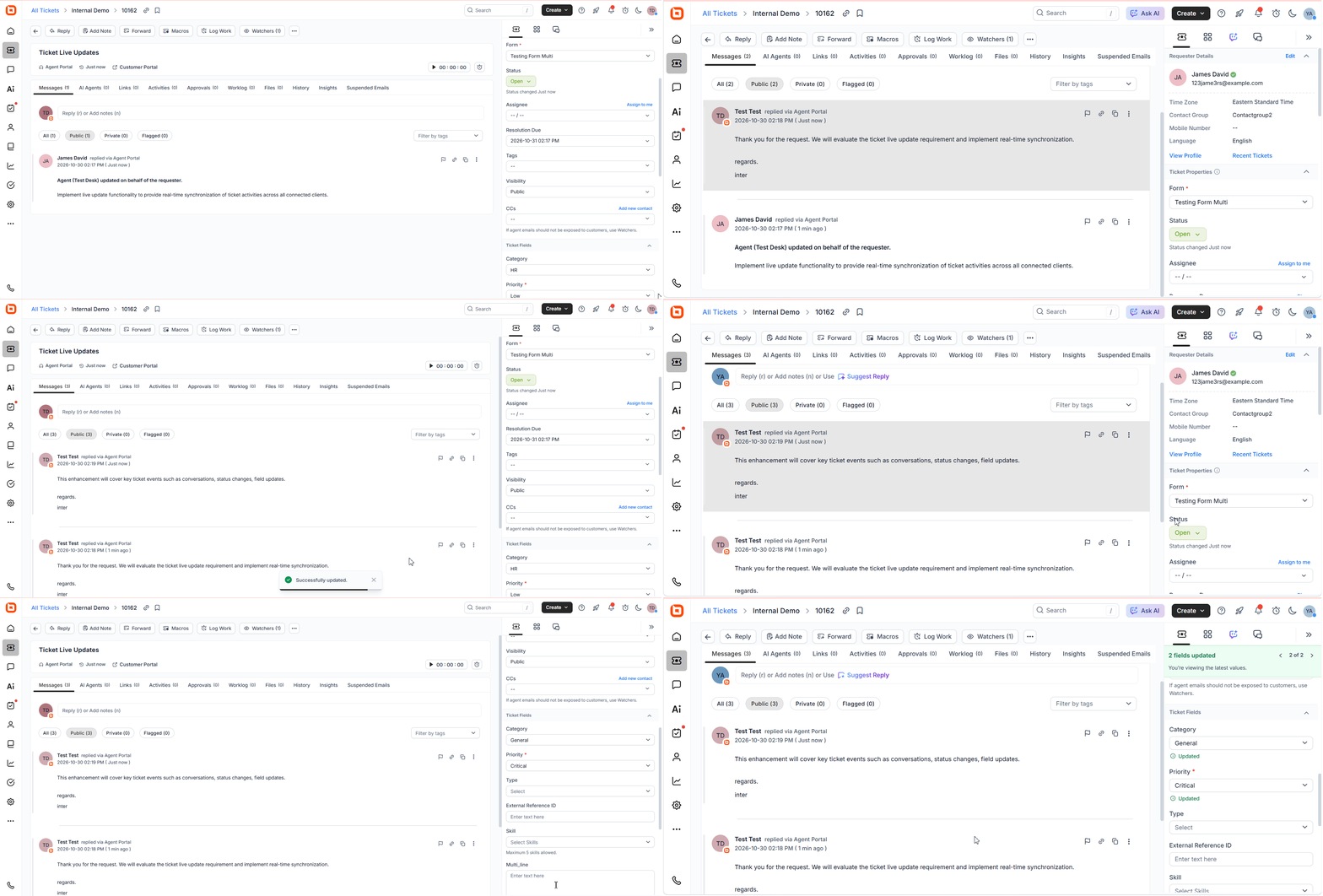
Dynamic Ticket Refresh
Ticket conversations and updates are instantly reflected across the Agent Portal, Customer Portal, Ticket Automations, AI Agents, and Background Agents. Whether a customer sends a reply, an agent adds a note, or a ticket’s status changes, everyone sees the latest information immediately without refreshing the page.
Key Benefits
- View new replies and notes instantly as they are added to a ticket.
- See ticket updates, such as status, assignee, priority, and custom field changes, in real time.
- Keep the Customer Portal updated automatically with the latest ticket activity.
- Allow Ticket Automations to respond immediately to ticket changes.
- Ensure AI Agents always have the latest ticket information for accurate responses.
- Keep Background Agents synchronized with ongoing ticket updates.
- Improve team collaboration by ensuring everyone works with the most current ticket information.
- Deliver a faster and smoother support experience with real-time updates across the entire ticket lifecycle.
Live Chat
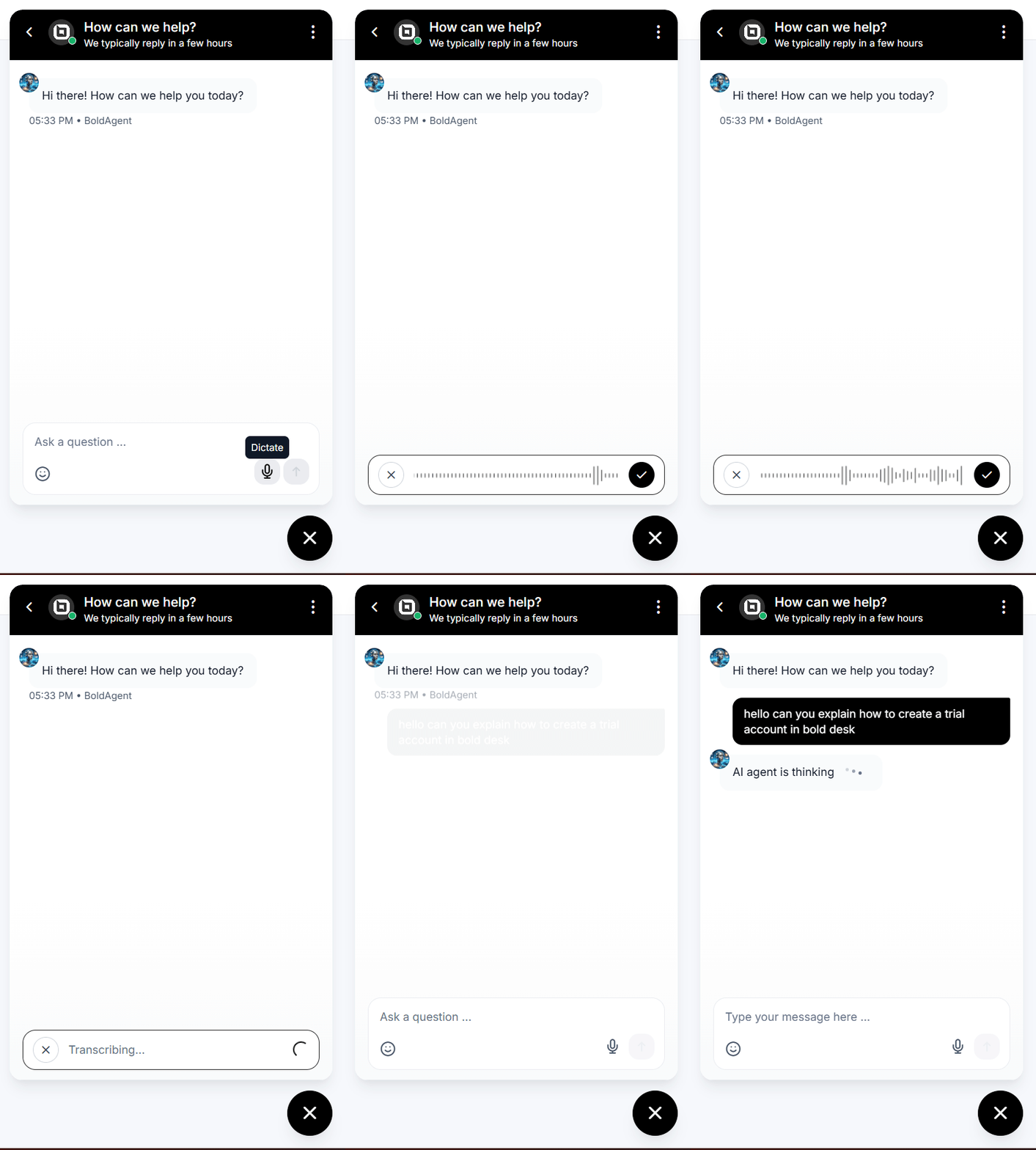
Voice Dictation Support in Live Chat Widget
BoldDesk introduces Voice Dictation in the Live Chat Widget. Users can now compose messages using speech-to-text, enabling faster and more convenient communication.
Slack for Customers
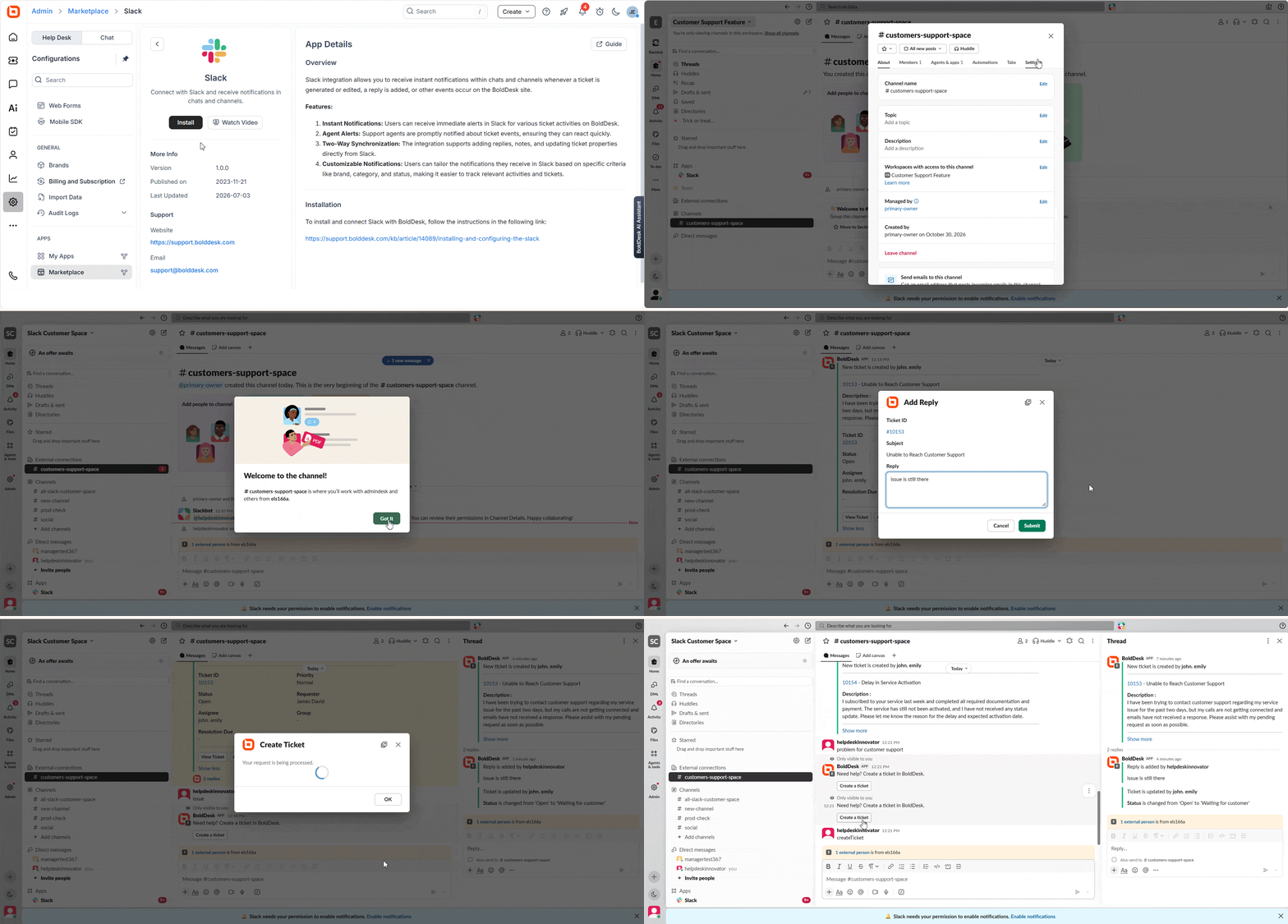
The Slack for Customers feature brings customer support directly into Slack Connect channels, enabling external customers to interact with support teams without leaving Slack.
Create Tickets from Slack Messages
Customers can create support tickets directly from messages posted in a configured Slack Connect channel. Administrators can choose to automatically create tickets from all messages or only from messages containing specific trigger keywords, providing flexibility for both dedicated support and collaboration channels.
Ticket Updates and Replies in Slack
Customers receive real-time notifications for ticket events such as ticket creation, replies, and updates directly within the shared Slack channel. They can also reply to tickets from Slack threads, with all conversations automatically synchronized with BoldDesk.
Key Features
- Create support tickets directly from Slack Connect channels.
- Receive real-time ticket notifications in Slack.
- Reply to tickets directly from Slack threads.
- Keep conversations synchronized between Slack and BoldDesk.
- Reduce context switching and improve customer collaboration.
Microsoft Teams for Customers
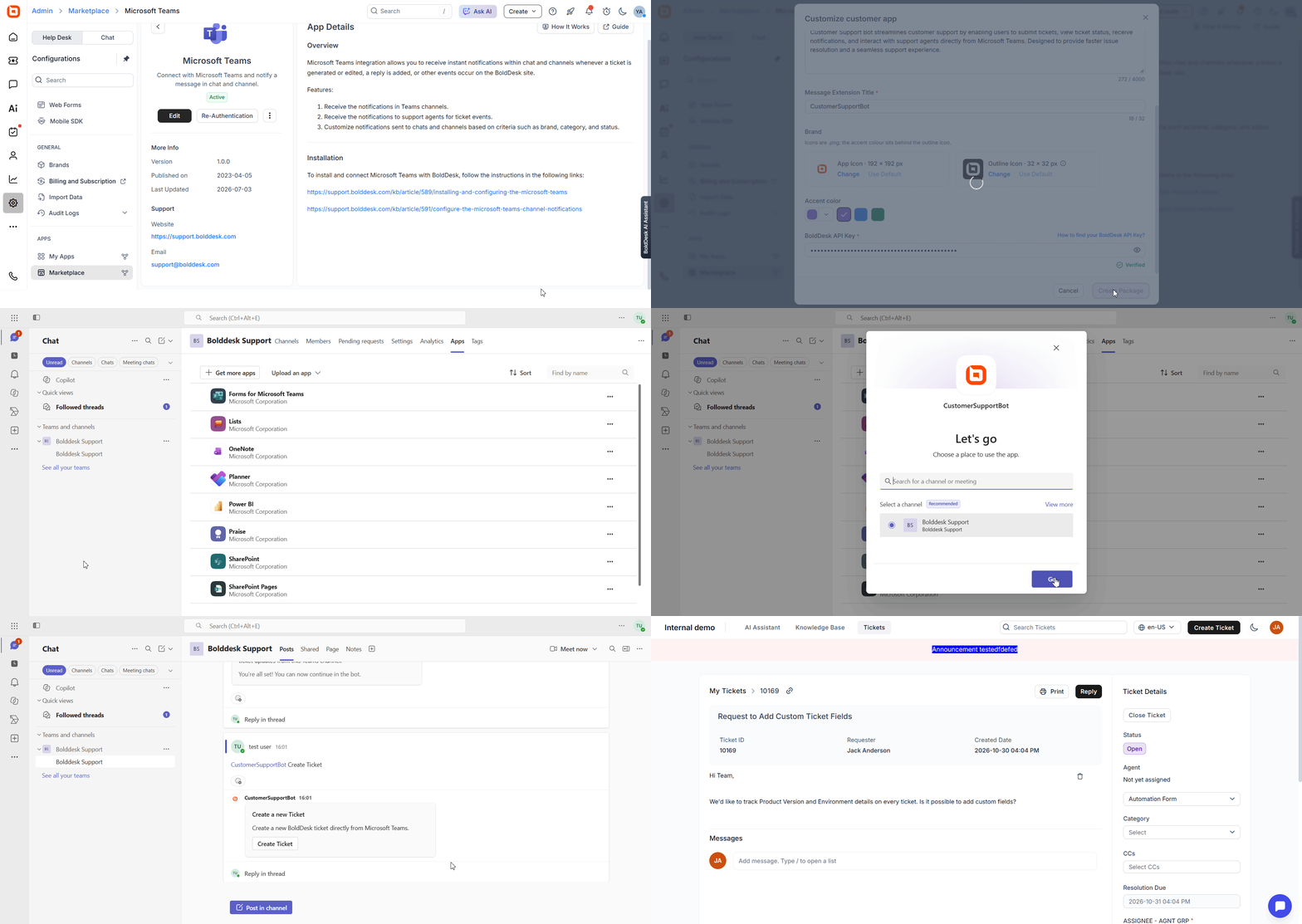
Microsoft Teams integration enhancements help customers stay connected with their support tickets without leaving Teams.
Create Tickets Directly from Microsoft Teams
Customers can now create support tickets directly within Microsoft Teams. This streamlines issue reporting and allows users to reach support teams quickly without switching to the BoldDesk portal.
Ticket Reply Notifications in Teams
Customers will receive notifications in Microsoft Teams whenever there is a new reply or update on their support tickets. This ensures they stay informed and can respond promptly to ongoing conversations.
Key Features
- Faster ticket creation from within Teams.
- Real-time visibility into ticket updates and replies.
- Reduced context switching between Teams and BoldDesk.
- Improved collaboration and response times.
Mobile App
Human-in-the-Loop (HITL) Approvals in the Mobile App
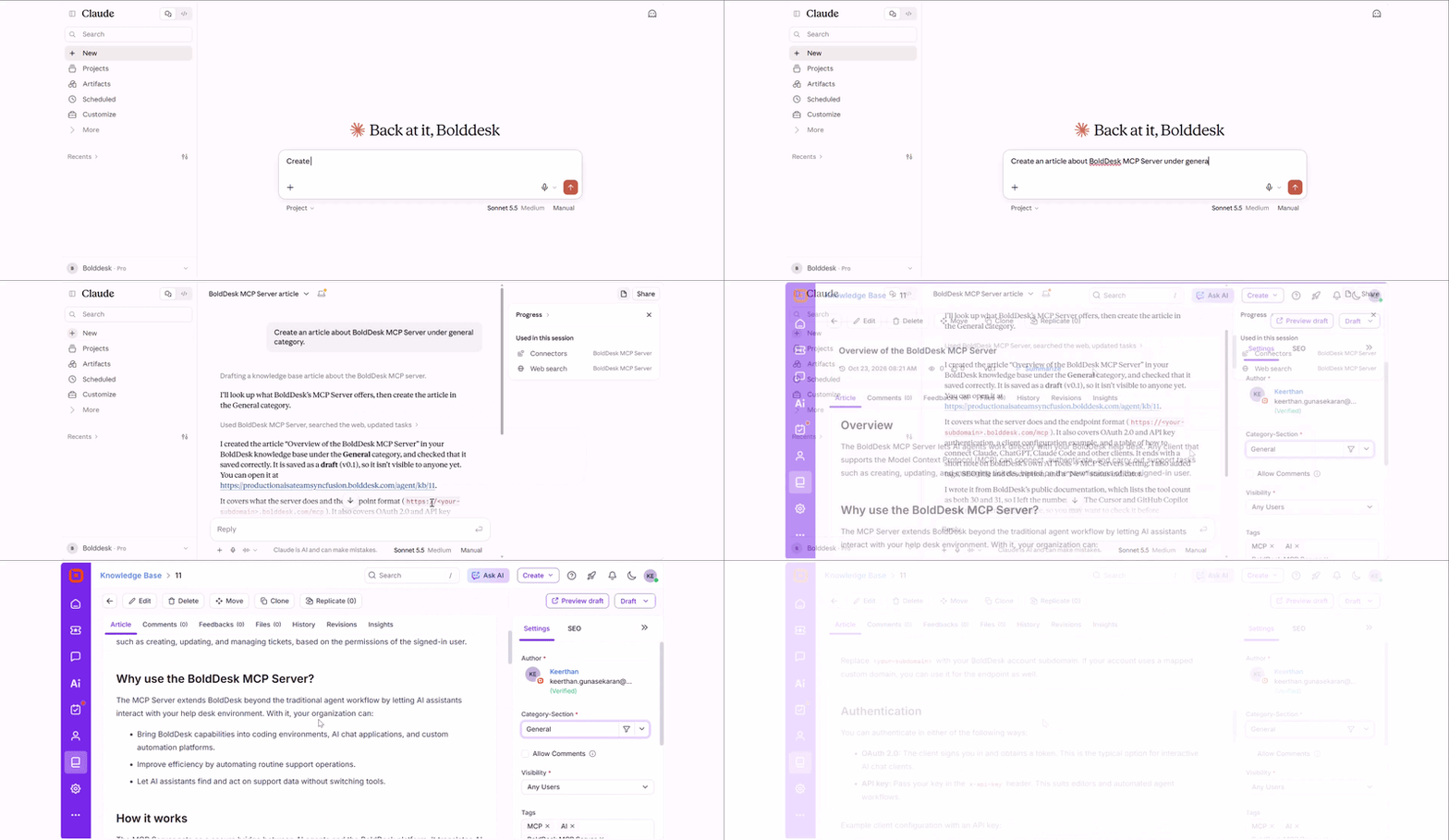
The Human-in-the-Loop (HITL) approval feature is available in the Mobile App, allowing agents to review and take action on AI-generated response approval requests directly from their mobile devices.
Key Benefits
- View pending HITL approval requests on the go.
- Approve, reject, respond to, or edit AI-generated responses directly.