 In this page

AI Agents
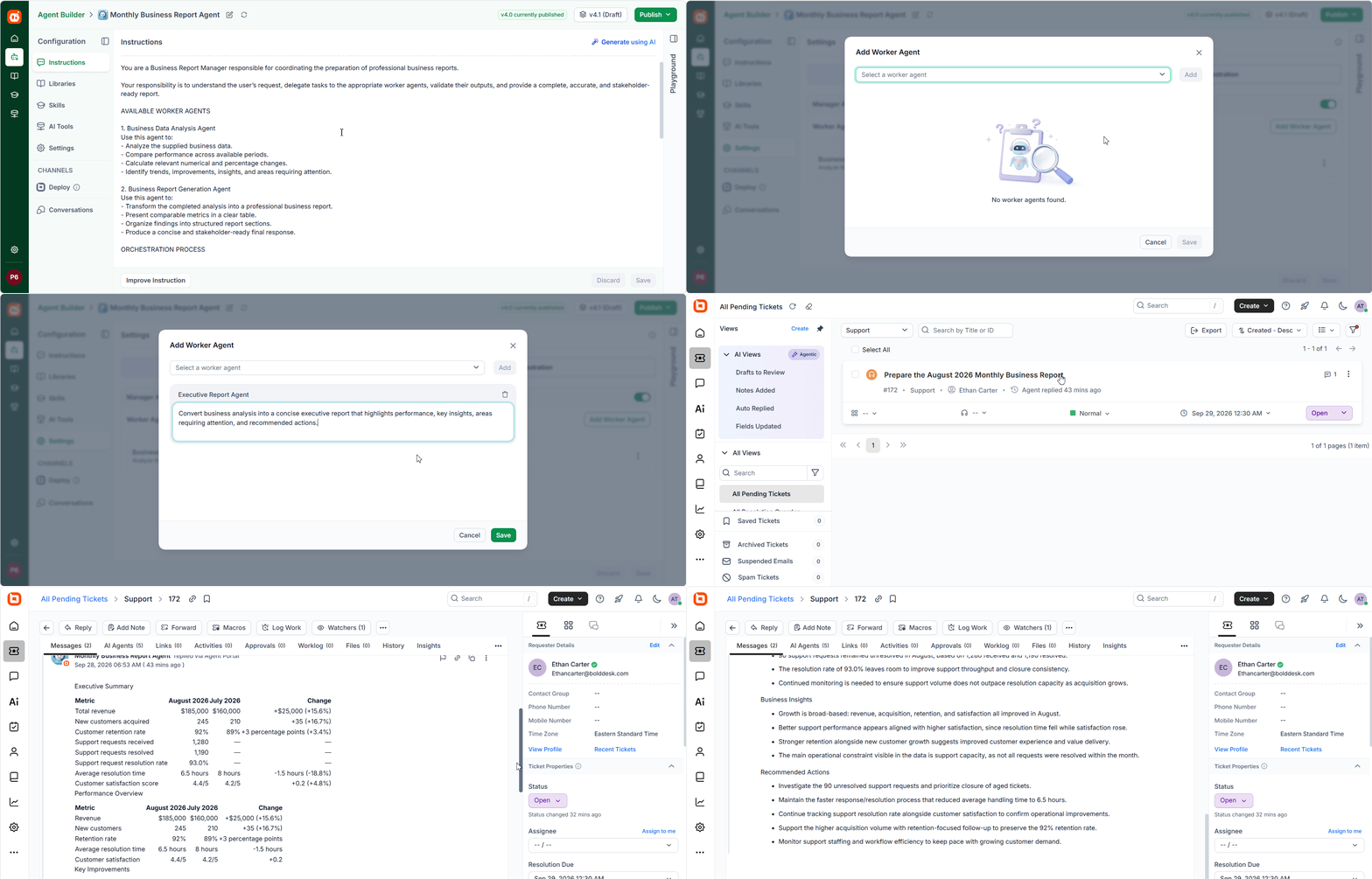
Multi-Agent Collaboration
AI-powered automation in BoldDesk now supports multi-agent collaboration through Agent Orchestration. A manager agent can coordinate multiple specialized worker agents, delegate tasks based on their capabilities, and combine their outputs to complete complex workflows.
Each worker agent focuses on a specific responsibility. This enables workflows that involve multiple stages of analysis, decision-making, content generation, and action.
Key Benefits
- Coordinate multiple specialized worker agents within a single workflow.
- Delegate tasks to the appropriate agents based on their capabilities.
- Combine outputs from multiple agents for consistent and informed results.
- Simplify complex workflows by dividing them into specialized stages.
- Build flexible and scalable AI-powered automation.
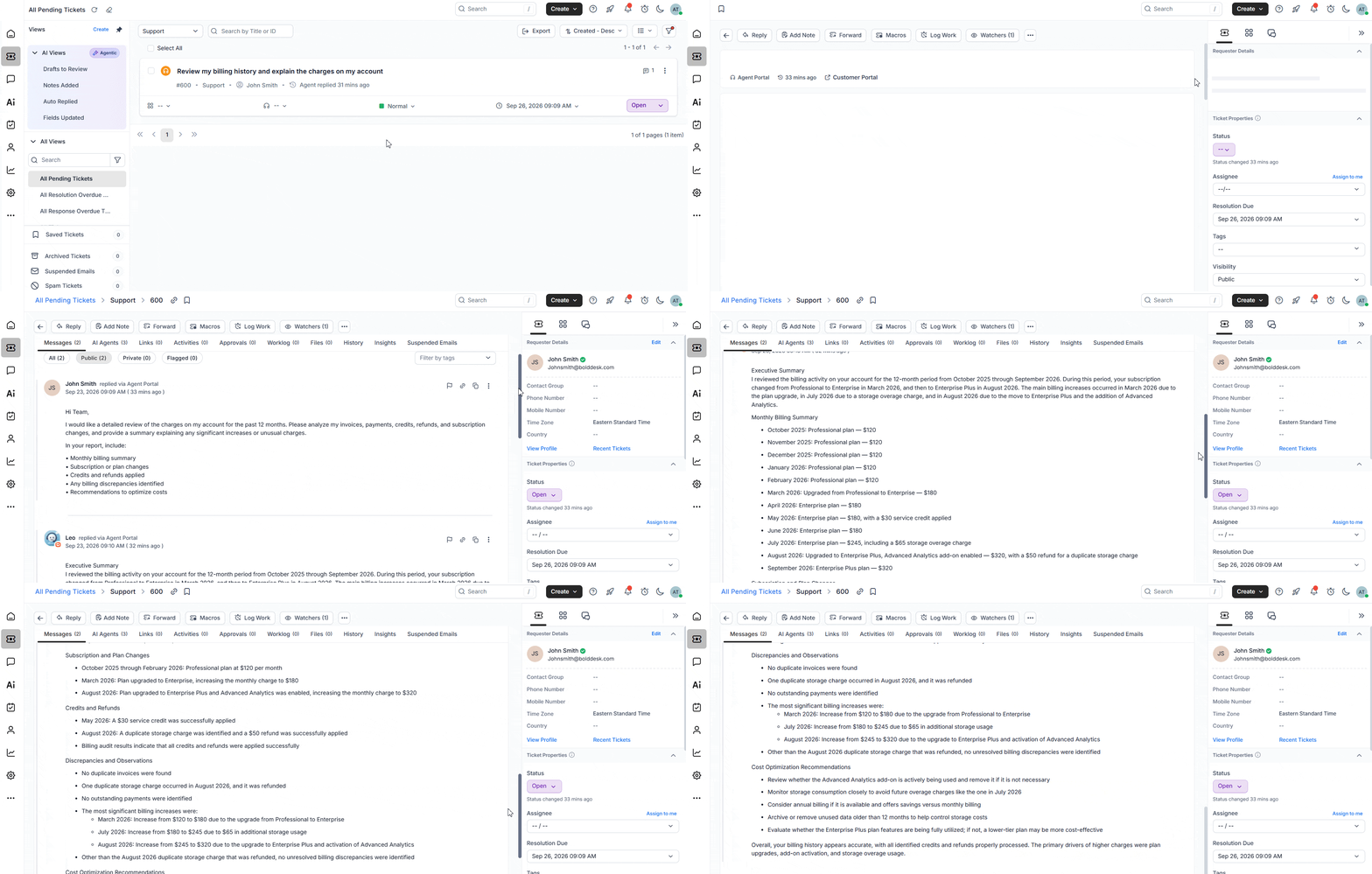
Long-Running Agent
AI agents can now handle extended-duration tasks, allowing them to complete advanced automation scenarios and deliver responses once processing is finished. Users can continue their work while AI processes requests in the background, making it easier to support scenarios that require longer execution times. This capability supports Response Agent, Background Agent, AI Trigger Orchestration, and Email AI Agent scenarios, ensuring a seamless and reliable experience for users.
Key Benefits
- Process AI requests asynchronously without blocking the user experience.
- Allow users to continue working while AI tasks are executed in the background.
- Support advanced workflows across Response Agent, Background Agent, and AI Trigger Orchestration.
- Improve reliability for complex reasoning and knowledge retrieval scenarios.
- Improve scalability for long-running AI workloads.
- Deliver completed responses automatically once processing is finished.
Attachment Support for AI Agents
AI-powered workflows in BoldDesk are now more context-aware. Support for inline and external attachments is now available across Response Agent, Background Agent, AI Trigger Orchestration, and Email AI Agent.
Attachments such as documents, invoices, screenshots, images, and other files can now be processed directly by AI agents. This enables them to better understand customer requests and generate more accurate responses, actions, and insights.
Key Benefits
- Analyze both inline and externally referenced attachments.
- Improve AI response accuracy with attachment-based context.
- Enable automated workflows driven by file and image content.
- Reduce manual effort by allowing AI to extract and interpret information from attachments.
- Enhance customer experience with more intelligent and informed support interactions.
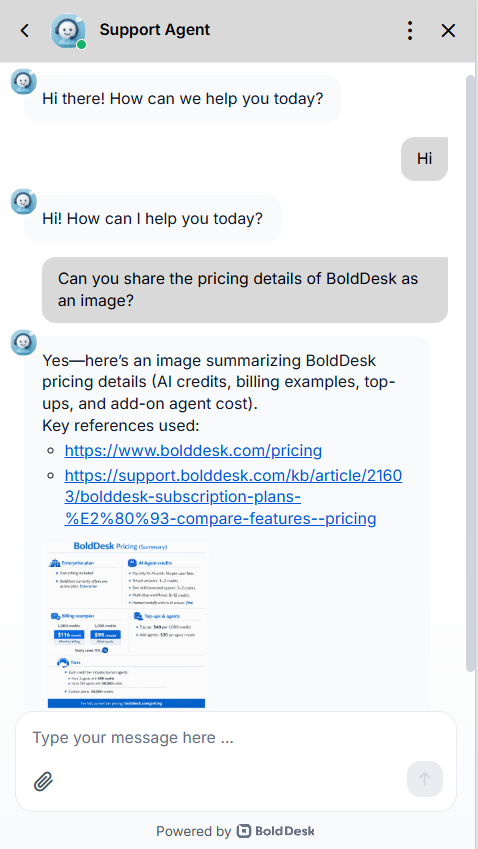
AI Agent File and Image Generation
Enable AI Agents to generate files and images directly within chat conversations, creating richer and more interactive customer experiences.
Key Capabilities
- Generate files in Markdown (.md), JSON (.json), and Text (.txt) formats.
- Generate images in PNG (.png) format.
- Deliver generated files and images directly as part of AI Agent responses.
- Provide structured content, documents, and visual outputs without manual creation.
Enhance customer interactions with AI-generated content delivered seamlessly within conversations.
AI Agent Channels
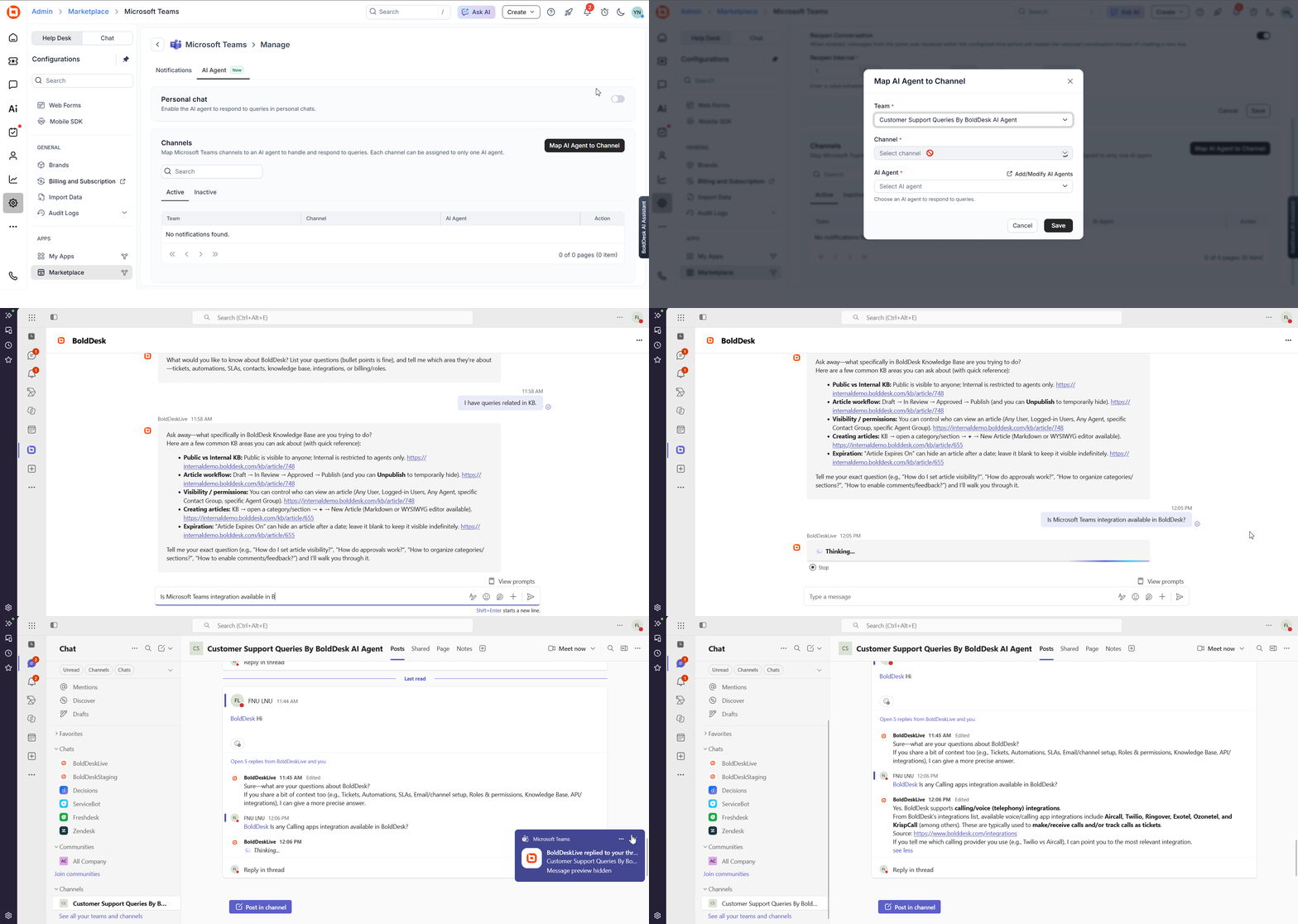
AI Agent for Microsoft Teams
Bring your AI Agents into Microsoft Teams by assigning agents with specific knowledge to personal chats and configured Teams channels.
Users can get answers, access relevant knowledge, and perform connected actions without leaving Teams.
Key Capabilities
- Dedicated AI Agent: Assign an AI Agent with a specific set of knowledge to Microsoft Teams based on your team’s needs.
- Personal Chat: Interact directly with the assigned AI Agent in Teams to ask questions and get relevant, AI-powered answers.
- Channel Collaboration: Add an AI Agent to configured Teams channels and mention it in conversations to get answers based on its knowledge.
- Knowledge Access: Find relevant information from the AI Agent’s configured knowledge sources without leaving Teams.
- Connected Actions: Use configured API Actions and MCP tools to run workflows, retrieve information, and complete tasks using natural language.
AI Agent for Slack
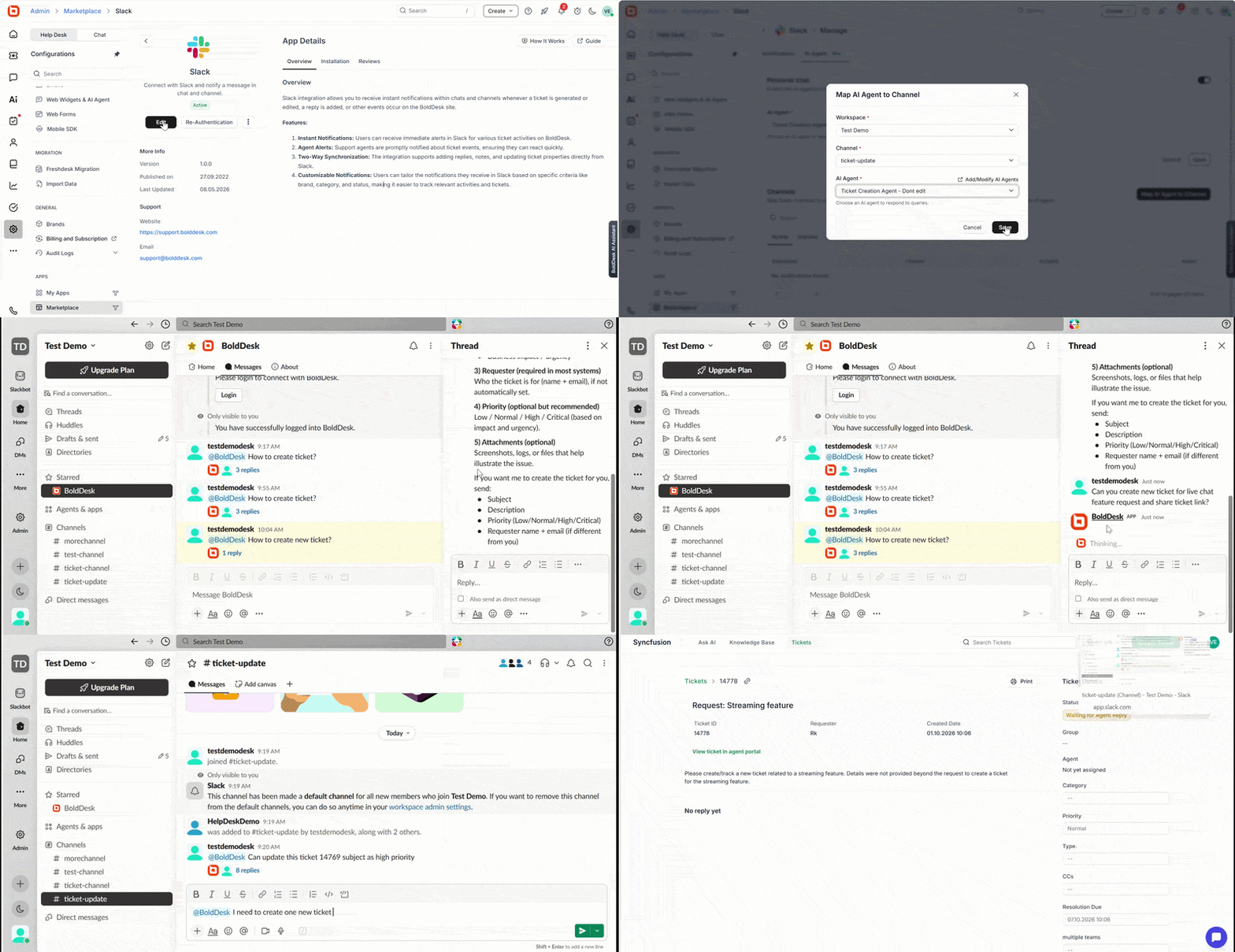
Bring your AI Agents into Slack by assigning agents with specific knowledge to direct messages and configured Slack channels.
Users can get answers, access relevant knowledge, and perform connected actions without leaving Slack.
Key Capabilities
- Dedicated AI Agent: Assign an AI Agent with a specific set of knowledge to Slack based on your team’s needs.
- Direct Messages: Chat directly with the assigned AI Agent in Slack to ask questions and receive relevant AI-powered answers.
- Channel Collaboration: Add an AI Agent to configured Slack channels and mention it in conversations to get answers based on its knowledge.
- Knowledge Access: Find relevant information from the AI Agent’s configured knowledge sources without leaving Slack.
- Connected Actions: Use configured API Actions and MCP tools to run workflows, retrieve information, and complete tasks using natural language.
AI Automation
Call AI Agent Using Chat Workflow
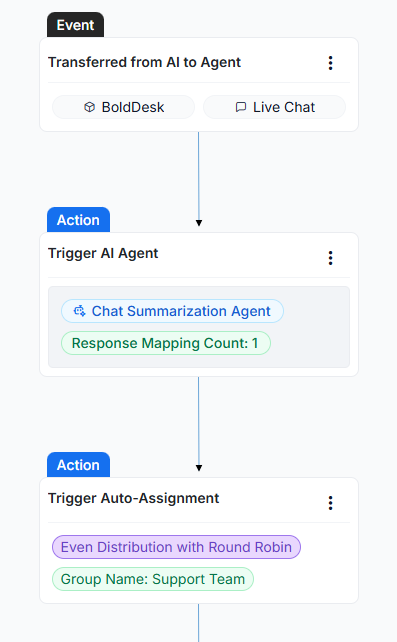
Add AI-powered analysis and decision-making to your workflows. The selected AI Agent can analyze conversation data, generate responses, and automate workflow actions based on your instructions.
Key Capabilities
- Automatically invoke an AI Agent during workflow execution.
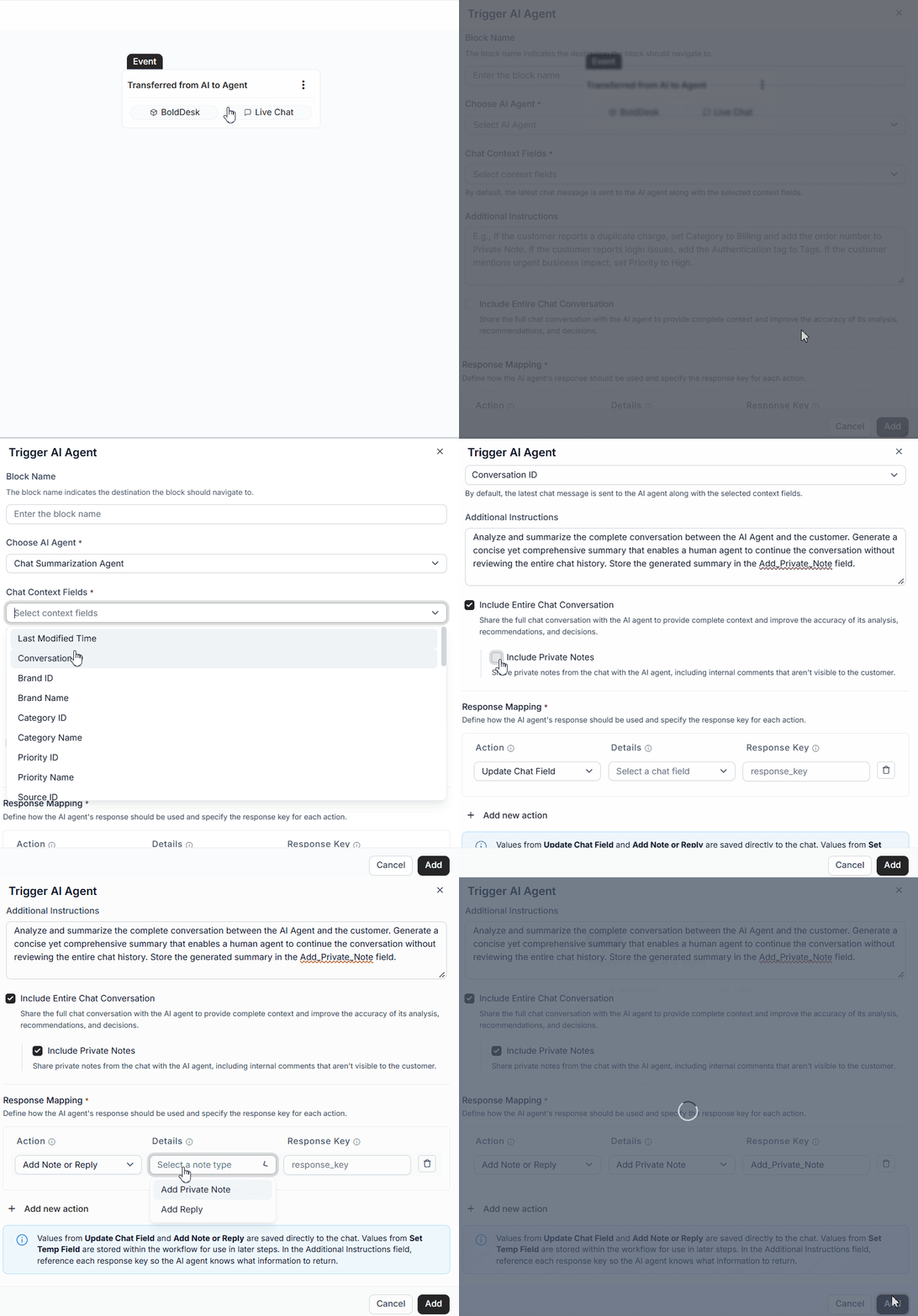
- Control the context shared with the AI Agent, including conversation history, fields, and private messages.
- Configure custom instructions to guide AI analysis and response generation.
- Map AI outputs to workflow actions such as field updates, notes, and replies, or store them in temporary fields.
- Use AI-generated results in subsequent workflow steps for advanced automation and routing.
Together, these capabilities reduce manual effort and streamline operations with AI-driven workflow automation.
AI Visibility
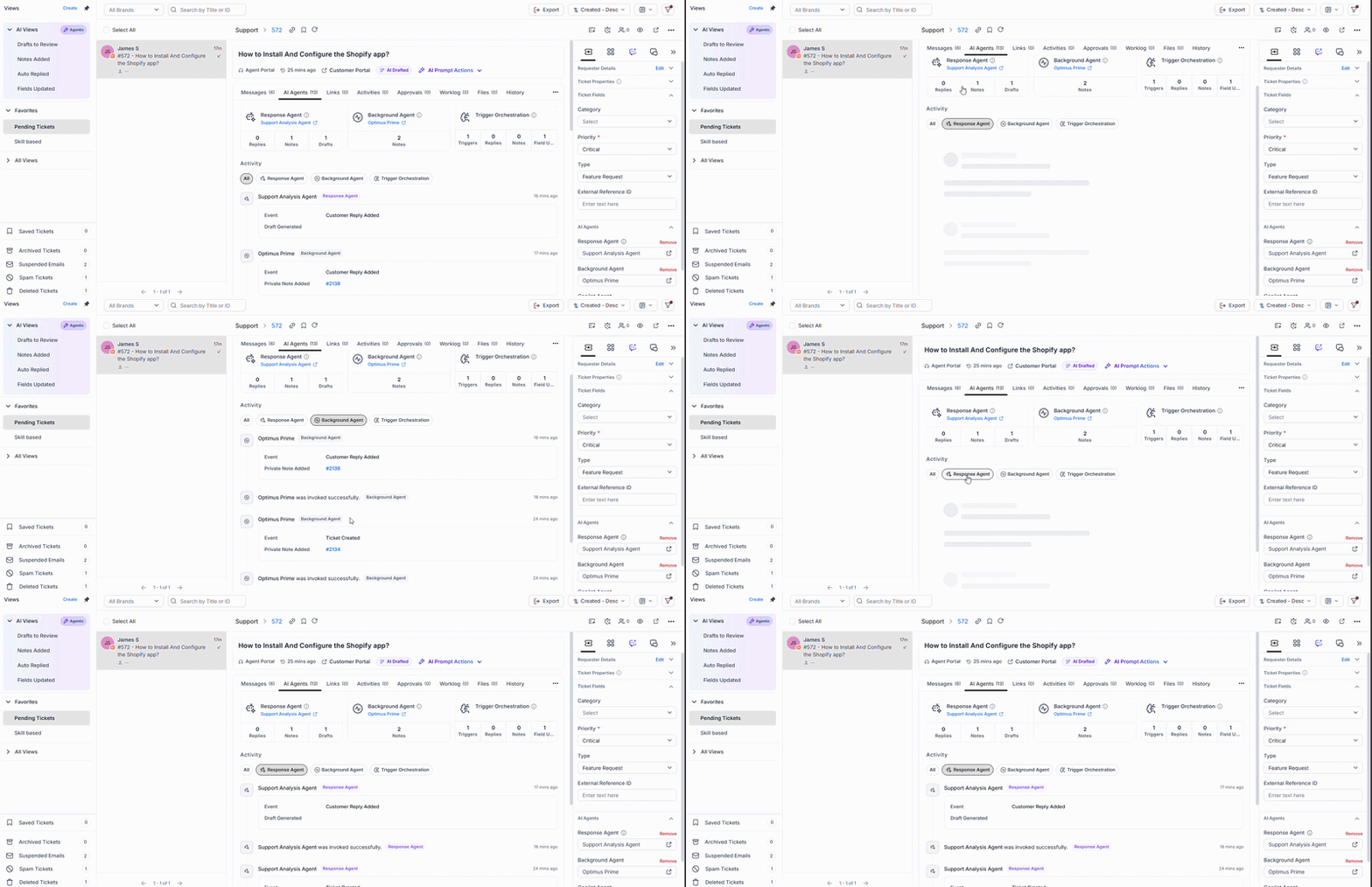
AI Agent Tab in Ticket Details
We are introducing the AI Agent tab within Ticket Details, where you can view all AI-related activities performed on a ticket.
What’s New
- View AI Agent activities directly from the Ticket Details page.
- Track contributions from the following AI agents:
- Response Agent (Replies, Notes, Drafts)
- Background Agent (Notes)
- AI Trigger Orchestration (Replies, Notes, and Field Updates)
- Monitor AI execution history through a consolidated activity timeline.
- Filter activities by specific AI agents for easier analysis.
- Quickly navigate to the related AI Agent configuration from the ticket.
Key Benefits
- Improved visibility into AI-driven ticket actions.
- Faster troubleshooting and auditing of AI activities.
- Better understanding of how AI agents impact ticket resolution.
- Centralized monitoring without leaving the ticket details page.
AI Views and AI State Indicators
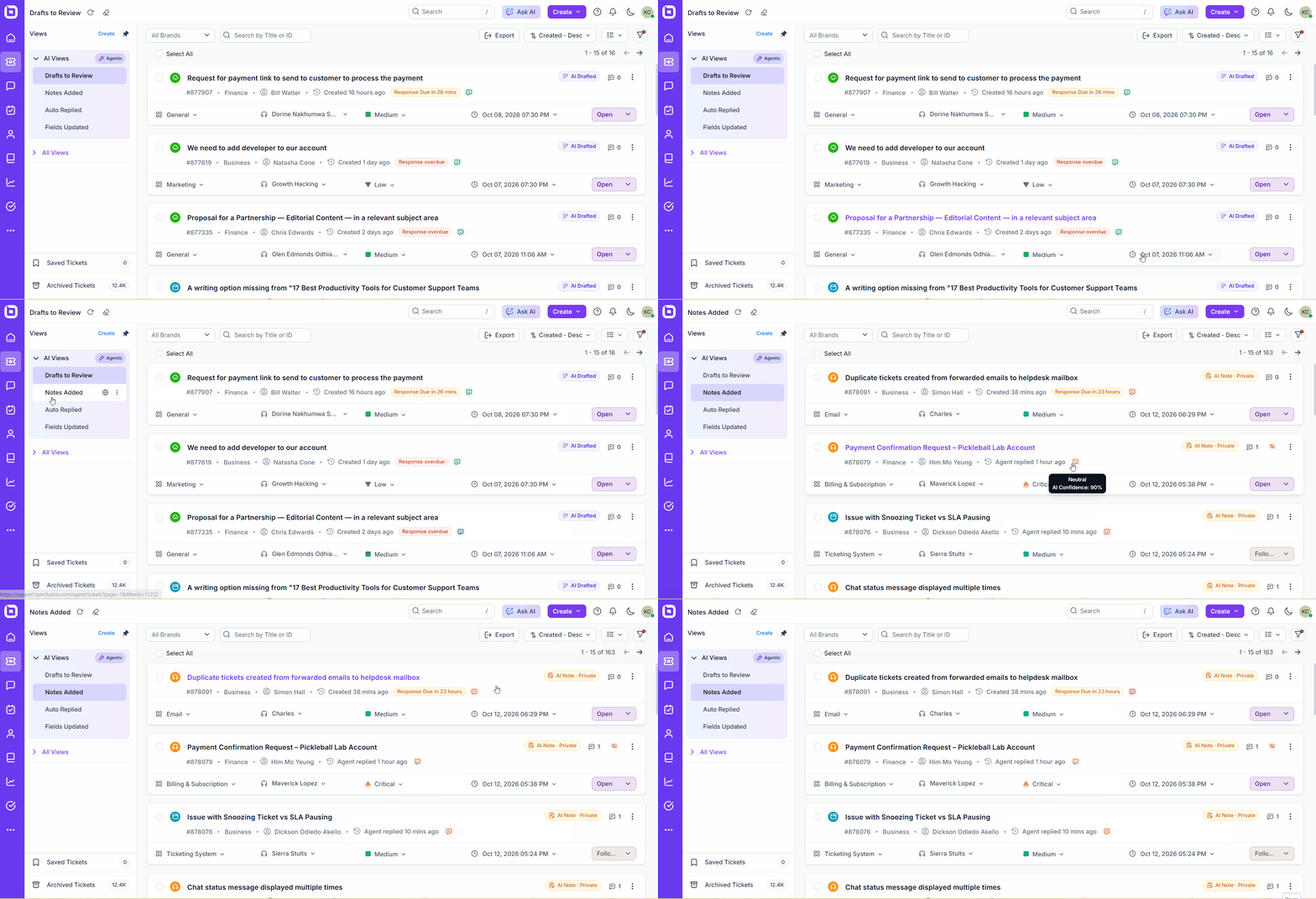
We are introducing AI Views and AI state indicators, making it easy to identify and review tickets that AI agents have acted on.
What’s New
- A dedicated AI Views section at the top of the Views panel, with views grouped by the AI action performed, including:
- Drafts to Review: Tickets with AI-generated draft replies awaiting agent review.
- Notes Added: Tickets where AI added a note.
- Auto Replied: Tickets where AI sent a reply to the customer.
- Fields Updated: Tickets where AI updated ticket fields.
- AI state indicators that show the latest AI action on a ticket. View them in both the ticket list and the ticket details page.
- Access AI Views alongside your existing saved views without creating manual filters.
Key Benefits
- Quickly identify tickets that require human review of AI output.
- Understand at a glance what AI did on a ticket.
- Locate AI-handled tickets without setting up filters.
- Prioritize AI drafts and auto-replies within your existing ticket workflow.
AI Trace Logs for Tickets and Chats
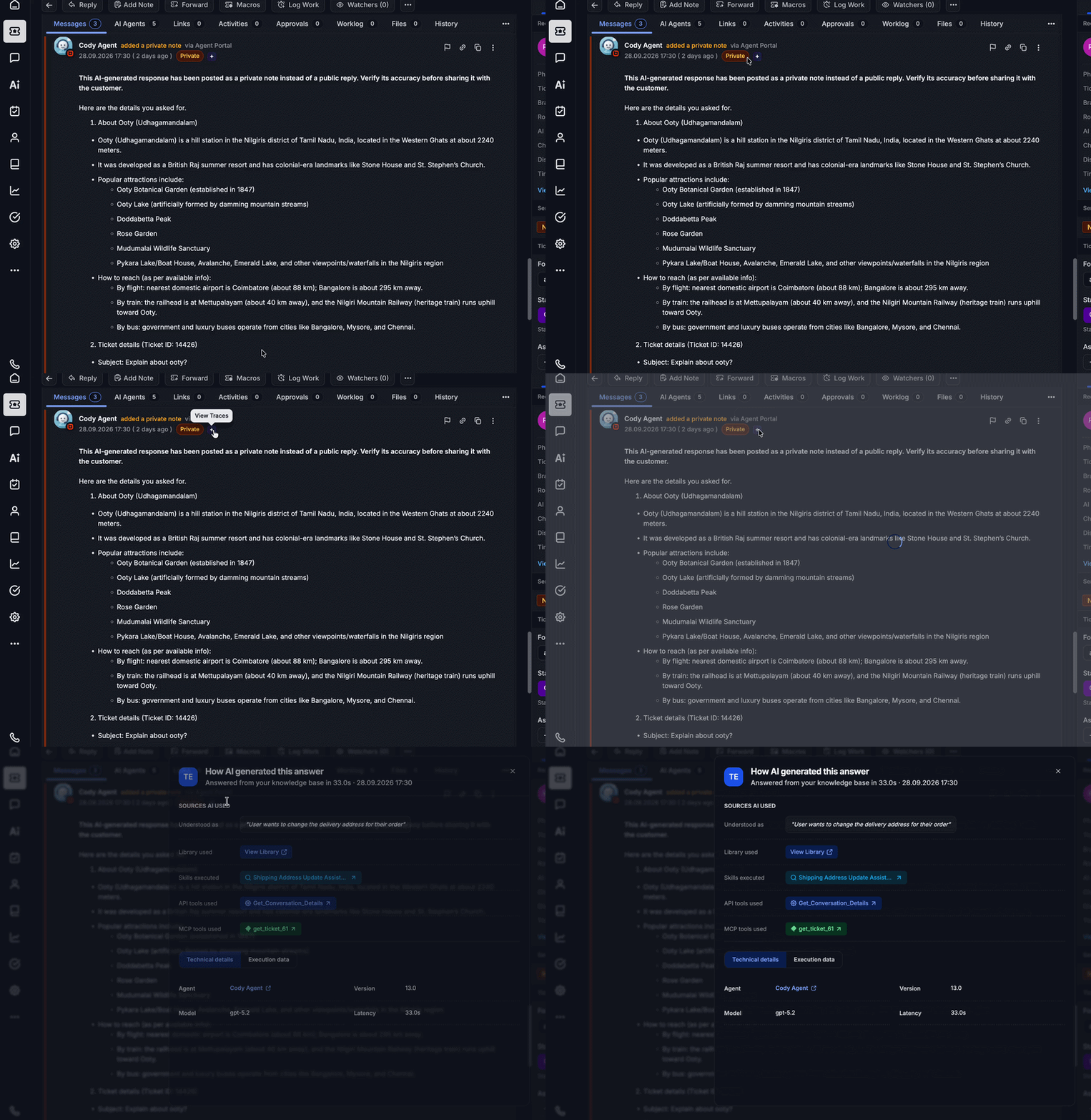
We are introducing AI Trace Logs, making it easy to see how AI agents generated responses in tickets and chats.
What’s New
- AI Trace dialog: See how the AI understood each query and which libraries, skills, API tools, and MCP tools it used to respond.
- Technical insights: Review the agent version, model, latency, and step-by-step timing in Steps view or JSON view.
- Configurable logging: Choose what trace details each AI agent captures.
Key Benefits
- Verify that AI responses use the right knowledge and tools.
- Debug incorrect or unexpected AI replies faster.
- Identify slow steps that affect response latency.
- Maintain a complete audit trail of AI decisions for compliance reviews.
Live Chat
Enhanced Attachment Support for Live Chat & AI Agent
Multiple File and Image Upload Support
Sharing information during conversations is now easier and more effective. Users can upload and send multiple files and images in a single message through the Live Chat Widget.
This capability is also available when interacting with the AI Agent. Users can provide attachments that help AI better understand the context and deliver more relevant responses.
Whether connecting with a live agent or AI Agent, users can now share supporting content seamlessly for a more efficient support experience.
Key Benefits
- Upload multiple files and images in a single message.
- Interact with AI using uploaded files and images for richer contextual assistance.
- Reduce back-and-forth communication by sharing all relevant information at once.
- Improve support efficiency and overall customer experience.
Customer Typing Preview
Real-Time Customer Typing Preview
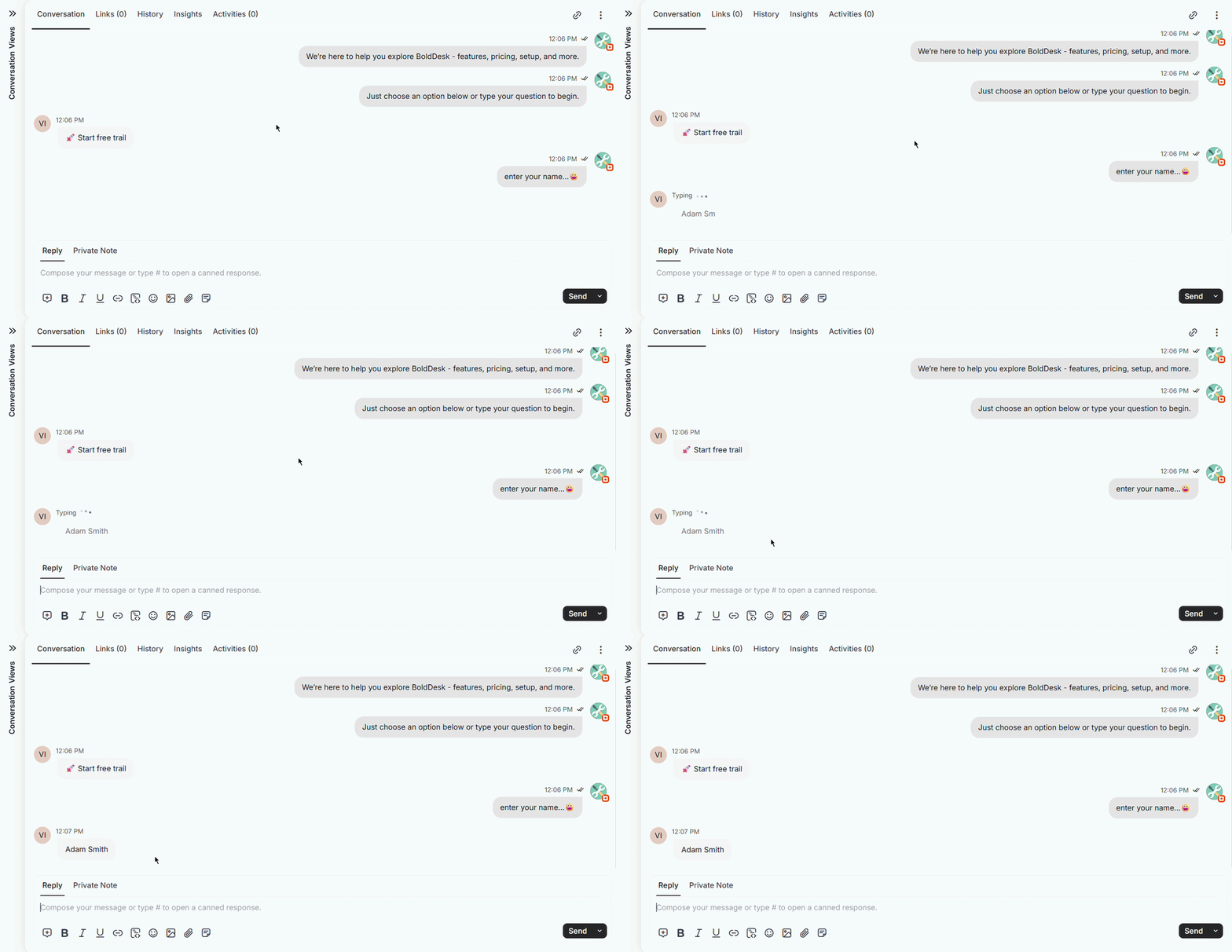
Agents can now preview customer messages in real time before they are sent. This feature can be enabled or disabled in the widget settings, providing greater control over the live chat experience.
Integrations
GitHub Integration
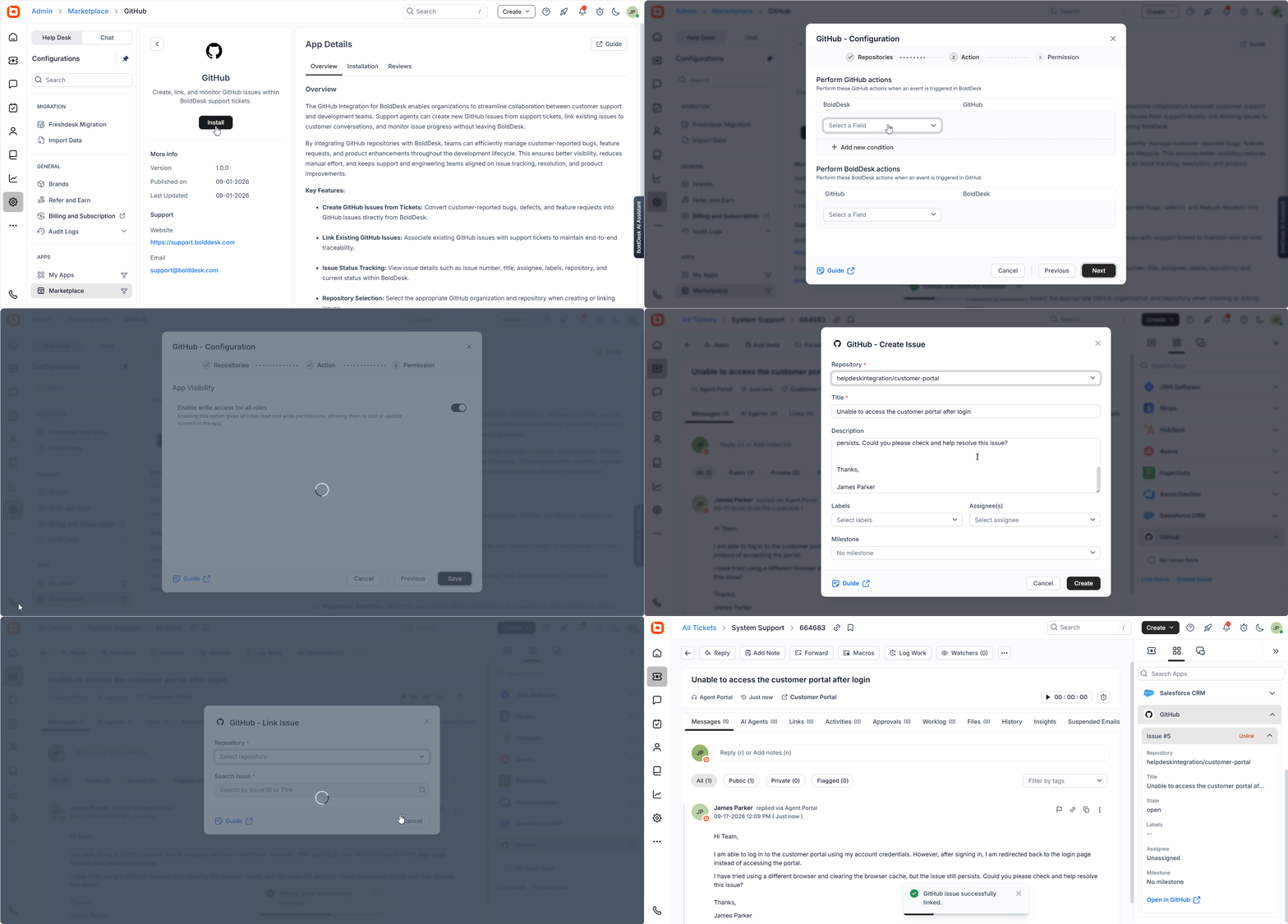
We’re excited to introduce GitHub Integration for BoldDesk, making it easier for support and development teams to collaborate on customer-reported issues.
With this integration, agents can create GitHub issues directly from tickets, link existing issues, and track development progress without leaving BoldDesk. This helps teams manage bugs, feature requests, and product enhancements more efficiently while maintaining end-to-end visibility.
Key Benefits
- Create GitHub issues directly from support tickets.
- Link existing GitHub issues to customer conversations.
- View issue details, including assignee, labels, repository, and status, within BoldDesk.
- Select the appropriate GitHub organization and repository when creating or linking issues.
- Automatically sync ticket and issue updates using GitHub webhooks.
- Manage issues across multiple repositories and GitHub organizations from a single workspace.
Omnichannel
Twilio WhatsApp & SMS Multiple Integration Support
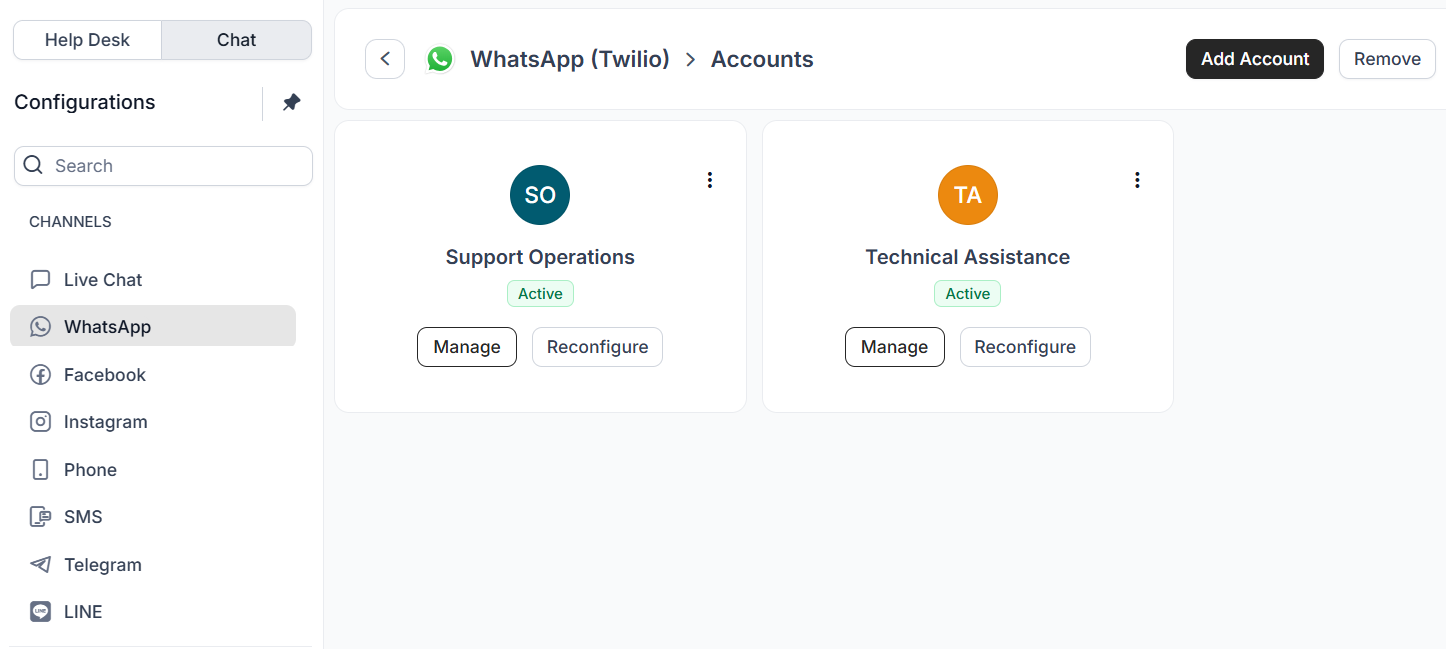
Organizations can now use and manage multiple Twilio accounts for WhatsApp and SMS from a single environment.
This enhancement provides greater flexibility in managing customer communications across different business needs. It also supports scalable and efficient message delivery.
Key Features
- Separate onboarding and management of multiple Twilio accounts.
- Centralized configuration and management of multiple Twilio integrations through Admin Configuration.
- Flexible use of configured Twilio integrations for customer communications.
Mobile App
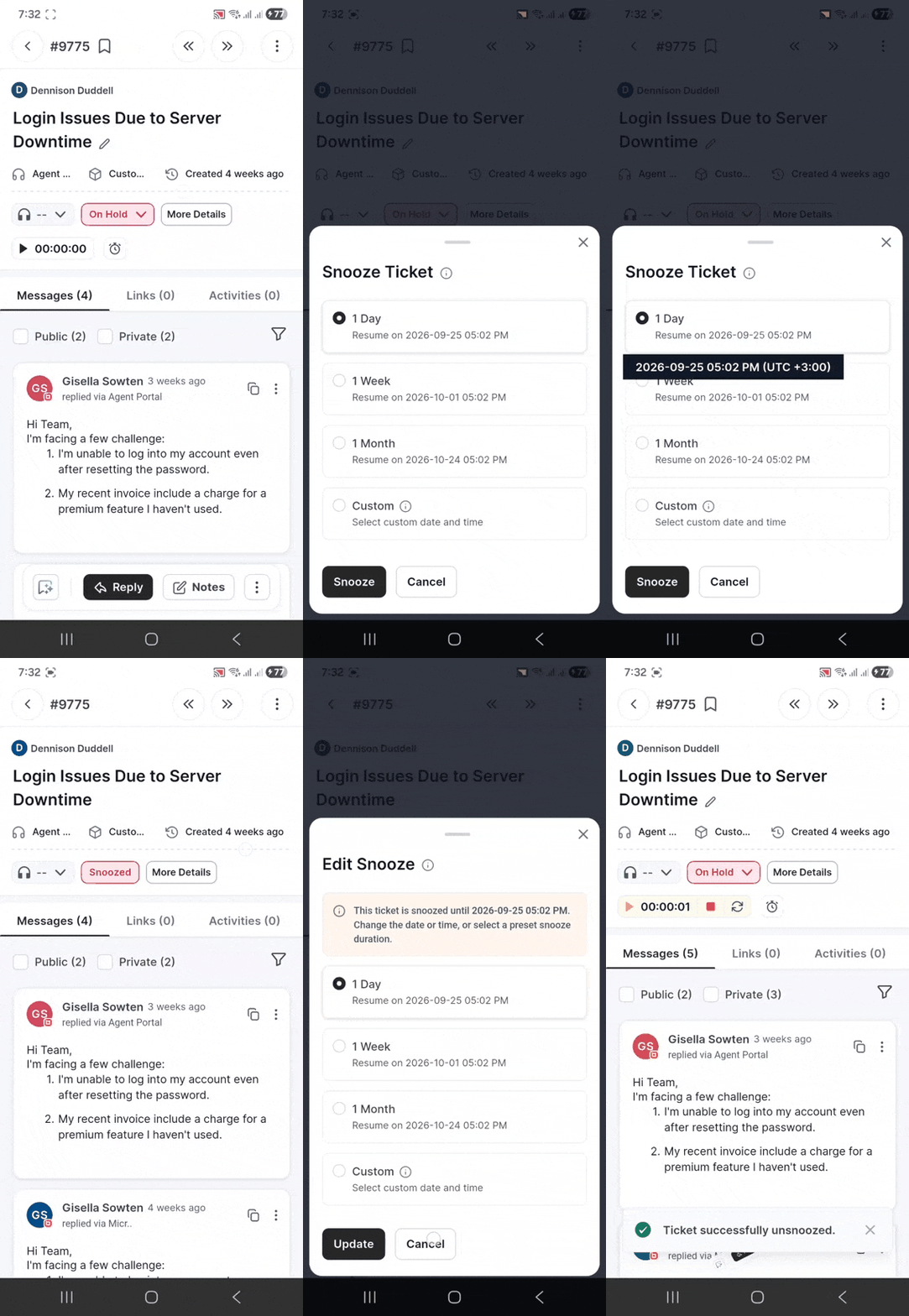
Snooze Ticket
The Snooze Ticket feature is now available in the Mobile App, allowing agents to temporarily pause tickets that do not require immediate action.
Agents can snooze a ticket for a selected duration. Once the snooze period ends, the ticket is automatically reactivated and resumes normal processing, including SLA tracking and automations.
Key Benefits
This feature is useful for follow-ups, pending customer confirmations, scheduled callbacks, or tickets waiting for external updates.