

Zapier Integration That Automates Support Across Your Apps
For teams that run on many tools: start Zaps from BoldDesk ticket and contact events, and create or update tickets from other apps.
- 15-day free trial
- No credit card required


Your Team Uses Dozens of Apps. Zapier Keeps Them in Step.
When tools don’t talk to each other, people copy data between them by hand. Connected through Zapier, BoldDesk and your other apps stay in step.
-
Before:
Copying tickets into other tools by handNo More Copy and Paste
Ticket and contact changes reach your other apps on their own.
-
Before:
Records out of step between appsRecords That Match
BoldDesk and your other tools hold the same details.
-
Before:
One Zap firing for every brandBrand by Brand
Each brand’s automations run only on its own tickets.
Automate Support Work Across Every App You Use
Start Zaps from BoldDesk events, and let Zaps create, update and find BoldDesk records.
-
Triggers
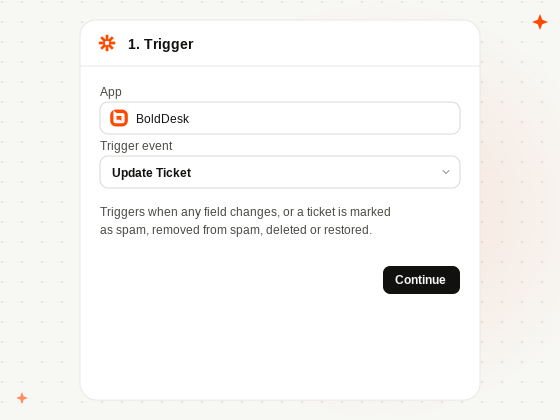
Start Zaps From Ticket and Contact Events
Ticket, reply, note and contact events in BoldDesk trigger Zaps that carry the change to your other apps.
-
Actions
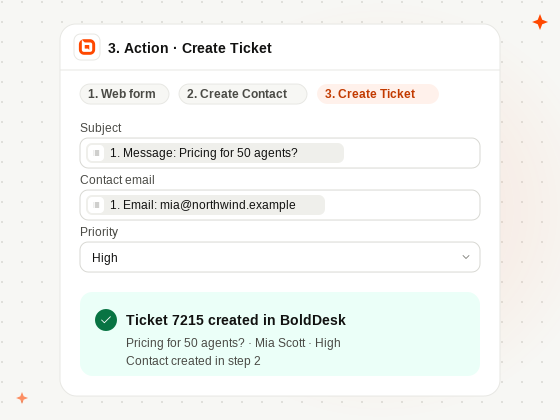
Create Tickets and Contacts From Other Apps
Zaps create and update BoldDesk tickets, contacts and contact groups from data in your other apps.
-
Brands
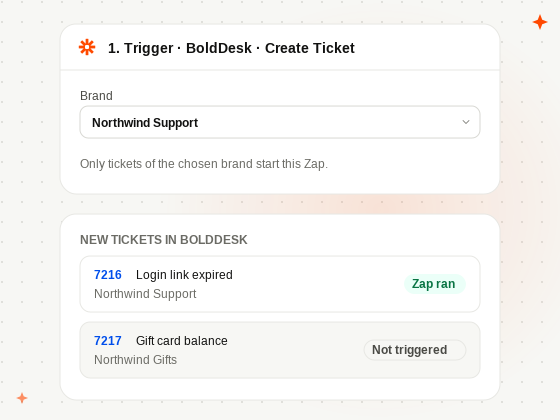
Run a Zap for One Brand or All of Them
Limit a Zap’s trigger to a single brand, or leave it open so that the Zap runs on every brand’s tickets.
-
Find Steps
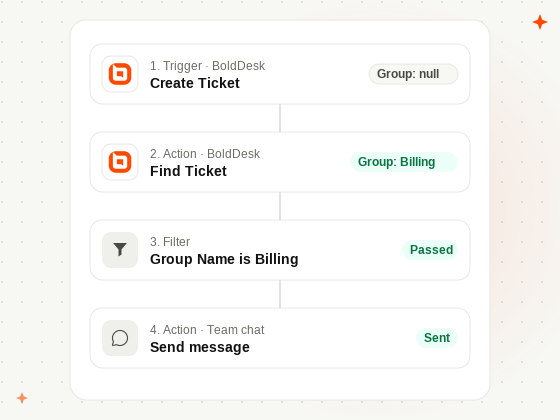
Find Tickets and Contacts Mid-Zap
Find Ticket and Find Contact steps fetch a record’s full details mid-Zap, so later steps can use them.
How Operations Teams Use BoldDesk and Zapier
Real workflows teams automate between BoldDesk and their other apps.
-
Clinics
Turn Appointment Requests Into Tickets
Requests from the clinic’s website form reach the front desk as tickets.
- A patient fills in the appointment request form
- A Zap creates the contact and opens a ticket
- The front desk replies from BoldDesk
-
Logistics
Alert Dispatch When a Delivery Issue Turns Urgent
Urgent delivery tickets reach the dispatch team’s chat in seconds.
- An agent marks a delivery ticket Urgent
- The Update Ticket trigger starts a Zap
- Dispatch sees the ticket in their team chat
-
Member clubs
Add Every New Member to Your Mailing Tool
People who contact support for the first time join your member list.
- A new member contacts support
- BoldDesk creates their contact
- A Zap adds them to your mailing tool
Related Integrations
Connect BoldDesk to more tools with no-code automation or your own code.



Security & Compliance
Enterprise-Grade Security and Compliance
Protect customer data with secure infrastructure and enterprise-grade access controls.
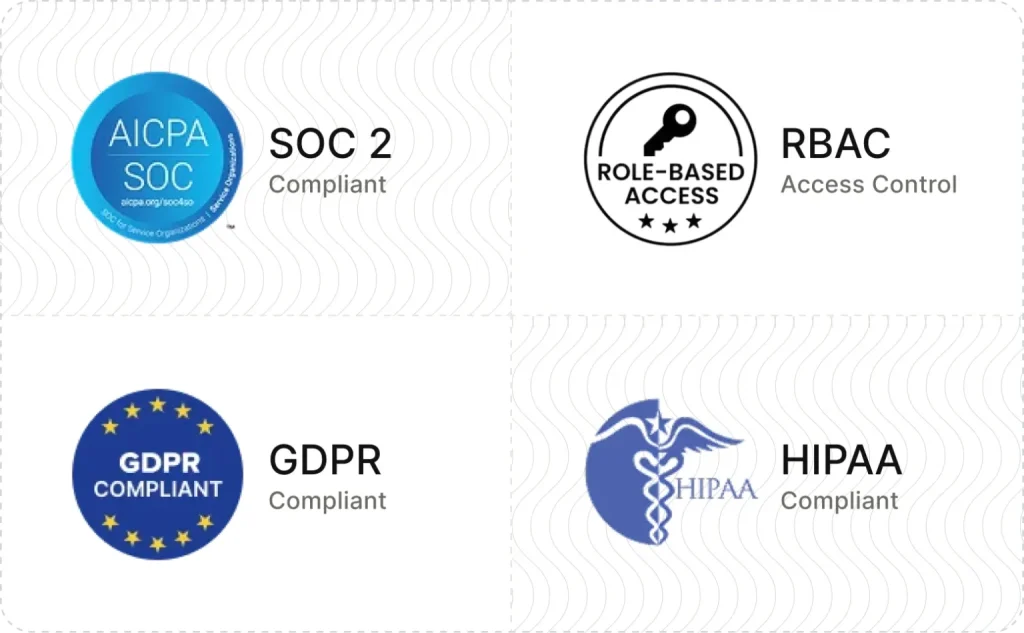
- SOC 2 Type 2 report & GDPR compliant
- AES-256 encrypted infrastructure
- SSO and IP restrictions
- HIPAA compliance with a signed BAA
- Secure cloud architecture
Customers
Backed by Syncfusion, Trusted by 41K+ Companies
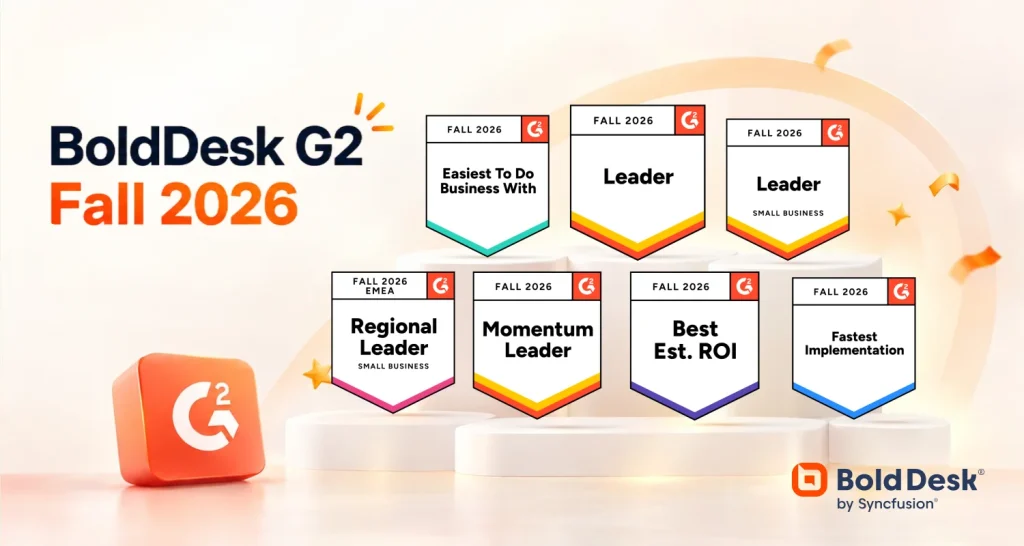
4.5/5 on G2 · Fall 2026 Leader, Momentum Leader, Best Est. ROI, Fastest Implementation
Recognized by Customers on G2
4.5/5 average rating on G2
-
Reelo Technologies Raj Khichi, Customer Support Executive, Reelo Technologies Pvt. Ltd.
Up to 24x
faster at solving customer queries, with 2.4x more tickets closed per day
Read the Reelo story -
GeoVerra One of Canada’s largest geomatics firms
25%+
improvement in service desk efficiency, with single sign-on via Entra ID
Read the GeoVerra story -
Eurotel Hospitality Hospitality software, Greece
~67%
more issues handled each week, from about 600 to about 1,000
Read the Eurotel story
-
"The overall application functionality is good, UI/UX and the configurations including automations all the other services are constantly working fine."
 Harsha R Support Team Lead
LTIMindtree -
"BoldDesk has everything you could imagine in a customer service platform, including many features like APIs that we are yet to explore fully."
Carlos R VP of Operations
Movisis Tecnologia Limited -
"BoldDesk provided an all-in-one solution that saves time and reduces redundancy, improving the user experience and shortening ticketing time by 50%."
 Amy Syncfusion
Frequently Asked Questions
What does the BoldDesk Zapier integration do?
It connects BoldDesk to the apps Zapier supports: ticket, reply, note, contact and contact group events in BoldDesk start Zaps, and Zaps create, update or find those records in BoldDesk.
Which BoldDesk triggers and actions does Zapier offer?
Triggers: Create and Update Ticket, Create Ticket Reply, Create Ticket Note, Create and Update Contact, and Create and Update Contact Group. Actions create or update the same records, and Find Ticket, Find Contact and Find Contact Group look them up.
Can a Zap run for just one brand?
Yes. Choose a brand in the BoldDesk trigger and the Zap runs only for that brand’s tickets; leave the field empty to run it for every brand.
Which BoldDesk plans include the Zapier integration?
Every BoldDesk plan includes the Zapier integration: Scale AI, Momentum AI and Enterprise AI.
How do I set up the BoldDesk Zapier integration?
In Zapier, create a Zap, choose BoldDesk as the trigger or action app, and connect your account with your BoldDesk domain name and API key. Then test the step.
Connect BoldDesk
to 3,000+ Apps
Create a Zap, choose BoldDesk, connect it with your domain name and API key, and test your first trigger.